# Magic Mirror (Emotion Detection) on Raspberry Pi

:::info
This is a Course Project, which based on IOT Technique.
**Course**: Internet of Things Practical (IM5032)
**Author**: Pokémon Trainer
:::
:::danger
**Code**: https://github.com/BanNel/NCUCourse-RaspberryPi/tree/master/IOTProject
⚠️ The code in this project is based on several author. For the detail, please check the references.
:::
## :elephant: Overview
It is a Magic Mirror (Emotion Detection), which can detect **user’s emotion** and **give some feedback (Quote)**.

| Usage Example| Usage Example | Usage Example |
| -------- | -------- | -------- |
|  | | |
## :star2: Motivation
**Remember to Smile!**
Life is struggle, sometimes we will be sad, angry and will have a bad mood. But if we remember to smile up, the life may be much easier.
Do you have the experience that someone told you to smile up? A positive emotion is really important, it's not only affect our feelings but also our health. William James, the noted psychologist and philosopher, believed that smiling has a positive effect on our mind.
Richman (2005) examined the relationships between positive emotions and health, he found out that higher levels of positive emotions decreased likelihood of having or developing a disease. Results suggest that positive emotion may play a protective role in the development of disease.
Tsujita (2011, **ACM**) proposed a new digital appliance that encourages the act of smiling in our daily lives. [Video](https://dl.acm.org/doi/10.1145/2030112.2030114#)
| Tsujita (2011) Device | Tsujita (2011) Usage |
| -------- | -------- |
|  |  |
Moore (2017, **ACM**) proposed study aimed at evaluating a bespoke smartphone-based affective technology that attempts to promote happiness through smiling, by reminding participants to smile on a regular basis.
| Moore (2017) Research |
| -------- |
|  |
Based on these studies, we can know that smile is very important.
So I build up a emotion detection device which can put in any place.
For Example, put it in the workplace. When you are working, you may not notice that you have a bad emotion, so the device will remind you, and giving the corresponding quote depending on your emotion. Another example is put it in the restroom, cause we may stay in front of mirror when we are in depression, so the device will encourage you to cheer up!
## :ideograph_advantage: Usage
This Project has two part: Screen Side and Control Side.
The magic mirror have three kinds of mode, **Real Mirror mode**, **Camera mode** and another is the **Encourage Quote mode**.
### Screen Side
| **Real Mirror mode** | **Camera mode** | **Encourage Quote mode** |
| -------- | -------- | -------- |
|  |  | |
| Display the black background on screen, to pretend as the mirror. |Show the real time camera on the screen | It can detect user’s emotion and give some encourage quote.|
### Control Side (control by Website)
| **Control Running mode** | **Monitor Camera** |
| -------- | -------- |
| |  |
| Change the Mode On Screen | Show the real time camera via website |
## :hammer: Dependencies

### Hardware
* Raspberry Pi Model 3B
* Wi-Fi
* Monitor (Screen)
* Intel® Neural Compute Stick 2 (Intel® NCS2)
* One Way Vision Glass Sticker (optional)
### Software
* Python 3.7
* Open-Vino (4.1.2-openvino)
## :diamond_shape_with_a_dot_inside: Installation
### 1. Prepare the Devices
First, you must prepare the following device to start the installation.
1. Raspberry Pi Model 3B
2. Micro SD Card (larger than 16GB)
3. Pi Camera
4. Internet
5. Confidence
---
### 2. Install Raspbian OS and Environment
:::warning
*If you had install the Raspbian OS and the conda, python environment just skip to the next step.*
:::
1. Download the Raspbian OS from [Raspberrypi](https://www.raspberrypi.org/downloads/raspbian/)
2. Install it !
3. After OS Installation, check the conda version, python version. It's recommend to install in python 3.7 for this example.
---
### 3. Test Camera
:::danger
*Turn of the Raspbian Power, before you install the camera on the board (Important)*
:::
Once you have the finish the OS installation and the Python Environment, we can test the PiCamera first, to make sure the hardware is working perfectly.
1. ==Turn of the Raspbian Power, before you install the camera on the board (Important)==
2. Install the Camera
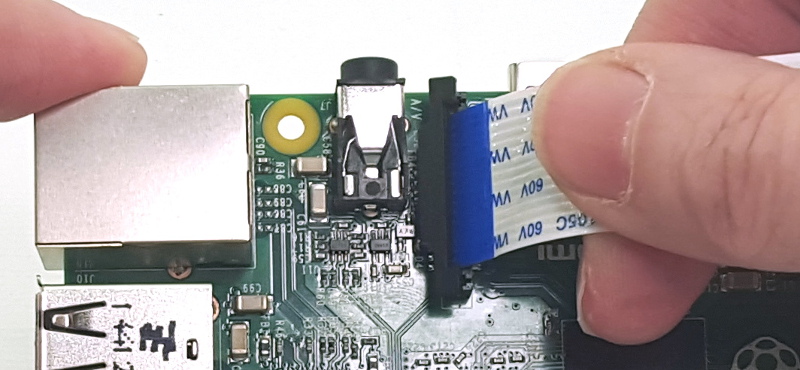
3. Power Raspberry Pi!
4. Open terminal and capture the image by camera
```javascript
raspistill -o Desktop/image45.jpg
```
5. If it works fine, than go to next step.
---
### 4. Install Intel® Neural Compute Stick 2 (Intel® NCS2)

Next, we are going to install the NCS2 on Raspberry Pi.
1. Check Full Installation Guide [NCS Stick 安裝](/JHKd2oUUQRu4ut61XfAQZA)
---
### 5. Install OpenVino & Test OpenVino Environment
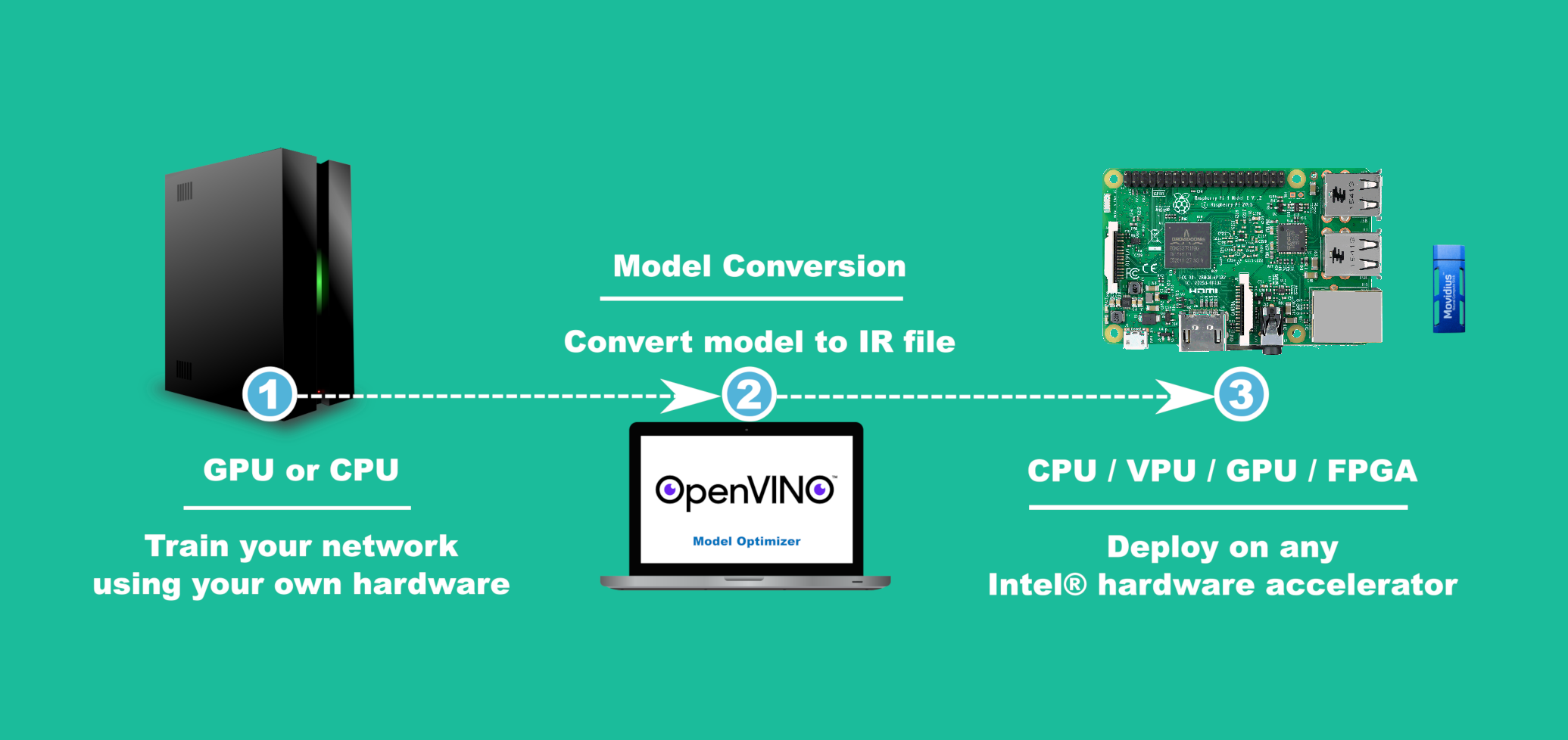
After Install NCS2 and check NCS2 works fine, next we are going to isntall OpenVino
1. Check Full Installation Guide [IOT Install OPENCV](/VxuNdeIPT_ql6Kr8CY18XQ)
---
### 6. Install Flask
1. Check the website source [The Flask Mega-Tutorial Part I: Hello, World!](https://blog.miguelgrinberg.com/post/the-flask-mega-tutorial-part-i-hello-world)
---
### 7. Combine & Run the code
1. FULL Code Check the [Github](https://github.com/BanNel/NCUCourse-RaspberryPi/tree/master/IOTProject)
---
### 8. Place the Glass Sticker (Optional)
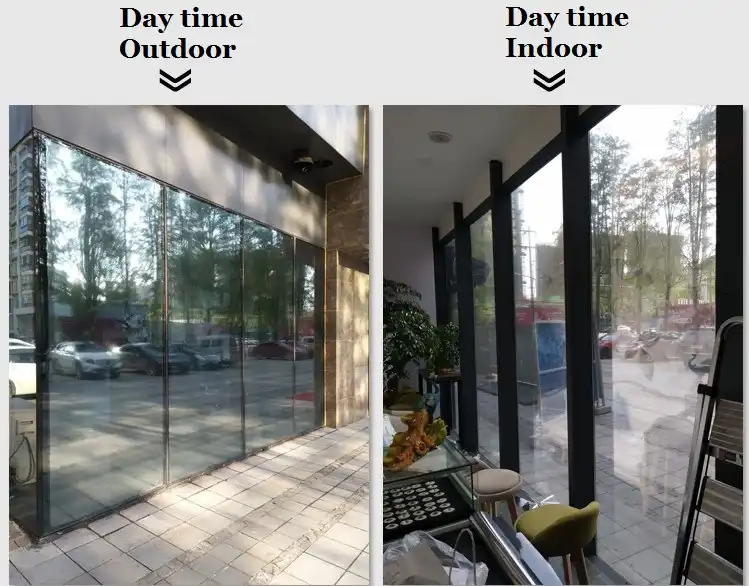
1. Place an one Way Vision Glass Sticker on the screen (optional).
* When screen turn black, the screen will act as the mirror by the sticker.
* When the screen light up, the screen will pass through the sticker and show the Image on the screen.
---
## :+1: Future Study
* Combine with Google Assistant, to let the mirror talks intelligently.
* It also have a feature to display the video or image remotely.
---
## :confetti_ball: Code Reference
:::success
Thanks for all the Source, without you I couldn't make it perfect.
:::
### Website Templates
* http://www.mashup-template.com/preview.html?template=energy
### Pi Camera on Flask (Real time)
* https://www.pyimagesearch.com/2016/01/18/multiple-cameras-with-the-raspberry-pi-and-opencv/
### Emotion Detection on Raspberry Pi
* https://chtseng.wordpress.com/2019/04/13/%E5%A6%82%E4%BD%95%E5%9C%A8%E6%A8%B9%E8%8E%93%E6%B4%BE%EF%BC%8Bncs%E4%BA%8C%E4%BB%A3%E4%BD%BF%E7%94%A8model-zoo%E5%8F%8A%E8%87%AA%E5%B7%B1%E8%A8%93%E7%B7%B4%E7%9A%84%E6%A8%A1%E5%9E%8B/#h2
* https://github.com/PINTO0309/OpenVINO-EmotionRecognition
---
## :cactus: Research Reference
* Richman, L. S., Kubzansky, L., Maselko, J., Kawachi, I., Choo, P., & Bauer, M. (2005). Positive emotion and health: going beyond the negative. Health psychology, 24(4), 422.
* Tsujita, H., & Rekimoto, J. (2011, September). Smiling makes us happier: enhancing positive mood and communication with smile-encouraging digital appliances. In Proceedings of the 13th international conference on Ubiquitous computing (pp. 1-10). ACM.
* Moore, G., Galway, L., & Donnelly, M. (2017, May). Remember to smile: design of a mobile affective technology to help promote individual happiness through smiling. In Proceedings of the 11th EAI International Conference on Pervasive Computing Technologies for Healthcare (pp. 348-354). ACM.
---
## :cactus: Thanks
This course is awesome! Thanks for all the one and Remember to Smile!
> Nothing you wear is more important than your smile. Connie Stevens

---
 Google Drive
Gist
Clipboard
Google Drive
Gist
Clipboard
 Sign in via Facebook
 Sign in via X(Twitter)
 Sign in via GitHub
 Sign in via Dropbox
 Sign in with Wallet






