Joseph Weiss
    • Create new note
    • Create a note from template
      • Sharing URL Link copied
      • /edit
      • View mode
        • Edit mode
        • View mode
        • Book mode
        • Slide mode
        Edit mode View mode Book mode Slide mode
      • Customize slides
      • Note Permission
      • Read
        • Only me
        • Signed-in users
        • Everyone
        Only me Signed-in users Everyone
      • Write
        • Only me
        • Signed-in users
        • Everyone
        Only me Signed-in users Everyone
    • Invite by email
      Invitee

      This note has no invitees

    • Publish Note

      Share your work with the world Congratulations! 🎉 Your note is out in the world Publish Note No publishing access yet

      Your note will be visible on your profile and discoverable by anyone.
      Your note is now live.
      This note is visible on your profile and discoverable online.
      Everyone on the web can find and read all notes of this public team.

      Your account was recently created. Publishing will be available soon, allowing you to share notes on your public page and in search results.

      Your team account was recently created. Publishing will be available soon, allowing you to share notes on your public page and in search results.

      Explore these features while you wait
      Complete general settings
      Bookmark and like published notes
      Write a few more notes
      Complete general settings
      Write a few more notes
      See published notes
      Unpublish note
      Please check the box to agree to the Community Guidelines.
      View profile
    • Commenting
      Permission
      Disabled Forbidden Owners Signed-in users Everyone
    • Enable
    • Permission
      • Forbidden
      • Owners
      • Signed-in users
      • Everyone
    • Suggest edit
      Permission
      Disabled Forbidden Owners Signed-in users Everyone
    • Enable
    • Permission
      • Forbidden
      • Owners
      • Signed-in users
    • Emoji Reply
    • Enable
    • Versions and GitHub Sync
    • Note settings
    • Note Insights New
    • Make a copy
    • Transfer ownership
    • Delete this note
    • Save as template
    • Insert from template
    • Import from
      • Dropbox
      • Google Drive
      • Gist
      • Clipboard
    • Export to
      • Dropbox
      • Google Drive
      • Gist
    • Download
      • Markdown
      • HTML
      • Raw HTML
Menu Note settings Note Insights Versions and GitHub Sync Sharing URL Create Help
Create Create new note Create a note from template
Menu
Options
Make a copy Transfer ownership Delete this note
Import from
Dropbox Google Drive Gist Clipboard
Export to
Dropbox Google Drive Gist
Download
Markdown HTML Raw HTML
Back
Sharing URL Link copied
/edit
View mode
  • Edit mode
  • View mode
  • Book mode
  • Slide mode
Edit mode View mode Book mode Slide mode
Customize slides
Note Permission
Read
Only me
  • Only me
  • Signed-in users
  • Everyone
Only me Signed-in users Everyone
Write
Only me
  • Only me
  • Signed-in users
  • Everyone
Only me Signed-in users Everyone
  • Invite by email
    Invitee

    This note has no invitees

  • Publish Note

    Share your work with the world Congratulations! 🎉 Your note is out in the world Publish Note No publishing access yet

    Your note will be visible on your profile and discoverable by anyone.
    Your note is now live.
    This note is visible on your profile and discoverable online.
    Everyone on the web can find and read all notes of this public team.

    Your account was recently created. Publishing will be available soon, allowing you to share notes on your public page and in search results.

    Your team account was recently created. Publishing will be available soon, allowing you to share notes on your public page and in search results.

    Explore these features while you wait
    Complete general settings
    Bookmark and like published notes
    Write a few more notes
    Complete general settings
    Write a few more notes
    See published notes
    Unpublish note
    Please check the box to agree to the Community Guidelines.
    View profile
    Engagement control
    Commenting
    Permission
    Disabled Forbidden Owners Signed-in users Everyone
    Enable
    Permission
    • Forbidden
    • Owners
    • Signed-in users
    • Everyone
    Suggest edit
    Permission
    Disabled Forbidden Owners Signed-in users Everyone
    Enable
    Permission
    • Forbidden
    • Owners
    • Signed-in users
    Emoji Reply
    Enable
    Import from Dropbox Google Drive Gist Clipboard
       Owned this note    Owned this note      
    Published Linked with GitHub
    1
    • Any changes
      Be notified of any changes
    • Mention me
      Be notified of mention me
    • Unsubscribe
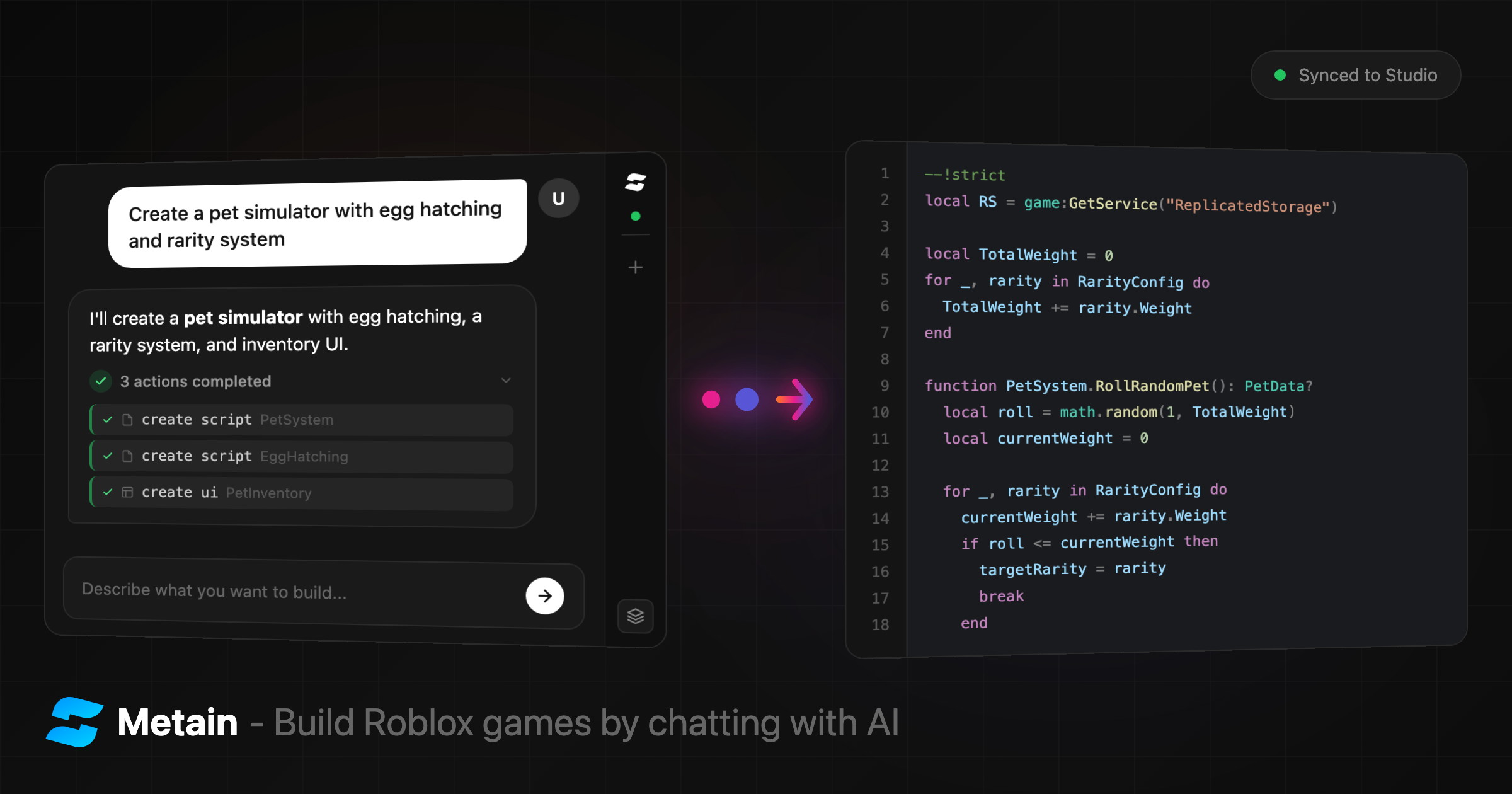
    --- title: "Metain Review: The AI-Powered Roblox Game Builder That Actually Works" description: "Metain lets you build Roblox games by typing prompts. No downloads, no API keys, no extra AI subscription. Here's how it works and why it matters." image: https://metain.dev/og-image.png tags: roblox, ai, game development, luau, roblox studio, metain, ai game builder, roblox plugin robots: index, follow lang: en --- # Metain Review: The AI-Powered Roblox Game Builder That Actually Works ![Metain — AI-Powered Roblox Game Builder](https://metain.dev/og-image.png) There's a new tool making waves in the Roblox development community and it's not what most developers expected. **Metain** is an AI agent that builds Roblox games from natural language prompts generating Luau scripts, creating UI and syncing everything directly to Roblox Studio in real-time. After testing it firsthand, I can say it exceeded expectations. Here's the full breakdown. [toc] ## What Is Metain? [Metain](https://metain.dev) is a web-based AI platform purpose-built for Roblox game development. You type what you want in plain English *"Create a click-to-collect coin system with a leaderboard"* and the AI writes production-ready Luau code, creates instances, builds complete UI hierarchies and pushes everything into your Roblox Studio session live. The key word there is **live**. This isn't a code generator that spits out text you paste manually. Changes appear in Studio the moment the AI writes them, synced over WebSocket in real-time. ## Why It Stands Out Most AI coding tools are general-purpose. They generate Python, JavaScript or whatever you ask for, but they have no idea what Roblox Studio is, what Luau syntax looks like or how ScreenGuis are structured. Metain is different because it was built specifically for Roblox: - **Native Luau support** - not a general-purpose model awkwardly generating Roblox code - **Context-aware** - before writing anything, the AI reads your entire game: hierarchy, scripts, UI, properties - **Direct Studio integration** - the AI doesn't just generate code, it *executes* changes inside your Studio session - **Scoped undo** - only reverses AI-made changes, leaving your manual work untouched And here's what really matters: **as AI models improve, Metain automatically gets better.** The platform is powered by Claude, Anthropic's latest AI. Every model upgrade translates directly into smarter code generation, better game logic and fewer errors without users doing anything. ## No Downloads. No API Keys. No Extra Subscriptions. This is where Metain separates itself from every other AI dev tool I've tested. **The entire AI interface is a web chat.** You open [metain.dev/chat](https://metain.dev/chat) in your browser and start typing. That's it. | Common complaint with AI tools | Metain's answer | | :--- | :--- | | "Do I need to install software?" | **No.** It's a website. Just open your browser. | | "Do I need my own OpenAI/Anthropic API key?" | **No.** The AI is included. No API keys, ever. | | "Do I need a separate AI subscription?" | **No.** Metain handles everything. One platform, one price. | | "How does it connect to Roblox Studio?" | A free plugin from the Creator Store + a 6-digit code. | The only thing you install is a lightweight Roblox Studio plugin from the official Creator Store and that takes about 30 seconds. ## How to Set It Up (Under 5 Minutes) The setup process is surprisingly straightforward: ### Step 1: Sign In Go to [metain.dev/auth](https://metain.dev/auth) and click **"Continue with Roblox."** You sign in with your existing Roblox account. No separate registration. ### Step 2: Install the Plugin Grab the **Metain Connect** plugin from the Roblox Creator Store: :point_right: [Install Plugin](https://create.roblox.com/store/asset/94668451190069) It's free. Once installed, you'll see a **"Metain"** button in your Studio toolbar. ### Step 3: Connect 1. On [metain.dev/chat](https://metain.dev/chat), click **"Get Connection Code"** 2. A 6-character code appears (e.g., `A3K9X2`) with a countdown timer 3. Open Studio, click the Metain toolbar button to open the panel 4. Enter the code and click **Connect** 5. The status dot turns green you're connected That's it. No configuration files, no environment variables, no terminal commands. ### Step 4: Start Building Type a prompt like: > *"Create a simulator game where players click a button to earn coins, with a shop GUI to buy upgrades and a leaderboard showing top players"* The AI analyzes your game, writes the code, creates the instances and pushes everything into Studio. You watch it happen in real-time. ## What the AI Can Actually Do This isn't a chatbot that gives you code snippets to copy-paste. The Metain AI agent executes **18 distinct commands** directly inside Roblox Studio: ### Scripts - **Generate** new Scripts, LocalScripts and ModuleScripts with full source code - **Read** existing scripts to understand your game before making changes - **Rewrite** entire scripts or make **targeted edits** (find-and-replace, not just full rewrites) ### Instances & Objects - **Create** any Roblox instance type with properties - **Build complete UI** ScreenGuis, Frames, TextLabels, TextButtons, ImageLabels, ScrollingFrames, the works - **Rename, move, clone and delete** any instance in your game ### Properties & Metadata - **Set properties** on any instance (supports UDim2, Color3, Vector3, CFrame, Enum and more) - **Manage tags** (CollectionService) and custom attributes - **Undo** reverses only AI-made changes, preserving everything you built manually ### Context Awareness Before generating anything, the AI reads your full game context: - The complete hierarchy (ServerScriptService, ReplicatedStorage, StarterGui, etc.) - Every script with its source code, path and status - The full UI tree including layouts, colors, fonts and images This means the AI doesn't work in a vacuum. It understands what you've already built and generates code that fits. ## Game Templates For quick starts, Metain offers templates: | Template | What You Get | | :--- | :--- | | **Simulator** | Clicking, collecting and upgrading mechanics | | **Obby** | Obstacle courses and parkour systems | | **Story** | Narrative-driven game structure | | **Combat** | Fighting and PvP systems | | **Tycoon** | Build-and-earn gameplay loops | | **Social** | Hangout and roleplay setups | | **Brainrot** | Meme games and chaos (yes, really) | | **Custom** | Blank slate describe anything | Select a template, finish the sentence and the AI builds it. ## Pricing Metain uses a credit-based model. There's a free tier and credits never expire. | Plan | Monthly | Credits/Month | Bonus on Packs | | :--- | :--- | :--- | :--- | | **Free** | $0 | — | — | | **Metain+** | $4.99 | 12 | +10% | | **Metain Pro** | $9.99 | 28 | +15% | | **Metain Ultra** | $19.99 | 60 | +20% | Annual billing saves 20% across all tiers. **Credit packs** are also available as one-time purchases (no subscription needed): | Pack | Credits | Price | | :--- | :--- | :--- | | Starter | 10 | $5 | | Basic | 25 | $10 | | Standard | 55 | $20 | | Pro | 120 | $40 | | Power | 300 | $90 | First-time subscribers get **+50% bonus credits** on their first pack purchase. Payments via Stripe (cards) and crypto via Cryptomus. ## Who Is This For? Based on what I've seen, Metain fits a few distinct use cases: - **Beginners** who want to build Roblox games but can't write Luau from scratch - **Experienced developers** who want to prototype faster describe systems in English, refine the generated code - **Solo developers** who need to move fast without hiring scripters - **Content creators** who want to build game concepts quickly for videos or showcases The AI handles the heavy lifting. You handle the creative direction. ## The Bottom Line Metain is one of those tools that makes you wonder why it didn't exist sooner. The Roblox development ecosystem has been waiting for something like this a purpose-built AI agent that actually understands Studio, speaks Luau natively and doesn't require users to configure anything. No downloads. No API keys. No extra AI subscription. Just open a browser, type what you want and watch it appear in Studio. The fact that it's powered by Claude means it will only get better as AI improves. That's the kind of compounding advantage that's hard to ignore. :point_right: **Try it:** [metain.dev](https://metain.dev) :point_right: **Get the plugin:** [Roblox Creator Store](https://create.roblox.com/store/asset/77655523450717) :point_right: **Join the community:** [Discord](https://discord.gg/npVzt2ZZ6S) :point_right: **Follow updates:** [X / Twitter](https://x.com/metaindev) --- *Published February 2026. Metain is an independent product and is not affiliated with Roblox Corporation.*

    Import from clipboard

    Paste your markdown or webpage here...

    Advanced permission required

    Your current role can only read. Ask the system administrator to acquire write and comment permission.

    This team is disabled

    Sorry, this team is disabled. You can't edit this note.

    This note is locked

    Sorry, only owner can edit this note.

    Reach the limit

    Sorry, you've reached the max length this note can be.
    Please reduce the content or divide it to more notes, thank you!

    Import from Gist

    Import from Snippet

    or

    Export to Snippet

    Are you sure?

    Do you really want to delete this note?
    All users will lose their connection.

    Create a note from template

    Create a note from template

    Oops...
    This template has been removed or transferred.
    Upgrade
    All
    • All
    • Team
    No template.

    Create a template

    Upgrade

    Delete template

    Do you really want to delete this template?
    Turn this template into a regular note and keep its content, versions, and comments.

    This page need refresh

    You have an incompatible client version.
    Refresh to update.
    New version available!
    See releases notes here
    Refresh to enjoy new features.
    Your user state has changed.
    Refresh to load new user state.

    Sign in

    Forgot password
    or
    Sign in via Google Sign in via Facebook Sign in via X(Twitter) Sign in via GitHub Sign in via Dropbox Sign in with Wallet
    Wallet ( )
    Connect another wallet

    New to HackMD? Sign up

    By signing in, you agree to our terms of service.

    Help

    • English
    • 中文
    • Français
    • Deutsch
    • 日本語
    • Español
    • Català
    • Ελληνικά
    • Português
    • italiano
    • Türkçe
    • Русский
    • Nederlands
    • hrvatski jezik
    • język polski
    • Українська
    • हिन्दी
    • svenska
    • Esperanto
    • dansk

    Documents

    Help & Tutorial

    How to use Book mode

    Slide Example

    API Docs

    Edit in VSCode

    Install browser extension

    Contacts

    Feedback

    Discord

    Send us email

    Resources

    Releases

    Pricing

    Blog

    Policy

    Terms

    Privacy

    Cheatsheet

    Syntax Example Reference
    # Header Header 基本排版
    - Unordered List
    • Unordered List
    1. Ordered List
    1. Ordered List
    - [ ] Todo List
    • Todo List
    > Blockquote
    Blockquote
    **Bold font** Bold font
    *Italics font* Italics font
    ~~Strikethrough~~ Strikethrough
    19^th^ 19th
    H~2~O H2O
    ++Inserted text++ Inserted text
    ==Marked text== Marked text
    [link text](https:// "title") Link
    ![image alt](https:// "title") Image
    `Code` Code 在筆記中貼入程式碼
    ```javascript
    var i = 0;
    ```
    var i = 0;
    :smile: :smile: Emoji list
    {%youtube youtube_id %} Externals
    $L^aT_eX$ LaTeX
    :::info
    This is a alert area.
    :::

    This is a alert area.

    Versions and GitHub Sync
    Get Full History Access

    • Edit version name
    • Delete

    revision author avatar     named on  

    More Less

    Note content is identical to the latest version.
    Compare
      Choose a version
      No search result
      Version not found
    Sign in to link this note to GitHub
    Learn more
    This note is not linked with GitHub
     

    Feedback

    Submission failed, please try again

    Thanks for your support.

    On a scale of 0-10, how likely is it that you would recommend HackMD to your friends, family or business associates?

    Please give us some advice and help us improve HackMD.


    Thanks for your feedback

    Remove version name

    Do you want to remove this version name and description?

    Transfer ownership

    Transfer to
      Warning: is a public team. If you transfer note to this team, everyone on the web can find and read this note.

        Link with GitHub

        Please authorize HackMD on GitHub
        • Please sign in to GitHub and install the HackMD app on your GitHub repo.
        • HackMD links with GitHub through a GitHub App. You can choose which repo to install our App.
        Learn more  Sign in to GitHub

        Push the note to GitHub Push to GitHub Pull a file from GitHub

          Authorize again
         

        Choose which file to push to

        Select repo
        Refresh Authorize more repos
        Select branch
        Select file
        Select branch
        Choose version(s) to push
        • Save a new version and push
        • Choose from existing versions
        Include title and tags
        Available push count

        Pull from GitHub

         
        File from GitHub
        File from HackMD

        GitHub Link Settings

        File linked

        Linked by
        File path
        Last synced branch
        Available push count

        Danger Zone

        Unlink
        You will no longer receive notification when GitHub file changes after unlink.

        Syncing

        Push failed

        Push successfully

