---
title: Difference Between Hub and Switch - Scaler Topics
description: Learn about the difference between hub and switch by Scaler Topics. In this article we will go through in detail and differences between hub and switch. Read to learn more.
author: Rishabh Mahajan
category: Miscellaneous
amphtml: https://www.scaler.com/topics/difference-between-hub-and-switch/amp/
publish_date: 2022-01-06
---
:::section{.main}
## Introduction
Hubs and switches, both integral to networking, differ significantly in how they manage data traffic. Hubs simply broadcast data to all connected devices, leading to potential network congestion and inefficiency. In contrast, switches are smarter, forwarding data only to the specific device it's intended for, improving network speed and reducing unnecessary traffic. This fundamental difference underscores the importance of choosing the right device for efficient network operations.
:::
:::section{.main}
## What is a Hub?
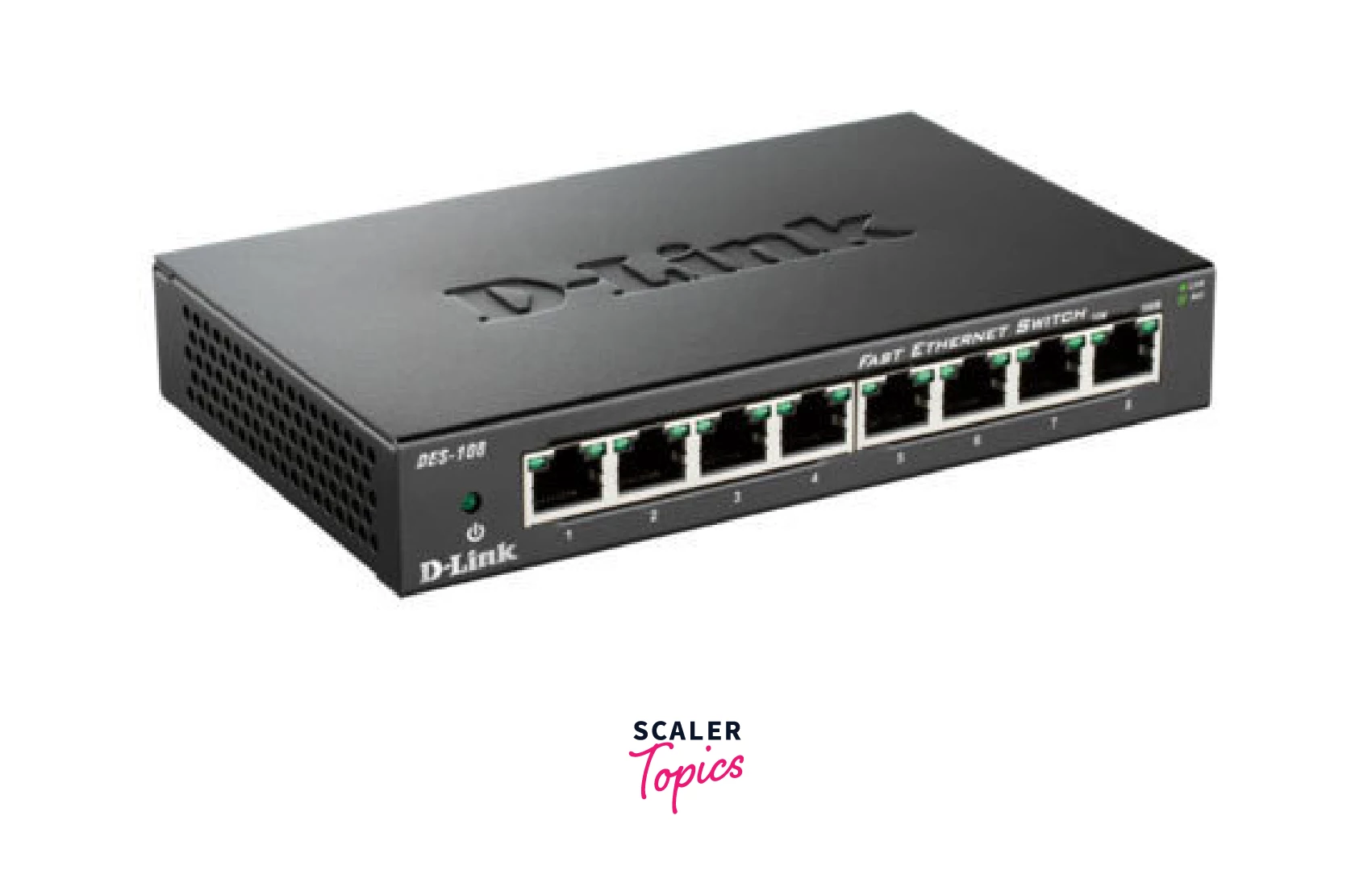
Hub is a networking device which is used to connect multiple devices in a network. Hub works at physical layer and broadcasts data to all the ports except from the port from which the data is being broadcasted. Hub stores various ports, such that when packet arrives at one port it is copied to other ports.
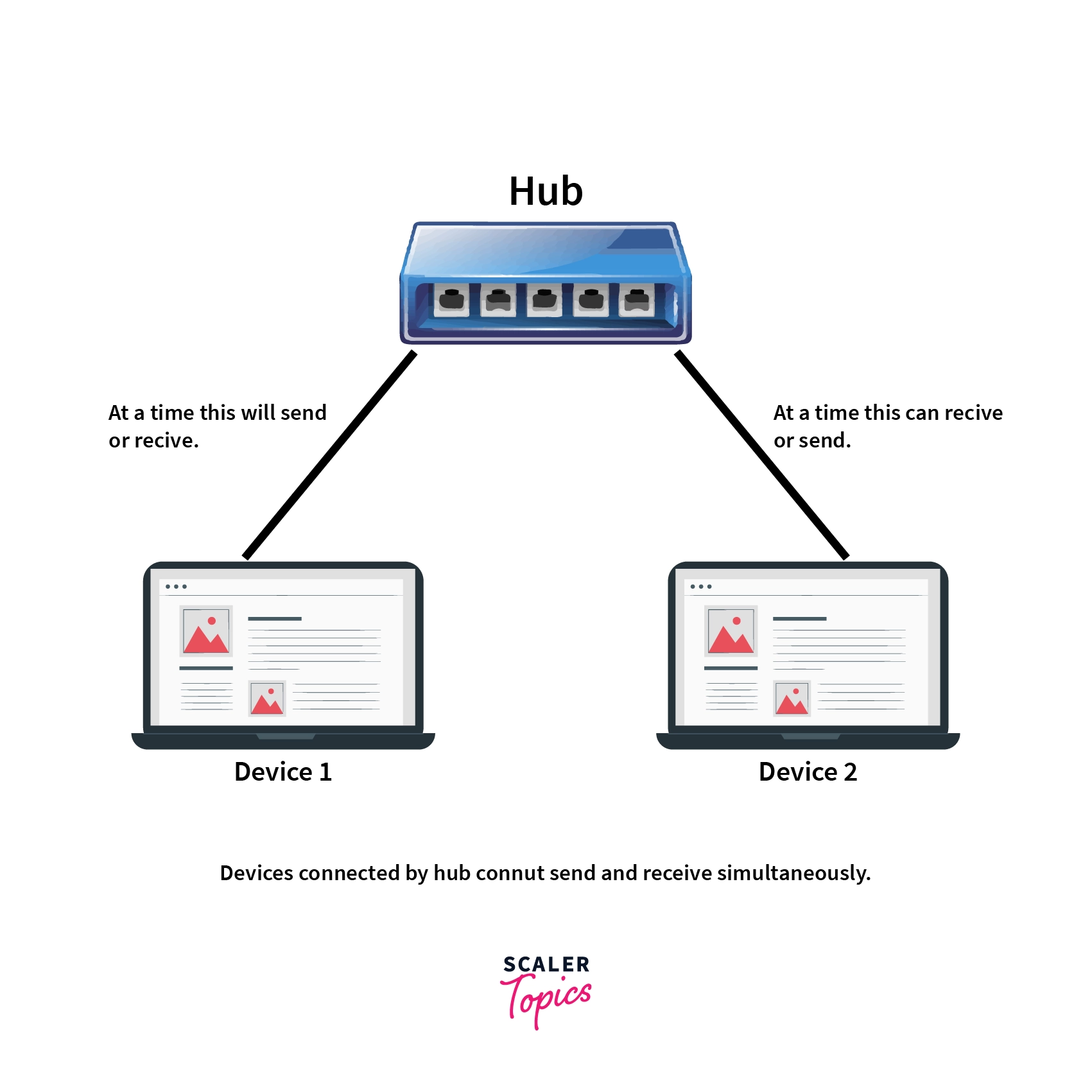
Hub works in half-duplex mode. This device sends and receives data as electrical signals or binary bits. The diagram below shows the half duplex mode of a hub:
:::
:::section{.main}
## Types of Hub
There are two types of hub. They are mentioned below:
1. **Active hub:** This hub uses electricity and is capable of regenerating binary signals and amplifying analog signals. Hence this can also be used as a repeater.
2. **Passive hub:** This does not use electricity hence don’t have the capability of regeneration or amplification. It just transmits the data.
:::
:::section{.main}
## What is a Switch?
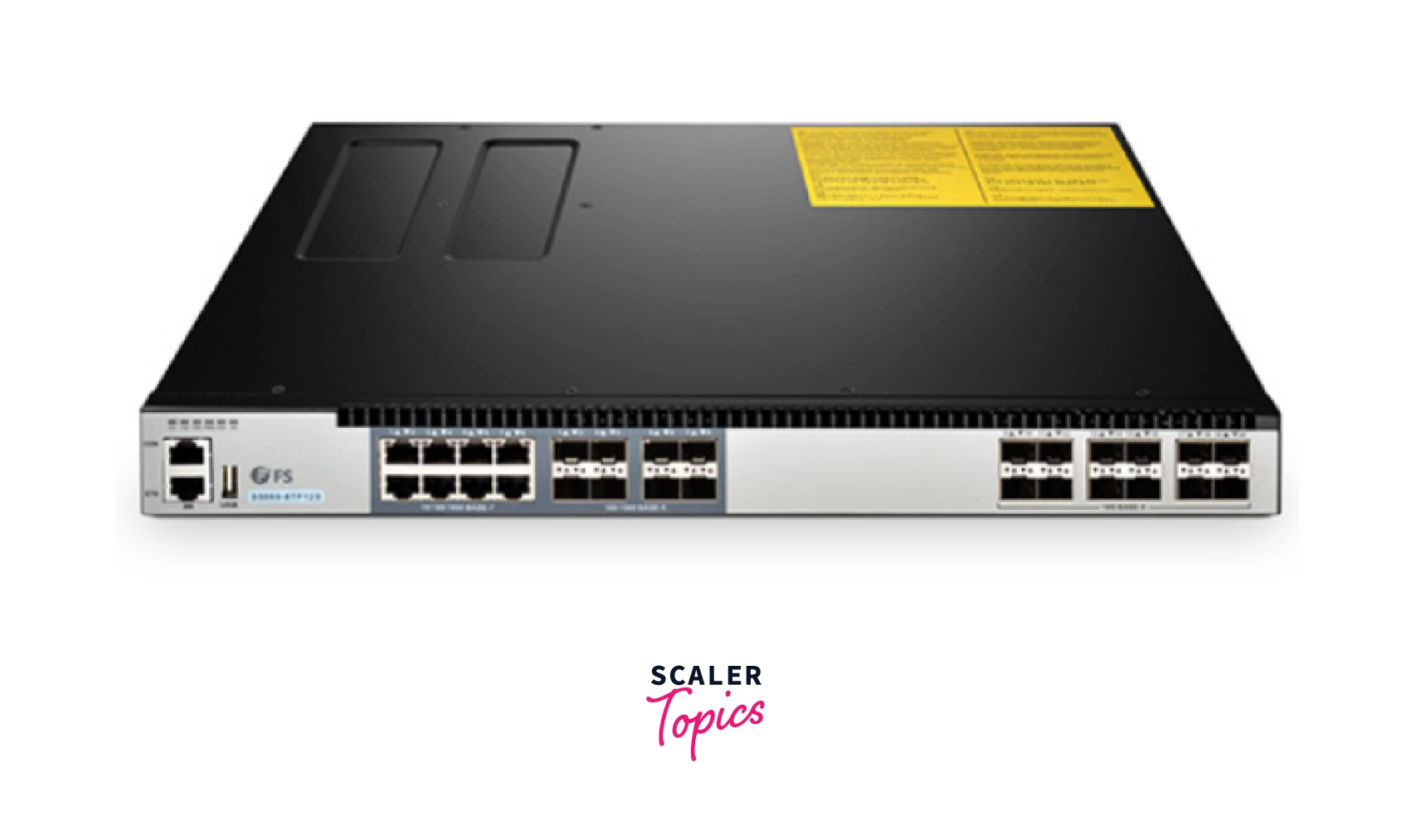
Switch is also a networking device which works on the data link layer of the [OSI model](https://www.scaler.com/topics/computer-network/osi-model/). This is used to connect various devices together in a computer network. Switch enables connection setting and termination based on the need of connection.
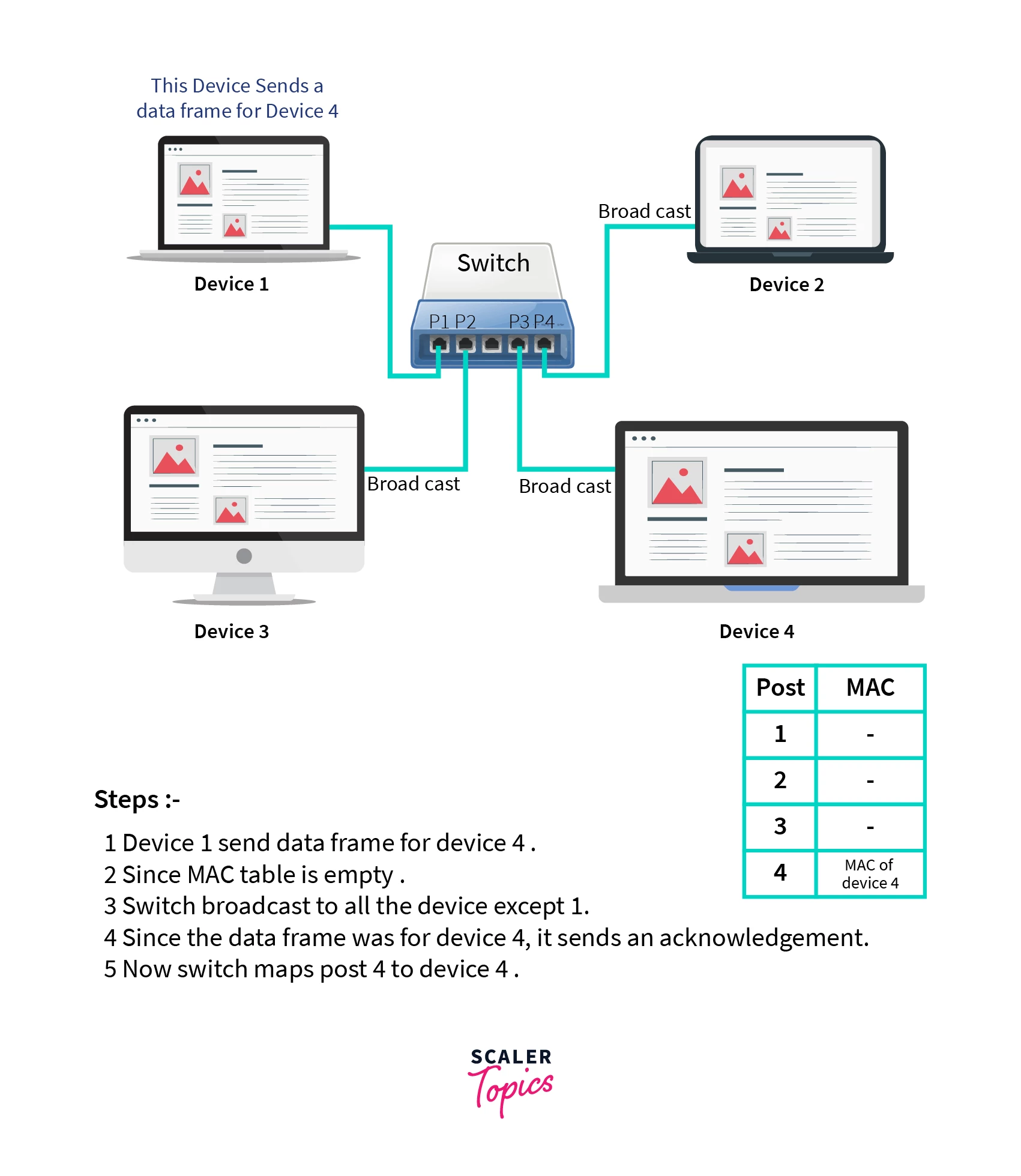
The device stores the MAC address of all the devices connected to it. To store this it maintains a table where the port number is mapped to the MAC address of the device connected to that port.
This device first broadcasts to the MAC address of all the devices connected to the switch and then multicast or unicast depending on the requirement. The first time a switch receives a data frame from a device connected to it, it broadcasts it to all the devices connected to its port except the port on which it received the data frame.
When the device which was supposed to receive the data get the data, it sends an acknowledgement. Using this acknowledgement it maps that device with the port on the switch. Switch also provide packet filtering. In this way the mac address table is filled.
The diagram below explains the above process:
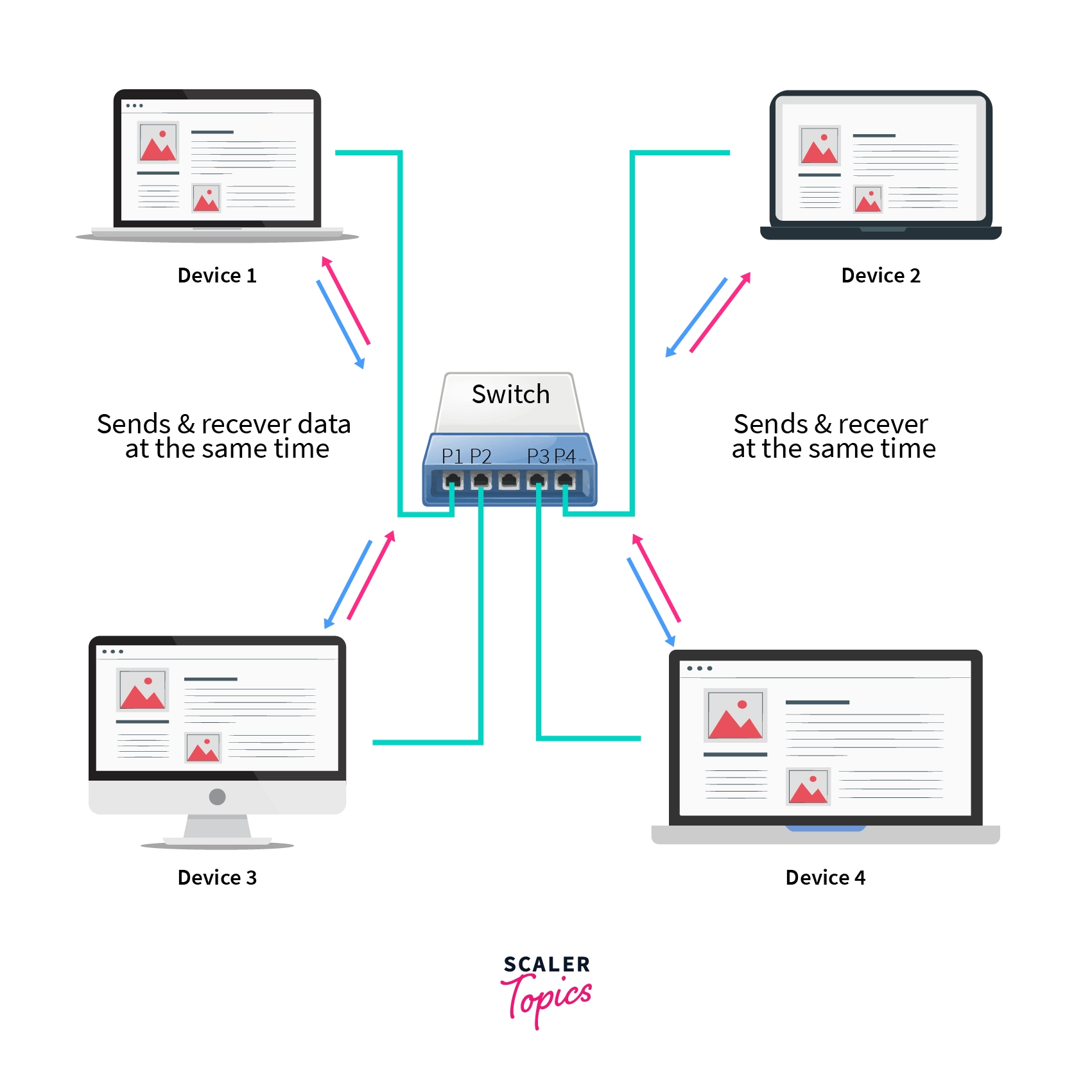
Switch works in full duplex mode. In this the number of collision domains is equal to the number of ports present in the device.
Since there are a lot of collision domains hence collisions are very less. Generally a switch has 16 to 48 ports. This device sends and receives data in the form of a data packet called frame and packet.
The diagram below shows the full duplex mode of a switch.
:::
:::section{.main}
## Types of Switch
The types of switches are given below:
- **Unmanaged switches:** These switches are used in homes and small businesses. There is no need to configure these switches. It can be instantly used.
- **Managed switches:** These switches are used in large companies and organizations. There is a need for configuration in setting the precision control and highest level of security. These switches are very costly but at the same time are scalable.
Managed switches are also of two types:
- **Smart switches:** This offers basic security level management features. Hence called partially managed switches. These are used in fast LANs which support gigabits of data transfer.
- **Enterprise managed switches:** These switches have the ability to fix, copy, transfer and display network configurations, web interface, SNMP(Simple Network Management Protocol) and command line interface. These are used in organizations having a large number of ports, switches and nodes. Nodes are devices on a network that can both receive and communicate data.
- **LAN switches:** These switches are used to reduce network congestion or bottleneck by distributing data only to the intended recipient. These are also known as ethernet switches.
- **PoE switches:** PoE stands for Power Over Ethernet. These switches allow devices to use power and receive data on the same cable simultaneously. Hence simplifying the cabling process.
:::
:::section{.main}
## Key Difference Between Hub and Switch
The main difference between a hub and a switch is in how they handle data traffic within a network. Hubs, considered less intelligent, indiscriminately broadcast data to all connected devices, causing congestion and inefficiency as all devices receive the data, regardless of whether it's intended for them or not. On the other hand, switches are more intelligent; they selectively forward data only to the specific device for which it is intended, reducing network traffic and improving overall speed and efficiency. This key distinction makes switches a preferred choice in modern networks where efficient data management is crucial.
:::
:::section{.main}
## Difference Between Hub and Switch
| No. | Hub | Switch |
| --- | ----------------------------------------------------------- | -------------------------------------------------------------------------------------------------- |
| 1. | This works on the physical layer (Layer 1) of the OSI model. | This works on the data link layer (Layer 2) of the OSI model. |
| 2. | Used to connect multiple PCs in a single computer network. | Used to connect various devices on a single computer network. |
| 3. | Data is transmitted as electrical signals or bits. | Data is transmitted as frames and packets. |
| 4. | A hub also broadcasts data to all connected devices. | Switch first broadcasts and then performs unicast or multicast based on the intended recipient. |
| 5. | Operates in half-duplex transmission mode. | Operates in full-duplex transmission mode. |
| 6. | Has only one collision domain. | The number of collision domains equals the number of ports in the switch. |
| 7. | Encounters a lot of collisions. | There are no collisions in a full-duplex switch. |
| 8. | Considered non-intelligent as it doesn't use MAC addresses. | An intelligent device that uses MAC addresses to send data only to the intended recipient. |
| 9. | Lacks tables for storing MAC addresses. | Stores MAC addresses in CAM (Content Addressable Memory) tables. |
| 10. | A passive device that doesn't actively process data. | An active device that processes and forwards data intelligently. |
| 11. | Supports transfer speeds of 10 Mbps. | Supports transfer speeds ranging from 10/100 Mbps to 1 Gbps and beyond. |
| 12. | Limited in scalability and network size. | More scalable, making it suitable for larger networks and diverse setups. |
| 13. | Simpler and cost-effective but less efficient. | Efficient in managing network traffic and offers better performance but is relatively costly. |
:::
:::section{.main}
## Applications of Hub
- These are used various organization to provide connectivity.
- They are also used in small networks like home networks.
- They are also used for network monitoring.
:::
:::section{.main}
## Applications of Switch
- It is used to manage the flow of data across the network.
- These are used to connect devices together physically on the same computer network.
- They are used to connect components of LAN.
- These are managed switches that are used in large organizations to manage security and flow of data.
:::
:::section{.main}
## Advantages of Hub
- **Connectivity:** This allows the clients to connect to a network so that they can share and have conversations.
- **Cost:** Hubs are cheap compared to switches.
- **Area Coverage:** Only Active hubs can be used as repeaters to increase the area coverage of a network as they have a power source which can be used to amplify the signals. Passive hubs can’t be used for the same.
:::
:::section{.main}
## Disadvantages of Hub
- **Collision domain:** Hubs have only one collision domain hence there are a lot of collisions in a hub.
- **Half duplex mode:** Hubs only operate in half-duplex mode. Hence at a time either data can be sent or received.
- **Network traffic:** In hubs there is no mechanism to manage network traffic.
- **Bandwidth:** hubs cannot allocate dedicated bandwidths for each device, it has to share them.
- **Network size:** Hubs cannot support large networks as the transfer speed decreases rapidly as hub broadcasts data. The transfer speed will become so low that the network will be useless.
- **Security:** These are not much secure as the data is broadcasted.
:::
:::section{.main}
## Advantages of Switch
- **Bandwidth:** Switches increase the available bandwidth of the network.
- **Performance:** They improveimproves the performance of the network.
- **Collision domains:** Switches create a collision domain for each connection hence there are very little collisions in switches.
- **Traffic management:** Switches use port to MAC mapping to manage network traffic.
- **VLANs(virtual LAN):** Supports VLANs that help in logical segmentation of ports.
- **Configurations:** Switch provides configurations of security and precision.
:::
:::section{.main}
## Disadvantages of Switch
- **Expensive:** Switches are expensive as compared to other networking devices like hubs and bridges.
- **Not efficient as Routers:** Switches can be used as routers but switches are not as good as routers as switches typically lack the configurations provided by routers.
- **Security:** If the switch is in promiscuous mode then they are vulnerable to attacks. In a LAN promiscuous mode is a mode where every data packet or frame transmitted can be received and read by a network adapter.
- **Handling Multicast:** In case of multicast traffic, switches treats it as broadcast and floods the network. Therefore it handles multicast traffic but the drawback is that it floods the network. This defies the whole purpose of using a switch where we want to send data to specific devices only.
:::
:::section{.main}
## Learn More
* [Computer Network Tutorial](https://www.scaler.com/topics/computer-network/)
* [Types of Ports in Switches](https://www.scaler.com/topics/types-of-ports-in-switches/)
* [Types of Network Devices in Computer Network](https://www.scaler.com/topics/computer-network/network-devices/)
:::section{.summary}
## Conclusion
* **Smart Networking Choices (Hub vs Switch):** Understanding hub and switch differences is vital for informed networking decisions, impacting efficiency, speed, and security.
* **Efficient Data Management:** Switches excel in handling data, reducing congestion, and enhancing network performance.
* **Network Size Matters:** Hubs suffice for small networks, while switches are ideal for larger, data-intensive setups.
* **Balancing Cost and Performance:** Hubs are budget-friendly, but switches offer advanced features for better performance at a higher cost.
* **Security and Considerations:** Switches improve security with MAC addresses, yet care is needed with multicast traffic handling.
In summary, the choice between hubs and switches hinges on network needs, cost, and performance, enabling better data management decisions.
:::
 Google Drive
Gist
Clipboard
Google Drive
Gist
Clipboard
 Sign in via Google
 Sign in via Facebook
 Sign in via X(Twitter)
 Sign in via GitHub
 Sign in via Dropbox
 Sign in with Wallet






