---
tags: mdf
---
# Media & Design Fellow Project Examples
## Exploring Deep History Through Virtual Galleries
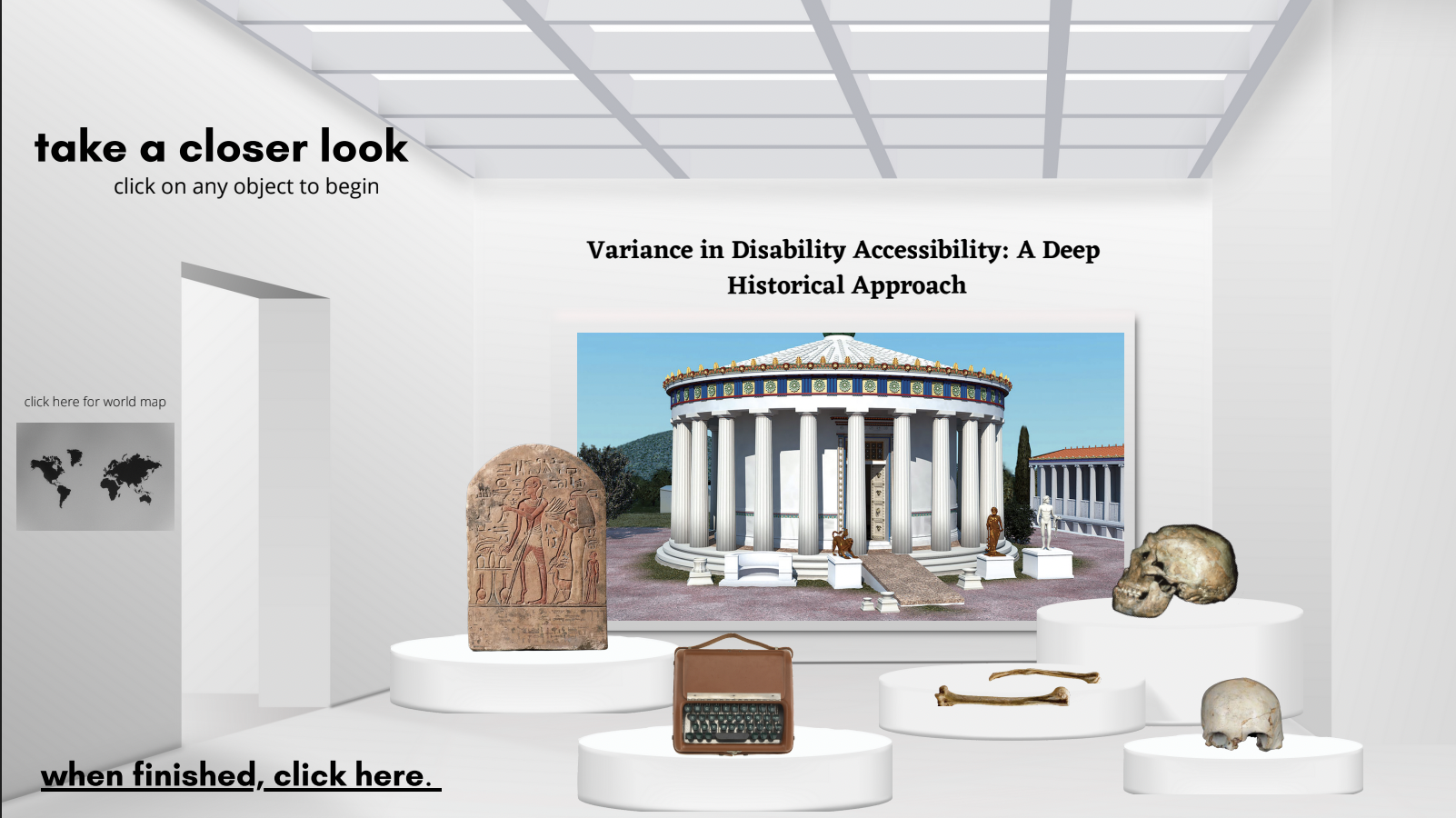
Media & Design Fellow in History Claire Adams held a series of Digital Gallery workshops and developed other section prototyping for GENED 1044, "Deep History." Claire hosted students in the Learning Lab, leading tutorials in some of the tools that students could use to create their galleries (e.g., Blender, Clip Studio, Canva). These workshops helped students gain familiarity with technical tools and receive feedback on their plans for the assignment. Benefitting from these tutorials, some students asked to return to the Learning Lab with Claire to receive further instruction in the digital gallery tools.
## Mapping the Lives of Saints
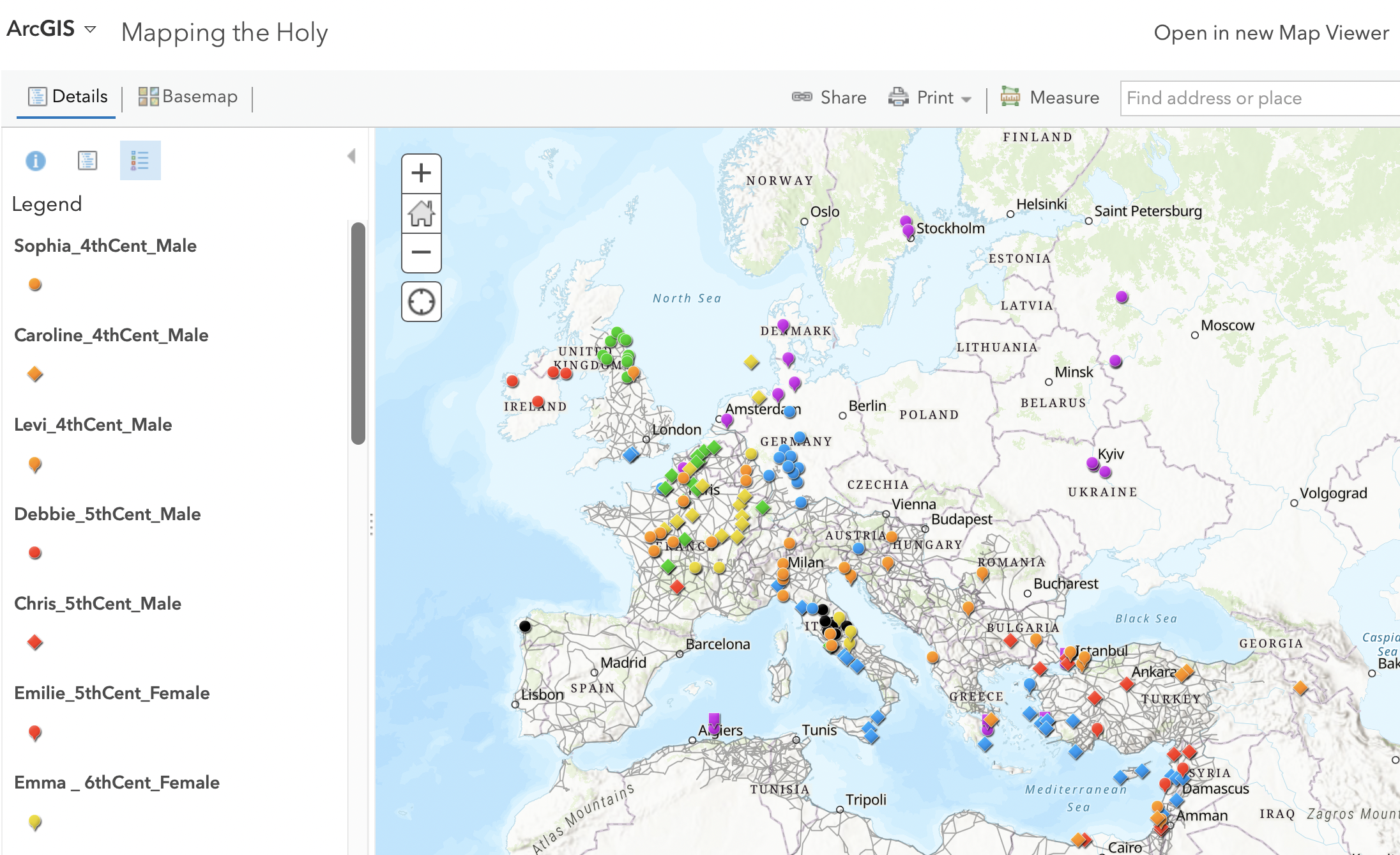
Over the course of two weeks, Claire worked with students in GENED 1160, having students make a list of locations from over 20 Saints' Lives. Claire mapped these locations in ArcGIS's online platform so that the students could then toggle the layers on and off, filter for types of saints' lives or century, and track patterns. This activity introduced students to the basics of geotagging and mapping--skills that were relevant to their final projects (in which students could, as one option, choose to make a map exemplifying a border of some kind).
## GENED 1160: Harvard Gets Medieval Virtual Gallery Workshops
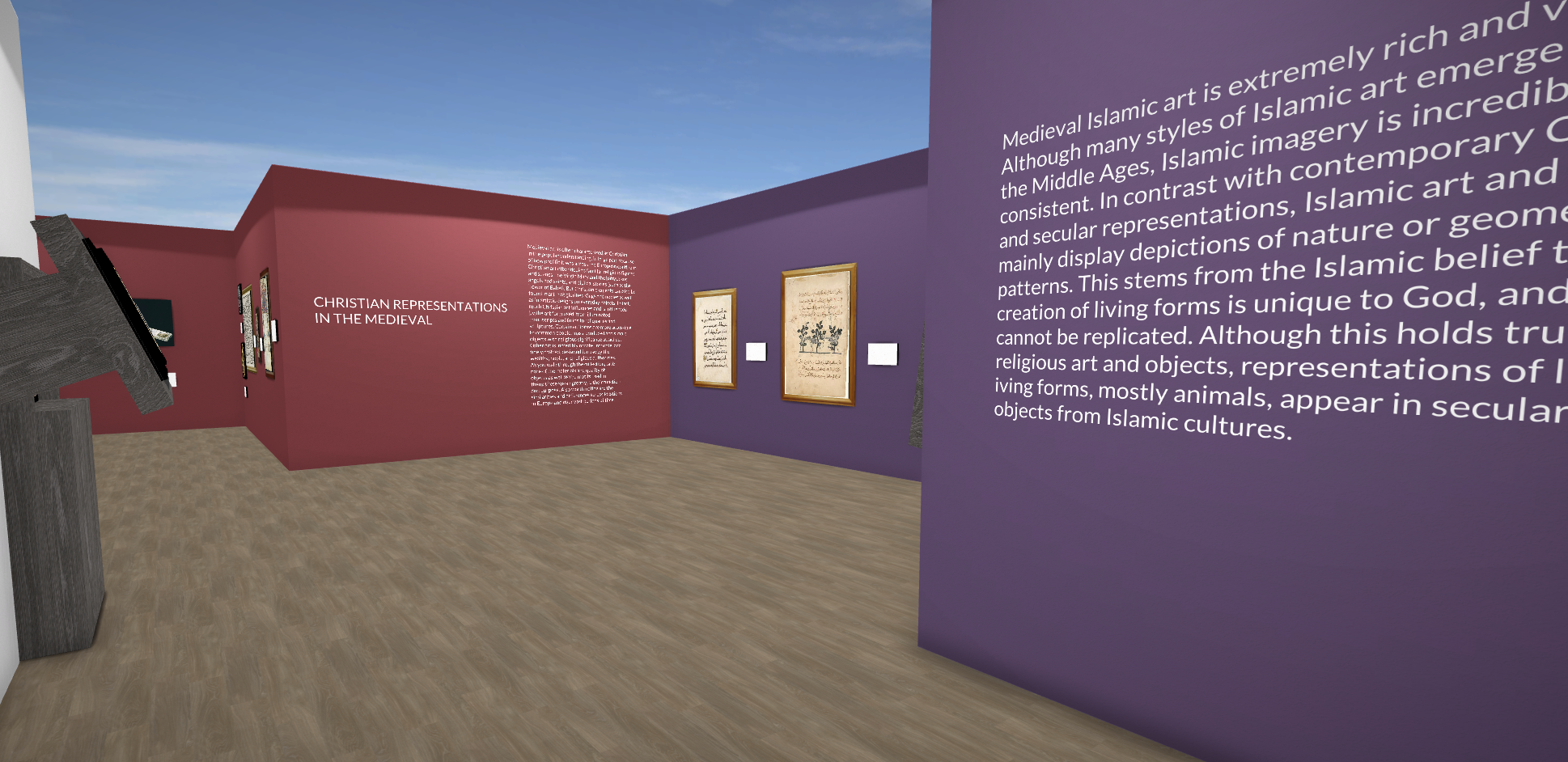
In the spring, Claire hosted students from GENED 1160: Harvard Gets Medieval for workshops and hackathons in support of students' final virtual gallery project. At the workshops, Claire introduced students to the basics of virtual galleries, providing detailed but effective tutorials in tools including Scalar, Omeka, and Canva. Claire made several example virtual galleries using these tools so that students would have models as they thought about the tools' distinct applications and capabilities. Later in the term, students were invited to come to the Learning Lab to receive further assistance and feedback on their virtual gallery projects. These hackathons provide students with a set timeframe during which they can work on their projects and receive feedback from MDFs like Claire, as well as LL staff.
## Comics for MCB 80: Neurobiology of Behavior
To explain a difficult concept that students are often confused about, Media & Design Fellow in MCB Xiaomeng Han developed a two-page comics spread that uses a real-life example to illustrate and explain this concept. Through this project, Xiaomeng has learned how to use comics--a medium that many students are familiar with and enjoy--to instruct students in concepts that can be challenging for them. Through this project, Xiaomeng also developed the capacity to teach undergraduates how to make scientific explainer comics of their own. Being able to explain key scientific concepts using real-life examples helps students strengthen their command of course content.


## Podcast Workshop for Spanish 50
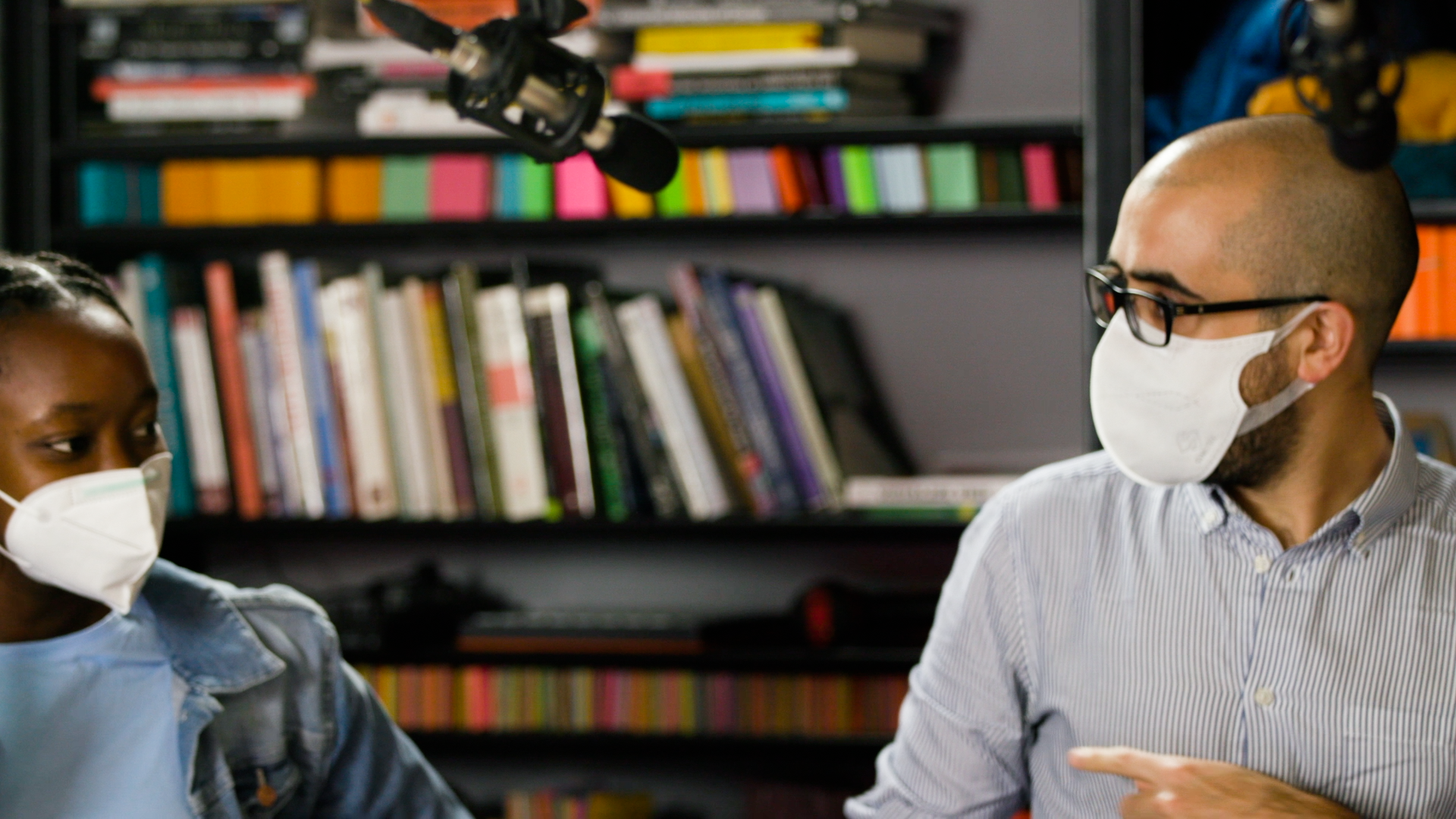
Media & Design Fellow in Romance Languages and Literatures Ignacio Azcueta organized a podcast workshop for Professor Adriana Gutiérrez's Spanish 50: Creative Writing and Performance course. In a course assignment, students were tasked with using poems and short stories assigned in the course as a way of imagining a conversation that might take place between the characters featured in these texts. Students then created a podcast episode that was this imagined conversation between characters, allowing students to discuss wide-ranging themes like love, death, politics, and beyond. Ignacio's podcasting workshop introduced students to the basics of audio capture and editing, while it also had them reflect on the specific affordances of this media for language learning.
## Metacognitive student reflection interviews
MDF Jessi (TDM) has found documentary-style student interviews to be a fun and effective tool for meta-cognitively crystallizing learning objectives and encouraging students to reflect on their goals, progress, and learning in the course. By comparing beginning and end of semester interviews, students are able to better understand the trajectory of their development (and it makes for great promotional footage, too!).
<center><iframe width="730" height="415" src="https://player.vimeo.com/video/738455606?h=b812b0f04c&badge=0&autopause=0&player_id=0&app_id=58479" title="YouTube video player" frameborder="0" allow="accelerometer; autoplay; clipboard-write; encrypted-media; gyroscope; picture-in-picture" allowfullscreen></iframe></center>
## Virtual Gallery Prototype & Unity Tutorial

Media & Design Fellow Tica Lin created a virtual gallery template that can take any images and text and display them in an interactive virtual gallery tour in Unity. Tica also developed a tutorial introducing the basics of Unity and set up a virtual gallery example project that a beginner can use as they learn the software. To make this tutorial, Tica used a codebase available on [Github](https://github.com/ticahere/ll_virtual_gallery).
## Airtable in Unity Virtual Gallery Resource and Workshop

Tica further developed the virtual gallery project to link Unity to Airtable. Tica developed a framework in Unity that directly accesses a designated Airtable base with images and descriptive text. Then, Tica demonstrated an example scene that automatically loaded the art images and descriptions from Airtable in the virtual gallery in Unity. This tutorial and codebase can be found on [Github](https://github.com/ticahere/ll_Airtable-in-Unity). To demonstrate this workflow, Tica offered a workshop in Unity to a group of Learning Lab Undergraduate Fellows and Media & Design Fellows during the spring term. This gave Tica the opportunity to practice teaching a highly technical tool.
## [SEAS Faculty Visualization Project](https://seasvis.github.io/ )
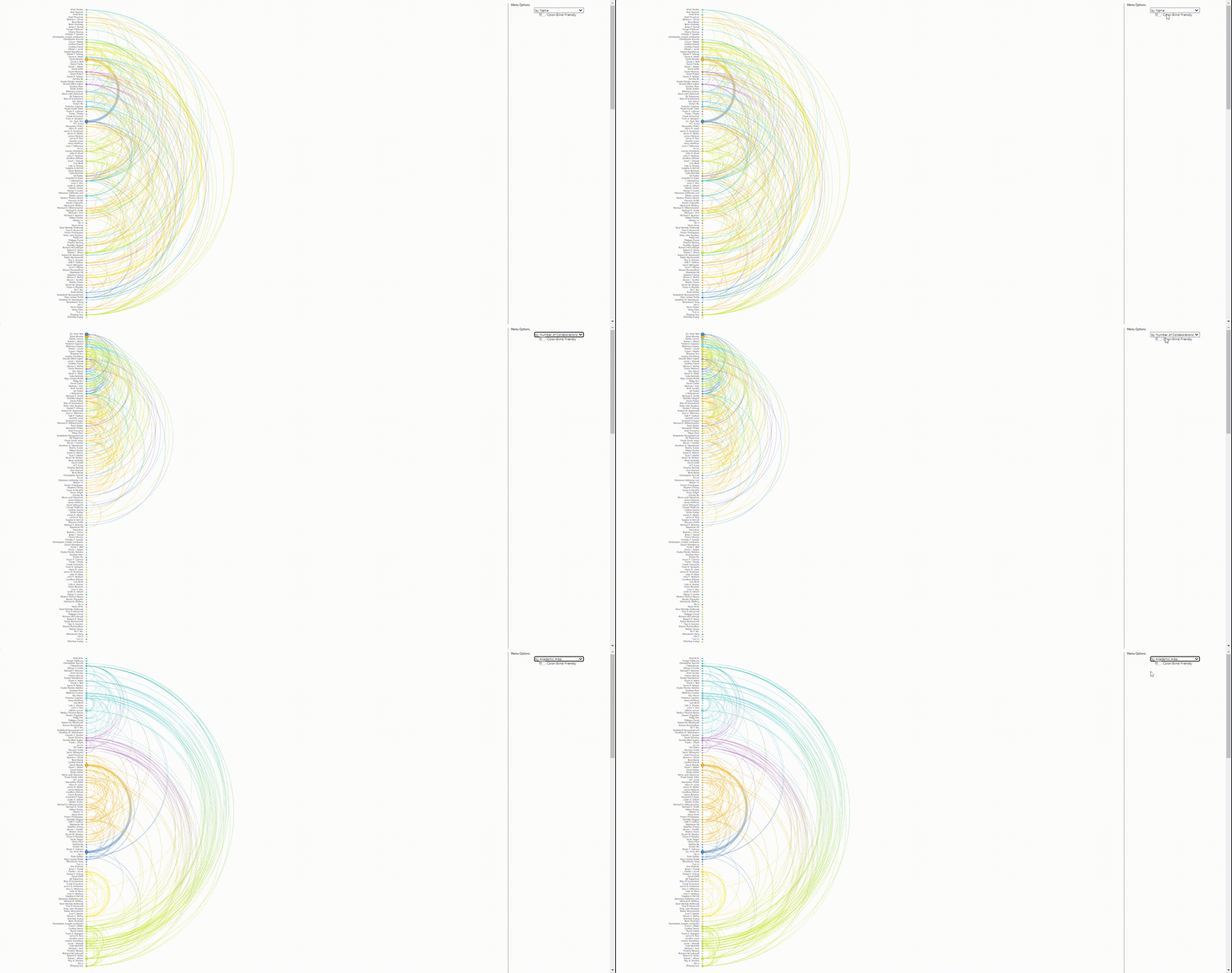
The SEAS Faculty Visualization Project visualizes the connections between faculty in SEAS, producing a visualization of these collaborative networks. Media & Design Fellow in OEB Zane Wolf made encoding improvements, aesthetic improvements, and backend/frontend improvements to the existing Matrix visualization, which shows the shared research interests across SEAS faculty. Zane remade the existing Arc visualization from scratch, as the old version was in a proprietary format and hard to tinker with. In her version, she was able to add gradients to the paths, incorporate complicated hover/click functions on the circles and paths, and add color blind functionality. The Arc visualization shows collaborations (from shared authorship on google scholar papers) between faculty members in SEAS.
## Developing the [Ocean Affinity at Harvard University (OAHU) website](https://trusting-colden-da693e.netlify.app/)
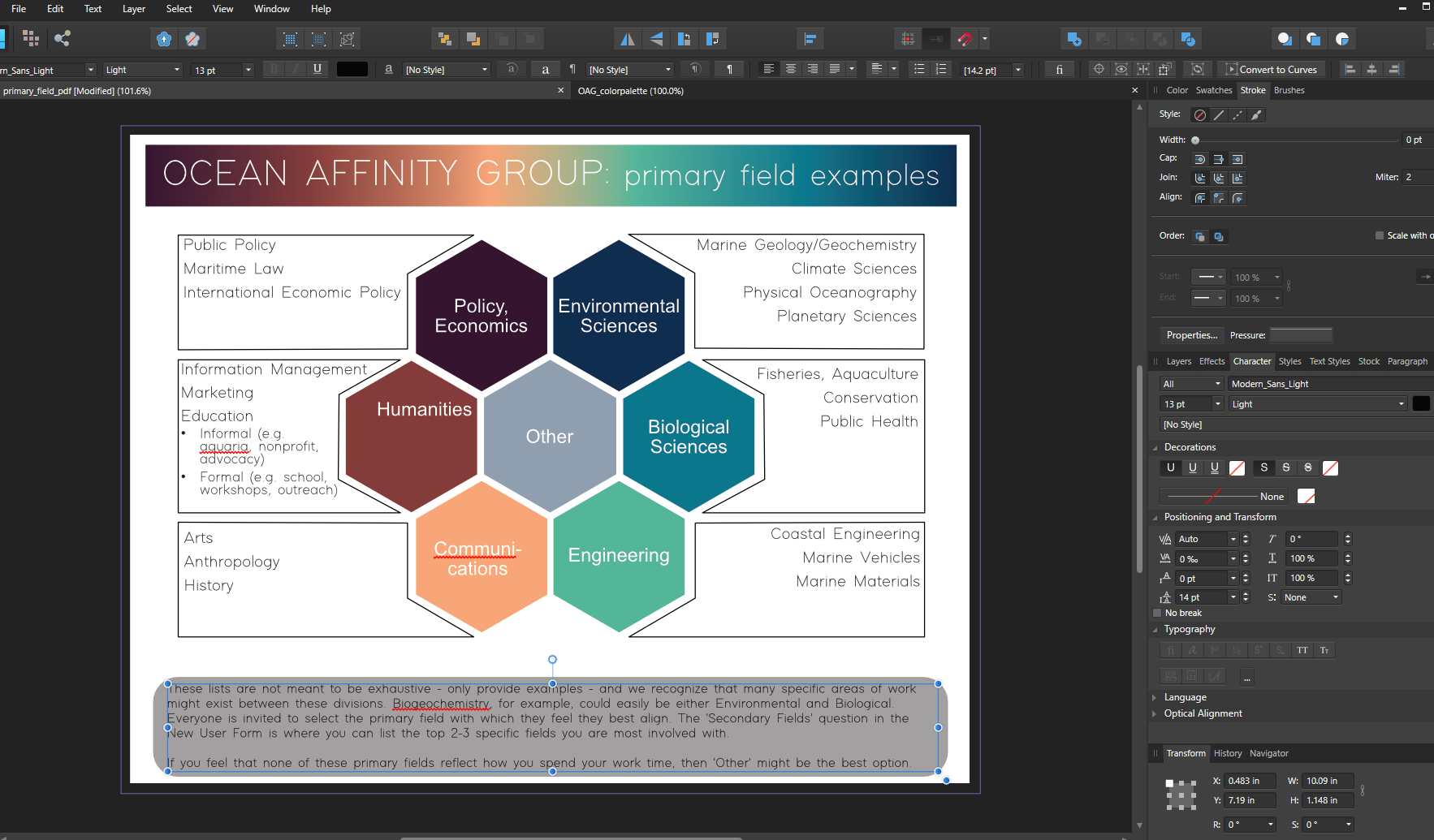
This website, which will soon be shared with the Harvard community at large, is the central site for OAHU, a multidisciplinary research group comprising scholars working in the sciences, social sciences, humanities, and environmental studies, among other fields. This was another of Media & Design Fellow in OEB Zane Wolf's projects. The website provides the means to explore and join the Ocean Affinity community at Harvard, to learn about grants and receive help with the application process, and to explore, gain access to, or share data with the community. Beyond its relevance to scholars already working in the field, the site also has a section for undergraduates who might like to connect with researchers as they embark on their studies in this area. Above all, the OAHU website serves to connect people who are broadly interested in oceans, providing an invaluable service to learners of all levels.
## 100 Years of Chinese Language Instruction at Harvard
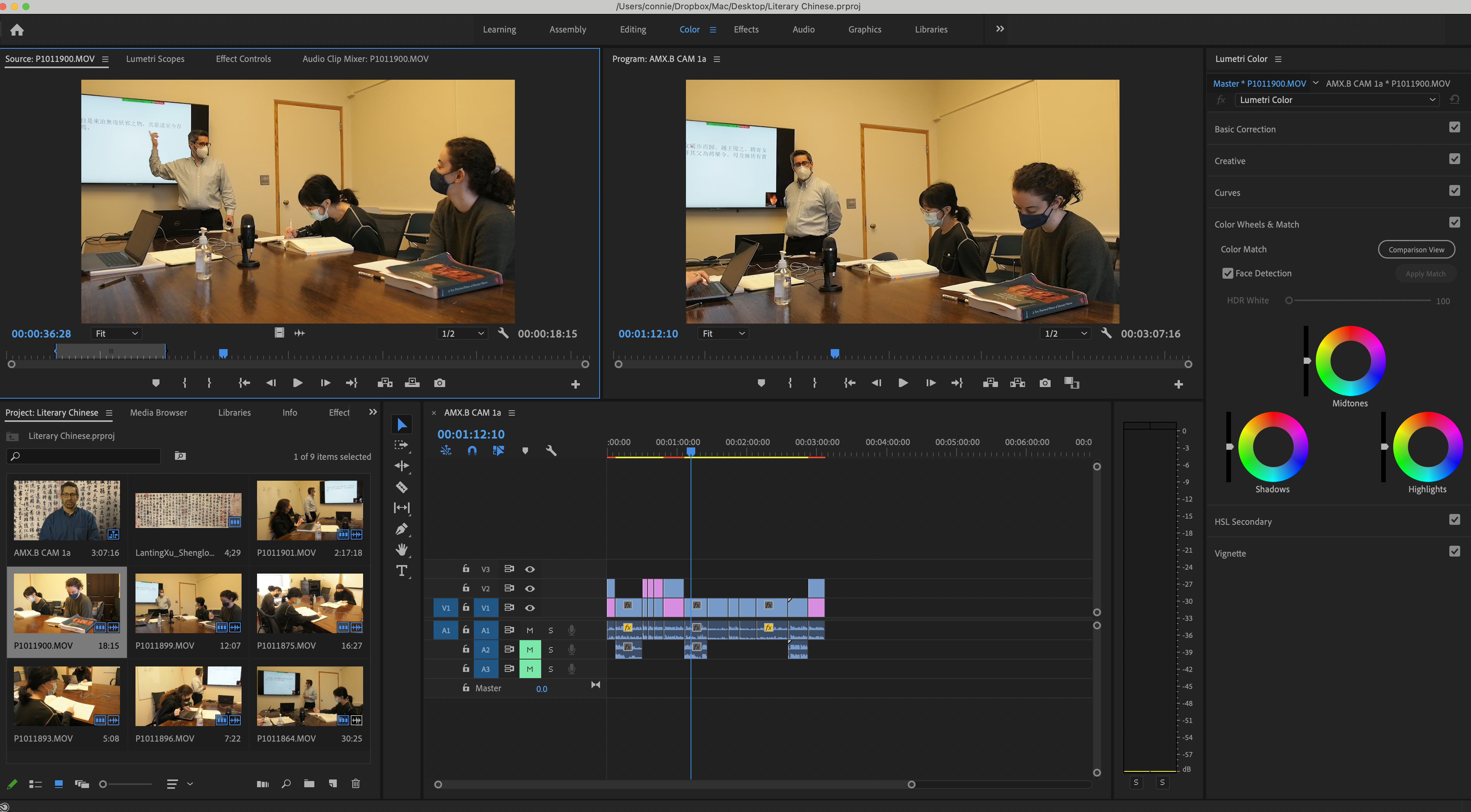
Media & Design Fellow Kangni Huang assisted Professor David Sena (EALC) in the production of a short video about the 100th anniversary of Chinese language instruction at Harvard. Kangni brought Professor Sena into the Learning Lab to film this short video, using one of the Learning Lab's recording studios to create a high-quality video. Then, Kangni edited the footage into a short film. This film will be used to promote language instruction at Harvard.
## Reading Scientific Papers

Supporting MCB Professors Jeff Lichtman and Katie Quast, MDF in MCB Xiaomeng Han has been developing an interview series that will be compiled into a video about the process of reading scientific papers. This project involves interviewing professors, PIs, post-docs, and students about their reading practices, asking them to reflect on how they read scientific research for comprehension. The goal of this project is to share these videos with students to help them learn how to read the academic research papers assigned in the course. Xiaomeng has completed and edited these interviews, recording in one of the Learning Lab's several studios.
## MDF Projects Featured on the Bok Website
To read the longer versions of these articles, see the News section of the Derek Bok Center for Teaching and Learning website or click the hyperlinked titles below.
### [Graphical Abstracts to Teach Neuroscience](https://bokcenter.harvard.edu/news/graphical-abstracts-teach-neuroscience)

In MCB80, The Neurobiology of Behavior, many Harvard undergraduates encounter scientific papers for the first time. As a way to augment students’ understanding of influential research papers in neuroscience, Media & Design Fellow Xiaomeng Han (PhD candidate in Neuroscience) has developed “graphical abstracts”—a form that uses illustration and graphic design to explain, and in a sense tell a story about, key concepts in neuroscience.
### [Science Through Story Podcasts](https://bokcenter.harvard.edu/news/science-through-story-podcasts-oeb50)
In consultation with the faculty, Grace chose podcasting as the medium for the OEB50 project, both for its feasibility in a remote semester and for the ways in which it would push students to present science without relying on diagrams and data visualizations to do the heavy lifting. The audio-only format required students to heighten audience interest by explaining the rationale for and implications of research studies, using sound effects to set the scene, and perhaps most importantly, relating genetics to people through stories.
### [Virtual Labs in OEB](https://bokcenter.harvard.edu/news/lab-3d-success-virtual-labs-oeb-126)
When word came that courses would be moving online for the remainder of Spring 2020, Learning Lab Graduate Fellow Phil Fahn-Lai knew that the science course for which they are a Teaching Fellow would face a particular challenge. Labs in OEB 126: Vertebrate Evolution, taught by Prof. Stephanie E. Pierce, involve visits to the Harvard Museum of Comparative Zoology, where students view and interact with fossil specimens from the Museum’s Vertebrate Paleontology collection. In collaboration with members of the Pierce Lab, Phil spent their last days on campus in mid-March using photogrammetry to scan and create 3D models of as many of the remaining fossil specimens as possible, and then got to work developing a tool to make them viewable. The result is Lab 3D, OEB 126’s online platform for conducting labs. The app consists of three major components: (1) the specimen viewer, where students interact with high quality 3D models hosted on Sketchfab; (2) the text pane, which contains streamlined versions of lab handouts curated for the online environment and links to all of the relevant 3D models; and (3) a phylogeny tree popup that allows students to locate their specimens in an evolutionary context. We’ve created a demo version of the app here, where you can check out the interface and explore some publicly available Sketchfab models.
### [Game Design in the Classroom](https://bokcenter.harvard.edu/news/lessons-game-design-how-should-students-play-your-syllabus)
As a Fellow this year at the Learning Lab, Ceci has focused on 3D modeling, virtual reality, and game design. As a humanist focused on contemporary science fiction and transmedia storytelling, Ceci uses these mediums to develop and design immersive pedagogical experiences and to create resources for digital humanities projects. Ceci also led a Bok Seminar on game design (Let’s Play! What Games Can Teach Us About Motivation and Engagement).
 Google Drive
Gist
Clipboard
Google Drive
Gist
Clipboard
 Sign in via Google
 Sign in via Facebook
 Sign in via X(Twitter)
 Sign in via GitHub
 Sign in via Dropbox
 Sign in with Wallet






