# Editing HDP STUDENT INTERVIEWS
Harvard Dance Project students were interviewed in early February that aimed to document their current thinking on major themes of the course. At the end of the semester, we will have the students watch these interviews back, and respond to how their thinking has shifted since finishing Harvard Dance Project (see [Billie Eilish interview](https://www.youtube.com/watch?v=Cm0MGnuRnH0) for inspo)
In addition to this larger comparison film, we would like to create shorter edits of these initial interviews that target specific prompts:
**1. Single *interview* compilation**
**2. Single *question* compilation**
Below is a how-to for editing these compilations and an example of one I have already completed:
Find the timecode - manually mark timecodes in MD
1. Find the multiclip export for (x)
2. Create range-selected key words (show both ways)
when you finish, you
---
## Basic Final Cut Knowledge
### Getting started:
(Insert steps to access the library & footage from LL servers)
Now that you're in final cut, your screen will look something like this:

PLAY = space bar
COMMAND + B = split a clip
COMMAND + Z = undo
BACKSPACE = delete
___
## Single Student Interviews
<iframe width="560" height="315" src="https://www.youtube.com/embed/83Fj_yYQeTo" title="Nia Warren HDP" frameborder="0" allow="accelerometer; autoplay; clipboard-write; encrypted-media; gyroscope; picture-in-picture" allowfullscreen></iframe>
The single student interview edits are compilations of an entire interview for one student. After editing each interview, each student will have their own compilation. This edit is what students will watch back at the end of the semester and respond to for their second interview. Here is my general how-to:
* Below is a list of student's whose interviews need editing. Choose one that hasn't been started yet, and write your name in to "edited by." This is now your project!
| Student Interview | Edited by: | Current status: |
| -------- | -------- | -------- |
| *Nia Warren* | Jessi Stegall | complete |
| *Osazi Al Khaliq* | | |
| *Valeria BarrioBero* | | |
| *Riya Kapoor* | | |
| *Daylan Davis* | | |
| *Daniel Meaney* | | |
| *Amina Yousry* | | |
| *Julia Sperling* | | |
| *Adrienne Chan* | | |
| *Ale Rosas* | | |
* Now that you've opened up FCP and found the HDP Student Interviews library, look in BROWSER and you'll see a list of projects with student names - open up the student you chose.
* Now that you're in the right project, you want to import your footage. Click on the arrow pointing down in the top left corner, select all footage with the student's name in it, and hit "import select."
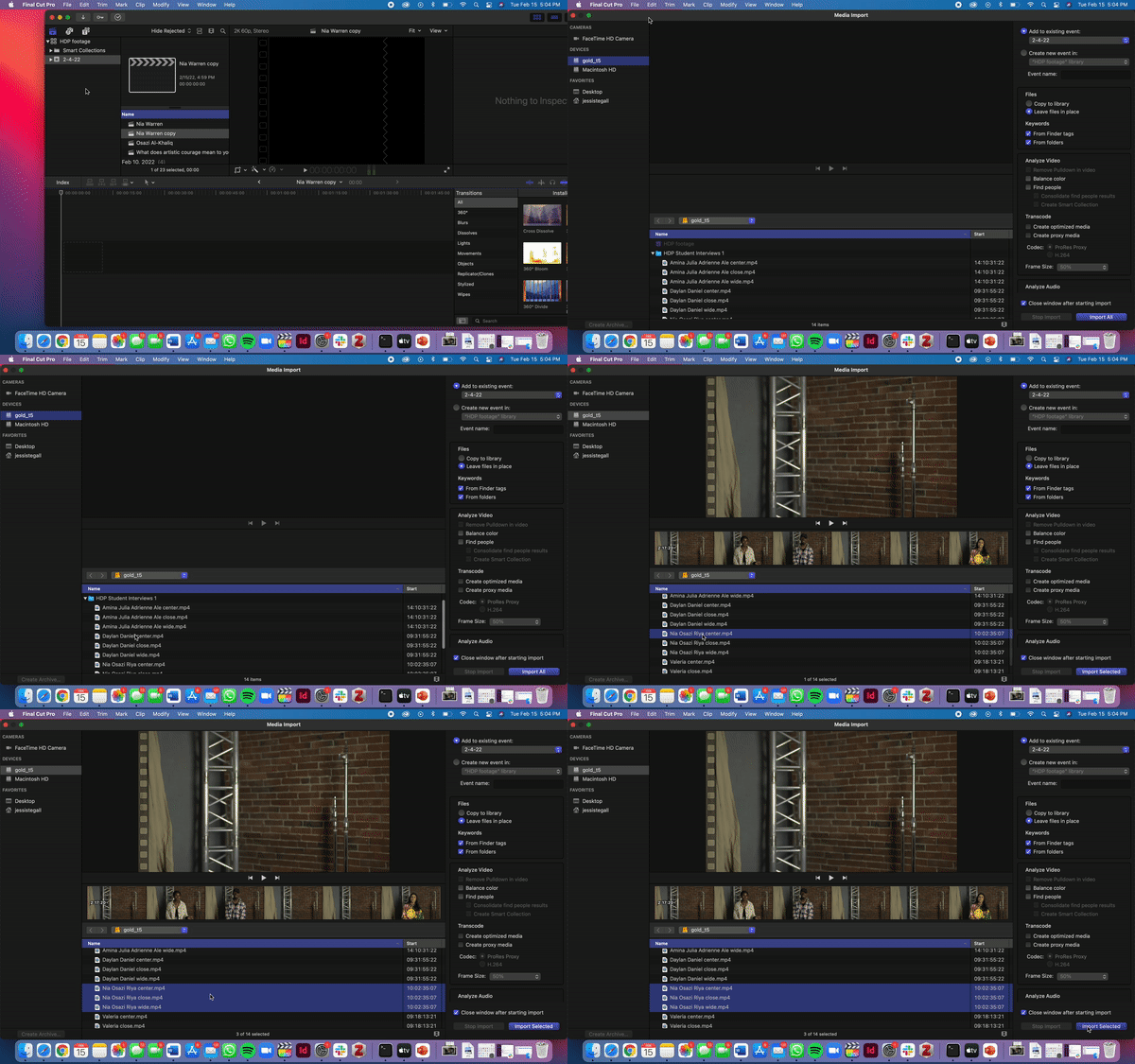
*note: Most media files contain multiple interviews, and the file names have multiple names. Choose all the files that include your student's name, even if they also include other names.It is also possible that this footage has already been imported by someone working on a different student. If so, great!*
* Scroll down in the BROWSER until you find the footage you imported. For 95% of this edit, you will be using the *close* and *center* shots.
* Drag the entire *close* footage onto the timeline. Then, drag the entire *center* footage on top of the close footage in the timeline.
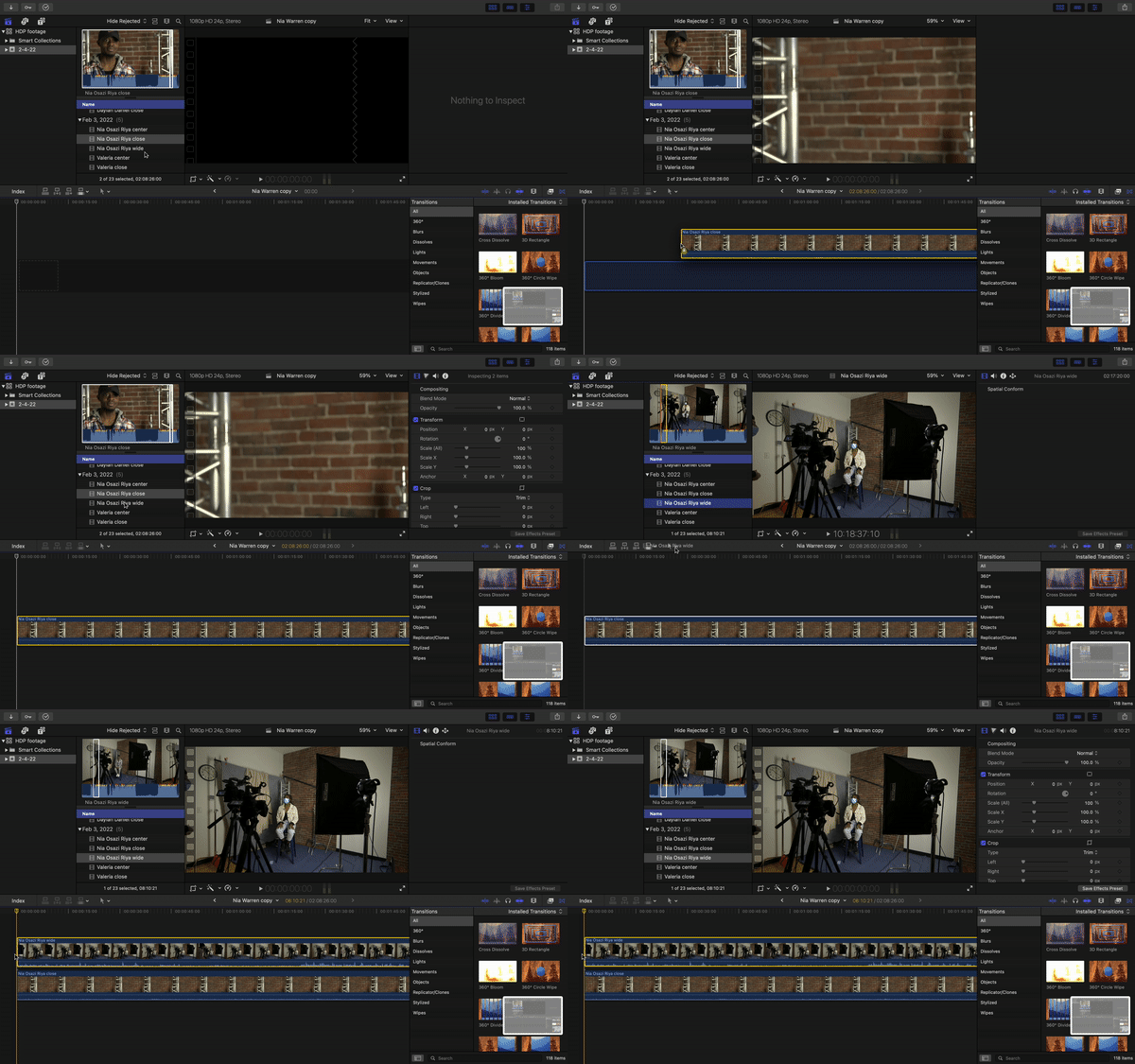
## ****MARLON!!! Please adjust this so they are editing a multicam clip - will make so much easier for Luke, Casey, and I to edit.
*note: It is really important that you keep these clips in exact alignment while you're editing, so that you can switch between the close and center shots easily without disrupting the timing. That means when you cut one clip, you also cut the other:*
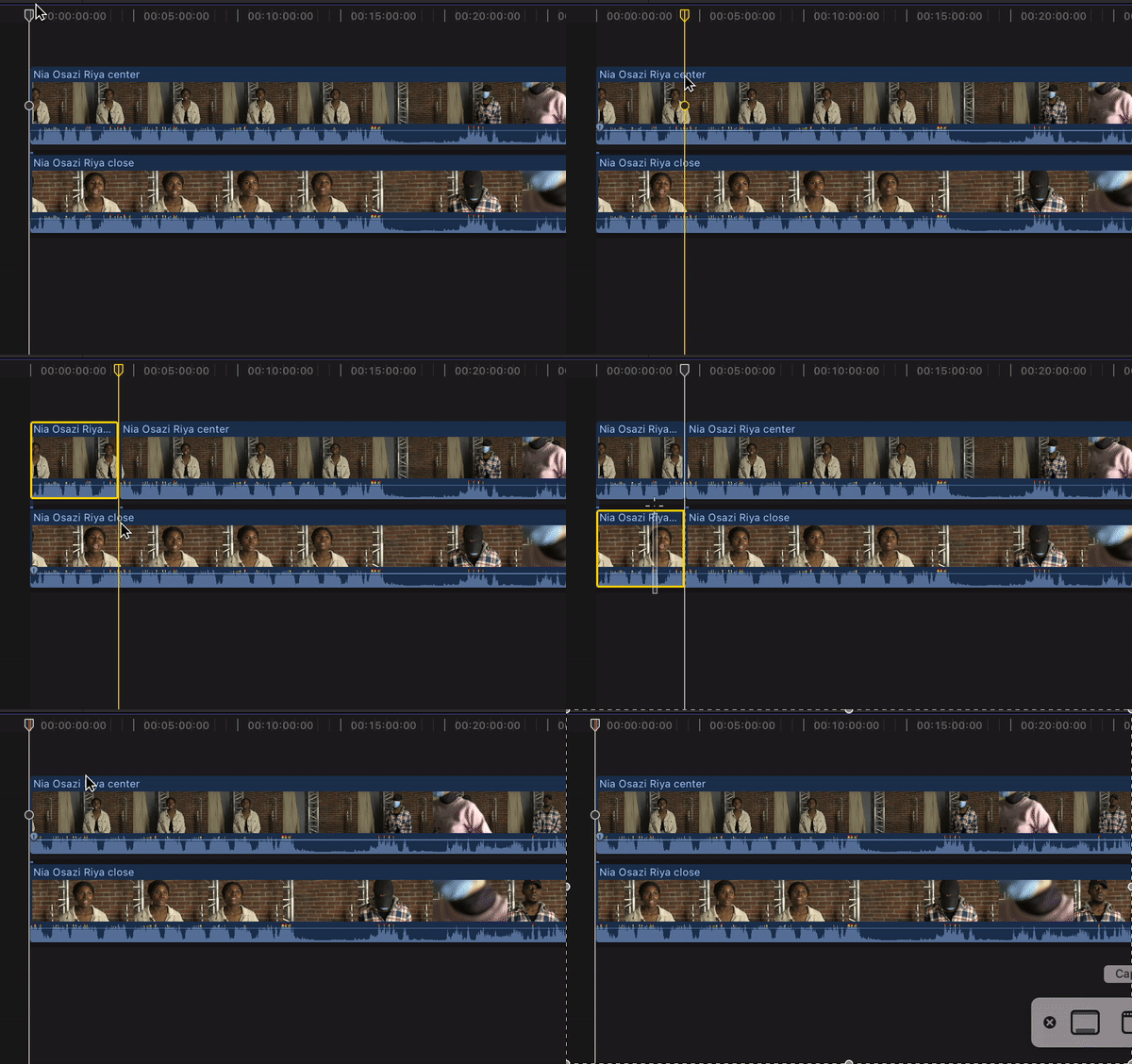
* To split a clip, you will drag the skimmer to the place you want to split, and press (command + B). Make sure you do this on both clips in the same place. To delete, press and drag the cursor over the clips you want to delete, and press (backspace). See gif above for reference.
* If you have a clip with multiple interviews in it, you'll want to split the clip(s) to only contain the interview of your student. Split just before and after the interview of your student, and delete the rest from the timeline.
* Now that you have the footage of your student interview, it might be helpful to mark where the interview questions are asked, so that you know where one answer ends and another begins. To do this, hover your skimmer over the place you want to mark, and press (M). Double click on the purple marker to name it.
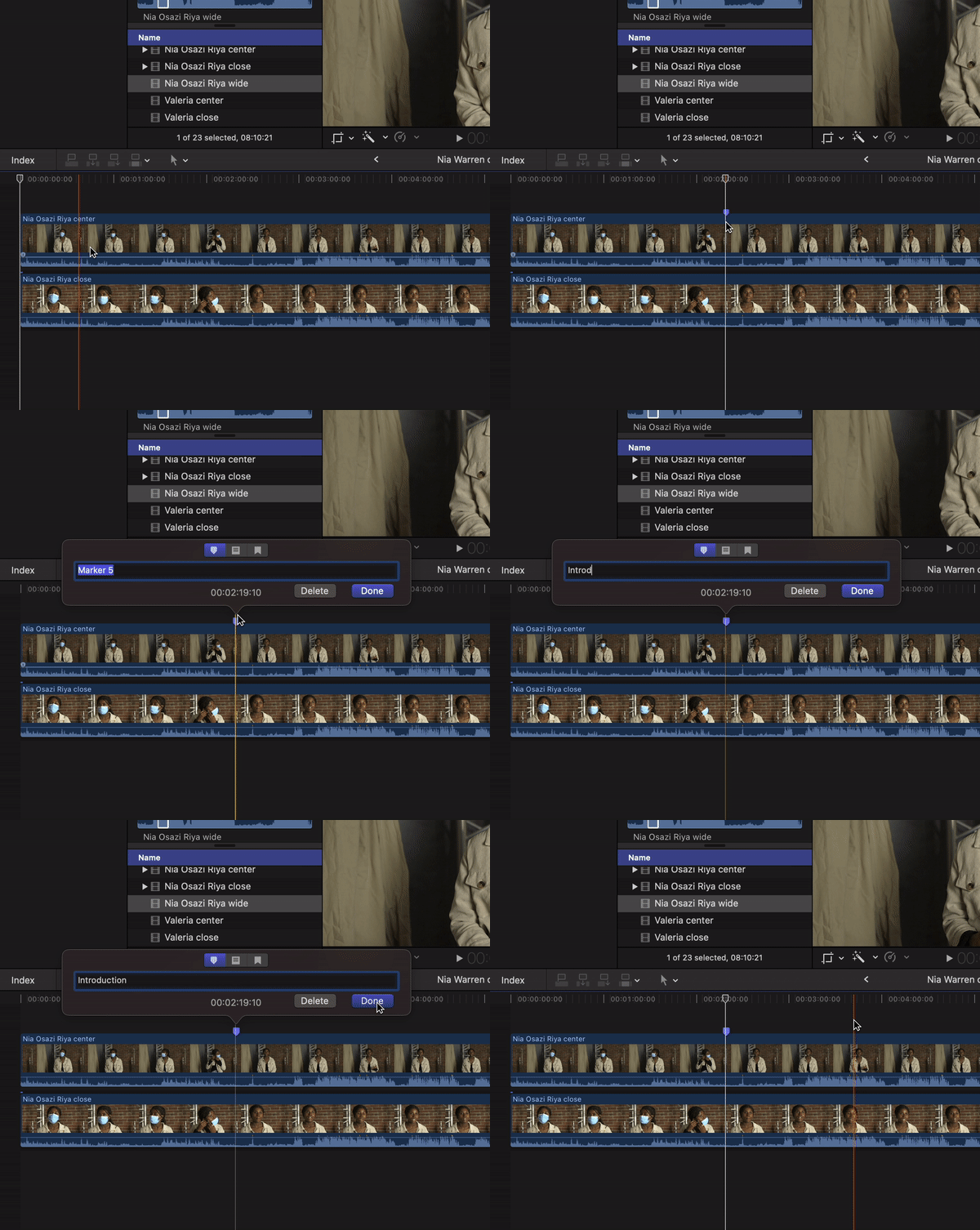
* Go through and mark the start of each interview question throughout the clip.
* Now you'll want to add in the slides with the questions on them. Using the markers you just created, find the question you want to make a slide for, and make a split in the timeline. Then, you'll insert a solid "custom" background and a "basic" title, which you can edit to type in your question:
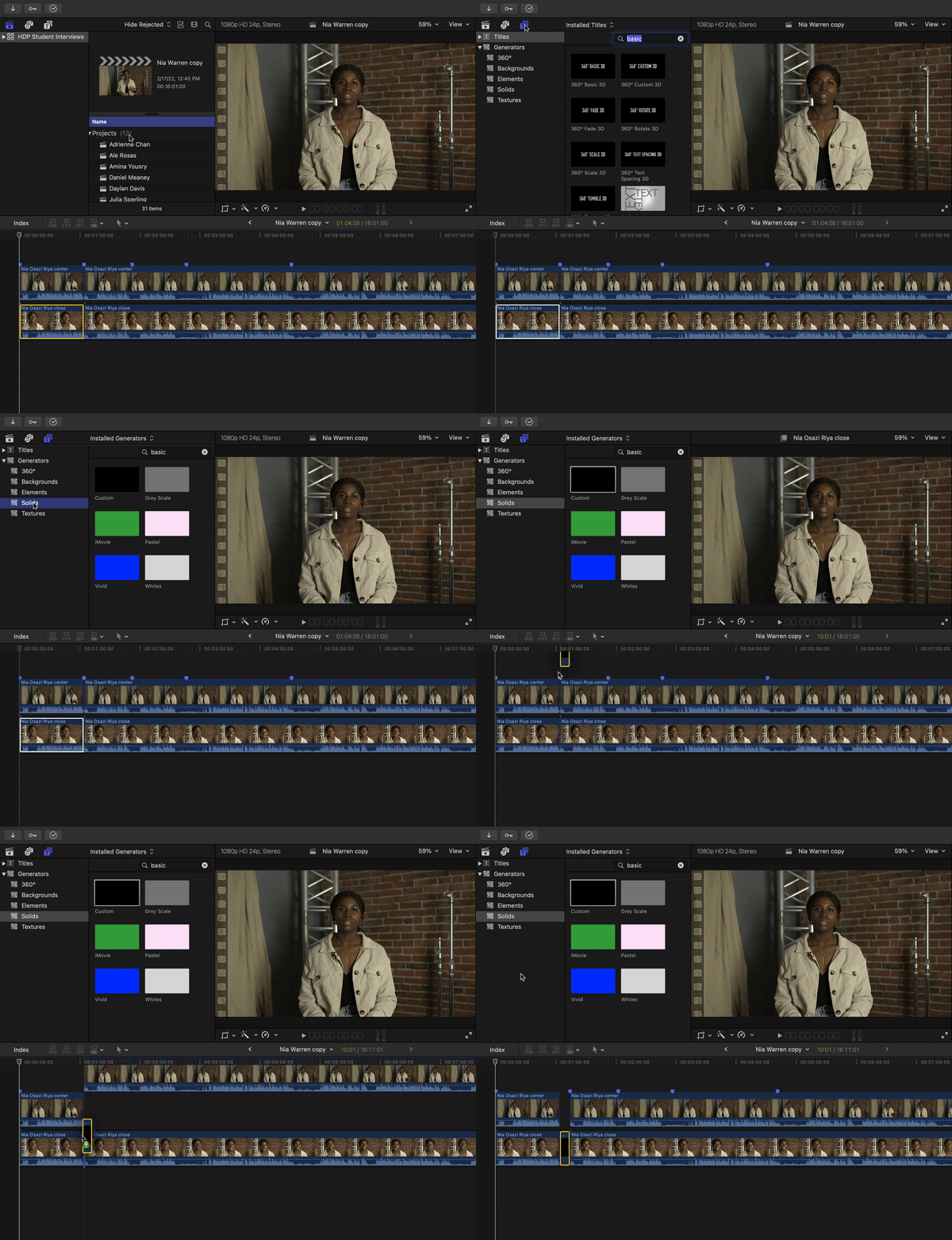
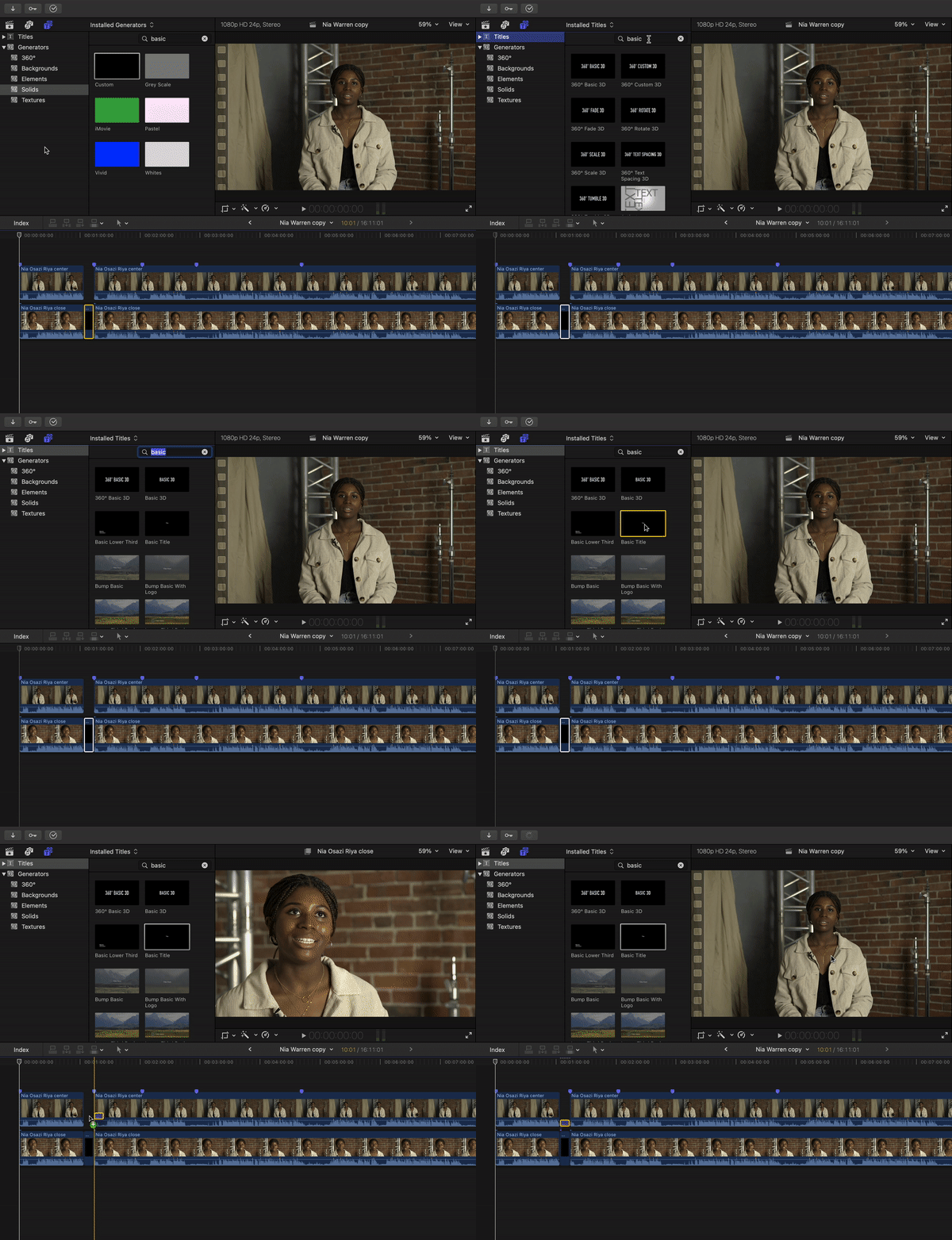
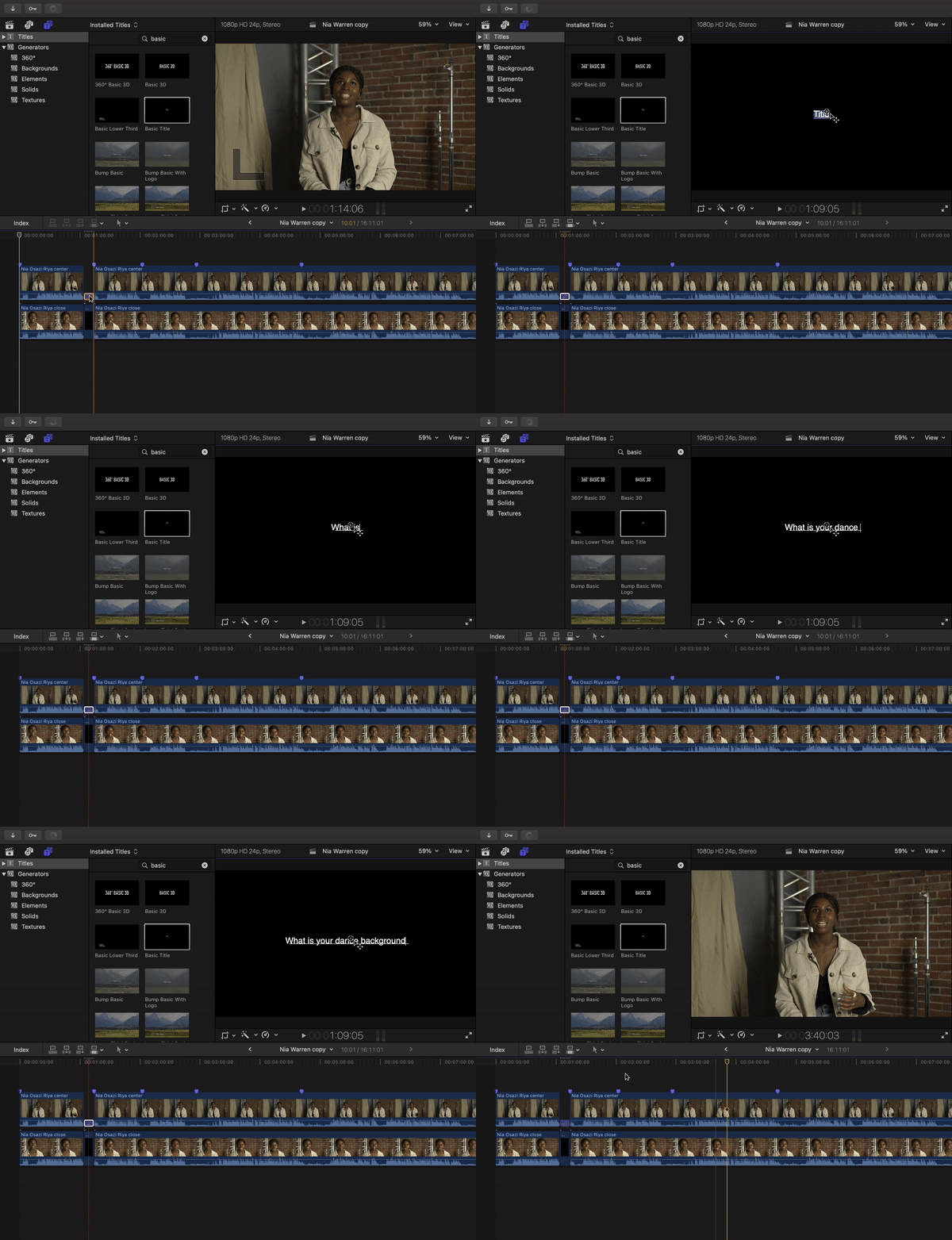
* Once you've added slides for each question, you can split the footage to make the questions align with each answer (see my edit above for reference).
* Some of the students' answers are quite long, so you might want to shorten it to just include the seemingly most important or interesting part of their answer.
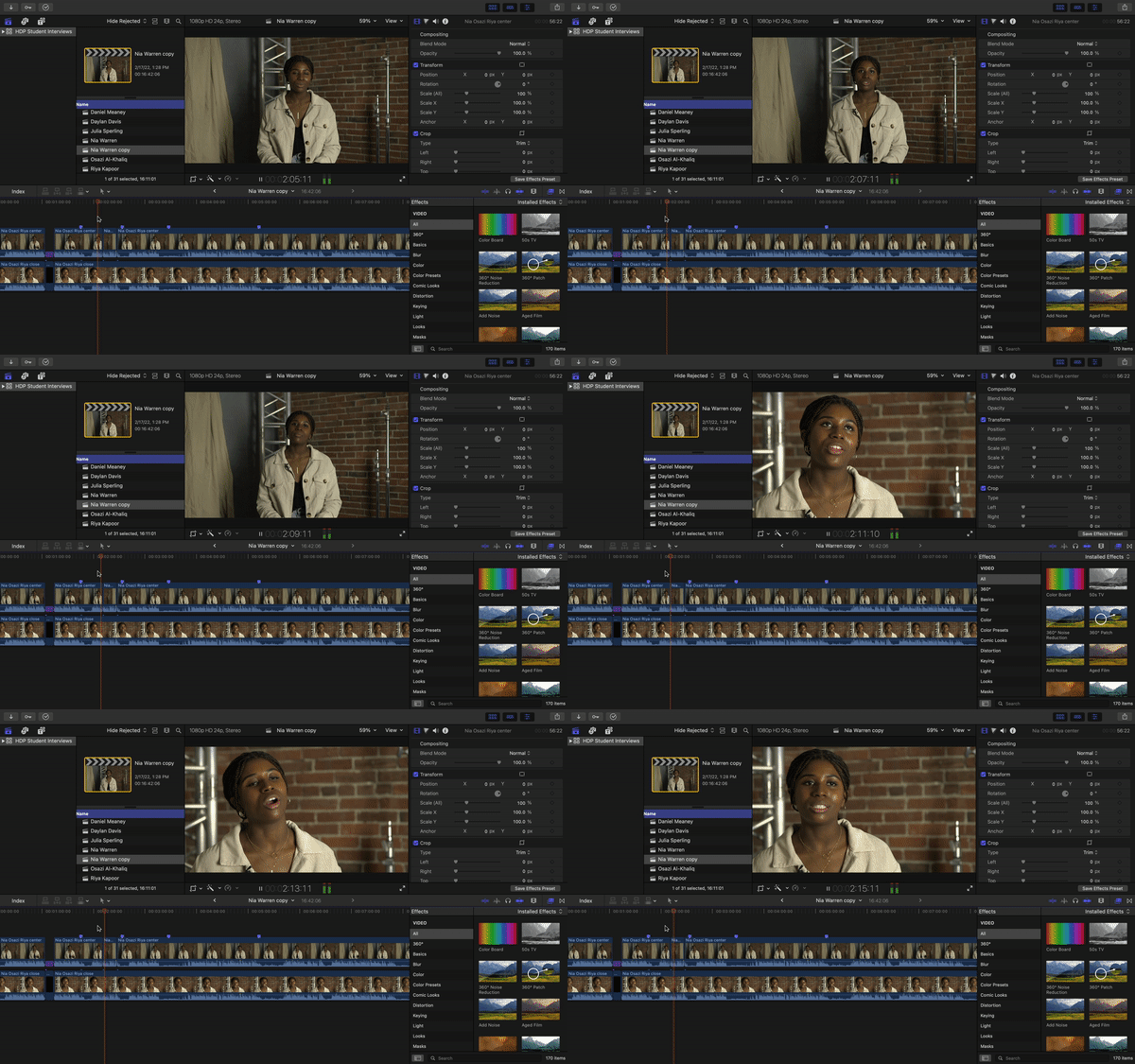
* Now that you have the right timing for each clip, you can choose to alternate between the center and close shot, depending on the tone you want to create. I tried to cut between the close and center for almost every question. You can do this by splitting the top (center shot) clip and bringing the opacity all the way down:
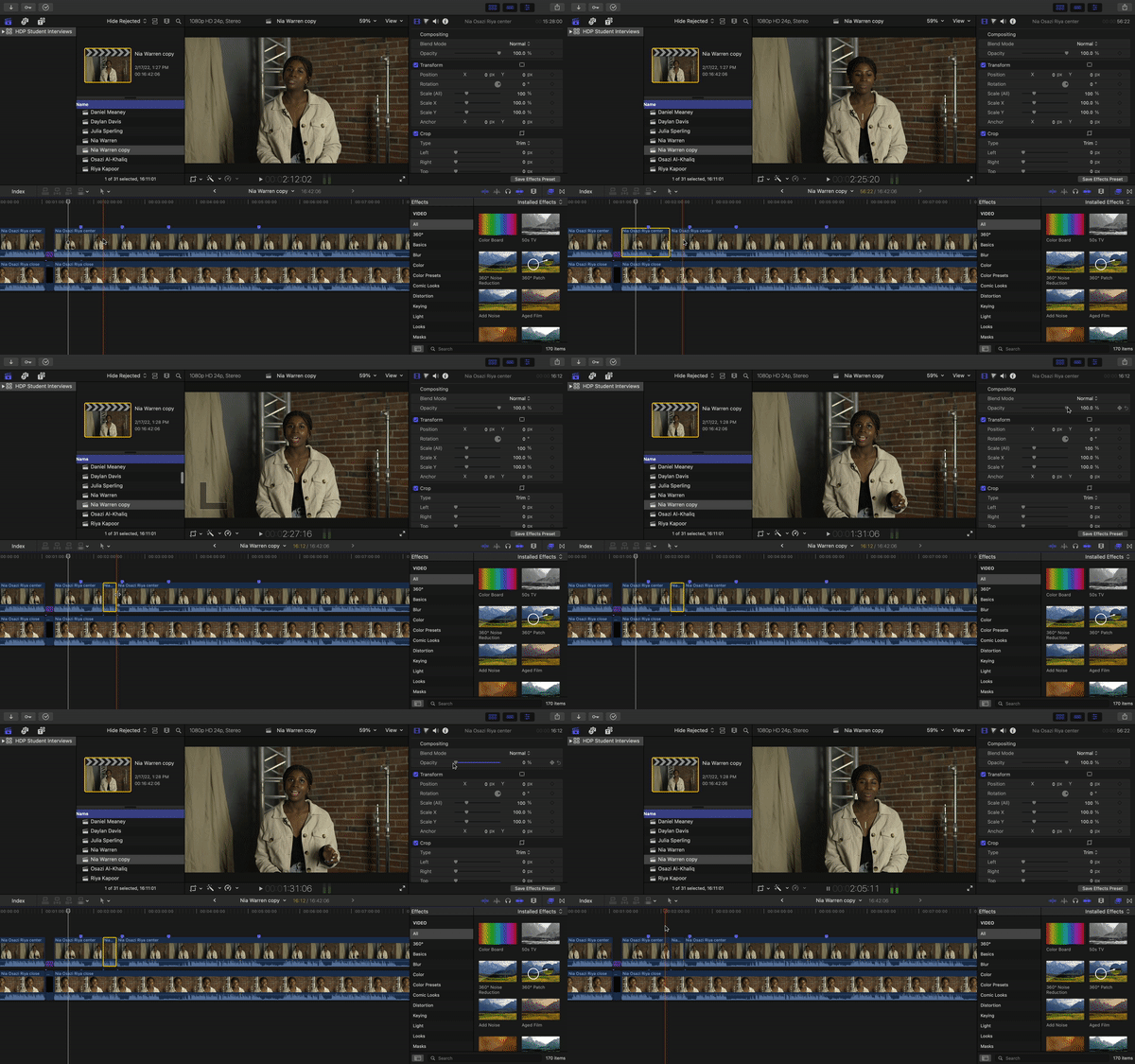
It will look something like this:
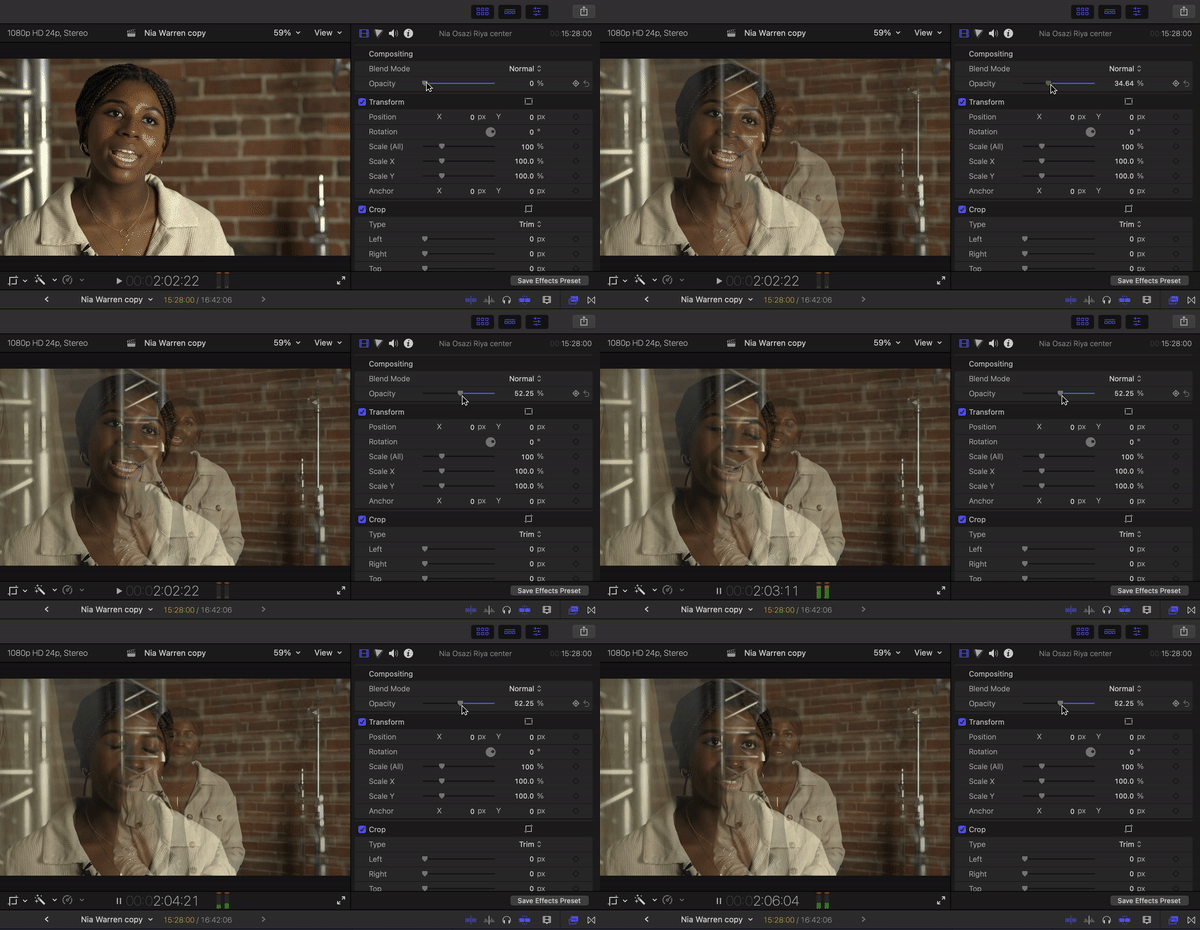
*note: you can always change the opacity of the top clip to view both clips at once. This can be helpful to use when you are deciding which shots you want to be close vs. center:*
* Once you've finished cutting all the clips to be the timing and length you want them to be, and have lined them up accordingly with the question slides, you can start playing with adding an introduction, music, etc.
* For creating an introduction, I thought it could be fun to include some footage fro the wide/behind the scenes shot. You can drag that down in front of the other clips on the timeline, and cut a small portion long enough to put some text on top of (see my edit above for reference.)
* As for music, I use
## Question Compilations
1. Introduce yourself
2. Tell me about your dance background
3. How would you describe your movement style?
4. What inspires you as a dance artist?
5. Does does your dance practice influence or interact with other areas of your life?
6. Who are your favorite dance-makers and choreographers?
7. Tell me about your person experience choreographing
8. As a dancer, what kind of choreographic processes do you enjoy?
9. Tell me about who you are as an artist today.
10. Tell me about who you are as an artist in the future.
11. What does artistic courage mean to you?
12.
 Google Drive
Gist
Clipboard
Google Drive
Gist
Clipboard
 Sign in with Wallet






