# USART Configuration
<!-- {%hackmd hackmd-dark-theme %} -->
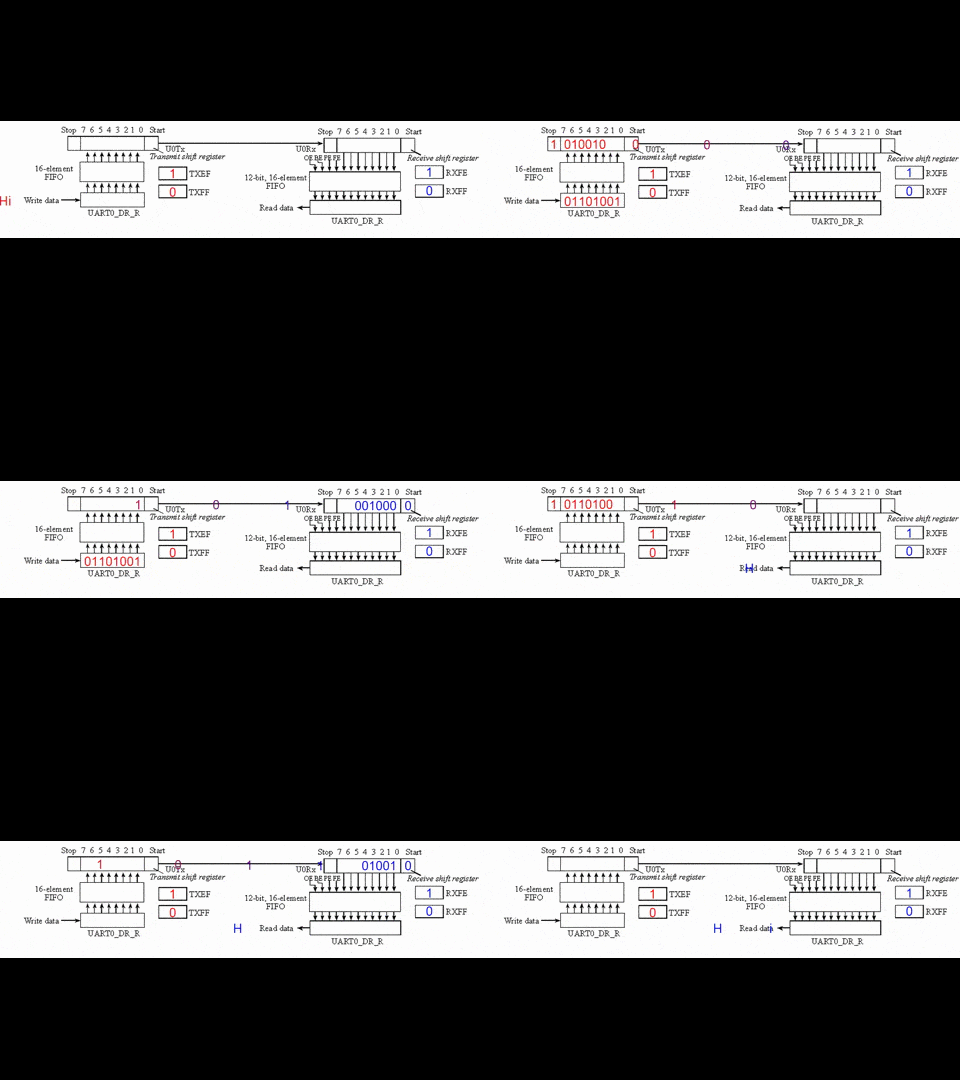
在開發嵌入式作業系統時,由於嵌入式系統通常沒有standard output,所以通常沒辦法用 `printf` 把訊息output出來,要用其他方法。而在STM32,其中一種最常見的方式是USART
## USART設定
以下介紹相關的設定:
首先,將USB轉TTL轉接線的白線插到開發板的PA2,黑色線插到GND,再將轉接線另一端插到筆電的USB孔

再來設定 `.ioc` 檔案, `Connectivity` -> `USART2` -> `Mode` 選擇 `Asynchronous`

設定完之後應該會看到 `PA2` 和 `PA3` 都變綠色

再來,Save & Generate Code
再來,在Console的地方點Console的圖示旁邊的黑色倒三角圖示,點 `Command Shell Console`

`Connection Type` 選 `Serial Port` ,`Encoding` 選 `ISO-8859-1` ,點 `New...` 進入 `New Serial Port Connection`

`Serial port` 選擇USB轉TTL的裝置名稱(MacBook怎麼查詢裝置名稱後面會提到),`Connection name` 可以自己取

<!--  -->
### MacBook查詢USB轉TTL的裝置名稱
在terminal輸入以下指令:
```bash!
ls /dev/tty.*
```
用此指令會列出所有連接的serial port裝置。通常USB轉TTL的裝置其裝置名稱會類似 `/dev/tty.usbserial-XXXX` 或 `/dev/ttyUSBX`

從截圖可看到在我的MacBook是 `/dev/tty.usbserial-1420`
## HAL_UART_Transmit
將你想印出來的訊息先存在一個char array,再將此char array當參數傳到此function
Function Prototype
```cpp!
HAL_UART_Transmit(USART_HandleTypeDef *huart,
uint8_t *pTxData,
uint16_t Size,
uint32_t Timeout);
```
- `huart`
- Pointer to a `UART_HandleTypeDef` structure that contains the configuration information for the specified UART module
- `pTxData`
- Pointer to data buffer
- `Size`
- Amount of data elements to be sent
- `Timeout`
- Timeout duration
範例:
```cpp
UART_HandleTypeDef huart2;
char msg [20];
memset(msg, '\0', strlen(msg));
strcat(msg, "Hello World!");
HAL_UART_Transmit(&huart2, (uint8_t *) msg, strlen(msg), 0xffff);
```
## 測試USART
在 `main.c` 新增以下header file
```cpp!
#include "string.h"
#include "stdlib.h" // for itoa
#include "stdio.h" // for sprintf
```
USART task:
```cpp!
UART_HandleTypeDef huart2;
void vUSART_Test(void *pvParameters) {
uint32_t Monitortimer = 400;
char MonitorTest[30];
char num[15];
int i = 0;
while (1) {
memset(MonitorTest, '\0', sizeof(MonitorTest));
memset(num, '\0', sizeof(num));
itoa(i, num, 10);
strcat(num, " ");
sprintf(MonitorTest, "The point is %s\n\r", num);
HAL_UART_Transmit(&huart2, (uint8_t *) MonitorTest, strlen(MonitorTest), 0xffff);
vTaskDelay(Monitortimer);
Monitortimer += 1;
i += 1;
}
}
```
:::info
`HAL_UART_Transmit(&huart2, (uint8_t *) MonitorTest, strlen(MonitorTest), 0xffff)`補充說明
- 第二個參數在function prototype的data type是 `uint8_t`,所以在這裡把他轉型成 (`unit8_t`),雖然 `char` 在大多數的系統也是8 bit,但C標準不保證它與 `uint8_t` 完全相同,所以在這裡還是轉型成 `uint8_t *`比較保險。
- 第四個參數是 `uint32_t Timeout`,它是等待直到傳輸完成或超時。將 `timeout` 設為 `0xffff` 代表它會願意為了把數據成功傳送出去而等待非常長的時間,實際上相當於無窮大的 `timeout`。這樣設定是為了確保 `HAL_UART_Transmit` 一直等到數據被成功發送。
:::
:::info
`itoa`
- 此function可將整數轉換為char array
- 此function通常並非 C 語言標準函式,因此其可用性可能取決於使用的編譯器。有些編譯器可能提供 `itoa` 函數,而有些則不提供。若是有提供的則需 `#include <stdlib>`
Function prototype
```cpp!
char *itoa(int value, char *str, int base);
```
- 參數:
- `value`: 要轉換的整數值
- `str`: A pointer to the character array (string) where the result will be stored.
- `base`: 表示進制的整數值,例如 10 表示十進制,16 表示十六進制等
- Return Value: Returns a pointer to the resulting string.
:::
燒錄至開發板,並點圖中橘色框框

選擇 `<你剛剛設定的Connection_name>`

即可看到output

:::danger
拔除的時候要先拔除USB轉TTL,最後才拔mini-USB,若順序反過來有可能把開發板燒壞
:::
 Google Drive
Gist
Clipboard
Google Drive
Gist
Clipboard
 Sign in with Wallet






