<style>
.reveal h1, .reveal h2 {
color: #9ee9f8;
}
.reveal h3, .reveal h4, .reveal h5, .reveal h6 {
color: #a7ced6;
}
.reveal {
color: #a7ced6;
}
.reveal .slide-background {
background-color: #2e3142;
}
</style>
# 用 Electron
# 實踐跨平臺桌面程式
<br>
<br>
### Yukai Huang @ SITCON 2017
---
## 關於我
* 通稱 Yukai
* XDDeveloper aka 自嗨型開發者
* HackMD 貢獻者之一(沾光一下)
* [Yukaii](https://github.com/Yukaii) on GitHub
* 多一個 i 是因為 Yukai 已經有人用啦
---
* Electron
* 跨平臺
* 桌面
----
# 桌面應用程式
# Desktop Application
----
* 相對於 Web App
----

----

----
* 順暢
* 離線使用
* 挺不錯的界面
吧
----
# 跨平臺
妥協
----
* Write once run anywhere
* Learn once write anywhere
* Write everytime and mess up everywhere(X)
----
Web Technology Rocks!
----
# Electron
## 運用網頁技術的
## 桌面應用程式框架
---
## 展示
----

----

----

----

----

---
## Outline
* Electron 是什麼
* 火力展示及推坑
---
## Electron 是什麼
----

----
* 2013
* Atom Editor
----
### 大事記
* 2013.4 開始開發
* 2014.5 開源
* 2016.5 v1.0.0
----

"Evolution of Electron" by Cheng Zhao
----
## 組成
* Chromium
* Node.js (io.js)
----
## 用三神器來寫桌面程式
* HTML + CSS + JavaScript
* 跟 Web App 有 87% 像
----
## 那剩下 13% 呢?
----
### Node.js modules
### +
### 原生 API (作業系統層)
----
### Node.js Modules
```javascript=
const os = require('os');
const path = require('path');
console.log(path.join(__dirname, 'src'))
// ...
```
以及 npm 上的海量套件 :heart:
----
### 原生 API

應用程式選單(menu)、系統列(tray)、桌面通知(Notification)等等
----
## 多行程架構
### Main Process
### &
### Renderer Process
----
## 對比
* Chromium 的視窗
* BrowserWindow => Renderer Process
----
```
+--------------------+
| |
| Main Process |
| |
++-----------------+-+
| |
| |
+------------+------+ +----+--------------+
| | | |
| Renderer Process | | Renderer Process |
| | | |
+-------------------+ +-------------------+
```
----

----
<img src="https://raw.githubusercontent.com/ilyavorobiev/atom-docs/master/atom-shell/images/modules.PNG" style="width: 100%;">
https://github.com/ilyavorobiev/atom-docs
----
原生 API 只能在 Main Process 呼叫
----
### Renderer process 透過
### ipc 或是 remote
### 來使用原生 API
----
### 小結
* Electron 用網頁技術來開發桌面應用程式
* Electron 可以理解成 Chromium + Node.js + 原生 API
---
## 用 electron 做的玩具們
## ~~炫耀時間~~
---
## 漫畫閱讀器
----

----
* 懶的開平板的時候看漫畫用
* Chrome Extension & Electron (Postman 啟發)
* 定時工作:
* background.js (chrome)
* main process (electron)
----
兩份 index.html
```htmlmixed=
<script>window.PLATFORM = 'chrome'</script>
```
然後
```javascript=
if (window.PLATFORM === 'chrome') {
// DO THIS
} else {
// DO THAT
}
```
---
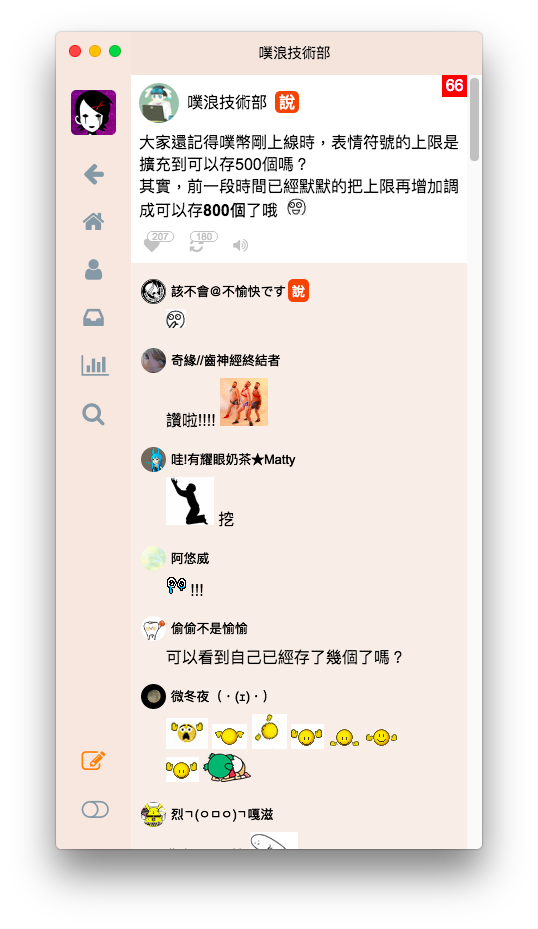
## 噗浪桌面版
----
----
* Vue.js
* OAuth
----
處裡 OAuth 跳轉
```javascript=
const { protocol } = require('electron')
protocol.registerStringProtocol('puraku')
```
> puraku://oauth_callback?oauth_token=......&oauth_verifier=......
---
## HackMD 桌面版
----

----
- 不只是 Nativefier => 快速鍵、多視窗等等
- 自訂程式外框
- 離線工具使用(未來展望啦)
---
## 傳教時間
---
* Electron 用網頁技術就能實作桌面應用程式
* 會寫 JavaScript,就能寫桌面程式
* ~~你網頁寫多快,桌面程式就能寫多快~~
---
## The Good Parts
---
### 程式碼不是開源就是沒混淆
### Copy & Paste 讚!
> keywords: asar
---
## 吐嘈
* 載個番茄鐘就要一百多 MB 的空間,有沒有搞錯
---
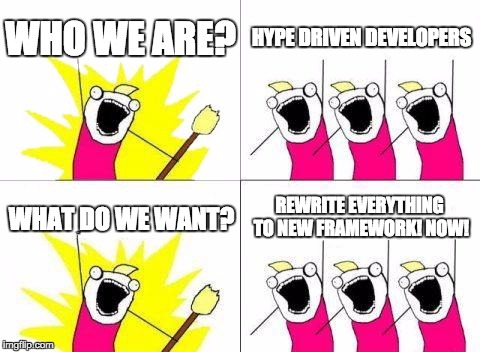
~~Hype Driven Development~~
---
> 投資一定有風險,基金投資有賺有賠,申購前應詳閱公開說明書
---
Make Desktop Application Great Again!
---
## 大 GUY 4 這樣
https://goo.gl/70XLmE
---
## 推坑時間
---
## Visual Studio Code
---
也是用 Electron 做的,速度完勝 Atom
---
~~這邊大概都是硬派使用者吧~~
Vim Plugin(easy motion, surround)
---
## Refs
* [Electron 作者 Cheng Zhao 的簡報](http://cheng.guru/blog/2016/11/13/evolution-of-electron.html)
* [Electron × React — 前端開發者高速跨界桌面開發 by Shao-Chung Chen](https://speakerdeck.com/dannvix/electron-x-react-qian-duan-kai-fa-zhe-gao-su-kua-jie-zhuo-mian-kai-fa)
{"metaMigratedAt":"2023-06-14T12:26:50.686Z","metaMigratedFrom":"YAML","title":"用 Electron 實踐跨平臺桌面程式","breaks":true,"contributors":"[{\"id\":\"6d3b4625-23c8-4275-a28e-cdc2cb546eda\",\"add\":36,\"del\":0}]"}