---
# System prepended metadata
title: YS Flight(YSF) Simulator Quick Start
tags: [flight, tips, ysf]
---
# YS Flight(YSF) Simulator Quick Start
###### tags: `ysf` `flight` `tips`
**更新: 鍵盤配置圖**

[toc]
## What is YSF
Author: ***Soji Yamakawa***
- ysflight.com: [[日本語]](http://ysflight.in.coocan.jp/main/j2022.html), [[English]](http://ysflight.in.coocan.jp/main/e2022.html)
- YSF is a **free flight simulator** where anything is possible.
- In this simulator, you can:
- Take off and land
- Dogfight with computer airplane
- Attack ground targets
- Fly a formation leader
- Trail smoke to draw a picture in the sky
- Fight against your opponent over network
- **The true strength of the game, however, is the modding community**. [**YSFHQ**](https://forum.ysfhq.com/) houses an extensive collection of **new maps, aircraft, weapons skins, and tools**, while the international community provides thousands of additional mods to try.
:::info
Get more informarion [**HERE**](https://ysflight.org/) & [**Getting Started**](https://forum.ysfhq.com/viewforum.php?f=306)
:::
## YSF Air Show
YSFlight Air & Space Expo 2021 - 2UCW F-20 Raging Mamba Solo
{%youtube PFwJ-0jk6EM %}
- [YSFlight Gatwick Takeover 2022 - Sky Surfer Airshows](https://youtu.be/C8B35midNaE)
## Related Sites
 This sites will make YSFLight more fun!
- [Site List](http://ysflight.in.coocan.jp/ysflight/ysflight/e.html#RELATEDSITES)
- [YSUpload](https://ysflight.org/)
- [YSFHQ](https://forum.ysfhq.com/index.php)
## Ready for Departure
This sites will make YSFLight more fun!
- [Site List](http://ysflight.in.coocan.jp/ysflight/ysflight/e.html#RELATEDSITES)
- [YSUpload](https://ysflight.org/)
- [YSFHQ](https://forum.ysfhq.com/index.php)
## Ready for Departure
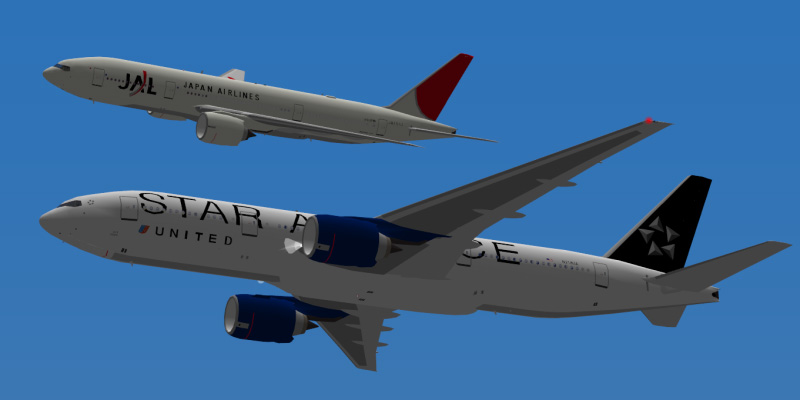 ### Download
- Latest stable release: **20181124**
- **Recommended release** (for multiplayer and addon compatibility): [**20150425**](https://ysflight.org/download/#recommended)
- [Download here for your operating system - Windows/MacOS/**Linux**](https://ysflight.org/download/)
### Install and Run
**Install**
- Just unzip the download file to your desired directory for Linux.
- For other Ops, the installation should be easier than Linux.
- You can execute **`installInLinux.py`** to install YSF to **`${HOME}/YSFLIGHT.COM/ysflight`** in **20181124 edition**.
**Run**
- Go to the directory where you install YSF, type **`ysflight64_gl2`** to start YSF for fun.
Please check this [[**How to Install YSFlight**]](https://forum.ysfhq.com/viewtopic.php?p=116964#p116964) for details.
### Control
- First, you should understand key-assignment and you can find in **`~/{YSF_Installed_Directory}/document/control.html`**.
- Go to **Option** > **Joystick/Key Assignment** to change the control assignment.


:::info
Click **Set Mouse as Joystick**, you can use mouse to control your aircraft.
:::
- Default key-assignment

**Quit**
| | |
| :--- | --- |
| ESC | press ESC twice to quit |
**Engine**
| | |
| :---: | --- |
| Q | power up |
| A | power down |
| Tab | after burner(AB) on/off |
| Page Down | rotate nozzle to vertical take off/landing position (only when the airplane is equipped with variable angle nozzle) |
| Page Up | rotate nozzle to cruise position (only when the airplane is equipped with variable angle nozzle) |
| . | reverser thrust (only when the airplane is equipped with thrust reverser) |
**Landing Gear/Flap/Brake/Variable Geometry Wing/Door**
| | |
| :---: | --- |
| G | retract/extend landing gear |
| F | retract/extend flap |
| B | retract/extend airbrake(synchronized with wheel brake) |
| W | flaps one step up(retract) |
| S | flaps one step down(extend) |
| ; | open/close all doors |
**Rudder**
|||
| :---: | --- |
| Z | rudder left |
| X | rudder neutral |
| C | rudder right |
**Trigger**
| | |
| :---: | --- |
| SPACE | fire weapon |
| 1 | open/close bomb bay door |
| 2 | choose weapon |
| 3 | toggle (or turn on) radar range |
| Mouse Left Button | fire weapon |
| Mouse Right Button | choose weapon |
**Navigation Aid**
| | |
| :---: | --- |
| V | flying direction indicator on/off |
| 9 | toggle HUD color |
| L | open VOR menu(station selection)
### Download
- Latest stable release: **20181124**
- **Recommended release** (for multiplayer and addon compatibility): [**20150425**](https://ysflight.org/download/#recommended)
- [Download here for your operating system - Windows/MacOS/**Linux**](https://ysflight.org/download/)
### Install and Run
**Install**
- Just unzip the download file to your desired directory for Linux.
- For other Ops, the installation should be easier than Linux.
- You can execute **`installInLinux.py`** to install YSF to **`${HOME}/YSFLIGHT.COM/ysflight`** in **20181124 edition**.
**Run**
- Go to the directory where you install YSF, type **`ysflight64_gl2`** to start YSF for fun.
Please check this [[**How to Install YSFlight**]](https://forum.ysfhq.com/viewtopic.php?p=116964#p116964) for details.
### Control
- First, you should understand key-assignment and you can find in **`~/{YSF_Installed_Directory}/document/control.html`**.
- Go to **Option** > **Joystick/Key Assignment** to change the control assignment.


:::info
Click **Set Mouse as Joystick**, you can use mouse to control your aircraft.
:::
- Default key-assignment

**Quit**
| | |
| :--- | --- |
| ESC | press ESC twice to quit |
**Engine**
| | |
| :---: | --- |
| Q | power up |
| A | power down |
| Tab | after burner(AB) on/off |
| Page Down | rotate nozzle to vertical take off/landing position (only when the airplane is equipped with variable angle nozzle) |
| Page Up | rotate nozzle to cruise position (only when the airplane is equipped with variable angle nozzle) |
| . | reverser thrust (only when the airplane is equipped with thrust reverser) |
**Landing Gear/Flap/Brake/Variable Geometry Wing/Door**
| | |
| :---: | --- |
| G | retract/extend landing gear |
| F | retract/extend flap |
| B | retract/extend airbrake(synchronized with wheel brake) |
| W | flaps one step up(retract) |
| S | flaps one step down(extend) |
| ; | open/close all doors |
**Rudder**
|||
| :---: | --- |
| Z | rudder left |
| X | rudder neutral |
| C | rudder right |
**Trigger**
| | |
| :---: | --- |
| SPACE | fire weapon |
| 1 | open/close bomb bay door |
| 2 | choose weapon |
| 3 | toggle (or turn on) radar range |
| Mouse Left Button | fire weapon |
| Mouse Right Button | choose weapon |
**Navigation Aid**
| | |
| :---: | --- |
| V | flying direction indicator on/off |
| 9 | toggle HUD color |
| L | open VOR menu(station selection)
press multiple times to cycle VOR1, VOR2 and heading bug.
it also changes current NAV |
| 7 | rotate VOR OBS to the left
target NAV should be selected by L key |
| 8 | rotate VOR OBS to the right
target NAV should be selected by L key |
**View Control**
| | |
| :---: | --- |
| F1 | **cycle through cockpit view/airplane-specific view/bombing aim**
bombing aim is available only when bomb are loaded. |
| F2 | **cycle through outside/fixed/variable point view, focusing on player's airplane** |
| F3 | **from computer airplane to player airplane**
pressing `f3` multiple times will cycle view-target airplanes.
pressing `shift+f3` will cycle backward. |
| F4 | **missile view** |
| F7 | **outside-aircraft view**
pressing `f7` multiple times will toggle between fixed viewing angle and relative-to-aircraft viewing angle.
POV button/view angle keys to rotate camera angle.
the view-target aircraft can be changed by `f9`.
| F8 | **ILS/control-tower view**
pressing `f8` multiple times will cycle through control towers and ils facilities.
pressing `shift+f8` will cycle backward.
the view-target aircraft can be changed by `f9`. |
| F9 | cycle through view-target aircrafts in `F3`, `F7`, and `F8` views.
Pressing `Shift+F9` will cycle backward. |
| F10 | **observer view**
in observer view mode, you can rotate view angle by joystick, fire weapon button to move forward, and select weapon button to move backward.
when you press `F10` key, observer view mode starts from the previous view point. Hence, use `F1` through `F9` key to select a view point that is close to your interest, and then press `F10` key. |
| POV button or Joystick | **change view direction**
rotate camera angle in outside player plane view Part 2/3 |
| U | forward |
| K | right |
| H | left |
| M | back |
| J | up |
| N | below |
| | * press more than one of U,K,H,M,J,N keys simultaneously to see slant direction. |
| Mouse Wheel Up | Zoom |
| Mouse Wheel Down | Unzoom |
## Cleared for takeoff
### Basic Flight Guide
- [The Beginner's Guide to YSFlight](https://youtu.be/j-Iy3W7s4O8)
### YSF Academy
[**YSF Academy**](https://forum.ysfhq.com/viewforum.php?f=284)
- [How to Use Navigation Instruments in YS Flight](https://youtu.be/ChKNRGhDBo8)
- [How to use the ILS in YS Flight Simulator](https://youtu.be/CyqORDvIwIo)
### Addons
- [Searching Addons](https://forum.ysfhq.com/viewtopic.php?f=306&t=7577)
- [Addon Database](https://docs.google.com/spreadsheets/d/1caVHoWU6g1YSB-G-W5Q-j2JPuGtYxcZBVca0ul5vjTU/edit#gid=146187919)
- [How to install Addons](https://forum.ysfhq.com/viewtopic.php?f=306&t=6256&p=76115#p76115)
- [YSDecaff](https://sites.google.com/site/ysdecaff/decaff-s-addons)
- [Addon Database](https://docs.google.com/spreadsheets/d/1caVHoWU6g1YSB-G-W5Q-j2JPuGtYxcZBVca0ul5vjTU/edit#gid=0)
### Pilot's Manual
http://ysflight.in.coocan.jp/ysflight/ysflight/manual/english.html

Getting into the Danger Zone ......