<style>
html, body, .ui-content {
background-color: #333;
color: #ddd;
}
.markdown-body h1,
.markdown-body h2,
.markdown-body h3,
.markdown-body h4,
.markdown-body h5,
.markdown-body h6 {
color: #ddd;
}
.markdown-body h1,
.markdown-body h2 {
border-bottom-color: #ffffff69;
}
.markdown-body h1 .octicon-link,
.markdown-body h2 .octicon-link,
.markdown-body h3 .octicon-link,
.markdown-body h4 .octicon-link,
.markdown-body h5 .octicon-link,
.markdown-body h6 .octicon-link {
color: #fff;
}
.markdown-body img {
background-color: transparent;
}
.ui-toc-dropdown .nav>.active:focus>a, .ui-toc-dropdown .nav>.active:hover>a, .ui-toc-dropdown .nav>.active>a {
color: white;
border-left: 2px solid white;
}
.expand-toggle:hover,
.expand-toggle:focus,
.back-to-top:hover,
.back-to-top:focus,
.go-to-bottom:hover,
.go-to-bottom:focus {
color: white;
}
.ui-toc-dropdown {
background-color: #333;
}
.ui-toc-label.btn {
background-color: #191919;
color: white;
}
.ui-toc-dropdown .nav>li>a:focus,
.ui-toc-dropdown .nav>li>a:hover {
color: white;
border-left: 1px solid white;
}
.markdown-body blockquote {
color: #bcbcbc;
}
.markdown-body table tr {
background-color: #5f5f5f;
}
.markdown-body table tr:nth-child(2n) {
background-color: #4f4f4f;
}
.markdown-body code,
.markdown-body tt {
color: #eee;
background-color: rgba(230, 230, 230, 0.36);
}
a,
.open-files-container li.selected a {
color: #5EB7E0;
}
</style>
<!-- slide start -->
# Python Tutorial 🐍
## Chapter 1
---
## 📍 `GMJH`
#### ⏱ `2023/07/10` ~ `2023/07/13`
---
## Today Topic
- if / else
- elif
- conditional operator
- logic operator
- loop
- while
- for
---
# Before we start ...
----
## Slido
- **線上匿名提問**
- 問都問 🫵
- [present link](https://wall.sli.do/event/v4NmQd5VwgA4rBrStRi4fk?section=19f4a706-900d-45a0-87e1-46b0ac1176c3)
- [admin link](https://admin.sli.do/event/v4NmQd5VwgA4rBrStRi4fk/polls)
---
# Tools ⚙️
----
## Replit
- Online IDE
- [replit.com](https://replit.com/)

---
# Warm up 🔥
----
# X = X + 1
----
# 特別的運算子
<!-- ----
## Kahoot
[Warm up 🧠](https://create.kahoot.it/my-library/kahoots/9c573301-540f-4546-9b3e-c9a4d1adc942) -->
---
## if / else
----
應該會希望程式在<br>**符合某些條件** 的時候<br>才執行相關的指令 👀
----
## 當符合 ... 條件時
----
## if
```pythn!
if 條件:
要執行的程式
```
```python!
if a == 10:
print("a is 10")
```
- 現在的 `==` 跟昨天的 `=` 不一樣 🧠
- 要注意 `:` 跟縮排!
----
## python 中的縮排
必須要一致!
- tab
- 4 個空格
----
## conditional operator
`條件運算子`
- `==` : 等於
- `!=` : **不**等於
- `<` : 小於
- `>` : 大於
- `<=` : 小於等於
- `>=` : 大於等於
----
## condition & bool
```python
print( 10 > 2 )
print( 5 <= 3 )
a=5
b=20
print( a+b == 25 )
print( a!=b )
print( (a!=b) == True )
```
----
## Example
```python
a = 59
if a >= 60 :
print("pass exam")
if a < 60 :
print("fail exam")
```
```python
x=3
y=4
if x==y:
print("same")
if x!=y:
print("not same")
```
----
## else
當 **條件不符合** 時執行
```python
if a>b:
print("a is bigger than b")
else:
print("a is smaller equal then b")
```
也要注意 `:` 跟縮排!
----
## 如果還想要判斷更多形況呢?
----
## elif
判斷 `score` 通過、被當、死當
```python!
score = int(input("input a number"))
if score < 40:
print("死當 @@")
elif score < 60:
print("被當 ==")
else:
print("過了 ouo")
```
----
## elif 需要注意的地方
猜測 `if+elif` 跟 `if+if` 的輸出結果
```python!
a=10
b=5
if a==10:
print("first")
elif b==b:
print("second")
```
```python!
a=10
b=5
if a==10:
print("first")
if b==b:
print("second")
```
----
## if/else 小練習
試著把剛剛的範例改寫成 `if/else`
```python
a = 59
if a >= 60 :
print("pass exam")
if a < 60 :
print("fail exam")
```
```python
x=3
y=4
if x==y:
print("same")
if x!=y:
print("not same")
```
----
## if/else 練習 - 判斷奇偶數
如何判斷奇偶數?
```python
a = int(input("input a number"))
if ??? :
print("even")
else :
print("odd")
```
----

----
## if/elif/else 練習-猜數字
- 先自定一個 `ans` 變數
- 輸入
- 讓使用者輸入一個數字 `guess`
- 輸出
- 如果 `guess` 大於 `ans`:<br>輸出 `guess is larger than ans`
- 如果 `guess` 小於 `ans`:<br>輸出 `guess is smaller than ans`
- 如果 `guess` 等於 `ans`:<br>輸出 `U guess the answer !!!`
---
## multi-conditions
程式中要如何表達 **一次符合多個條件** 呢?
----
## Example
- `a > 10` 且 `a 是奇數`
- `score > 60` 或 `bouns > 5`
- 不 `bouns > 5`
----
- **nested if/else**
- **logic operator**
---
## nested if/else
巢狀 if/else
----
## Example
- `a > 10` 且 `a 是奇數`
- 輸出 `a>10 and odd`
- `a > 10` 且 `a 是偶數`
- 輸出 `a>10 and even`
----
## Example
- `a > 10` 且 `a 是奇數`
- 輸出 `a>10 and odd`
- `a > 10` 且 `a 是偶數`
- 輸出 `a>10 and even`
`a > 10` 這個條件是**共同**的!
----
## Example
```python3
if a > 10 and a%2:
print("a>10 and odd")
if a > 10 and a%2 == 0:
print("a>10 and even")
```
```python3
if a > 10:
if a%2 :
print("a>10 and odd")
else:
print("a>10 and even")
```
要注意**縮排** !!!
----
## 小練習
試著把「判斷閏年」用 **巢狀 if/else** 改寫
----
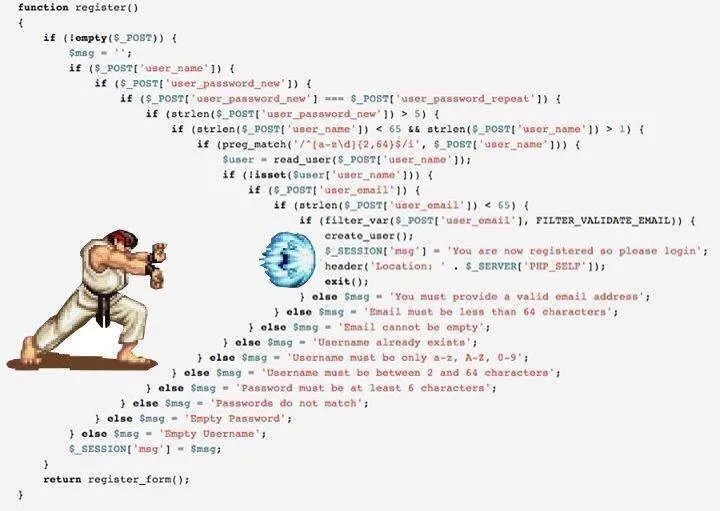
# if else hell
---
## logic operator
邏輯運算子:
- `and`
- `or`
- `not`
----
## 邏輯運算子範例
```python!
print( 2>=3 and 9==9 )
print( 2>=3 or 9==9 )
print( not 8==9 )
print( 3>=2 and not 8==9 )
print( 3!=2 or not 8==9 )
```
----
## 綜合 if/else 練習 - 閏年判斷
如何判斷機 `平年` 跟 `閏年`?
規則:
- 平年:
- 除以 4 不整除
- 除以 100 可整除,且除以 400 不整除
- 閏年:
- 除以 4 可整除,且除以 100 不整除
- 除以 400 可整除
----
## 閏年判斷
閏年: `print("leap year")`
平年: `print("normal year")`
```python3!
year = int( input("input a year") )
# 寫一些 if/else ...
```
---
## details of bool & other data type
----
來講一些 boolean 與 其他資料型態 的細節
----
## int & bool
```python
if 666:
print("ok 666")
if 1:
print("ok 1")
if 0:
print("ok 0")
```
```python3
if -1:
print("ok -1")
if -999:
print("ok -999")
if not 0:
print("not 0")
if not 12:
print("not 12")
```
----
## int & bool
- `0` 會被視為 `False`
- 其他的數(包括**負數**) 會被視為 `True`
----
## None & bool
```python3
n = None
if n:
print("None")
if not n:
print("not None")
```
{"title":"Python Tutorial 1","contributors":"[{\"id\":\"2245c07c-94fd-4118-a0dd-93dc670e8668\",\"add\":6925,\"del\":628}]"}