# Docker 
a tool that can create containers
半開源(?)、商業軟體<!-- .element: class="fragment" data-fragment-index="1" -->
slide: http://bit.ly/mpcmeet
----
### Why docker ?
* 架測試環境

----

----
### Who need docker ?
* Who need sandbox
* Backend, Fullstack engineer (IT)<!-- .element: class="fragment" data-fragment-index="1" -->
* Cloud engineer<!-- .element: class="fragment" data-fragment-index="1" -->
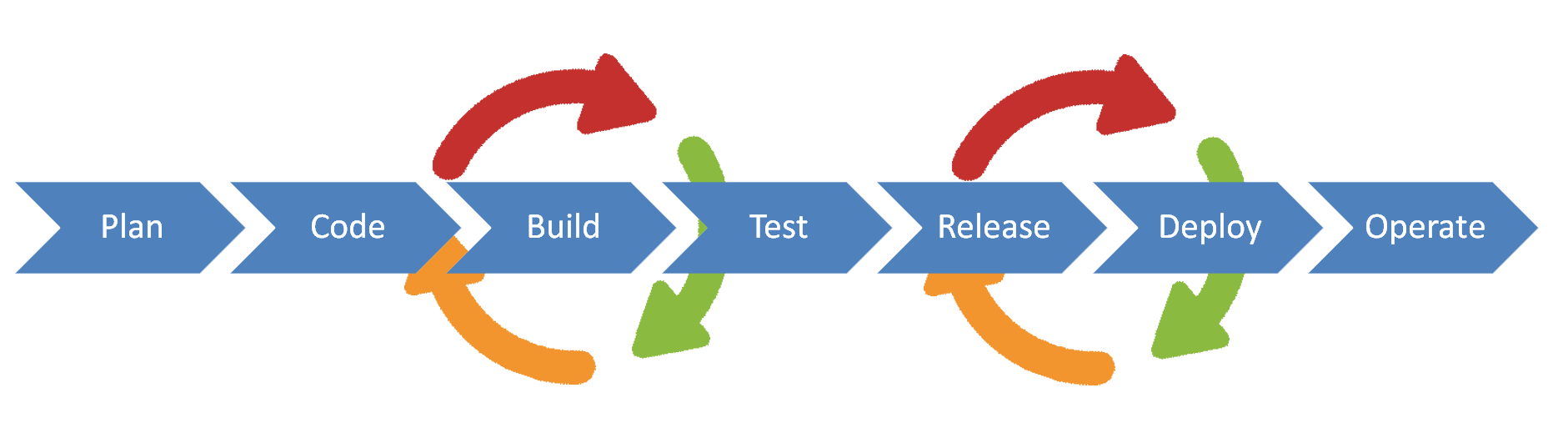
* Dev**Ops** engineer<!-- .element: class="fragment" data-fragment-index="1" -->
----
----
### This slide is for...
- 略懂類 unix 系統、網路
- 熟悉 CLI,但不懂 DevOps 概念
- 沒用過 docker 的人
---
## Outline
* 1. Virtualization
* 2. Container vs. VM
* 3. Docker overview
* 4. docker-compose
* 5. Cluster
* 6. Reference
* 7. Other Discussion (?)
---
## 1. Virtualization
* 實體資源抽象化
----
### Virtualization example
* Virtual Machine (VM)
* personal hardware resources<!-- .element: class="fragment" data-fragment-index="1" -->
* Container
* OS<!-- .element: class="fragment" data-fragment-index="1" -->
* Software Defined Network (SDN)
* network equipments<!-- .element: class="fragment" data-fragment-index="1" -->
----
### Virtualization advantages
* 資源管理
* 限制硬體資源<!-- .element: class="fragment" data-fragment-index="1" -->
* 隔離環境
* 套件管理工具汙染<!-- .element: class="fragment" data-fragment-index="2" -->
* 輕量化
* server vs. vagrant file/docker file<!-- .element: class="fragment" data-fragment-index="3" -->
* instance 啟動快、切版快<!-- .element: class="fragment" data-fragment-index="4" -->
---
## 2. VM vs. Container
* architechture

----
## VM vs. Container
* instance

----
| cf. | VM | container | programming
| -------- | -------- | -------- |-------- |
| tool<br>(platform) | VMware, Virtualbox | docker, rkt| Code::Blocks, Pycharm
| static instance | .iso | image | program
| How to describe | .iso, <br> vagrant file | Dockerfile | code
| dynamic instance | .vdi | container | process
----

---
## 3. Docker overview
* image
* container
* registry
----
### 3-1. image

----
### To describe an image - Dockerfile
```dockerfile
FROM python:2
LABEL "docker_repo"="ysliu2525441"
LABEL "docker_image_name"="iris2"
LABEL "docker_image_version"="0.1"
RUN apt-get update -y
RUN apt-get install -y python-pip python-dev build-essential
COPY /requirements.txt /tmp/
COPY /seldon_requirements.txt /tmp/
RUN cd /tmp && \
pip install --no-cache-dir -r seldon_requirements.txt && \
pip install --no-cache-dir -r requirements.txt
RUN mkdir microservice
COPY ./ /microservice/
WORKDIR /microservice
EXPOSE 5000
CMD ["python","-u","microservice.py","iris2","REST","--service-type","MODEL","--persistence","0"]
```
----
### 3-2. container
* a running instance of an image
* contain some applications
----
### 3-3. docker registry
| cf. | docker registry | git server |
| -------- | -------- | -------- |
| example | [docker hub](https://hub.docker.com/) | [GitHub](https://github.com), [GitLab](https://about.gitlab.com/) |
| unit | repository | repository|
----

###### Ref: [Bo-Yi, Wu](https://www.slideshare.net/appleboy/docker-61214768?from_action=save)
----

###### Ref: [Bo-Yi, Wu](https://www.slideshare.net/appleboy/docker-61214768?from_action=save)
----

###### Ref: [Bo-Yi, Wu](https://www.slideshare.net/appleboy/docker-61214768?from_action=save)
----

###### Ref: [Bo-Yi, Wu](https://www.slideshare.net/appleboy/docker-61214768?from_action=save)
----

###### Ref: [Bo-Yi, Wu](https://www.slideshare.net/appleboy/docker-61214768?from_action=save)
----

###### Ref: [Bo-Yi, Wu](https://www.slideshare.net/appleboy/docker-61214768?from_action=save)
----
### Registry
* Public
* [docker hub](https://hub.docker.com/_/nginx)
* Private
* 自己 build
---
## 4. docker-compose

multiple services communication
----
* [demo](https://docs.docker.com/compose/gettingstarted/)
---
## 5. Cluster
orchestrating containers on multiple machines
* kubernetes 
* docker swarm
* mesos
---
## 6. References
----
### get started with docker!
https://docs.docker.com/install/

----
### troubleshooting
* docker 預設是只有 superuser 能使用,需要把一般使用者加入 docker group 才能下 docker 指令
[Ref](https://askubuntu.com/questions/477551/how-can-i-use-docker-without-sudo)
* docker image 會存在根目錄,因此若根目錄硬碟空間不足可能導致 image 無法完整 pull 到 local
* container 和 host 的硬碟空間是隔離的,但可以把指定 directory mount 進 container [Ref](https://stackoverflow.com/questions/23439126/how-to-mount-a-host-directory-in-a-docker-container)
----
### 參考資料
* [Docker site](https://www.docker.com/)
* [別人的投影片](https://www.slideshare.net/appleboy/docker-61214768)
* Docker alternatives
* [rkt](https://github.com/rkt/rkt) (released by CoreOS)
* Podman
----
### 文件
* [Docker Documents](https://docs.docker.com/)
* [中文教學](https://github.com/twtrubiks/docker-tutorial)
* [中文 handbook](https://philipzheng.gitbooks.io/docker_practice/content/)
* [C.A.Lee 筆記](https://hackmd.io/EHxCn4vVQaOtQK8_b2kUhQ)
----
### 不該使用 docker 的原因
* 建議 docker 用在測試環境
* production 建議使用其他服務
- [Ref 這個比較慘](https://thehftguy.com/2016/11/01/docker-in-production-an-history-of-failure/)
- [Ref2](https://blog.abevoelker.com/why-i-dont-use-docker-much-anymore/)
- [Ref3](https://nickjanetakis.com/blog/docker-tip-68-its-ok-not-to-use-docker-for-everything)
- [container not secure than VM](https://security.stackexchange.com/questions/169642/what-makes-docker-more-secure-than-vms-or-bare-metal)
---
## 7. Other Discussion
----
* VM 和 container 的差異
* 虛擬化層級不同
* VM 虛擬化硬體
* 創建的 instance 以 OS 為單位。
* container 虛擬化 kernel
* 創建的 instance 以 application 為單位。
----
* 安全性 [Ref](https://security.stackexchange.com/questions/169642/what-makes-docker-more-secure-than-vms-or-bare-metal)
* container 因為沒有真正的 kernel,所以是間接使用 host 的 kernel。
* 當某個 container 有漏洞能讓使用者直接摸到 kernel 或更底層,就相當於拿到 host 的所有權限,也就能夠 access 這台 host 上其他所有 container。
----
* docker 的用處
* 快速創建不同測試環境
* (e.g. 應用要在不同 OS 上都能跑)
* 快速創建許多相同環境
* (e.g. 上機考,裝好同樣的 100 個開發環境)
----
* 如果某個 image 突然無法起 container,有可能是什麼原因?
* 可能上次啟動這個 image 之後,有人加了一些新的指令、套件上去導致套件互衝。
* 可能 image 更新過後 size 過大,根目錄硬碟空間不足,沒辦法成功 pull 整個 image。
----
* 如果一個團隊共同維護一個 dockerfile,導致這個 image 越來越複雜,可能會使整體效能變糟,不管是起 instance 變慢,或是整體運行 overhead 過大導致延遲,要怎麼解決這種問題?
* .dockerignore?
{"metaMigratedAt":"2023-06-14T21:01:42.878Z","metaMigratedFrom":"YAML","title":"Intro 2 Docker","breaks":true,"description":"View the slide with \"Slide Mode\".","contributors":"[{\"id\":\"2fc87f5c-895f-4dad-aeb2-5763158932f8\",\"add\":11457,\"del\":4220}]"}