----
# RegEx
*****
----
## What is regex?
- Regex. Short for 'regular expression', a sequence of characters that forms a search pattern.
- It can help do useful things with strings:
- test and match strings
- "find" or "find and replace" operations on strings
- input validation (checking an email or password)
----
## What is a Regular Expression
You can create a [Regular Expression Object](https://www.w3schools.com/jsref/jsref_obj_regexp.asp) which is the thing you use to perform pattern-matching and "search-and-replace" functions on your text.
Regex for the string 'test_string'
> `/test_string/`
----
They can quickly become complicated and seem very hard to read, e.g:
Test if a valid IP address
> `/^(25[0-5]|2[0-4][0-9]|[01]?[0-9][0-9]?)\.(25[0-5]|2[0-4][0-9]|[01]?[0-9][0-9]?)\.(25[0-5]|2[0-4][0-9]|[01]?[0-9][0-9]?)\.(25[0-5]|2[0-4][0-9]|[01]?[0-9][0-9]?)$/`
They rely on a set of simple principles and you will be able to learn them do not panic :fearful:
----
### Basic pattern Creation
You create a 'pattern' that will define what it will match.
This pattern is wrapped in forward slashes, `/`
> e.g. `/pattern_here/`
Using this we can search for a specific string or character
----
## Methods
In Javascript there are quite a few ways to use a regex
One main Regex object method:
* [.test( )](https://www.w3schools.com/jsref/jsref_regexp_test.asp)
_(also .exec() and .toString() available)_
We can also use two methods from the string object:
* [.match( )](https://www.w3schools.com/jsref/jsref_match.asp)
* [.replace( )](https://www.w3schools.com/jsref/jsref_replace.asp)
----
### Using .test( )
Returns true or false on whether the expression is matched.
```
let str1 = "example_string";
let str2 = "ejample_string";
let reg = /example/;
reg.test(str1); // Returns true
reg.test(str2); // Returns false
```
_**Note** - test() is a method of the regex object and the string is inserted into the function_
----
### Using .match( )
Returns an Array with the whole matched string in the first item, then each matched group content.
```
let str1 = "example_string";
let str2 = "ejample_string";
let reg = /example/;
str1.match(reg); // Returns ['example']
str2.match(reg); // Returns null
```
_**Note** - match() is a method of the string object and the regex is inserted into the function_
----
### Using .replace( )
Returns a string with any matched element replaced with a given replacement string. It takes two arguments, the string to be searched for and the new string to replace it.
```
let str1 = "example_string";
let str2 = "ejample_string";
let newStr = "new"
let reg = /example/;
str1.replace(reg, newStr); // Returns 'blah_string'
str2.replace(reg, 'newStr'); // Returns 'example_string'
```
_**Note** - replace() is a method of the string object and the regex is inserted into the function_
----
#### Modifiers
Modifiers are applied at the end of a regex to 'modify' how it is applied.
The main ones we regularly use are:
- **i** = Case insensitive (can be capital case or lower case)
- **g** = Global match; find all matches rather than stopping after the first match
Flags can be combined, and they are added at the end of the string in regex literals
e.g. `/multi_flag/ig`
----
##### Modifer Examples
Putting modifiers into practice
```
testString = 'test string for TESTING the test of my tEsTs'
caseInsensitive = /test/i // first occurance of 'test'
someOccurances = /test/g // all occurances of 'test' in lower case (2*)
allOccurances = /test/gi // all occurance of 'test' in any case (4*)
```
##### More Examples
Replace all occurences of a case sensitive string:
```
var str = "Mr Blue has a blue house and a blue car";
var res = str.replace(/blue/g, "red");
res == "Mr Blue has a red house and a red car"
```
Note that suddenly using the regex makes .replace() a much more powerful method than if we only used the normal string as the match case. There is a reason we are learning this stuff :raised_hands:
----
##### Note - Others Modifiers
Other modifiers exist
> **m** - Perform multiline matching
> **u** - The u modifier is for unicode support.
> **s** - short for single line, it causes the . to match new line characters as well
See _[big modifiers list](https://www.regular-expressions.info/refmodifiers.html)_
----
### Character Classes
We can define a set of characters in a class that we search for by using square brackets:
- [abc] - any character a, b, or c
- [^abc] - any character that isn't a, b, or c
- [A-Z] - any character between A and Z
- [0-9] - any digit between 0 and 9
- [0-9A-Za-z] - any char 0 - Z
----
### Shortcut Classes
Instead of defining specific sets of character classes there are prebuilt shortcuts available:
* \d - one digit 0 - 9
* \D - any character not a digit
* \w - any letter a-Z
* \W - any non letter
* \s - any whitespace (space, tab, newline)
* \S - any non space char
These are the most common, others can be found here
----
### Repetitions
We can use repetitions to match for multiple occurences of a letter or string. We use curly brackets to denote how many occurences.
- **a{6}** - matches **aaaaaa**
- **a{3,}** - matches 3 a's or more
- **[a-z]{1,3}** will match any text that has between 1 and 3 consecutive letters.
----
#### Repetition Shortcuts
- '*' is the same as **{0,}**
- '+' is the same as **{1,}**
- '?' is the same as **{0,1}**
----
### Groups
Placing part of a regular expression inside round brackets or parentheses groups that part of the regular expression together.
This allows you to apply a quantifier to the entire group or to restrict alternation to part of the regex.
`(a|b)` - searches for 'a' or 'b'
`/(go)+/i`- searches multiple occurrences of the word 'go'
Without parentheses, the pattern /go+/ means 'g', followed by 'o' repeated one or more times. For instance, goooo or gooooooooo.
----
### Build Regex online (RegEx 101 Editor)
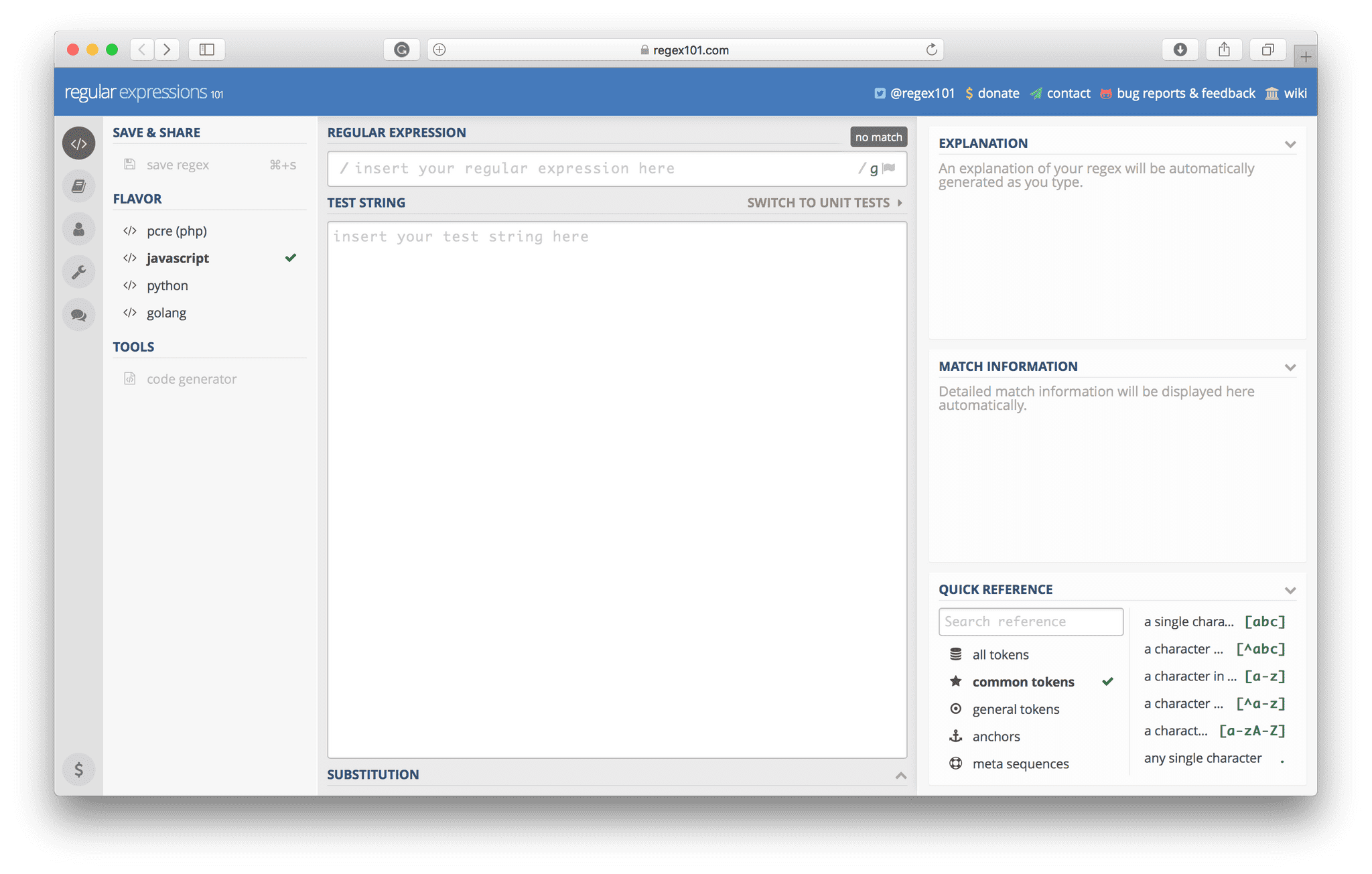
*You can build and test your regex online to be sure it does what you want it to do!*
----
## Code Snippets
A few code snippets demonstrating what we've learnt with Regex
----
### Password Validator
```
let password = "abc123";
let checkPass = /(?=\w{3,6})(?=\D*\d)/;
checkPass.test(password); // Returns true
```
----
### Remove Whitespace
Remove Whitespace at start and end of a string
```
let hello = " Hello, World! ";
let wsRegex = /^\s+|\s+$/g;
let result = hello.replace(wsRegex, '');
```
----
### Create Spinal Case
Make any input text into spinal case (all lower case letters and '-' instead of spaces) such as _’this-is-spinal-case’_
```
function spinalCase(str) {
str = str.replace(/([a-z])([A-Z])|_|\s/g, '$1-$2');
return str.toLowerCase();
}
spinalCase('This Is Spinal Tap');
```
----
### Learn By Doing - Introduction
The best way to learn is by **doing**!
- [FCC Challenges](https://learn.freecodecamp.org/javascript-algorithms-and-data-structures/regular-expressions) - Free Code Camp tasks. Takes you through a series of lessons where you learn by doing _[START HERE]_
- [W3 tutorial](https://www.w3schools.com/js/js_regexp.asp) - Simple explanations and documentation of Regex use where you can test each example yourself
- [Email Validator tutorial](https://javascript.info/regexp-groups) - Learn to build an email validator
- [FCC Telephone Validator Algo](https://learn.freecodecamp.org/javascript-algorithms-and-data-structures/javascript-algorithms-and-data-structures-projects/telephone-number-validator) - Challenge to build a telephone validator _(this project counts towards the FCC Javascript certificate)_
----
### Not covered in this Presentation
Regex has a vast amount of things you can dive into further beyond the basic stuff we just outlined. Day to day most of the further stuff isn't needed.
However, these three topics we didn't cover today but are worth learning about _(Covered in FCC tutorial)_:
- The Regex Object
- Special Characters
- Look Aheads
- Capture Groups
_[Flavio Copes](https://flaviocopes.com/javascript-regular-expressions/) has an excellent blog and books on code. His Regex guide is great_
----
### Useful Links
- [RejEx101 editor](https://regex101.com/) - Build and test regular expressions online
- [Documentation](https://www.regular-expressions.info/engine.html) - Explanations of regex usage and syntax
- [Introduction Video](https://www.youtube.com/watch?v=909NfO1St0A) - YouTube explanation by FreeCodeCamp
- [RegExCheat Sheet](https://www.rexegg.com/regex-quickstart.html#chars) - Helpful Cheat Sheet by Rex Egg
- [Eloquent Javascript Chapter 7](https://eloquentjavascript.net/09_regexp.html) - Fantastic book and regex part is worth trying
----
### You're Welcome _*:,)*_
Sam & Ghassan
{"metaMigratedAt":"2023-06-14T22:34:56.104Z","metaMigratedFrom":"Content","title":"RegEx","breaks":true,"contributors":"[{\"id\":\"dd971554-638f-480c-a227-280f5386f2ba\",\"add\":11426,\"del\":4271},{\"id\":\"c812783e-2740-47d0-8981-33bca2701792\",\"add\":4005,\"del\":2327}]"}