# Advanced CSS
---
What are "combinator" selectors? Can you provide examples where they're useful?
---
Descendant combinator ➡️ ` ` (space)
selects nodes that are descendants of the first element.
Example: `div span` will match all `<span>` elements that are inside a `<div>` element.
---
Child combinator ➡️ **>**
selects nodes that are direct children of the first element
Example: ul > li will match all `<li>` elements that are nested directly inside a `<ul>` element.
---
General sibling combinator ➡️ **~**
selects siblings
Example: p ~ span will match all `<span>` elements that follow a `<p>`, immediately or not.
---
Adjacent sibling combinator ➡️ **+**
selects adjacents siblings
Example: h2 + p will match all `<p>` elements that directly follow an `<h2>`.
---
Column combinator ➡️ ||
selects nodes which belong to a column
Example: col || td will match all `<td>` elements that belong to the scope of the `<col>`.
---
⚠️⚠️ **Problem** ⚠️⚠️
We usually style **elements**, or classes of elements, directly: we make style declarations belong to elements.

---
For example:

---
The *margin* property is really a property of the relationship between two proximate elements.
Applying it like in the case below is therefore problematic because, as the application is not context sensitive, we could end up with redundant margin if, for example, the last parapgraph was inside a padded element (i.e. we get double padding!)
```
p {
margin-bottom: 1.5rem;
}
```
---
💡💡 **Solution?** 💡💡
We need style the **context**, not the individual element(s).
---
STACK LAYOUT
---
**Organizes child views in a one-dimensional stack, either horizontally or vertically.**

---
The most common way is to style elements, or classes of elements, directly:
---

p {
margin-bottom: 1.5rem;
}
---
Usually, this approach is not causing any styling challanges. However, margin is really a property of the relationship between two proximate elements.
---
For that reason, direct styling will cause challanges which context styling is able to avoid.
---

---
By default, a StackLayout is oriented vertically.
In addition, a StackLayout can be used as a parent layout that contains other child layouts.

---
Idea behind the stack is to: "style the context, not the individual element(s)."
```
.stack > * + * {
margin-top: 1.5rem;
}
```
---
**Why 1.5rem?**
**The vertical spacing by default is 1.5. By using space between paragraphs of 1.5rem we will have margin between paragraphs size of 1 line-height. This will give an article a balanced and natural look.**
---
What happens if we remove **>** ?
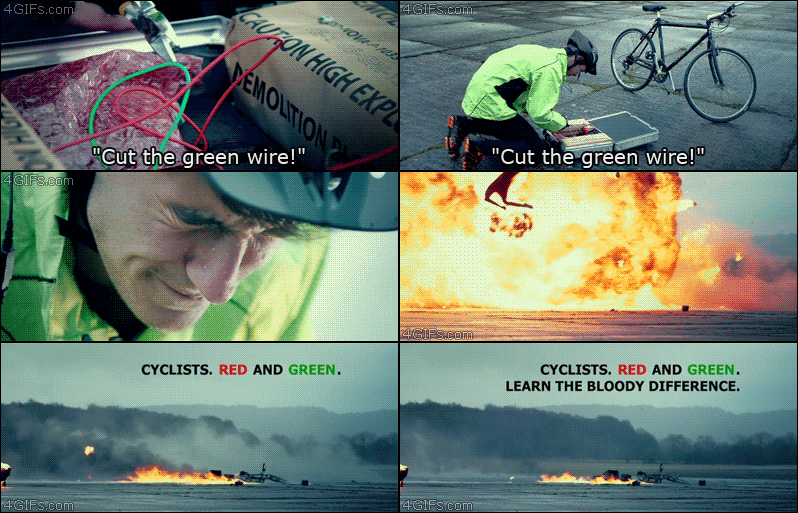
```
.stack * + * {
margin-top: 1.5rem;
}
```
---
**Stack can be applied not only for paragraphs or headings but also to forms**
---
```
[class^='stack'] > * {
margin-top: 0;
margin-bottom: 0;
}
.stack-small > * + * {
margin-top: 1.5rem;
}
.stack-large > * + * {
margin-top: 3rem;
}
```
---
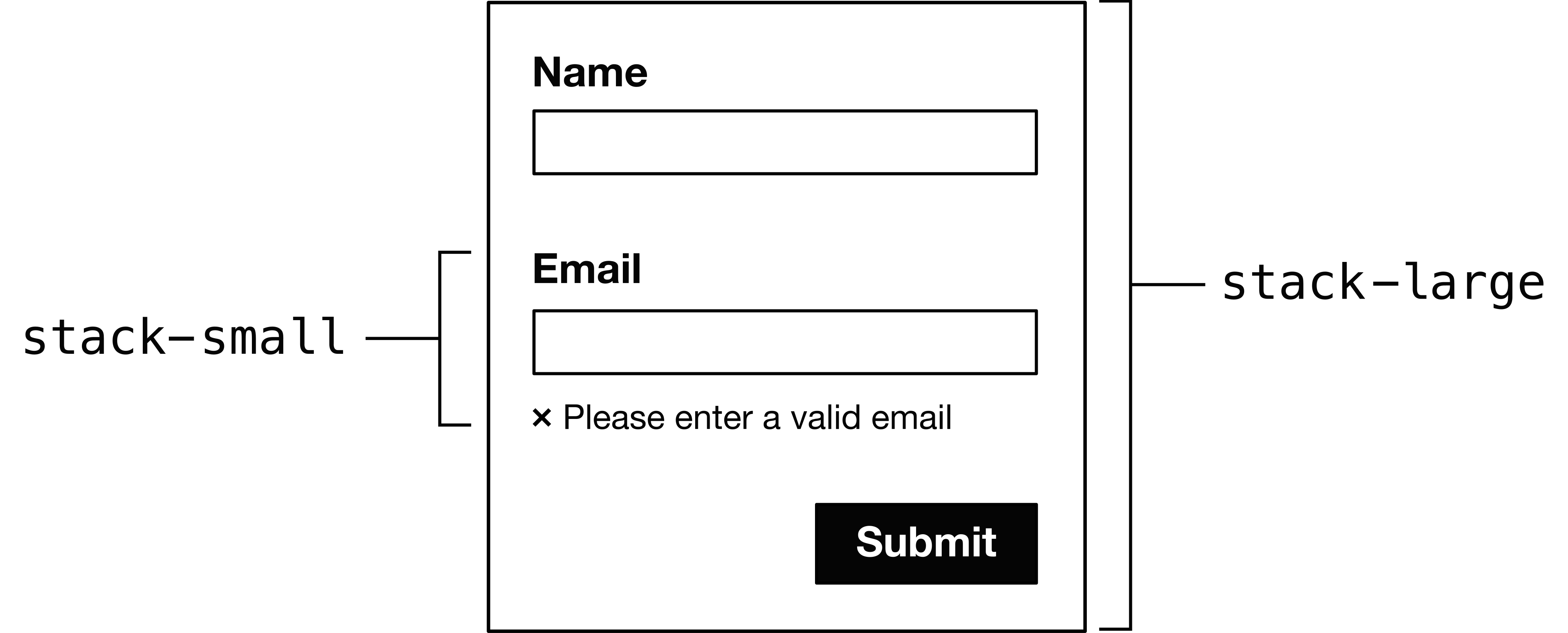
---
Be aware that the `<label>` elements would need to have display: block applied to appear above the inputs
---
**Do not replace it! Combine it!**

---
### HTML

---
### CSS

---
<!--Jennifer-->
## What are pseudo-elements? Can you provide examples where they're useful?
---
These add extra layers to the DOM before and after the element they are placed around.

---
#### [One semi-colon or two?](https://https://css-tricks.com/to-double-colon-or-not-do-double-colon/)
* The upshot: use a double colon unless you want to provide support for IE8, in which case, use one.
#### [Where *is* the element I inserted?](https://www.w3schools.com/cssref/tryit.asp?filename=trycss_sel_before)
* A block with ::before in it will go 'underneath', and a block with ::after will go 'on top'. Psuedo elements are inline by default.

---
Useful things you can do:
* Create complex shapes by layering two simple ones atop each other:


---
Layer triangles => six-pointed star: 
```
#star-six { /*actually just a triangle*/
width: 0;
height: 0;
border-left: 50px solid transparent;
border-right: 50px solid transparent;
border-bottom: 100px solid red;
position: relative;
}
#star-six::after { /*another triangle on top, offset*/
width: 0;
height: 0;
border-left: 50px solid transparent;
border-right: 50px solid transparent;
border-top: 100px solid red;
position: absolute;
content: "";
top: 30px;
left: -50px;
}
```
---
[Nicolas Gallagher has made icons with this idea](http://nicolasgallagher.com/pure-css-gui-icons/)

---
It also helps for semantic HTML: you can avoid wrapping things in 'divs' and 'spans'.
---
```
<link rel="stylesheet" href="working.css">
<header>
<div class="wrap">
<h2>Header</h2>
</div>
</header>
```

---
```
<header>
<h3 class="full-width-tinted">Header</h3>
</header>
```

---
```
.full-width-tinted {
position: relative; /* for child pseudo-element */
z-index: 0;
margin: 0 -600rem;
/* add back negative margin value */
padding: 0.25rem 600rem;
background: #666;
background: rgba(0, 0, 0, 0.25);
}
.full-width-tinted:before {
content: "";
position: absolute;
z-index: -1; /* behind parent */
top: 0;
bottom: 0;
/* subtract h2 padding (1.5rem) */
left: 598.5rem;
right: 598.5rem;
background: pink;
}
```
<!--end of Jennifer's part -->
---
## How might you create custom-styled checkboxes using both of the above?
---
* Since we learnt about combinator selectors and pseudo-elements, we can now create custom-styled checkboxes.
* Adjacent sibling combinator (+)
* ::before
* ::after
---
#### Basic form


---
#### Hide and create
* Don't use `display: none` property since that hides it from assistive technology.
 
---
* How to create replacement checkboxes
 
---
### Main syntax

* input[type=radio]
* input[type=radio] + label
* input[type=radio] + label::before
---
### Right-to-Left Support

---

---
### Dark Mode

---

---
### Print

---
### Reference List
-*[The stack layout](https://every-layout.dev/demos/stack-recursion/)*
---
### Questions?
{"metaMigratedAt":"2023-06-15T10:38:04.012Z","metaMigratedFrom":"Content","title":"Advanced CSS","breaks":true,"contributors":"[{\"id\":\"bdad06c5-0d85-4b10-9cf0-8f4211fdb2d4\",\"add\":2408,\"del\":2382},{\"id\":\"a92566bd-bde1-4917-8d3b-c43b71924ffd\",\"add\":3037,\"del\":562},{\"id\":\"9f7cba46-5bb5-40db-ab49-f44d5abb81f5\",\"add\":2402,\"del\":338},{\"id\":\"aa21d932-e6a4-4af3-8f04-46828d89fd58\",\"add\":3972,\"del\":649}]"}