
# Clase 20 - Intro to Microinteractions

## Learning Goals
In this lesson we will:
- Learn what microinteractions are.
- Understand why microinteractions are important.
- Get familiar with the components of a microinteraction.
- Get introduced to different strategies for applying microinteractions in your product.
## The power of Microinteractions
:::info
#### Let's step outside the world of digital products for a moment...
Let's pretend it's been a really long, hot day. You get home, open the fridge and you see your favorite soda. There's only one left. You grab it from the fridge and it's ice-cold. Then you pull the tab, and it makes that *TZZZZ* sound... and you are automatically fulfilled.
**-- I don't know about you, but for me, opening a can of Coca-Cola and hearing that sound is about 85% of the entire experience of drinking a Coke.**

If I pull that tab, and there no *TZZZZ* sound, I might as well throw the entire can away. This is a sign that the soda is flat. I won't feel the gas bubbles scratch my throat, which will reduce the entire experience to gulping down excessively sugared water.
:::
**That's the power of microinteractions -- These really small moments make a big difference in the way you experience a product.**

> The best products do two things well, features and details.
> **Features** are what draw people to your product. **Details** are what keep them there.
>
> Microinteractions are those details. Details are a delivery system for emotions. They are the “feel” part of “look and feel.”
>
> -- Dan Saffer

Regardless of how amazing the features are, if the microinteractions are poor, the product will cause the user frustration. The design of your product is only as good as its smallest part.
:::info
Consider two operating systems, they both do the same basic things. They install and launch apps, manage files, and connect software to hardware.
- The difference between operating systems, at least from a user’s perspective, is the microinteractions you have with it on a daily, even hourly, basis.
Great microinteractions can help you gain loyal users for your product, even though there might be other products in the market that do the exact same thing.
:::
## Marcrointeractions vs Microinteractions
As we learned in the prework, when we are designing interactions, it is important to differentiate between:
- **Macrointeractions**: big-picture, goal-oriented interactions
- **Microinteractions**: detail-oriented interactions with a focus on the small moments
### Macrointeractions
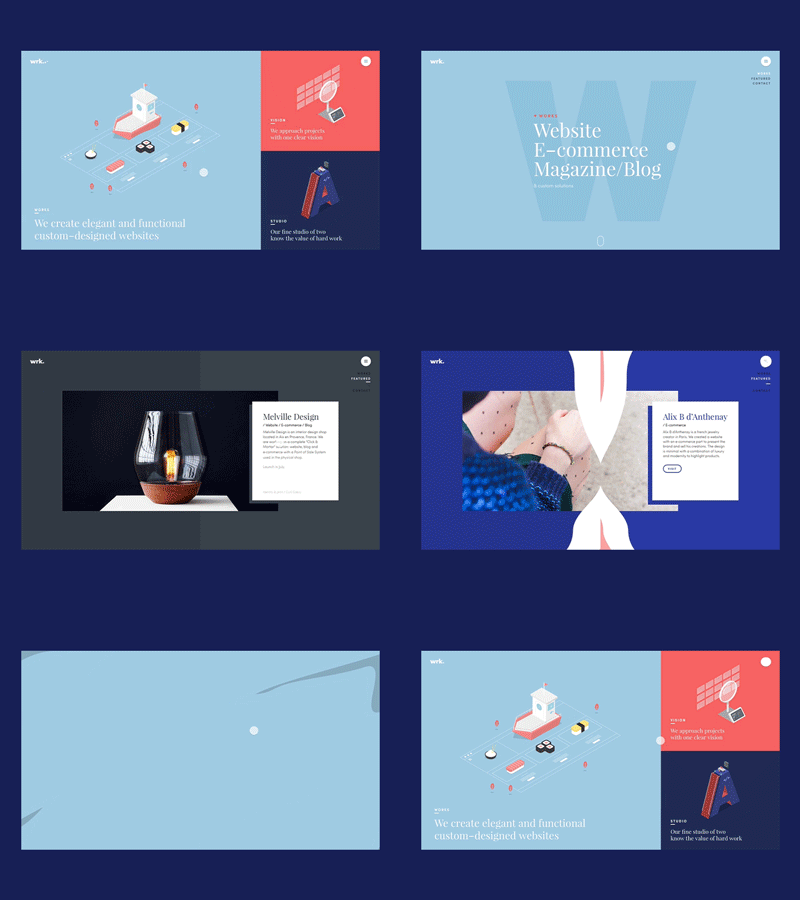
Macrointeractions are all about **reaching goals** that are related to the users’ work. They are concerned with the way that users interact with the user interface in order to **carry out meaningful key tasks.** Macro interactions design how users navigate through the app/web and use system functionalities, widgets and controls.
### MICRO-interactions

Microinteractions define the **behavior of components** in reaction to users’ actions on an atomic level. They focus on the behavior of individual components without taking into account the interactions on a larger scale. Microinteractions are not concerned with the user's workflow. They are concerned with the behavior of specific components on a context-free level.
### Microinteractions are not features
Microinteractions differ from features (macrointeractions) in both their size and scope. Features tend to be complex, time-consuming, and cognitively engaging.
Microinteractions are simple, brief, and should be nearly effortless. A music player is a feature. Adjusting the volume is a microinteraction inside that feature.
> The combination of well-designed micro- and macro- (feature) interactions is a powerful one. This is what experience design truly is: paying attention to the details as well as the big picture so that users have a great experience using the product.
> -- Dan Saffer
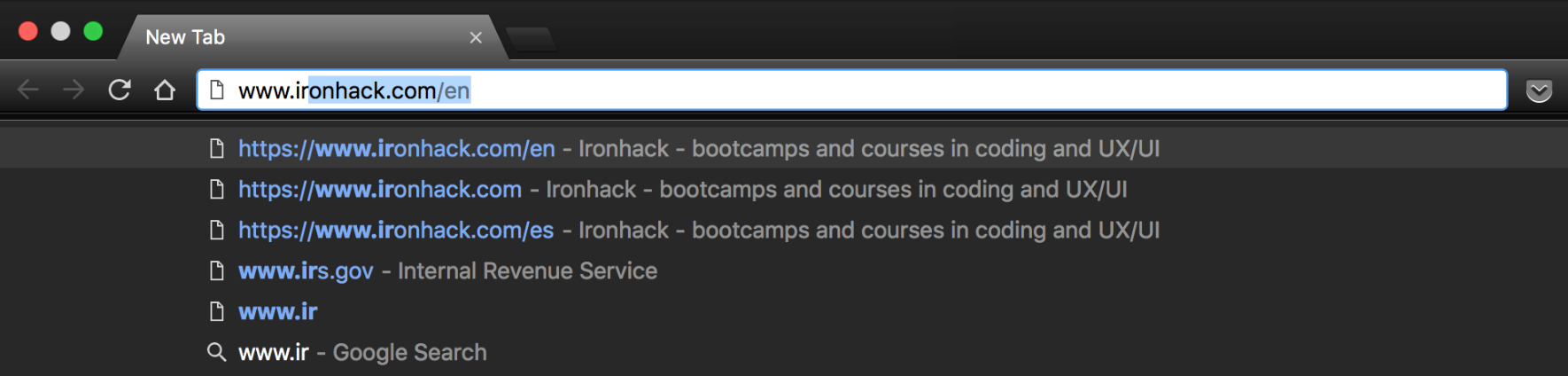
:::info
Take a look at the image above. Can you tell what the macro and micro interactions are?
:::
This example of a browser's address bar is a great way to explain how the two differ.
- The **macrointeraction** is designed to help the users achieve their goal (complete a task).
- The user wants to navigate to a site and the user interface provides support by showing a list of addresses from the history that match what the user has entered in the address field so far.
- The **microinteraction** focuses on a minor detail, which ends up enhancing the experience.
- Instead of showing possible matches below the address field and forcing the user:
- 1. Navigate to the first suggestion
- 2. Use the arrow down key (or mouse) to get to their selection
- 3. Press Enter
- The “best match” is automatically completed within the address field, so that, at any point while typing, the user can press the Enter key to navigate to that address
:::info
Designing microinteractions is all about paying attention to how products are used, and where the opportunities to make the experience almost "magical" are. The smooth transitions make the interface feel weightless.
:::
### Small Apps and microinteractions
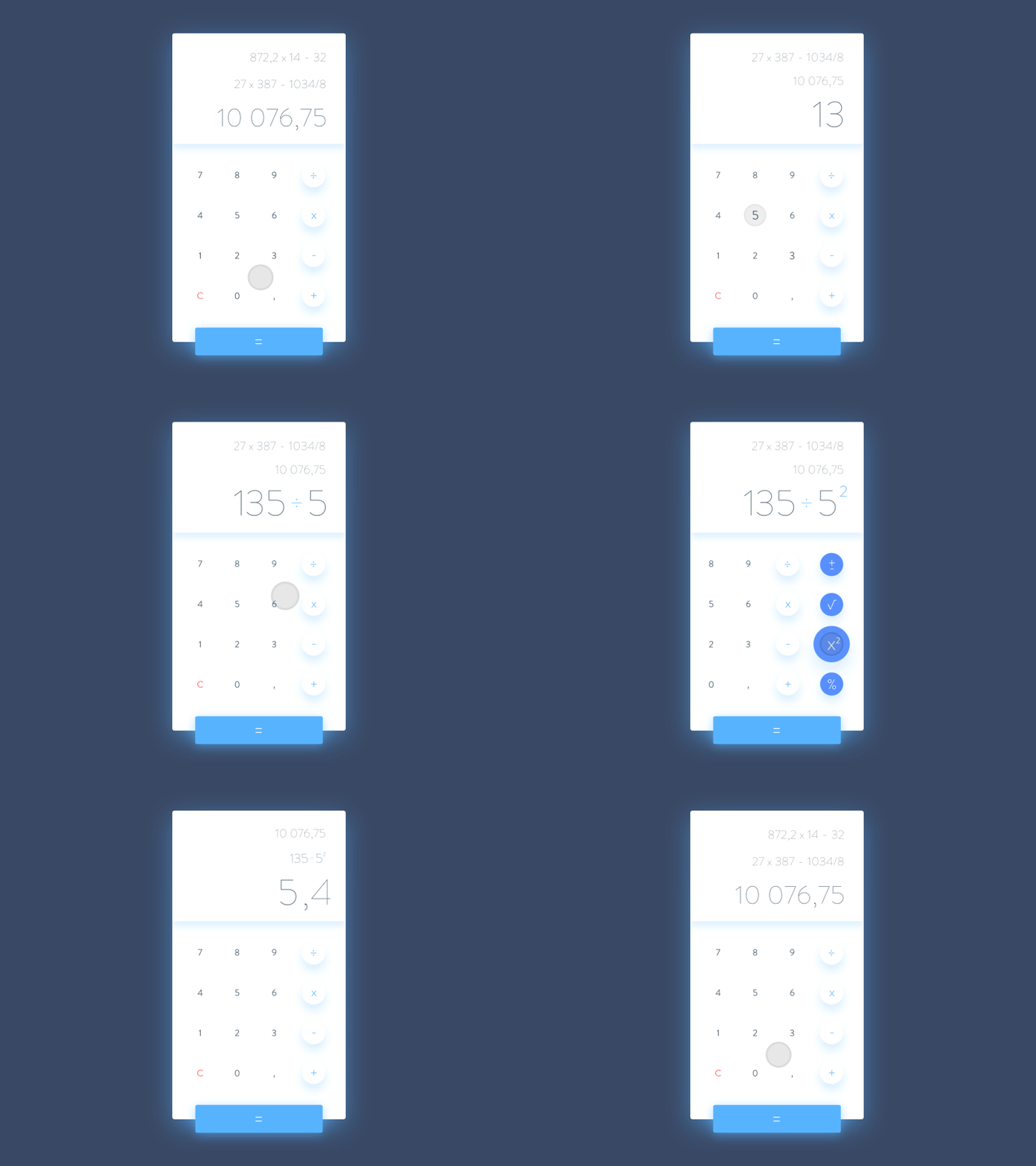
Although microinteractions are not features, some apps can contain just one microinteraction. There are simple apps that just focus on doing one thing well, like a calculator, or an app that displays weather data.

> This entire app is built around a single microinteraction: converting one value to another.
## So what exactly are microinteractions?
> A microinteraction is a moment that revolves around a single use case— a tiny piece of functionality that only does one thing.
> Every time you change a setting, sync your data or devices, set an alarm, pick a password, turn on an appliance, log in, set a status message, or favorite or Like something, you are engaging with a microinteraction.
> -- Dan Saffer
:::success
Microinteractions usually mark the difference between a product you love and a product you tolerate. They can make our lives easier, more fun, and just more interesting if done well.
:::
If a microinteraction works surprisingly well, it can become a **Signature Moment**, which can really define your entire product.

> The Facebook “Like Button” is what I call a “Signature Moment” for them: a microinteraction that became so important, it’s now part of their brand.
> -- Dan Saffer
:::info
**Discussion Question:**
- What is it about the Like button that made it so popular? What makes it a successful microinteraction?
:::
A well-designed microinteraction can increase adoption and customer loyalty by taking something dull or difficult and turning it into something enjoyable.
> Microinteractions force designers to work simply and focus on details. They challenge designers to see how lightweight they can design, to reduce complexity, and streamline features that could otherwise be burdensome.

### Microinteractions help you:
- Communicate a status or a bit of feedback
- See the result of an action
- Manipulate something
### Microinteractions are used for:
- Accomplishing a single task
- Interacting with a single piece of data
- checking the weather
- Turning a feature on/off
- Adjusting a setting or controlling a process
- temperature, tv channel
- Viewing a notification or message
- Sliding down the “screen” on a mobile device to refresh content
- Connecting devices
- such as those for multi-player games, or printing from your laptop
- Commenting in any digital medium
- Sharing or liking a photo or video on a website
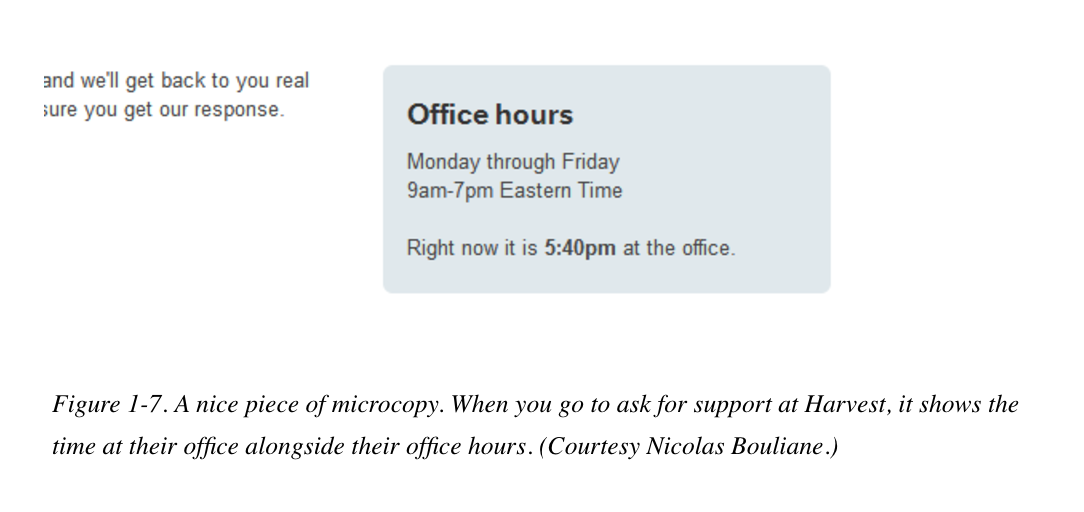
All of these specific moments provide an opportunity to humanize the conversation between the system and the user. **This concept of making devices more human-like in these small but impactful moments is a key to adoption and usability.**
### Microinteractions make users feel:
- heard
- safe
- informed
- happy
- understood
- sympathetic
- delighted
- human
- connected

### The Microinteractions Model
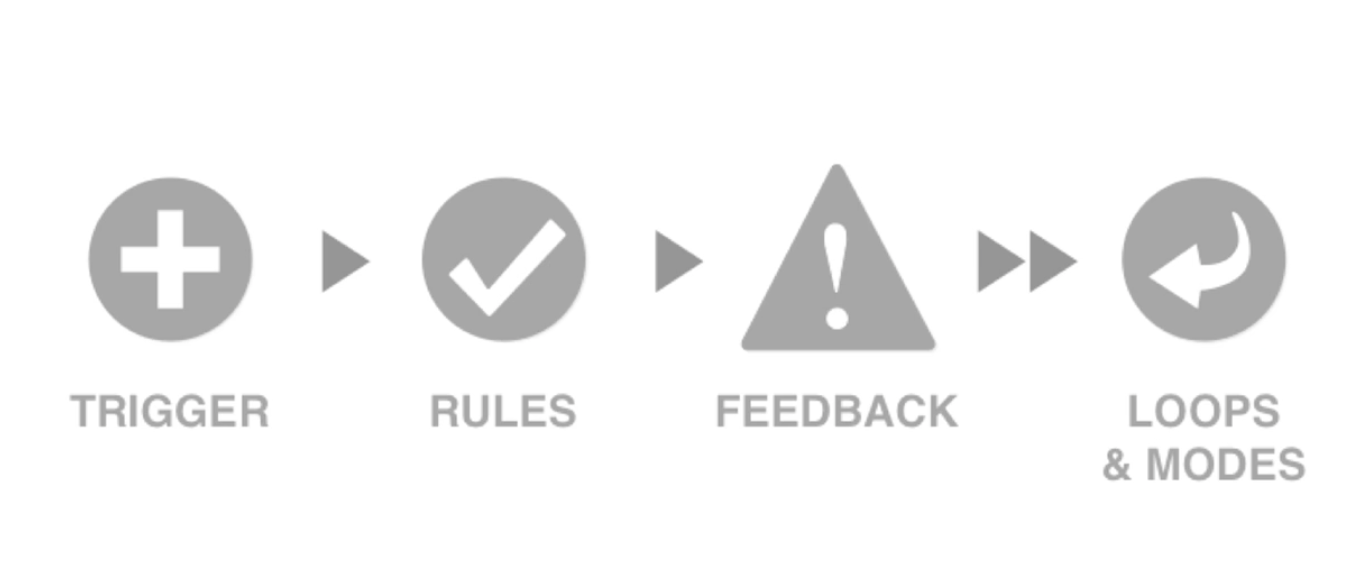
Microinteractions have four parts: Trigger, Rules, Feedback, and Loops/Modes.
Microinteractions begin with an understanding of user need: what the user wants to accomplish when they want to do it, and how often. This determines the affordances, accessibility, and persistence of the trigger.
#### 1. Trigger
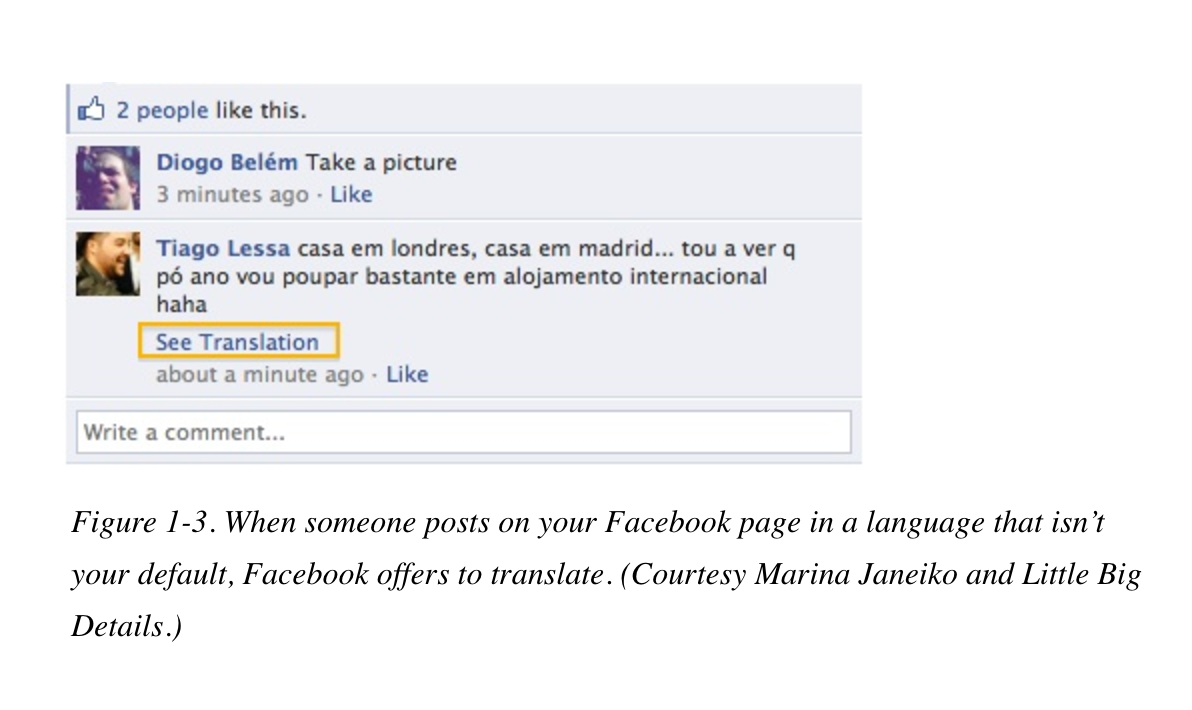
Something has to happen to start a microinteraction
- This can be a manual control
- push a button
- click a link
- tap on an icon
- slide / swipe
- Or it can be the system trigger
- goes off automatically when a set of conditions has been met
- The user doesn't have to *do* anything
> The triggering condition could be anything from detecting that a new email arrived, to the time of day, to the price of a particular stock, to the location of the user in the world.
:::success
:exclamation: Controls are the most important part of a user-initiated trigger. They provide not only the ability to engage with a microinteraction (and sometimes the ability to adjust it while in progress) but also usually the visual affordance that the microinteraction is even there.
:::
#### 2. Rules
- Once a microinteraction has been initiated by a trigger, it engages a sequence of behavior.
- Once a certain condition is met (the user clicked on a button, or the system received a text message) a set of rules follow
- The Rules determine what the *interaction* part of the microinteraction are, and they can usually be defined by a designer
- Rules determine the flow of the microinteraction by defining the sequence of events, as well as what can and cannot be done when you’re engaging with the microinteraction.

> Ex: On Spotify, when you are listening on your laptop and start to listen on your phone, the streaming on the computer stops automatically.
:::info

Think about a really simple microinteraction, turning on the light.
- Once you use the trigger, a light switch, the light turns on.
- In a basic light setup, there is one rule. The light stays on and fully lit until the switch is turned off.
- You can change that rule by adding a dimmer or a motion detector.
- The basic on/off light switch rule is very simple, and one that becomes apparent to anyone who uses a light, even a child.
:::
#### 3. Feedback
- Unless there is a specific piece of feedback, rules are themselves invisible. Unlike physical mechanical devices, users generally cannot see the action the trigger has initiated.
> Everything we see or hear while using digital devices is an abstraction. Very few of us really know what’s happening when we use any kind of software or device.
> - You’re not really putting a “file” into a “folder” and “email” isn’t really arriving into your “inbox.” Those are all metaphors that allow us to understand the interactions that are going on.
- Feedback helps the users understand what the rules are.
- Anything that you see, hear, or feel that helps you understand what's going on
- Usually done through animations and notifications
- How does a microinteraction appear and disappear? What happens when an item moves? How fast does it go? Does the direction it moves in matter?
:::warning
:exclamation: It is crucially important to match the feedback to the action, in order to convey information in the clearest way possible.
:::


> When you turn off the ringer on the iPhone, silencing the phone has two pieces of feedback. A screen overlay appears when the switch is turned on or off, and a tiny, visible strip of orange is visible on the physical switch when the phone is silent.
#### 4. Loops & Modes
- Loops and Modes are the last part of microinteractions. They make up the meta-rules of the microinteraction.
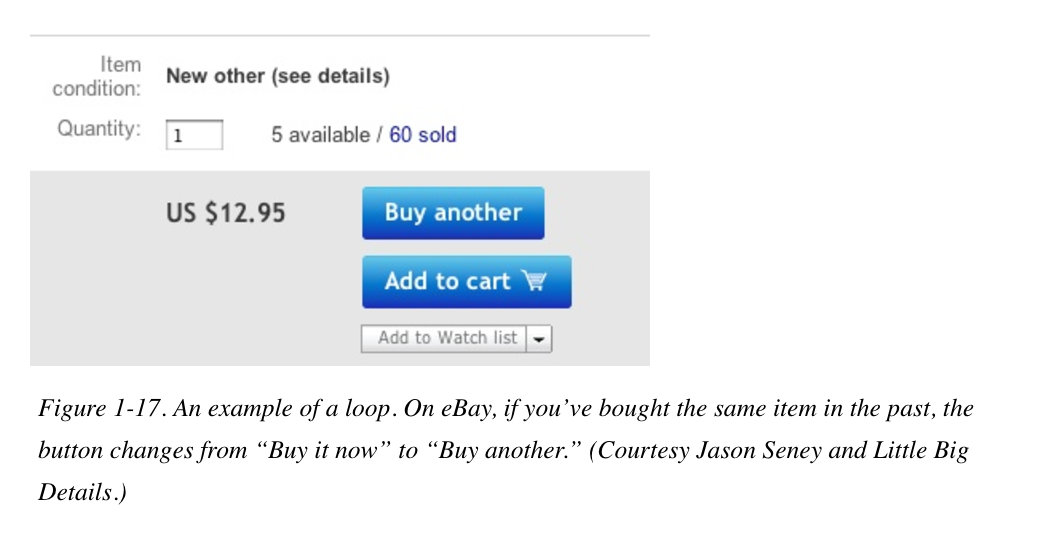
- Loops determine how long the microinteraction goes on for if it repeats, and how it changes over time.
> What happens over time with the microinteractions? Do the interactions remain until manually turned off or do they expire after a while? What happens during an interruption or when conditions change?
- Modes take the user out of the normal flow of the microinteraction and therefore should be normally avoided. Only use them when there is a critical but infrequent action that would otherwise disrupt the flow of the microinteraction.

## Applying Microinteractions
There are 3 ways you can incorporate microinteractions into a product.
### 1. Case-by-case basis
1. During the course of a design project or when simply refining your product, try to identify any possible microinteractions.
2. Make a list of them.
3. For each one, consider the structure. (trigger, rules, feedback, and loops/modes)
4. See how you can polish each individual component.
:::danger
:exclamation: Make sure you keep the scope of the microinteractions limited. Resist the urge to turn them into features.
:::
> Microinteractions are an exercise in restraint. The are focused on doing as much as possible with as little as possible. Embrace the constraints and focus your attention on doing one thing well.
### 2. Microinteraction as a product strategy
- Reducing more complex applications to individual products, built around one microinteraction. Reduce the product to its essence.
The microinteraction becomes the MVP (Minimum Viable Product)
### 3. Break down a complex digital product into a group of microinteractions
> Everything’s a detail, everything’s a microinteraction. Everything is a chance to delight and a chance to exceed users’ expectations.
This is the most challenging strategy, as it requires designers to treat every single piece of functionality, the entire product, as a set of microinteractions.
:::success
This method mirrors the popular *AGILE* methodology of designing products.
:::
:::danger
🛑 You need to be careful not to get lost in the microinteractions and lose sight of the big picture. In the end, all the microinteractions must fit together into a coherent whole.
:::
## Summary
- We've learned the importance that microinteractions have in our design.
- Macrointeractions are goal-oriented while microinteractions have the focus on the small moments.
- Microinteractions should make users feel: understood, sympathetic, delighted, human, connected.
- Microinteractions have four parts: a Trigger, the Rules, Feedback, and Loops/Modes.
## Additional Resources
- [Chapter 1. Designing Microinteractions](https://www.safaribooksonline.com/library/view/microinteractions-full-color/9781491945957/ch05.html) - The first chapter of the famous book *Microintercations* by Dan Saffer

# Animation
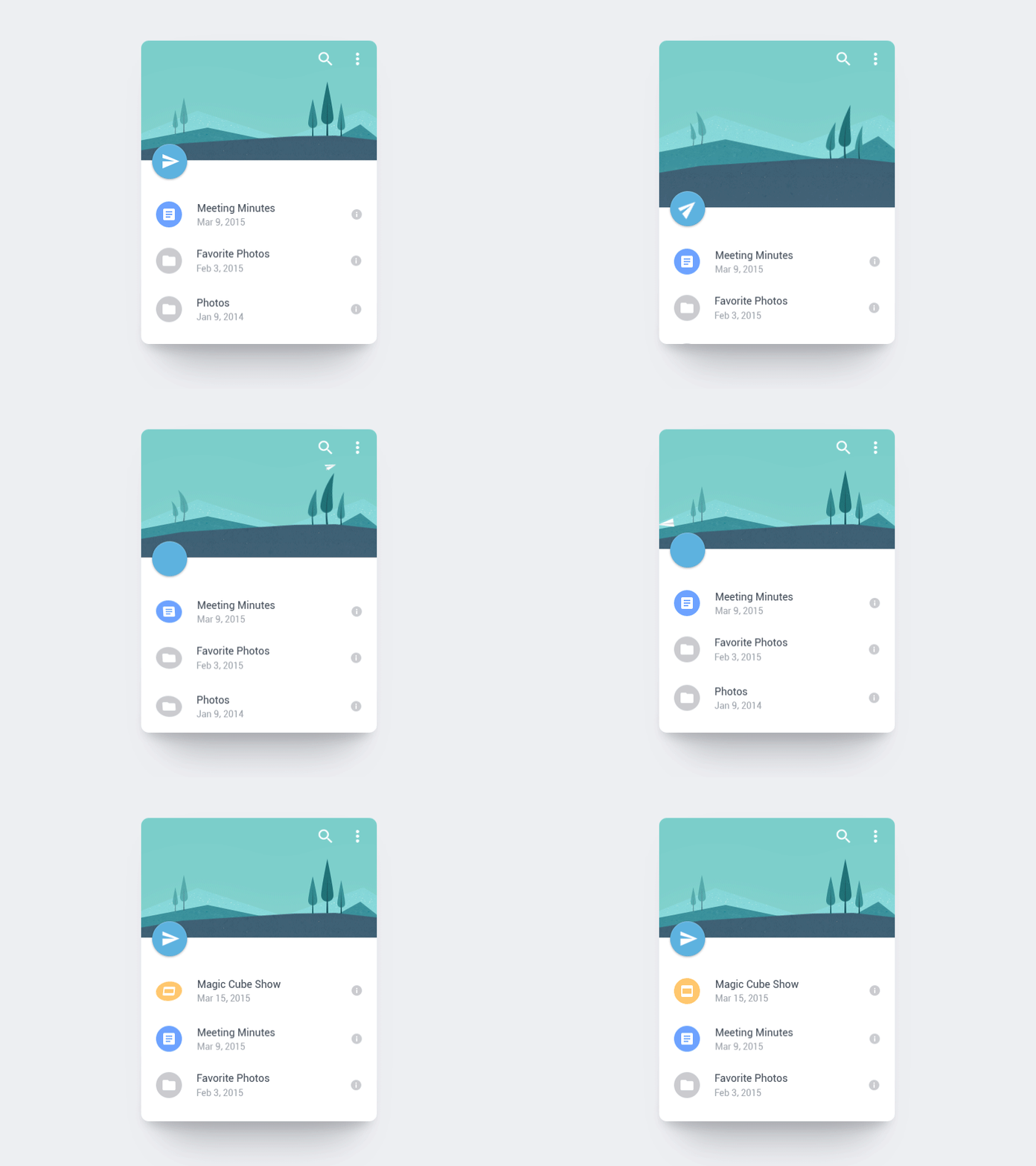
## Learning Goals
In this lesson you will:
- Learn how animation fits into UX/UI design.
- Know the 12 principles of animation.
- Learn how animation is applied in Digital Interfaces.
- Learn to create your own animations.
## How animation fits into UX/UI design
> When done correctly, animation can turn a digital product from a sequence of screens into carefully choreographed memorable experiences.
> -- Smashing Magazine
Apple *iOS Human Interface Guidelines* state that when the animation is done well it can:
- Communicate status and provide feedback
- Enhance the sense of direct manipulation
- Help people visualize the results of their actions
The goal of animations in UX/UI is not solely to have a "cool effect" that entertains the user. Good animations go hand in hand with good microinteractions -- they should **help the user understand** what’s going on or hint at **how to use your product most effectively**.

- Well designed microinteraction animations **should influence behavior**, communicate status, guide the users' attention, and help the user see the results of their actions.
> When animation lacks this attention to detail, it detracts from the overall user experience and makes the UI feel amateur and rigid.
- People can easily tell the difference between mechanical movement and something that mimics behavior in the real world.

Objects in the real world have mass and weight and follow the laws of physics in regards to inertia, speed, bounce and velocity. We have to follow this smoothness with the movement of objects.
## The Illusion of Life
> How do animators breathe life onto a blank canvas? How do they get us to laugh at Donkey, sympathize with Carl in UP, and feel the longing of Ariel wanting to be part of your world? How do they make us believe that the things they’ve rendered are actually alive?
There are a few basic concepts that one must understand in order to make animation feel convincing.

These concepts are outlined in the book "The Illusion of Life" as the "12 Principles of Animation", written by two of Walt Disney’s legendary [Nine Old Men](https://en.wikipedia.org/wiki/Disney%27s_Nine_Old_Men), Ollie Johnston and Frank Thomas.
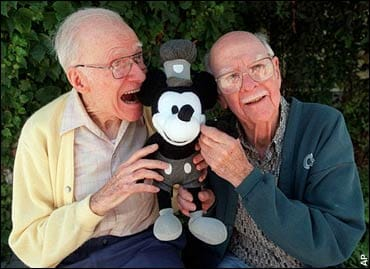
The 12 principles of animation have become an essential must-learn for animators and interaction designers. Although the principles were originally intended for animating characters for film, they're **just as applicable for animating objects and elements in digital user experiences**.
These 12 principles are depicted in this short video:
{%youtube jn5OB12u8Pw%}
#### The 12 Principles of Animation are:
1. Squash and stretch
2. Anticipation
3. Staging
4. Straight Ahead Action and Pose to Pose
5. Follow Through and Overlapping Action
6. Slow In and Slow Out
7. Arcs
8. Secondary Action
9. Timing
10. Exaggeration
11. Solid Drawing
12. Appeal
:::success
[](https://ohmy.disney.com/movies/2016/07/20/twelve-principles-animation-disney/)
[This article](https://ohmy.disney.com/movies/2016/07/20/twelve-principles-animation-disney/) has some great examples that can further help you understand what each principle refers to!
:::
## The art of Timing and Spacing
Animations are a sequence of still images, that when displayed successively at a fast speed, are interpreted in the brain and *stitched together* in a way that gives the optical illusion of an object in **motion** through three-dimensional space.

At a rate somewhere between 8-12 frames per second, our brain stops perceiving the images as images and starts registering them as moving, animated objects.

At 24 frames per second, the speed at which our brains process the present, we perceive motion at standard full speed.
:::success
Playing with the timing and spacing of these frames to imitate how real objects move according to the laws of physics is what makes an animation appear natural and real.
:::
Let's watch this video to find out how.
{%youtube KRVhtMxQWRs%}
> Animation is not the art of drawings that move, but the art of movements that are drawn. What happens between each frame, is more important than what appears on each frame.
> -- Norman McLaren
**:key: Takeaways from the video**


- Same timing, but different spacing, gives us vastly different results.
## Animation in Digital Interfaces
As part of their guidelines, *Material Design* has a dedicated section to motion. The video below summarizes their animation guidelines.
{%youtube cQzien5H2Do%}
:::info
**Discussion Question:**
- Can you find examples of how Material Design is using the *12 principles of animation* in the animations shown in this video?
:::
**Motion is important because it provides:**
- Guided focus between views
- Hints at what will happen if a user completes a gesture
- Hierarchical and spatial relationships between elements
- Distraction from what’s happening behind the scenes, like fetching content or loading the next view
- Character, polish, and delight
:::success
:book: [Here](https://material.io/guidelines/motion/material-motion.html#) is a useful resource to learn more about the motion characteristics of Material Design.
:::
### Functional Animation
:::info
:key: Animation can only enhance the user experience if it’s incorporated in the right place, and at the right time.
:::
As this article covers, [Functional Animation](https://www.smashingmagazine.com/2017/01/how-functional-animation-helps-improve-user-experience/) is the idea that animations should be subtle, and embedded in the UI as part of the functionality. Functional Animation should be intuitive, responsive, human, reinforce the design, and have very clear logical purposes:
#### 1. Visual Feedback on user actions
Feedback makes you feel like you’re interacting with real elements on the screen and demonstrates the result of this interaction.
Feedback can acknowledge that the system has received a user’s action, or confirm (or deny) a user’s action.
User interface elements such as buttons and controls should appear tangible, even though they are behind a layer of glass. Visual and motion cues can bridge this gap by acknowledging input immediately and animating in ways that look and feel like direct manipulation.
{%vimeo 194179219%}
#### 2. Visibility of system status
Provide real-time notification of a system status and enable the user to understand what is going on quickly, like an incoming call.

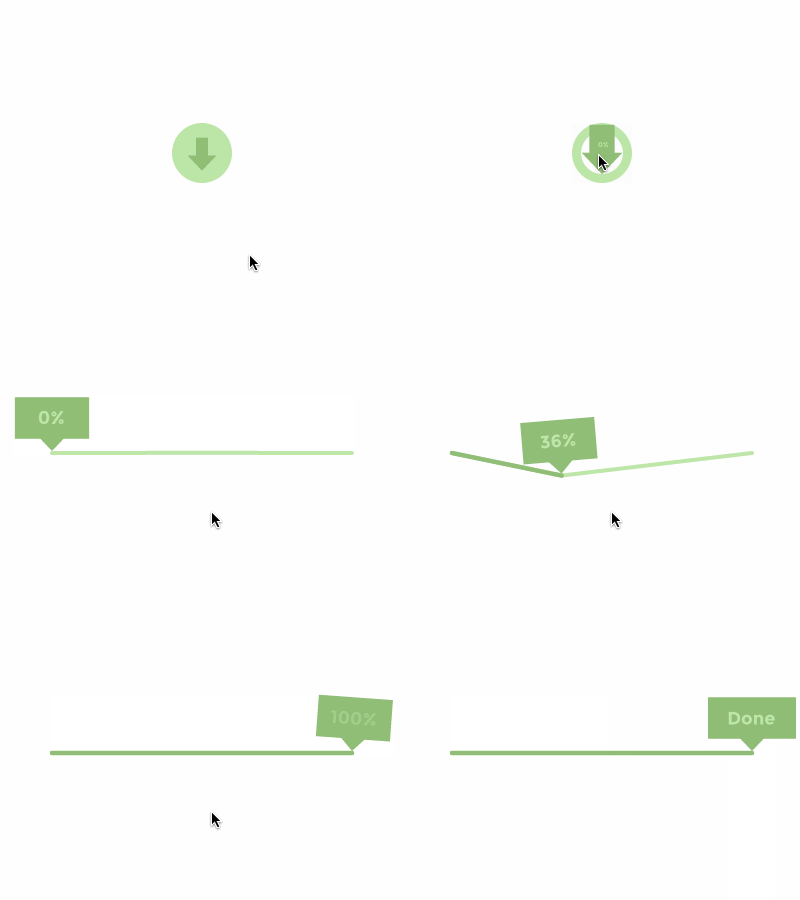
Users want to know their current context in a system at any given time. A UI shouldn’t keep the user guessing, they should tell the user what’s happening via appropriate visual feedback. For example, tell users when data is uploading or downloading.
Animated loading bars can show how long the process is and set an expectation for how fast the action will be processed.
#### 3. Visual Hints
First-time users often need help to understand how to use an app interface. This is especially true for interfaces which contain unfamiliar or unique interactions, such as gesture-driven interfaces. Without help, users may be confused on how to interact with an app.
Visual hints can increase the level of usability and therefore desirability of the product.
- Create necessary expectations by giving the user a clue of what is about to happen.
- Help users orient themselves to the interface.
- Tell users how they can and should interact with elements on the screen.
#### Navigational Transitions
Create movements between states in an app. For example, create a movement when switching from a high-level view to a detailed view.
Avoid a surprising transition by helping users comprehend the change that has just happened in the page’s layout
{%vimeo 194180766%}
Functional animation eases users through these moments of change. It smoothly transports users between navigational contexts and explains changes on a screen by creating visual connections between transition states.
- Define the spatial relationship between screens and elements.

Functional animation helps the eye see where a new object comes from upon its reveal and where a hidden object goes. It provides visual cues, making the interaction easier to follow and reinforcing what has occurred.
## How to create an animation
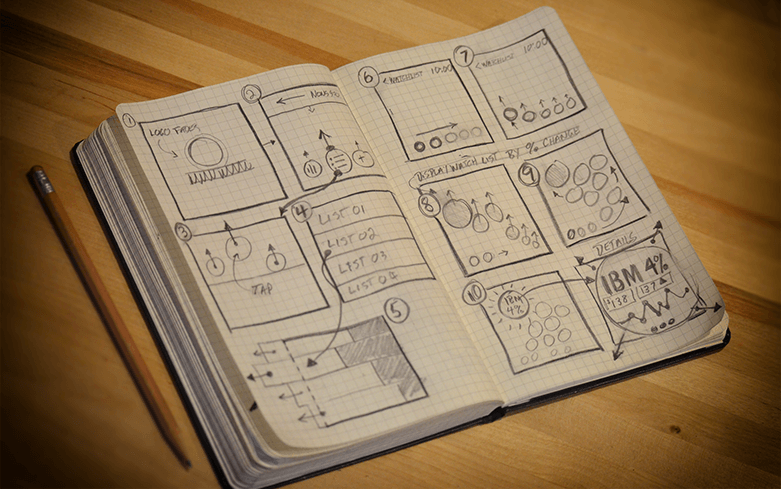
1. Sketch a storyboard with pen and paper.
2. Think about how the animation will work.
- Divide the different states of the microinteraction, dissecting them frame by frame.
- Timing + Spacing
3. Use UI motion graphics software like Flinto to prototype your animations.

### Animation Tips and Tricks
:::info
- **Animate with purpose**
- When an animation doesn’t fit a functional purpose, it can feel awkward or annoying, especially when it is slowing down a process that would be faster without any animation.
- Use it only when it will have meaning and will not distract the user from successfully completing what they intended to do.
- **Keep it Subtle**
- Animation that seems excessive will obstruct app flow, decrease performance, and distract users from their task.
- **Keep Longevity in mind**
- How many times will the animation be seen by the user?
- Will the user have to sit through this animation every time they *like* a picture?
- Will the animation get annoying on the 100th user?
:::
## Summary
- Animations should **help the user understand how to use your product most effectively**.
- In "The Illusion of Life" Disney explains the 12 principles of Animation that not only apply to animating characters but also to animating in digital user experiences.
- Our brain process the present at 24 frames per second.
- Functional Animation states that animations should be subtle, and embedded in the UI as part of the functionality of that design.
## Additional Resources
- Article: [UI Animation – An Ideal Tool for Immersive UX](http://uxmag.com/articles/ui-animation-an-ideal-tool-for-immersive-ux)
- Video: [The Optical Illusion of Motion](https://youtu.be/V8A4qudmsX0)
- Examples of microinteraction animations: [The power of animations in UX design](https://medium.com/@Sheby/the-power-of-animations-in-ux-design-ac6fec53d253)
- Article: [How to use Disney's Principles of Animation to improve UX](https://www.tandemseven.com/experience-design/how-to-use-disneys-principles-of-animation-to-improve-ux/)
 Sign in with Wallet
Connect another wallet
Sign in with Wallet
Connect another wallet