---
hackpadID: iZB1Vk6a6Rr
hackpadWorkspace: tossug
tags: hackpad-import, tossug
---
# Linux 讀書會 - 第 7 週 09/16/2014
總目錄 [edX Introduction to Linux](https://tossug.hackpad.com/dVX1LvoCcii)
## 課程筆記
Chapter 10
section2
**Vim**
特色:輕量、快捷鍵簡潔
p.3 vimtutor
p.9 <u>[commands for vi](https://learningmate.s3-us-west-2.amazonaws.com/LFS01/Chapter10/labs/VI%20Editor.pdf)</u>
p.11 **vim** The **fmt** command does simple formatting of text. If you are editing a file and want the file to look nice, you can run the file through **fmt**. One way to do this while editing is by using:%!fmt, which runs the entire file (the % part) through **fmt** and replaces the file with the results.
* 不知道它的排版規則,有人知道嗎?
* fmt(1) manpage(有~~奇妙的正~~體中文版本)
* 把多行變成一行 [](http://vim.wikia.com/wiki/Chop_long_lines)http://vim.wikia.com/wiki/Chop_long_lines
* ’v’ to start visual mode in command mode.
* select a block
* then type ’!fmt<enter>’
<undefined>* **VIM Adventures**</undefined>
[](http://vim-adventures.com/)http://vim-adventures.com/
<undefined>* **Vim 正體中文社團**</undefined>
[](https://www.facebook.com/groups/vim.tw/)https://www.facebook.com/groups/vim.tw/
<undefined>* **Best Vim Tips**</undefined>
[](http://vim.wikia.com/wiki/Best_Vim_Tips)http://vim.wikia.com/wiki/Best_Vim_Tips
**Vimgenius**
[](http://www.vimgenius.com/)http://www.vimgenius.com/
一個畫面精美的教學,不過考法似乎是用背的XD
**Iteractive Vim**
[](http://www.openvim.com/sandbox.html)http://www.openvim.com/sandbox.html
右邊有指令邊看邊試還不錯用,但並非全部vim的指令都支援,只有表上的可以使用。
[V字龍 Vdragon](/ep/profile/xeni35f9TrJ) 的 .vimrc 設定檔(每個設定值都有註解說明),有興趣改善的歡迎發 PR:
[](https://github.com/Vdragon/Software_Preference_Improvement_Project/blob/Current/Vim/User_s_home_directory/.vimrc)https://github.com/Vdragon/Software_Preference_Improvement_Project/blob/Current/Vim/User_s_home_directory/.vimrc
若有意願參與 Vim Starter Kit,寫出更好的預設值,請與 [Carl Su](/ep/profile/n5euV0AaWLn) 聯繫。
**Emacs**
特色:功能強大,可取代 IDE
Emacs tutorial: C-h t
p.16 <u>[commands for emacs](https://courses.edx.org/c4x/LinuxFoundationX/LFS101x/asset/emacs.pdf)</u>
<undefined>* **Awesome Emacs**</undefined>
[](https://github.com/emacs-tw/awesome-emacs)https://github.com/emacs-tw/awesome-emacs
<undefined>* **Emacs 台灣**</undefined>
[](https://twitter.com/EmacsTW)[https://twitter.com/EmacsTW](https://twitter.com/EmacsTW)
<undefined>* **Emacs 中文**</undefined>
[](https://plus.google.com/communities/115469134289640648214)https://plus.google.com/communities/115469134289640648214
<undefined>* **Dot-Emacs**</undefined>
[](http://www.emacswiki.org/emacs/CategoryDotEmacs)http://www.emacswiki.org/[e](http://www.emacswiki.org/Category)m[a](http://www.emacswiki.org/emCategory)c[s](http://www.emacswiki.org/emacCategory)/CategoryDotEmacs
[](http://www.dotemacs.de)http://www.dotemacs.de
<undefined>* **Emacs Starter Kit**</undefined>
[](http://eschulte.github.io/emacs-starter-kit/)http://eschulte.github.io/emacs-starter-kit/
<undefined>* **Configuring Emacs as a Python IDE**</undefined>
[](http://blog.csdn.net/mikelearnscode/article/details/23022277)http://blog.csdn.net/mikelearnscode/article/details/23022277
* 可與 PyCharm 一拼,作者試了 Sublime 依然選了 Emacs,建議來看看。
**GNU Nano**
* 優點
* 使用門檻低,可進行的操作與組合按鍵畫面上都有提示
* 缺點
* 功能簡單,不能擴充
**GNOME Gedit**
* (Ubuntu 預設值下)開啟 Big5 字元編碼文件會亂碼,改 Dconf 設定可解
* $ gsettings set org.gnome.gedit.preferences.encodings auto-detected "[’UTF-8’, ’CURRENT’, ’ISO-8859-15’, ’UTF-16’, ’BIG-5’]"
**KDE Kate**
* KDE 預設的純文字編輯器(另有功能較少的 Kwrite 文字編輯器),(相較於 Gedit)預設能自動偵測 Big5 字元編碼文件
* 支援程式碼語法凸顯、動/靜態折行、關鍵字自動完成、分割視窗、Vi 操作模式等進階功能
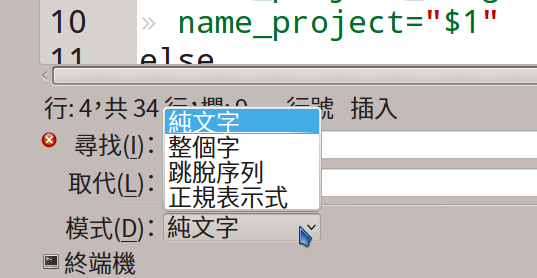
* 搜尋取代介面支援正規表達式等模式
* 
* 小工具(widget)、擴充功能多
* 終端機
* 檔案系統瀏覽器
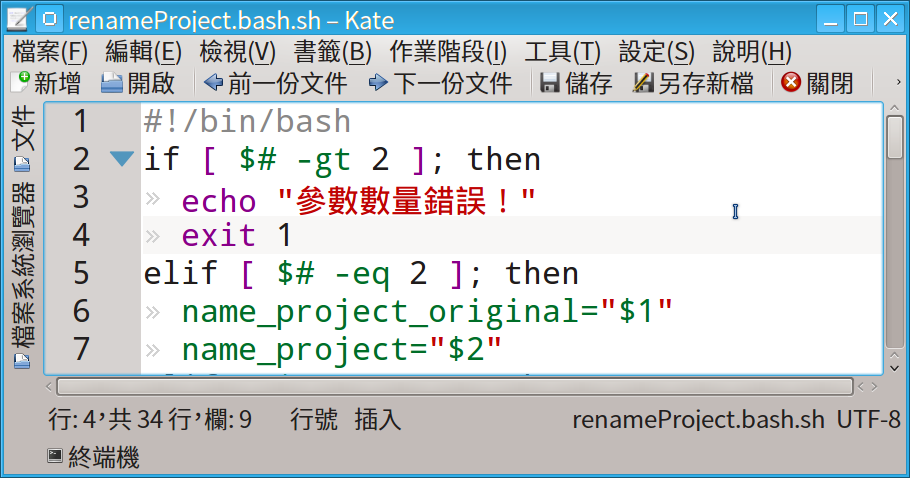
* 個人覺得比 gedit 好用,但套件相依性也很驚人。
**GitHub Atom**
[](https://atom.io/)https://atom.io/

一些殺手級的應用
[](https://kerrygallagher.co.uk/atom-editor-impressions/)[https://kerrygallagher.co.uk/atom-editor-impressions/](https://kerrygallagher.co.uk/atom-editor-impressions/)
Shortcut Cheat Sheet
[](https://bugsnag.com/blog/atom-editor-cheat-sheet)[https://bugsnag.com/blog/atom-editor-cheat-sheet](https://bugsnag.com/blog/atom-editor-cheat-sheet)
* 實際使用了一下atom,超好用的,snippet內建全部幫你裝好,不需用package controll一個一個加。左邊檔案系統剪下貼上滿方便的,不像sublime需要用 enhance sidebar來加強,而且還會多出一堆不需要的選項。更神奇的功能是atom會直接偵測沒有做git commit的檔案,顯示出不同顏色,超級直覺的......好屌。
* 超英趕美,丟掉你/妳手上的 Sublime,我已打算找是否有暫存功能的套件了。
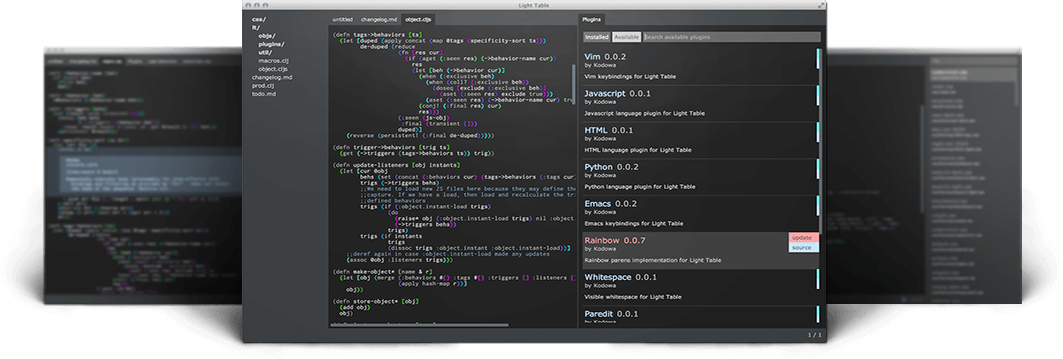
**Light Table**
[](http://www.lighttable.com/)[http://www.lighttable.com/](http://www.lighttable.com/)
**Adobe Brackets**
[](http://brackets.io/)http://brackets.io/
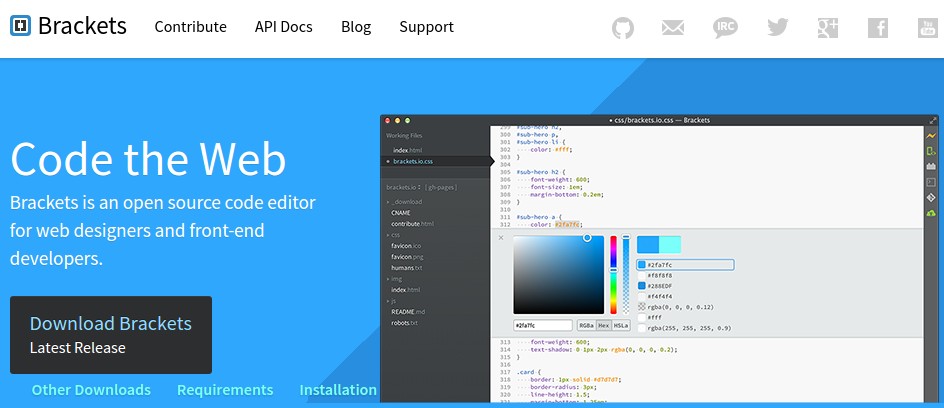
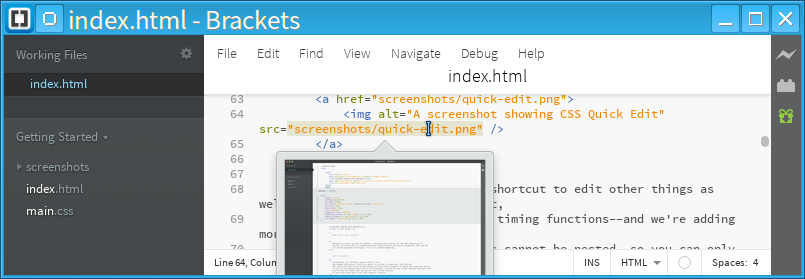
* 適合於 Web 開發等,有一些方便的功能
* 例
* 選取色碼會出現調色盤方便改顏色
## 本週作業
範圍:Chapter 11: Local Security Principles
說明:這次主題非常重要,大家一定要認真看。
練習:
* Section 4 圖片有誤,找出究竟錯在哪。
* 透過 LXC 操作 `sudo`, `passwd`, `useradd`, `userdel`, `chage` 指令。
## 活動簽到
[P Fisher](https://tossug.hackpad.com/ep/profile/oTOWRrYfPRk)
[Carl Su](/ep/profile/n5euV0AaWLn)
[steven huang](/ep/profile/sncZfUbLaeE)
Freedman
[FourDollars](/ep/profile/tgNQRpN8EgG)
[V字龍 Vdragon](/ep/profile/xeni35f9TrJ)
[Kommodore Kezza (Kerwin Hui)](/ep/profile/CvxduB5FRRT)
[Yuan CHAO](/ep/profile/tWFK4EfMvdy)
 Sign in with Wallet
Connect another wallet
Sign in with Wallet
Connect another wallet