# Onboarding new members to Pangeo JupyterHub
###### tags: `nicest2`
Welcome 👋
## Introduction to EOSC Pangeo JupyterHub
This section explain how to get access to the Pangeo JupyterLab deployment on EOSC. This deployment has been made possible thanks to the advanced computing resources from the [CESNET](https://www.cesnet.cz/?lang=en) resource centre of the [EGI federation](https://www.egi.eu/egi-federation/). The services are co-funded by the [EGI-ACE project](https://www.egi.eu/project/egi-ace/), grant number 101017567.
We also would like to thank the Pangeo Europe Team and in particular Guillaume Eynard-Bontemps and Jean Iaquinta for the Pangeo deployment.
## Get access to Pangeo JupyterHub
The Pangeo platform has been deployed on top of EOSC federation thanks to provider CESNET.
The EOSC/CESNET infrastructure is mainly a Dask-gateway enabled Jupyterhub offering some pre-cooked software environment.
For more details on this deployment, you may want to take a look at [Daskhub helm chart](https://github.com/dask/helm-chart/tree/main/daskhub).
Everyone willing to use EOSC Pangeo JupyterHub will have to create an EGI account and enroll to the Virtual Organisations to have access to EOSC Pangeo JupyterHub and EOSC Pangeo storage.
There are several steps to follow:
First two steps use EGI development instance to activate your access to pangeo-eosc jupyter hub. Last two steps are there to activate access to pangeo-eosc object storage.
1. sign up for an EGI account (**Development egi instance:aai-dev** ) by clicking on : [https://aai-dev.egi.eu/registry/co_petitions/start/coef:2](https://aai-dev.egi.eu/registry/co_petitions/start/coef:2). Use your [ORCID](https://orcid.org/) account to authenticate (institutional account or github authentication may not out of the box. Create an ORCID account if you do have one already).
2. **Enroll in the development instance** in the “vo.pangeo.eu” Virtual Organisation by clicking on: [https://aai-dev.egi.eu/registry/co_petitions/start/coef:290](https://aai-dev.egi.eu/registry/co_petitions/start/coef:290). This will take you to the website shown on the Figure 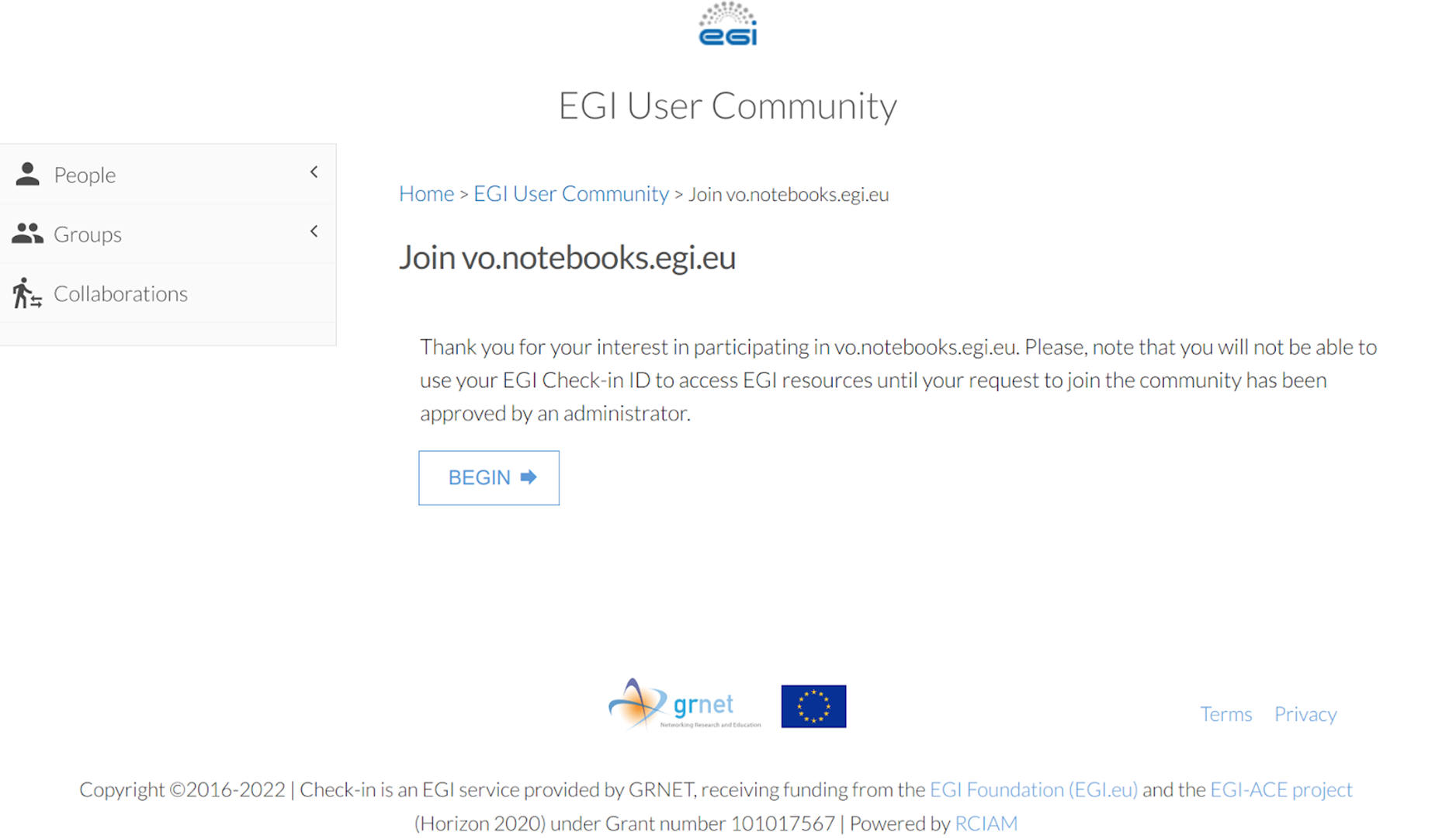 and then to 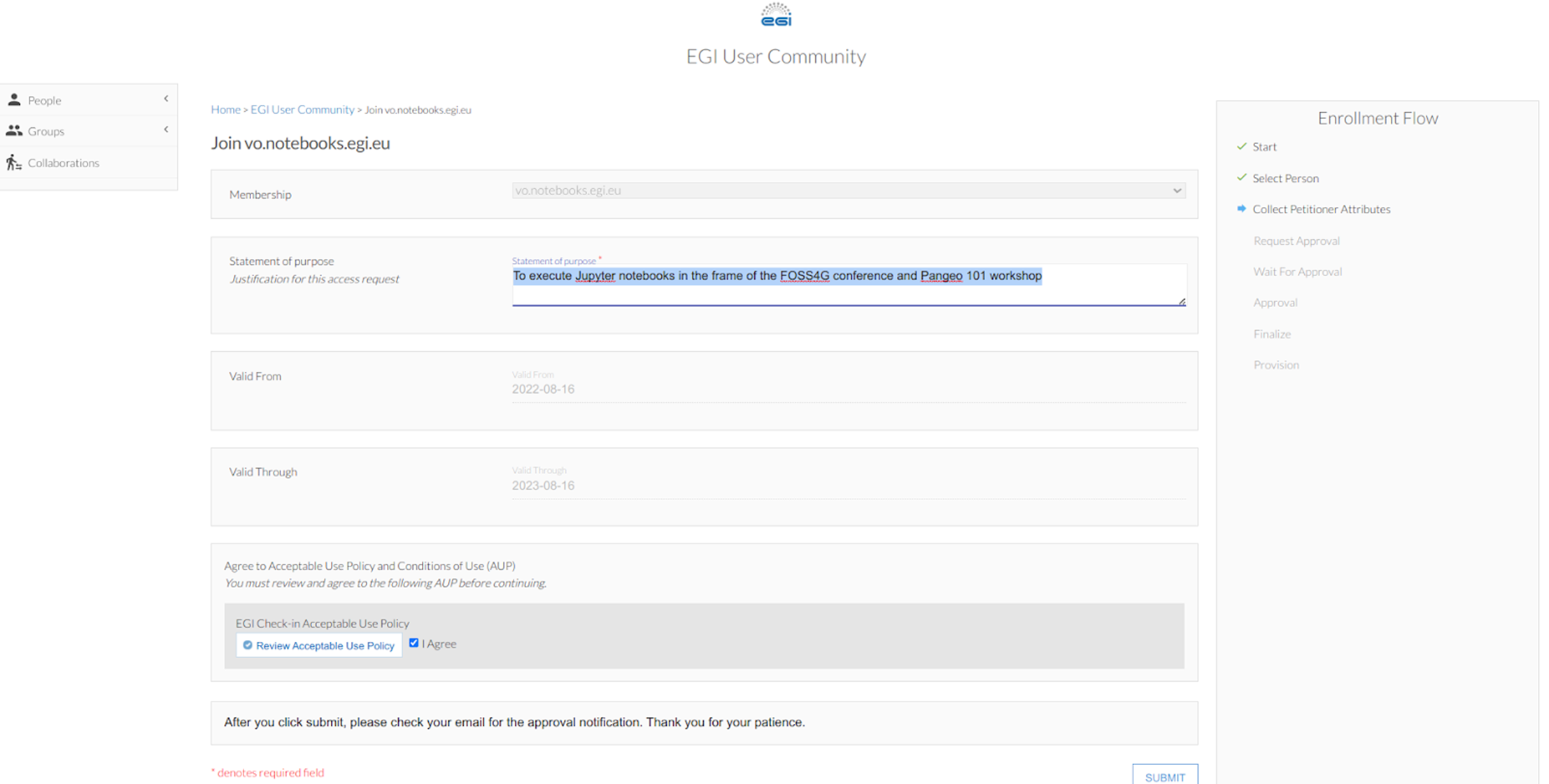 For the latter e.g. when asking to join the EGI VO pangeo, in the "statement for purpose" write a short description of the purpose and/or your use case, in particular the computational needs you may have (it helps us to adjust the capacity if needed). Review and agree on the policy and click on “Submit”.
3. Sign up for an EGI account (**Production EGI instance:aai**) by clicking on : [https://aai.egi.eu/registry/co_petitions/start/coef:2](https://aai.egi.eu/registry/co_petitions/start/coef:2). Again, use your [ORCID](https://orcid.org/) account to authenticate.
4. Enroll to the **vo.pangeo.egi.eu** VO by clicking on [https://aai.egi.eu/registry/co_petitions/start/coef:386](https://aai.egi.eu/registry/co_petitions/start/coef:386). This will take you to the website shown on the Figure  and then to . The only difference with the previous 1-2 steps is that you are now enrolling to the production EGI instance rather than the development EGI instance (needed at the moment because Pangeo deployment is not operational yet; only the Pangeo object storage is operational). For the latter e.g. when asking to join the EGI VO notebook, in the "statement for purpose" write a short description of storage usage you would need for your work/use case. Review and agree on the policy and click on “Submit”.
Once your enrollments have been validated, you may need to log out from EGI Check-in to refresh your account. If you have any trouble, request help by [filling an issue](https://github.com/pangeo-data/pangeo-eosc/issues/new). Please, be as precise as possible when submitting your issue. This will helpus to answer quickly and smoothly. If needed, someone will assist you with the setup.
To access the Pangeo EOSC JupyterHub, you need to click on [this link](https://pangeo-eosc.vm.fedcloud.eu/jupyterhub/hub/) to open a Jupyterlab.
:::{note}
If you would like to share your work and show your notebooks, you can also contribute to "the Pangeo show and tell" online meetups. To notify us, you can meet us at the next Pangeo European Coffee ; an informal meeting with open discussions:
- Schedule: Every week on Tuesday at 9:30am CET
- Conferencing: Conferencing: [meet.jit.si/pangeo-europe](https://meet.jit.si/pangeo-europe)
- Notes: [Google Doc](https://docs.google.com/document/d/1Vq1ljPRQYWF_u0Ku1eEhQyYreijAJ2QW6FELdIsiYDs/edit?usp=sharing)
Alternatively, you can tell us by [filling an issue](https://github.com/pangeo-data/pangeo-eosc/issues/new). In that case, please use "the Pangeo show and tell" in the issue title.
:::
 Sign in with Wallet
Connect another wallet
Sign in with Wallet
Connect another wallet