# CSS Architecture
> So we're all singing from the same stylesheet
---
We need some kind of agreed way of writing code (*conventions*) so that it is easy to update it weeks, months or even years later.
---
## Why are CSS naming conventions useful?
The dark truth about projects:
---
- People leave sometimes
- People > person
- Sometimes there are new people
---
*Consider this code....*
```htmlmixed=
<!-- bad naming conventions -->
<div class="shopping">
<div class="shopping-list">
<div class="available">orange</div>
<div class="not-available">apple</div>
</div>
</div>
```

---
Using your words carefully is important:
- People should know by quick inspection what a class does, where it can be used and what else it could relate to...
- We can write names that are separated by hyphens, **which-means-you-can-make-long-but-still-readable-names-like-this**
- Which is to say, **dontUseCamelCase**, **whichIsSpecificallyReservedForUseInJavascript**
---
Sometimes, a stylesheet might be massive with multiple names used in the HTML. If only there was a globally recognised methodology to make it clear which class names are related...
---

## B(locks)E(lements)M(odifiers)
There is and it's called BEM.
BEM has strict naming rules and ensures that whoever is writing the code and with any level of expertise has a fair shot at editting styles successfully.
>block__element--modifier
---
Its name decribes the order in which names are created based on three key parts of what a given style refers to:
---
### Block
The entity within which the style applies.
> ```header```, ```container```, ```menu```
---
### Element
A name that is semantically related to block.
> ```menu item```, ```checkbox caption```, ```header title```
---
### Modifier
A flag to identify a change in appearance of behaviour.
> ```highlighted```, ```colour yellow```, ```fixed```
---
### Here is what this could look like:
```htmlembedded=
<!-- BEM Technique -->
<div class="shopping">
<div class="shopping__list">
<div class="shopping__list--available">orange</div>
<div class="shopping__list--not-available">apple</div>
</div>
</div>
```
---
1. `.shopping{}` should be considered as parent element.
2. Child items or **elelments** should be written with parent name, two underscores followed by name.
3. Finally **modifiers** are written by appending two hyphens to the name of a parent. In this case available and not-available are modifiers.
---
## When might specificity become a problem?
1. Getting it wrong (i.e. not considering the impact of specificity) can spoil the natural flow of how CSS rules function, for example:
```css=1
.shopping__list {
display: flex;
flex-direction: column;
}
```
```css=200
.shopping__list {
display: none
}
```
---

2. Your styling may not behave the way you want if the element in question already has an attribute with a higher specificity.
---
Say we want to use JavaScript to apply a dark theme using a class. Let's look at the code:
```htmlembedded=
<div id='light'>
hello
</div>
```
```css=
#light {
background: hsl(50, 100%, 60%);
}
.dark {
background: hsl(25, 10%, 25%);
}
---
```
```javascript=
document.querySelector("#light").classList.add("dark")
```
>What would our background color be? Light or dark?
>
---
### Keep specificity as low as possible at all times
There is one really quick-win, simple, easy-to-follow rule to do this:
>Avoid using IDs in CS!
> "...one thousand chained classes cannot override the specificity of a single ID"
---
If you want to calculate the specificity of an element:
1. If the element has inline styling, add “1” point to column “a”. It automatically wins (1,0,0,0 points)
2. For each ID value, add “1” point to column “b” – (0,1,0,0 points)
---
3. For each class value (or pseudo-class or attribute selector), add “1” point to column “c” – (0,0,1,0 points)
4. For each element reference (or pseudo-element), add “1” point to column “d” – (0,0,0,1 points)
---
## How can composition help us build UIs?
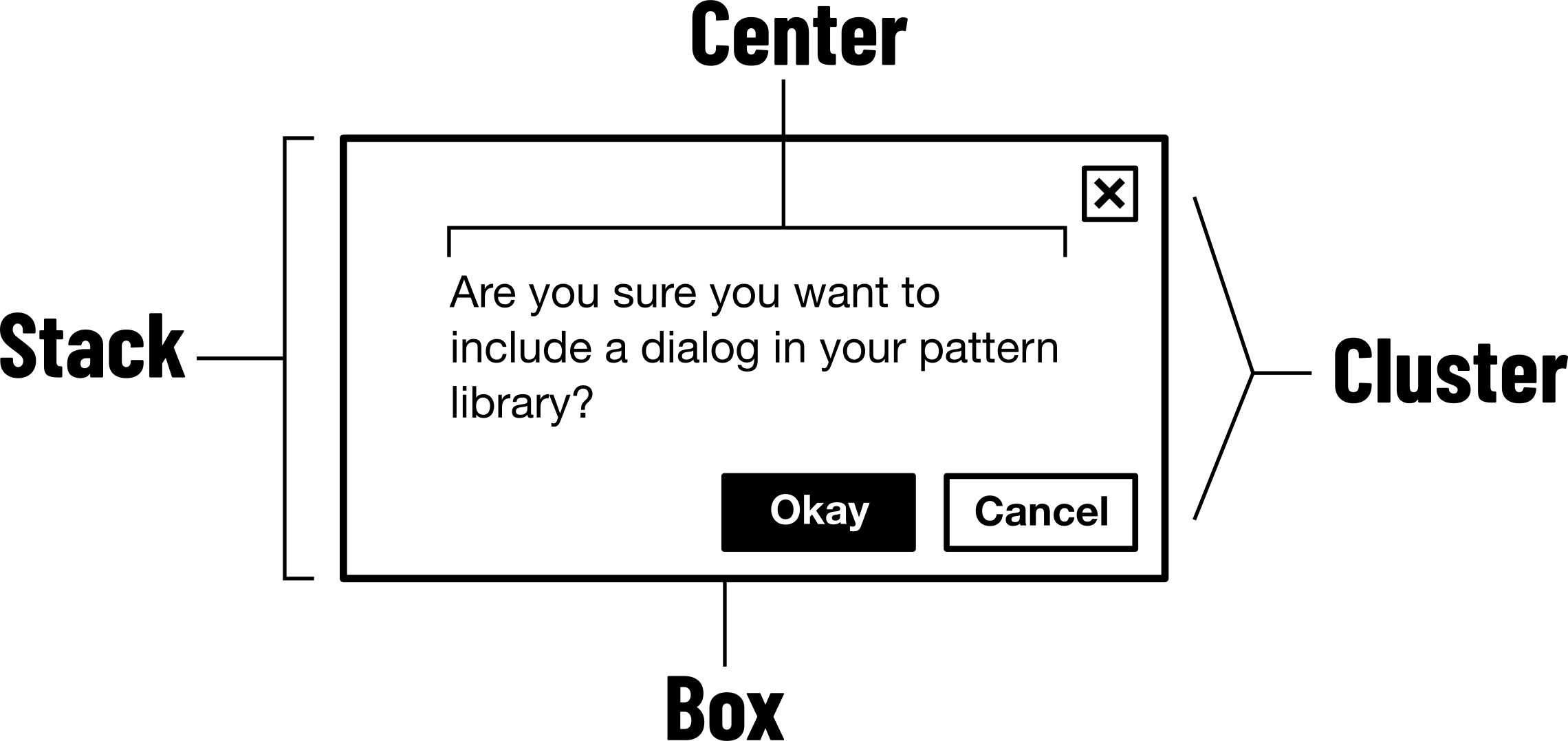
The idea is that combining simple independent parts (objects; classes; functions) gives you more flexibility, and leads to more efficiency.
The inheritance mindset encourages us to think about what finalized parts of UI should be called before we’ve even decided what they do, or what other, smaller parts can do for them.
---
---
### !Warning! We might not understand this bit:
```css=
.form__header {
font-size: 24px;
}
.form__input {
border-radius: 2px;
border-color: red;
}
.form__button--submit {
background: green;
}
.form__button--cancel {
background: red;
}
```
{"metaMigratedAt":"2023-06-15T04:52:56.327Z","metaMigratedFrom":"Content","title":"CSS Architecture","breaks":true,"contributors":"[{\"id\":\"b0c18fac-267d-47b1-9eaf-ccae71a12c3d\",\"add\":3588,\"del\":704},{\"id\":\"b6a31e78-07d2-4282-beaf-ce34bf42c9b2\",\"add\":1874,\"del\":844},{\"id\":\"3c970cbc-e792-4aab-bd26-9f18c46b45b6\",\"add\":1966,\"del\":882},{\"id\":\"fc28ac9f-05b4-4c0c-ba0f-978abbf9d995\",\"add\":329,\"del\":0}]"}