---
# (H)尊絕不凡 React 教學
## - 第四週
---
week4
#### [本次上課專案](https://github.com/explooosion/react-tutorial/tree/master/week4)
---
### 今天の極限目標
- ㄧ、 Re:ReactJS
- 二、 Shopping!我的主場!
---
## ㄧ、Re:ReactJS
---
# Re ???
---
## 什麼是 Re...


---
### 也許你比較懂這個 Re...

---
### 你們是否都忘光了呢?🤷♂️
# - 讓我們 Re...
---
## 還記得怎麼新建 react 專案嗎?
1. 安裝全域套件 create-react-app
2. 利用 create-react-app [專案名稱] 產生專案
3. 進入專案 cd [專案名稱]
4. 使用 npm install 或 yarn
---
### 指令使用
```bash=
npm install -g create-react-app
create-react-app demo-app
cd demo-app
npm install # or yarn
```
---
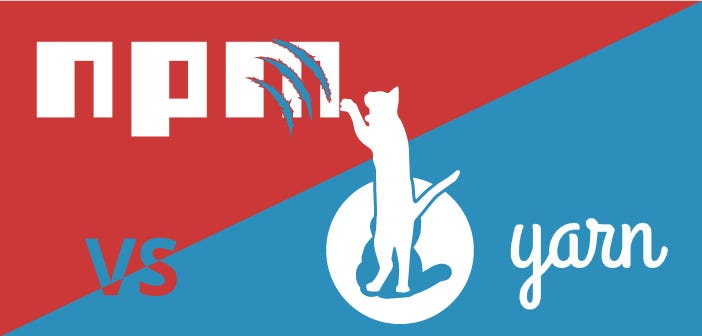
### npm 和 yarn 差在哪?
---
### npm 與 yarn 對照:
| 功能 | npm | yarn |
| -------- | -------- | -------- |
| 安裝全部 | npm install | yarn |
| 安裝OO | npm install OO | yarn add OO |
| 移除OO | npm uninstall OO | yarn remove OO |
---
### 你可以兩個都用

---

---
## 經過了三週的課程
---
### 現在的你是史上最強弟子 👊:
- 💛 我會新增並啟動 React 專案。
- 💛 我會建立新的 Component。
- 💛 我會使用 state 與 props。
- 💛 我會使用 router。
- 💛 我會使用 fetch 接 API。
---
# BUT
---
# 網站架構?
---

---
## 試著組件化網站:

---
## 是不是很簡單呢!

---
## One more try 試著組件化網站:

---
## 跟我想得一樣!

---
# 畫出去,寫進來
# 專案發大財
---
## 如果你都會了,請到最後一張簡報,進行小小驗收。
---
## 二、Shopping 我的主場
---

---
## 簡單 の 購物平台 の 套版網站

---
### O掰 の Shopping 業主需求
1. 首頁顯示所有產品。
2. 首頁產品那要有個搜尋功能。
3. 產品點進去有詳細簡介。
4. 有時間,再幫我做個關於我們。
下課前給我,很簡單對吧!
---
### 網站架構

---
### 以頁面為導向
1. Home 首頁(產品列表)
2. Product 產品詳細頁面
3. About 關於頁面
---
### 以組件為導向
1. Home - render, renderProducts, renderSearch
2. Product - render
4. About - render
5. Header(Navbar)
6. Footer
---
### 以路由為導向
1. /
2. /product/:id
3. /about
---
### 開發建議順序
1. 底層架構規劃(路由、組件)
2. 版型設計與調整
3. 將元素組件化
4. 功能開發與資料串接
---
## 接下來會帶著你實戰。
---

---
### 二、Shopping
實作:
1. 建立專案。
2. 所有頁面的路由組件(Home, About, Product)。
3. 基本組件庫(Header, Footer)。
4. 版型設計。(Layout Design)
5. 服務建立。(AJAX Service)
6. 功能開發。
---
### 安裝 Bootstrap
1. [Bootstrap](https://getbootstrap.com/) ?
2. [React Bootstrap](https://react-bootstrap.netlify.com/) ?
我們使用傳統的 [Bootstrap](https://getbootstrap.com/) - [adding-bootstrap](https://facebook.github.io/create-react-app/docs/adding-bootstrap)
```shell=
yarn add bootstrap jquery popper.js
```
---
### 引入 Bootstrap
index.js
```javascript=
import React from 'react';
import ReactDOM from 'react-dom';
// 新增以下四個
import 'bootstrap/dist/css/bootstrap.css';
import 'jquery';
import 'popper.js';
import 'bootstrap';
// ... 以下省略
import './index.css';
```
---
### 二、Shopping - 選擇版面
#### Template
[官方 Template](https://getbootstrap.com/docs/4.3/examples/)、[非官方 Template](https://startbootstrap.com/templates/)
#### 本次使用
[Shop Homepage](https://startbootstrap.com/templates/shop-homepage/)、[Shop Item](https://startbootstrap.com/templates/shop-item/)
---
### 非常簡單

---
### 二、Shopping - 步驟
1. 檢視原始碼
2. 複製貼上
3. 將 class 改成 className
4. 留意元素結尾符號。
例如: <input type="text" />
6. 刪除註解
---
# 摳下去,貼進來
# 專案發大財
---
## What's more?
- [ ] 生命週期
- [ ] Layout
- [ ] Redux
- [ ] CSS框架 (Bootstrap、AntD、Primereact...etc)
- [ ] 多國語系 i18n
- [ ] Hooks
---
## 今天的你要比昨天更進步。
---

---
### 學長の復仇之自我學習驗收。
請 [Debug](https://github.com/explooosion/react-tutorial/tree/master/week4/h/6-final-quiz-debug) 專案:
1. 首頁 (Home.js) 沒畫面。
2. 產品頁面壞掉了。
3. 我的 API 接了沒資料。(網址是正確的)
{"metaMigratedAt":"2023-06-14T20:49:12.684Z","metaMigratedFrom":"YAML","title":"(H)尊絕不凡 React 教學","breaks":true,"contributors":"[{\"id\":\"36ba3409-97a0-4c0c-b357-4b738f6b17ad\",\"add\":7484,\"del\":3380}]"}