---
tags: teaching, hpc0
---
# 2022-05 <br> HPC0: Introduction to Linux
Welcome to the hack pad for HPC0 course from Research Computing at the University of Leeds!
You can edit this document using [Markdown syntax](https://guides.github.com/features/mastering-markdown/).
## Contents
1. [Links to resource](#Links-to-resources)
2. [Further reading](#Further-reading)
3. [Agenda](#Agenda)
4. [Pre workshop prep](#Pre-workshop-prep)
4.1. [Windows Users](#For-Windows-Users)
4.2. [MacOS/Linux Users](#For-MacLinux-Users)
6. [What's your name and where do you come from?](#What’s-your-name-and-where-do-you-come-from)
## Links to resources
- **Contact Research Computing** - https://bit.ly/arc-help
- **Request HPC account** - https://leeds.service-now.com/it?id=sc_cat_item&sys_id=4c002dd70f235f00a82247ece1050ebc
- **Slides for today** - https://bit.ly/hpc0linux
- **Exercises for today** - https://drive.google.com/file/d/1dV8fMS_n6GOFZO_rmFfUBwnuBFGj6C58/view?usp=sharing
## Further reading
Linux crib sheet that covers lots of idea from today and beyond - https://drive.google.com/file/d/0B4hIpRJzq8DPVG5xdEJWcGlRTkU/view?usp=sharing
## Agenda
| Time | Agenda |
| -------- | ------------------------------- |
| 0900 | Introduction, connecting to ARC |
| 0950 | Break |
| 1000 | Navigating the shell |
| 1050 | Break and Exercise 1 |
| 1100 | Data transformation in the shell|
| 1150 | Wrap up and questions |
| 1200 | Finish |
## Pre workshop prep
***If you haven’t already request an account for the HPC via this link - https://leeds.service-now.com/it?id=sc_cat_item&sys_id=4c002dd70f235f00a82247ece1050ebc***
For Windows users please consult our documentation page and video at https://arcdocs.leeds.ac.uk/getting_started/logon.html#connecting-from-windows
You are required to download the software tool MobaXTerm for this workshop.
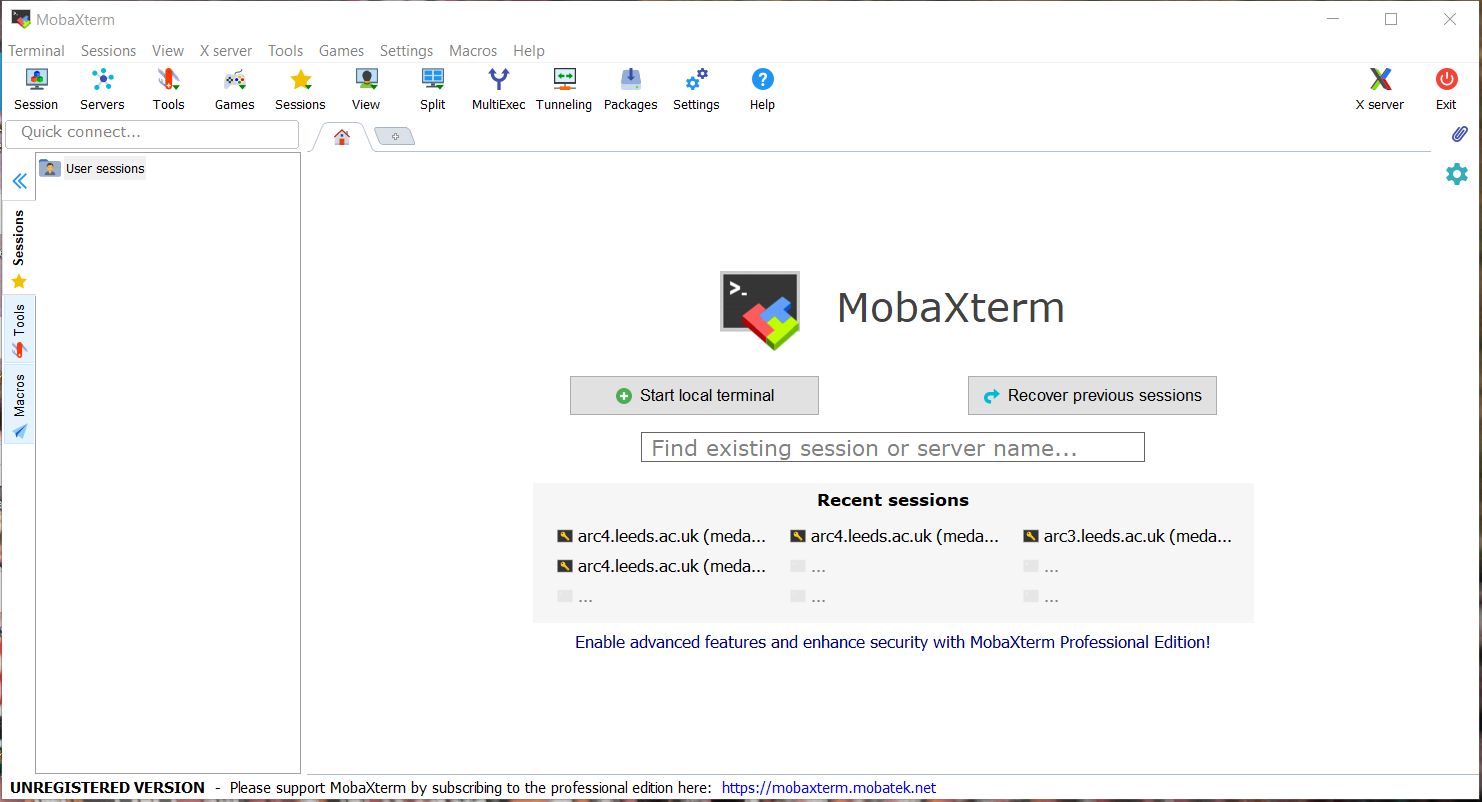
1. Navigate using a web browser to https://mobaxterm.mobatek.net/
2. Select Download
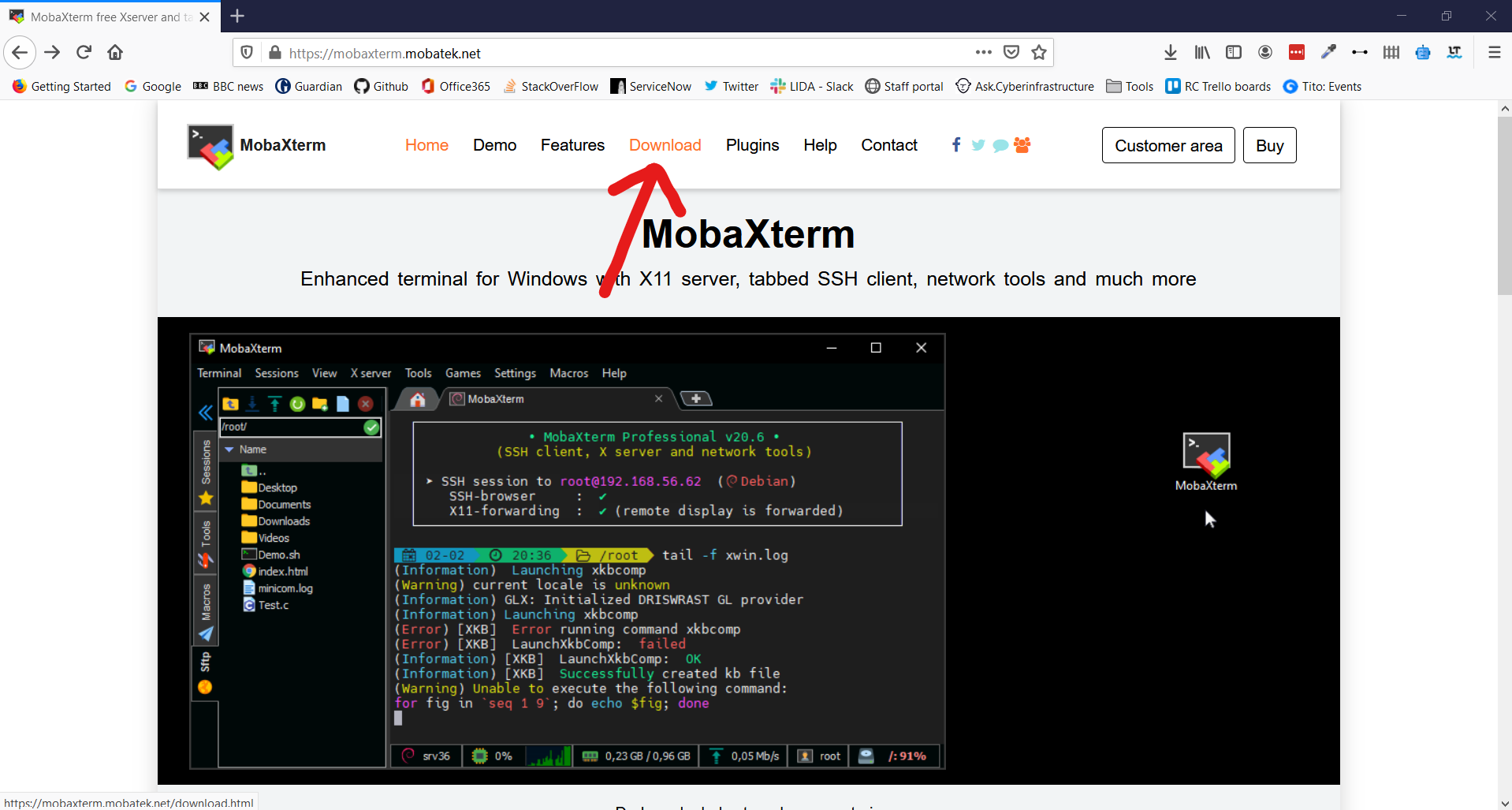
3. Click Download Now for the Home Edition
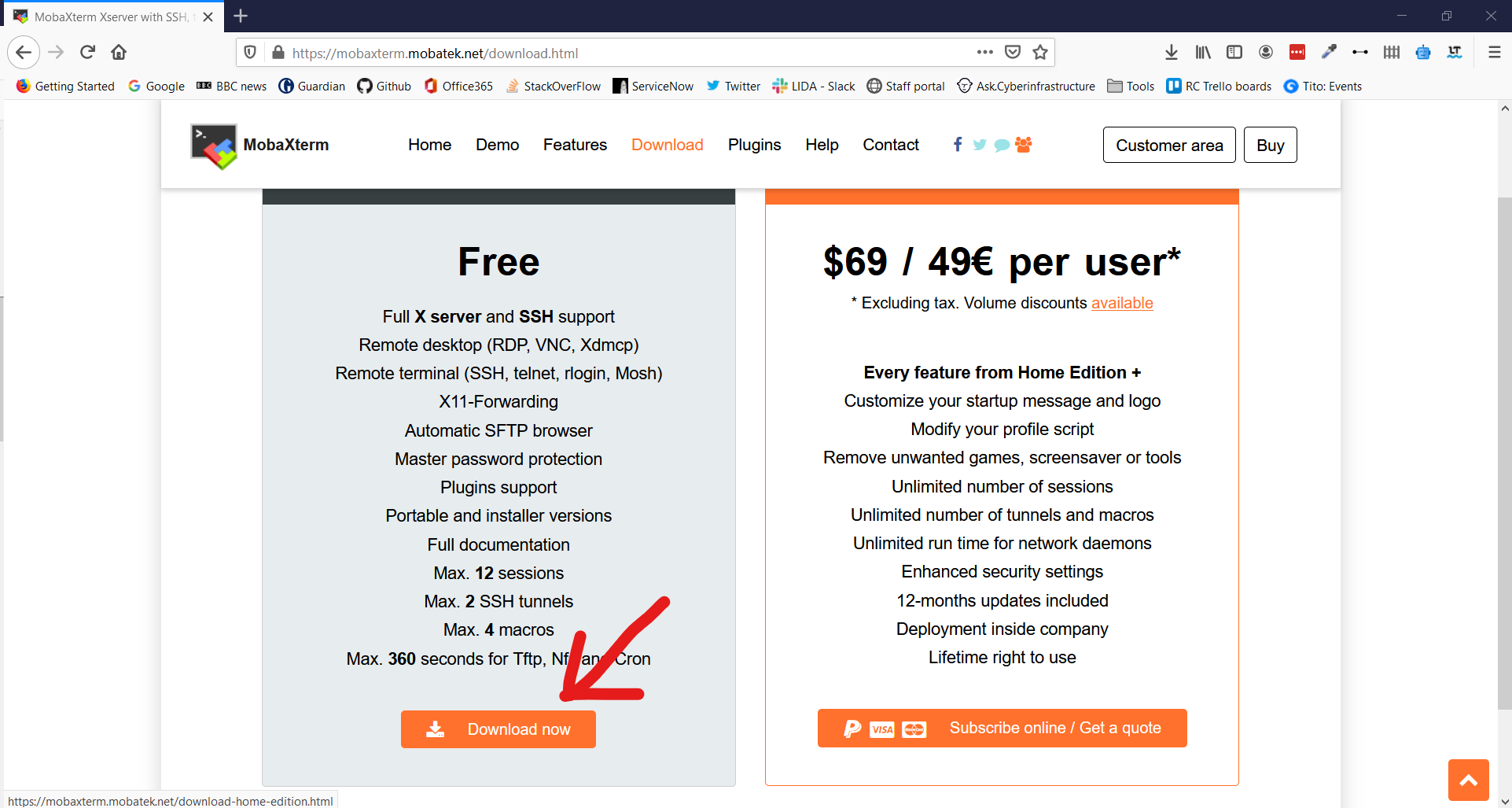
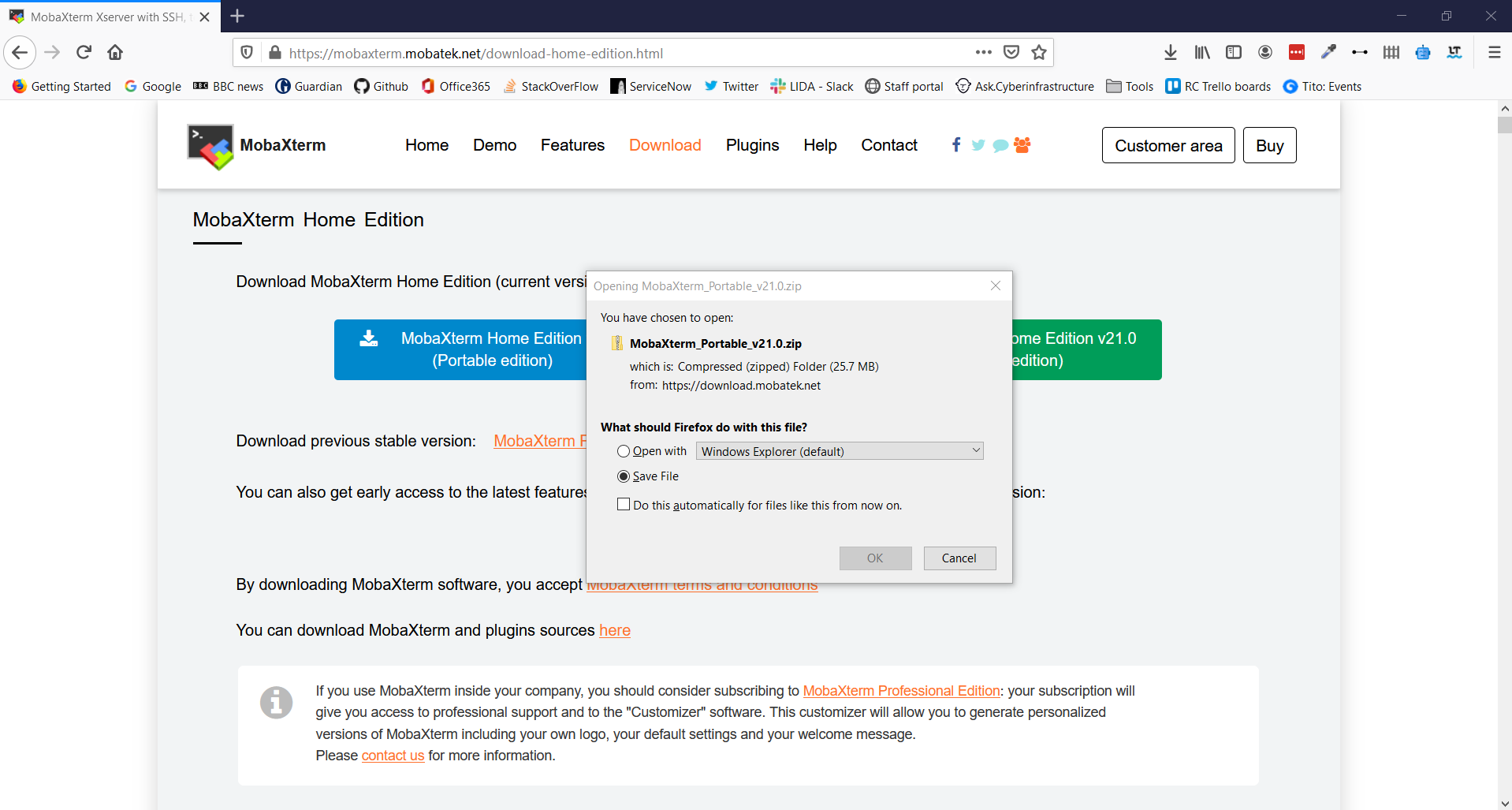
4. Select MobaXTerm Home Edition v21.0 (Portable edition)
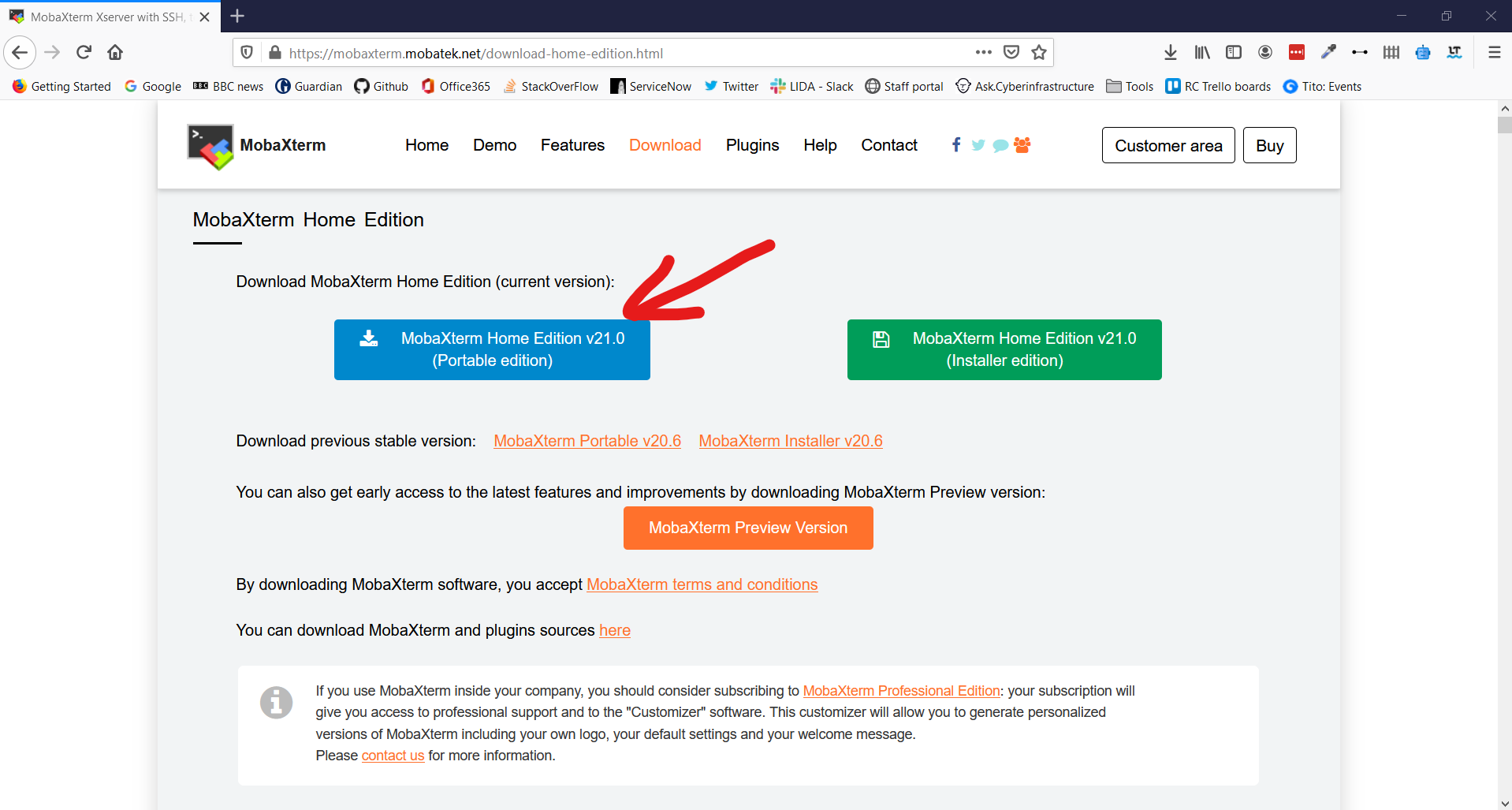
5. This opens a download prompt for a .zip file. Select Save File and click OK
6. Go to your Download folder and find the .zip file you have just downloaded
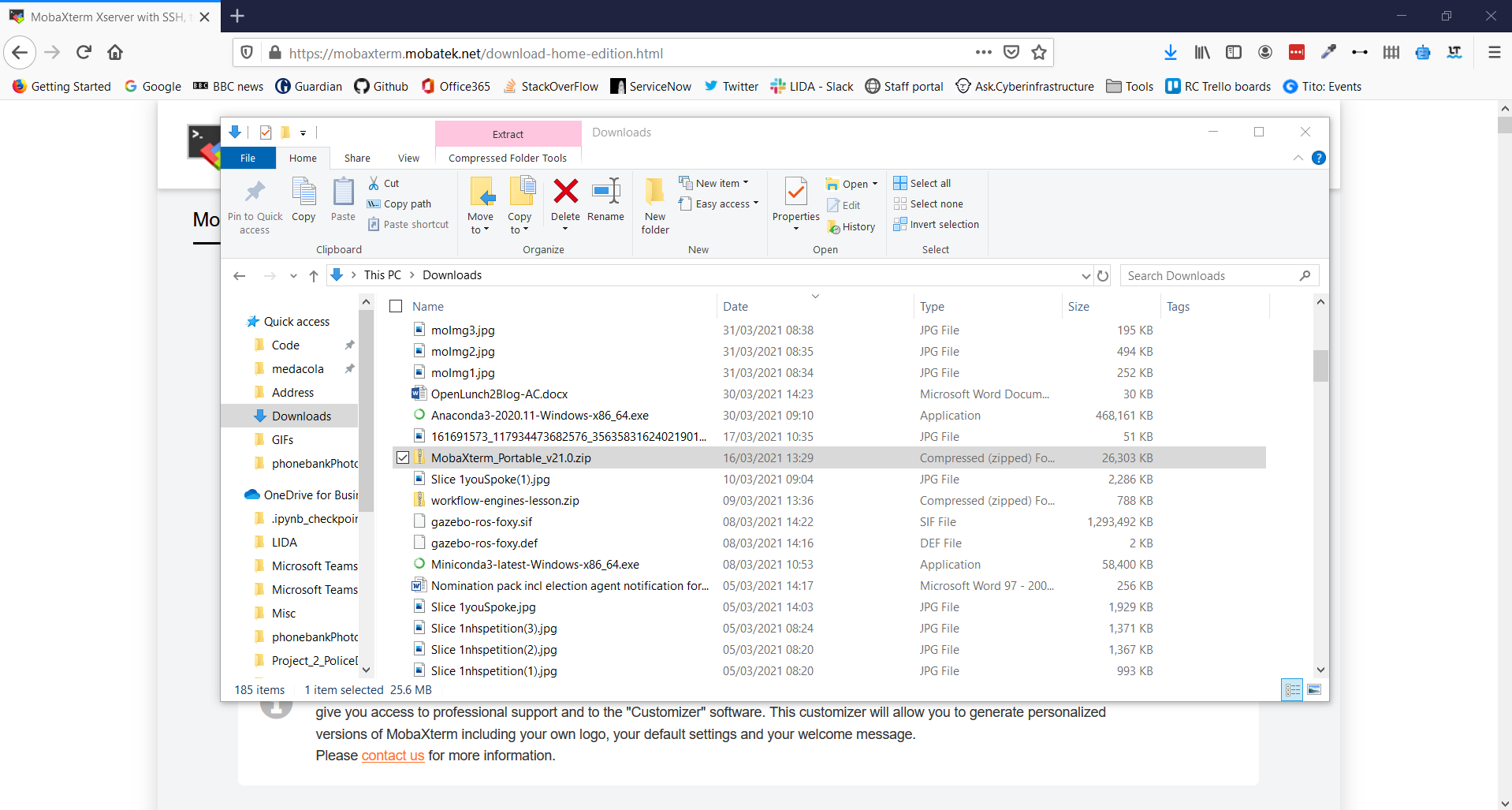
7. Click Extract in the Ribbon Bar and select Extract All
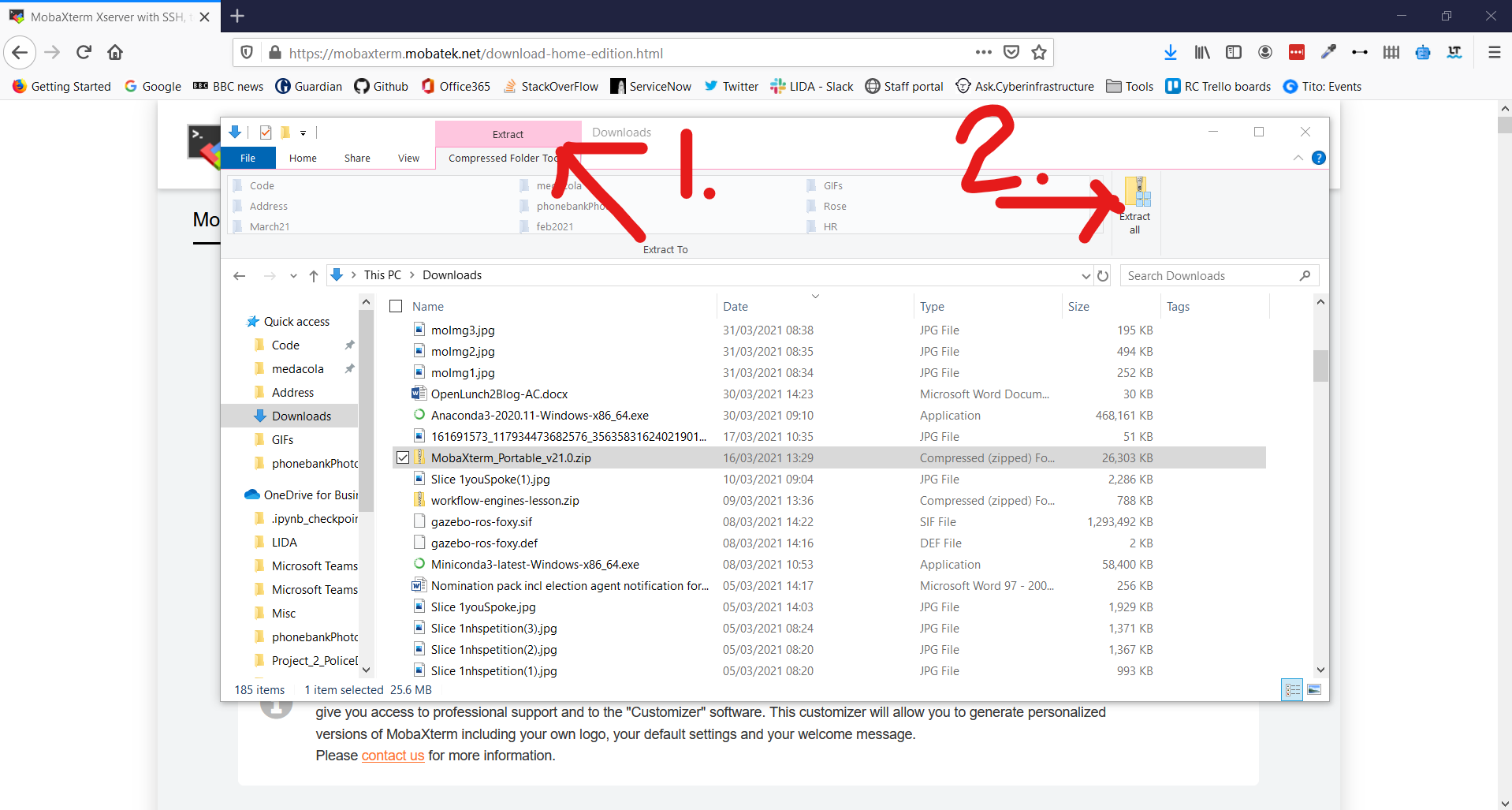
8. Using the Wizard window extract the folder at the suggested location
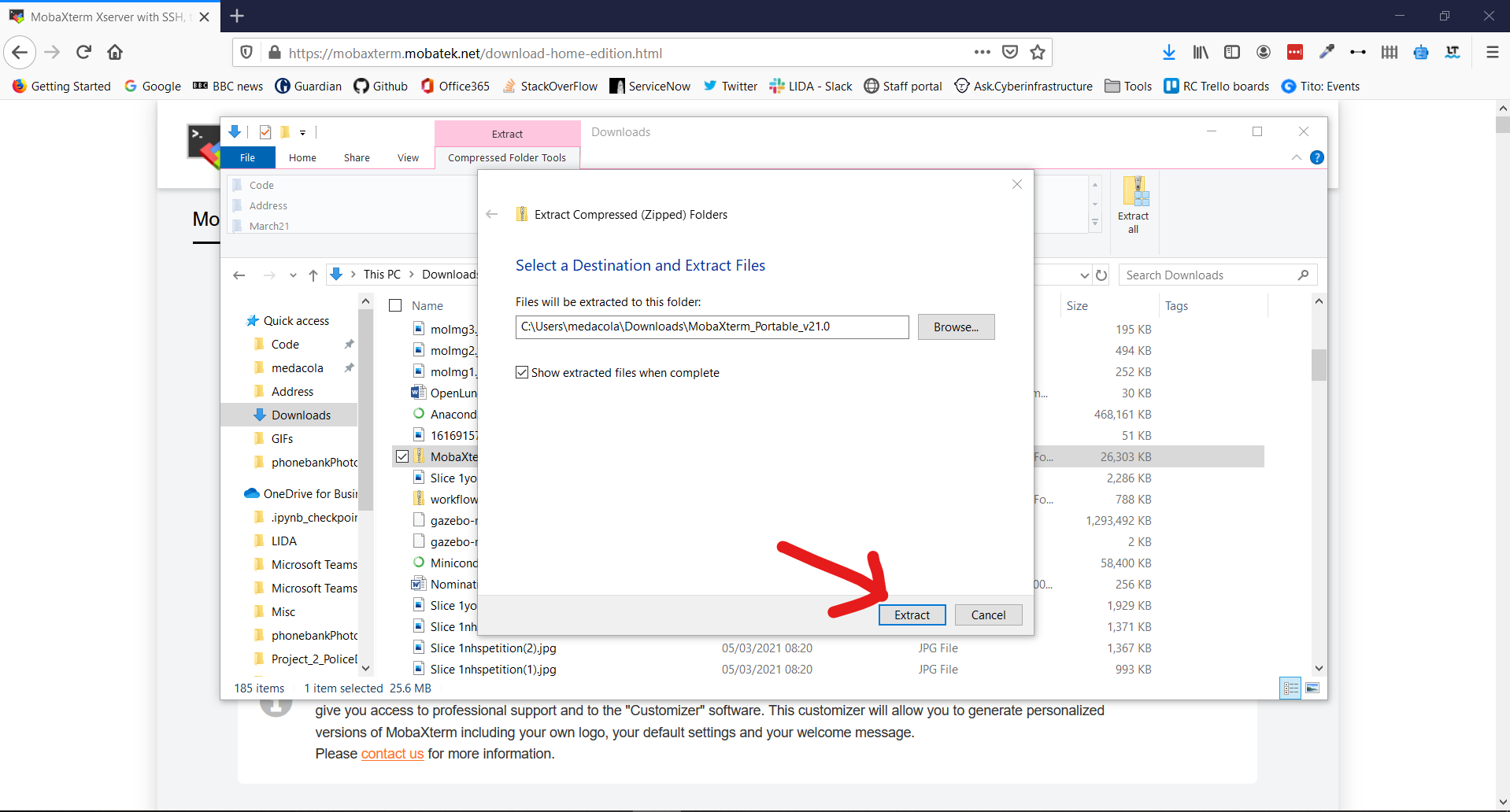
9. This should open the extracted folder immediately and allow you to double-click on the MobaXTerm_Personal_21.0 executable to start the application
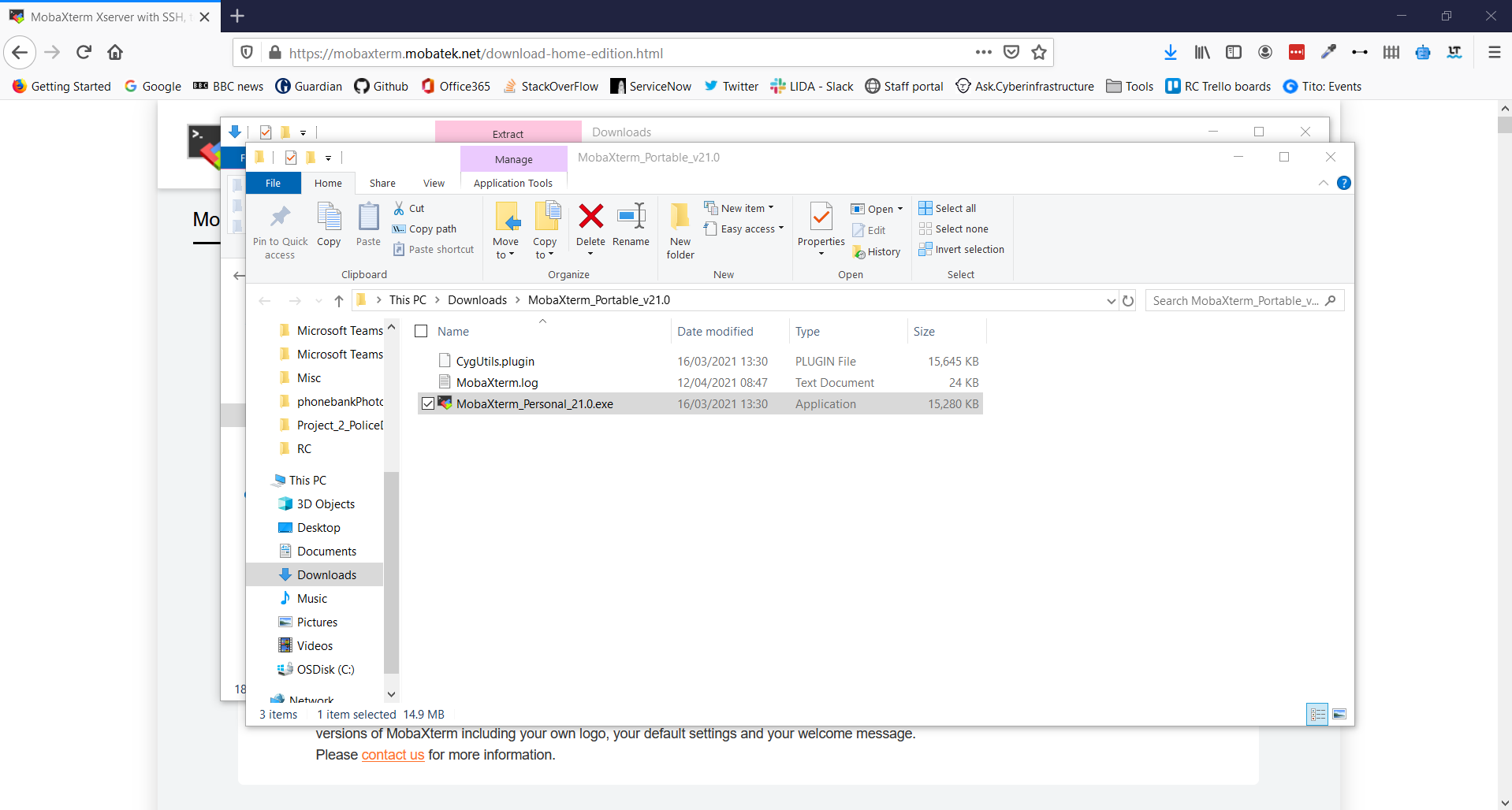
**And you're all set for HPC0!🎉**
### For Mac/Linux Users:
**MacOS and Linux users do not need MobaXTerm** but can use your builtin Terminal application. You should follow the steps outlined in the bitesize video titled [“Connecting to ARC off-campus via Linux/MacOS”](https://arc.leeds.ac.uk/help/videos/) and read carefully the [documentation section](https://arcdocs.leeds.ac.uk/getting_started/logon.html#connecting-from-linux-macos-systems) on connecting from Linux and MacOS, especially the section about configuring SSH for off-campus connections.
Please attempt to read the documentation and watch the videos carefully and attempt the setup steps. If you have any problems don’t worry we will spend the start of the workshop making sure everyone is connected.
In order to connect to ARC when you're off campus you'll need to do some extra configuration so that your SSH connection goes via our `remote-access` server. The following steps outline how to setup this configuration:
1. Open a Terminal on your Linux/macOS machine
2. Create a directory called `.ssh` in your home directory (if one doesn't already exist)
```bash
$ mkdir ~/.ssh
```
3. Then open a text editor of your choice and create a file called `config` in your `.ssh` directory
```bash
# for instance use the simple nano text editor
$ nano ~/.ssh/config
```
4. Within this file include the following contents where `USERNAME` is replaced by your university username
```bash
Host *.leeds.ac.uk !remote-access.leeds.ac.uk
ProxyJump USERNAME@remote-access.leeds.ac.uk
User USERNAME
```
5. Save this file and your configuration is all set up!
## What's your name and where do you come from?
- Alex Coleman, research software engineer, like python and R and reproducible research
- John Hodrien, Research Software Engineer, Linux/C/C++
- Luke Conibear, Research Software Enginner, Python/Machine learning/Weather models.
- Elizabeth Mroz, PhD student in School of Geography, planning to use the HPC to run a hydrodynamic flood model
- Mark Smith, Ass Prof in Geography. Here because I plan to run hydrological/hydraulic models with this and supervise those already doing so. It is LONG overdue!
- Laura Whitehouse PhD student in Dentistry. I'm using HPC for RNA sequencing in the near future. I believe I've previously done this course a long time ago, but there has been a pandemic and I've been on maternity leave since then, so completely forgotten everything!
- Lazar Novakovic, postdoc, School of Biology, interested in learning some basic things about Linux.
- Megan Klaar, Assoc Prof. in Geography. I'll be using HPC for a research project on beaver reintroduction modelling
- Samuel McDonagh, masters in physics (third year currently). I'll be using HPC for visual molecular dynamics simulations and machine learning uses!
 Sign in with Wallet
Connect another wallet
Sign in with Wallet
Connect another wallet