# もくもく会 2024/8/25
###### tags: `もくもく会`
## 実施内容・メモ
### 大橋
Jupyter Blogの最近の内容の調査
#### [ipydatagrid is now part of Project Jupyter](https://blog.jupyter.org/ipydatagrid-is-now-part-of-project-jupyter-3b3dfb877664)
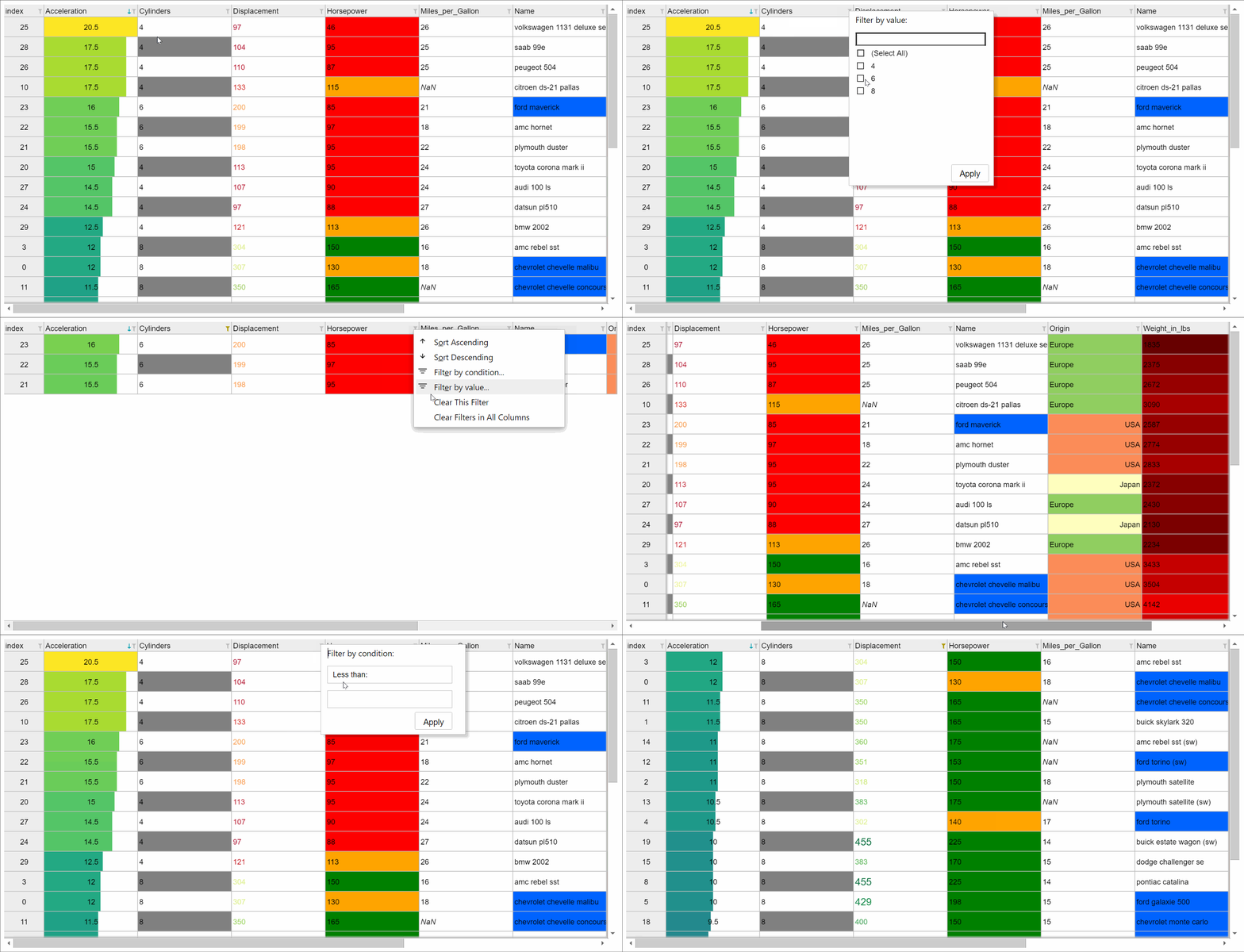
[ipydatagrid](https://github.com/jupyter-widgets/ipydatagrid)がJupyter Widget Subprojectの一部としてProject Jupyterに取り込まれたというアナウンスの記事。
ipydatagridは高速なデータグリッド表示ウィジェットであり、2019年以来BloombergのGitHubのorganizationで開発されてきたもの。
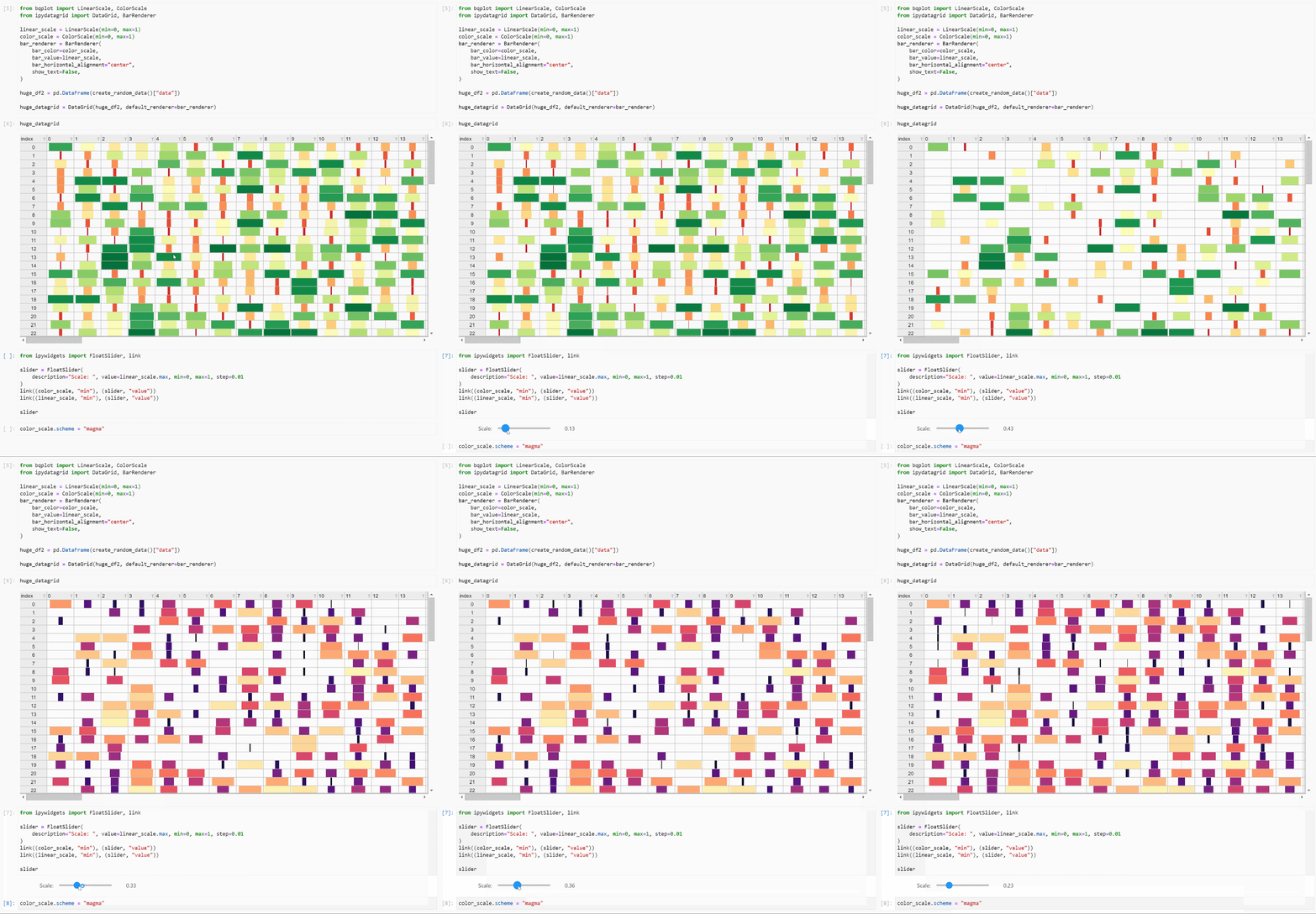
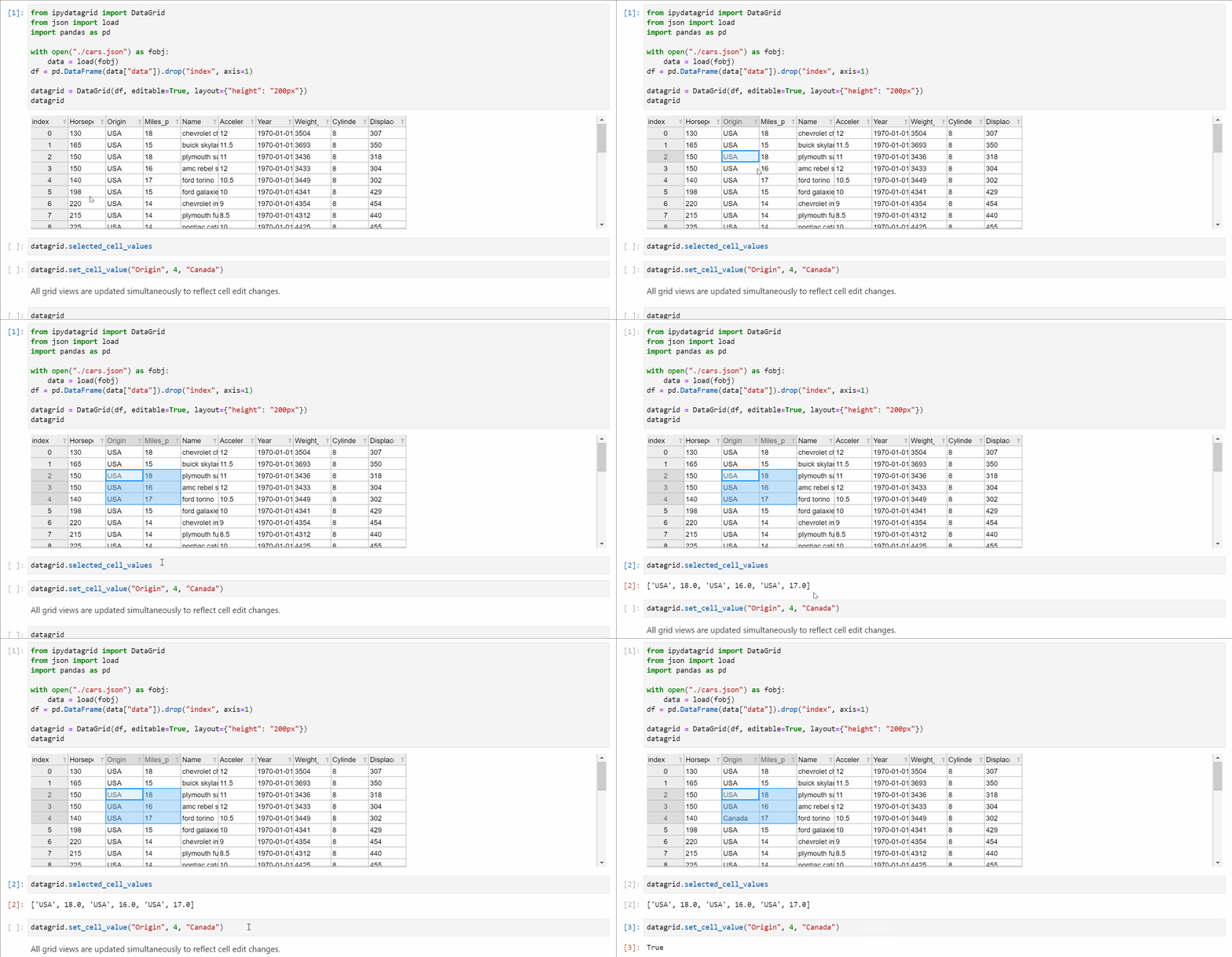
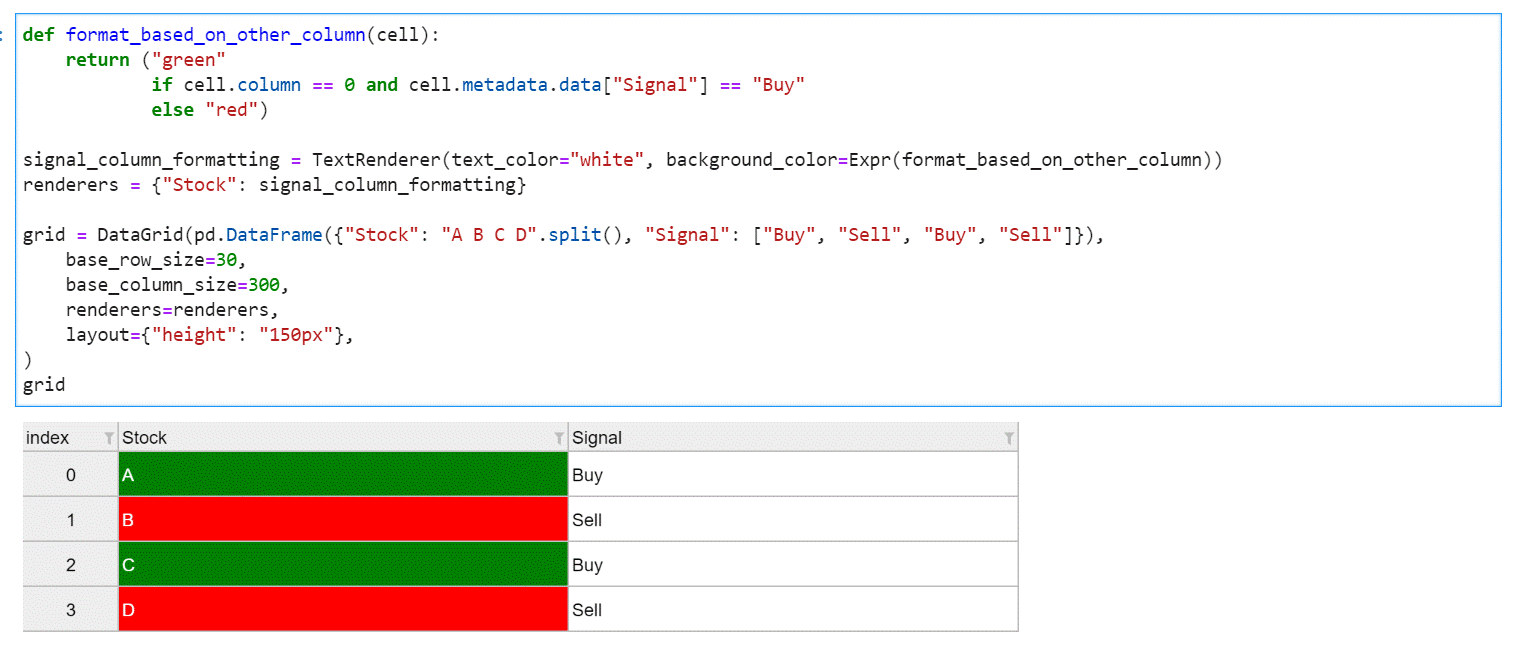
ipywidgetsに完全に統合されたハイパフォーマンスで高機能なDataGridインタフェースを持つ。Lumino datagrid上に構築され、JupyterLab CSVビューワを高機能化させ、データ可視化・操作のためのロバストで多機能なツールを提供する。
---
#### [Jupyter GIS](https://blog.jupyter.org/jupytergis-d63b7adf9d0c)
Pioneering Web-based, Collaborative, and Open-source GIS Tools
---
#### [JupyterLab 4.2 and Notebook 7.2 are available!](https://blog.jupyter.org/jupyterlab-4-2-and-notebook-7-2-are-available-b5e6b3c753de)
JupyterLab 4.2とNotebook 7.2のアナウンス。
JupyterLab 4.2.0 has been released! This new minor release of JupyterLab includes 3 new features,
20 enhancements, 33 bug fixes and 29 maintenance tasks.
There were 39 contributors to this release including 10 new contributors to JupyterLab.
Jupyter Notebook 7.2.0 has also been released,
including many of the fixes and enhancements
in this JupyterLab 4.2.0 release.
While the releases on Github provide additional detail on the updates made to both JupyterLab 4.2 and Notebook 7.2,
this article highlights some particularly notable changes.
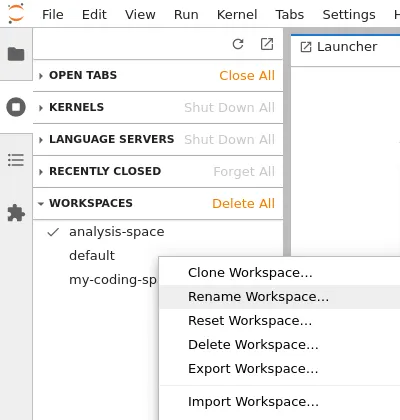
##### Easier Workspaces Management with GUI
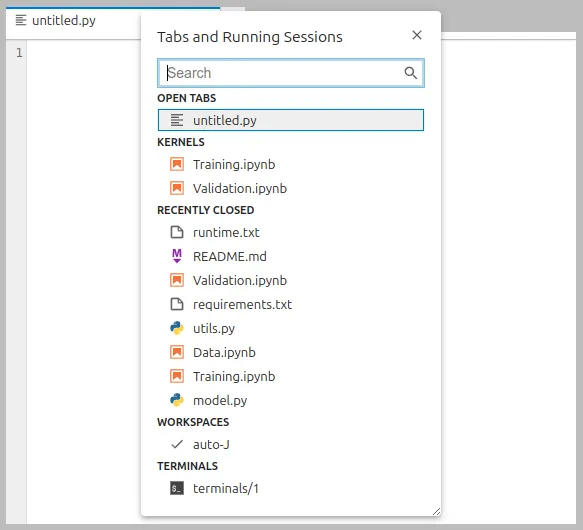
##### Recently opened/closed files
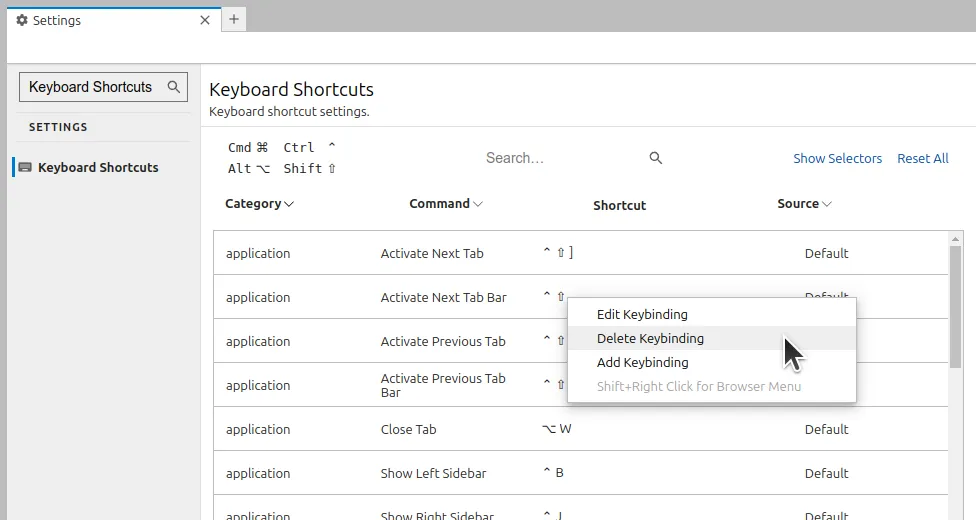
##### Improved Shortcuts Editor
##### その他
* Full notebook windowing mode by default
* Dark High Contrast Theme
* Keyboard Shortcuts
* ユーザフィードバックに基づきショートカットを改善
* `Ctrl + D` shortcut has been restored to allow users to use to delete a line.
* In the interest of code editor compatibility the `Ctrl + Shift + K` shortcut can still be used for deleting lines and multi-cursor selection is now available via the default shortcut: `Ctrl + Shift + D`.
* Users are now able to toggle line comments with the shortcut `Ctrl + /` and toggle block comments with `Alt + A`
* both of which are customizable via the Settings Editor.
* This release also addresses issues related to using various keys on international keyboards in macOS.
---
#### [Jupyter recognized as “Champion of Open Science” by U.S. White House](https://blog.jupyter.org/jupyter-recognized-as-champion-of-open-science-by-u-s-white-house-fcb0018f8efa)
JupyterがホワイトハウスのScience and Technology Policyによる"Champion of Open Science"であると認識されたという記事
---
#### [CUDA enabled Jupyter Docker Images](https://blog.jupyter.org/cuda-enabled-jupyter-docker-images-8a9f8b8f2158)
[Jupyter Docker Stack Project](https://jupyter-docker-stacks.readthedocs.io/en/latest/index.html)にGPU acceleratedなDocker Imageが追加されたという記事。Nvidia GPUでPyTorchやTensorFlowに対応可能。
##### How to find these images
All our images are available on Quay.io registry. We provide CUDA accelerated versions of images are available for tensorflow-notebook and pytorch-notebook.
To use such an image, you have to specify a special prefix tag to the image: versioned CUDA prefix like cuda11- or cuda12- for pytorch-notebook or just cuda- for tensorflow-notebook.
##### Running the images
To enable CUDA support on Linux host machine, you need to:
* have compatible Nvidia GPU
* have NVIDIA Linux driver installed
* add --gpus all (or --gpus '"device=all"') flag to if you’re using Docker
* add --device 'nvidia.com/gpu=all' flag if you’re using Podman
For example, you can run the image like this: `docker run -it --rm -p 8888:8888 --gpus all quay.io/jupyter/tensorflow-notebook:cuda-latest`
---
#### [Make your Pandas or Polars DataFrames Interactive with ITables 2.0](https://blog.jupyter.org/make-your-pandas-or-polars-dataframes-interactive-with-itables-2-0-c64e75468fe6)
ITables, or Interactive Tables, is a MIT-licensed Python package that renders Python DataFrames using the DataTables JavaScript library. ITables 2.0, that I have just released, adds support for the DataTables Extensions. In this post we review the functionalities brought by this release.
pip install itables
conda install itables
[DataTables](https://datatables.net/)のラッパー
```python
from itables import init_notebook_mode
init_notebook_mode(all_interactive=True)
```
これによりpandasとpolarのDataFrameはDataTablesを使って描画されるようになる。
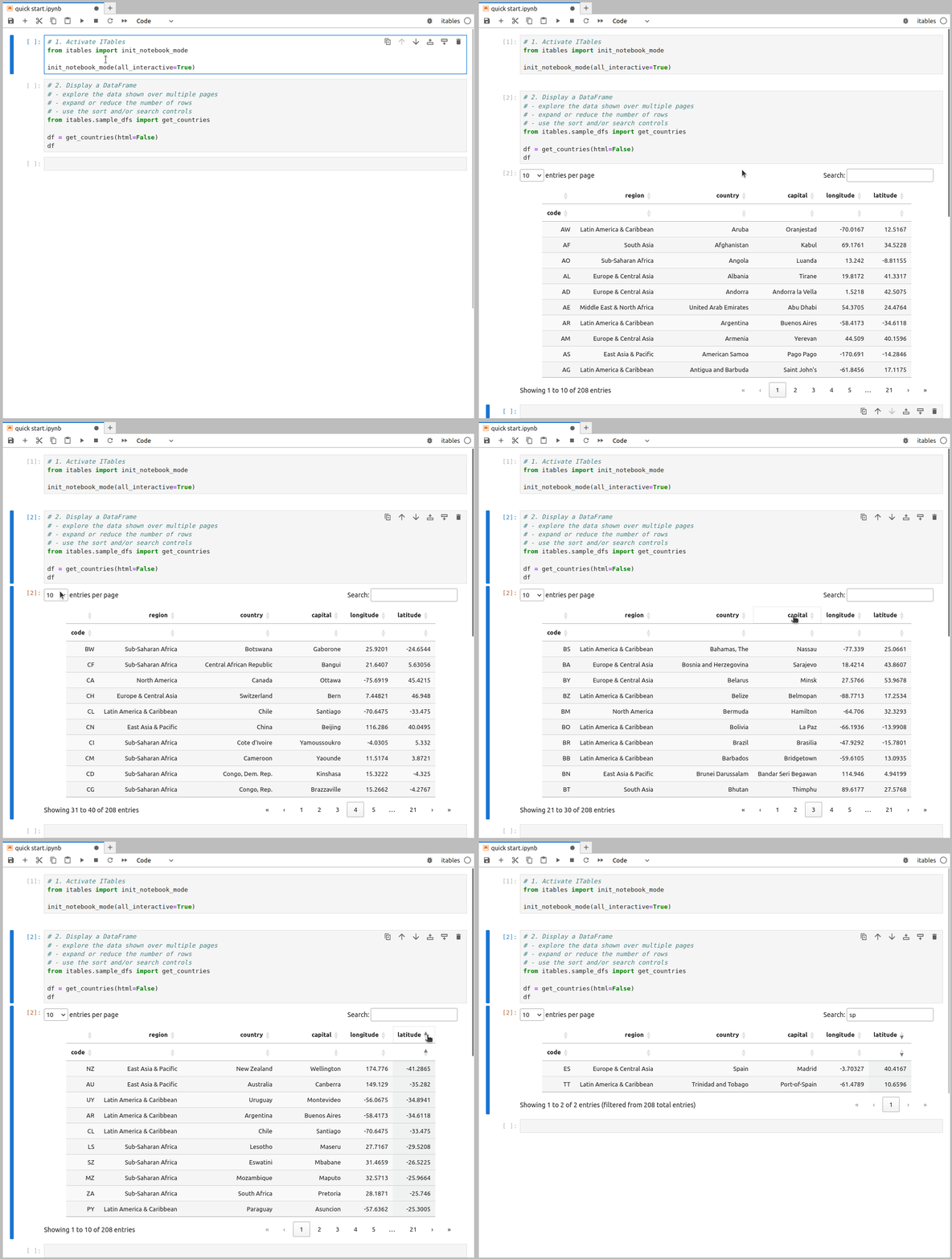
To render only specific tables as interactive DataTables, or pass arguments to the DataTable constructor, you can use the show function:
```python
from itables import show
```
---
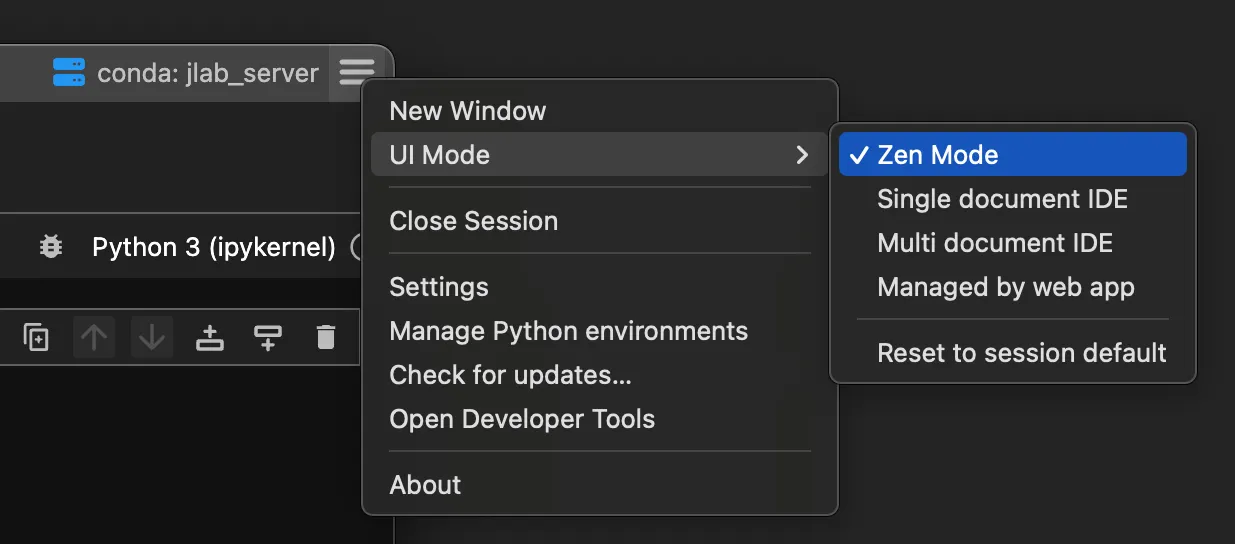
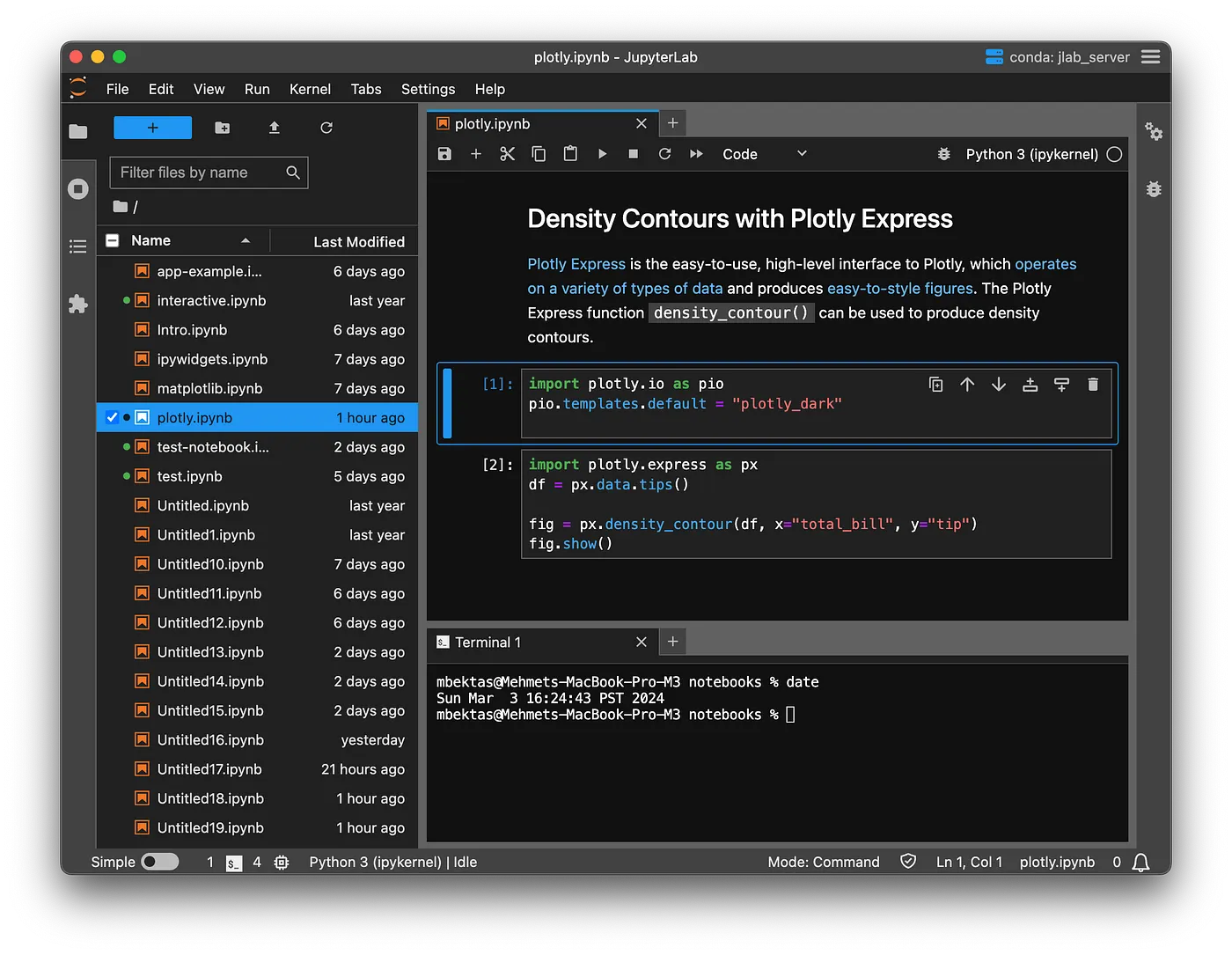
#### [JupyterLab Desktop UI Modes](https://blog.jupyter.org/jupyterlab-desktop-ui-modes-cec528d5e460)
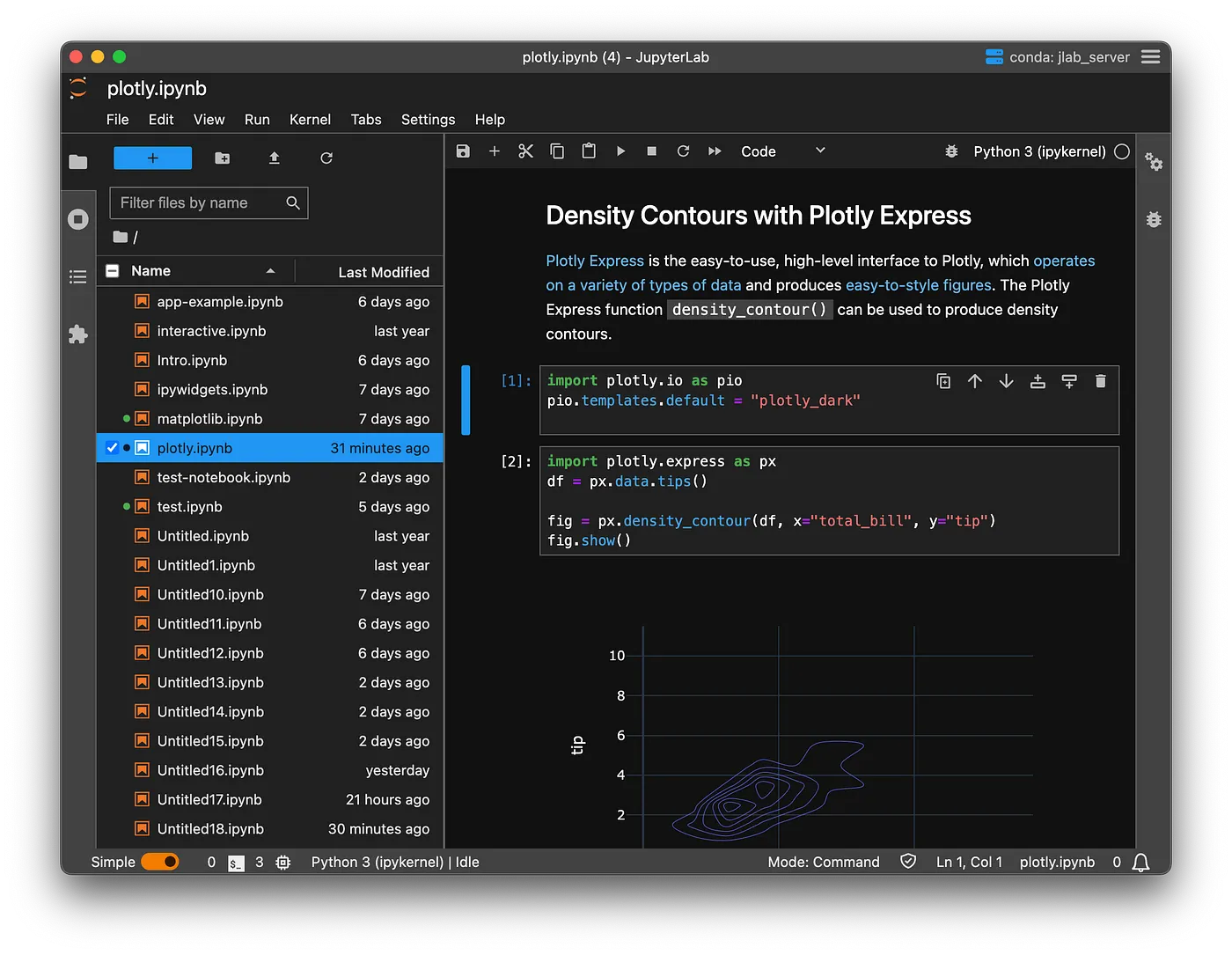
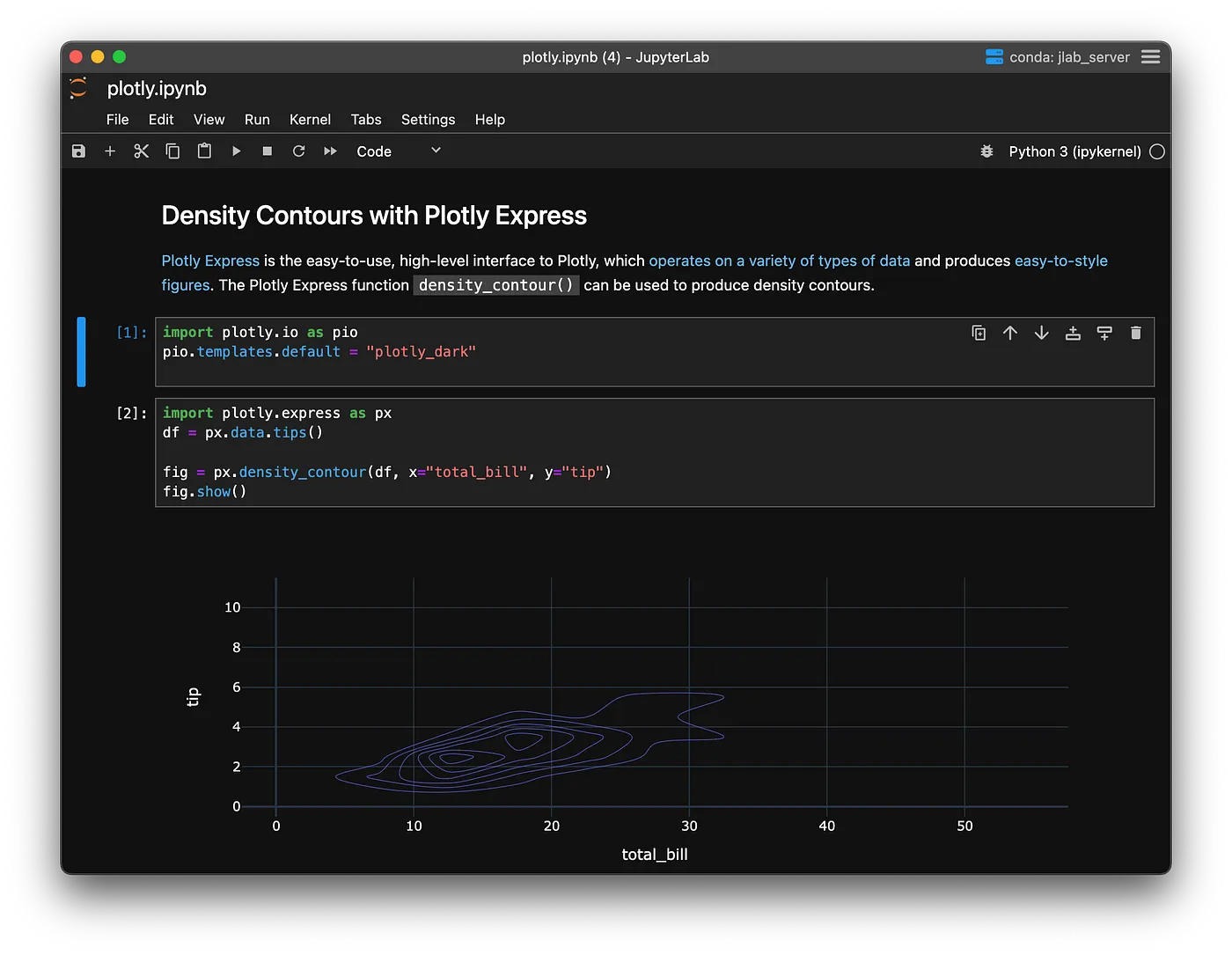
Jupyter DesktopにプロジェクトごとのUI選択とzen modeを搭載
##### Multi Document IDE Mode
##### Single Document IDE Mode
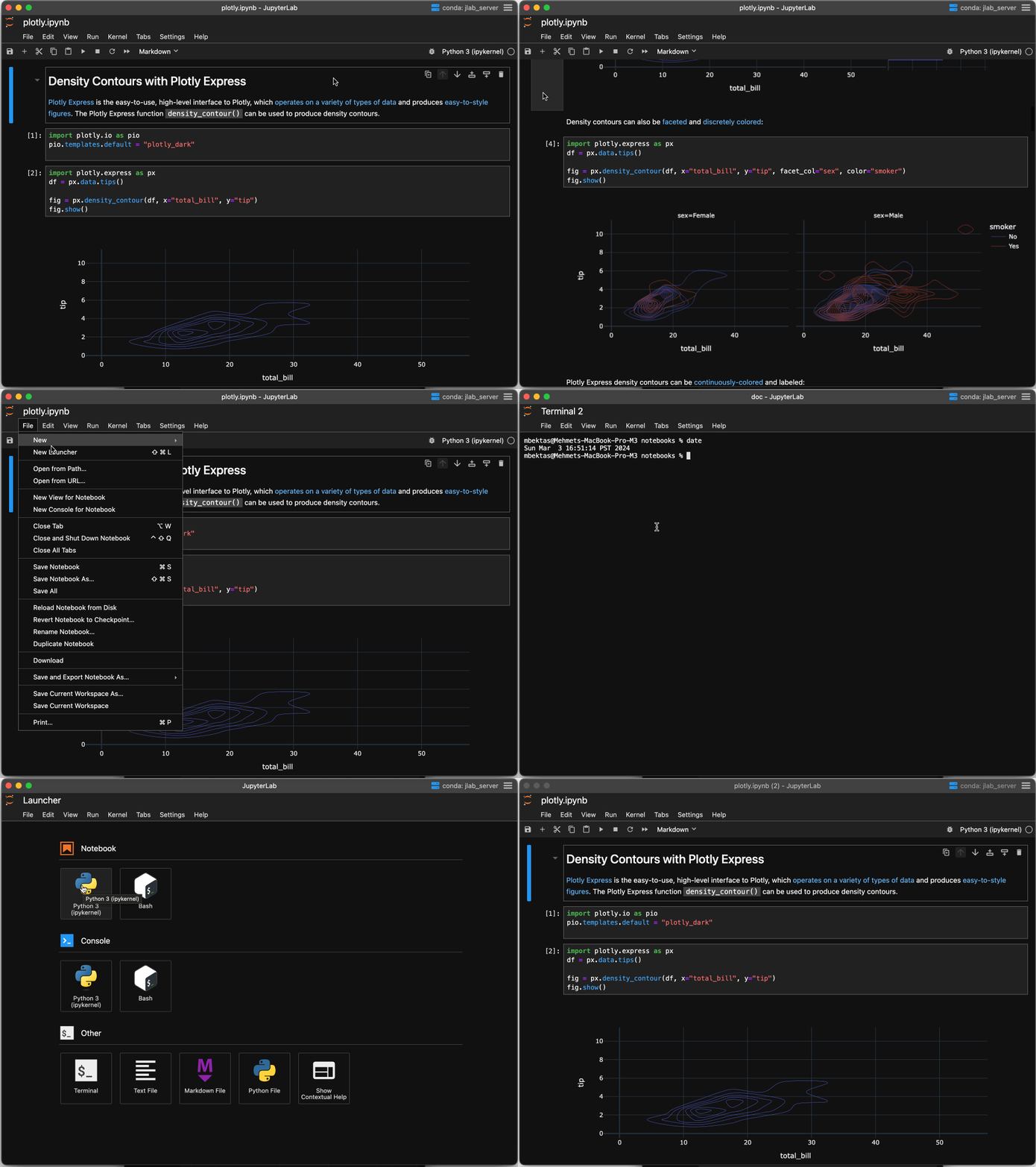
#### Zen Mode
activity barなどを排除したシンプルなモード
動作デモ
Notice that using menus or keyboard shortcuts you can still very easily navigate between different notebooks and terminals.
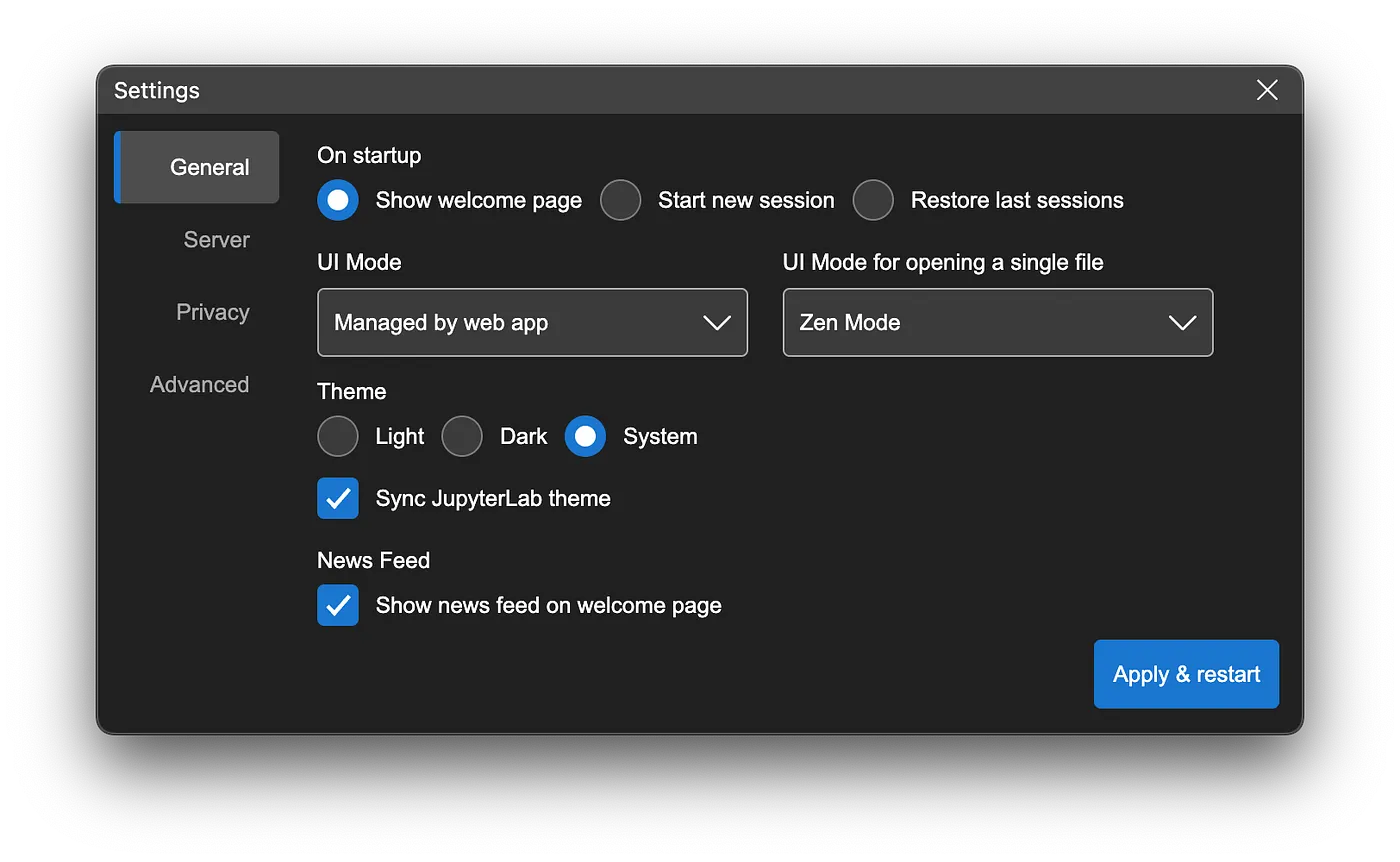
#### UI Mode Configuration
---
#### [Python environment management using JupyterLab Desktop CLI](https://blog.jupyter.org/python-environment-management-using-jupyterlab-desktop-cli-e57485c9287c)
以前の記事でJupyter Lab Desktop(JLD)のPython環境マネジメントについて紹介したが、`jlab`というCLIコマンドで同じことや追記でいろいろなことができるようになったという記事。
色々できそうなので追記予定。
---
#### JupyterLab 4.1 and Notebook 7.1 are here 🎉
##### Diagrams in Markdown
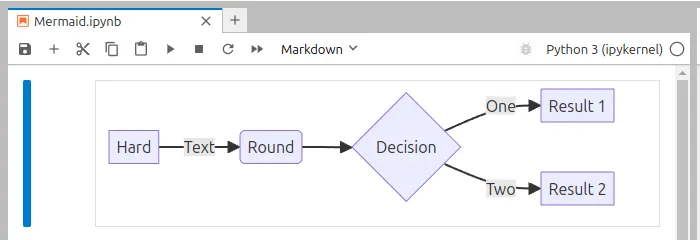
Mermaidが使える
```mermaid=
flowchart LR
A[Hard] -->|Text| B(Round)
B --> C{Decision}
C -->|One| D[Result 1]
C -->|Two| E[Result 2]
```
##### Inline code completion

##### その他
* Custom CSS
* Keyboard navigation improvements
* Execution history in notebook
追記予定
---
#### JupyterLab 3 end of maintenance
JupyterLab 4.0.0 was released on May 15, 2023, so JupyterLab 3 will reach its end of maintenance date on May 15, 2024, anywhere on Earth. To help us make this transition, fixes for critical issues will still be backported until December 31, 2024. If you are still running JupyterLab 3, we strongly encourage you to upgrade to JupyterLab 4 as soon as possible.
---
#### Curvenote joins the mybinder.org federation
---
#### [The Jupytext Menu is back!](https://blog.jupyter.org/the-jupytext-menu-is-back-3e6212e8c090)
---
#### [Meet Xeus-R: a future-proof Jupyter kernel for R](https://blog.jupyter.org/meet-xeus-r-a-future-proof-jupyter-kernel-for-r-1adc5fdd09ab)
---
#### [Jupyter Media Strategy & Social Media Update](https://blog.jupyter.org/jupyter-media-strategy-social-media-update-e4d6171b0580)
### 吉岡
PyDataの調査
#### 興味がある発表
* Jul 19 - 21 2024 [JUMP DEV](https://jump.dev/meetings/jumpdev2024/)
* [JuMP](https://github.com/jump-dev/JuMP.jl)というJuliaの最適化モデリング言語(ライブラリ?)のミートアップ。
* GitHubリポジトリから書籍等の情報も辿れる。
* 興味深い発表
* Bridging ML and Optimization with JuMP
* Invited talk: The Pyomo modeling language
* Jul 11 2024 [PYDATA EINDHOVEN 2024](https://pydata.org/eindhoven2024/)
* 興味深い発表
* [BERTopic to accelerate Ukrainian aid by the Red Cross](https://eindhoven2024.pydata.org/cfp/talk/X7GXYH/) ([YouTube](https://www.youtube.com/watch?v=WAucmqgLFBw&list=PLGVZCDnMOq0q7a2aoNP1au_1egfZEjGL6&index=11))
#### 所感
ちゃんと英語勉強しないと
 Sign in with Wallet
Connect another wallet
Sign in with Wallet
Connect another wallet