---
title: Monitoring Pulp with Prometheus and Grafana
---
# Monitoring Pulp with Prometheus and Grafana
slides: https://hackmd.io/p/iyWguPV7S-2eJHUZNRWGvg
---
## Disclaimer
My only experience with this is spending about a week researching and experimenting with it, spread out across a month or two. I'm not an expert.
---
## Problem statement: My infrastructure is a black box
I have X applications running on Y hardware resources, handling (or not?) a load that changes constantly.
* Disks fill up
* Servers and services go down
* Traffic goes up
* Available memory goes down
---
## Question:
How can I monitor for, predict and prevent problems? When problems occur, how do I pinpoint and address them?
Answer: Collect data about my applications and infrastructure
New question: ...Now what?
---
Collecting data is not the *goal*, it's a precondition.
The goal is to *understand* what is happening on the infrastructure running my:
* website
* internal IT services
* popular streaming service
* stock exchange
* ...etc
---
## What is Grafana?
An open source tool for monitoring, analyzing and visualizing infrastructure metrics in real time.
Widely used by thousands of organizations including Wikipedia, Paypal, Verizon.
---
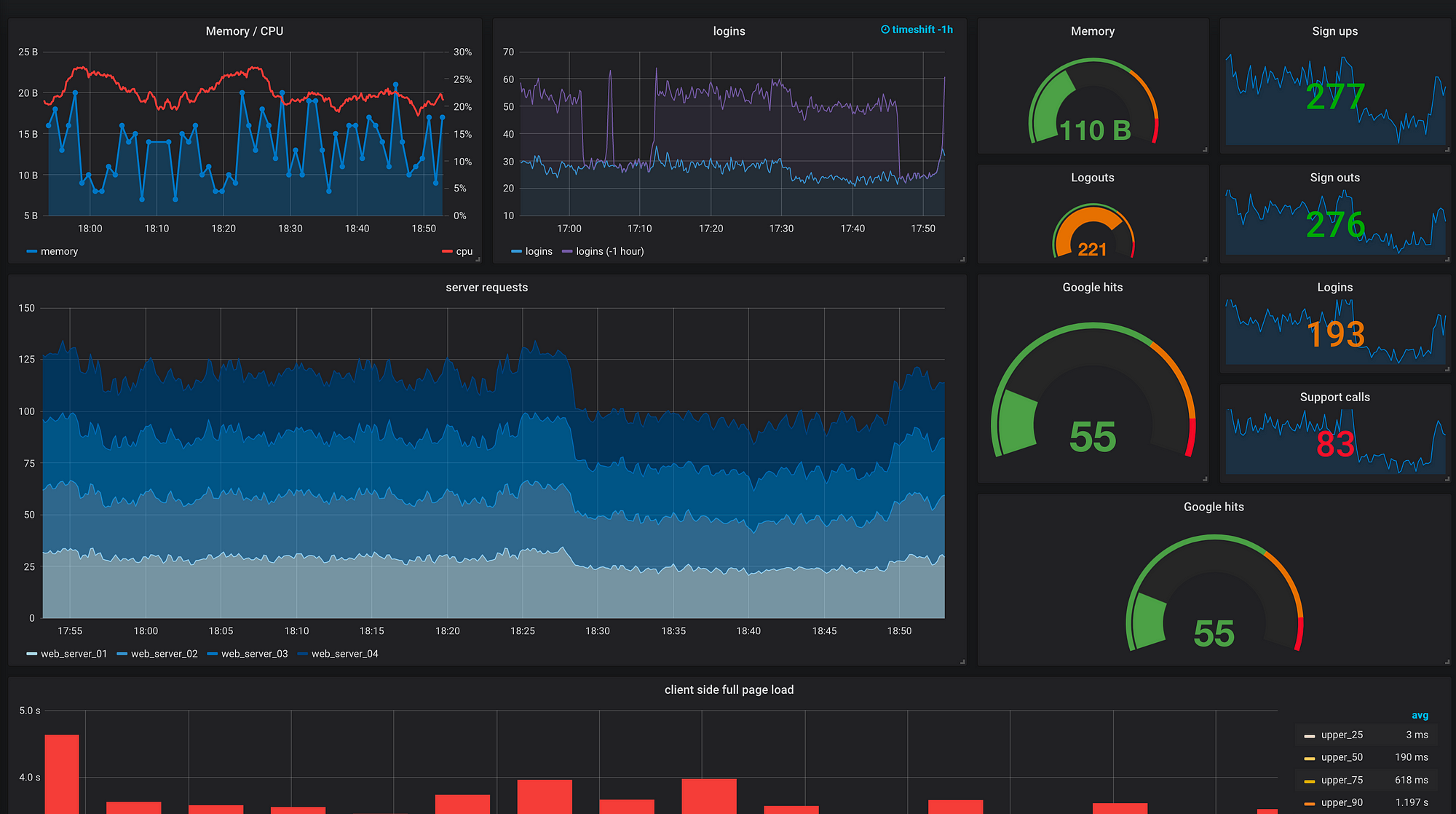
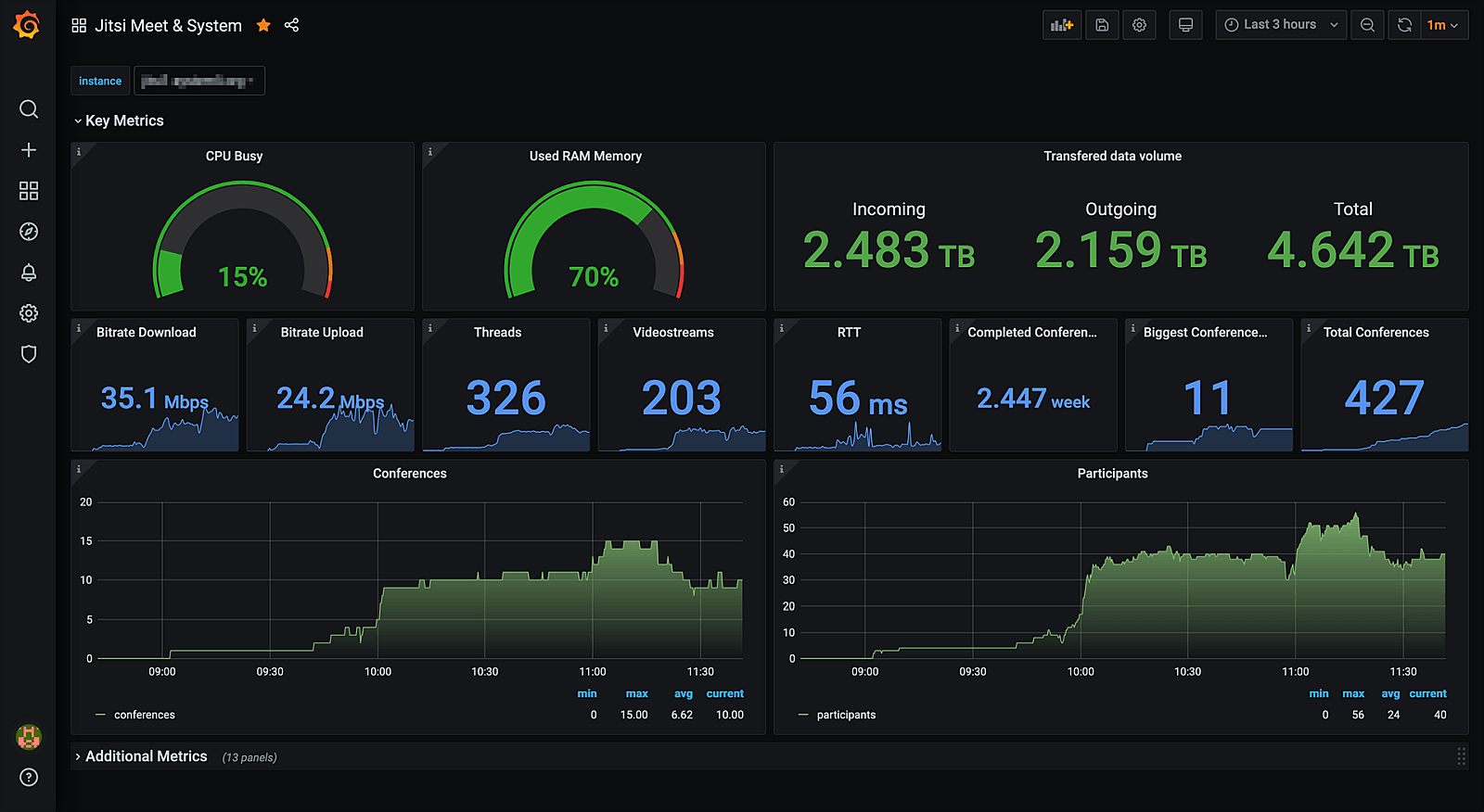
### What do you mean by "monitoring and visualizing metrics"?
---
---
### Grafana takes data and makes it comprehensible (in real time)
---

---
### Data can come from many sources
* Time-series databases (InfluxDB, Graphite, Prometheus)
* SQL databases (PostgreSQL, MySQL, MS SQL Server)
* AWS CloudWatch
* Azure Monitor
* Google Cloud Monitoring
* Elasticsearch
* About a dozen others
---
## What is Prometheus?
One such backend for Grafana - a popular one.
Key features:
* PromQL - fancy query language
* Pull-based vs push-based
---
## Example query
"Populate a variable with the busiest 5 request instances based on average QPS over the time range shown in the dashboard"
```PromQL
query_result(topk(5, sum(rate(http_requests_total[$__range])) by (instance)))
```
---
## Pull-based?
Instead of configuring your sources of data to send the data to Prometheus, you tell Prometheus where to look for the data.
"Exporters" have a standard data format, Prometheus fetches the data via HTTP request.
Benefits: Able to configure everything centrally, service discovery, node failures are more obvious.
Drawbacks: HTTP endpoint needed per-exporter.
---
## Why Prometheus vs. $something_else?
* Seems to be the most popular data source?
* Works especially well with k8s, part of CNCF foundation
* Comes with node exporter, one less thing to configure
* Exposing an HTTP endpoint on a web app is easy
---
## Exporters
* "Node" exporter - details about a machine. CPU, RAM, disk, network IO, etc.
* PostgreSQL exporter - details about transactions, connections open, ops / second, etc.
* Redis exporter - memory usage, latencies, # of entries, commands / second, expired items, etc.
* There at least a hundred of these available...
---
## Alerting
"Flash the red lights when"
* disk / memory / CPU utilization hits $threshold
* average latency / errors per second increases above $threshold
* service is unreachable for X minutes
---
## What benefits could this bring to Pulp?
For developers: Easier to monitor performance & memory consumption, faster feedback loops.
For users: Depends on which metrics we expose - I have some ideas
---
## Possible Pulp metrics
* Size of artifact storage?
* \# of Content / Repos / Repository Versions / Distributions?
* \# of downloaded content vs. un-downloaded content?
* API requests / second?
* Content app requests / second?
* Running / Waiting / Failed tasks?
---
## Live Demo
<!--
Pulp tasks demo
System metrics (CPU, mem, etc.) demo
-->
###### tags: `PulpCon 2021`
 Sign in via Google
 Sign in via Facebook
 Sign in via X(Twitter)
 Sign in via GitHub
 Sign in via Dropbox
 Sign in with Wallet
Connect another wallet
Sign in with Wallet
Connect another wallet