---
### A title
<!--{.columns}-->
<!--{.column width="30%"}-->
Some text
Some more text
<!--{.column width="69%"}-->
:::: {layout="[[1,1,1], [1]]"}
:::{#skipjack}
<div style="text-align: center">
Skipjack tuna

</div>
:::
:::
:::{#yellowfin}
:::{style="text-align: center"}
Yellowfin tuna

:::
:::
:::{#bigeye}
:::{style="text-align: center"}
Bigeye tuna

:::
:::
:::{#text .fragment}
:::{style="text-align: center; color: red;"}
Some text
:::
:::
::::
:::::
::::::
---
## Test r1
<div class="r-stack">
<img
class="fragment"
src="https://picsum.photos/450/300"
width="450"
height="300"
/>
<img
class="fragment"
src="https://picsum.photos/300/450"
width="300"
height="450"
/>
<img
class="fragment"
src="https://picsum.photos/400/400"
width="400"
height="400"
/>
</div>
---
## 順續出現的動畫(有序清單)
1. 第一點<!-- .element: class="fragment" data-fragment-index="1" -->
2. 第二點<!-- .element: class="fragment" data-fragment-index="2" -->
## 順序出現的動畫(改為置中)
1.第一點<!-- .element: class="fragment" data-fragment-index="1" -->
2.第二點<!-- .element: class="fragment" data-fragment-index="2" -->
---
## Test r2
<div class="r-stack">
<img
class="fragment fade-out"
data-fragment-index="0"
src="https://picsum.photos/450/300"
width="450"
height="300"
/>
<img
class="fragment current-visible"
data-fragment-index="0"
src="https://picsum.photos/300/450"
width="300"
height="450"
/>
<img
class="fragment"
src="https://picsum.photos/400/400"
width="400"
height="400"
/>
</div>
---
<h2 class="r-fit-text">適應文字</h2>
---
<h2 class="r-fit-text">適應文字</h2>
<h2 class="r-fit-text">可用於多個標題</h2>
---
| Column 1 | Column 2 | Column 3 |
| -------- | -------- | -------- |
| Text | Text | Text |
---
## Other notes
- Revealjs allows more than two columns
- PPT is limited to two columns
- PPT will ignore the column width
- Images will need newline before and after to get recognized
- Columns can only have one text element and can't occur before and after
---
```mermaid
pie
title 工程師的一天
"吃飯" : 10
"睡覺" : 30
"打咚咚" : 60
```
---
### 參考的連結
I get 10 times more traffic from [Google][] than from
[Yahoo][] or [MSN][].
[google]: http://google.com/ "Google"
[yahoo]: http://search.yahoo.com/ "Yahoo Search"
[msn]: http://search.msn.com/ "MSN Search"
---
### 表格
預設靠左
|編號|標題|說明|
|-|-|-
|1
---
### 表格-置中
|編號|標題|說明|
|:-:|:-:|:-:|
|100|100|100
```
|編號|標題|說明|
|:-:|:-:|:-:|
|100|100|100
```
---
### 表格-靠右
|編號|標題|說明|
|-:|-:|-:|
|100|100|100
```
|編號|標題|說明|
|-:|-:|-:|
|100|100|100
```
---
### MathJax
- 使用 **MathJax** 語法 來產生 *LaTeX* 數學表達式
- 符號表參見[此筆記](https://hackmd.io/@CynthiaChuang/Basic-LaTeX-Commands)[target=_blank]
$\sum_{i=1}^{n}(w_ix_i+b)$
---
| Column 1 | Column 2 | Column 3 |
| -------- | --------: | --------: |
| Text | Text | Text |
---
#### [蔡加尼克效應(Zeigarnik effect)](https://zh.m.wikipedia.org/zh-tw/%E8%94%A1%E5%8A%A0%E5%B0%BC%E5%85%8B%E6%95%88%E6%87%89)
- 未完成的工作項目會一直佔據大腦短期記憶體,如果沒做完事情就容易分心。<!-- .element: class="fragment" data-fragment-index="1" -->
- 也就是說,先記下來以清空大腦短期記憶體,其實就會減少分心!<!-- .element: class="fragment" data-fragment-index="2" -->
---
4. 也有透過嵌入 [Slido](https://www.slido.com/) 讓使用者留言與講者互動
<iframe src="https://app.sli.do/event/qBf2LEhknmCasLasgDPjXq" height="100%" width="100%" frameBorder="0" style="min-height: 560px;" title="Slido"></iframe>
---
``` mermaid
flowchart
Client
Server
Database
```
---
``` mermaid
flowchart
Client --> Server
Server --> Database
```
---
```mermaid
flowchart LR
Client --> Server
Server --> Database
Database -.-> Server
Server -.-> Client
```
---
```mermaid!
flowchart LR
c[Client]
s[Server]
db[Database]
c -- HTTP GET --> s
s -- SQL Query --> db
db -. Result Set .-> s
s -. JSON .-> c
```
---
```mermaid!
flowchart LR
subgraph Azure
s[Server]
db[(Database)]
end
subgraph Netlify
c[Client]
end
c -- HTTP GET --> s
s -. JSON .-> c
db -. Result Set .-> s
s -- SQL Query --> db
```
---
```mermaid!
flowchart LR
subgraph Azure
s[fa:fa-code Server]
db[(fa:fa-table Database)]
end
subgraph Netlify
c[fa:fa-user Client]
end
subgraph Netlify
end
subgraph Azure
direction LR
end
c -- HTTP GET --> s
s -- SQL Query --> db
db -. Result Set .-> s
s -. JSON .-> c
```
---
```mermaid!
flowchart RL
A@{ shape: manual-file, label: "File Handling"}
B@{ shape: manual-input, label: "User Input"}
C@{ shape: docs, label: "Multiple Documents"}
D@{ shape: procs, label: "Process Automation"}
E@{ shape: paper-tape, label: "Paper Records"}
```
---
```mermaid!
sequenceDiagram
Brian->>+Ken: Authentication Request
Ken-->>+Brian: Authentication Response
Ken->>+RequestHandler: Valid Authentication Request
RequestHandler-->>+Ken: Valid Authenticatication Response
```
---
```mermaid!
gantt
title A Survey Process Gantt Chart
dateFormat YYYY-MM-DD
section Sect1
Short Survey :a1, 2023-01-01, 20d
Data Processing :after a1 , 20d
section Sect2
Periodical Feedback Report :2023-01-12 , 12d
User Testing and Data Exploration : 20d
```
---
```geo
國立故宮博物院
```
---
```geo
-73.963246,40.779438,17
```
---
<style>
.container{
display: flex;
}
.col{
flex: 1;
}
</style>
<div class="container">
<div class="col">
Column 1 Content
</div>
<div class="col">
Column 2 Content
</div>
</div>
---
## 2x2
<div style="display:inline-flex;align-items:center;">
<div style="background-color: blue">
<br />
Motive
<br />
<br />
<div id="left down" style="left;background-color: green">
<br />
Time
<br />
<br />
</div>
</div>
<div id="right upper" style="left;background-color: red">
<br />
Skill
<br /><br />
<div id="right down" style="text-align:left;font-size:100%;left;background-color: gray" right>
<br />
Willingness
<br />
<br />
</div>
</div>
</div>
---
## h2
<div style="text-align: left; float: left;">
<p data-markdown>- This is my first left element</p>
<p data-markdown>- This is my second left element</p>
<!-- more Elements -->
</div>
<div style="text-align: right; float: right;">
<p data-markdown>- This is my first right element</p>
<p data-markdown>- This is my second rightelement</p>
<!-- more Elements -->
</div>
---
Text going to the right <!-- .element: style="float: right; width: 50%" -->
Text going on the left column <!-- .element: style="width: 50%" -->
Text going to the right 2 <!-- .element: style="float: right; width: 50%" -->
Text going on the left column 2 <!-- .element: style="width: 50%" -->
---
## test
<div class='left 1' style='float:left;width:{{left.width}}'>
1
</div>
<div class='right 1' style='float:right;width:40;background-color=green'>
2
</div>
<br />
<div class='left 2' style='float:left;width:{{left.width}}'>
3
</div>
<div class='right 2' style='float:right;width:{{right.width}}'>
4
</div>
---
<div style="-webkit-column-count: 2; -moz-column-count: 2; column-count: 2; -webkit-column-rule: 1px dotted #e0e0e0; -moz-column-rule: 1px dotted #e0e0e0; column-rule: 1px dotted #e0e0e0;">
<div style="display: inline-block;">
<h2>Good1</h2>
<pre><img src="https://i.imgur.com/MslCQzL.png><code class="language-c"></code></pre></div>
<div style="display: inline-block;">
<br>
<h2>Bad1</h2>
<pre><img src="https://i.imgur.com/MslCQzL.png><code class="language-c"></code></pre>
<h2>Good2</h2>
<pre><img src="https://i.imgur.com/MslCQzL.png><code class="language-c"></code></pre></div>
<div style="display: inline-block;">
<h2>Bad2</h2>
<pre><img src="https://i.imgur.com/MslCQzL.png><code class="language-c"></code></pre>
<h2>Good3</h2>
<pre><img src="https://i.imgur.com/MslCQzL.png><code class="language-c"></code></pre></div>
<div style="display: inline-block;">
<h2>Bad3</h2>
<pre><img src="https://i.imgur.com/MslCQzL.png><code class="language-c"></code></pre>
</div>
</div>
---
<div class="container">
<div class="item item-1"></div>
1<br />
<div class="item item-2"></div>
2<br />
<div class="item item-3"></div>
3
</div>
---
<div class="grid-container">
<div class="item1">Header</div>
<div class="item2">Menu</div>
<div class="item3">Main</div>
<div class="item4">Right</div>
<div class="item5">Footer</div>
</div>
---
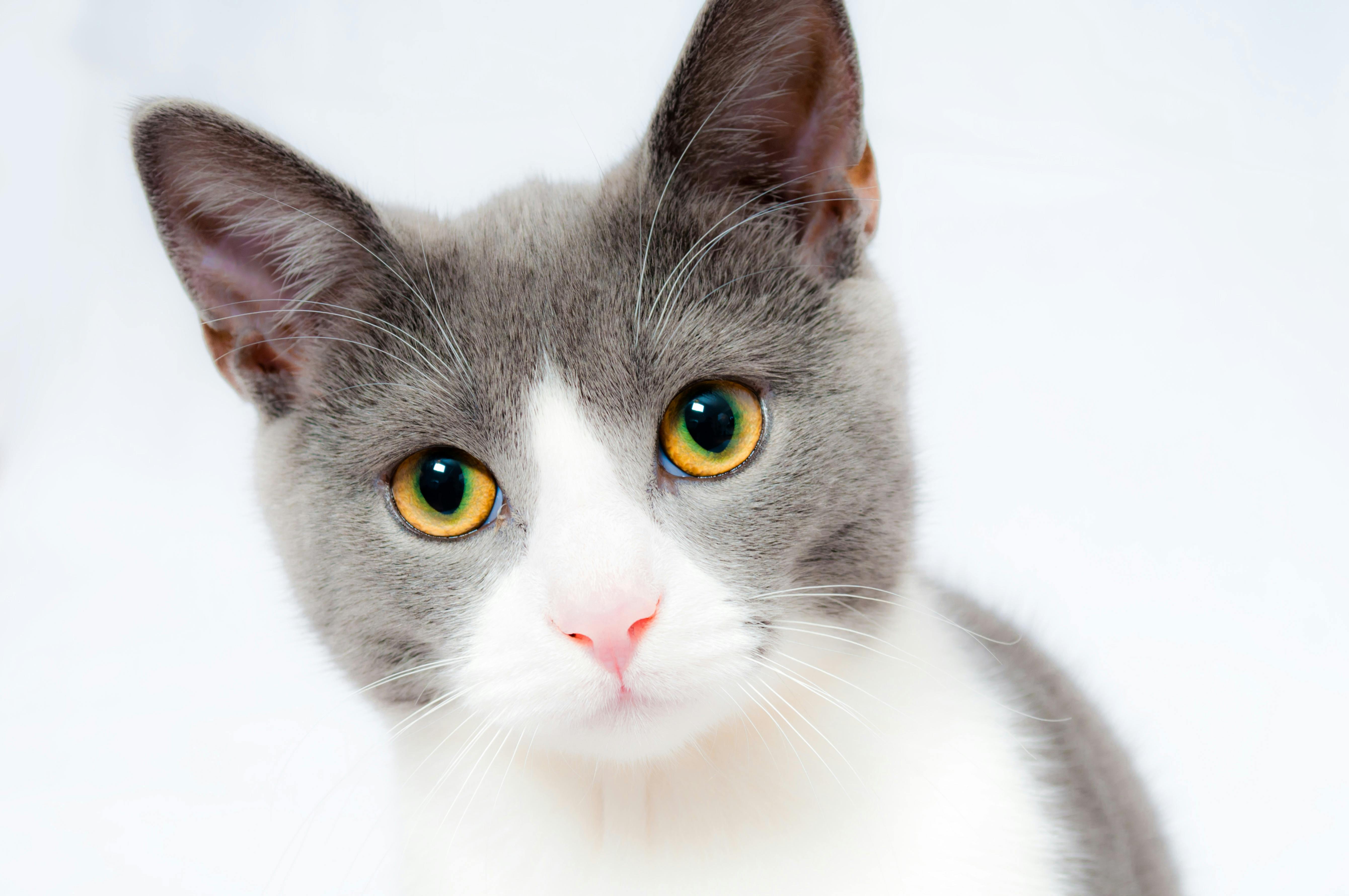
## Cats
<div style="object-position: left bottom;">
  
</div>
---
## Cats
<!--.absolute top=200 left=0 width="350" height="300" -->

<!--absolute top=50 right=50 width="450" height="250" -->

<!--absolute bottom=0 right=50 width="300" height="300" -->
---
## Cats
<div style="object-position: left bottom; flex-wrap:wrap;">
 

</div>
---
## 資料來源-開放資料
<!-- .slide: data-background="https://upload.wikimedia.org/wikipedia/commons/thumb/8/86/OpenStreetMap_homepage_2022_en.png/640px-OpenStreetMap_homepage_2022_en.png" data-background-opacity="0.5"-->
<div style="display:inline-flex;flex-direction: row;align-items:center;gap:2rem;">
<div style="flex:1;text-align:left;font-size:100%;border:2px solid black;border-radius:90px;height: 380px;" left>
<br/>
<br/>
* [TDX](https://tdx.transportdata.tw/)
* 有公共自行車、公車站資料
* GNS
* 地址座標點位
</div>
<div style="flex:1;text-align:left;font-size:120%;border:2px dashed blue;background-color: coral;height: 380px;" left>
* [ETC](https://data.gov.tw/dataset/21165)
* 消防栓
* [直飲台](https://data.gov.tw/dataset/128640)
* [村里邊界](https://data.gov.tw/dataset/7438)
</div>
<div style="flex:1;text-align:left;font-size:110%;border:2px dotted red;border-width: 1px 2px;border-radius:50px;height:380px;" left>
* 1
* 2
</div>
</div>
---
## 資料來源-開放資料
<!-- .slide: data-background="https://upload.wikimedia.org/wikipedia/commons/thumb/8/86/OpenStreetMap_homepage_2022_en.png/640px-OpenStreetMap_homepage_2022_en.png" data-background-opacity="0.5"-->
<div class="flex-container"; style="display:inline-flex;flex-direction: row-reverse;align-items:center;gap:2rem;flex-wrap:wrap;">
<div style="flex:1;text-align:left;font-size:100%;border:2px solid black;border-radius:90px;" left>
<br/>
<br/>
* [TDX](https://tdx.transportdata.tw/)
* 有公共自行車、公車站資料
</div>
<div style="flex:1;text-align:left;font-size:90%;border:2px dashed blue;background-color: coral;" left>
* [ETC](https://data.gov.tw/dataset/21165)
* 消防栓
</div>
<div style="flex:1;text-align:left;font-size:110%;border:2px dotted red;border-width: 1px 2px;border-radius:50px;height:380px;" left>
* 1
* 2
</div>
<div style="flex:1;text-align:left;font-size:110%;border:2px dotted red;border-width: 1px 2px;border-radius:50px" left>
* 1
* 2
</div>
<div style="flex:1;text-align:left;font-size:110%;border:2px dotted red;border-width: 1px 2px;border-radius:50px;" left>
* 1
* 2
</div>
</div>
{"title":"Hackmd Slide test","description":"::::::{.columns}","contributors":"[{\"id\":\"6d29f5f5-3da6-40f2-b920-e9a4cc2181dd\",\"add\":21856,\"del\":1400}]"}