# Python Decorators
## Introduction
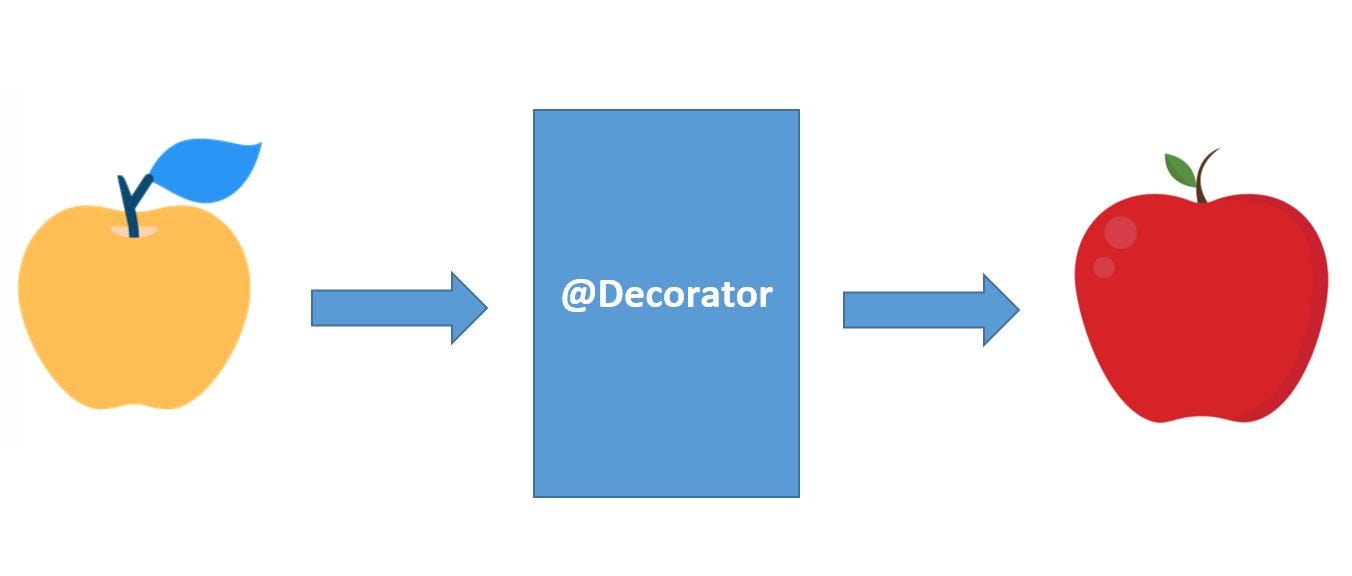
Decorators in Python provide us with a way to **expand the functionality of any existing function**. A decorator is written before the functions whose functionality is to be expanded. The decorator is just another function that takes in as an argument another function **adds some logic before and after the function** and returns the newly enhanced function.
## Prerequisites for learning decorators
To fully understand decorators in python we must know a few things.
### 1. Functions as First-Class Citizens
In python **all the functions are objects**, and thus they are as flexible as any other variable in the code. Thus, a function in python can be **passed as an argument** to another function, **returned as a result** of another function, **assigned to a variable**, and its **properties can be modified** using the dot(.) operator.
### 2. Closures in Python
A closure in python is an **inner function returned from inside of another function** that has the **context (local variables) of the outer function** from which it has been returned. Following function ```closure_fun()``` is an example of a closure function.
```python=
def outer_function(message):
"""This is the outer function"""
o_string = "Hello" # local variable of outer function
def inner_function():
"""This is the nested inner function"""
in_string = "See Ya"
print(o_string, message, in_string) # outer functions variables
return inner_function # returns the nested function
# Now let's try calling this function.
closure_fun = outer_function("People")
closure_fun()
```
###### Output: ```Hello People See Ya```
_It is because of this great property of Closures to retain the context of its outer function even after its execution is completed, that the Closures are used in Decorators._
## Functions in Python
Since functions are First-Class Citizens in python they are treated like any other object.
* In the code below **```variable_one``` is given the reference of a ```function_one```**, so the variable also behaves like a function and can be called by placing parentheses as a suffix to the variable name
```python=
def function_one(message):
print(message)
variable_one = function_one # referencing function to variable
function_one("hello") # direct function call
variable_one("there") # function called through variable
```
###### Output: ```hello there```
* A function can also be **passed as an argument** to another function, the example below shows how ```function_one``` was passed as an argument to another ```function_two``` and then called from within.
```python=
def function_one(message):
print(message)
def function_two(function):
function("executing passed function")
function_two(function_one) # passing function as argument
```
###### Output: ```executing passed function```
* A **function can also be returned from another function**, this allows us to create dynamic subroutine calls based on run-time context. Here the function ```print_odd``` or ```print_even``` is returned based on the user input and then executed. Notice that **for returning a function we _do not use parenthesis_**
```python=
def print_even():
print("The number is even")
def print_odd():
print("The number is odd")
def choose_function(number):
if number % 2 == 0:
return print_even # returning function print_even
else:
return print_odd # returning function print_odd
number = int(input("Enter a number: "))
function_to_call = choose_function(number)
function_to_call() # calling the returned function
```
###### Output:
```
Enter a number: 5
The number is odd
Enter a number: 110
The number is even
```
* Another example demonstrates the declaration of a **function inside another function**, this is called an **inner function** in python. This inner function **has access to local variables of the enclosing function**.
```python=
def outer_function():
var_one = "Hey"
def inner_function():
print(var_one, "there!")
inner_function()
outer_function()
```
###### Output: ```Hey there!```
## Decorating functions with parameters
A function with parameters can be decorated using the concepts of functions as first-class citizens. Here, by decorating a function we practically replace the function with an improved version of itself.
Here is how a function can be decorated
```python=
def subtract(a, b):
"""Basic Subtraction Function"""
return a - b
def positive_subtract(function):
"""
This function converts basic
Subtraction function to return only positive answer
"""
def inner_function(a, b):
if a < b:
a, b = b, a
return function(a, b)
return inner_function # improved function returned
subtract = positive_subtract(subtract)
answer = subtract(12, 34)
print(answer)
```
###### Output: ```22```
## Syntactic Decorator
In the previous example we have decorated ```subtract()``` function by using an assignment based syntax, which can be written as:
```python=
subtract = positive_subtract(subtract)
```
Python comes with a better way of writing the above code, **called pie syntax, we use ```@decorator_name``` notation to decorate a function**. The above code can be rewritten using pie syntax as:
```python=
def positive_subtract(function):
"""
This function converts basic
Subtraction function to return only positive answer
"""
def inner_function(a, b):
if a < b:
a, b = b, a
return function(a, b)
return inner_function # improved function returned
@positive_subtract
def subtract(a, b):
"""Basic Subtraction Function"""
return a - b
answer = subtract(12, 34)
print(answer)
```
###### Output: ```22```
## Reusing Decorator
Decorators in Python are like any other function in python which means that we can save logically related decorators in one ```.py``` file and _import that file into another python script_. This file can be considered as a module and allows **decorators to be reused like any other module** in python.
```python=
# File : logger_module.py
def logger(function):
def inner():
print("Before executing {} function".format(function.__name__))
function()
print("After executing {} function".format(function.__name__))
return inner
```
```python=
from logger_module import logger
@logger
def say_hello():
print("Hello there")
say_hello()
```
###### Output:
```
Before executing say_hello function
Hello there
After executing say_hello function
```
## Decorator with arguments
In the above example, the decorated ```say_hello()``` function does not take any argument. If we try to decorate a function that takes arguments with the ```@logger``` decorator then, we will encounter an error.
```python=
from logger_module import logger
@logger
def say_hello(name):
print("Hello there", name)
say_hello("Programmer")
```
###### Output:
```TypeError: logger.<locals>.inner() takes 0 positional arguments but 1 was given```
To allow a decorator to work with a function that takes arguments, we need to use **```*args``` and ```**kwargs``` variables** inside the decorator. They **allow the decorator to work with functions with any number of arguments**.
```python=
# File : logger_module.py
def logger(function):
def inner(*args, **kwargs):
print("Before executing {} function".format(function.__name__))
function(*args, **kwargs)
print("After executing {} function".format(function.__name__))
return inner
```
```python=
from logger_module import logger
@logger
def say_hello(name):
print("Hello there", name)
@logger
def say_bye(name, surname):
print("Bye", name, surname)
say_hello("Programmer")
say_bye("John", "Doe")
```
###### Output:
```
Before executing say_hello function
Hello there Programmer
After executing say_hello function
Before executing say_bye function
Bye John Doe
After executing say_bye function
```
## Returning Values from Decorated Functions
A decorated function can not only add extra functionality to the inner logic of a function, but it can also augment the return value of that function.
```python=
def decorate(function):
def inner(*args, **kwargs):
return "Adding functionality to {}\n{}".format(function.__name__, function(*args, **kwargs))
return inner
@decorate
def greetings(name):
return "Howdy {}".format(name)
print(greetings("Programmer"))
```
###### Output:
```
Adding functionality to greetings
Howdy Programmer
```
## Fancy Decorators
Expanding on the idea of Decorators in python, there are various scenarios where the use of decorators is appreciated.
### 1. Class Decorators
Python provides us with three class decorators ```@calssmethod```, ```@staticmethod```, and ```@property```. The decorators```@calssmethod``` and ```@staticmethod``` are used to create a **class-level function** inside a class. The **setters** and **getters** for class attributes are defined by the ```@property``` decorator.
```python=
class Employee:
def __init__(self, name):
self.name = name
@staticmethod
def hello():
print("Hello Employees")
@property
def display(self):
return "Employee {}".format(self.name)
employee = Employee("John Doe")
print("Name:", employee.name)
print(employee.display)
employee.hello()
Employee.hello()
```
###### Output:
```
Name: John Doe
Employee John Doe
Hello Employees
Hello Employees
```
### 2. Stateful Decorator
It is usually required that a decorator remembers some information between various decorator calls. Decorator allows us to add some attributes so as to keep track of information between various executions.
```python=
# File : counter_module.py
def counter(function):
def inner(*args, **kwargs):
inner.times += 1
print("{} executed {} times.".format(function.__name__, inner.times))
return function(*args, **kwargs)
inner.times = 0
return inner
```
```python=
from counter_module import counter
@counter
def hello():
print("hello there")
hello()
hello()
hello()
```
###### Output:
```
hello executed 1 times.
hello there
hello executed 2 times.
hello there
hello executed 3 times.
hello there
```
## Classes as Decorators
An improvement on the stateful decorators is Classes as Decorators. A **class is by far the best way to maintain states** for most use case scenarios. To use a class as a decorator we **must make the class callable** by implementing the ```__call__()``` function inside the class, also the constructor ```__init__()``` of the class should **take a function as an argument**.
```python=
class Counter:
def __init__(self, function):
self.function = function
self.times = 0
def __call__(self, *args, **kwargs):
self.times += 1
print("{} executed {} times.".format(self.function.__name__, self.times))
return self.function(*args, **kwargs)
@Counter
def hello():
print("hello there")
hello()
hello()
hello()
```
###### Output:
```
hello executed 1 times.
hello there
hello executed 2 times.
hello there
hello executed 3 times.
hello there
```
## Chaining Decorators
We can add multiple decorators to a single function by stacking them on top of one another. This is also called **Nesting Decorators**. Note that the **decorators are executed in the order they are written**.
```python=
from logger_module import logger
from counter_module import counter
@logger
@counter
def hello(name):
print("hello", name)
@counter
@logger
def bye():
print("See ya")
hello("Decorator")
bye()
bye()
```
###### Output:
```
Before executing inner function
hello executed 1 times.
hello Decorator
After executing inner function
inner executed 1 times.
Before executing bye function
See ya
After executing bye function
inner executed 2 times.
Before executing bye function
See ya
After executing bye function
```
As we can see in the output the logic inside decorators was executed in the same order in which they are written before the function name.
## Key Notes
* The decorator is a function that adds some logic to an existing function to enhance its functionality.
* In python, functions are objects which can be passed as an argument, returned as a result, or assigned to a variable.
* A closure is an inner function that retains the context of its outer function.
* An easier way is to use pie syntax ```@decorator_name``` to decorate a function.
* Decorators like any other functions in python can be put in a module and reused.
* We use ```*args``` and ```**kwargs``` variables to allow the decorator to work with functions with any number of arguments.
* Decorators can be augmented to retain information between multiple calls making them stateful decorators.
* More than one decorator can be used with the same function by nesting the decorators
 Sign in via Google
 Sign in via Facebook
 Sign in via X(Twitter)
 Sign in via GitHub
 Sign in via Dropbox
 Sign in with Wallet
Connect another wallet
Sign in with Wallet
Connect another wallet