# Component Report: Z-Axis Rail and Motor
## 1. General Information
| Field | Detail |
| :--- | :--- |
| **Agency** | Senior Forensic Team |
| **Case Identifier** | MDEF-UTS-002 |
| **Component** | Z-Axis rail and motor |
| **Type** | INPUT/OUTPUT/ACTUATOR / SENSOR/OTHER |
| **Members** | Alejandra Rivera Zamacona, Armin Gulbert, Ludovico Celli, Melissa Ingaruca Moreno, Rishi Srinivasan, Swarna Manjari Chellapandi |
| **Date of Report** | 21 November 2025 |
### Purpose
The purpose of this document is to provide a comprehensive overview of the forensic and due diligence activities carried out on a key component of the Anycubic Photon M3 Plus 3D printer.
### Structure of document
The report was built based on the following structure:
* Build and Technical overview
* Functionality overview
* Code example resulting functioning component
* Schematic diagrams illustrating component functionality and test scenario
* Utilisation ideas, listing of potential utilisation scenarios
---
## 2. Build & Technical Overview

Source: https://cdn.shopify.com/s/files/1/0245/5519/2380/files/Anycubic_Photon_M3_Plus-English-V0.0.5.pdf?v=1662458653
The component contains mechanical and electronic elements. The Z lead screw, platform bucket and the dual rail are the mechanical elements operated by the electro motor. The motor receives power and instructions via signal from the motherboard. The motor rotates the Z leads screw through steps triggered by signals.
Later in this document we describe in detail the code snippet we used to activate the motor and movement.
### Component Anatomy
* **Mechanical:** Z lead screw, Platform securing knob, Platform bracket, Printing Platform, Dual rail.
* **Electronic:** Electro motor (Stepper).
### Technical Specifications
#### Motor Data
| Parameter | Specification | Notes |
| :--- | :--- | :--- |
| **Standard** | NEMA 17 (42x42mm face) | Standard industry size |
| **Body Length** | 48mm | "High Torque" body length |
| **Step Angle** | 1.8° | 200 steps per revolution |
| **Voltage/Current** | 12V / 1.5A | Standard drive current |
#### Lead Screw Data
| Parameter | Specification | Notes |
| :--- | :--- | :--- |
| **Type** | T8 (Trapezoidal, 8mm dia) | Integrated into motor rotor |
| **Pitch & Lead** | Pitch: 2mm / Lead: 2mm | **Critical:** "Single Start" screw. One rotation = 2mm rise. |
| **Length** | ~380mm | Accommodates 245mm travel + clearance |
| **Connector** | JST-XH 6-pin (4 wires) | Standard Pinout: A+ A- B+ B- |
#### Dual-Rail Data
| Parameter | Specification |
| :--- | :--- |
| **Rail Type** | MGN Series Linear Guideway |
| **Size Estimate** | MGN12 (12mm wide rail) |
| **Configuration** | Dual Rail (Left & Right) |
| **Carriage Block** | MGN12H (Long Body) or MGN12C (Short) |
---
## 3. Functionality & Testing
### Core Functionality
The component controls the vertical (up-down) movement of the build plate, which is critical for the 3D printing process.

Within the core functionality of the 3D printer, this component has a key role. Based on the received signals from the mother board - channeling in the printing process, parameters and instruction - the motor starts spinning the Z lead screw. That is responsible for the up-down direction movement of the build plate. This movement ensures that the printing follows a consistent pace and rhythm. In this process the code-based instructions of the Firmware is turned into movement.
### Test Scenarios and Results
| # | Testing Description | Evidence | Result |
| :--- | :--- | :--- | :--- |
| **1** | **Wiring Test:** Arduino - Driver 8825 - Motor | All connections matched properly. | 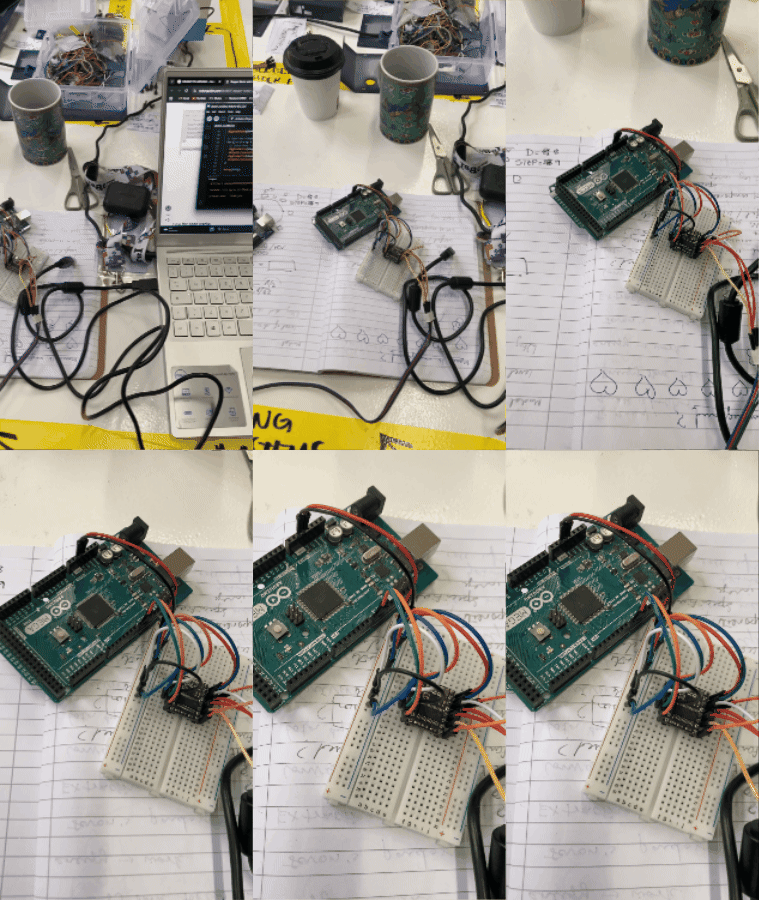|
| **2** | **Revolution Test:** 1 revolution clockwise and anti-clockwise | 1 revolution is 200 steps. |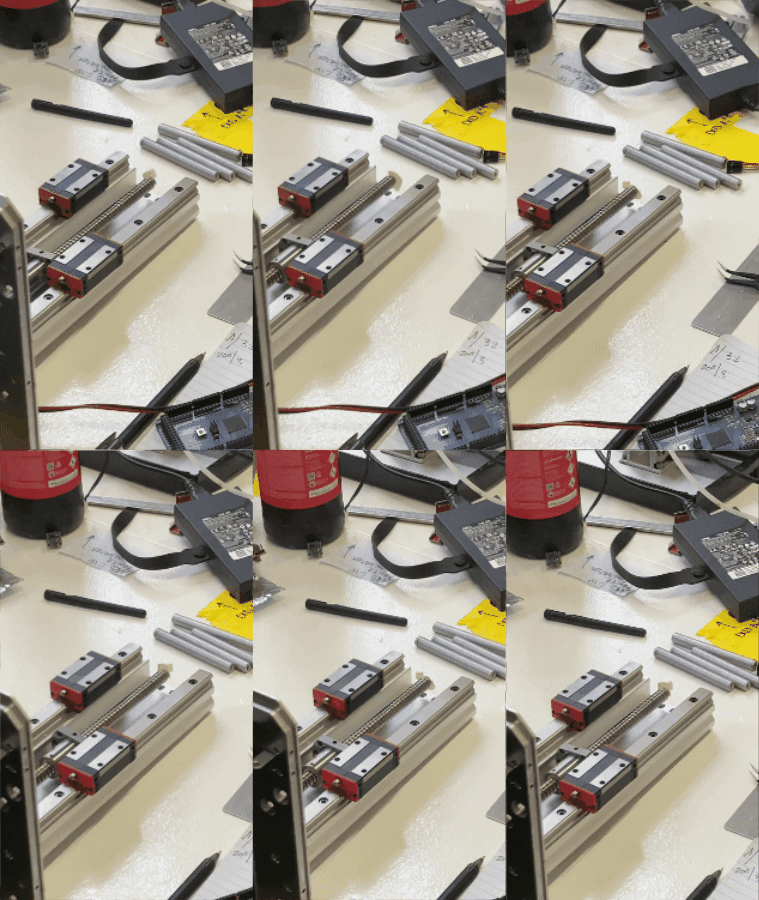 |
| **3** | **Distance Test:** exact distance of 1 revolution in Z-axis | 1 revolution moves the slider 4mm. |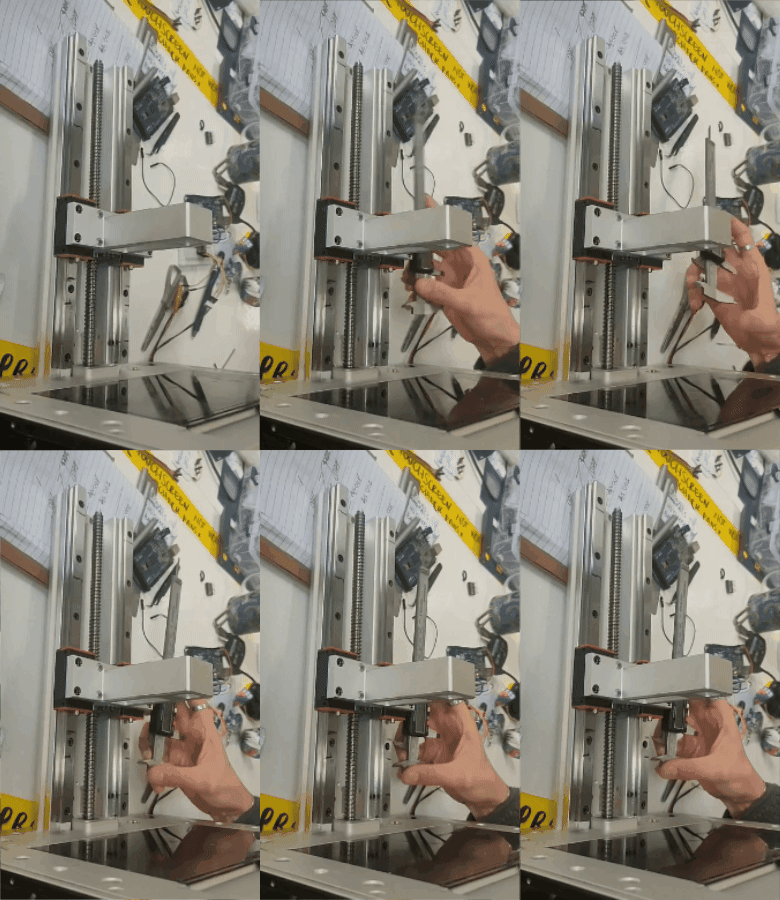 |
| **4** | **Code Test:** Arduino program for specific distance input | Motor shaft rotates forward or backward based on user input. |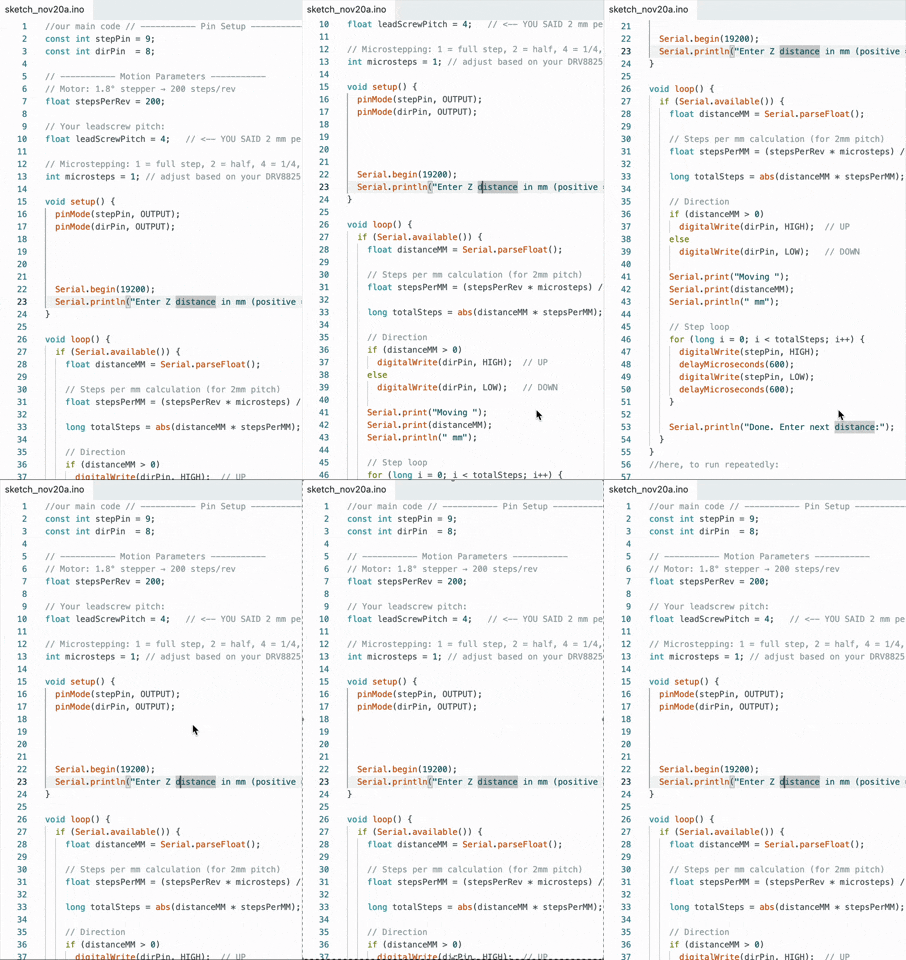|
---
## 4. Prototyping & Schematics
### Wiring Diagram
The prototyping setup utilized a DRV8825 driver connecting a microcontroller (Arduino) to the stepper motor.

Datasheet: https://www.pololu.com/picture/view/0J4232
**Pin Notes:**
* **M Pins:** Select microstepping mode.
* **STEP:** Input triggers one microstep.
* **DIR:** Controls direction (Negative=Left, Positive=Right).
### Microstepping Configuration
The team utilized M0, M1, and M2 pins to program the subdivision of steps. The prototype was programmed to **1/16 step**.
| M0 | M1 | M2 | Microstep Resolution |
| :--- | :--- | :--- | :--- |
| Low | Low | Low | Full step |
| High | Low | Low | Half step |
| Low | High | Low | 1/4 step |
| High | High | Low | 1/8 step |
| **Low** | **Low** | **High** | **1/16 step** |
### Wiring: Connecting Driver to Arduino and to Motor

#### Issues encountered
1. Erratic motor behavior:
* **Cause**: Loose wiring connections
* **Solution**: Secured all connections
2. Serial communication timeouts:
* **Cause**: Buffer overflow with rapid input commands
* **Solution**: Implemented input queue
#### Safety measures
* Power supply isolation: Always disconnect power before wiring changes
* Proper grounding: Arduino and driver share common ground to prevent damage
* Current ratings: Never exceed motor's rated current
* Load capacity: Never exceed motor's rated torque
* Movement awareness: Always visually confirm clear path before initiating movement
---
## 5. Code Implementation
The following code was used to validate the motor functionality.
### Basic Rotation Code
```cpp
// Define stepper motor connections and steps per revolution:
#define dirPin 8
#define stepPin 9
#define stepsPerRevolution 200
void setup() {
// Declare pins as output:
pinMode(stepPin, OUTPUT);
pinMode(dirPin, OUTPUT);
}
void loop() {
// Set the spinning direction clockwise:
digitalWrite(dirPin, HIGH);
for (int i=0; i < stepsPerRevolution; i++) {
digitalWrite(stepPin, HIGH);
delayMicroseconds(2000);
digitalWrite(stepPin, LOW);
delayMicroseconds(2000);
}
delay(1000);
// Set the spinning direction counterclockwise:
digitalWrite(dirPin, LOW);
for (int i=0; i < stepsPerRevolution; i++) {
digitalWrite(stepPin, HIGH);
delayMicroseconds(1000);
digitalWrite(stepPin, LOW);
delayMicroseconds(1000);
}
}
```
### Rotation Code with Input Distance
``` cpp
// ----------- Pin Setup -----------
const int stepPin = 9;
const int dirPin = 8;
// ----------- Motion Parameters -----------
// Motor: 1.8° stepper → 200 steps/rev
float stepsPerRev = 200;
// Your leadscrew pitch:
float leadScrewPitch = 4;
// Microstepping: 1 = full step, 2 = half, 4 = 1/4, 8 = 1/8, 16 = 1/16, etc.
int microsteps = 1; // adjust based on your DRV8825 M0/M1/M2 pins
void setup() {
pinMode(stepPin, OUTPUT);
pinMode(dirPin, OUTPUT);
Serial.begin(19200);
Serial.println("Enter Z distance in mm (positive = up, negative = down):");
}
void loop() {
if (Serial.available()) {
float distanceMM = Serial.parseFloat();
// Steps per mm calculation (for 2mm pitch)
float stepsPerMM = (stepsPerRev * microsteps) / leadScrewPitch;
long totalSteps = abs(distanceMM * stepsPerMM);
// Direction
if (distanceMM > 0)
digitalWrite(dirPin, HIGH); // UP
else
digitalWrite(dirPin, LOW); // DOWN
Serial.print("Moving ");
Serial.print(distanceMM);
Serial.println(" mm");
// Step loop
for (long i = 0; i < totalSteps; i++) {
digitalWrite(stepPin, HIGH);
delayMicroseconds(600);
digitalWrite(stepPin, LOW);
delayMicroseconds(600);
}
Serial.println("Done. Enter next distance:");
}
}
```
 Sign in via Facebook
 Sign in via X(Twitter)
 Sign in via GitHub
 Sign in via Dropbox
 Sign in with Wallet
Connect another wallet
Sign in with Wallet
Connect another wallet