<!-- .slide: data-background="https://raw.githubusercontent.com/maxulysse/maxulysse.github.io/main/assets/img/svg/green_white_bg.svg" -->
<a href="https://www.nf-co.re"><img src="https://raw.githubusercontent.com/nf-core/logos/master/byte-size-logos/bytesize-darkbg.svg" width="65%"><img></a>
# Intro to Inkscape and Pipeline Diagrams
James A. Fellows Yates / <img src="https://openmoji.org/data/color/svg/E040.svg" width=50> @jfy133 / <img src="https://openmoji.org/data/color/svg/E045.svg" width=50> @jfy133
Leibniz-HKI / MPI-EVA
note:
Prep:
- Notes on the left, slides/inkscape on the right
- open new document
- Turn on key-logger
- Check location
- close all sidebars
- [Have nf-core graphics page open](https://nf-co.re/developers/design_guidelines#workflow-schematics)
---
# Overview
Topic: Making pretty graphics for documentation!
- Image examples
- Live demo of Inkscape
- Example pipeline map construction
<img src="https://github.com/nf-core/eager/raw/master/docs/images/usage/eager2_metromap_complex.png" width=60%/>
---
# Inkscape
<img src="https://i.imgur.com/RJlnKZv.png" width=50%>
> Inkscape is professional quality [**open source**] vector graphics software which runs on Linux, Mac OS X and Windows desktop computers. - [https://inkscape.org/](https://inkscape.org/)
---
# Why use Inkscape?: Raster vs Vector

Zoom, Stretch, Manipulate: always smooth, HD lines
<blockquote style="font-size:12px; width: 70% ;
"> <a href="https://commons.wikimedia.org/wiki/File:Bitmap_VS_SVG.svg">Yug, modifications by Cfaerber et al.</a> Under CC-BY SA 2.5</blockquote>
---
## Logos
<p>
</p>
<img src="https://github.com/nf-core/sarek/raw/master/docs/images/logos/nf-core_sarek/nf-core_sarek_dark_color.svg" width="30%">
<img src="https://github.com/sidora-tools/sidora/raw/master/inst/shiny/www/sidora_logo_final.svg" width="25%">
<img src="https://github.com/nf-core/eager/raw/master/docs/images/nf-core_eager_logo_outline_drop.png" width="40%">
<p>
</p>
---
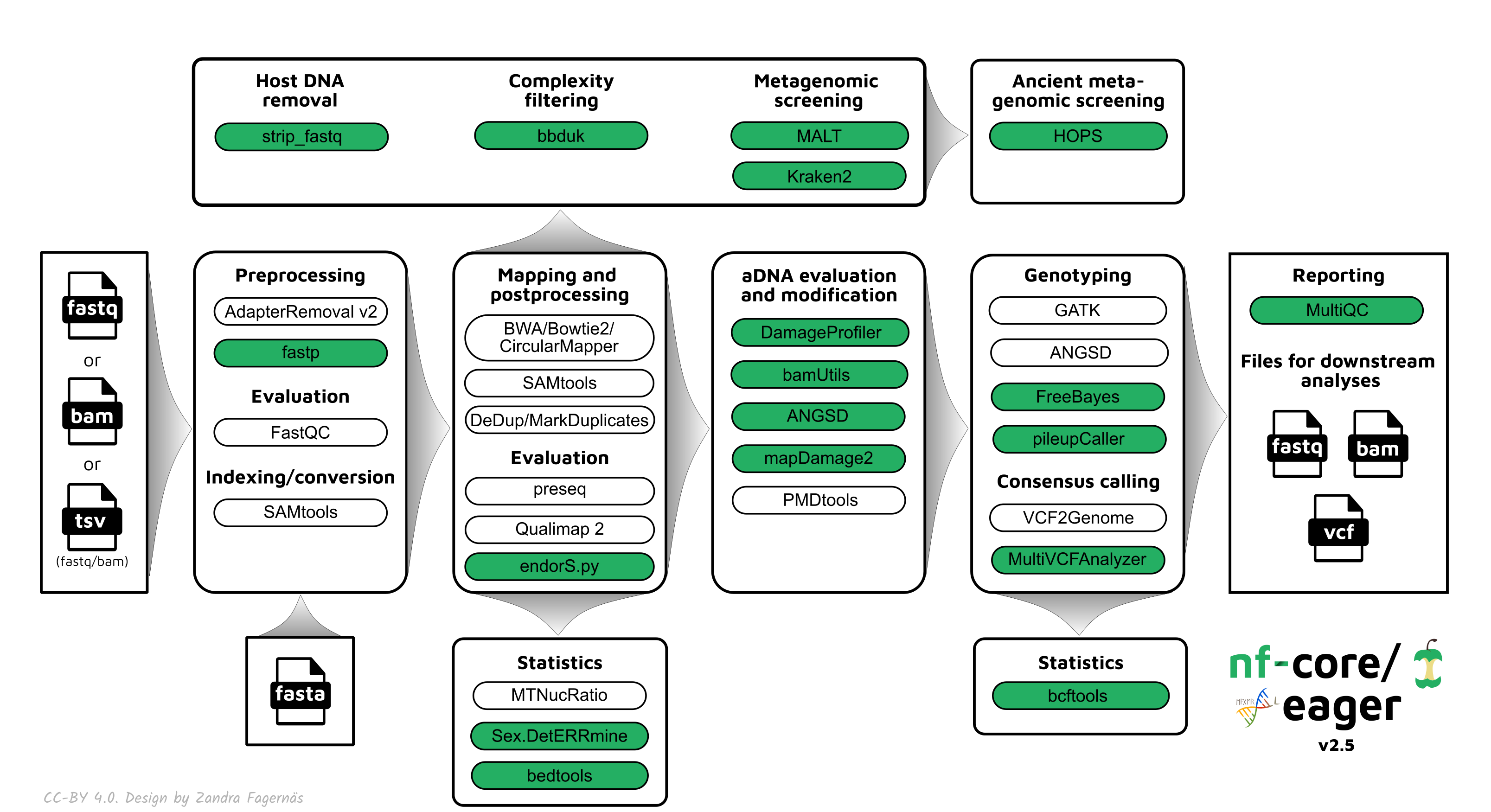
## Workflow Diagrams
---

---

note:
Be creative!
---
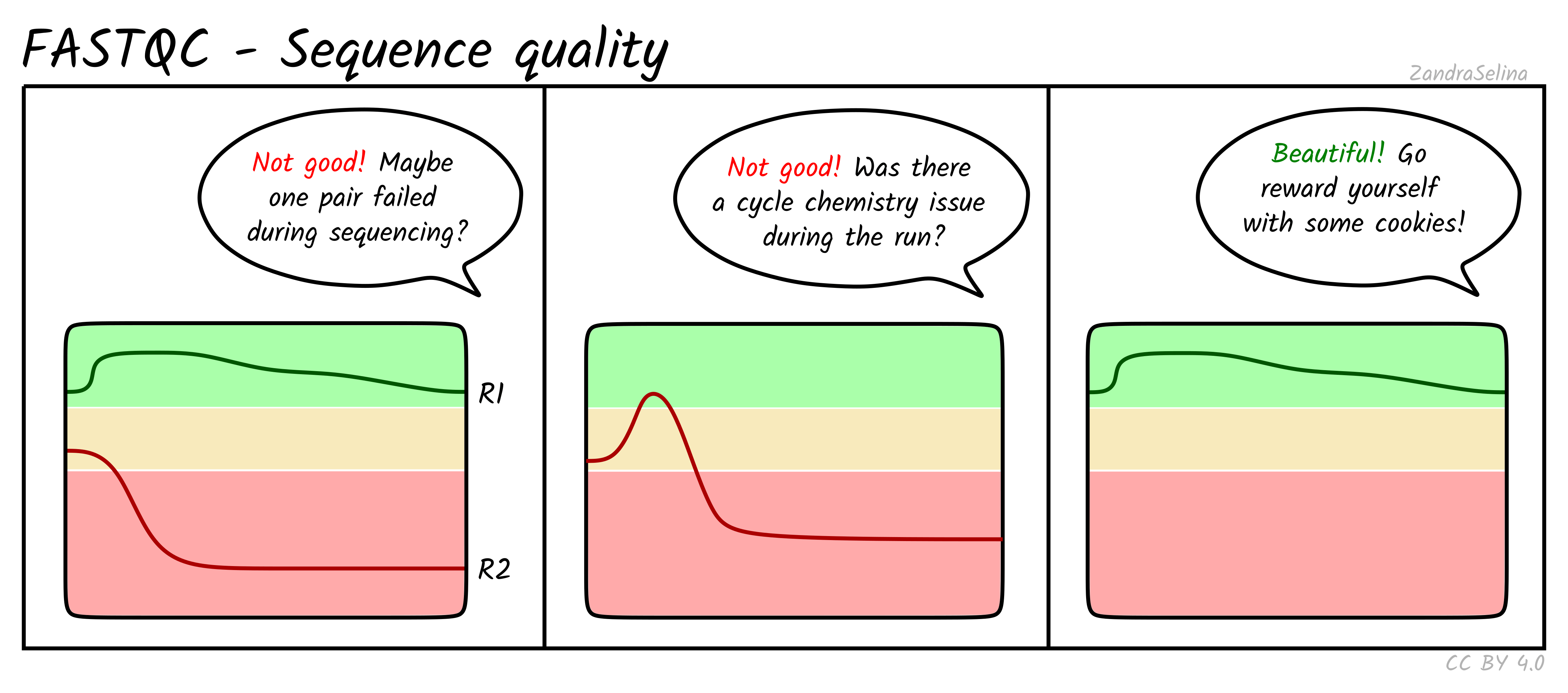
## Docs Images
---
# Other diagrams
<img src="https://i.imgur.com/cncO4T8.png" width=49%>
<img src="https://i.imgur.com/6b0eYav.png" width=49%>
---
# Live demo time!
note:
Things to cover:
- Objects
- make object
- Resize
- Make line
- Paths
- Modify paths
- Arranging objects
- Grouping
- Ordering (top/bottom)
- Align distrbute
- Scale/transform
- Rotate
- Scale
- Text
- Writing
- Gridding
- Grids
- Snapping
- Fill / Colour
- Change colour stroke
- Change fill colour
- Hex colours
- Change page size
- Export
- Save as PNG
- ?Tracing?
- Importing files
---
## Need help?
<!-- .slide: data-background="https://raw.githubusercontent.com/maxulysse/maxulysse.github.io/main/assets/img/svg/green_white_bg.svg" -->
Repository: [`nf-core/nf-co.re`](https://github.com/nf-core/nf-co.re)
Tutorial: [`https://nf-co.re/developers/design_guidelines`](https://nf-co.re/developers/design_guidelines)
Chat: [`https://nf-co.re/join`](https://nf-co.re/join) <img src="https://cdn.brandfolder.io/5H442O3W/at/pl546j-7le8zk-6gwiyo/Slack_Mark.svg" width=7.5%></img>`#graphics`
<p align="center">
Follow nf-core on
<a href="https://www.twitter.com/nf_core"><img src="https://openmoji.org/data/color/svg/E040.svg" width=6%></a>
<a href="https://github.com/nf-core"><img src="https://openmoji.org/data/color/svg/E045.svg" width=6%></a>
<a href="https://www.youtube.com/c/nf-core"><img src="https://openmoji.org/data/color/svg/E044.svg" width=6%></a>
</a>
</p>
<a href="https://nf-co.re/" style="color: #000000; font-family:Monaco, monospace; font-weight:bold;">https://nf-co.re/</a>
<div style="display: flex; justify-content: space-evenly; align-items:center;">
<img src="https://chanzuckerberg.com/wp-content/themes/czi/img/logo.svg" width=15%>
<div style="font-style:italic; font-size: 0.5em; color: #666;">Icons:<br><a href="https://openmoji.org">openmoji.org</a></div></div>
<style>
.reveal section img { background:none; border:none; box-shadow:none; }
body {
background-image: url(https://raw.githubusercontent.com/nf-core/logos/master/nf-core-logos/nf-core-logo-square.svg);
background-size: 7.5%;
background-repeat: no-repeat;
background-position: 3% 96%;
background-color: #181a1b;
}
.reveal body {
font-family: 'Roboto', sans-serif;
font-weight: 300;
color: white;
}
.reveal p {
font-family: 'Roboto', sans-serif;
font-weight: 300;
color: white;
}
.reveal h1 {
font-family: 'Roboto', sans-serif;
font-style: bold;
font-weight: 400;
color: white;
font-size: 62px;
}
.reveal h2 {
font-family: 'Roboto', sans-serif;
font-weight: 300;
color: white;
}
.reveal h3 {
font-family: 'Roboto', sans-serif;
font-style: italic;
font-weight: 300;
color: white;
}
.reveal p {
font-family: 'Roboto', sans-serif;
font-weight: 300;
color: white;
}
.reveal li {
font-family: 'Roboto', sans-serif;
font-weight: 300;
color: white;
}
.reveal pre {
background-color: #272822 !important;
display: inline-block;
border-radius: 7px;
color: #aaaba9;
}
.reveal pre code {
color: #eeeeee;
background-color: #272822;
font-size: 100%;
}
.reveal code {
background-color: #272822;
font-size: 75%;
}
.reveal .progress {
color: #24B064;
}
.reveal .controls button {
color: #24B064;
}
.reveal blockquote {
display: block;
position: relative;
width: 90%;
margin: 20px auto;
padding: 5px;
background: rgba(255, 255, 255, 0.05);
box-shadow: 0px 0px 2px rgb(0 0 0 / 20%);
}
</style>
{"metaMigratedAt":"2023-06-16T21:05:12.082Z","metaMigratedFrom":"YAML","title":"nf-core/bytesize: intro to inkscape and metro-map pipeline diagrams","breaks":true,"contributors":"[{\"id\":\"6357fb8d-b0f8-4b7d-9fbe-6d813ad67700\",\"add\":4506,\"del\":2618}]"}