---
tags: BMMB554-23
---
# Lecture 2: Shell I
[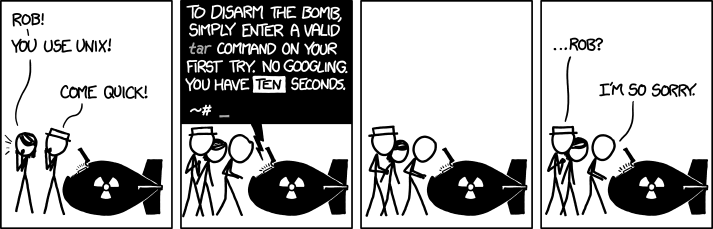](https://xkcd.com/1168)
Shell allows interaction with operating system. Today we will play with [bash](https://en.wikipedia.org/wiki/Bash_(Unix_shell)), which is one of [many](https://en.wikipedia.org/wiki/Comparison_of_command_shells#General_characteristics) existing shells.
## A note on "notebook environments"
We will use JupyterLab as our main platform. JupyterLab is an example of a "notebook environment." There are several frameworks for interactive data exploration using code snippets. These include:
- [Jupyter](https://jupyter.org/) | [JupyterLite](https://github.com/jupyterlite) | [Google Colab](https://colab.research.google.com)
- [RStudio](https://posit.co/)
- [ObservableHQ](https://observablehq.com/@d3/gallery?collection=@observablehq/observable-libraries-for-visualization) (learn JavaScript [here](https://eloquentjavascript.net/))
## Lecture setup
1. Start [JupyterLab](https://mybinder.org/v2/gh/jupyterlab/jupyterlab-demo/try.jupyter.org?urlpath=lab)
2. Start terminal within JupyterLab instance

3. Download notebook for today's lecture into the JupyterLab environment by executing the following command (cut the command and paste it into terminal you opened at step 2)
```bash=
wget https://raw.githubusercontent.com/nekrut/BMMB554/master/2023/ipynb/L2-shell1.ipynb
```
4. Refresh your file browser
5. Double click on the notebook to launch it (select Python 3 kernel)
6. Drag notebook tag to a side to have side-by-side view of the notebook and terminal.
7. Go to terminal tab end execute the following commands:
```bash=
cd ~/
mkdir -p Desktop/
cd Desktop/
wget -c https://github.com/swcarpentry/shell-novice/raw/2929ba2cbb1bcb5ff0d1b4100c6e58b96e155fd1/data/shell-lesson-data.zip
unzip -u shell-lesson-data.zip
```
8. Let the lecture begin!
## Appendix: Some interesting results from Quiz 0
### Script 1
#### Example 1
```python=
#assuming the sequence is in a string called "seq"
seq = seq.upper() # convert everything to upper case for ease
length = len(seq)
count=0
for chara in seq:
if chara=='G' or chara=='C':
count+=1
gc_content=count/length
```
#### Example 2
```python=
sequence = "aTGggtGGcCgCCt"
lettercount={i: sequence.count(i) for i in set(sequence)}
gc = lettercount['G']+lettercount['g']+lettercount['C']+lettercount['c']
print(str(round(gc/len(sequence)*100,2))+'%')
```
#### Example 3
```python=
library(stringr)
seq <- "aTGggtGGcCgCCt"
num_g <- str_count(seq, "g")
num_c <- str_count(seq, "c")
num_G <- str_count(seq, "G")
num_C <- str_count(seq, "C")
gc_content <- (num_g + num_c + num_G + num_C) / str_length(seq) * 100
```
### Script 2
#### Example 1
```python=
import re
print(re.findall('...',sequence))
```
#### Example 2
```python=
x <- "aTGggtGGcCgCCt"
length <- nchar(x)
codon <- length/3
codon <- ceiling(codon)
x <- as.list(strsplit(x, "")[[1]])
codonlist = list()
for (j in 1:length) {
for(i in 1:codon){
if (j <= 12 ){
codonlist[[i]] <- paste(x[[j]],x[[j+1]],x[[j+2]],sep=",")
j <- j+3}
else {
codonlist[[i]] <- paste(x[[j]],x[[j+1]],sep=",")}
}
break
}
print(codonlist)
```
 Sign in with Wallet
Connect another wallet
Sign in with Wallet
Connect another wallet