# article-parser
Extract main article, main image and meta data from URL.
[](https://badge.fury.io/js/article-parser)
[](https://travis-ci.org/ndaidong/article-parser)
[](https://coveralls.io/github/ndaidong/article-parser?branch=master)
## Demo
- [Give it a try!](https://article-parser-demo.ctdtmnhnlcndt.com/)
- [Example FaaS](https://us-central1-technews-251304.cloudfunctions.net/article-parser?url=)
View [screenshots](#screenshots) for more info.
## Usage
```
npm install article-parser
```
Then:
```js
const {
extract
} = require('article-parser');
const url = 'https://goo.gl/MV8Tkh';
extract(url).then((article) => {
console.log(article);
}).catch((err) => {
console.log(err);
});
```
## APIs
Since v4, `article-parser` will focus only on its main mission: extract main readable content from given webpages, such as blog posts or news entries. Although it is still able to get other kinds of content like YouTube movies, SoundCloud media, etc, they are just additions.
#### extract(String url | String html)
Extract data from specified url or full HTML page content.
Return: a Promise
Here is how we can use `article-parser`:
```js
import {
extract
} from 'article-parser';
const getArticle = async (url) => {
try {
const article = await extract(url);
return article;
} catch (err) {
console.trace(err);
}
};
```
In comparison to v3, the `article` object structure has been changed too. Now it looks like below:
```json
{
"url": URI String,
"title": String,
"description": String,
"image": URI String,
"author": String,
"content": HTML String,
"published": Date String,
"source": String, // original publisher
"links": Array, // list of alternative links
"ttr": Number, // time to read in second, 0 = unknown
}
```
#### Configuration methods
In addition, this lib provides some methods to customize default settings. Don't touch them unless you have reason to do that.
- setParserOptions(Object parserOptions)
- getParserOptions()
- setNodeFetchOptions(Object nodeFetchOptions)
- getNodeFetchOptions()
- setSanitizeHtmlOptions(Object sanitizeHtmlOptions)
- getSanitizeHtmlOptions()
Here are default properties/values:
#### Object `parserOptions`:
```js
{
wordsPerMinute: 300,
urlsCompareAlgorithm: 'levenshtein',
}
```
Read [string-comparison](https://www.npmjs.com/package/string-comparison) docs for more info about `urlsCompareAlgorithm`.
#### Object `nodeFetchOptions`:
```js
{
headers: {
'user-agent': 'article-parser/4.0.0',
},
timeout: 30000,
redirect: 'follow',
compress: true,
agent: false,
}
```
Read [node-fetch](https://www.npmjs.com/package/node-fetch#options) docs for more info.
#### Object `sanitizeHtmlOptions`:
```js
{
allowedTags: [
'h1', 'h2', 'h3', 'h4', 'h5',
'u', 'b', 'i', 'em', 'strong',
'div', 'span', 'p', 'article', 'blockquote', 'section',
'pre', 'code',
'ul', 'ol', 'li', 'dd', 'dl',
'table', 'th', 'tr', 'td', 'thead', 'tbody', 'tfood',
'label',
'fieldset', 'legend',
'img', 'picture',
'br', 'p', 'hr',
'a',
],
allowedAttributes: {
a: ['href'],
img: ['src', 'alt'],
},
}
```
Read [sanitize-html](https://www.npmjs.com/package/sanitize-html#what-are-the-default-options) docs for more info.
## Screenshots
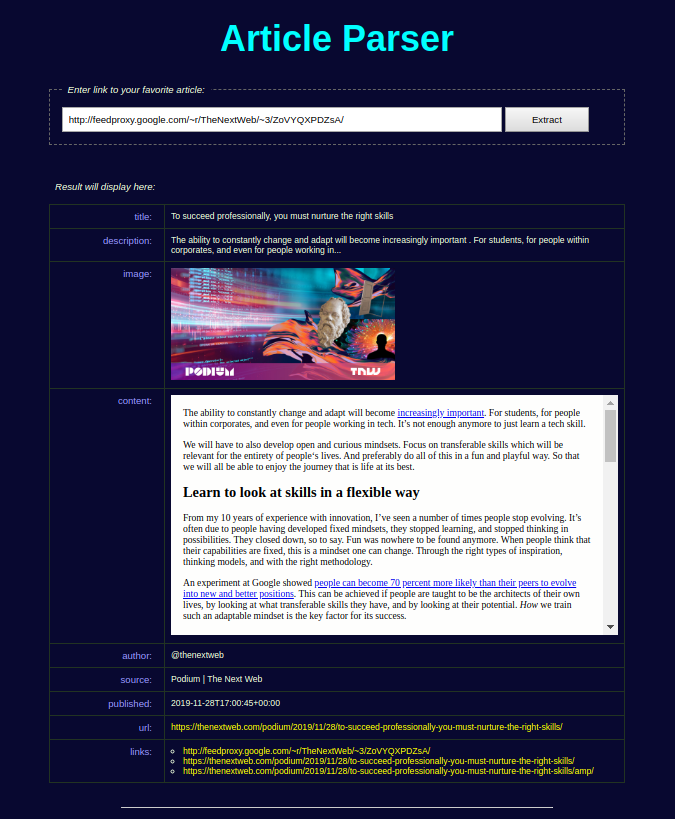
- Article Parser demo:
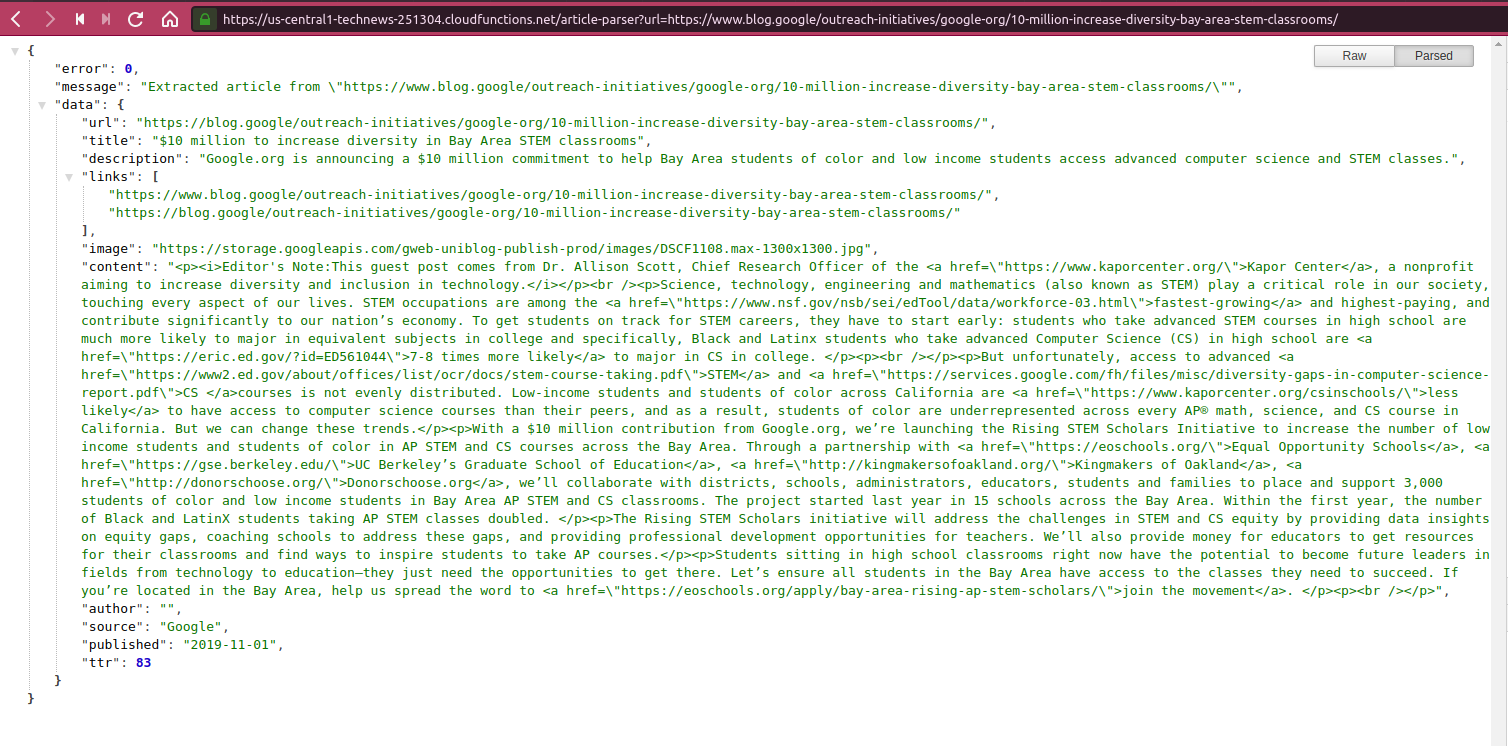
- Example FasS with Google Cloud Function
## Test
```bash
git clone https://github.com/ndaidong/article-parser.git
cd article-parser
npm install
npm test
```
# License
The MIT License (MIT)
 Sign in with Wallet
Connect another wallet
Sign in with Wallet
Connect another wallet