## Tutorial on how to build a smart green house
Mats Byström
mb224md
The idea with this project is to see if it´s possible to see when you need to water the plants in your greenhouse, without a sensor in the soil.
Time including testing (20 h)
### Objective
Sensors for soil has a short life length due to galvanic corrosion. I want to see if I can se only by meassure Temperature, Relative humidity and Sun. In addition I want to see if it is possible to detect rain with a microphone. If it is possible to meassure rain by a microphone, it´s possible to calculate if the plants outside the Green house need water.
### Material
| Pycom lopy4 | Calculations and connection | €35.00 Pycom.io
| LoRa (868MHz/915MHz) & Sigfox Antenna Kit | Increase the range | €9.00 Pycom.io
| Expansion board | Connection to Battery, USB and sensors | €16.00 Pycom.io
| DHT11 Sensor | Temperature and Relative humidity | €5.00 electrokit.com
| Photo resistor | Detect light | €5.00 electrokit.com
| Sound detector | Detect sound | €5.00 cdon.se
| Breadboard | Simplify wiring | €4.00 electrokit.com
| Jumper cables | Wiring | €3.00 electrokit.com
| Li-Po-battery 3,7 V | Battery | €10.00 kjell.com
| Jumper cables | Wiring | €3.00 electrokit.com
| Glass box | Hold project | €2.00 ica.se
In this project I have chosen to work with the Pycom LoPy4 device as seen in Fig. 1, it's a neat little device programmed by MicroPython and has several bands of connectivity, such as LoRa, WiFi, Bluetooth and SigFox. The device has many digital and analog input and outputs and is well suited for an IoT project. It comes with an extern antenna.
>
Fig. 1. LoPy4 with headers. Pycom.io
The antenna is needed to increase the range for LoRa and WiFi.
>
Fig. 2. LoRa (868MHz/915MHz) & Sigfox Antenna Kit. Pycom.io
An expansion board is needed for USB-connection to your computer. It also got a battery connection. The board has connectors for jumper cables for an easy connection to breadboard and sensors. It comes with a USB cable.
>
Fig. 3. Expansion board. Pycom.io
DHT11 sensor is needed for temperature and relative humidity meassurment. The sensor has 3 pins and a library is needed to get right meassurments.
Voltage: 3.3-5 V DC.
Temperature: 0-50° C (±2°C).
Humidity: 20-90 % RH (±5 % RH)
>
Fig. 4. DHT11 Sensor. electrokit.com
The photo resistor detects light. It holds a photoresistor and a 10 kΩ in-line resistor. The resistor got a analog output signal. When there is no light the resistance is high and it increases by the presence of light.
Voltage: 3.3-5 V DC.
>
Fig. 5. Photo resistor. electrokit.com
The sound detector is needed for detecting sound in the green house. The sensor sends a digital signal and the trigger value can be adjusted on the sensor.
Voltage: 3.3-5 V DC.
>
Fig. 6. Sound detector. cdon.se
A breadboard is needed for easy wiring without soldering.
>
Fig. 7. Breadboard. electrokit.com
Jumper cables is needed to wiring the board to the sensors.
>
Fig. 8. Jumper cables. electrokit.com
The expansion board holds a intern transformer, so the voltage of the battery can be 3,3 - 5 V.
>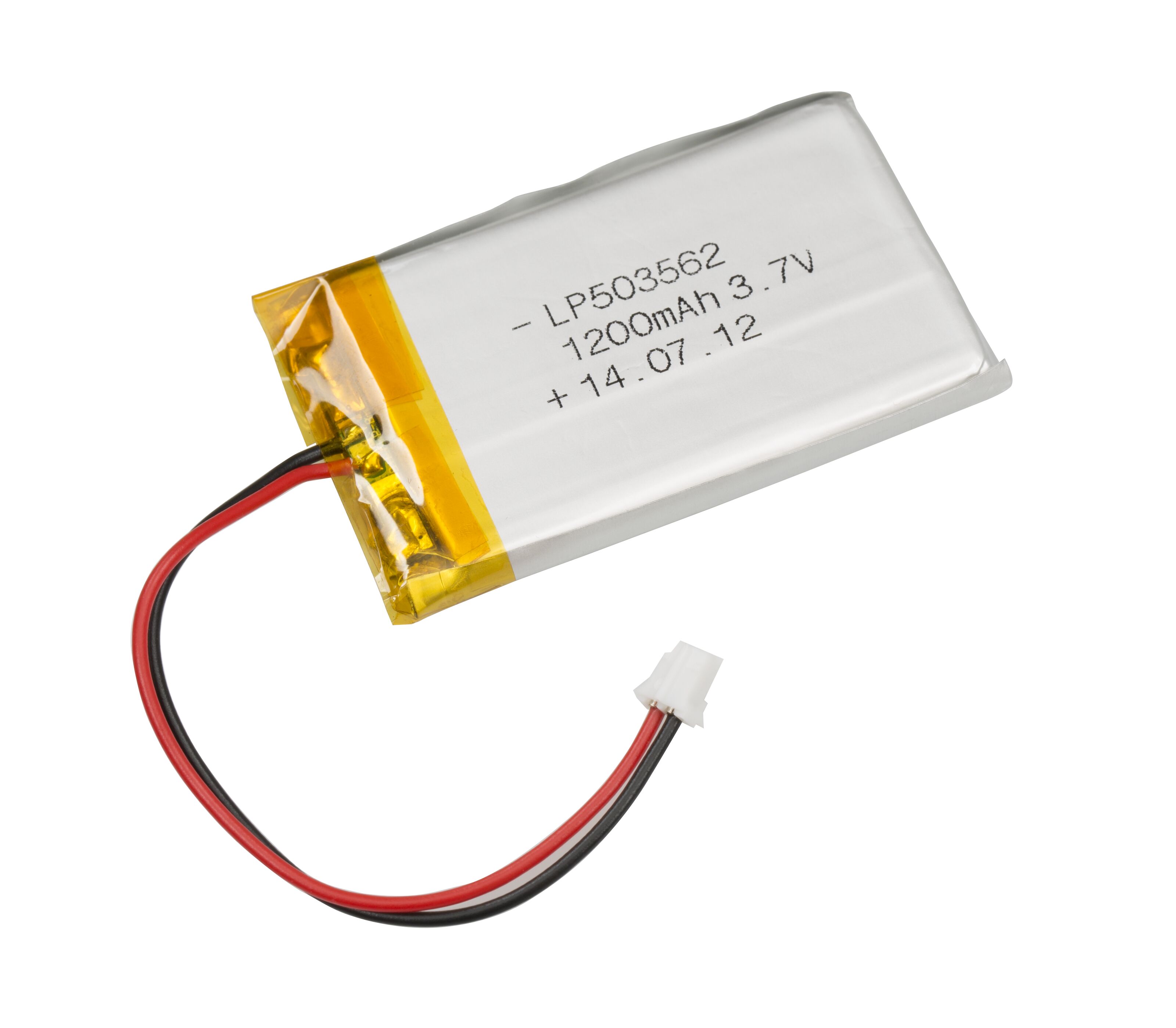
Fig. 9. Li-Po-battery 3,7 V. kjell.com
To protect the project a box is needed. In this project the eastetics is secondary why almost any box can be used.
>
Fig. 10. Big pack glass box. ica.se
### Computer setup
In this project I used Visual Studio Code for coding and upload code to the board. Pybytes is used to visualise data.
First you have to go to https://code.visualstudio.com/ to download the program.
After the installation of VSC, you need to install the pymakr extension. Go to the extension menu and search for pymakr.
Check if the extension is correctly intalled.

Before you connect the board to the computer, the boards has to be updated. Follow the instructions at the pycom homepage. https://docs.pycom.io/
When the boards are updated, you can connect the sensors.
### Putting everything together
Circuit diagram;

### Platform
I use Visual Studio Code for the coding and Pybytes for saving and showing data.
Both are free and easy to use. VSC is localy installed on my computer and Pybytes is in the cloud.
Because I'm not sure about my idea, I want to use freeware. If it seems to work I will scale it with my own database, were I can manage my data more freely.
### The code
First you need to download a Library for the DHT11 sensor at:
https://github.com/iot-lnu/applied-iot-20/tree/master/sensor-examples/DHT11-22/lib
Then save the file in the lib-folder in your project.
Open the main.py file and paste following code.
```python=
import pycom
import time
import machine
from machine import Pin
import _thread
from dht import DHT
pycom.heartbeat(False)
#define pin for light
adc = machine.ADC()
apin = adc.channel(pin='P16')
#define pin for rain
rdc = machine.ADC()
rpin = rdc.channel(pin='P15')
def read_light():
avg = 0
_AVG_NUM = const(100)
for _ in range (_AVG_NUM):
avg += apin()
avg /= _AVG_NUM
#invert avg-value
avg_invert = 4095 - avg
#convert to 8-bit
avg_256 = round(avg_invert / 16)
return(avg_256)
def read_rain():
max_rain = 4095
rain_intensity = 0
#read the microphone 1000 times
_AVG_RAIN = const(1000)
for _ in range (_AVG_RAIN):
r_value = rpin()
#when the microphone detects sound increase the intensityvalue
if max_rain > r_value:
rain_intensity = 1 + rain_intensity
return(rain_intensity)
# Type 0 = dht11
th = DHT(Pin('P23', mode=Pin.OPEN_DRAIN), 0)
time.sleep(2)
#send data
def send_env_data():
while True:
#define values
result = th.read()
analog_light = read_light()
analog_rain = read_rain()
while not result.is_valid():
time.sleep(5)
result = th.read()
analog_light = read_light()
analog_rain = read_rain()
#send values
pybytes.send_signal(1,result.temperature)
pybytes.send_signal(2,result.humidity)
pybytes.send_signal(3,read_rain())
pybytes.send_signal(4,analog_light)
#sleep for five minutes
time.sleep(300)
_thread.start_new_thread(send_env_data, ())
```
Now you can upload your code to the board by right-clicking;
Pycom > Upload project
### Transmitting the data / connectivity
My first intention was to transmitt the data thru LoRa. But since I couldn´t connect to the LoRa-Wan, I had to use WiFi.
The program sends data every 5 minutes.
I use Pybytes to send data. Pybytes uses MQTT-Protocol to send data. When you start a project in Pybytes, the site will help you with the setup. Pybytes store the data for 1 month.
### Presenting the data
I made a dashboard in Pybytes. 4 different graphs is showing, the last 24 hours. Every 5 minutes data is saved.

### Finalizing the design

Wiring

Project in action
I´m satisfied with my project. I had some issues during the project. First I didn´t get connection to the LoRa. Therefore I had to use Wi-Fi, which made the battery only hold for 4 hours. To solve that problem I used a extension cord into the green house.
My plan was to also connect a Moisture sensor for soil. The sensor I bought wasn´t reliable and skipped it.
I live only 2 km from Karlstad university and my plan is to contact them, to see if they are interested in put up a LoRa-gateway.
I will also buy a more reliable moisture for the soil.
 Sign in with Wallet
Connect another wallet
Sign in with Wallet
Connect another wallet