---
title: Setting up Sentinel-2 Tiles
tags: Snap-py Talk, Map-py Wednesday
description: View the slide with "Slide Mode".
---
## Map-py Wednesday for February
---
<!-- Put the link to this slide here so people can follow -->
deck: hackmd.io/@mapamore/S1li5WXqkg
---
### Welcome
- Announcements
- Map-py Snap-py Talk
- "Talk Show"
---
### Save the date! SotM 2025: Manila, PHL
[](https://postimg.cc/6ymMpTXH)
----
* 3-5 October
* Manila, Philippines
* see: https://2025.stateofthemap.org
---
## Sentinel-2 mosaics in OSM
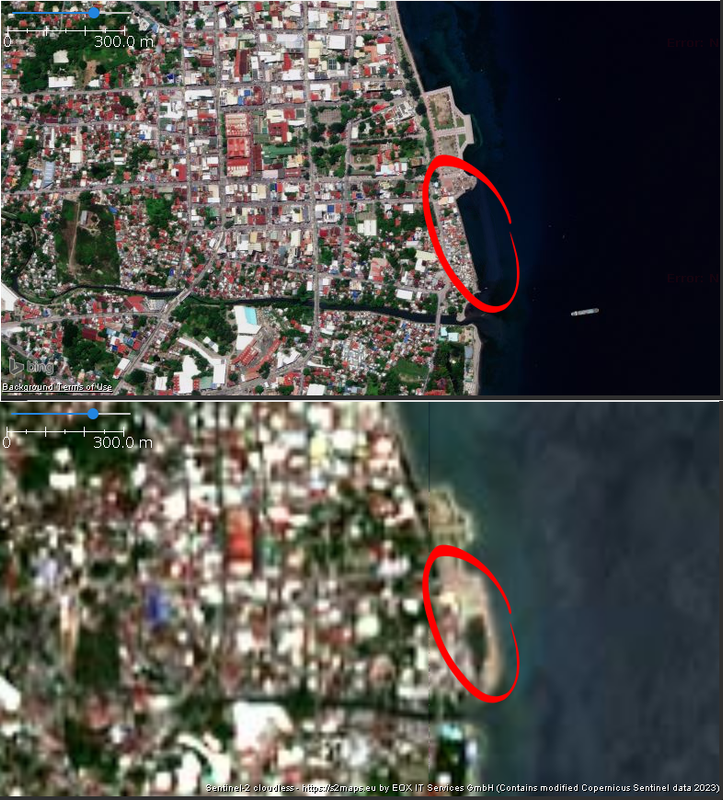
* ESA program of earth observation satellites providing global color imagery, in 10 m resolution
* higher resolution than Landsat, but lower than commercial providers (Bing, ESRI, etc.)
* EC Copernicus License is OSM-compatible:
* See https://osm.org/wiki/Contributors#EU_Copernicus_.28GMES.29_data
---
Bing (above) and Copernicus Sentinel-2 (below):
[](https://postimg.cc/2VScQyfD)
----
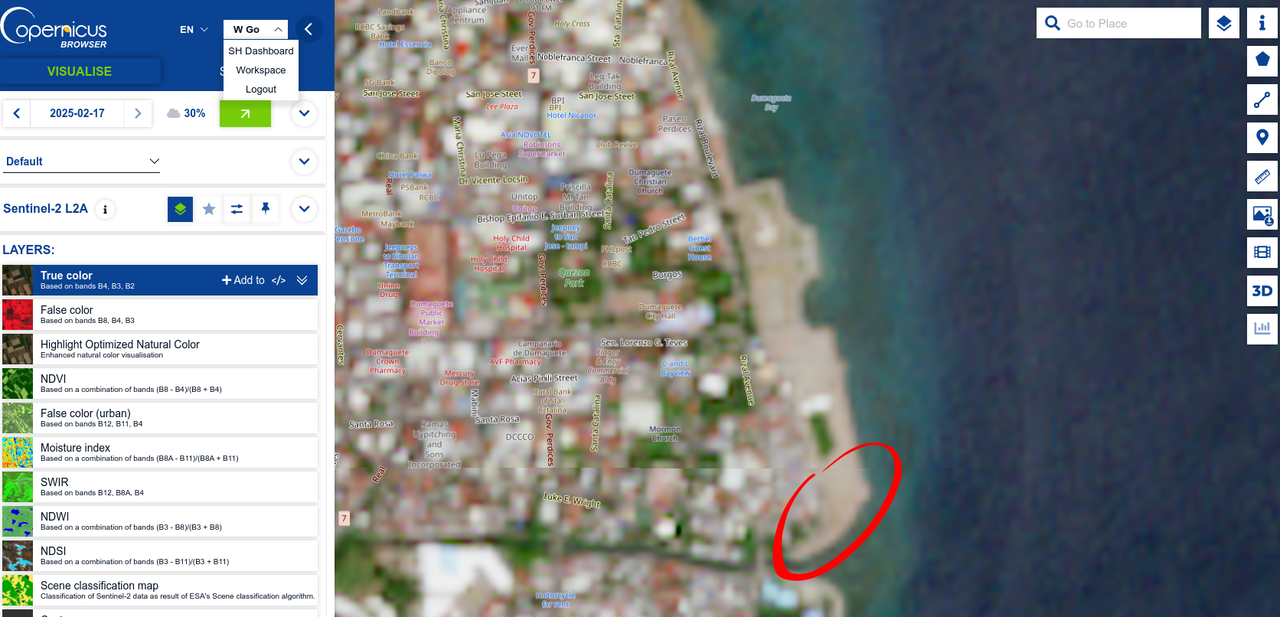
Latest mosaic from Sentinel-2
[](https://postimg.cc/jCp5Y0gG)
---
:warning: Some screenshots and URLS are inaccessible because of an ESA service outage today. Sorry!
 :no_good:
---
## Sentinel-2 tiles in JOSM

* Sentinel-2 tile servers are available in JOSM (Preferences > Imagery), but not the most recent
* Now, let's fix that! :hammer_and_wrench:
---
* Sign-up for an account: browser.dataspace.copernicus.eu
* Sentinel Hub dashboard: shapps.dataspace.copernicus.eu/dashboard
* generate your **Instance ID** and determine your **Layer ID** to use in your configuration
---
In JOSM, go to Preferences > Imagery and add a new WMS entry
---

---
* GetCapabilities URL: `https://sh.dataspace.copernicus.eu/ogc/wms/YOUR_INSTANCE_ID?FORMAT=image/png&TRANSPARENT=TRUE&VERSION=1.3.0&SERVICE=WMS&REQUEST=GetMap&LAYERS=YOUR_LAYER_ID&STYLES=&CRS={proj}&WIDTH={width}&HEIGHT={height}&BBOX={bbox}`
* Name the layer
---
* Use `source=Sentinel-2` in your OSM changeset tag, if you used it for editing.
* Check your SH dashboard usage. There's a (low) monthly limit, so use it sparingly.
* Adjust the configuration for your needs:
----

---
### Wrap up
* When configured properly, you can just load the layer in your next editing session. No other configuration needed.
* Alternative sources:
* OpenAerialMap
* ESRI Wayback
* Public, high-resolution imagery are available from your government
* Any tips from participants?
---
### Thank you! 🍜
---
## Now, on to our "Talk Show"...
 Sign in with Wallet
Connect another wallet
Sign in with Wallet
Connect another wallet