---
title: Training Workshop for Team Padyák
tags: AlayData, training
description: View the deck with "Slide Mode".
---
# Team Padyák!
Training & Orientation
<!-- Put the link to this slide here so people can follow -->
*:card_file_box: hackmd.io/p/Skah8L4p6#*
---
## Who am I?
- Win Olario
- ~~OSM~~ awesome contributor :stuck_out_tongue_winking_eye:
- 🤪 LoCo advocate
---
### Open Data Day 2024
Alay Data @ Intramuros,
10th March, Sunday, 08:30-11:30
---
### Program
Time | Duration | Activity
:---:|:---:|---
08:30 | 60-90" | Mapping party
10:30 | 20" | Cool down. Check-in
10:50 | 10" | Ice-breaker
11:00 | 30" | Break/Sustenance
11:00 | 30" | Reflection & Sharing
---
### :reminder_ribbon:
* Have fun! Stay safe and mindful of your environment.
* Hydrate and bring protective gear (umbrellas, UV sleeves, sunscreen)
* Bring a power bank or extra batteries, if you're using electronics.
* Use a holder/caddy with an HPV, for safe navigation.
----
**Need a handlebar caddy?**
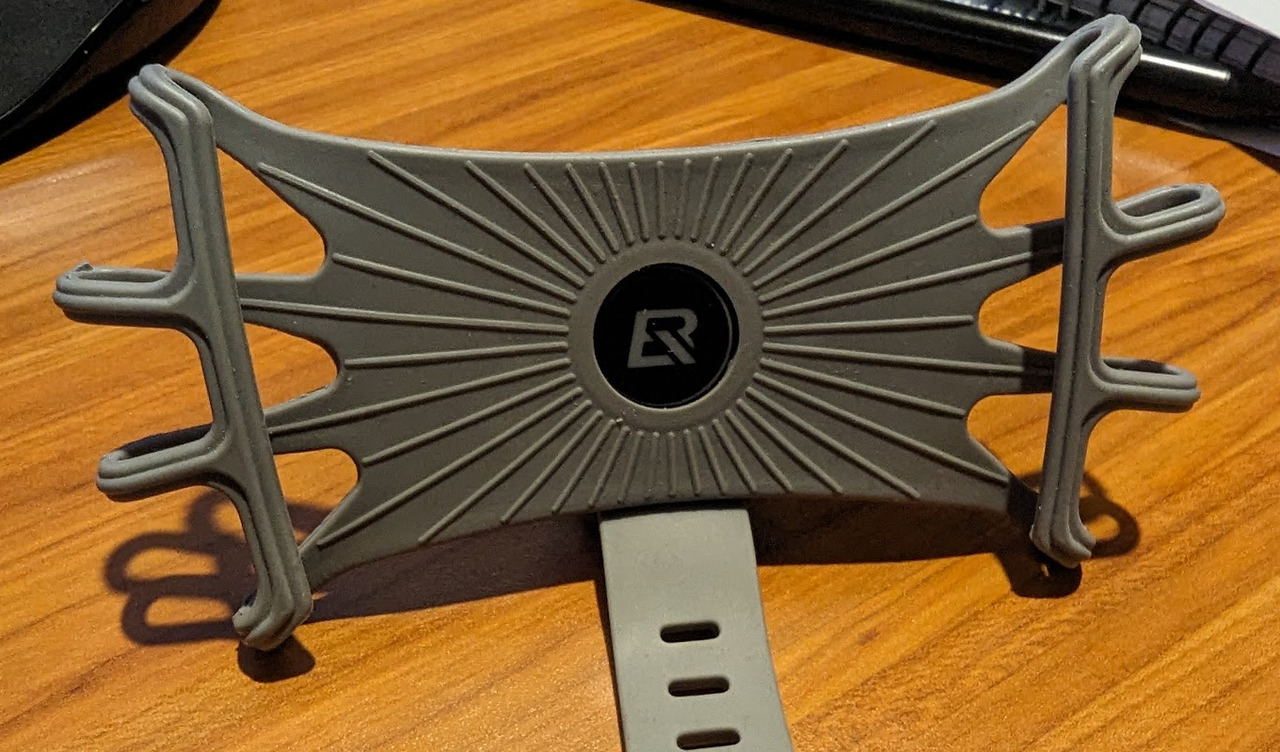
*contact me after the workshop*
---
Lezzgo! :running:
---
We're assuming you already ...
* know OSM basic concepts and tagging
* installed [OsmAnd](https://play.google.com/store/apps/details?id=net.osmand) and [OpenCamera](https://play.google.com/store/apps/details?id=net.sourceforge.opencamera)
* Got an action cam? You don't need OpenCamera.
---
----
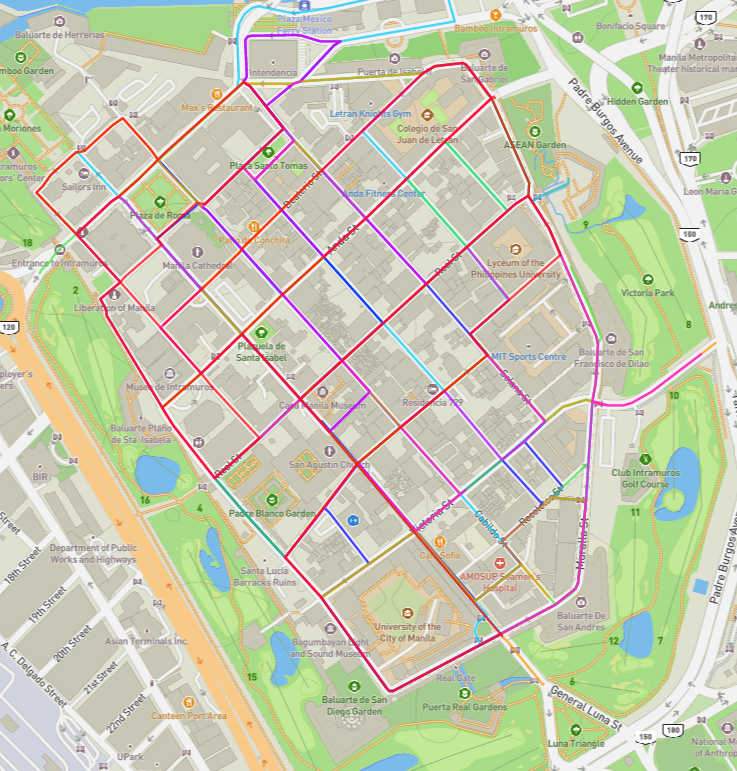
* ~20 minutes long
* There are overlaps with other tracks
* Ride safe, follow ground rules.
* Dismount if necessary.
* For rentals, if your route takes you outside Intramuros, cut-short and return to the track within Intramuros.
* Rental bikes from Bambikes available at 100 PHP per hour (50 PHP for students with valid ID).
----
### Track Assignments:
**Assignments**
- [x] Track № 0 - Erwin
- [x] Track № 1 - Kae Angela
- [x] Track № 2 - Feye
- [x] Track № 3 - Erika
- [x] Track № 4 - JP
Download the zip file of all tracks [here](https://upload.disroot.org/r/BzeC__sW#HqziL0XGzXaJpSQK01DAiPtNOdNZ20zjs6G7TEMS60E=).
----
### Extract the GPX file and open with OsmAnd
1. With your File Manager, locate the Zip file, and extract your assigned track to a local folder
2. Locate the file and open the GPX track with OsmAnd
----
### Turn-by-turn navigation with OsmAnd
1. When the apps opens a track, it will present you with several options, including Navigation. Press the **navigate** button.
2. Make sure you use Bike mode.
3. Follow voice guidance (with an open-ear headset)
---
### Alternative method
1. In Osmand, go to Menu > My Places and select Tracks tab
2. Select the track from imports, if it's been opened before; or
3. Or, click the plus button to open the File Manager and locate the track you want.
4. Once a track is open, you will be prompted by the same option as before, and you can select **navigate** button
---
### Using OsmAnd offline
* make sure to download the regional file (Metro Manila) to use OsmAnd offline.
* Organic Maps is nice, but doesn't have TxT by GPX option :smile_cat:
* Questions?
---
### OpenCamera
---
### Important settings
* Folders - Settings > More Camera Controls
* Save location: change to a unique folder
* Interval: 2s
* Repeat: Unlimited
* Repeat mode interval: No delay
* Pop-up menu from Main screen
* Enable Auto-leveling
* Set Infinity focus
---
### Wrap up :checkered_flag:
Got Qs? :email: gowin@duck.com
---
### Thank you! :sheep:
 Sign in with Wallet
Connect another wallet
Sign in with Wallet
Connect another wallet