# LLUF Name's Notebook Fall 2023
welcome to your Notebook Template! Please feel free to copy/paste this as a starting point for your own **Notebook**.
1. copy all markdown
2. create a new team note in the LLUF-23-24 workspace
3. to create a unique title, type:
```
# YOURNAME's Notebook Fall 2023
```
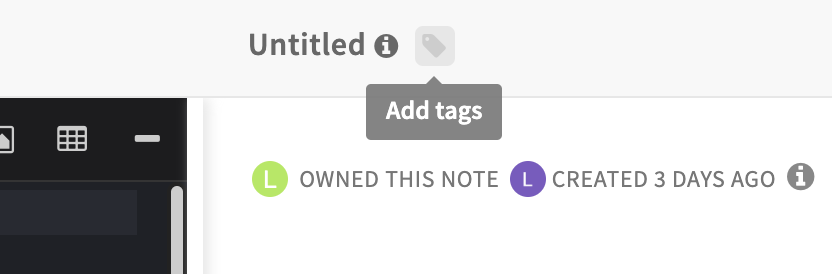
4. click the little tag icon next to the title and add tags for:
* lluf-notebook
* your-name (jordan-k)
* 
## BIO-LLUFOGRAPHY
#### my lluf catch phrase:
*noun*: a well-known sentence or phrase, especially one that is associated with a particular famous person.
you = LL famous!
#### lab:
my-lab
#### tools I can help others with:
* tool
* tool
* tool
#### my personal learning goals for this fall:
a brief paragraph or two, a letter to myself, outlining my overarching goals for this term. It might include a tool you are hoping to get better at. If so, include a note about where you are currently at with this tool, if it's totally new to you or if it is one you got a taste of last year, or even if it is one that you know pretty well but want to really become a legendary builder/maker/thinker in that tool.
Or maybe, just maybe, you have an idea for some dreamy pie in the sky, moonshot project that you want to try to work towards. This would be something in the alt-senior-thesis realm, and would eventually require some robust proposal for approval, but this is a cool place to begin thinking and pitching that idea!
## key links:
* links you may want to reference often!
* [The LLUF Guidebook for Fall 2023](/Hd1PfV98Q3GXuE5gykSvEA)
* [Work Response Form](https://airtable.com/appCm7g0XXkDhNB9v/shr5OaDtqIJCubFGj)
* [Weekly Update Form](https://airtable.com/appCm7g0XXkDhNB9v/shreQhF2GmuXCGpzV)
## dashboard:
a place for you to keep notes that you commonly refer to! For example, maybe a table of shortcut keys you need help remembering and commonly use:
| Shortcut Key | What It Does |
| -------- | -------- |
| command + tab | toggles between apps! |
| command + space | search and open app |
| I & O & E | in FCPX, selects in and out points in footage and adds to end of timeline |
| shift + trackpad | in blender, move the view |
NOTE: do NOT put any "secret" info here like passwords!
## drafting space:
use this space to draft the markdown that you will paste into your work responses and weekly updates. it will help you to see the output and make sure the formatting and media are what you want! Then you can simply copy and paste that into the markdown prompt within those forms!
Here is a sample draft for the Markdown Update field in the Weekly Update Form:
## Your First Update Title
The story of your week, using any markdown elements you'd like! Include as many images, quotes, really anything that helps to synthesize what you've done in the past week!
The size/length should between a robust social media post and a short blog post!
## Your Second Update Title

The story of your week, using any markdown elements you'd like! Include as many images, quotes, really anything that helps to synthesize what you've done in the past week!
The size/length should between a robust social media post and a short blog post!
---
### the breakdown:
If you have an extra 15 minutes or so not spent on higher prioroty tasks, you can totally work on creating a more elaborate and creative data vis of this breakdown, but it would be awesome to get some stats on the following each week at a minimum so we can put together a larger data vis/stats board for storytelling about all of the LLUFs as the year goes on!
| Type of Work | Time Spent | Notes
| -------- | -------- | -------- |
| Learning | 3:00 | Basic training package |
| Testing | HH:MM | this includes any design Labs, and any work request tagged "test" |
| Collecting | HH:MM | this includes any work request tagged "collect" |
| Prepping | HH:MM | this includes any work request tagged "prep" |
| Maintaining | HH:MM | this includes any cleaning or organizing or set up requests. work request tagged "maintain" |
 Sign in with Wallet
Connect another wallet
Sign in with Wallet
Connect another wallet