# Arba's Notebook Fall 2023
Welcome to my Notebook! Thank you for checking it out :)
## BIO-LLUFOGRAPHY
#### My lluf catch phrase:
*Yippee!*: An exclamation to indicate excitement or enthusiam, particularly when working as a lluf.
#### Lab:
Graphics Lab
#### Tools I can help others with:
- InDesign (To a certain extent)
- Clip Studio
#### My personal learning goals for this fall:
I really want to begin using some industry-standard programs. At the moment, I'd consider myself savvy with ClipStudio, but that's not what's really used out in the big wide world. It's been a longstanding dream to learn how to use the Adobe Series just because of all of their cool functions. I'm a big Pinterest user and seeing some of the graphic design examples they have on there make me so jealous.
I'd really want to make a graphic poster that challenges the ones I see on Pinterest. If I can make something that looks like it was wrongfully copied from some artist online and reposted on Pinterest without credit, then I'll have made it. (Imitation is the sincerest form of flattery)!
## Key links:
* [The LLUF Guidebook for Fall 2023](/Hd1PfV98Q3GXuE5gykSvEA)
* [Work Response Form](https://airtable.com/appCm7g0XXkDhNB9v/shr5OaDtqIJCubFGj)
* [Weekly Update Form](https://airtable.com/appCm7g0XXkDhNB9v/shreQhF2GmuXCGpzV)
* [LLUF Lab Book](https://hackmd.io/C8BcJ5uGSMqfBUrRGNUsYQ)
* [LinkedIn Learning: CURRENT](https://www.linkedin.com/learning/introduction-to-graphic-design-indesign/adding-a-shadow?autoSkip=true&resume=false&u=2194065)
## Dashboard:
| Website | uses |
| -------- | -------- |
|[Adobe Stock](https://stock.adobe.com/)|Stock images for projects, photos |
|[BeHance](https://www.behance.net/)|Graphic Design Social Media, moodboards|
___
# <center>BlogSpot (My Weekly Tuesday Updates)</center>
### Tuesday: September 26, 2023
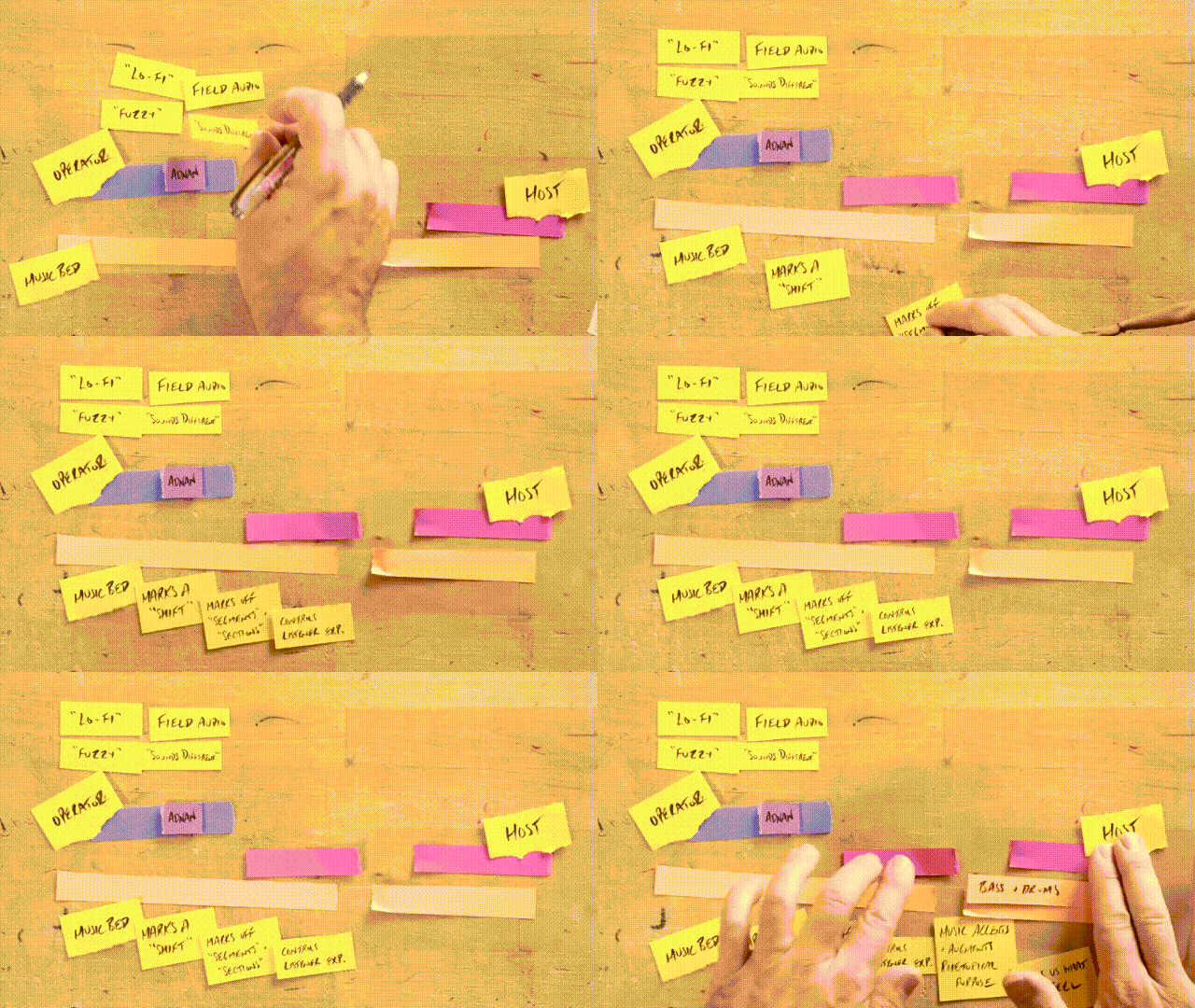
**What's Going On**:
First day as an official LLUF! Took a tour of the space and started to piece together everything geographically. There's a lot of spaces to explore and I hope to use them! I spent a bit of time just getting setting up with HackMD. I've never used it before, so getting up to speed with everyone was a little time consuming. Alongside figuring out Slack and this workspace, I also learned how to check in/ check out. (It's so fun getting to see who's in)!
Ended up doing a couple of misc. tasks in the lab. I was in the (*recording?*) studio, playing back clips, taking screenshots and printing them out. The idea was to put all of these photos along the doorway so that anyone who comes in gets a cool view of everything that goes on here.
The plan for next week is to continue working on the training.
**Feeling**: We luff being LLUFs.
### Tuesday: October 3, 2023
**What's Going On**:
I walk in and forgot how to Check In (BUT I DID IT ANYWAYS). Got directly onto the training grind, but I'm trying to work out how to make my notebook look so cool and awesome. How do I make a private notes section...
I got through such a big portion of the training!! Next time, I just have to 'design my brand' using Canva. The process of the training is fairly simple, so I have no doubt I'll be able to get this done soon.
**Feeling**: Thursday can't come fast enough!!
### Sept 26 - Oct 3, 2023 Breakdown
|Task | Time Spent
|-----|-----------|
|Training| 2:30|
|Control Room Exploring| 0:45|
|Learning About the LLUF Space| 1:15|
---
### Thursday: October 5, 2023
**What's Going On**:
I did NOT forget to check in. I spent (mostly) the entire time trying to design a cute little logo. I ended up going for this bird shaped like an 'A', followed by RBA down at the bottom. Something about it is so silly, but I loved it. Played around with some colors and ended up with something Brandy Melville coded. I love it!!
**Feeling**: LONG WEEKEND RAHHHH
### Tuesday: October 10, 2023
**What's Going On**
Y'all I am so tired. One must imagine Sisyphus having a midterm to two every week until the end of November.
Finished my training and am leaning towards the Graphic Lab! I think I would enjoy it the most.
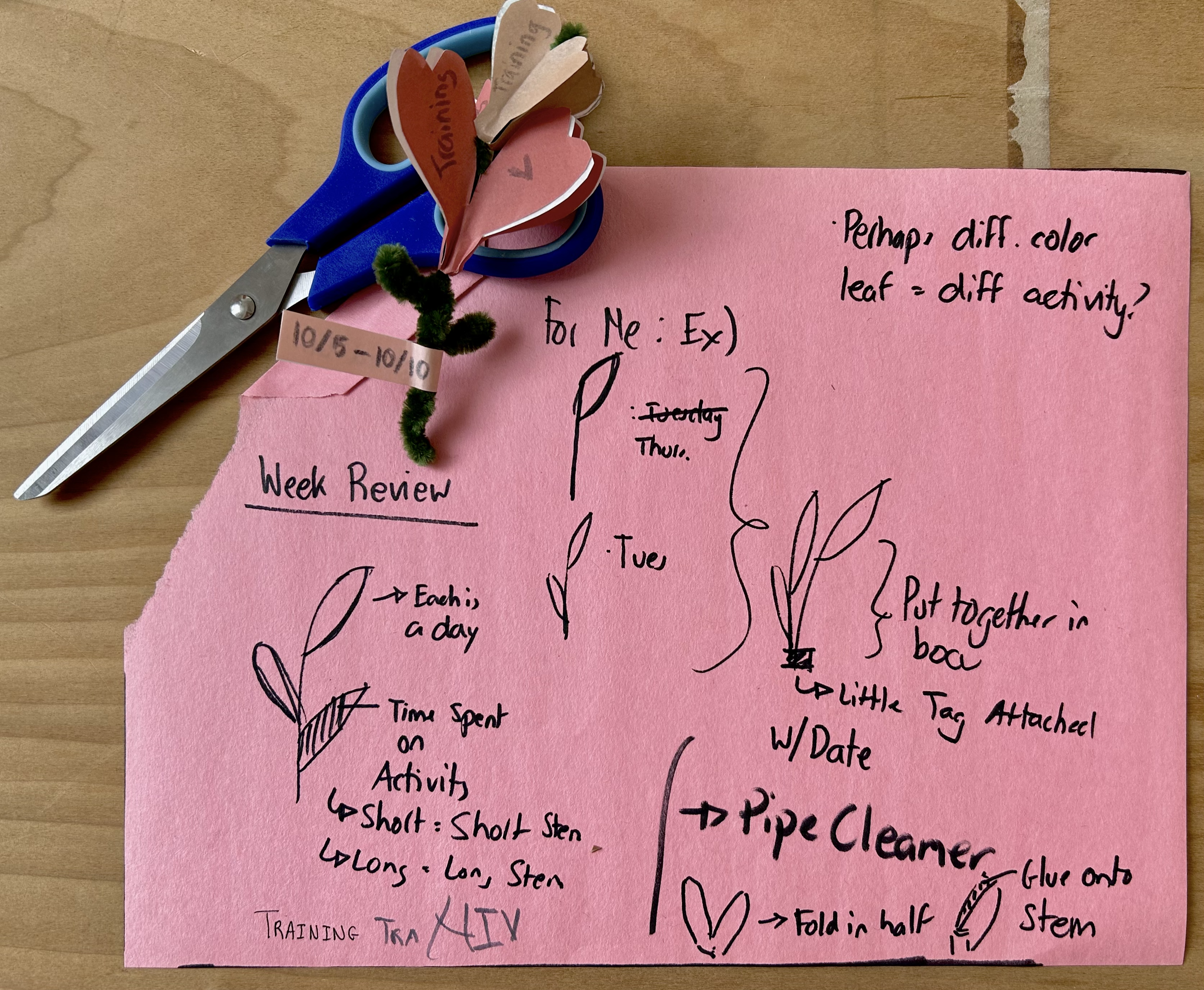
I had some time, so I also decided to to the timed Data Visualization Challenge. I ended up with this little flower representing both my days and what I did for each day. I ended up spending a bit more time on it because I accidentally broke a few petals :(
(Side Note: I use PhotoMosh for editing sometimes and am thinking about getting the Pro version... HELP)
**Feeling**: Like I shoulde be wrapped in thick blankets drinking a spiced tea next to a fireplace with logs set out in front of it and Over the Garden Wall playing somewhere
### Oct 5 - Oct 10, 2023
|Task | Time Spent
|-----|-----------|
|Training: Logo Design| 2:30|
|Training: To Completion| 1:00|
|Data Visualization| 0:30|
|Looking For Editing Programs / Adobe| 0:30|
|Editing Notebook| 0:15|
---
### Tuesday: October 17, 2023
**What's Going On:**
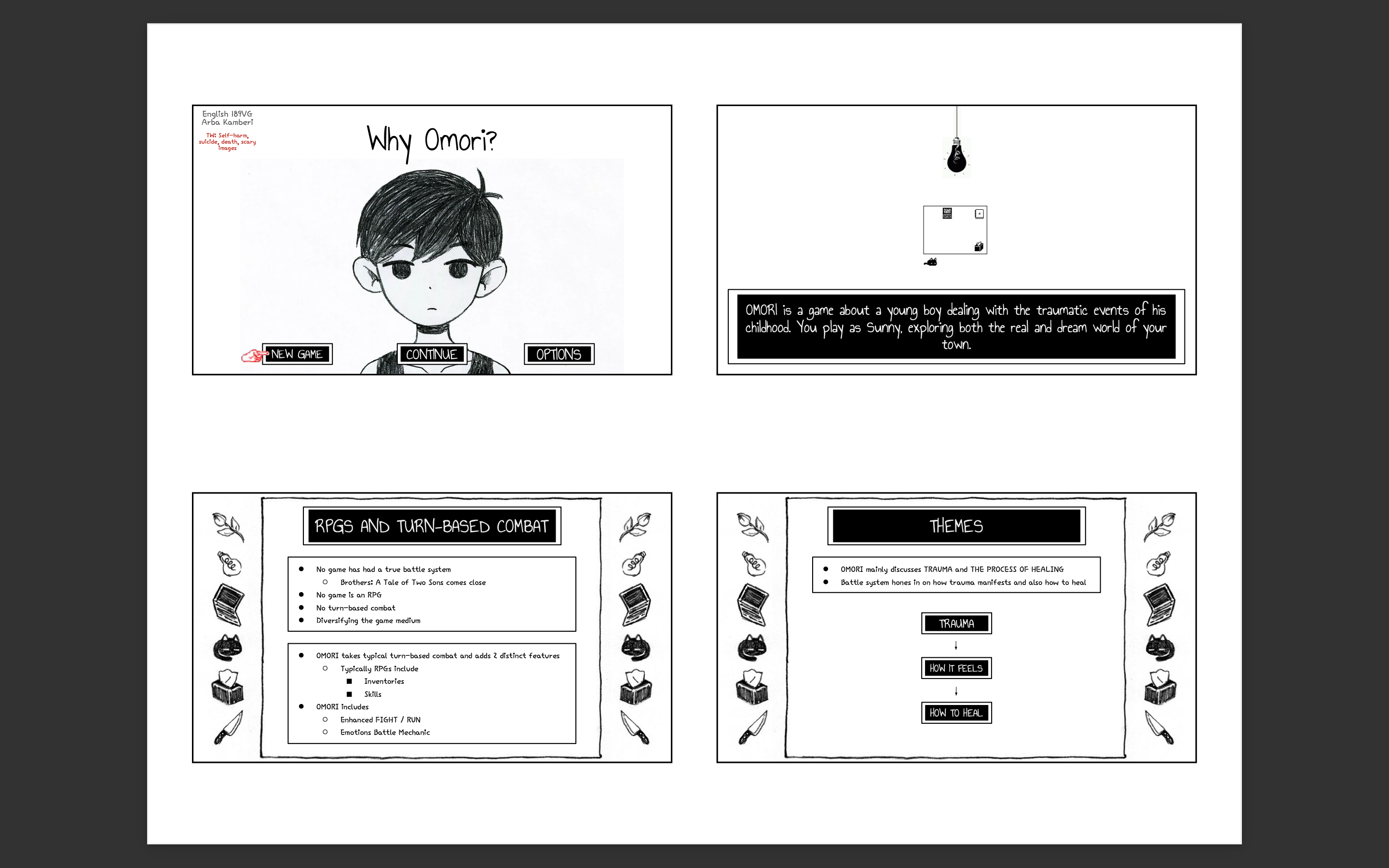
UPDATE I GOT PHOTOMOSH. This will slay. I LOVE LOVE LOVE cyberpunk / pixel aesthetics and this tool has all of that. This will be cool to use as I'm creating a branding for a course. I ended up choosing Graphics Lab (which I am certain I will love). I spent a bit thinking about which course I'd want to do alongside thinking about some ideas that would work for that course. I'm going to do English 189VG, since this is a course that's near and dear to the Bok Center : ). Plus, it also gives me the opportunity to play around with PhotoMosh, editing photos to appear as background images / banners.
**Feeling:** Cold!
---
### Thursday: October 19, 2023
**What's Going On:**
Hi everyone!!! I just spent more than an hour trying to get Adobe to work!!! But I got it to work! Now I am literally just toying around with InDesign.
**Feeling:** Tech Savvy
___
### Tuesday: October 24, 2023

**What's Going On:**
I finished my first every mini project with InDesign to test out the software. Now I believe I have a good grasp with it. If I were to start making this package now, I'd feel good. My plans are to start looking at inspirations, compositions, and facts on the course to start developing the course package. All in good timing!
**Feeling:** SPOOKY
### Oct 17 - Oct 24, 2023
|Task | Time Spent
|-----|-----------|
|Getting Adobe to Work| 1:00|
|Graphics Lab ILP| 1:00|
|InDesign Training| 1:00|
|Practice InDesign Project| 1:15|
|Assisting W/ Button-making on Canva|0:15|
---
### Tuesday: October 31, 2023
**What's Going On:**
i am going to learn how to become an InDesign God. Spent today working on a notebook cover and also practicing InDesign skills! will need this notebook in order to draft ideas so i don't have to spend so much time moving stuff around in the program first. Also set up printing! yay!
**Feeling:** InDesign-y
---
### Thursday: November 2, 2023
**What's Going On:**
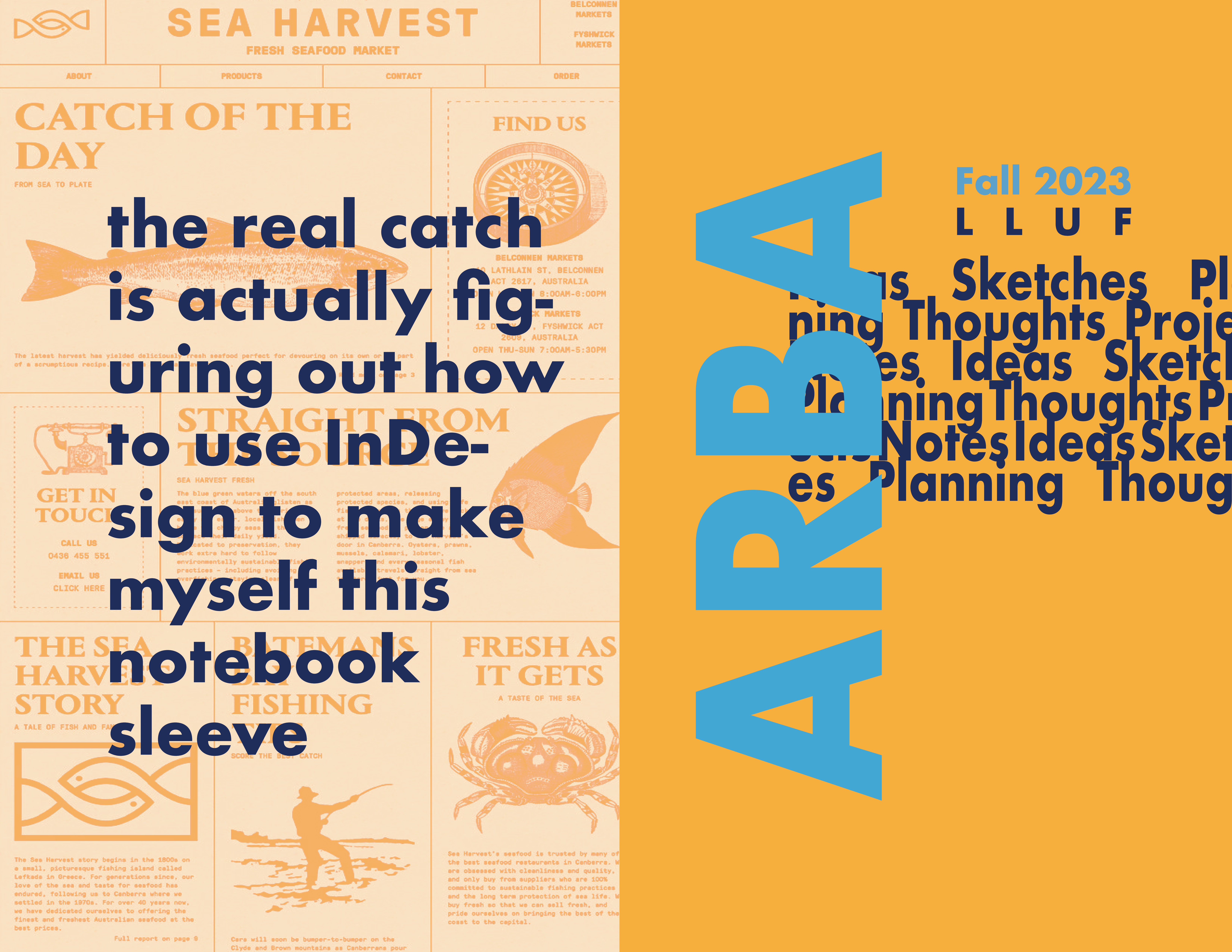
Learning how to fix print jobs so that our posters don't come out to be so odd. The weird thing is we can't totally remove margins. The printer in this place does NOT support marginless printing, so unfortunately, we cannot do that here, but we can get close to it!
System that seems to work as of now:
(For Macbook)
- Set to page width / length
- Set to scale to fit, print entire image
- Printer features: nearest size and scale
(Off InDesign)
- No bleed
- Scale to Fit
Best bet right now is to just print on larger paper and then crop. This printer doesn't look like it supports boarderless.
Made myself a notebook. Figured out how to 'bind' a booke, make a cardstock cover. Now I can use this to draft out ideas for future projects instead of having separate papers around. Interior pages are made of failed boarderless printing.
Some things I should be noting:
- Adobe BeHance is a social media where people share their ideas / graphics. Pinterest is helpful, but I get more spreads from a single project here
- Adobe Stock lets you grab FREE stock photos and patterns. Won't need to search for transparent PNGs for much longer on Google.
- Useful for curating photos / ideas for specific posters and potentially moodboards
- make sure to license before you use the photo
- Draft using notebook -> can transfer to online draftbook
- Scans can go in this document
Should also probably find a way to scale down my photos. They're making my entire page lag HAHA
**Feeling:** headache lowkey
---
### Tuesday : November 7, 2023
**What's Going On:**
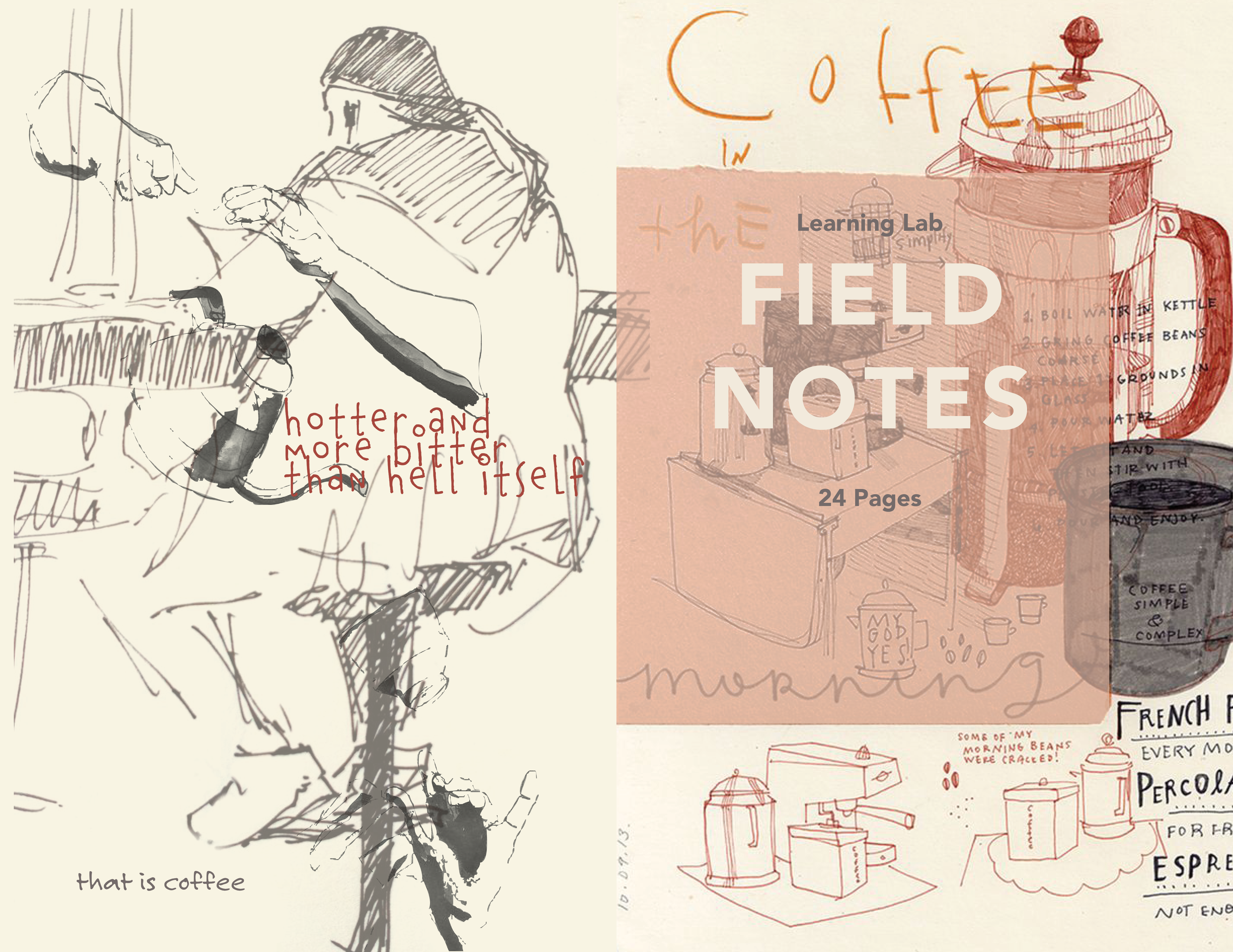
Project time! When workshops happen, students should have some way to write down notes, instructions, and other important things that come up as they progress through the stations. What would be helpful? FIELD NOTEBOOKS. The idea is to have these small personalized journals for students to work with. They can tear stuff out, write stuff in, and then scan their pages to store their ideas online. I made myself a notebook last week and that ended up looking pretty nice. I'm going to apply the concepts I learned making notebook designs, cutting pages, and physically putting the book together to help with this.
So far, I've been able to figure out how these books will fold and what sizes I should print the cover of the journal to have it fully cover everything and then be cut to the exact size of a typical journal (5.5" x 3.5" cover). This is going to involve some margin work on the cover to make sure we're not cutting anything off. But I feel good about using bleed and slug zones in InDesign to make this happen. They have a crop mark feature that lets me indicate where I should be cutting.
Apart from figuring out the dimensions of the notebook, I also started looking at some designs for general classes, including a general format to be used for all of our journals. I plan to do a second test run of my measurement theory next week. If that works out, then I will begin the designing! Yay!
**Feeling:** i should be drawing
### Oct 31 - Nov 7, 2023
|Task | Time Spent
|-----|-----------|
|InDesign Notebook| 1:30|
|Setting up Printer(Computer / Boarderless)| 2:00|
|Book Binding| 1:30|
|Desk Watching| 1:15|
|Shelf Cleaning| 0:30|
|Book Measurements| 0:30|
|Field Notebook Research| 0:30|
|Book Binding Material Research|0:15|
---
### Tuesday : November 14, 2023
**What's Going On:**
Trying to develop some more notebooks. It was requested that I make a book with 0.5" padding on the side so that people could paint on it. I could even go so far as to make it 1" total. Right now, I'm just testing my theory as to making a notebook so I can trim it without problems. Waiting for a workshop to end so I can grab my notebook.
Made a couple of prototypes for the field notebooks! I'm thinking they look good!!! Excited to work on more designs and get more efficient with working.
- Export with Convert to Destination and Generic gray Profile under output settings. Save as Adobe PDF Print with the -BW as last title
**Feeling:** Like Dwanye The Rock Johnson
---
### Thursday : November 16, 2023
**What's Going On:**
- Print in center, flip on side for the cover
- Everything else does not matter
Worked on getting the inside cover of the field journal to work. After some trial and error, I was SO successful. (We are SO back). I was also able to finally make a working final-ish prototype. I know what I need to fix (some alignment issues) so I consider the general set-up for the journals to be complete. Here and there I did some cleaning of the paper lab and general fireplace room. I learned how to make stamps (using my logo)! To end off the shift, I started working on making field journal covers traditionally instead of with InDesign.
**Feeling:** SO BACK
---
### Tuesday : November 21, 2023
**What's Going On:**
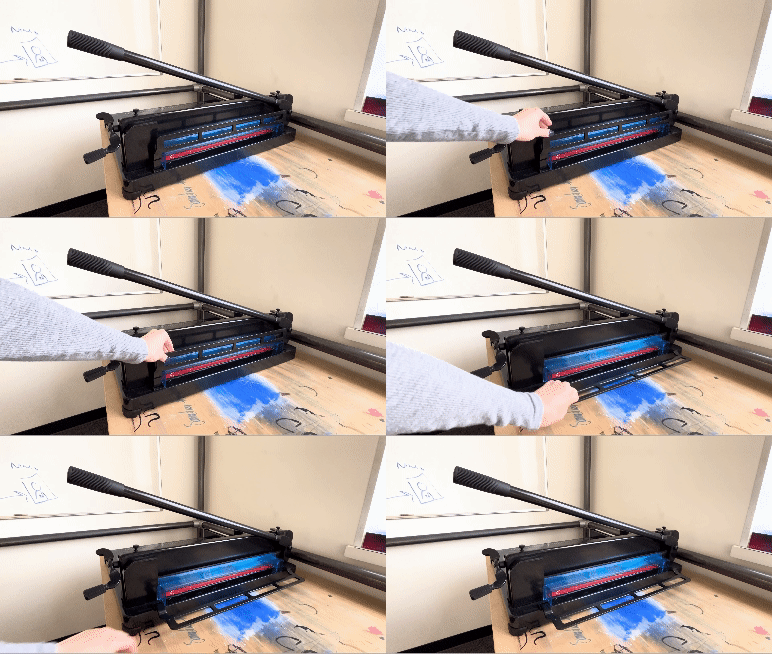
BUSY DAY!!!! Oh lordy. I spent a good amount of time fully cleaning and organizing the paper lab. Today I received a box of all the supplies I had asked for so I decided to clean up the lab to make good space for all of them. I ended up organizing and labeling the metal storage in the room. Then I moved around some equipment and unpackaged some of the materials. The most time consuming thing was setting up the corner cutting machine. Had to change the blade, build the machine, put it together, etc. Tested it out on some cards (and it looked SO good). By the time this was all done, it was already 2 (HOW). At this point, I decided to pause to help with something else... TURNING THE CLASSROOM INTO A CAVE. For the rest of the day, that's where I was at.
**Feeling:** Lethargic
---
### Nov 14 - Nov 21, 2023
|Task | Time Spent
|-----|-----------|
|InDesign Notebook| 5:00|
|Stamp Making| 1:00|
|Book Binding| 1:30|
|Paper Lab Organizing| 1:30|
|Setting Up Corner Cutting Machine| 1:15|
|Cave Classroom Setup| 2:00|
---
### Tuesday : November 28, 2023
**What's Going On:**
Today I taught some other LLufs the start of making field journals! Honestly not much to talk about since the other half I spent creating a HackMD guide on how to create these notebooks. (1:1 for both tasks)!
**Feeling:** ARC hire me
---
### Tuesday : December 5, 2023
**What's Going On:**
I continued to work on the 'Field Making Notebook' guide. Spent some time at the desk and helped distribute buttons. I also helped with some light button making while on desk duty.
**Feeling:** we be handing out bottle openers
---
### Tuesday : January 23, 2024
**What's Going On:**
Really quick update!! First day back! For Harvard Horizons, we were tasked with making these small cards into cool pop ups! We worked on some models and I eventually ended up making a template on InDesign for future use! Yay paper engineers!
**Feeling:** we be handing out bottle openers
---
### Nov 28 - Dec 5, 2023
|Task | Time Spent
|-----|-----------|
|Notebook Tutorial| 2:00|
|Desk Watching| 1:00|
|Buttons!| 0:30|
|Paper Lab Organizing| 0:30|
---
## Notes
(Until I figure out how to embed another HackMD notebook.........)
---
### Cases, Conventions
**Pascal**: Every word starts in uppercase
Ex) ArbaKamberi, TodayIsAGoodDay
**Camel**: First word is lowercase, everything else is uppercase
Ex) arbaKamberi, thatIsSoCool
**Kebab**: Words are lowercase and SKEWERED
Ex) arba-kamberi, take-your-time
**Snake**: Words are lowercase and have a snake running through them
Ex) arba_kamberi, sunsets_that_i_had_with_you
**LL Naming Convention**:
YYYY MM DD_
Event in PascalCaseTitle
---
### Definitions
**Keystoning**: Converging verticals; we want everything to appear parallel
---
### Where Things Are
**Storage 1**: A nice little room for various cables, certain supplies
- Computer Mice
- Laptop Power Cables
- USB Cables (Including type C)
- Utility Knives, etc
- Grounded Power Cables
**Storage 2**: A smaller little room for hefty equipment like iPads and laptops (lol)
- Learning Lab Laptops
**Control Room**: Mission control, we are go for launch
- LONG XCR Cables
- LONG HDMI Cords
- LONG Ethernet Cables
**Studio**: Greenscreens, workshops galore
- Headphones and Splitters in the Blue Home Depot - esque container
**Hallway?!**: Every anime convention vendor's dream
- Button makers
- Button Equipment in drawers
---
### Lluf Hacks
- LinkedIn Learning has some really cool stuff for you to check out
- The Harvard Training Portal has LinkedIn Learning integrated
---
### What is a LLuf? Notes and More.
- Supporting creative approaches to teaching and learning
- Learning and teaching are intertwined
- Unconventional assignments and activities for Harvard courses, promoting learning
- Quick, cyclic design process
- Bringing together research on learning with actual practices for learning
- Idea of "Putting Knowledge into Practice"
- Providing robust scaffolding system for students working on projects
- Immediate feedback
- Co-Development
- Students engaged in *doing things*
- Actively constructing knowledge
- Finding innovative to put research into practice
- "Encouraging LLUFs to lead workshops for their peers aligns with research that shows that students who are responsible for teaching others make a greater effort to learn and show greater retention of the material"
- I do belive this personally
- Cannot say they have taught if no one has learned
### Illustrator 2023 Essential Training
- Workspace should be Essentials , just for layout purposes
- "L" on keyboard is for Ellipse
- Can click vs drag to make ellipse
- Cmd and +/- while selecting object helps you zoom in/ out on said object
- Option
### InDesign 2023 Essential Training
- Note that you can resize bars and consoles on the workspace, personalization of the workspace
- Looking for specific measurements when working in InDesign? Type 'mm' or 'in' whenever you write in numbers and it will automatically convert!
- Unsure of where to start? Use a template and edit to
- Creating a new project
- Determine units of measurement
- Determine orientation of pages
- To work in a spread, keep 'facing pages' on
- Columbs helps you determine how many columns on page for you to organize your work
- Planning on printing your work? Keep bleed on... Makes things run past the boaders for no whitespots to appear
- No bleed if using spread on inside edges
- Columns for horizontally... what about vertically?
- Create guides via layout
- Guides Layout
- Can use this to create columns, rows, within page OR within margins (helpful)
- Division of space
- CMD + J = Jump through pages
- YOU WANT LAYERS.
- Note adobe doesn't auto save. You must save it yourself.
- SPLIT THINGS INTO PAGE WITH LAYERS
- Helps you manage objects
- Locking means you cannot move (helpful)
- can choose to make visible / not visible
- Preview? Press 'W'
- CMD + A to select all
 Sign in with Wallet
Connect another wallet
Sign in with Wallet
Connect another wallet