# Aissata's Notebook Fall 2023
## My 10 Regrets From Poo File Manafement on Premiere and What I'd Change
*Sigh*. File management. Perhaps the most tedius but also most important aspect of
## BIO-LLUFOGRAPHY
#### my lluf catch phrase: (item still rendering)
*noun*: a well-known sentence or phrase, especially one that is associated with a particular famous person.
you = LL famous!
#### lab:
av-lab
#### tools I can help others with:
* Final Cut Pro
* iMovie
* Garage Band
#### my personal learning goals for this fall:
My main goal for this semester is to increase my fluency with Adobe Premiere Pro, particularly as it relates to editing. As of right now, I know the basics of Premiere, but I'd love to make my videos more dynamic with creative transitions, overlays, everything! I would also like to improve my cinematography skills, particularly as it relates to capturing different perspectives from a scene in real time. A moonshot project that I have is creating a captivating 60-90 second proof-of-concept, trailer-esque video from footage that I plan on collecting throughout the semester as I direct and produce a short film that I wrote.
## key links:
* links you may want to reference often!
* [The LLUF Guidebook for Fall 2023](/Hd1PfV98Q3GXuE5gykSvEA)
* [Work Response Form](https://airtable.com/appCm7g0XXkDhNB9v/shr5OaDtqIJCubFGj)
* [Weekly Update Form](https://airtable.com/appCm7g0XXkDhNB9v/shreQhF2GmuXCGpzV)
* [avLab ILP](https://hackmd.io/Uov93GtPToS2jlnFEf4SqA?view)
## dashboard:
a place for you to keep notes that you commonly refer to! For example, maybe a table of shortcut keys you need help remembering and commonly use:
| Shortcut Key | What It Does |
| -------- | -------- |
| command + tab | toggles between apps! |
| command + space | search and open app |
| I & O & E | in FCPX, selects in and out points in footage and adds to end of timeline |
NOTE: do NOT put any "secret" info here like passwords!
## drafting space:
### **ILP Tasks**
- [x] Do a v2 outline incorporating moves from Duarte and Vox Explainer
- [x] Create a lookbook of set-up (framing, lighting)
- [x] Reach out to Casey about setting up time to film
- [x] Draft Script
- [x] Film
- [x] Work on Graphics!
#### 11/15/2023
**Davinci Resolve Color Grading Tutorial**
* Primary correction applies to entire frame
* Corrective - necessary
* Creative - to achieve a certain look
* Both via color wheels and curves
* disable color on waveform and brighten
* Scopes represent luminence
* Offset - will change the brightness of the entire image uniformally
* Lift - shadows (highligts are last to get affected)
* Gamma - midtones
* Gain - highlights
* can establish constrast by bringing lift down and gain up
* make sure shadows are not touching black point line - right bewteen bottom 2 lines (0-128)
* drag Gain upward right under 896 usually but since naturally dark image - only want lightest to touch 768 (75%)
* if image is still a bit dark can drag gamma up
* can use temperature to correcet for white balance
* since starting with log footage, first adjustment should be to saturation
* use color picker show RGB values over image - if something is usually more gray/or blue/or white - but red values (or other color) always dominate - could indicate red cover (or other color) cast over image
* to adjust, switch mode to bars and adjust color cast down in gain (since controlling light source)
* next, contrast - increases difference between lightest and darkest parts of image
* can use pivot to adjust whether you want to make image lighter or darker
* offset will create a look
* can change lift or other wheels to counteract some of the offset to create a duotone
* mid/detail - will sharpen image by raising contrast in areas with a lot of details
putting a dot on the middle line is like adjusting gamma
* if drag down - much more of the image is becoming brighter
left to right - luminence
white balance in scopes - RGB, colorize
add node
contrast by creating S shape
Shooting implications when using log
* log essentialy flattens exposure to just 100-900 so that you can maximize white/black balance in post an increase dynamic range. Thus, if shooting a dark scene, want to expose at middle 50%, choose an exposure that's actually a bit lighter than you may need (vice versa for lighter scenes)
#### 10/16/2023
[**Nancy Duarte - Common Structure of Greatest Communicators**](https://www.youtube.com/watch?v=1nYFpuc2Umk)
* Aristotle: Three Act Structure
* Presenter isn't the hero - the audience is the hero
* Presenter is the mentor, helping the audience moving from one thing to new idea
* Most stories: likeable hero with desire, encounter a roadbock, emerges transformed
* Freytag: Five Act Structure
* Duarte's proposed structure:
* What it is
* What it could be (amplify the gap. This is what the rest of the presentation should be about. Making status quo and normal unappealing)
* Move back and forth (to address counterclaims)
* Call to Action (utopic new bliss)
* Marvelling can help compel audience to feel what presenter wants them to feel
[**Vox Explainer - Why most tennis players struggle to make a living**](https://www.youtube.com/watch?v=STff_wOQHn4)
* Started with a few simple statements (Duarte's - What it is)
* "It's harder to make a living in professional than in almost any other top sport."
* Consistent color theme with visuals and tables
* For figures, first displayed a zoom-in version of specific point they wanted to highlight before zooming out to paint wider picture
* Intro concluded with snippets from interviewees, ended on a very striking, bleak tone
* Jumped back into intercutting interviews - started with personal accounts then general trends and comparisons
* B-roll: game footage, photos, and headlines
* Animated graphics - timelines, structure of tennis organizations, highligting bars in real time, histograms (top 100-1000)
* Comparing tennis revenue sharing, gross salaries to other sports via visuals
* Back to personal narratives after painting the picture
* Nice balance of personal (primary source material) and expert (analytical)
* **Overall Thoughts: 2 layers of cycling
* Cycling through What it is and What it could be through comparisons with other sports - Duarte's format
* ADDITIONAL cycling through personal narratives and general trends**
#### 10/4/2023
Per Conversation with Jordan & Marlon:
* Good to go with WNBA idea
* I'd like to create a video that's an explainer on the WNBA pay gap - why it currently exists (how the league justifies it) and why it shouldn't. I'm interested in doing some qualitative and quantitative analysis of league viewership, organizational structure, marketing, and, ultimately, players' pay to situate the financial landscape of the league and highlight efforts/opportunities to increase pay league-wide. I'm also interested in discussing the cultural impact of the league and how it can be elevated, using comparisons to both the NBA and the NWSL.
* Similar in format to social media intervention projects employed in Social Science courses (like AJ Gold's) where the framing is a close-up of the subject talking directly to the frame
* Create a lookbook of examples on social media to include in future resources and help with pre-production
* Maybe do a graphicsLab collab to include visuals (pie charts, bar charts) in video
* Perhaps do different versions - 1 on phone and 1 using LL equipment, 1 on Canva and 1 on Final Cut or Premiere
* Create a resource on the process
**Example Videos:**
[**5 Apps Every Filmmaker Should Have**](https://www.instagram.com/reel/Cu9yFHnNDHW/?igshid=MzRlODBiNWFlZA==)
* structure is clearly laid out in the beginning and via the title
* immersive effect affieved through transitions to phone screenrecording to visualize content
* graphics of apps are animated which hast the effect of making the video more dynamic
* AMAZING lighting set-up, background blurred (low aperture)
[**Apartment Renting Tips**](https://www.tiktok.com/t/ZT8MWHf5n/)
* great sound effects to emphasize when there's a misconception or win
* The emojis and clipart visuals keep the video engaging
* Instead of the subject talking directly to the camera (audience), video is filmed and formatted like a conversation the subject is having with himself
## A Long Awaited Reunion

My first week back in the Learning Lab was nothing short of a fun time! I completed my Basic Training Package and will be officially reinstated as a LLUF! It was so great to see familiar faces and get re-acclimated with the space.
My favorite part of the training package were creating my creator brand.
I was able to create the above design that perfectly captures the minimalist aesthetic that I hope to incorporate in future personal brand projects (e.g. a website, a production studio logo, etc.). This exercise also prompted me to think critically about who Aissata is and what Aissata does so that I can communicate that in a punchy way.
Creating the buttons were also super fun, and I actually was able to converse with all the members of the Learning Lab staff along the way.
An honorable mention from my week was learning more about the Learning Lab (and Bok Center) history! I've worked here for nearly 18 months, and I never knew about the origins of the Bok Center and its connections to HarvardX.
Looking forward to working on my ILP next week!
| Type of Work | Time Spent | Notes
| -------- | -------- | -------- |
| Learning | 3:30 | Basic training package |
## Ballin' into Week 2
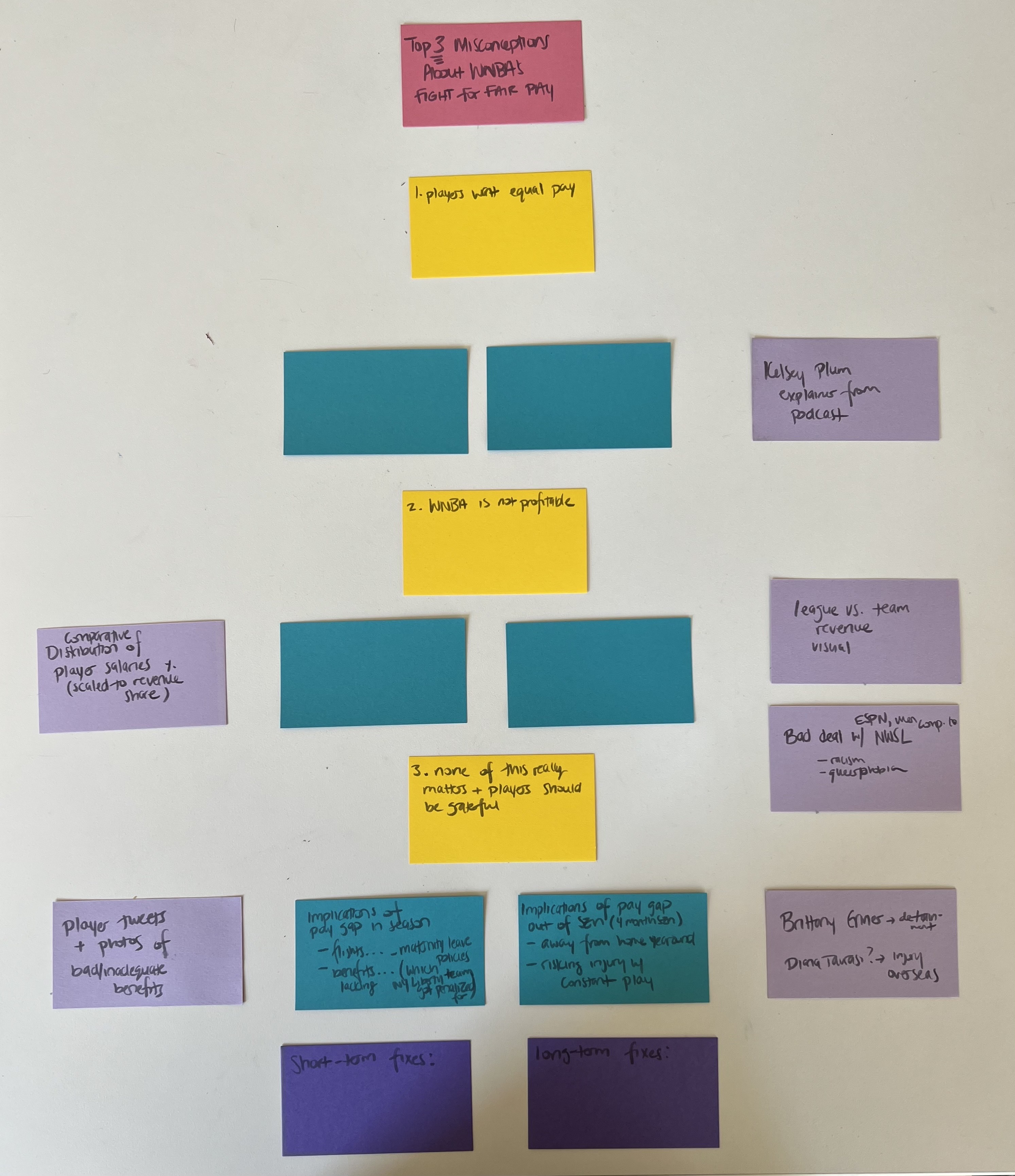
This week, I dived into working on my ILP. During my first shift, I brainstormed possible ideas and decided on their combatibility with the 2-5 minute explainer video prompt. My winning idea was an explainer on the WNBA pay gap, where I break down why it currently exists and discuss why it doesn't make sense (and is unfair booo!).
During my second shift, I was able to pitch the idea to Marlon and Jordan and received feedback as well as a roadmap for the project (see [my notes](#10/4/2023) above). Afterward, I researched different models on social media and took notes on the different devices that I thought work worked well. Lastly, I began to work on an outline for the video where I mapped out the order of key concepts (in yellow) as well as corresponding visuals (in purple) I hope to show on screen. I will fill in the details (blue cards) next week.
| Type of Work | Time Spent | Notes
| -------- | -------- | -------- |
| Reviewing Sources for ILP Content | 2:00 | reeading up on WNBA pay gap |
| Reviewing Sources for ILP Format | 1:30 | researching and taking notes on model videos
| Outlining ILP | 1:30 | began to structure video
## Setting the Scene

I engaged in a variety of tasks this week! I was able to continue making headway on my ILP and am at a point where I have v1 of an outline for the video done as well as a the lookbook. After learning more about how to storytell with intention through Duarte and how videos on similar topics approach structure, I'm excited to complete v2 of my outline next week and begin working on a script!
| Type of Work | Time Spent | Notes
| -------- | -------- | -------- |
| Prepping | 2:30 | finished Outline v1 and created Lookbook |
| Learning | 1:15 | engaged with Duarte and Vox Media Videos
| Maintaining | 0:45 | set up for 10/16 workshop and made buttons for 10/18
| Collecting | 0:30 | searching for reference images for Lookbook |
## Impersonating Khan Academy
| chickenscratch | Blurb |
| -------- | -------- |
| 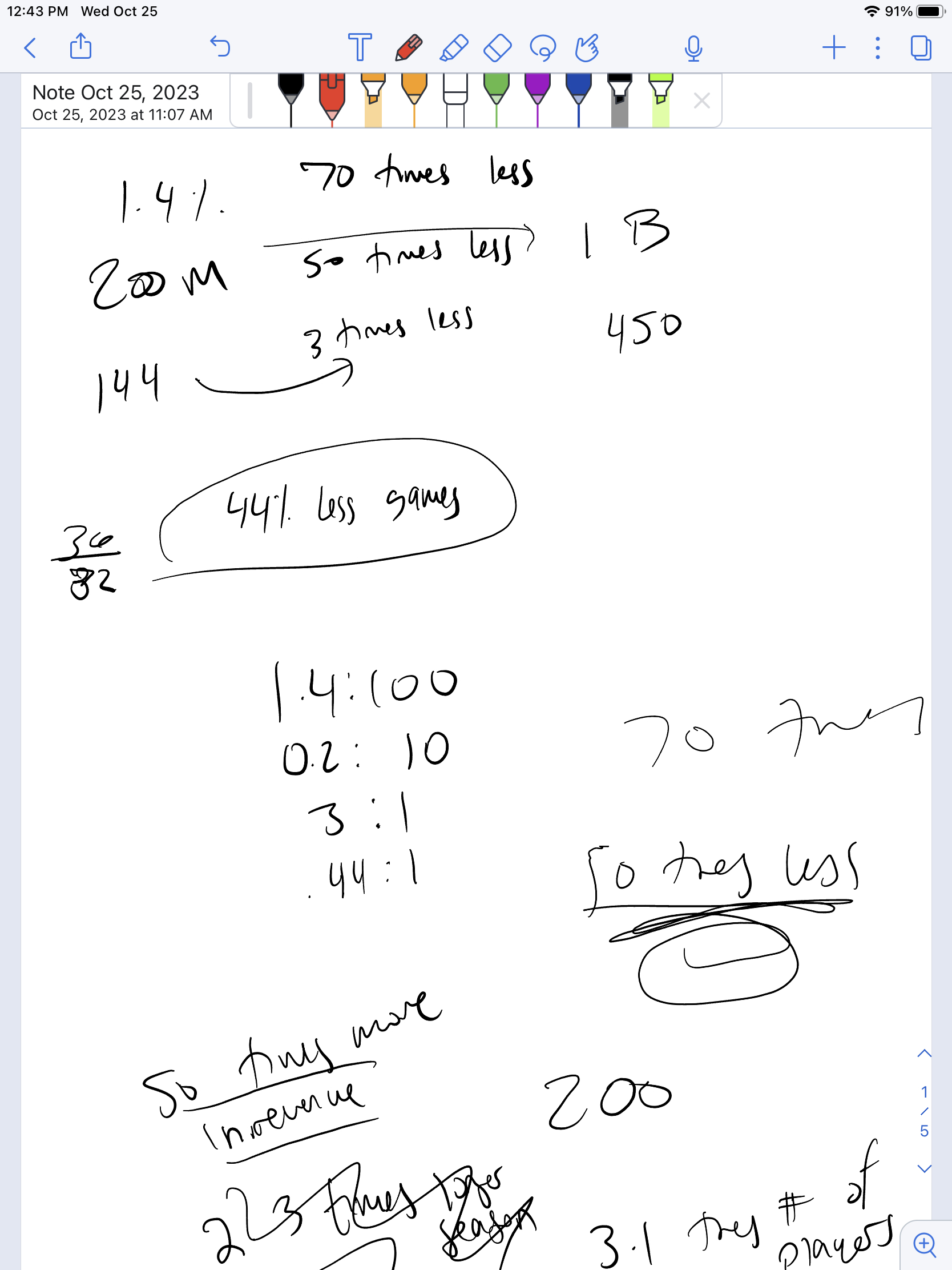 | 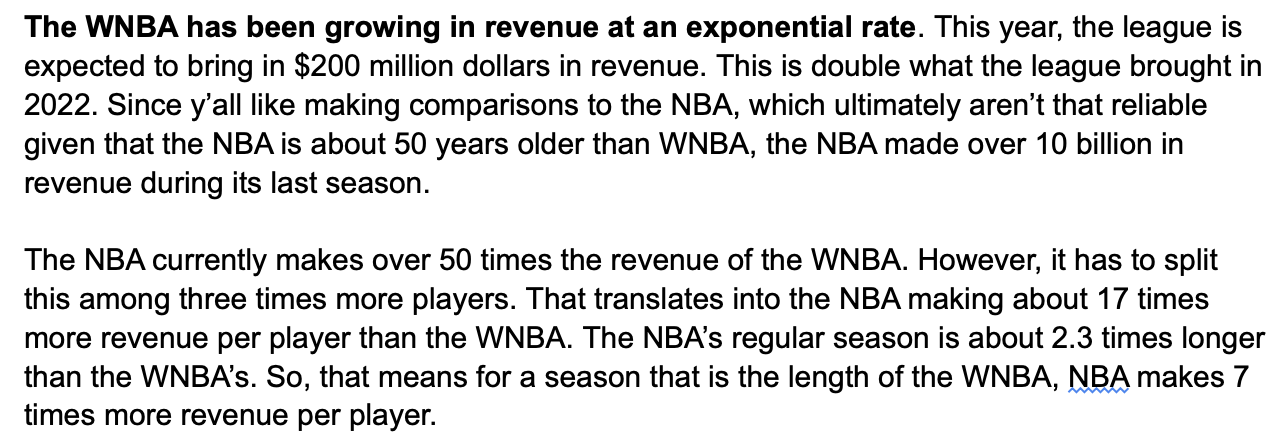 |
I've started working on my script this week! I'm nearly done and I'm looking forward to spending time filming. I spent my first work session finalizing and assembling footage and media to incorporate in video. This was helpful since I've been able to leave placeholders in my script for when I would insert a another clip or elaborate on a piece of media during the video.
During my second shift, I spent a large chunk of time trying to mathematically prove that WNBA players deserve higher pay. And I hope to fine tune my explanation and thought process to make it more accessible to general audiences. Instead of relying on charts and graphs (that I couldn't find and would have to make), I think using animated graphics like highlighted proportions of players and scaled amounts cash can be cool visuals that I can later make in post-production to add to the video.
## In the Studio
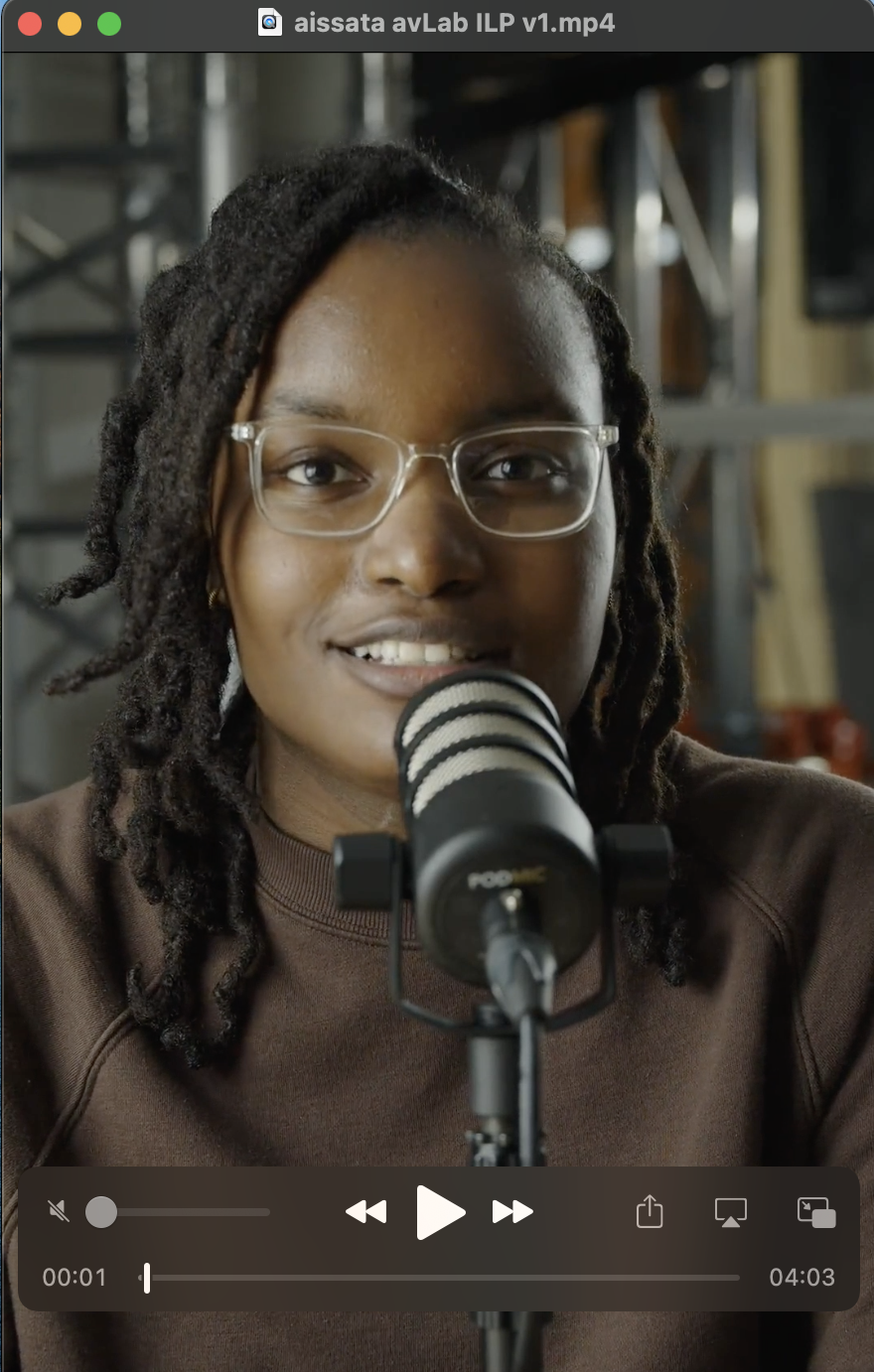
This was filming week! After weeks of preparation, I finally filmed my ILP project. First thing, Monday morning, I worked with Dan to set up the camera, lights, and overall vibes in the large classroom to film. We changed lens a couple of times to find the one that would give us the best talking to camera effect of social media. Casey was also instrumental in helping us adjust the aperture on the camera but also physically (suggesting that I move further from my background to enhance the hazy effect I was going for).
In my next shift, I worked on editing the footage. I also added in some sound effects to make the video dynamic, and I'm excited to start visually editing the video more next week!
## I Miss the Studio
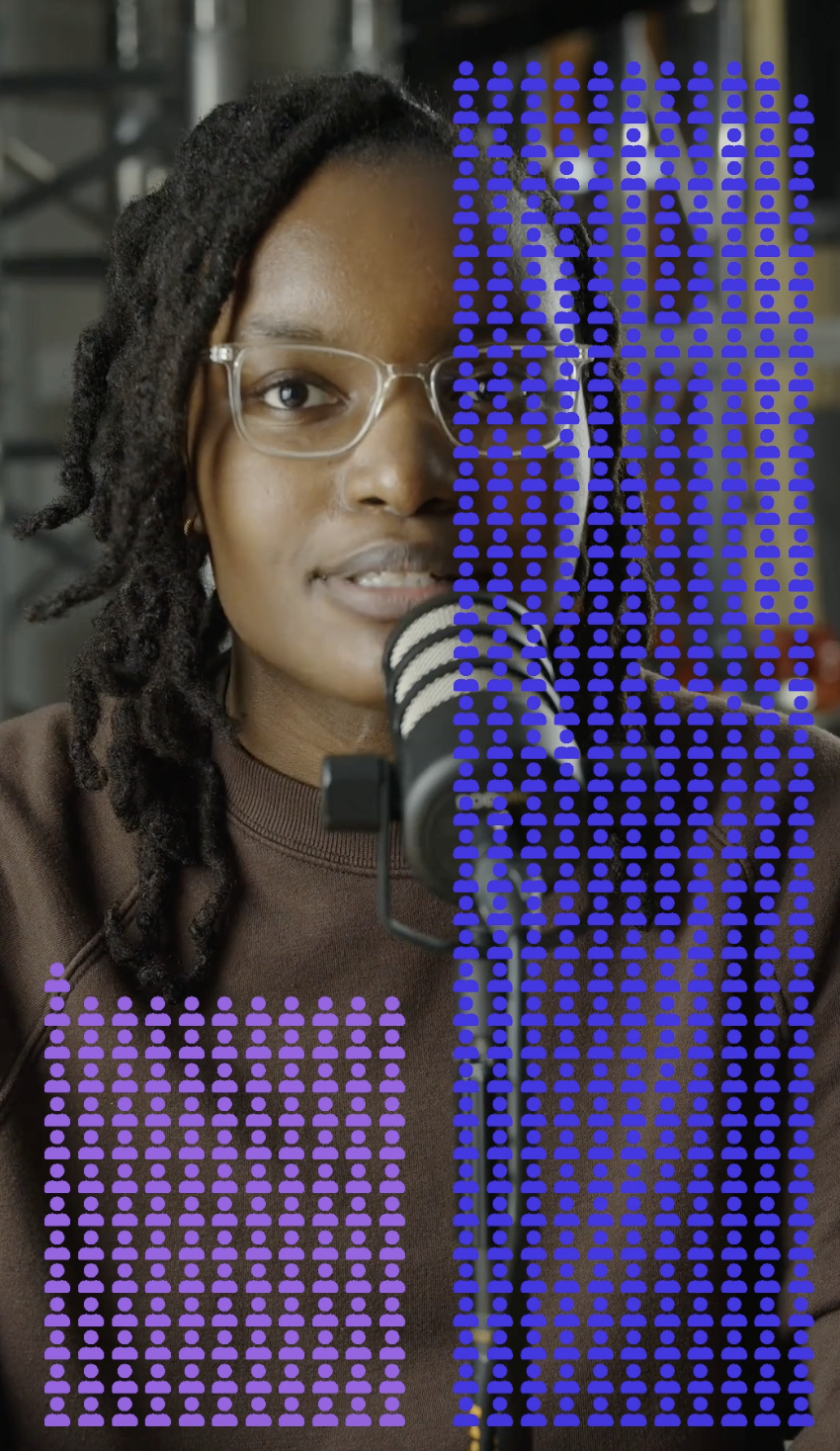
Editing week has been really chaotic, to say the least. During my first shift, I researched different online platforms that could help me create animated math-y visuals and charts. I realized that creating animated content is actually much more difficult and perhaps beyong the scope of my needs for my ILP, so I settled on [Flourish](https://flourish.studio) - a data visualization and storytelling software to create a few graphics.
During my second shift, I worked on integrating these graphics into the video. This took some work on Photoshop, since I had to remove the background of the graphics from Flourish. I still have to tinker with the masking on a chart with text that appears hard to read in Premiere. Lastly, I played around (unsuccessfully) with color correction and am excited to do that more into next week.
## Learning and Growing
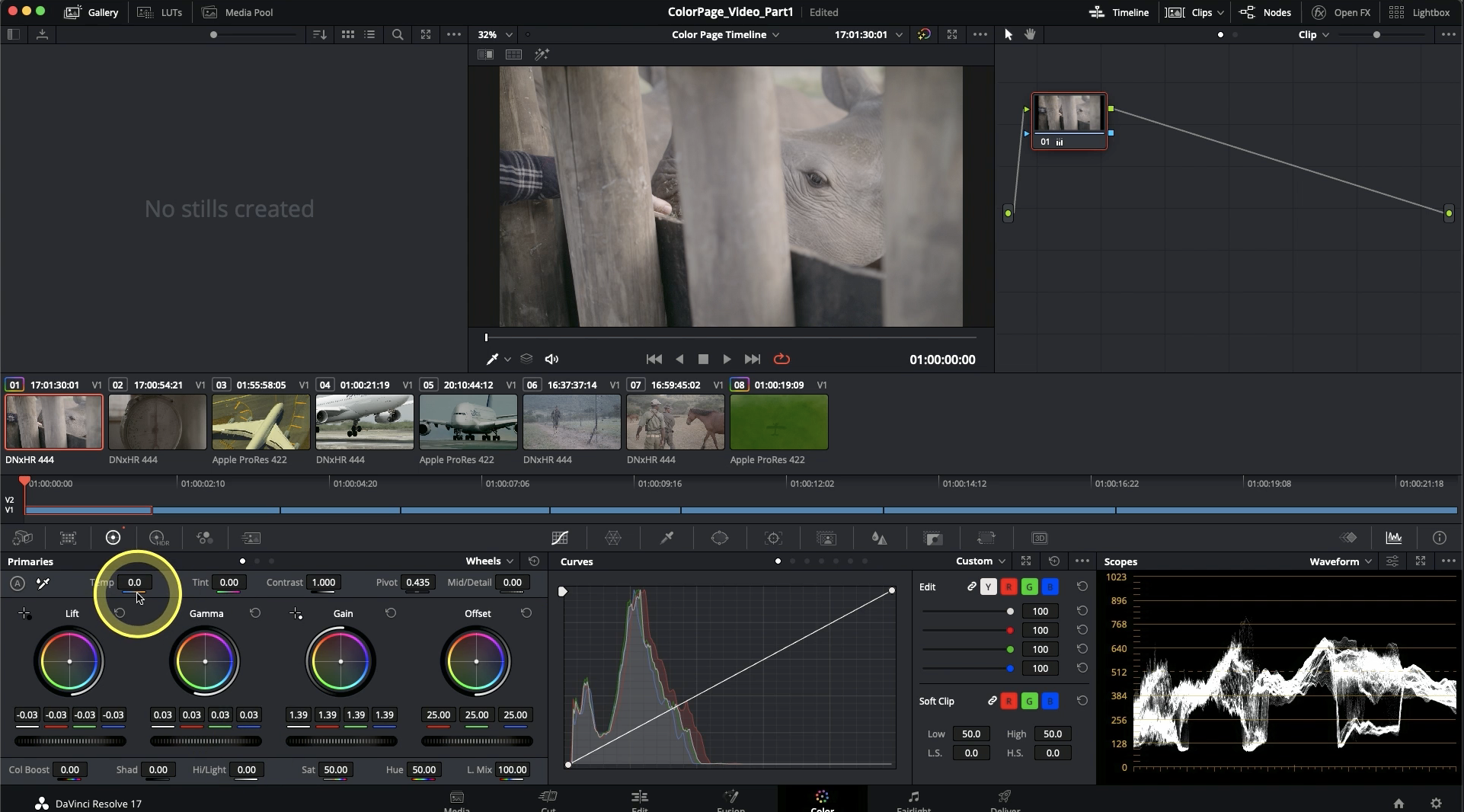
After wrapping up official work on my ILP, this week I've worked on a variety of tasks. First, I created a review of Flourish that details all that the tool offers and its best use cases. I then worked on getting my myself up-to-speed with Davinci Resolve and started completing one of the trainings offered on their website. Lastly, I helped Christine with finding videos about medicine, illness, and health on the Prelinger Archives for a GENED that was visiting the Learning Lab. Very excited to continue work with color correction in the coming weeks!
## Color Grading pt. 2
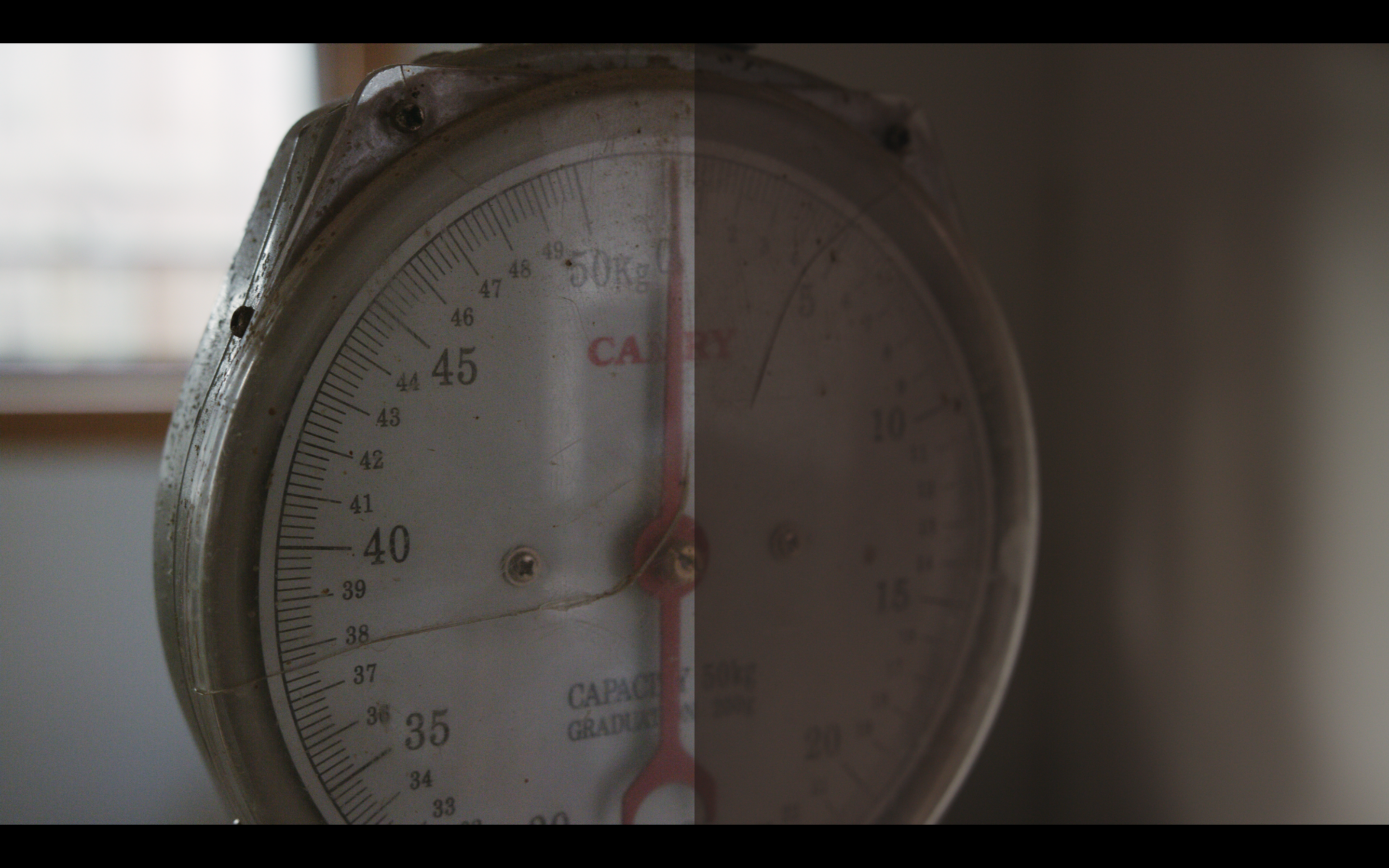
This week, I was only in the Learning Lab on Wednesday. I continued the Davinci Resolve color grading tutorial, and specifically did work on how to achieve a duo tone look with color wheels. I also learned about how to balance and edit and image using the color waves. I find this method much more confusing, because I'm not sure how low or high to place dots in order to adjust various aspects of the image. For example, can I always adjust gamma by placing a dot in the middle or does it depend on the distribution of luminence in the object. Similarly, in order to create contrast using S-curve, what does the placement of the two dots represent? I can see the image changing, but I'm not sure what's the systematic reason behind this. I will say, I do think white-balancing is easier using the curves than the wheels, since I find aligning the colors in the waves to be a very calming. Above is the second image I worked on where you can see the color graded version on the left and the original image on the right. Can you tell what the duotones are?
## Color ~~Grading~~ Correcting (pt. 3)
*Started from the bottom...*
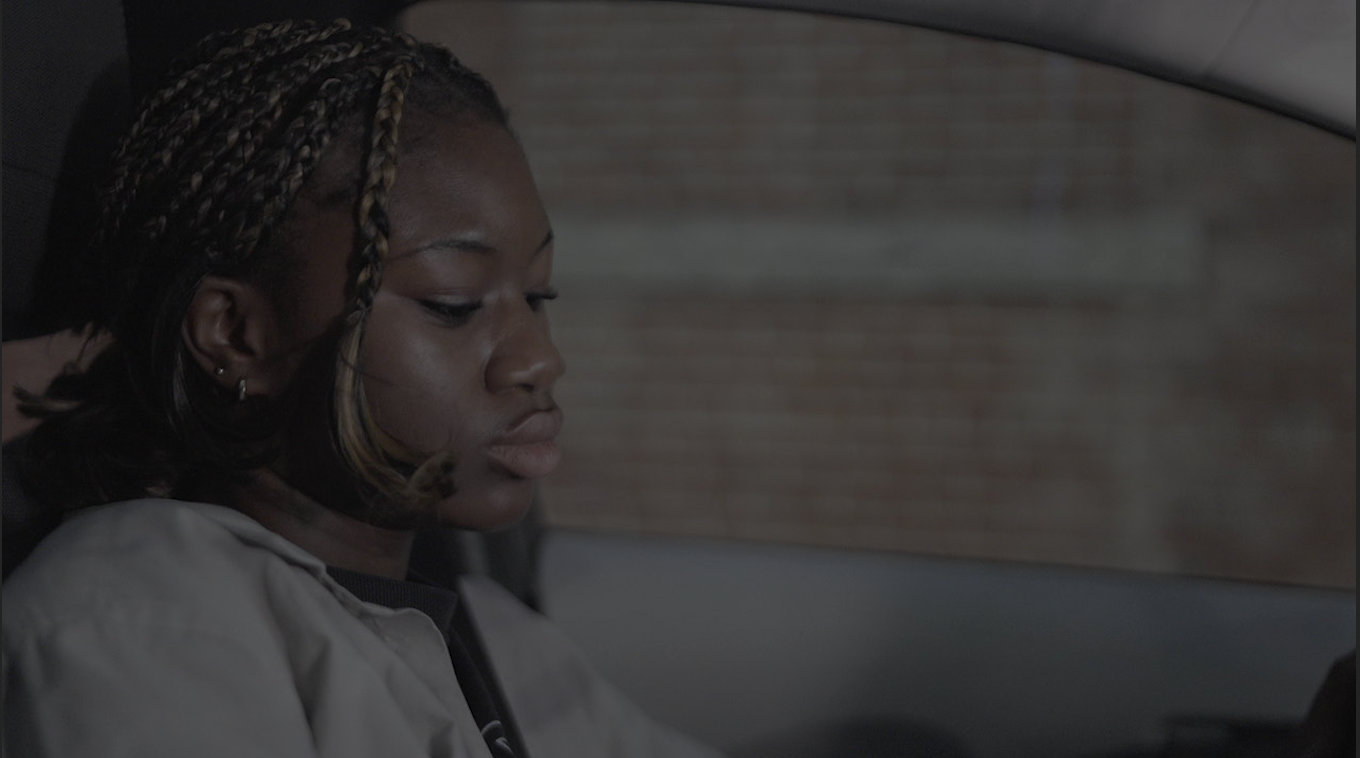
*Now we here!*
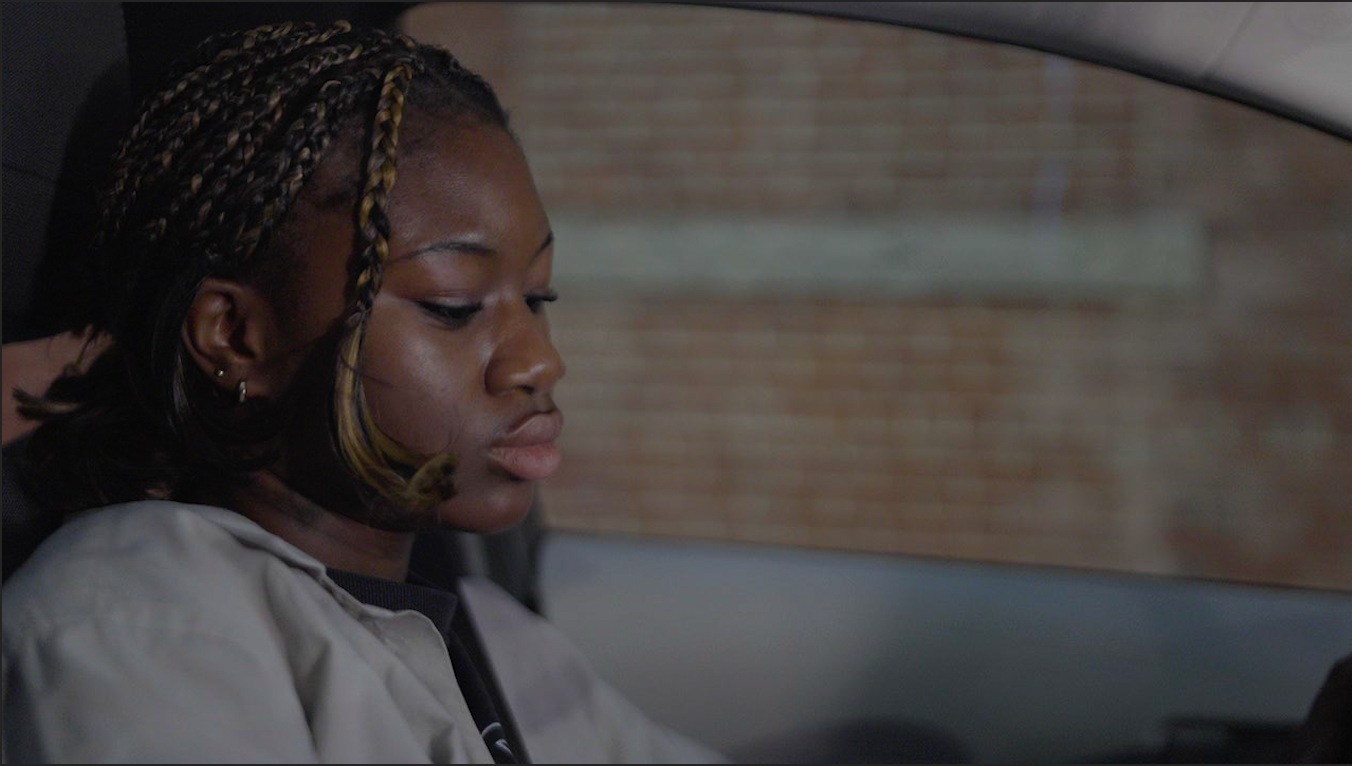
This week I tried to apply everything I learned in the tutorials I've been watching to sample photos and videos. Everything started smoothly, until I realized that some of the colors that I saw on the camera I was filming weren't being accurately reproduced (specifically as it related to hue). That's when I started learning about Color Transform and the whole wide world of Gammas and Gamut thanks to the [HackMD articles](https://hackmd.io/prG0WirnSs-oSavi2E0G3Q?view) written and linked by Casey. I have A LOT of questions as a result of all this reading and tinkering:
* Why do we send out footage in Rec709 if it has a relatively smaller dynamic range and weaker color space?
* Do you reccomend the intermediary step of color correcting in ACES before transforming that to the display output? Does that actually lead to more colorful images?
## The Most Wonderful (Color) Grade of the Year
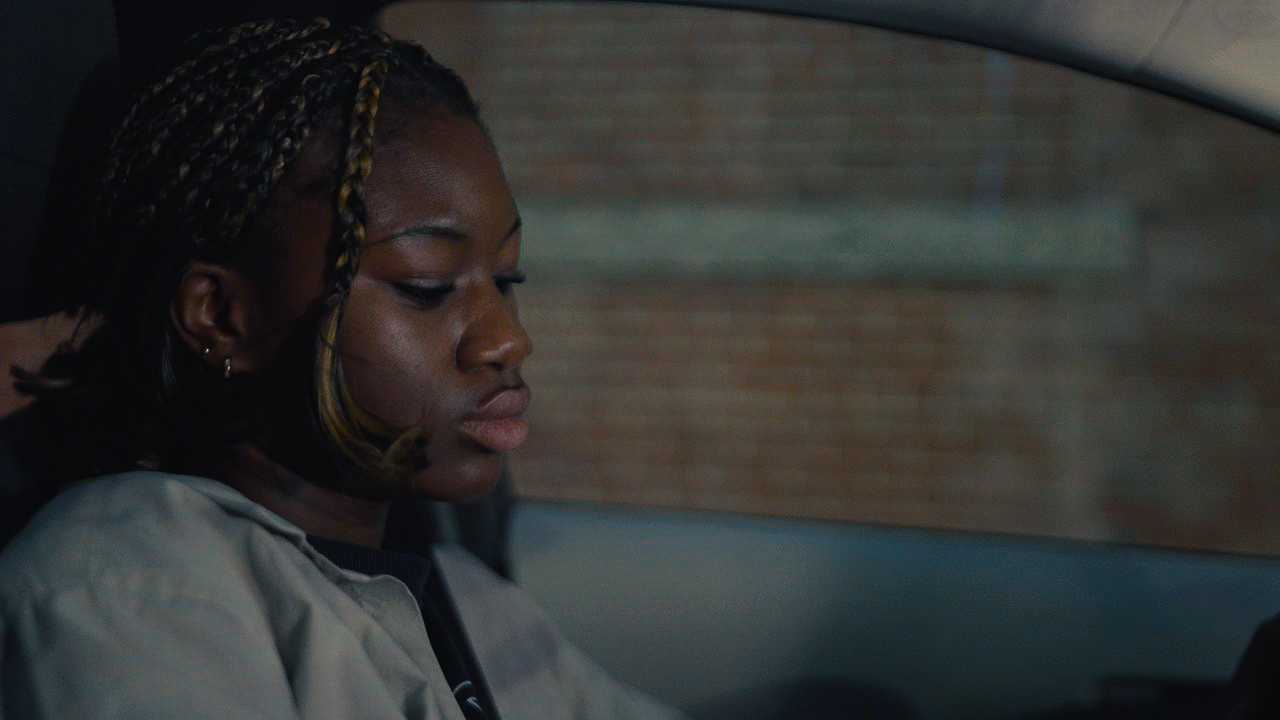
Okay, I bet y'all saw my 'Now we here' hero image last week and was like ???? (this is not that good)! I KNOW, I KNOW. I must admit, in the moment, I was really proud of myself and excited with the color grade, which distracted me from the now BLATANT fact that I got a bit too carried away with the saturation. This week, I decided to start from scratch, and adopt a much more iterative workflow. For starters, saturation was one of the first things that I adjusted (instead of one of the last) so as to ground my image, specifically in the skin tone of the subject. Additionally, I took pointers from my learnings from last week and took advantage of the Adjustment Layer feature in Premiere. I used two image layers and specified a built-in Creative Look for both of them: CineSpace238sRGB6bit (30% intensity) and FUJI REALA 500D Kodak 2393 (11% intensity).
The CineSpace look just made my colors POP from the minor adjustments I made to the log image. The FUJI look gave the image a slightly darker, more gritty, film-like feel. I then added blue shadows and yellow highlights (with a negative tint balance toward the shadows) to add more of a duotone effect.
Once I acheived my desired grade and look, I ran into a few hiccups upon export. When I exported a still JPEG from Premiere, the image came out much darker than what was displayed in Premiere.
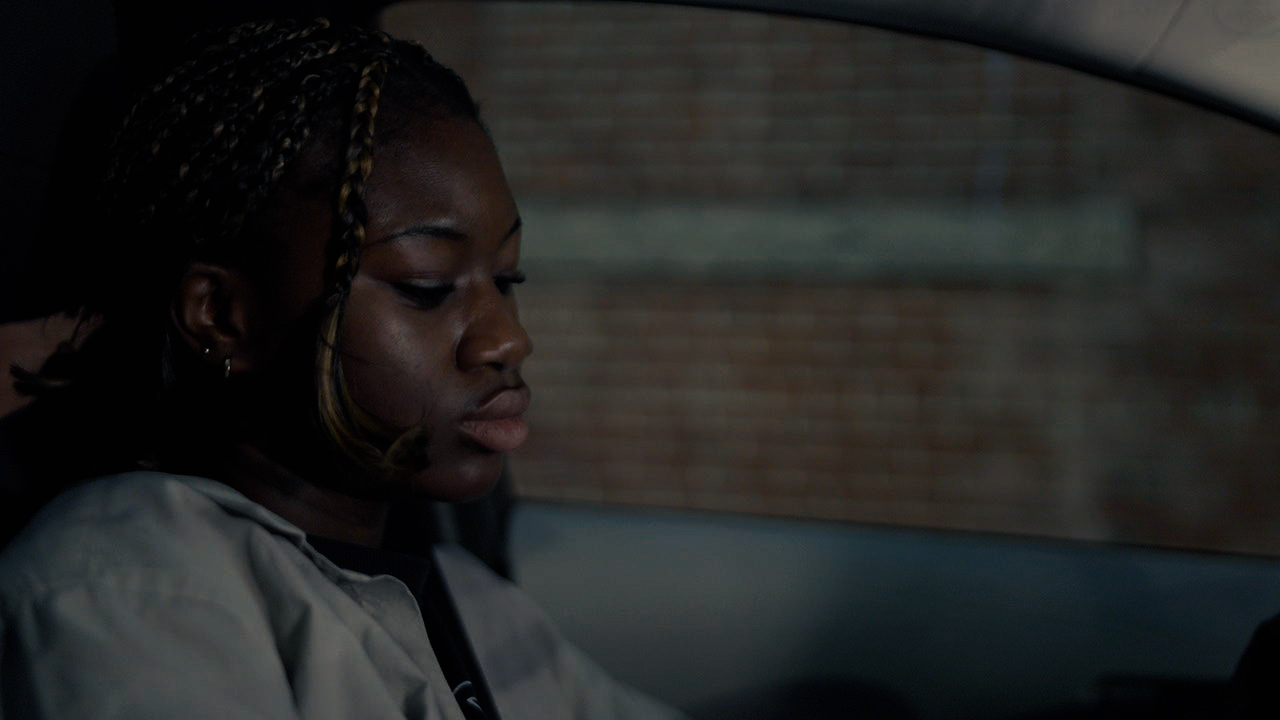
After talking with Sophie, I learned that this was because JPEGs compress an image A LOT, so that explains why some of the darker colors blended and loss their resolution. I exported the still as a TIFF instead and received much better results, but, now, the beloved saturation had been effected.
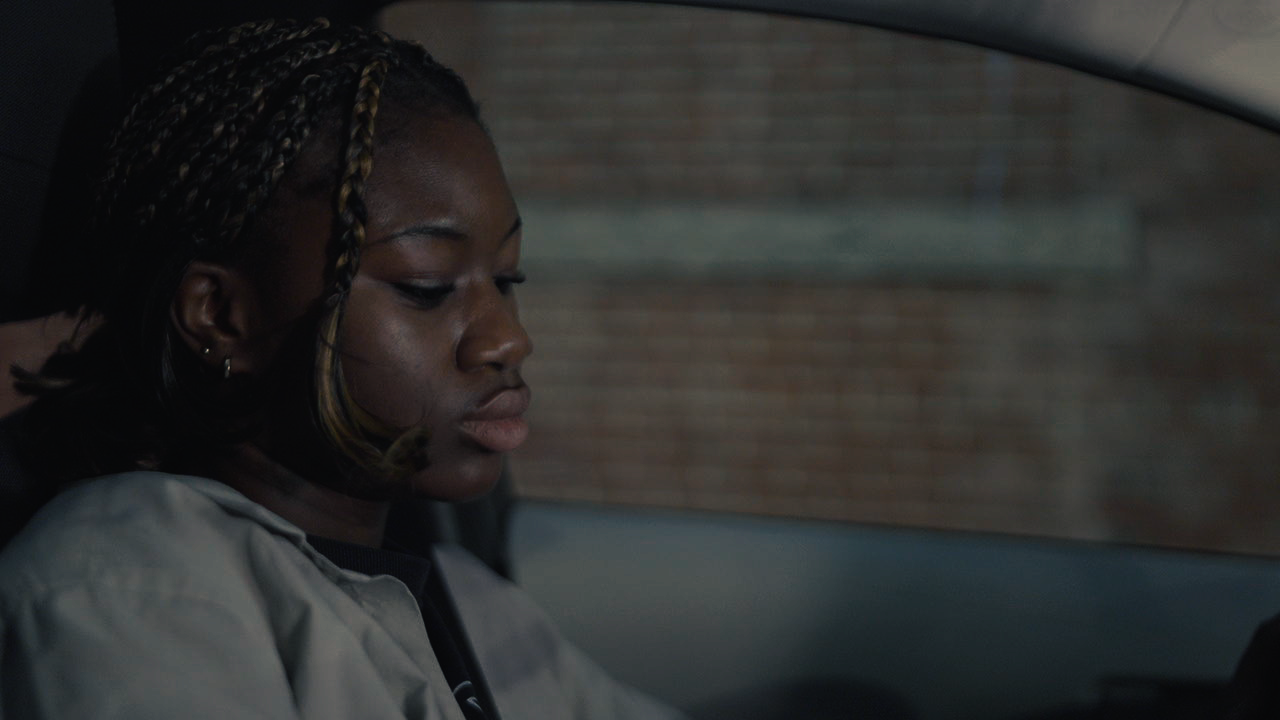
Sophie suggested that I just add it back in Lightroom, which I did! But, below is the TIFF from Lightroom. As you can see, the saturation still didn't really change much. Maybe I chose the wrong export settings since I clicked 'Original Settings'?
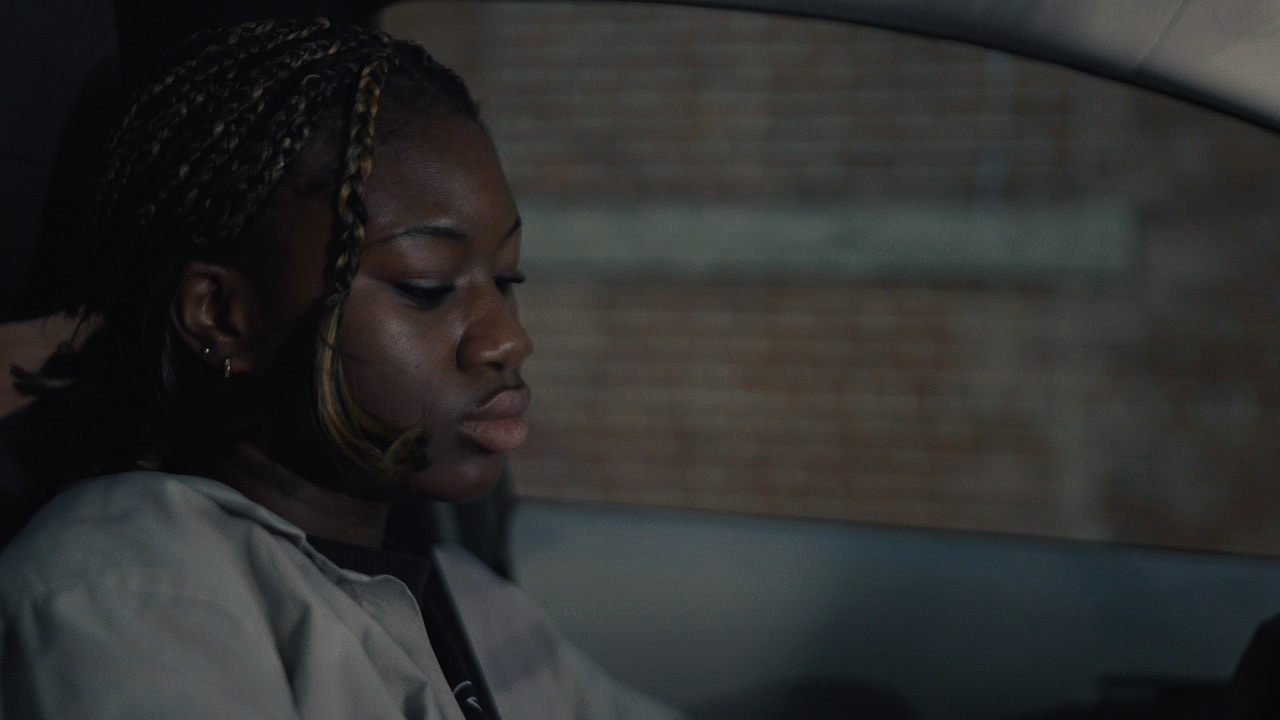
Finally, I just exported a large JPEG from Lightroom and VOILA - I got my hero image!
Moral of the story: don't use Premiere to edit photos. Just start with lightroom.
---
### the breakdown:
If you have an extra 15 minutes or so not spent on higher prioroty tasks, you can totally work on creating a more elaborate and creative data vis of this breakdown, but it would be awesome to get some stats on the following each week at a minimum so we can put together a larger data vis/stats board for storytelling about all of the LLUFs as the year goes on!
| Type of Work | Time Spent | Notes
| -------- | -------- | -------- |
| Learning | 3:00 | Basic training package |
| Testing | HH:MM | this includes any design Labs, and any work request tagged "test" |
| Collecting | HH:MM | this includes any work request tagged "collect" |
| Prepping | HH:MM | this includes any work request tagged "prep" |
| Maintaining | HH:MM | this includes any cleaning or organizing or set up requests. work request tagged "maintain" |
 Sign in with Wallet
Connect another wallet
Sign in with Wallet
Connect another wallet