# ll-microproject-MDF-orientation-3D-and-animation
## TIMELINE
Thursday 18th: 1:30 - 3:45
## IDEAS
* annotated object activity? make your name and department in 3d letters, bring in intentionally chosen object from sketchfab (could be an asset that they bring into their lookbooks?)
* render as an animation and turn into a gif and upload to slack
* intro title sequence
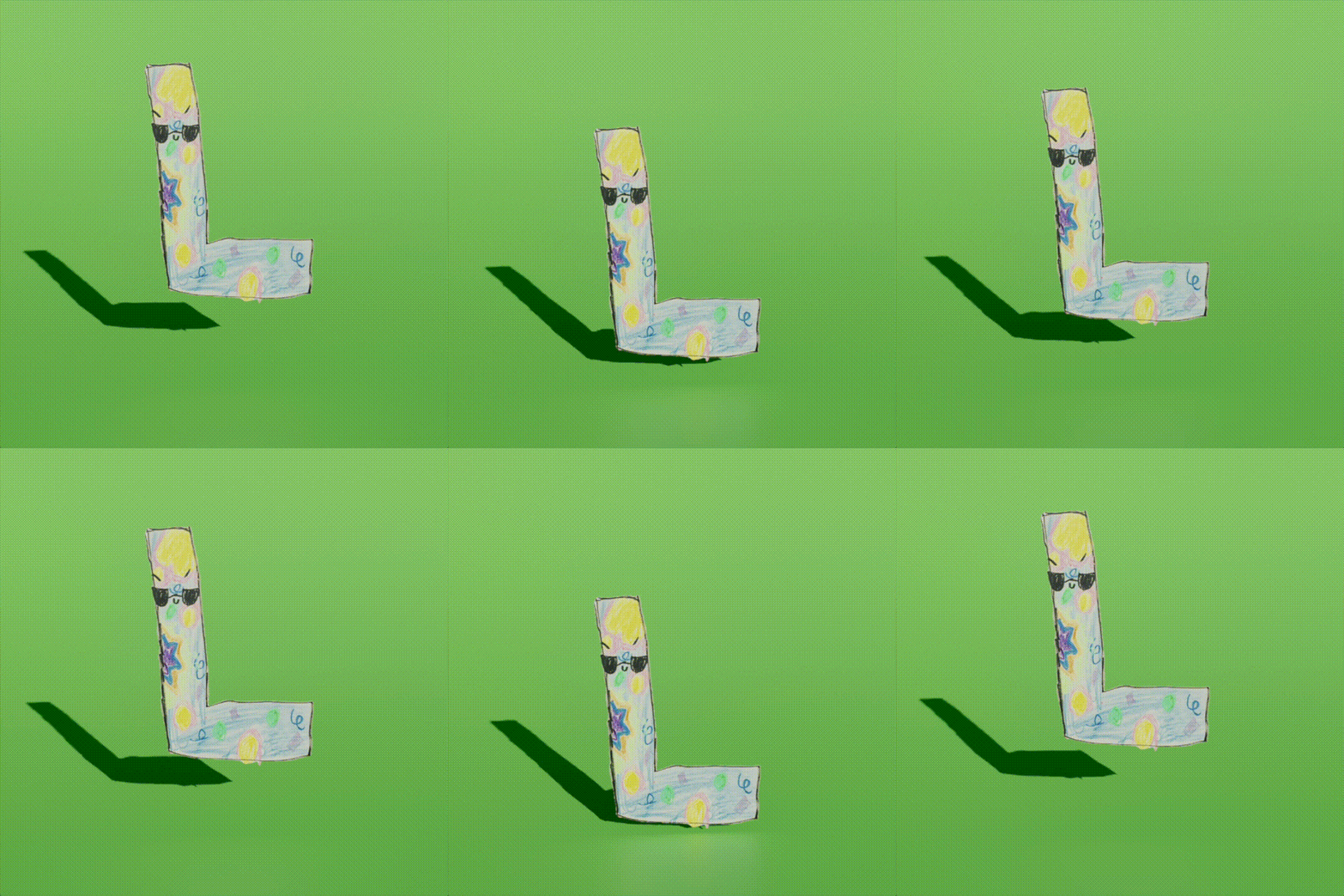
Could we do the woorkflow that produces this?!...:
> Zibby drew it, I did the quickest of all possible background-removals in Ps (hoping for something that can be turned into an action) and then it's off to Blender to animate a simple plane or more complex rig. I like the way the sun crosses the line at the bottom where Z colored outside the lines.
Anyway---what's cool I think is that a whole bunch of this workflow could be automated, and that means that on a fast enough machine, LL guests could get on-the-spot epic 3D renderings of drawings, animation prototypes, etc
### 3D Modeling in Blender
* [blender pinterest](https://www.pinterest.com/learninglabpins/toolblender/)
* [interface tour](/v0uGrg1aSZG_OAsNQazMfw) (SC)
* [simple modeling](/KG754KjOTkGAARyj2LvgRQ) (SC)
* [edge/face/point extrusions](/xxmVjCfwQjqGeuiGTc9T1A) (SC)
* [bisecting](/qQ3597CEQ1aWXeiUg8lQ1w) (SC)
* [modeling](https://www.youtube.com/watch?v=Hf2esGA7vCc)
* [cells](https://www.youtube.com/watch?v=3SnPPKyhCwY)
* [the earth](https://www.youtube.com/watch?v=5SonjWzu9Tw)
* [stars](https://www.youtube.com/watch?v=amVoEm1GgOI)
* [rooms](https://www.youtube.com/watch?v=8XZQhLRQTDw)
* [the classic donut](https://www.youtube.com/watch?v=LMA3S2EGM6U) -- this one is less frequently requested, it's just a classic tutorial
* [extruding](https://www.youtube.com/watch?v=oF1UbZGtjrY)
* [from a simple line drawing](https://www.youtube.com/watch?v=VOyxTAhx594)
* [from a photograph](https://www.youtube.com/watch?v=jnWSkQbSVjA)
* [animations](https://www.youtube.com/watch?v=CBJp82tlR3M)
* [rotate around an object](https://www.youtube.com/watch?v=2RADeCcafCI)
* [walk or fly through a scene](https://www.youtube.com/watch?v=TZ0VjXEUPXs)
* [mapping an image to an object](https://www.youtube.com/watch?v=_anN4ujtHEs)
* [same idea, different approach](https://www.youtube.com/watch?v=6aPCPCsgE2o)
blender shortcuts:
- 'G' is Grab, it attaches the object to the mouse and you click to drop it.
- 'R' is Rotate, it attaches the object to the mouse and you can spin it around; click to finalize position.
- 'R' or 'G' with X, Y, Z lets you rotate or move on a particular axis.
- 'S' is scale, swipe up and down the mouse to make object bigger or smaller, click to finalize position.
- 'Ctrl + P' is parent, select both objects you would like to link before
- Use 'tab' to switch between object and edit modes
### After Effects
* [animated graphs and information](https://helpx.adobe.com/after-effects/using/data-driven-animations.html)
* [line graphs](https://www.youtube.com/watch?v=KB1Woq8Kf78)
* [bar charts](https://www.youtube.com/watch?v=3LUypV1fpig)
* [timelines](https://www.youtube.com/watch?v=i6WUKn1S8ZY)
* [in multiple styles](https://www.youtube.com/watch?v=MIWf11QcarQ)
* [so many styles of timelines](https://www.youtube.com/watch?v=crFgP3pkUOc)
* [maps](https://www.youtube.com/watch?v=eRwFvQknc7k)
* [here's a couple approaches](https://nofilmschool.com/create-maps-adobe-after-effects)
* [another method](https://www.youtube.com/watch?v=TJqbaONV5nQ)
* [seriously, there's so many ways to animate a map](https://www.youtube.com/watch?v=fZ17qbEFvko)
* [the ever classic super-zoom](https://www.youtube.com/watch?v=lGuqzVbzS4I)
* [representing scale](https://www.youtube.com/watch?v=V2IaOUjo8mE)
 Sign in with Wallet
Connect another wallet
Sign in with Wallet
Connect another wallet