---
tags: resources, [Audacity], [Podcast], [Music], [Audio]
author: Dézhawn Dumornay
---

# Audacity: Basic Editing
Audacity is great for recording and editing audio, especially for uses like podcasts.
### **Making a Selection**
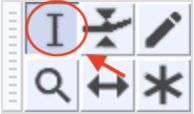
The default window visualizes audio in a waveform. To select a region of audio, click the beginning of the desired section using the selection tool located at the top in the Toolbar, then drag until the other edge of your selection.
Not only can you select the entirety of a track by double clicking its waveform, you can also select content from multiple tracks at once.
There are two visual cues to alert you that there is content currently selected:
- The selected areas of the audio waveform now have a white background
- The Track Control Panel located to the left of the selected waveform changes from white to blue.
Making selections are great for deleting unwanted audio like mistakes in speech or unwanted noises between desired material like an object falling in the background or a cough.
### **Volume Automation**
Every track has an amplitude envelope, allowing you to control a tracks volume as needed. This can be accessed and adjusted using the Envelope Tool.
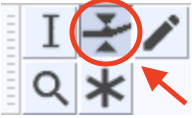
With the Envelope Tool you can create and manipulate control points that determine volume changes over time. Dragging the top or bottom points will keep you within the original volume envelope, avoiding distortion. Dragging an inner point allows you to amplify beyond the original volume envelope of the track.
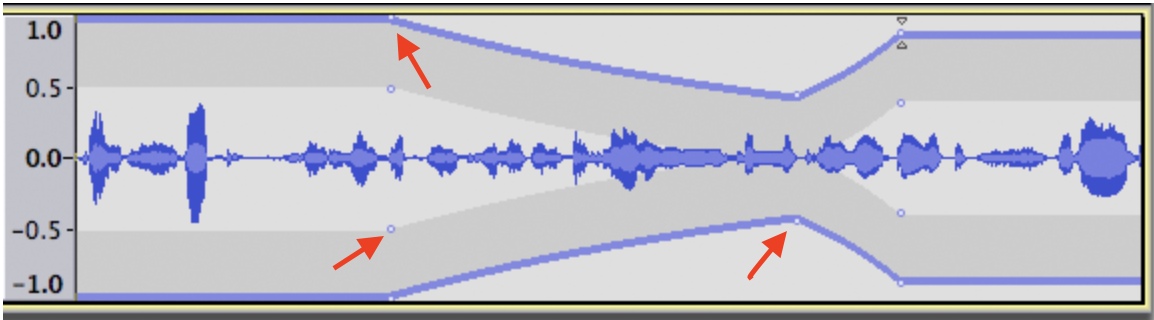
This function is especially useful when you have audio that has undesired fluctuations in volume, for example, you moved away from or closer to the mic while recording a podcast.
 Sign in with Wallet
Connect another wallet
Sign in with Wallet
Connect another wallet