---
tags: resource
---
# Learning and Unlearning — Multimodal Project Resource
This resource will help you think about how different multimodal forms—such as **podcasts, video essays, pamphlets, and web-based projects**—can express your insights about **learning and unlearning**.
Each medium offers distinct **affordances**: ways of engaging audiences, evoking reflection, and showing transformation. Make an **intentional choice** about the form that best supports your story or argument about **how people learn, unlearn, and change**.
---
## Learning through Making
When we make something—a recording, a short film, a digital essay—we learn by **translating ideas into experience**. The process of crafting a multimodal project can itself be an act of unlearning: surfacing assumptions, testing how you communicate, and seeing your topic through a new medium.
**Guiding questions**
- What is your **central insight** about learning or unlearning?
- Who is your **intended audience**, and how can this medium best reach them?
- What **experience** do you want your audience to have (reflection, empathy, challenge, curiosity)?
---
## Storytelling as Unlearning: Audio/Visual Projects
Audio and visual storytelling—podcasts, short films, video essays—reveal the **lived, emotional, and reflective** dimensions of learning. They capture how change feels: discomfort, confusion, excitement, clarity.
**Well-suited for**
- personal or collective stories of learning/unlearning
- interviews that uncover perspective shifts
- analyses that trace ideas evolving over time
- public-facing work that invites empathy and dialogue
---
## The Reflective Podcast
Podcasts translate complex ideas into **intimate, voice-driven stories**, capturing **dialogue, memory, and emotion**—how people come to know or unlearn something important. They layer **voice, music, silence, and ambient sound** to create meaning.
<iframe width="560" height="315" src="https://www.youtube.com/embed/qrJaonJt1QU?si=rGmFlsFjp-wzPpWX" title="YouTube video player" frameborder="0" allow="accelerometer; autoplay; clipboard-write; encrypted-media; gyroscope; picture-in-picture; web-share" referrerpolicy="strict-origin-when-cross-origin" allowfullscreen></iframe>
**Listening prompt**
1. Listen to the first 30 seconds. What do you hear and feel?
2. Listen again—what layers or sounds do you notice?
3. Map out the sonic elements: how do they interact?
4. Reflect on how these choices tell a story about **change, awareness, or understanding**.
---
## The Visual Argument: Video Essays
<iframe width="560" height="315" src="https://www.youtube.com/embed/_V10kWLh71U?si=XDrARY0IqVSUhzrA" title="YouTube video player" frameborder="0" allow="accelerometer; autoplay; clipboard-write; encrypted-media; gyroscope; picture-in-picture; web-share" referrerpolicy="strict-origin-when-cross-origin" allowfullscreen></iframe>
A video essay makes an argument through **image, sound, and movement**. Like an academic essay, it advances a claim—but instead of relying only on words, it uses **visual and auditory evidence** to persuade and illuminate.
**Possible directions**
- explore how learning is represented in culture or media
- analyze how ideas are visualized, remembered, or embodied
- document your own process of learning or unlearning
- invite your viewer to reflect or question an assumption
**Techniques**
- **juxtaposition** to highlight contrasts or transformations
- **voiceover** to interpret what viewers see
- **visual layering**—text, graphics, or animation—to clarify meaning
- **music or rhythm** to guide engagement
### Consider Your Visual Assets
Think carefully about your visuals—photos, archival clips, graphics, or footage you create.
What will each contribute? When will it appear? What will your **narration** or **soundtrack** be doing at that moment?
The sequence and combination of sound and image are your tools for helping an audience **see and feel learning as transformation**.
---
## The Learning Conversation: Interview-Based Projects
Interviews are powerful windows into **how people learn and change**. They can show the process of unlearning through others’ words, pauses, and reflections.
A strong interview requires preparation and empathy. It’s not just a Q&A—it’s a **shared inquiry** into what the interviewee knows, feels, and is still figuring out.
### Key Practices
- choose guests whose stories or experiences illuminate your theme
- research and prepare—but stay open to surprise
- ask **“how”** and **“why”** questions
- listen actively and let curiosity guide the conversation
- create a comfortable environment for authentic reflection
### Interview Prep Resources
From NPR’s internal training guides:
- [story structure](https://training.npr.org/2016/03/02/understanding-story-structure-in-4-drawings/)
- [the show editor's checklist](https://training.npr.org/2021/03/04/the-show-editors-interview-checklist/)
- [casting, coaching an interview](https://training.npr.org/2018/03/05/casting-coaching-and-cutting-a-producers-guide-to-unmoderated-conversations/)
Other resources:
- [the art of the pre-interview](https://transom.org/2016/art-pre-interview/)
#### Ira Glass on Storytelling
<iframe width="560" height="315" src="https://www.youtube.com/embed/f6ezU57J8YI?si=kfJwQsc0QEXoVWgB" title="YouTube video player" frameborder="0" allow="accelerometer; autoplay; clipboard-write; encrypted-media; gyroscope; picture-in-picture; web-share" referrerpolicy="strict-origin-when-cross-origin" allowfullscreen></iframe>
---
## Learning through Design: Pamphlets and Web Essays
Pamphlets, blogs, or web-based multimedia essays invite you to **combine research, analysis, and reflection** using text, visuals, and hyperlinks.
These forms are ideal for public-facing work—where you want to **provoke curiosity**, share insights, or **invite dialogue**.
**Well-suited for**
- exploring philosophical or ethical questions about learning
- connecting case studies, theory, and reflection
- visualizing learning as a social or cultural process
When designing your project, consider tone and purpose:
Is your goal to **inspire, challenge, document, or explain**?
Will your reader **click, listen, or watch** as they move through your piece?
---
## Audio Recording Tips
From our [podcasting site](https://sites.google.com/g.harvard.edu/ll-podcasting):
### Microphone placement
Keep all speakers equidistant from the mic, reduce background noise, and choose a calm setting. Some ambient sound is fine if voices remain clear.
### Test your recording
Record a short sample and listen with headphones to adjust levels and clarity.
### Start early, stop late
Begin before and end after your main conversation—you might capture valuable spontaneous moments of reflection.
### Name your files
Use clear, descriptive filenames to stay organized during editing and transcription.
---
## Video Editing Tutorials
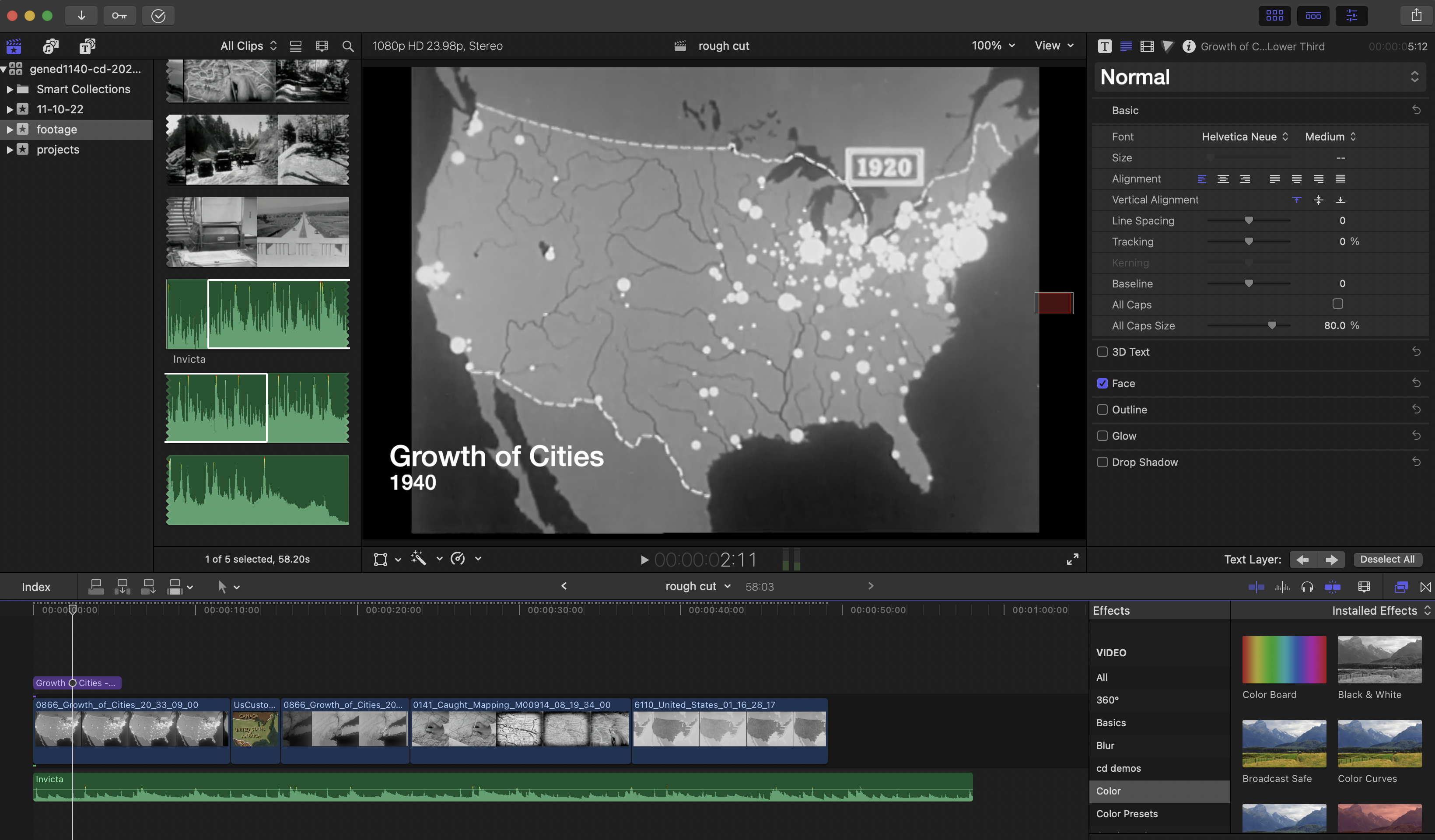
[A Quick Guide to Post Production Resources](https://resources.learninglab.xyz/simple/projects/HDS-FilmFest/post-production)
### For iMovie
- [Getting Started with iMovie](https://support.apple.com/en-us/HT212059)
### For Davinci Resolve
- [Getting Started with Davinci Resolve](https://resources.learninglab.xyz/simple/people/casey-c/Resolve-getStarted)
### For Final Cut Pro
- [Getting Started with Final Cut Pro](https://resources.learninglab.xyz/simple/people/casey-c/FCPX-getStarted)
### For Adobe Premiere
- [Guide to Adobe Premiere Pro](/s2Pph8GJSZSvUv5ENuXqiQ)
- [Getting Started with Adobe Premiere](https://resources.learninglab.xyz/simple/people/casey-c/Premiere-getStarted)
### Sourcing Video
- [Prelinger Archives](https://archive.org/details/prelinger)
- [Downloading archival footage](http://resources.learninglab.xyz/simple/projects/SOCIOL1142/Found-and-archival-footage)
### Recording Tips
- [Recording video with your phone](https://hackmd.io/xD2-fRD1RbigxRQPRUc8PQ?view)
---
## On Campus Resources
- [Lamont Library](https://library.harvard.edu/libraries/lamont)
- 24-hour access with post-production software for editing multimedia projects
- [Cabot Library](https://library.harvard.edu/libraries/cabot)
- 24-hour collaborative space with media studios for production and editing
 Sign in with Wallet
Connect another wallet
Sign in with Wallet
Connect another wallet