# 20250305 The Learning Lab
<a data-flickr-embed="true" href="https://www.flickr.com/photos/boklearninglab/38590371560/in/album-72157688059831350/" title="20180105_001_StudioBuilding_Photos_Still_046.jpg"><img src="https://live.staticflickr.com/4747/38590371560_fab0668c74_c.jpg" width="800" height="533" alt="20180105_001_StudioBuilding_Photos_Still_046.jpg"/></a>
The Bok Center’s **Learning Lab** is an intergenerational team and a studio space built to support creative approaches to teaching and learning. We meet with faculty to consult with them about their objectives, then we design and prototype new assignments, activities and resources for their courses. The designing and testing is performed by our staff of
- 6 full-time employees
- 13 Media and Design Fellows (graduate students who work 10 hours per week to support teaching innovations in their home departments using the resources of the Learning Lab)
- 10 Learning Lab Undergraduate Fellows (LLUFs) who function as "play-testers" as we prototype (giving us feedback and new ideas), and then when the assignments and activities get launched during the term they frequently function as peer tutors and instructors for students enrolled in the courses we support
- 1 Media Production Assistant
Most of the projects we support encourage students to learn and present their ideas in new media: video essay assignments, podcasts, infographics, oral presentations, and more. But students are not merely learning *to* create in these media; they are learning *through* filming, podcasting, 3d-modeling, and so on. These new media are, like academic writing, important forms through which students can grapple with a course's material and, crucially, they are tools for *building and making* things with the data and theories and concepts and histories they are learning.
You can also read more about us in a [book chapter we wrote](https://bokcenter.harvard.edu/news/new-bok-center-publication-learning-lab) that documents the launch of the Learning Lab and says a bit more about our process.
You can find many images of our 50 Church St Studio on [our Flickr page](https://www.flickr.com/photos/boklearninglab/albums/72157688059831350).
## Potentially relevant projects
### Civil Discourse and AI-Augmented Classrooms
The Learning Lab hosted the Berkman Klein Center's Applied Social Media Lab (ASML) for an interactive session exploring AI-augmented classrooms and civil discourse. Rather than a traditional tour, the visit involved hands-on activities, including a paper-based "personality" quiz, AI-assisted analysis of responses, and real-time Slackbot interactions. Participants engaged in small group discussions, which were transcribed live and analyzed using AI. The session culminated in the creation of custom AI bots reflecting different conversational styles, integrated into Slack channels for continued dialogue. The event demonstrated how the Learning Lab is currently experimenting with using AI to enhance in-class discussions and digital collaboration. (And this visit is part of a [larger collaboration being proposed](https://docs.google.com/document/d/1ZPcCwbtNO-ZobNkmxlBjws4Mb0cPlDIwuqIlKthoWPA/edit?tab=t.0#heading=h.qvugn65a93ye).)
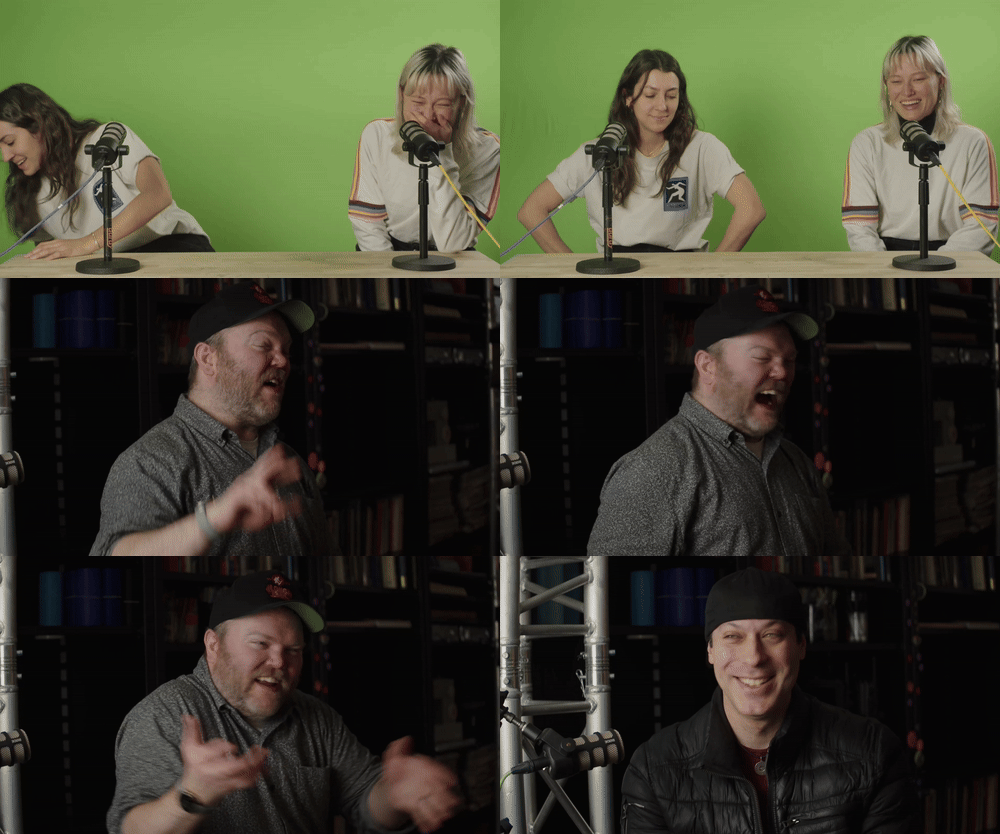
### Faculty Recording
The Learning Lab also supported a video recording project for Dan Shapiro’s Civil Discourse Project, which focused on structured conversations and facilitated discussions. This included recording materials that help students and faculty navigate difficult conversations and engage in meaningful dialogue.
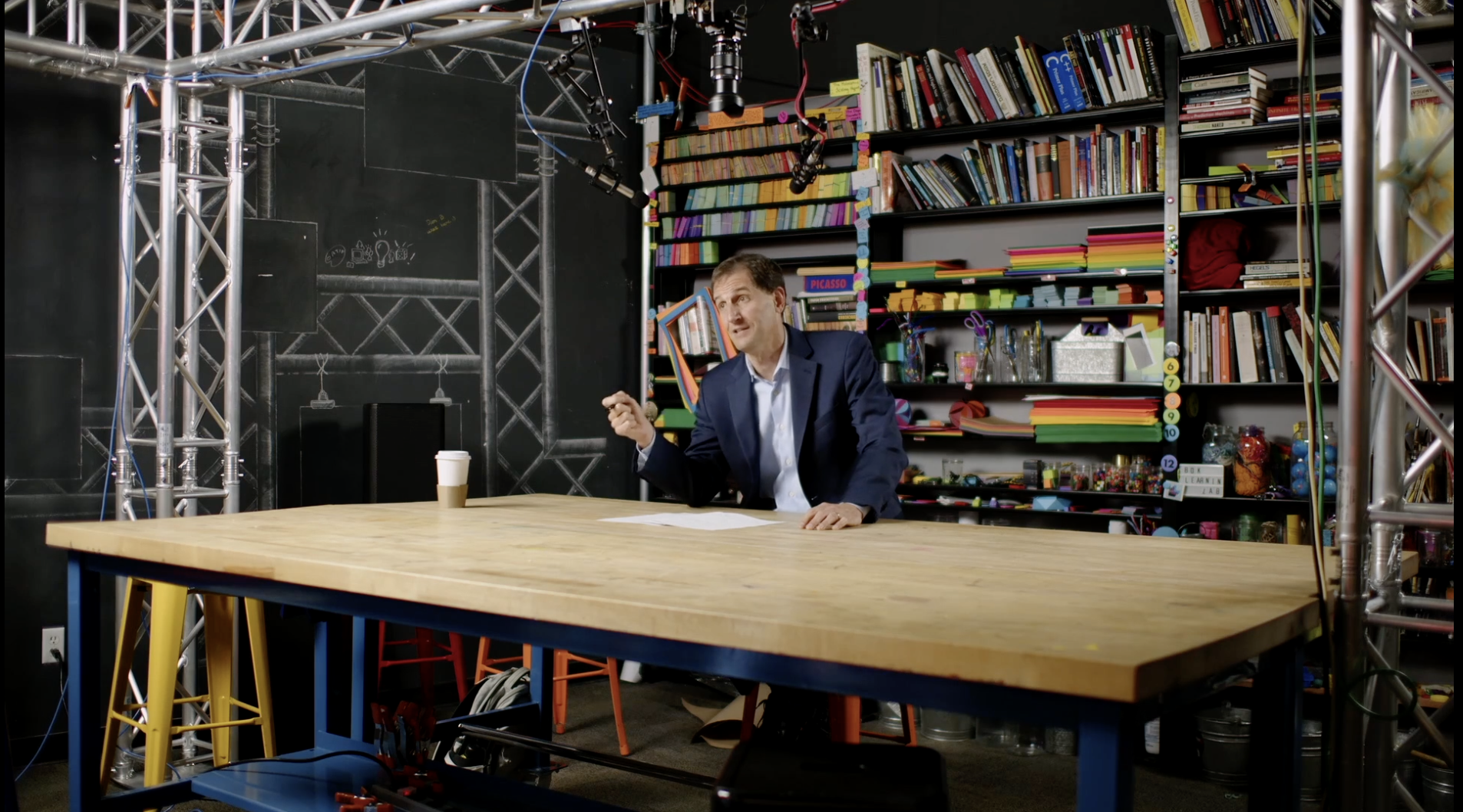
### Workshops examples
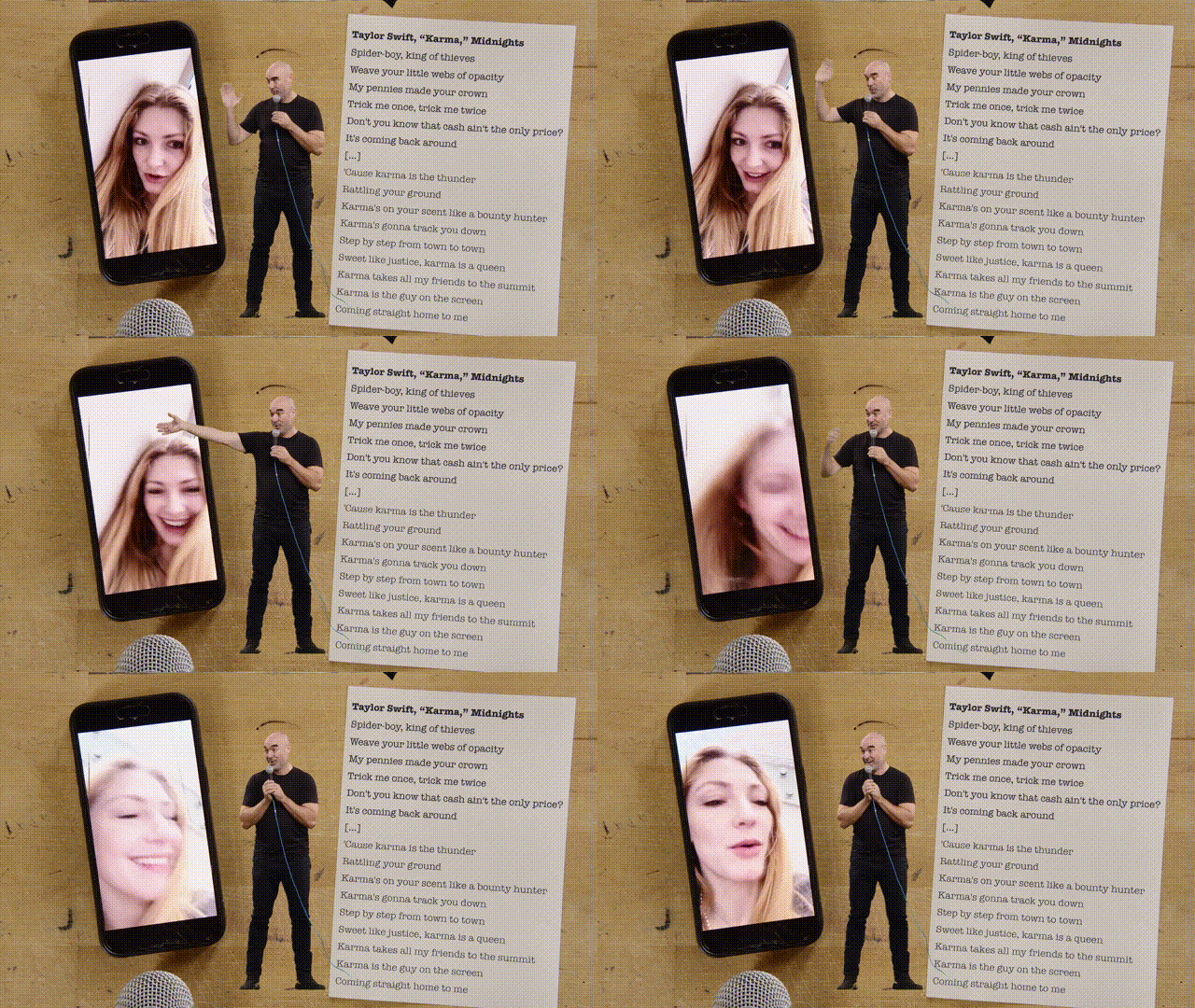
Our workshops at the Learning Lab employ mechanics designed to enhance listening skills that are crucial for effective communication and teach students to produce structured and compelling narratives. In our studio environment, students use art supplies to clarify and map out their ideas, and then we lead them to present using microphones, cameras, and stage. In these workshops, students develop skills that are foundational to intellectual vitality: how to generate and refine an argument, how to persuade an audience, and how to listen to one's peers.
#### OEB 50
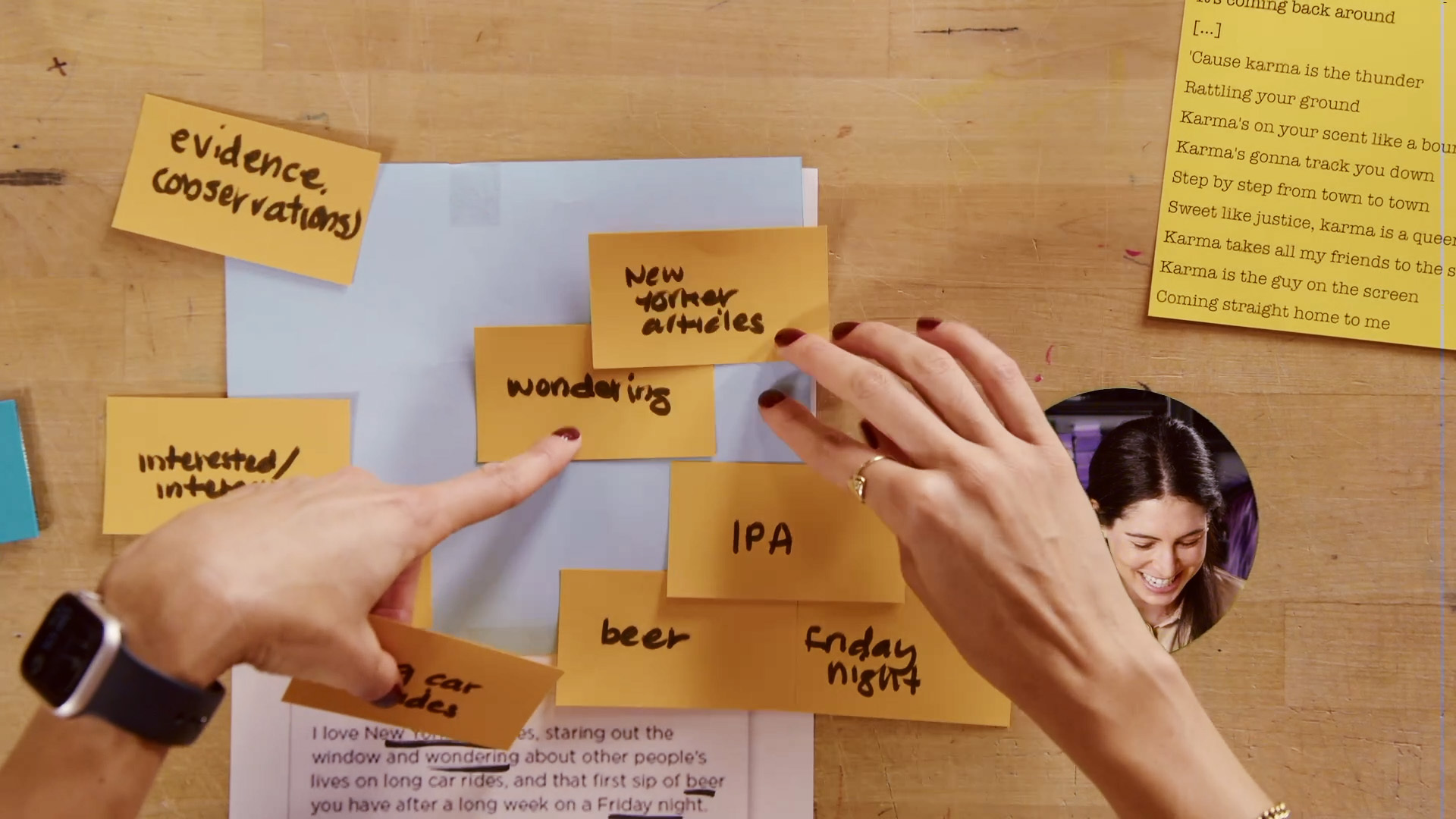
In a podcasting workshop for *OEB 50: Genetics and Genomics*, MDFs Alexia Simon and Alexa Pérez-Torres guided students in an exercise on connecting to an audience, in which students were challenged to choose and argue for the significance of a given scientific discovery. Students learned skills to engage a group of listeners and to convince them not only through empirical evidence, but through rhetoric augmented by technology.
#### EXPOS 40
Students in *EXPOS 40: Public Speaking Practicum* engaged in a set of theater-based exercises to practice different forms of public presentations using audiovisual technology. Students imagined that they were addressing groups in both formal and informal settings; through these activities, students gained comfort and new skills in speaking in front of an active audience.
#### EXPOS 20 and CE 10
Students in both *EXPOS 20: Animals and Politics* and *CE 10: Creativity in Entrepreneurship* iterated pitches that propose solutions to contemporary problems. Students rapidly practiced several modes of speaking that helped them understand and address an audience’s responses and feedback.
#### EMR 162
In *EMR 162: Interdisciplinary Perspectives on Race and Artificial Intelligence*, students critically examined AI-generated media and how predictive models embed cultural biases. The Learning Lab facilitated a workshop where students engaged with different AI tools, including GPT-4/DALL-E, Gemini Advanced, and Midjourney, to analyze how these models represent race, ethnicity, and broader cultural contexts.
A key component of the workshop was exploring AI’s attempts to diversify images and the unintended consequences of those efforts. At the time, public scrutiny had revealed that AI image models tended to default to culturally normative frameworks when depicting human subjects. As companies attempted to correct for this, they often overcompensated, generating historically or contextually inaccurate representations. Google ultimately disabled Gemini’s ability to create images of people, while OpenAI maintained image generation but introduced a system of revised prompts designed to enforce proactive diversity.
To make these internal mechanisms visible, the Learning Lab created a Slack bot that allowed students to see the hidden revised prompts that OpenAI used to shape its outputs. By analyzing these prompts, students could dissect the assumptions embedded in AI-generated media and critique the logic behind automated diversity adjustments. Additionally, Python notebooks enabled students to manipulate and extend these prompts, using recursive image generation to visualize how AI models iteratively modify representations of race, place, and identity.
A central takeaway of the workshop was how this process created a layer of abstraction that helped students engage critically with sensitive topics. Instead of speaking directly about race and bias—topics often laden with personal and emotional weight—students could analyze AI’s decision-making at a remove. By critiquing the models and their outputs, they were able to engage in rigorous discussions about representation, ethics, and corporate influence on AI design without the conversations becoming overly personal or polarized.
The Learning Lab’s studio setup allowed for real-time discussion and analysis. Students printed and displayed their generated images, original prompts, and AI-revised prompts under an overhead camera, transforming the materials into a tangible dataset for collective examination. This hands-on approach helped students articulate claims about AI's depiction of race, ethnicity, gender, and place, using their own generated materials as evidence.
### Undergraduate Pedagogy Fellows Project
The Learning Lab assisted the Undergraduate Pedagogy Fellows (UPFs) in developing the "Harvard Life Game," an interactive narrative designed for faculty and TFs. Using Canva, the UPFs created a game where participants assume the role of a Harvard undergraduate, navigating interactions with instructional staff to explore different teaching and learning scenarios.
### Engaged Scholarship Resource for Faculty
One of our Media & Design Fellows this year waws paired with the Mindich Program in Engaged Scholarship (MPES) to work on a visual representation of the processes and components of engaged scholarship. This resource distills abstract concepts into an accessible form, helping MPES faculty understand and integrate engaged scholarship principles into their course design. The final product will be a pamphlet or booklet for faculty reference.
## Studio Capabilities

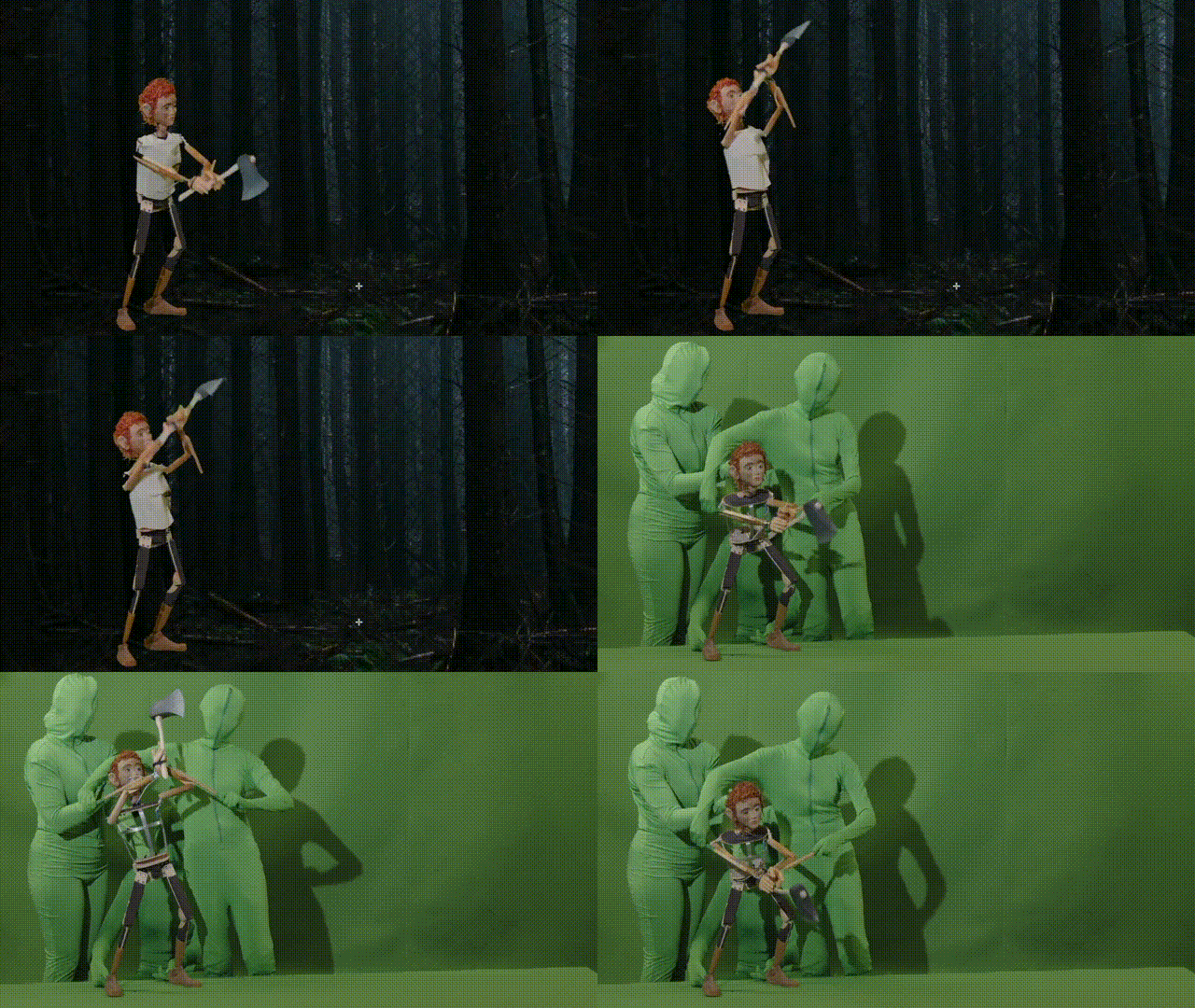
## Harvard Horizons (support for grads)
Each year the Learning Lab supports a group of 8 PhD students selected by Harvard's Griffin Graduate School of Arts and Sciences as they develop the skills and visual assets required to deliver 5-8 minute presentations on their research.
<iframe width="560" height="315" src="https://www.youtube.com/embed/CufZCPkEDGQ" title="YouTube video player" frameborder="0" allow="accelerometer; autoplay; clipboard-write; encrypted-media; gyroscope; picture-in-picture; web-share" allowfullscreen></iframe>
<iframe width="560" height="315" src="https://www.youtube.com/embed/FLcLHyk-18k" title="YouTube video player" frameborder="0" allow="accelerometer; autoplay; clipboard-write; encrypted-media; gyroscope; picture-in-picture; web-share" allowfullscreen></iframe>
## Examples of student work
Many of the courses we support involve capstone media assignments such as videos, podcasts, 3D virtual museums, posters and performances. Here are some examples of student work from students who have given us permission to share their work.
<iframe width="560" height="315" src="https://www.youtube.com/embed/yk2axv35Y6A" title="YouTube video player" frameborder="0" allow="accelerometer; autoplay; clipboard-write; encrypted-media; gyroscope; picture-in-picture; web-share" allowfullscreen></iframe>
<iframe width="560" height="315" src="https://www.youtube.com/embed/WzVkUkxy5ao" title="YouTube video player" frameborder="0" allow="accelerometer; autoplay; clipboard-write; encrypted-media; gyroscope; picture-in-picture; web-share" allowfullscreen></iframe>
<iframe src="https://player.vimeo.com/video/189971951?h=ca436409c3&title=0&byline=0&portrait=0" width="640" height="360" frameborder="0" allow="autoplay; fullscreen; picture-in-picture" allowfullscreen></iframe>
<iframe src="https://player.vimeo.com/video/225859135?h=6e0a79e8da&title=0&byline=0&portrait=0" width="640" height="360" frameborder="0" allow="autoplay; fullscreen; picture-in-picture" allowfullscreen></iframe>
<iframe src="https://player.vimeo.com/video/223395640?h=ed7ed77409&title=0&byline=0&portrait=0" width="640" height="360" frameborder="0" allow="autoplay; fullscreen; picture-in-picture" allowfullscreen></iframe>
 Sign in with Wallet
Connect another wallet
Sign in with Wallet
Connect another wallet