# Multimedia Assignment Options
Choosing a media form for your project should be informed by the interpretive claim that you might want to make.
* audio/visual essays
* **video essays** are useful if your interpretive claim would benefit from visualizations that relate to speech (i.e., as you speak/offer your analysis orally)
* **podcasts** transform an argument into an oral form and can address a broad audience, especially if they take a more informal, conversational style
* web-based essays
* **timelines** can be used to chart change over time and/or moments that are otherwise significant
* **photo essays** allow you to develop a claim through juxtaposition, similarity, etc.
* **maps** enable you to spatially plot significant narrative details
* curation, "gallerization," and serialization
* **virtual galleries** involve taking many discrete bits of content (e.g., an object and a paragraph of text) and amassing them into a larger claim
* **social media posts** entail making a series of discrete posts (ranging from 2 sentences to multiple paragraphs with an image that "collects" the idea and makes the claim legible)
* **memes or gifs** involve generating bitesized cultural output via virtual allusions
A deeper dive into a few of these forms is below.
## video essays
<iframe width="560" height="315" src="https://www.youtube.com/embed/_V10kWLh71U" title="YouTube video player" frameborder="0" allow="accelerometer; autoplay; clipboard-write; encrypted-media; gyroscope; picture-in-picture" allowfullscreen></iframe>
Video essays deploy visuals, audio, and sometimes text, highlighting, and animations in order to make an argument about a cultural work. Video essays can convey a lot of visual data very quickly, so they are a great medium to use for exploring the many contexts in which a particular work emerged. Video essays are also like data visualizations insofar as both forms can make a claim based on a broad range of evidence--for instance, if you'd like to establish the recurrence of a particular trope in an author's work, a video essay could allow you to very quickly provide many instances of visual evidence.
## data visualizations + infographics
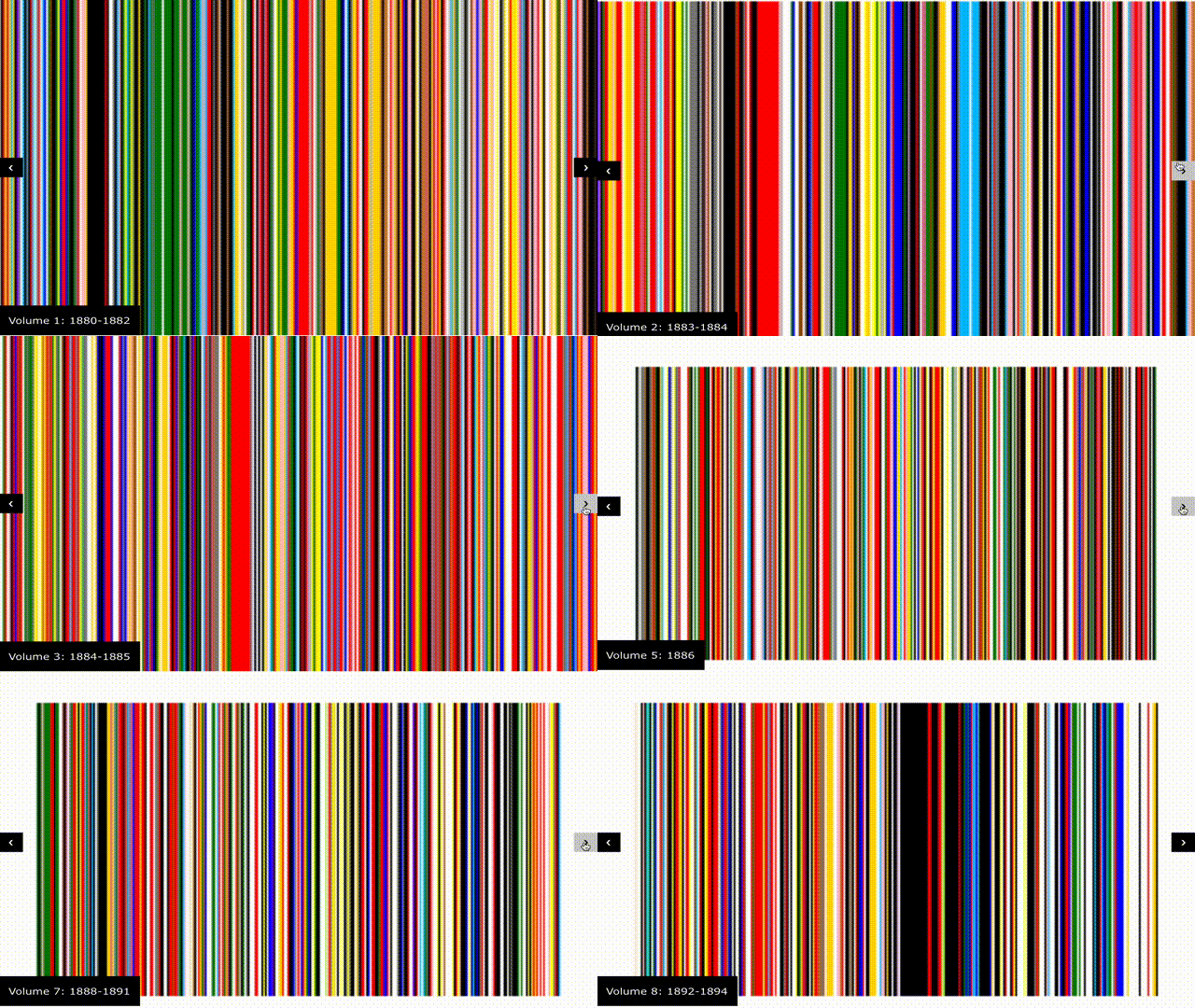
This is a visualization of the colors that Chekhov uses in his stories.
Data visualizations and infographics can be used to make visual arguments about the text. Data visualizations are useful for interrogating patterns and making claims based on many, many examples of evidence (sometimes from a single work but sometimes across many different works). Infographics are a form of data visualization and are useful for arranging claims and concepts in unconventional ways, giving a visual structure to them that is simultaneously rhetorical (i.e., that makes an argument).
How can visualizing an aspect of a text help us learn more? As you consider the following models, think about how they help you understand the text, what moves they are making, whether you find them to be effective, and what analytical moves this medium allows for. Often, data visualizations are accompanied by some analysis in writing, which helps the reader interpret it.
Both were accompanied by text. You can see more on the (unfinished!) [site](https://chekhovcolor.weebly.com/the-stories.html)
## podcasts
Podcasts offer a conversational way to explore complex themes in literature, culture, and history. With a podcast, you can develop an in-depth discussion of historical context, authorial intent, and thematic elements while engaging a broad audience. You could also create an interview-style podcast, where you discuss works with experts. The format’s flexibility for interviews and storytelling enables you to tell stories about the works you're studying and to incorporate your insights and views as you speak about the works.
An example of a literary podcast is the [New Yorker's Fiction Podcast](https://www.newyorker.com/podcast/fiction).
## On Campus Resources
* [Lamont Library](https://library.harvard.edu/libraries/lamont)
* A 24-hour space with post-production software that you can use to edit your multimedia projects
* [Cabot Library](https://library.harvard.edu/libraries/cabot)
* A 24-hour space for student collaboration and study, with studios for media production
 Sign in with Wallet
Connect another wallet
Sign in with Wallet
Connect another wallet