# Generate visualizations that previously required mastery of complex software

prompt used: "Create a visualization depicting a complex mathematical concept that would typically require advanced software skills."
## description
GAI: Students can use an AI tool to generate visualizations that previously required mastery of complex software like Photoshop or advanced coding skills. The AI tool can be programmed to understand a variety of visualization types, from bar charts and scatter plots to more complex visualizations like heatmaps or 3D models.
For example, a student might need to create a visualization to represent data for a research project. Instead of having to learn complex software or coding languages, the student can input the data into the AI tool and specify the type of visualization they want. The AI can then generate the visualization, adjusting the scale, colors, labels, and other elements to accurately represent the data.
In addition to generating visualizations, the AI tool can also provide guidance and support to students. It can explain the principles of effective data visualization, provide tips for choosing the right type of visualization for their data, and help troubleshoot any issues that arise.
Furthermore, the AI tool can be used to expose students to a wider range of visualization techniques. It can generate examples of different types of visualizations, helping students understand the strengths and weaknesses of each type and expand their data visualization skills.
However, while the AI tool can be a valuable resource for generating visualizations, it is important to ensure that students also develop a basic understanding of the principles of data visualization. They should understand why certain types of visualizations are more effective than others, and how to interpret and critique visualizations. Therefore, the use of the AI tool should be balanced with other learning activities and strategies.
## activity
1. Log into chatGPT using the Harvard AI Sandbox
2. From search bar at the bottom of the page, specify whichever AI tool you'd like to use.
* for this activity, we recommend using chatGPT since it tends to be better suited than the other AI tools in the sandbox for creative tasks.
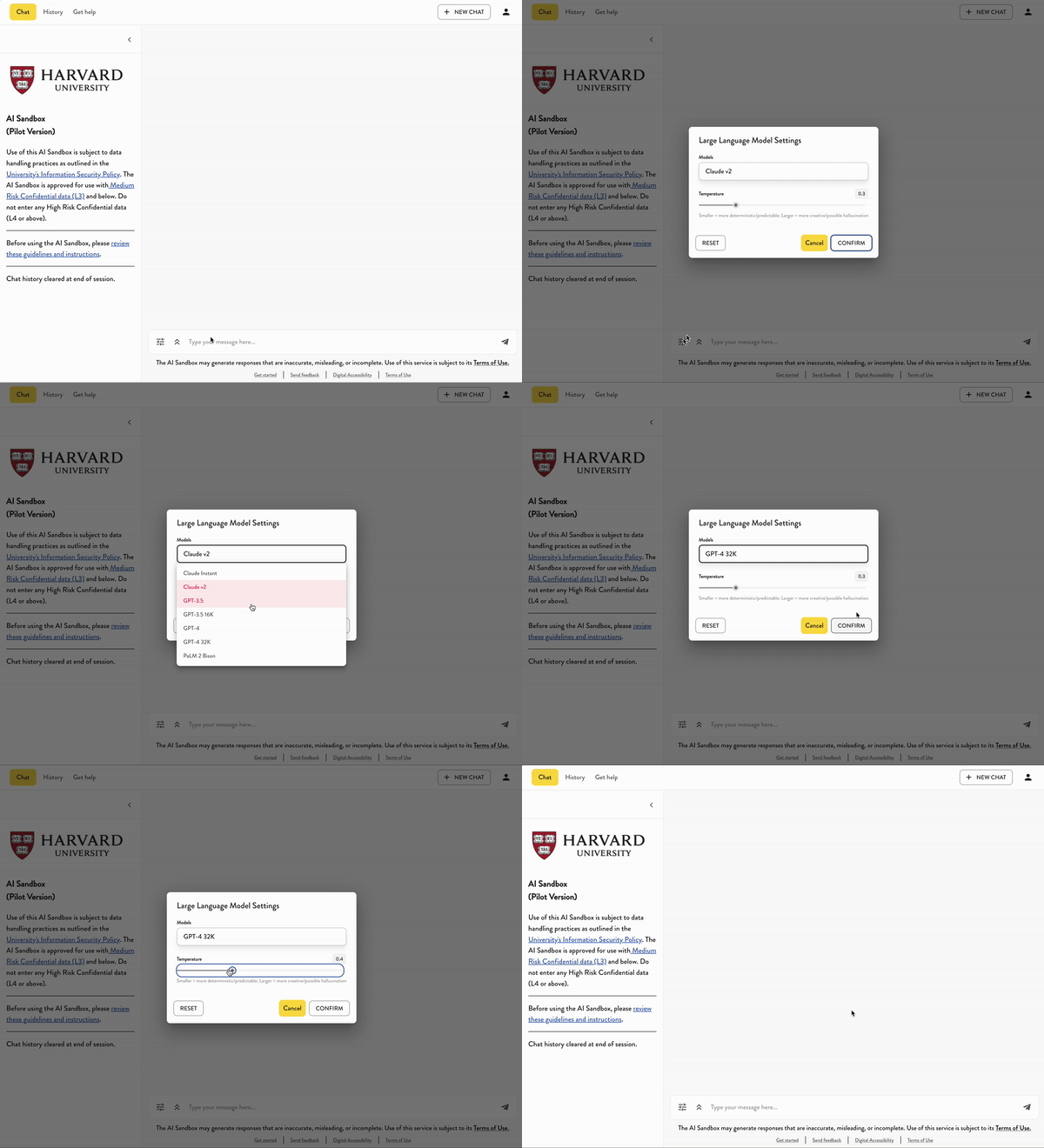
3. For this activity
*
---
## Transcript of activity example:
* USER:
* AI:
 Sign in with Wallet
Connect another wallet
Sign in with Wallet
Connect another wallet