---
tags: type-workshop, form-data-vis, PSY1018, add _PROJECTS_Metaprojects) undefined, student-guide, resource
---
# PSY1018 Poster Making Workshop Student Guide
## Workshop Recap
We are excited to work with you on your assignment! Here's a quick recap of what we did during the workshop:
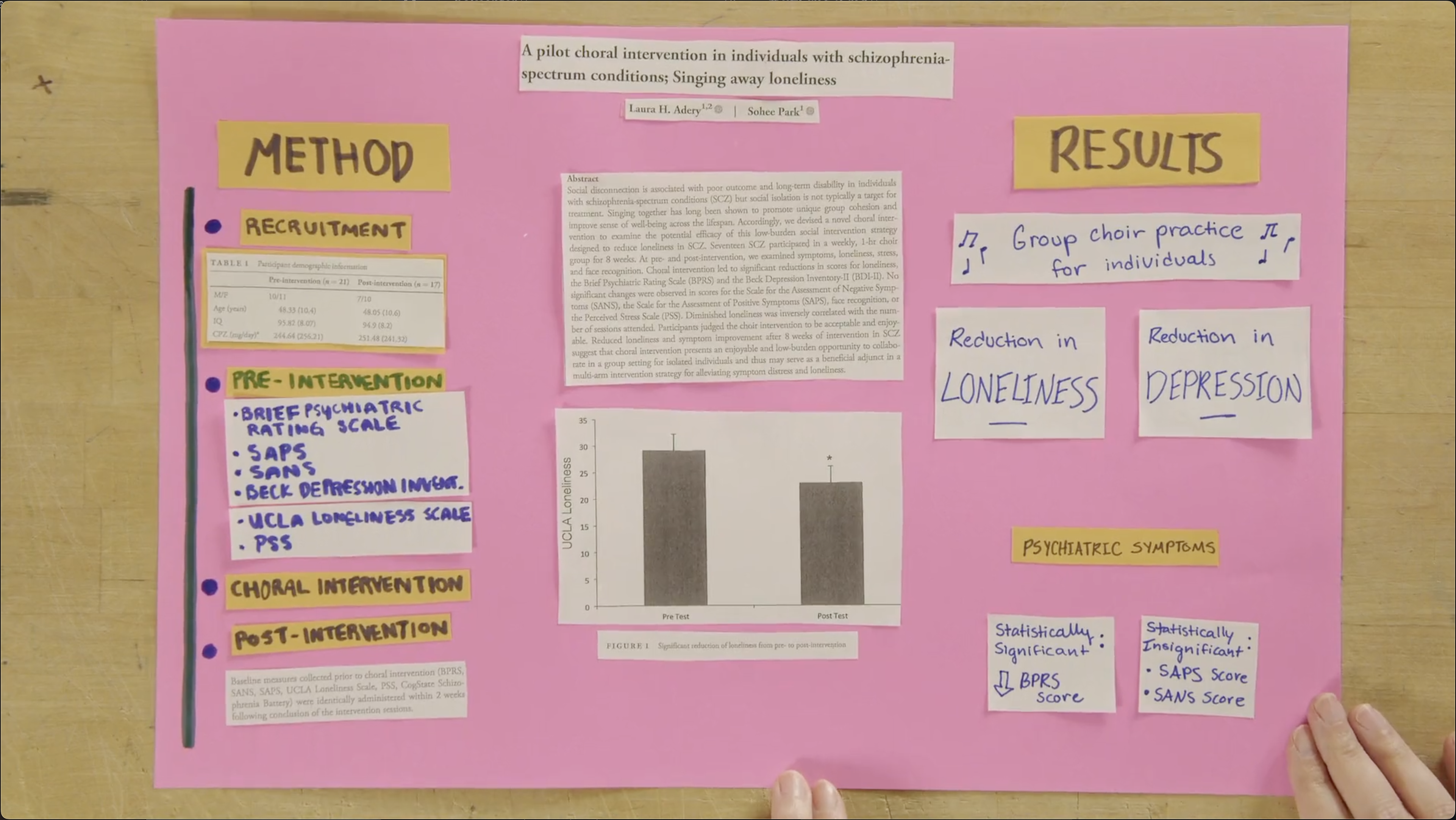
* We discussed the format of academic papers and how we read them in a linear order. This contrasts with posters, where sections are arranged in space in a way that allows readers to bounce among different sections. If we are thoughtful about this spatial arrangement, we can communicate the relationship among different sections!
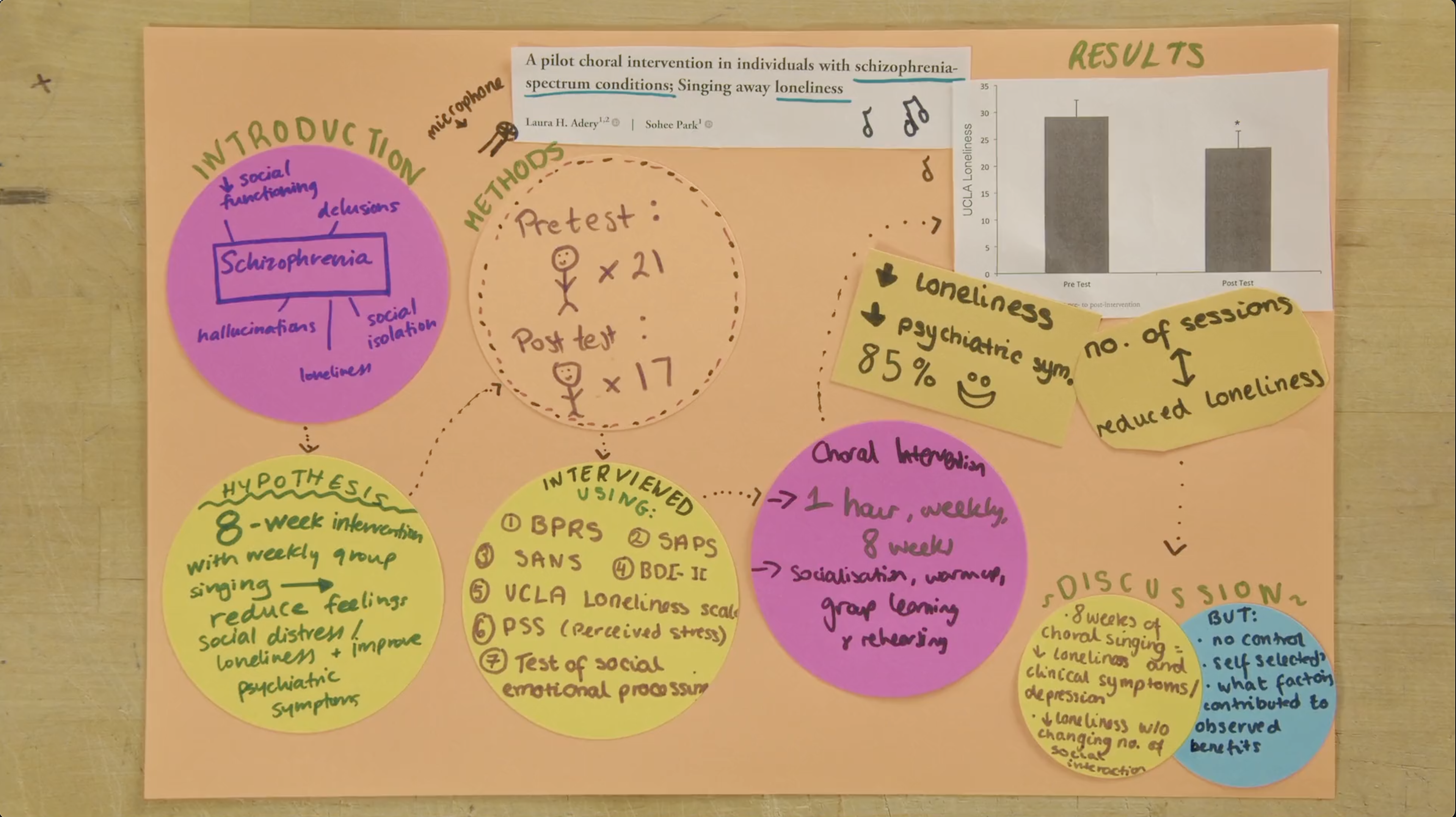
* We looked at some examples of posters and thought about strategies we might use to make ideas expressed in this format clear.
* How do I use **color** to organize my ideas and show the relationships among the components of my poster?
* How do the **alignment** and **proximity** of the different elements of my poster communicate ideas?
* How and why might I want to implement **repetition** within my design to create a sense of unity and consistency?
* What **fonts** should I use and when should I use them?
* Are there places where text can be replaced with **icons** or other helpful graphical representations of the information?
* Can elements of my poster be organized in a **structure** that communicates something about the relationships among the ideas (e.g., flowcharts, timelines, cycles, etc.)?
* We reviewed some basic graphic design principles that will be useful to keep in mind while creating your posters: contrast, repetition, alignment, and proximity.
* We talked about how we present posters in the same way we might give someone a tour of our home. We don't need to memorize everything we are going to say. We are familiar with everything we want to talk about and can guide our audience through our work without a script.
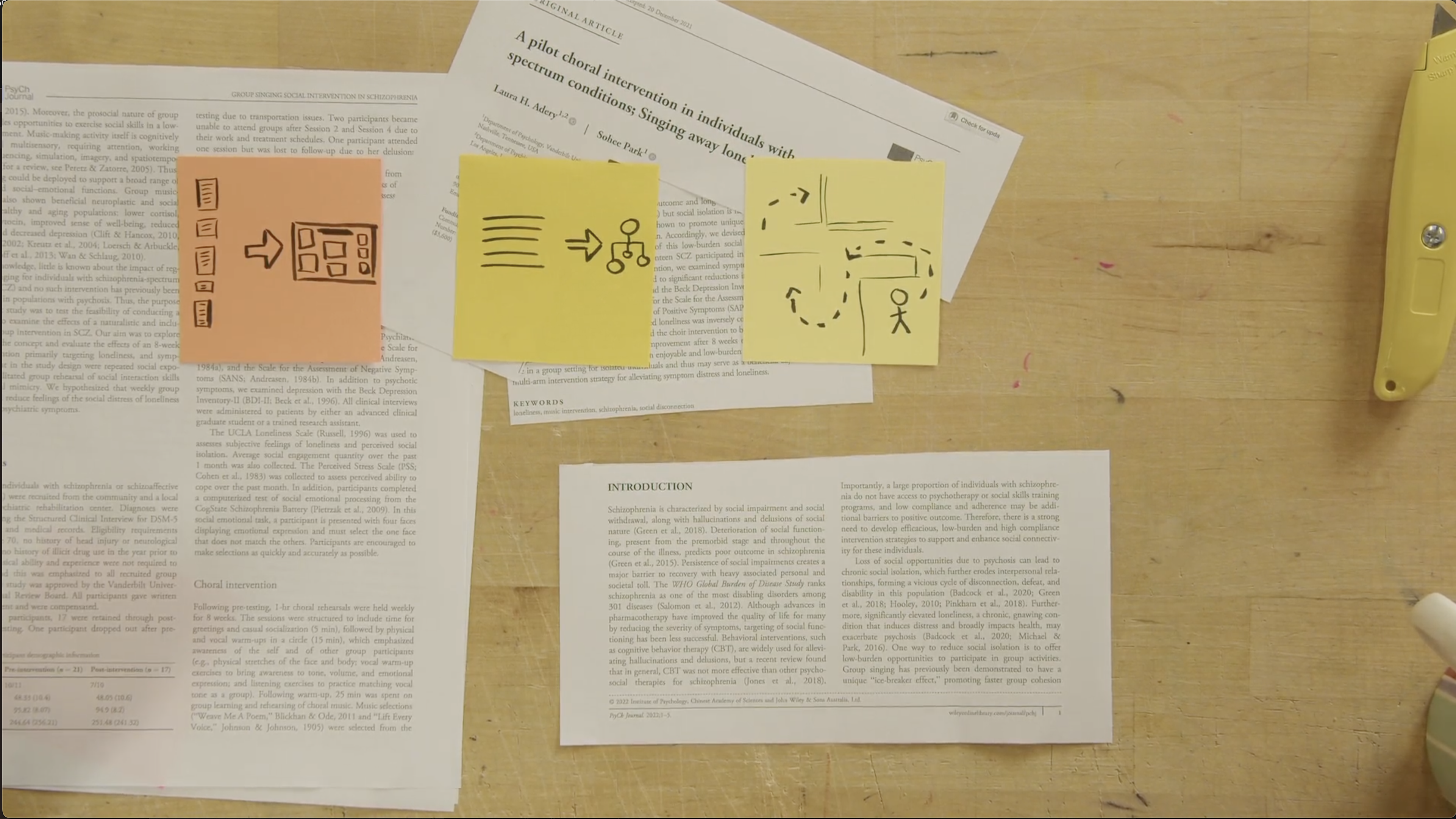
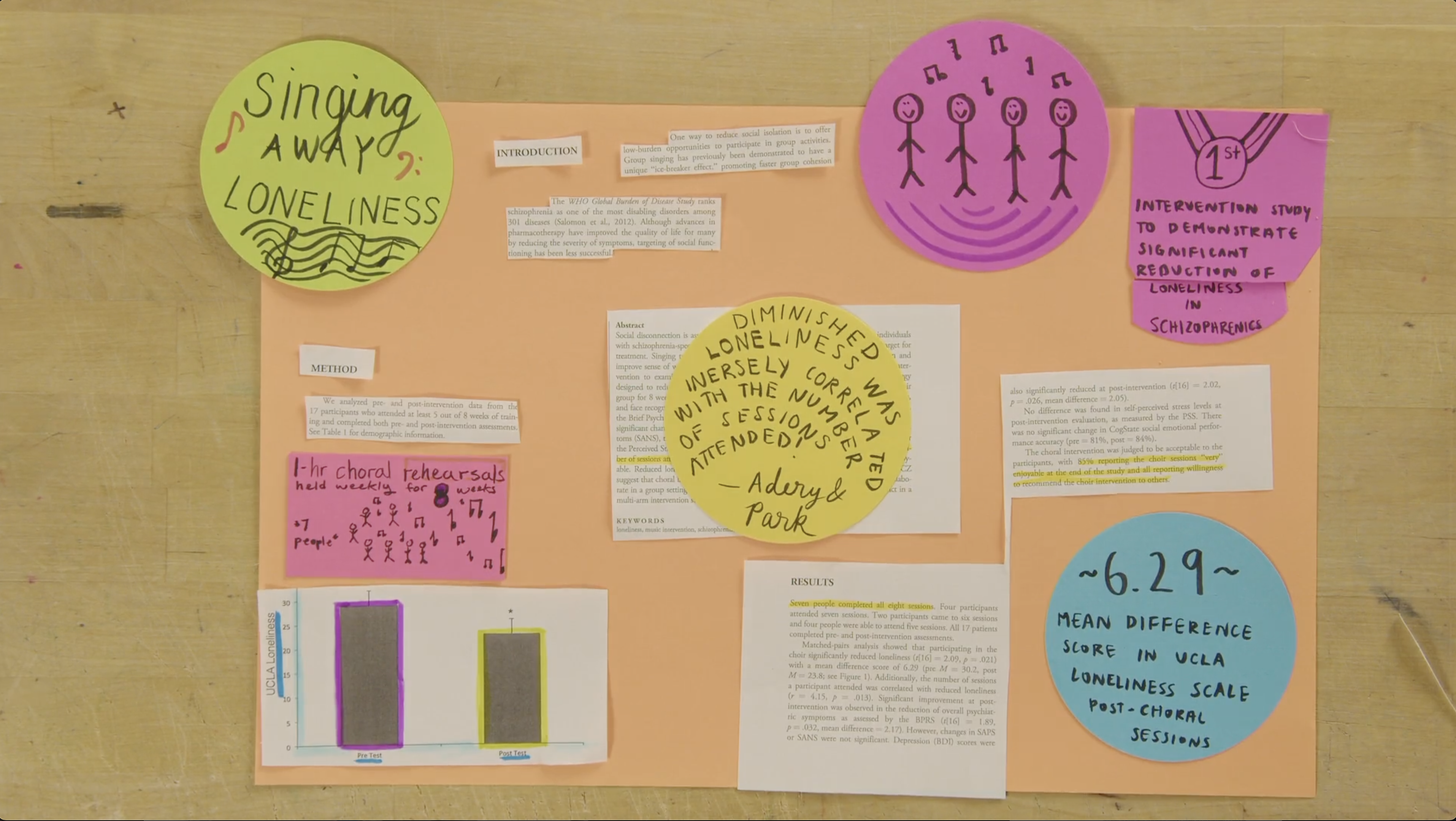
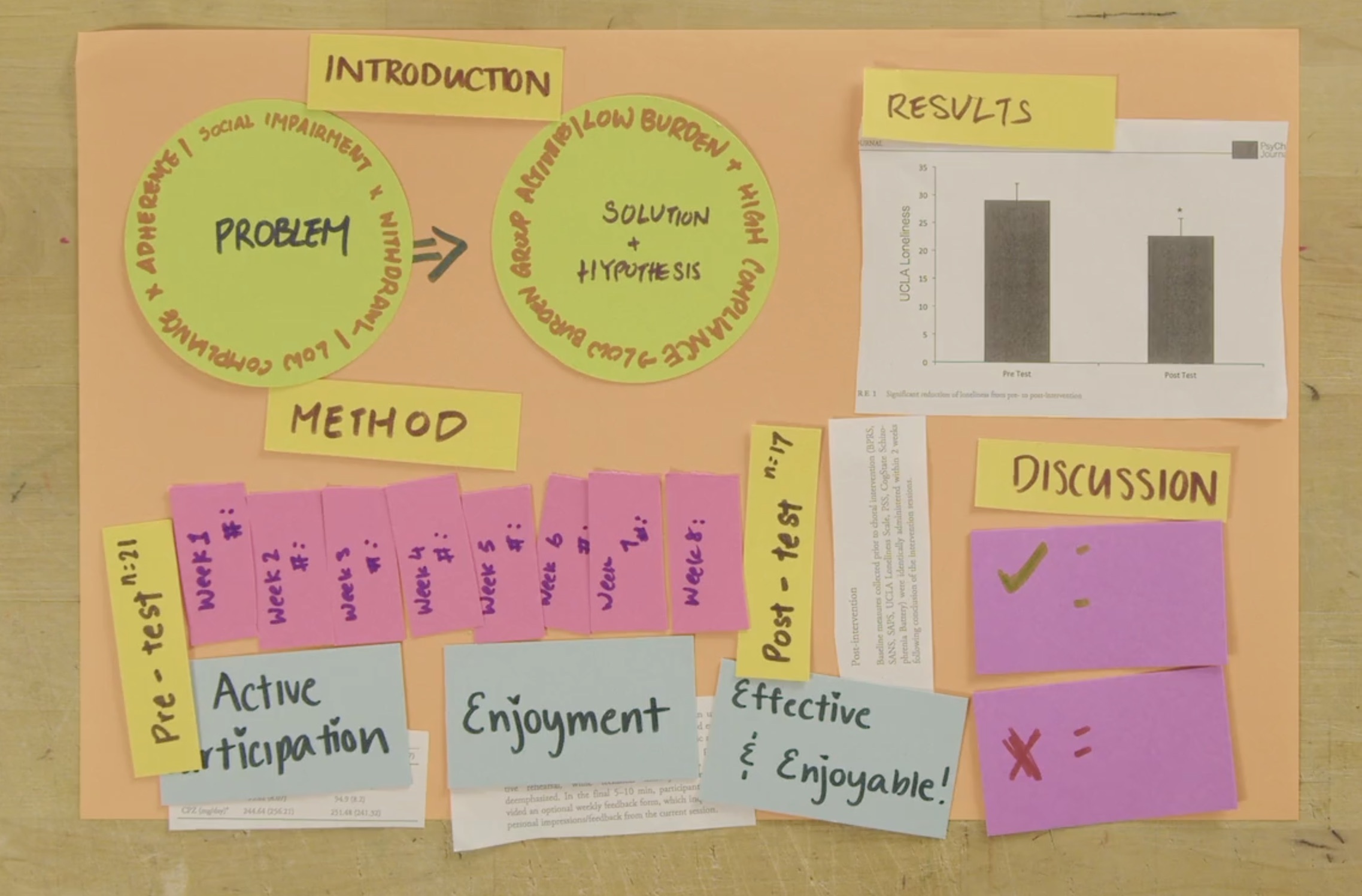
* We did an activity in which we "remixed" an academic paper from class. We prototyped how the content from a paper might be displayed as a poster using craft supplies.
## Helpful Resources
Here is a list of resources with advice on how to create effective graphics.
### General tips
#### Books available through HOLLIS
* Duarte, N. (2008). *Slide:ology : the art and science of creating great presentations* (First edition.). O'Reilly Media.
* Frankel, F., DePace, A. H., & ProQuest. (2012). *Visual strategies : a practical guide to graphics for scientists & engineers.* Yale University Press
#### Online Resources
* [General tips for making posters](https://www.simplifiedsciencepublishing.com/resources/free-research-poster-templates-and-tutorials)
* [Graphic Design Foundations: Layout and Composition](https://www.linkedin.com/learning/graphic-design-foundations-layout-and-composition/introducing-the-foundations-of-layout-and-composition?u=2194065)
* [Adobe Color Contrast Analyzer](https://color.adobe.com/create/color-contrast-analyzer)
* [Using Photoshop, Illustrator, and InDesign together](https://www.linkedin.com/learning/photoshop-illustrator-indesign-powercombo-for-design/using-photoshop-illustrator-and-indesign-together?u=2194065)
### Adobe Illustrator
* [Adobe tutorials](https://helpx.adobe.com/illustrator/tutorials.html)
* [Illustrator LinkedIn Learning](https://www.linkedin.com/learning/illustrator-2022-essential-training?trk=learning-topics_learning-search-card_search-card&upsellOrderOrigin=default_guest_learning)
* [Illustrator for scientists video series](https://www.youtube.com/watch?v=z2bcqyRxFrI&list=PLhKpKEPEAauYIsyjnIN2YXztNo7BrZVxQ)
### PowerPoint
* [PowerPoint Infographic Making LinkedIn Learning](https://www.linkedin.com/learning/powerpoint-creating-an-infographic?trk=learning-serp_learning-search-card_search-card&upsellOrderOrigin=default_guest_learning)
* [PowerPoint for scientists video series](https://www.youtube.com/watch?v=c4tsCXR_B3Y&list=PLaX2vrGncQxhg79Iz5mlXCA22_-HD6hny&index=16)
* [Tips for making posters in PowerPoint](https://www.youtube.com/watch?v=_WnhoIbfcoM)
### Canva
* [Canva tutorials](https://www.canva.com/designschool/tutorials/)
* [Canva LinkedIn Learning](https://www.linkedin.com/learning/learning-canva-2?trk=learning-serp_learning-search-card_search-card&upsellOrderOrigin=default_guest_learning)
* [Making academic posters in Canva](https://www.youtube.com/watch?v=YiO4QPCk7SE)
### InDesign
* [InDesign tutorials](https://helpx.adobe.com/indesign/view-all-tutorials.html)
* [InDesign LinkedIn Learning](https://www.linkedin.com/learning/indesign-2023-essential-training/indesign-learn-the-fundamentals?u=2194065)
* [InDesign for posters video series](https://www.youtube.com/watch?v=EeyH-HOO0h8&list=PLpEJ97U4ZamXD7a3V0UwWZSmfWsw9rfW8&index=4)
* [InDesign for academic posters tutorials](https://mediacommons.psu.edu/support/tutorials/indesign/)
* [Intro to Graphic Design with InDesign](https://www.linkedin.com/learning/introduction-to-graphic-design-indesign/introduction-to-graphic-design-using-indesign?u=2194065)
### Inkscape
* [Inkscape tutorials](https://inkscape.org/learn/tutorials/)
* [Inkscape LinkedIn Learning](https://www.linkedin.com/learning/inkscape-essential-training-9975138?trk=learning-serp_learning-search-card_search-card&upsellOrderOrigin=default_guest_learning)
* [Inkscape for scientists video series](https://www.youtube.com/watch?v=eyqH0IrzYLc&list=PLxtauMB7RON_2tg-mRQTuieFUr29IOKzW)
## Get more help!
Visit help.learninglab.xyz for more help on your project.
 Sign in with Wallet
Connect another wallet
Sign in with Wallet
Connect another wallet