# mk-event-lab-ilp-20230908
The ILP for event-lab should
- involve a new activity and a new celebration/gallery that can be delivered in the LL space
- ideally the activity should teach some sort of LL basic (the sort of thing other labs might be teaching constantly), and the gallery/celebration should DO something with the materials that students create in their class
- you can combine the two into one experience if you feel up to it (see below for an example)
- ideally you'll build some new capacity (a new physical capacity/workflow for the LL or a new chunk of code)
## the vision
The goal for this particular ILP activity is to teach the basics of visual analysis, argument and storytelling with mainly paper materials, but to enhance the operation by translating this as quickly as possible into a draft or storyboard of a visual essay.
So over the course of a single hour, we will move from the "practicing a skill" event to the "celebration" or "gallery opening" event.
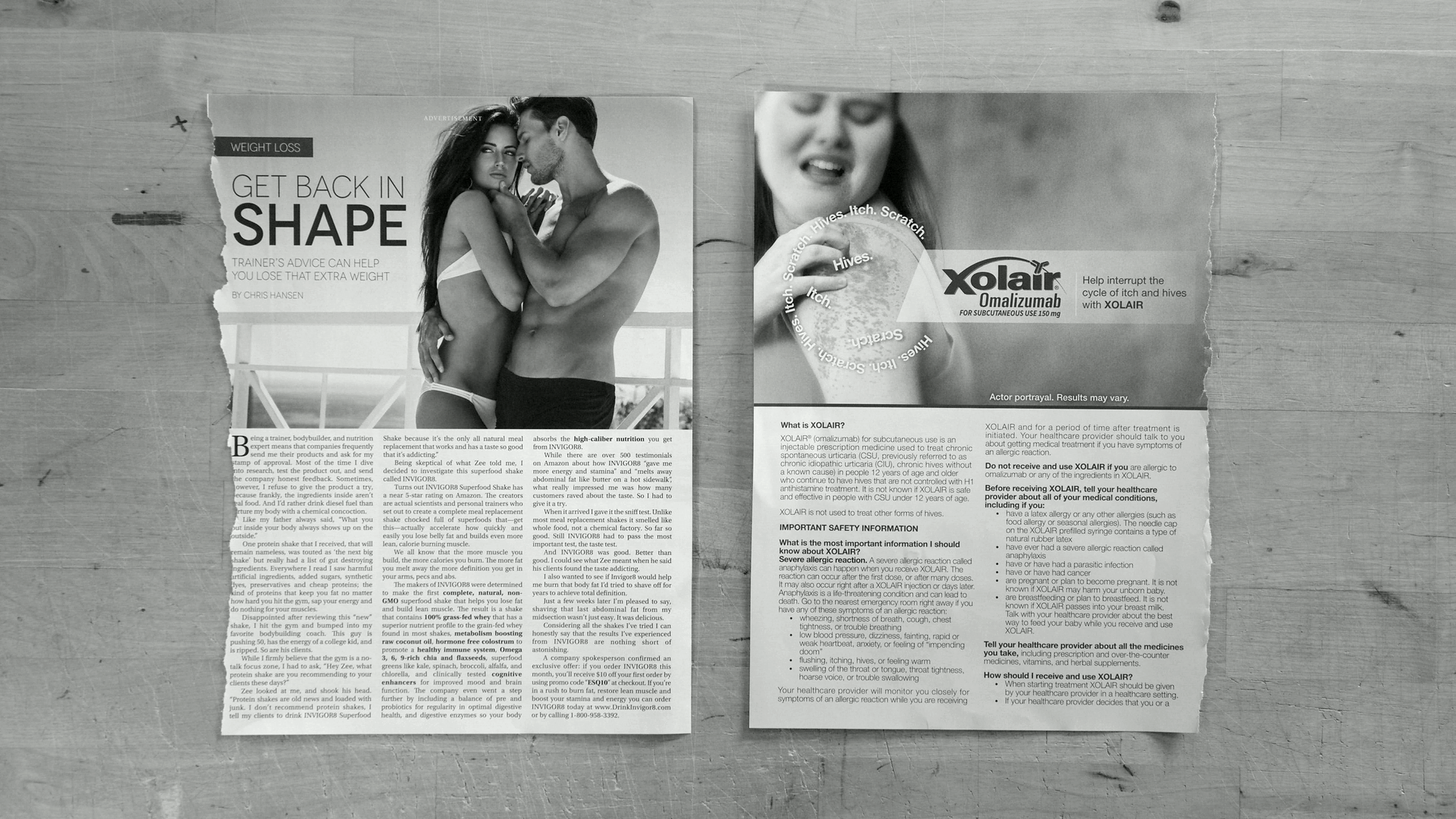
The imagined course is on gender in popular culture, and the activity will involve having students juxtapose images torn from conventional women's and men's' magazines.
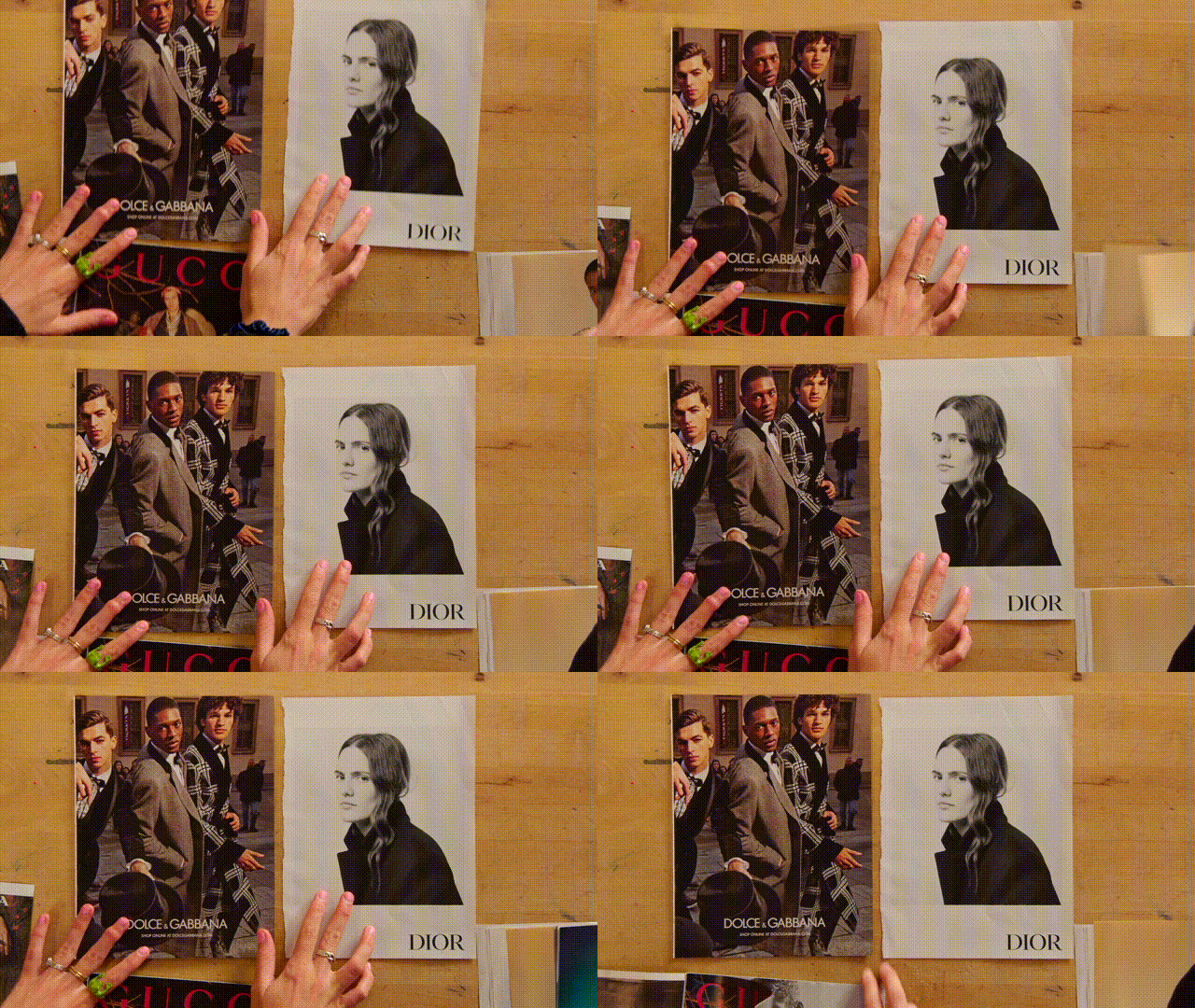
As the students place their two-image compositions under the overhead camera
- we will capture a clean still
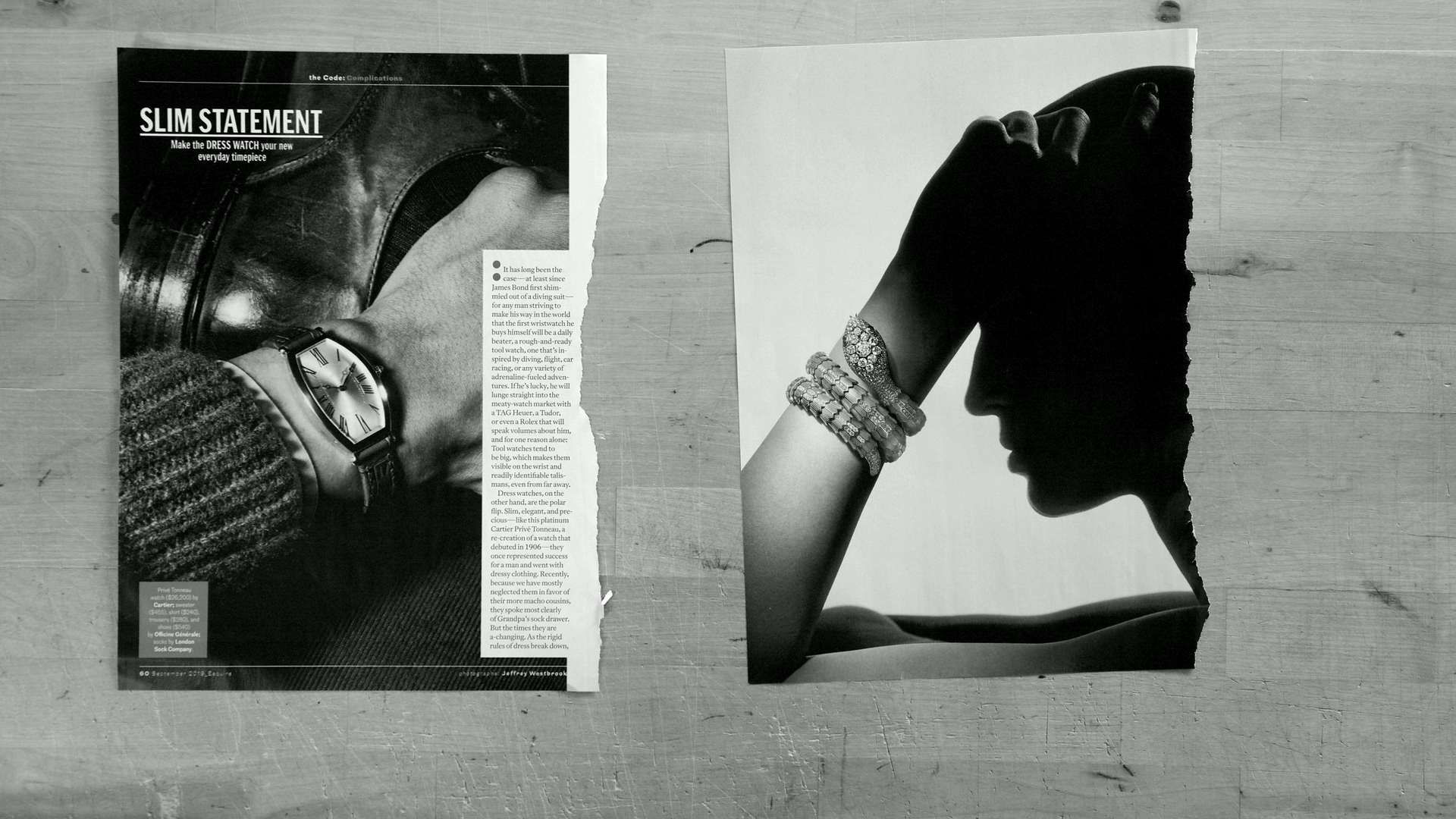
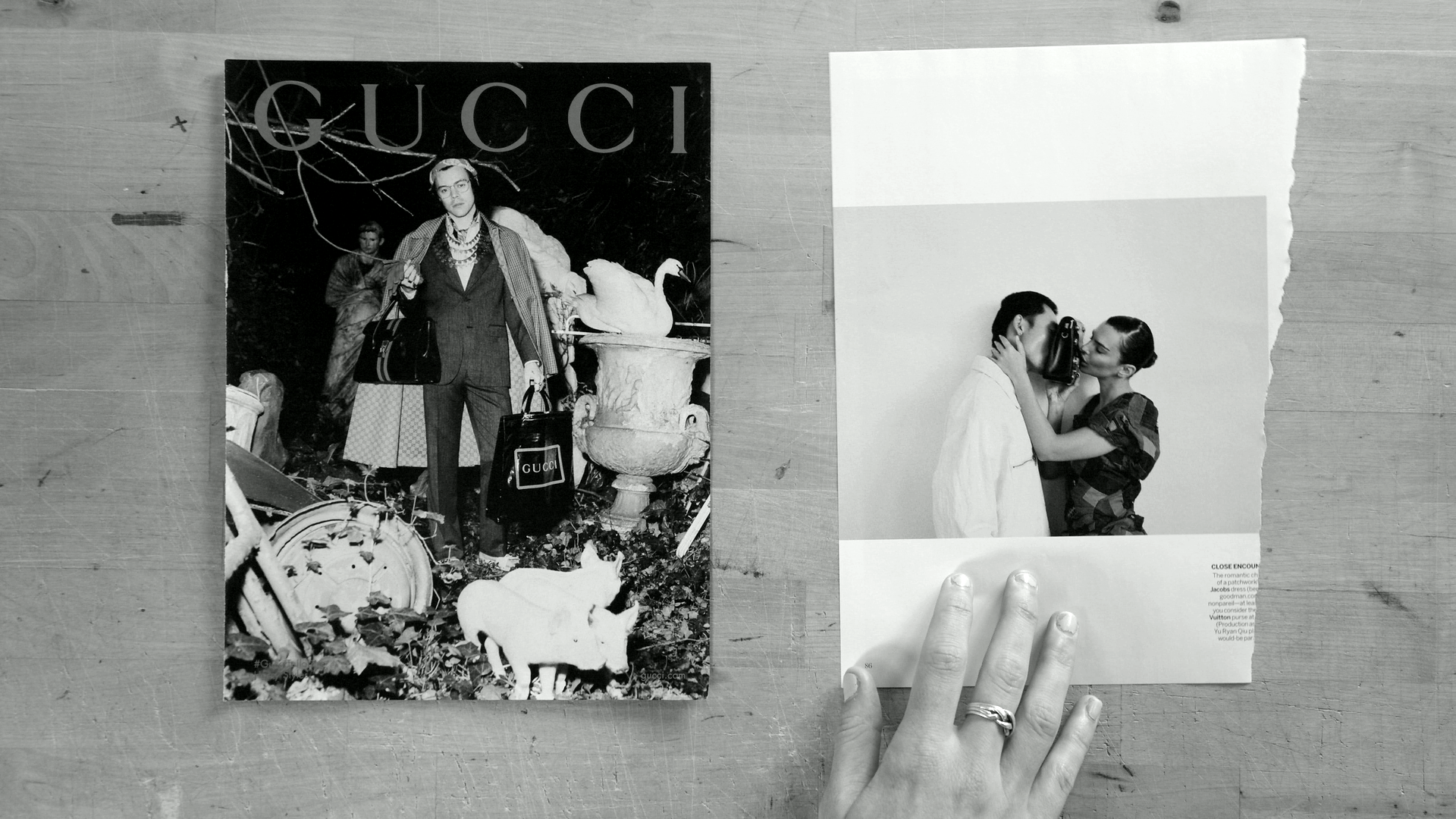
- automatically change it to high-contrast black and white
- upload the image to Slack to host it there
- send Slack users the markdown for embedding the image in a hackmd file (if users want to copy and paste or we want to do that for them)
- upload the image to Airtable to add it to our database
- we'll be able to launch a script from within airtable that generates a hackmd with all of the markdown for embedding a gallery of images to get the students started on the project
- we'll also have assistants print some of these images to create buttons
The event itself needs to be designed and facilitated, but the "novel" element will be the code that captures the image, processes it with ffmpeg to yield a stylish high-contrast-black-and-white jpeg, uploads this image to slack, and then (within the airtable script) generates a new hackmd file programmatically with the embedded stills all there in the markdown, ready for students to add their own analysis.
## the code
```
var chokidar = require('chokidar');
const makeBlackAndWhite = require('./make-black-and-white');
const tgaToPng = require('./tga-to-png');
const { WebClient } = require('@slack/web-api'); // Import WebClient class
const fs = require('fs')
const imageWatcher = async (folder) => {
// Create a new instance of WebClient with your Slack API token
const slackClient = new WebClient(process.env.SLACK_USER_TOKEN);
var watcher = chokidar.watch(folder, { ignored: /\.DS_Store/, persistent: true, awaitWriteFinish: true });
watcher
.on('add', async function(path) {
console.log('File', path, 'has been added');
if (!/-bw/.test(path) && !/-clr/.test(path)) {
let png = await tgaToPng(path);
let bwPath = await makeBlackAndWhite(png);
const uploadResult = await slackClient.files.upload({
file: fs.createReadStream(`${bwPath}`),
initial_comment: ("new photo " + bwPath),
// filename: photo.name,
channels: process.env.SLACK_IMG2MD_CHANNEL,
title: "new still posted"
})
console.log('Image uploaded to Slack:', JSON.stringify(uploadResult));
} else {
console.log(`This is already a processed image: ${path}`);
}
})
.on('change', function(path) {
console.log('File', path, 'has been changed');
})
.on('unlink', function(path) {
console.log('File', path, 'has been removed');
})
.on('error', function(error) {
console.error('Error happened', error);
});
};
module.exports = imageWatcher;
```
and the airtable script:
```
let desiredConfig = "MK_CONFIG"
const getConfig = async () => {
let launchDate = new Date();
let configTable = base.getTable("Config");
let configRecords = await configTable.selectRecordsAsync();
let configRecord = configRecords.records.find(record => record.getCellValue("Name") === desiredConfig);
let config = JSON.parse(configRecord.getCellValueAsString("JSONValue"))
config.launchTs = launchDate.getTime();
return config
}
let CONFIG = await getConfig()
let galleryTable = base.getTable("Galleries");
let galleryRecord = await input.recordAsync("select a record", galleryTable)
let linkText = ""
for (const imageLink of galleryRecord.getCellValue("SlackUrl (from ShowYourImages)")) {
linkText += `\n\\n`;
}
let markdown = `
---
tags: "gallery"
---
# new gallery
## images
${linkText}
`
let payload = {
content: markdown,
readPermission: "owner",
writePermission: "owner"
}
let response = await remoteFetchAsync(`https://api.hackmd.io/v1/teams/${CONFIG.HACKMD_TEAM}/notes`, {
method: "POST",
headers: {
"Authorization": `Bearer ${CONFIG.HACKMD_API_KEY}`,
"Content-Type": "application/json"
},
body: JSON.stringify(payload)
});
if (response.ok) {
let data = await response.json();
let updateResult = await galleryTable.updateRecordAsync( galleryRecord, { "HackMdUrl": `https://hackmd.io/${data.id}`})
output.markdown(`your doc should be at [this link](https://hackmd.io/${data.id}).`)
} else {
return "error creating HackMd"
}
```
## the event
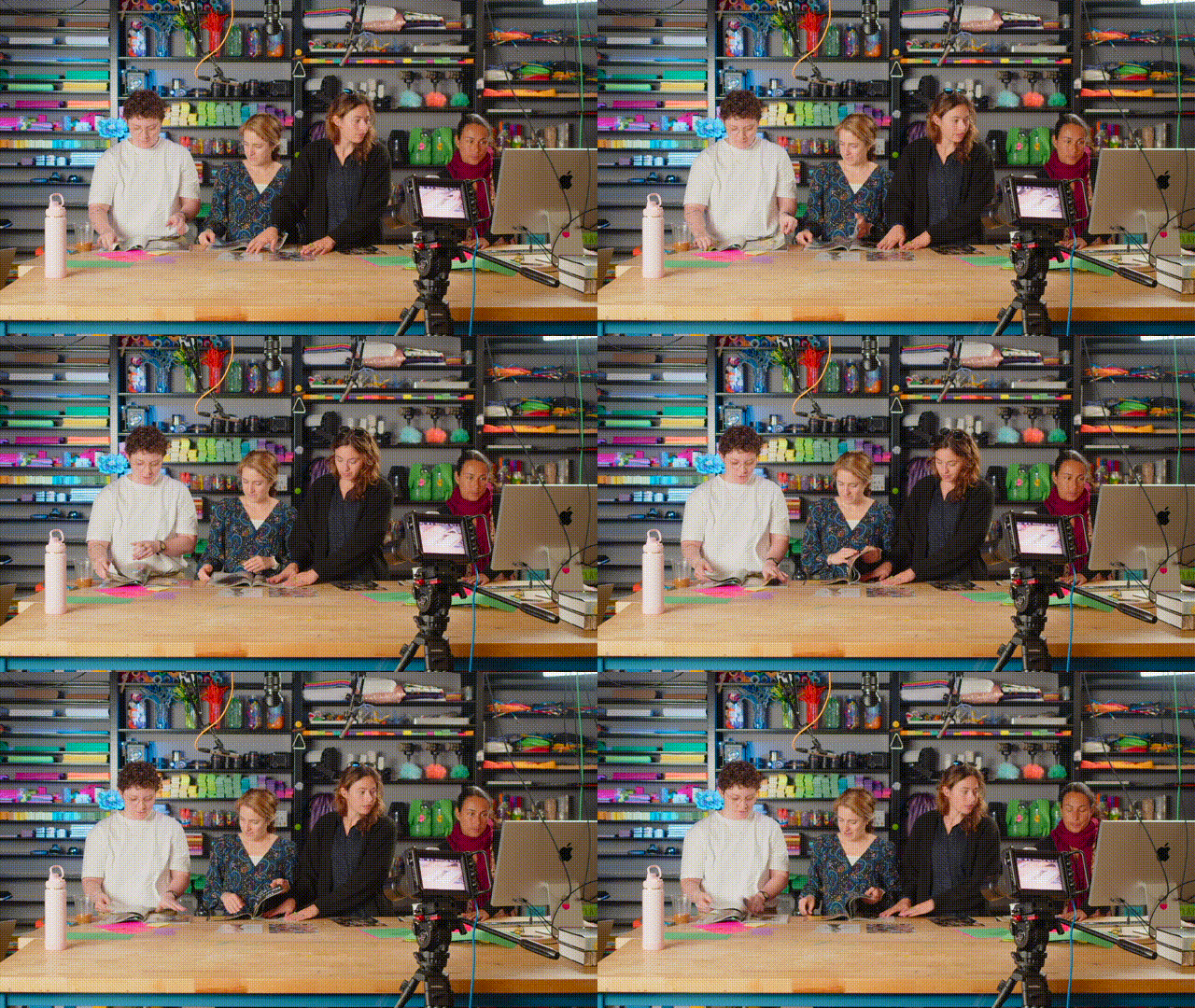
here are some stills from the prototype/rehearsal:
Students look through the magazine in search of comparable images
then place them under the overhead:
then these stills are converted to black and white, uploaded to slack, and hosted. The markdown is stored in Airtable.
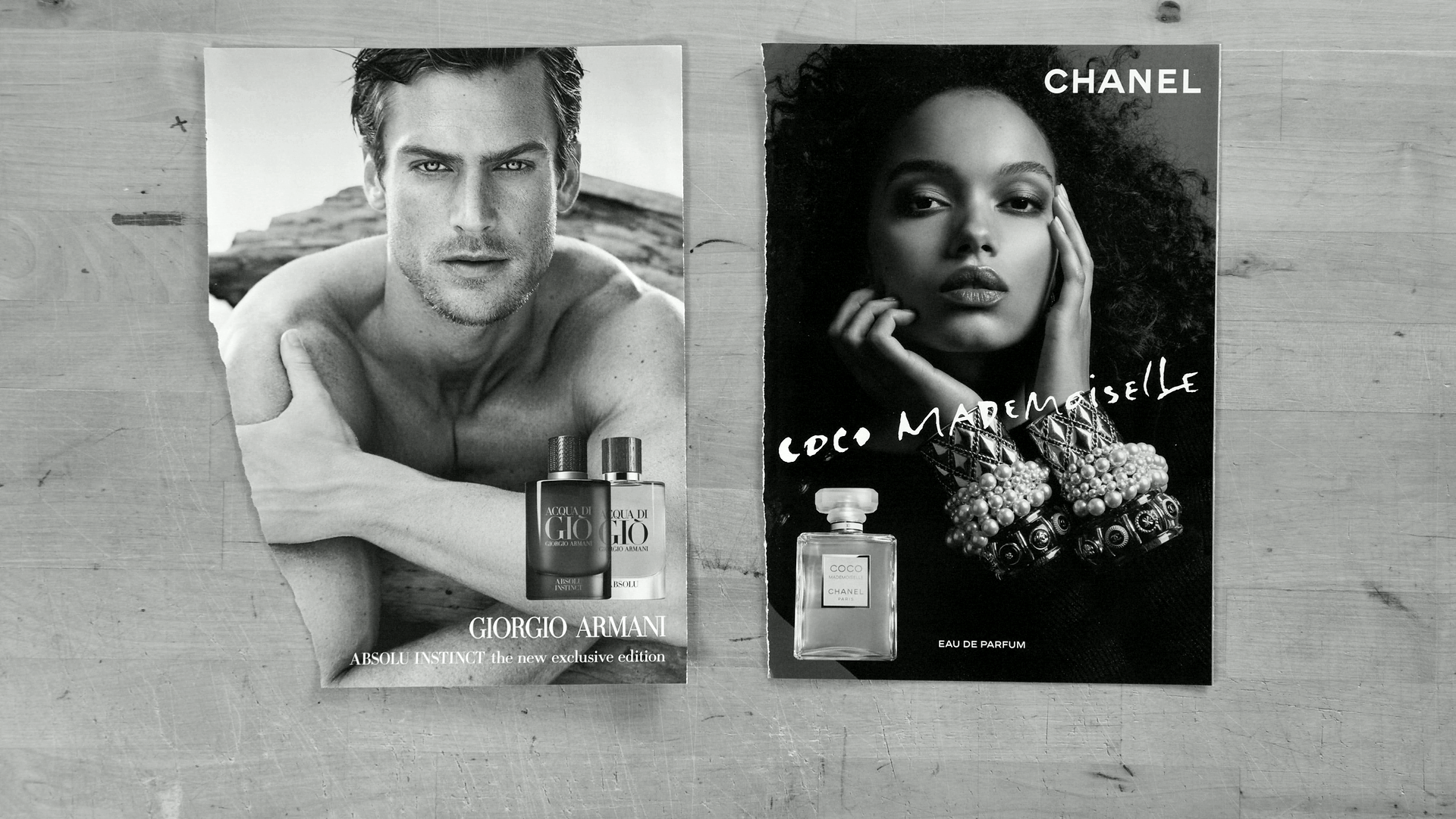
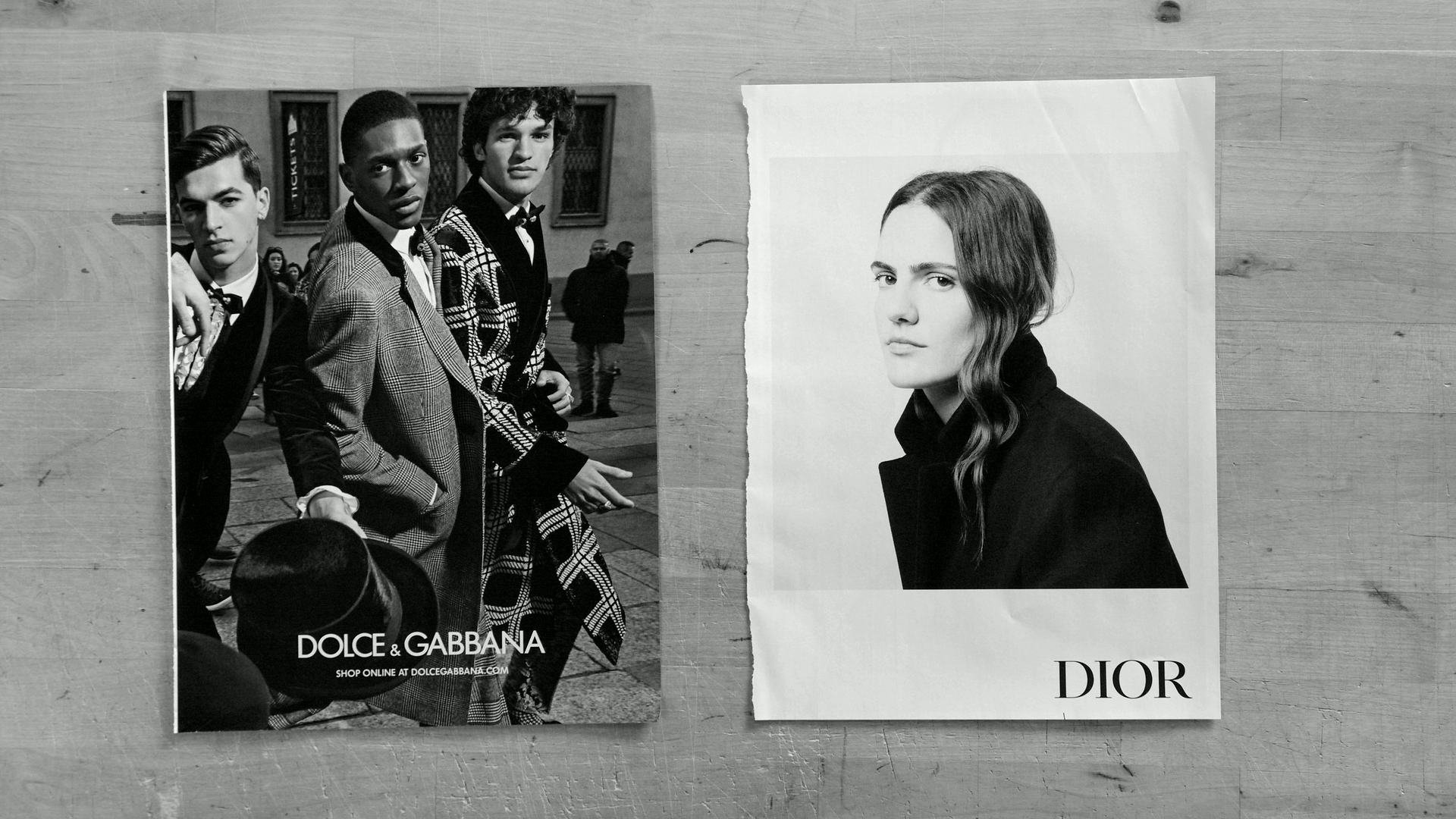
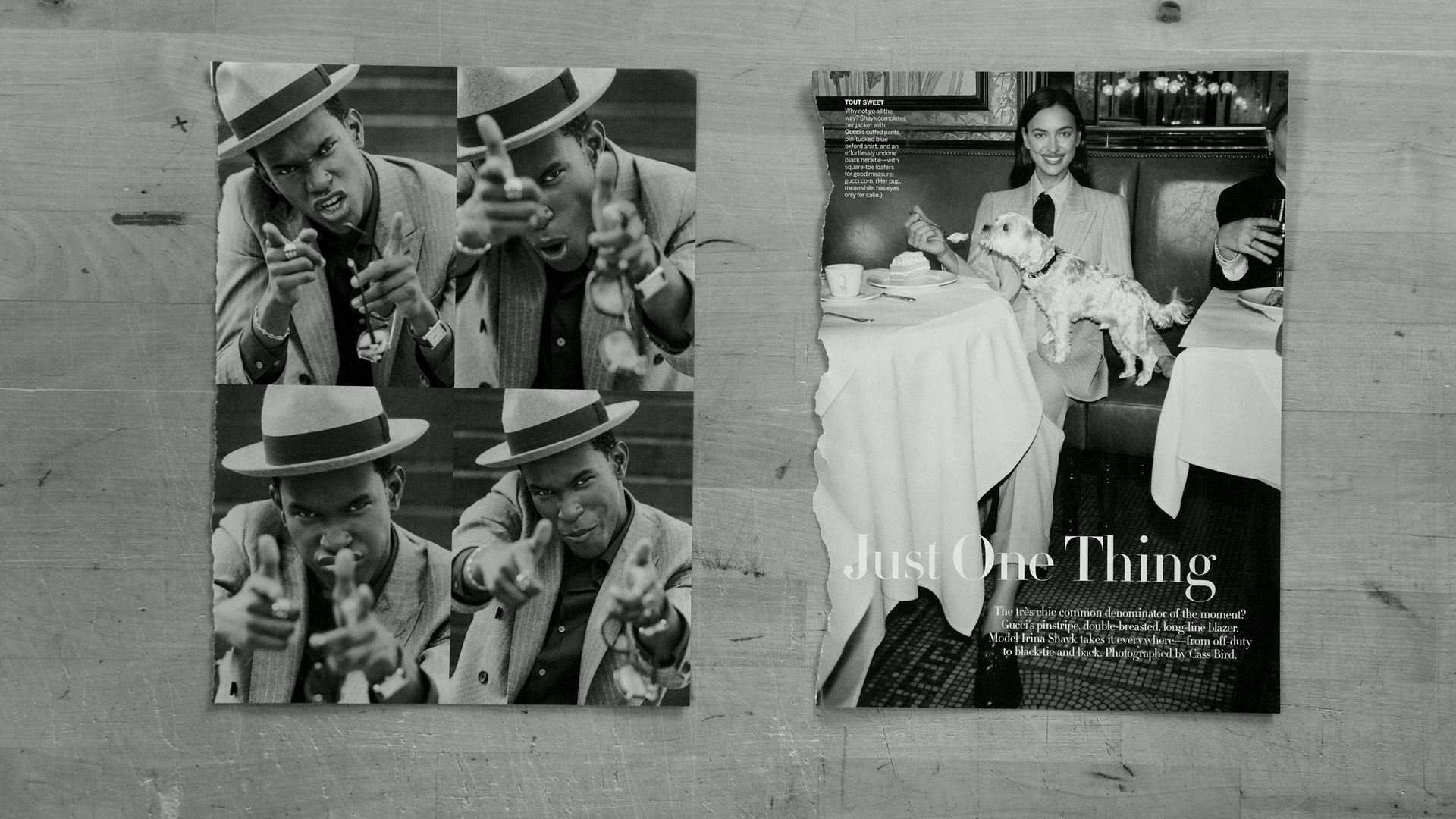
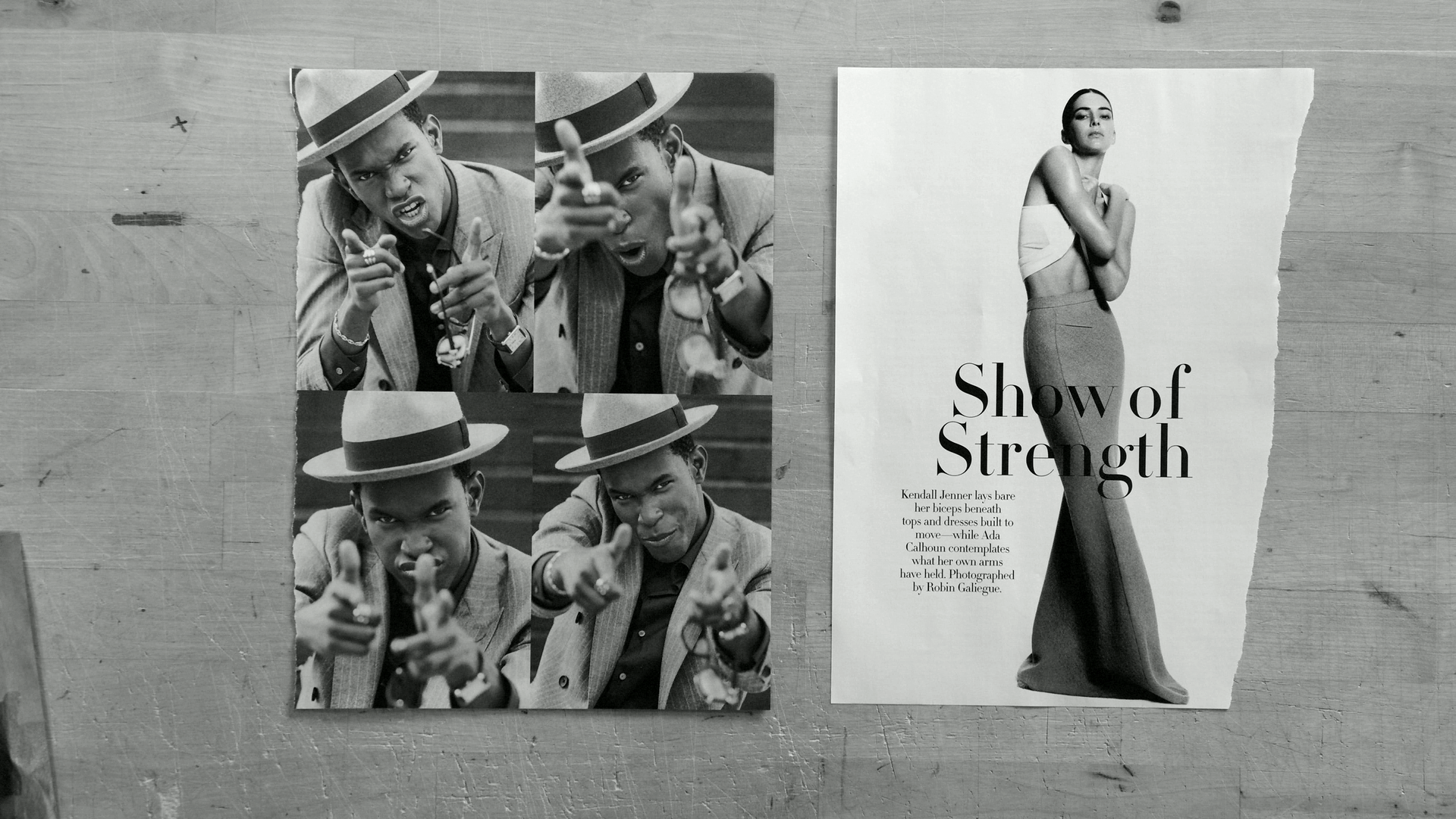
This markdown is itself generated by the Airtable script:
```







```
## next steps
Everything worked (and works) but we can streamline the UI and then also expand to use these moves in more contexts.
- we need to be able to process color images to achieve similarly uniform results
- it would be nice to yield the prototype of a video essay
- gifs in addition to stills would be nice
- simple editing functions
 Sign in with Wallet
Connect another wallet
Sign in with Wallet
Connect another wallet