# Complete a problem set

prompt used: "Complete a problem set."
## description
GAI: Students can use an AI tool to assist with completing a problem set, particularly in subjects that involve complex calculations or formulas, such as mathematics, physics, or economics. The AI tool can be programmed to understand a wide range of problems and can provide step-by-step solutions, helping students understand the underlying concepts and methodologies.
For example, if a student is working on a problem set involving calculus, they can input the problem into the AI tool. The AI can then break down the problem, explain each step of the solution, and provide the final answer. This can help students understand the process of solving the problem, rather than just focusing on the final result.
In addition to providing solutions, the AI tool can also provide real-time feedback and hints. If a student is struggling with a particular problem, the AI can identify where the student is going wrong and provide hints to guide them towards the correct solution. This immediate feedback can help students learn from their mistakes and improve their problem-solving skills.
Furthermore, the AI tool can be used to reinforce learning and promote deeper understanding. After a student has completed a problem set, the AI can generate additional, similar problems for the student to solve, ensuring that the student has fully grasped the concepts.
However, while the AI tool can be a valuable resource for completing problem sets, it is important to ensure that students are not overly reliant on it. Problem-solving involves critical thinking skills that can only be developed through practice and perseverance. Therefore, educators may want to set guidelines for when and how the AI tool should be used, to ensure that it is enhancing, not hindering, the learning process.
## activity
1. Log into chatGPT using the Harvard AI Sandbox
2. From search bar at the bottom of the page, specify whichever AI tool you'd like to use.
* for this activity, we recommend using chatGPT since it tends to be better suited than the other AI tools in the sandbox for creative tasks.
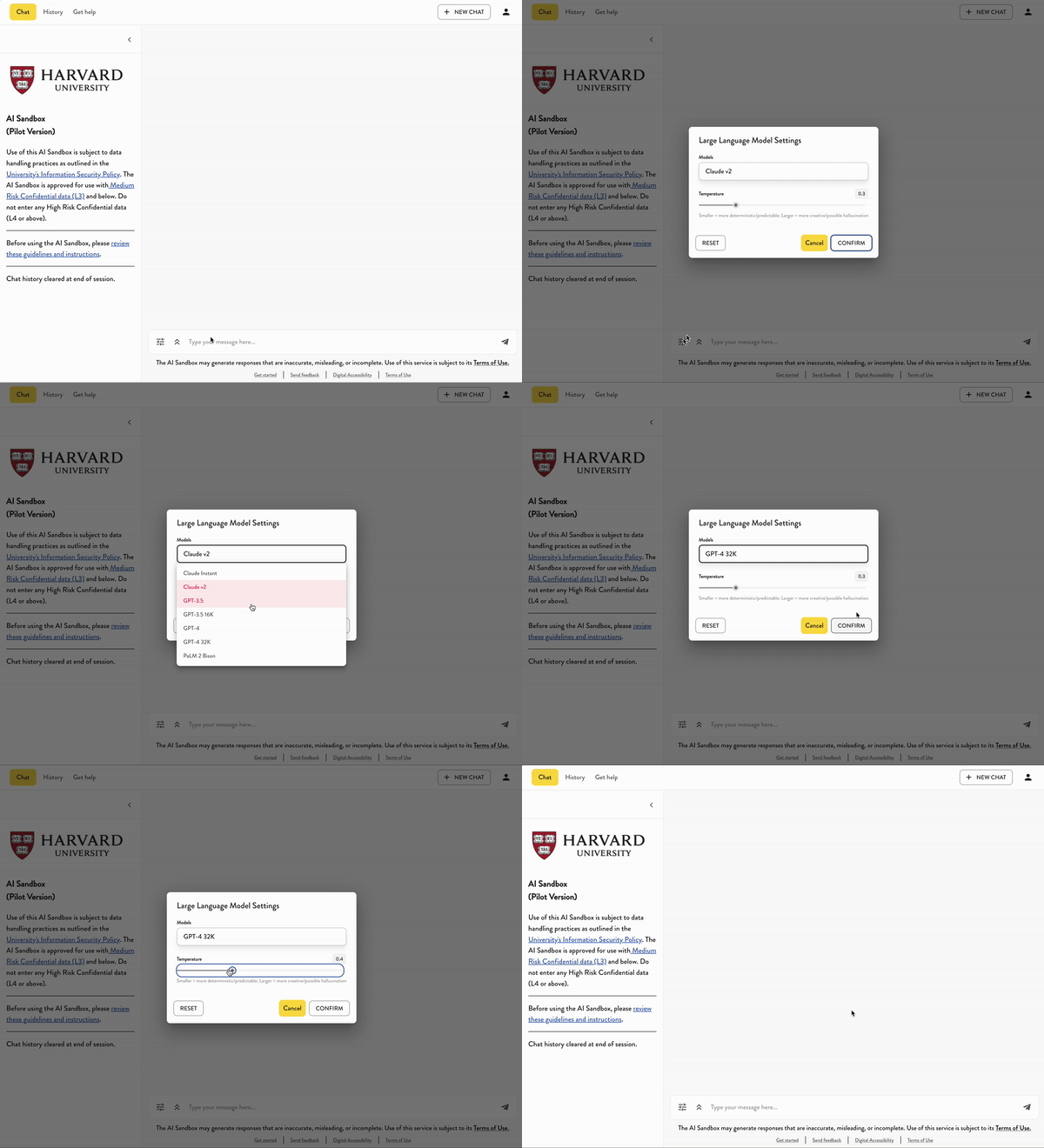
3. For this activity
*
---
## Transcript of activity example:
* USER:
* AI:
 Sign in with Wallet
Connect another wallet
Sign in with Wallet
Connect another wallet