# Get feedback on your student-facing text

prompt used: "a person getting feedback on student text from a humanoid automaton."
## description
GAI: Educators can use an AI tool like ChatGPT to get feedback on their student-facing text, such as syllabi, assignments, or announcements on learning management systems like Canvas. The AI tool can quickly scan these documents and identify any aspects that might not align with the educator's goals of creating an inclusive learning environment.
For instance, the AI tool can be programmed to detect language that could be perceived as exclusive or discriminatory, such as gendered language or culturally insensitive terms. It can also suggest alternative wording that is more inclusive and respectful of diverse student populations.
In addition to checking for inclusivity, the AI tool can also assess the clarity and comprehensibility of the text. It can identify complex sentences, jargon, or ambiguous instructions that might confuse students, and suggest ways to simplify or clarify the language.
Furthermore, the AI tool can provide feedback on the structure and organization of the text. It can highlight sections that are too long or dense, suggest ways to break up the text into more manageable chunks, or recommend adding headings or bullet points to improve readability.
However, while the AI tool can be a valuable resource for improving the inclusivity and clarity of student-facing text, it should not replace human judgment and sensitivity. Educators should still review the AI's suggestions and make the final decisions based on their understanding of their students and their educational goals. Therefore, the use of the AI tool should be seen as a supplementary aid, not a substitute for thoughtful and considerate communication with students.
## activity
1. Log into chatGPT using the Harvard AI Sandbox
2. From search bar at the bottom of the page, specify whichever AI tool you'd like to use.
* for this activity, we recommend using chatGPT since it tends to be better suited than the other AI tools in the sandbox for creative tasks.
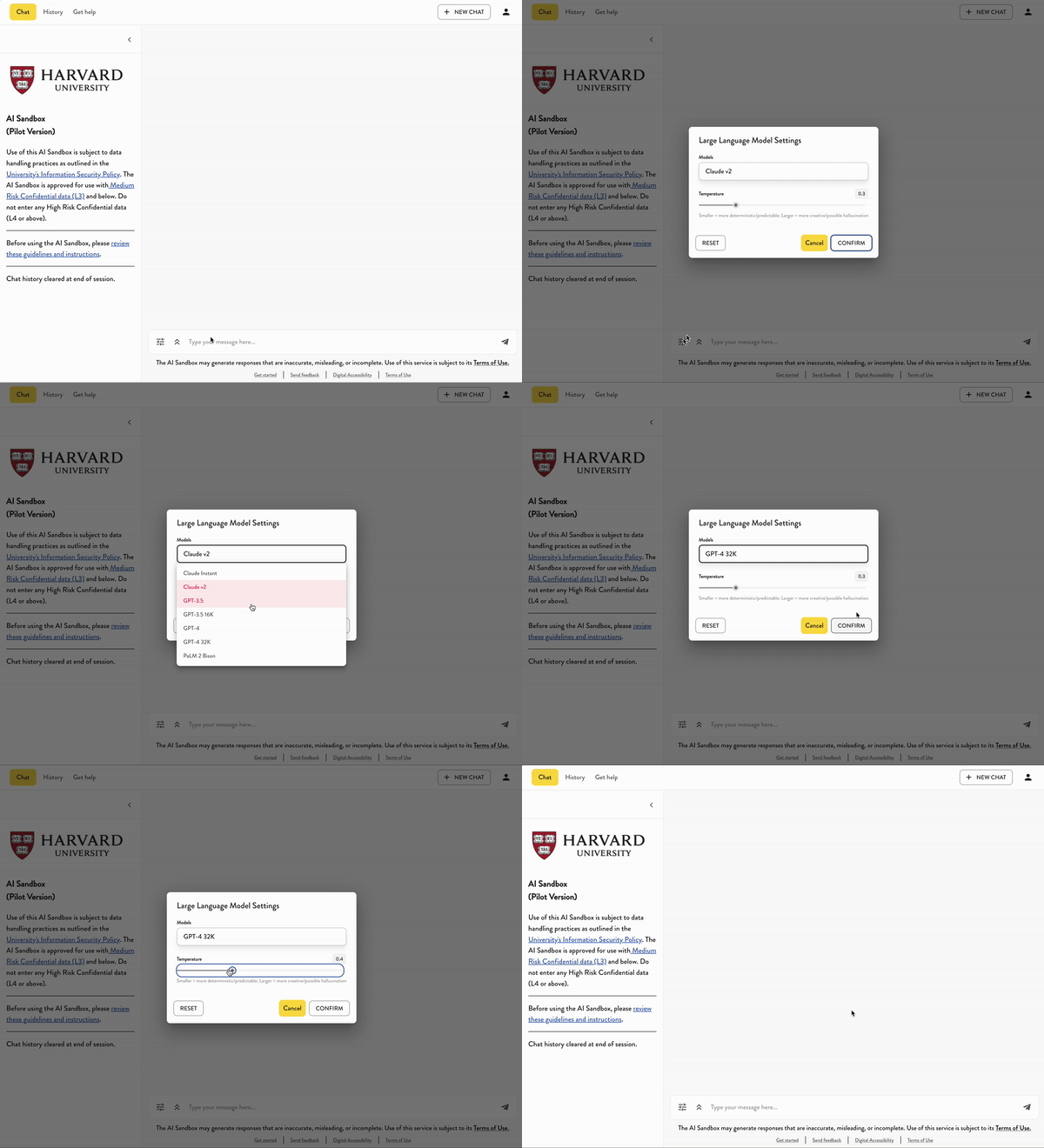
3. For this activity
*
---
## Transcript of activity example:
* USER:
* AI:
 Sign in with Wallet
Connect another wallet
Sign in with Wallet
Connect another wallet