# GOV94OL Podcasting Resource
## The Elements of a Podcast
We'd love to start by taking some time to deconstruct just the first bit of a podcast, and unpack all the elements involved. We will do a close reading (or close listening!) of the first 30 seconds of a podcast called [Serial](https://serialpodcast.org/) and map out how the different audio elements work together temporally.
[link to dl](https://drive.google.com/file/d/1HDuL78ePKAEq8DoDlsN1Q2E2v6Cf-eLh/view)
<iframe width="560" height="315" src="https://www.youtube.com/embed/nMSxiHuDa00?start=28" title="YouTube video player" frameborder="0" allow="accelerometer; autoplay; clipboard-write; encrypted-media; gyroscope; picture-in-picture" allowfullscreen></iframe>
#### The Prompt:
1. Just listen to the first 30 seconds of this podcast and reflect on what you are hearing, and what that evokes.
2. Listen again...
3. And again.
4. As you begin to identify the different elements, start mapping them out. How many elements can you hear? How do they interact/intersect? What functional roles are they playing to support the content?
---
Another model to consider is [this episode of RadioLab](https://waaa.wnyc.org/radiolab_podcast/radiolab_podcast031822_stress.mp3/radiolab_podcast031822_stress.mp3_ywr3ahjkcgo_46ae13f11ac7e5c8f125ac14ac099e5a_58759952.mp3?hash_redirect=1&x-total-bytes=58759952&x-ais-classified=streaming&listeningSessionID=0CD_382_37__089b0cf7b0941656b5d2cef9b73732fec01f9a22), a podcast from NPR, and compare/contrast it to the Serial one. Think about how the interviewer interacts with the interview subject. And how they structure their questions.
* start it around 2 minutes in
---
## Communicating to General Audiences
Dejargonifying . . . turning systems into narratives. From statement to story.
### Ira Glass on Storytelling
<iframe width="560" height="315" src="https://www.youtube.com/embed/f6ezU57J8YI" title="YouTube video player" frameborder="0" allow="accelerometer; autoplay; clipboard-write; encrypted-media; gyroscope; picture-in-picture" allowfullscreen></iframe>
---
## Let's try it!
### Prompt: Setting Up Your Act 1
Stories start with a mystery, a puzzle, or a problem. Today, your task is to figure out what that initial obstacle or puzzle is and articulate it.
The prompts for your podcast are all about connecting, and really the diffuculty of connecting (connecting past to present, connecting theory to source, etc.). Just like the Hollywood RomCom narrative, it's only interesting if connecting is difficult.
So let's see if we can set up our own mini mystery using:
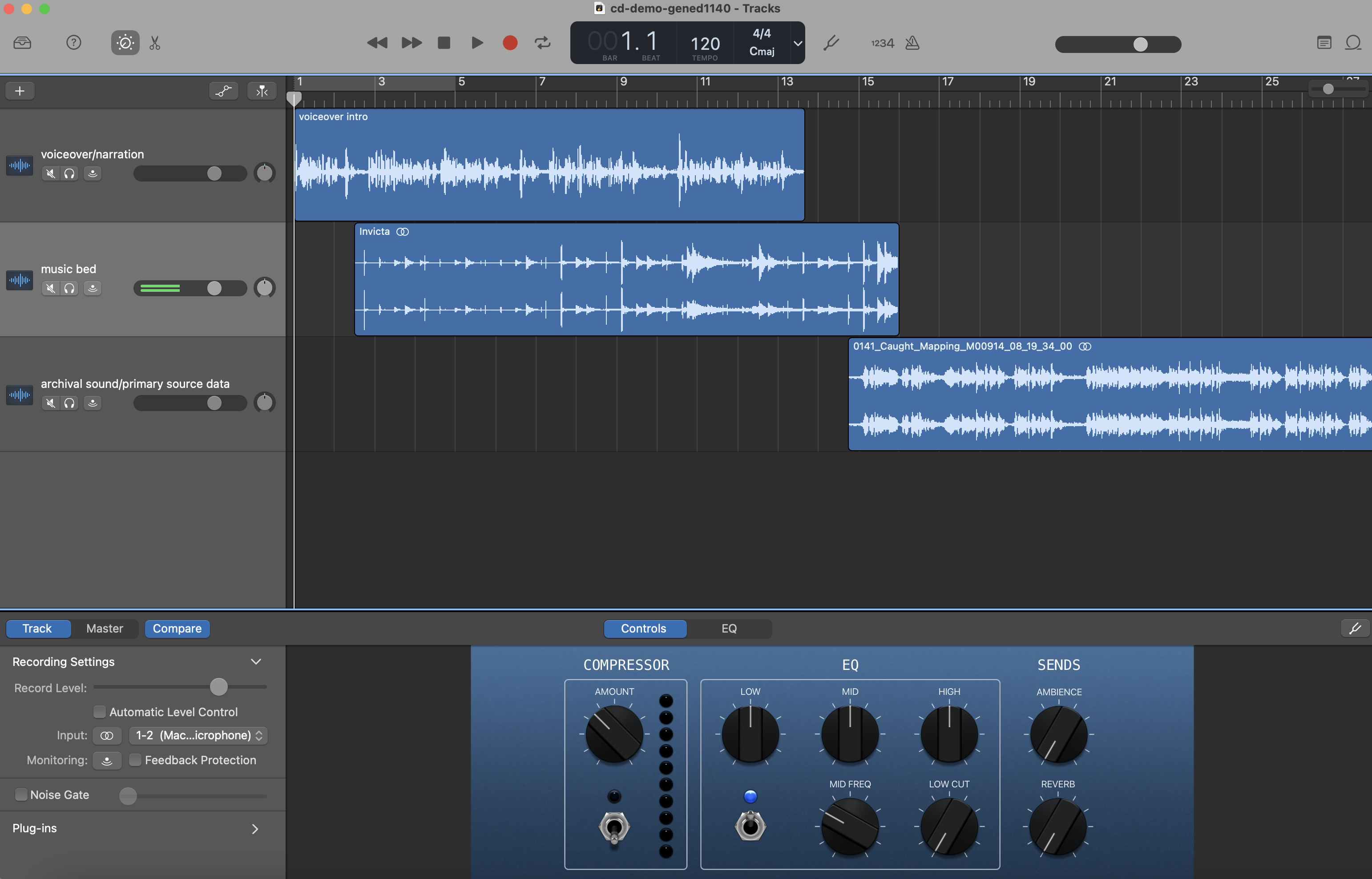
* a voice over narration, reflection, interpretation
* some source audio of interest
* a music bed
The goal is by the end of the workshop you will have developed a 30 second to 1 minute intro that you will be able to perform live for us.
* **reflection and music support zone**
1. consider the mystery of your source audio. Try out improvising a couple of sentences of reflection to set this mystery up.
2. find a music bed that supports your argument, thinking about how you'd like the music to structure the listener's experience of your podcast, much like the space and punctuation strucuture a reader's experience.
3. Are there any moments where you might cut to silence or leave just your voice for the audience to hear? Are there any "fades" or "beat drops" you want to experiment with?
## Recording Tips
Here are general podcasting tips, including recording and editing, from our [podcasting site](https://sites.google.com/g.harvard.edu/ll-podcasting).
### Microphone placement:
In order to guarantee the highest quality of audio in your recording, it is important to pay attention to the proximity between your microphone and your subject. When recording a group discussion it is important to arrange the participants so that they are equidistant from the recording device, and if possible, try to avoid areas with a lot of background noise (fan, laptop, open window or other groups of people). Choosing a location with a quiet atmosphere can also help to make sure you have a clear capture of everyone’s voice. However, some background noise is okay - you also want to keep the conversation feeling natural and not too staged - as long as you can hear all of the participants in the conversation. Other tips for increasing the quality of an audio recording are to remove your phone from its case, and limiting movement of your phone or other objects around it (for example, papers on a table).
### Test your recording:
You may not be able to monitor your audio while recording, so it is important to test your recording prior to capturing anything that you plan to use later. Wear headphones while listening to playback to ensure the best quality while you are monitoring your test recording. Listen for things like background noise (HVAC, traffic, other people’s conversations) and to make sure that your microphone is picking up your subject at an appropriate level.
### Start early, stop late:
Make sure to begin your recording prior to the start of a discussion, and allow it to run even when the discussion seems to be slowing down or has stopped. It is hard to know exactly which segment of a discussion will stand out as “the best” part, but you can ensure you don’t miss it by capturing everything.
### Name your recording:
Even if you don’t have a lot of audio files stored on your phone, make sure to name your recordings after you have finished. This will help keep files organized throughout the uploading and transcription process, and can help you to make sure nothing gets deleted by accident.
### More Podcasting Resources For Your Project!
[Podcasting 101.](https://sites.google.com/g.harvard.edu/ll-podcasting)
* [garageband](https://resources.learninglab.xyz/simple/labs/audio-lab/garageband)
[LinkedIn Audacity.](https://www.linkedin.com/learning/learning-audacity-2/jump-into-the-world-of-audio-editing?u=2194065)
[Bok Podcast Tips.](https://bokcenter.harvard.edu/podcasts)
### Sourcing Audio
* [blue dot sessions](https://www.sessions.blue/)
* [bensound](https://www.bensound.com/)
* [free music archive](https://freemusicarchive.org/)
[Here's a resource about using GarageBand Loops to make your own music bed](https://hackmd.io/92O9YrSWSwKhoZZRIa9SXQ)
[Here's a resource about basic editing in GarageBand](https://hackmd.io/hQB8hJ3bTkGLFMTkcahuYA)
---
## Get more help!
Reach out to learninglab@fas.harvard.edu with any questions or to set up a consultation.
 Sign in with Wallet
Connect another wallet
Sign in with Wallet
Connect another wallet