---
tags: mdf
---
# Christine's Lookbook Remix
## Assignments
### Tiny Desk Talks
NPR's Tiny Desk offers artists a chance to perform in a low stakes, low pressure space distinct from their standard concert venues. How could it alter students' mindset to present their academic work at a "tiny desk?"
<iframe width="560" height="315" src="https://www.youtube.com/embed/l-JEdcOGuzQ" title="YouTube video player" frameborder="0" allow="accelerometer; autoplay; clipboard-write; encrypted-media; gyroscope; picture-in-picture" allowfullscreen></iframe>
**Watch T-Pain's Tiny Desk, the inspiration for this assignment, here: https://www.youtube.com/watch?v=CIjXUg1s5gc**
Academically, a Tiny Desk Talk could offer students a way to explore, refine, and refresh their ideas while also building classroom community. Simultaneously, filming the talk or presenting it in front of an audience can help students build performance skills throughout the semester.
#### Key Components of Tiny Desk
1. Introduction
- **Minimal and personal**. Everything is acoustic and scaled back.
- **Humor and rapport** with audience and with fellow musicians are a part of building the performance atmosphere.
3. Audience interaction
- The audience cheers and responds to the performer throughout the performance. **Strict social codes of concerts** are **not enforced.**
5. "Performance"
- The performer begins their song, and the transition feels effortless. The performance is intimate, and helps **pull our attention into their work.**
7. Set and Removal of Indimidating Context
- Tiny Desk makes both the performer and the work feel more **accessible and intimate.**
#### Assignment Goals
- Allow students to present their work in a "low pressure" enviroment and in a space distinct from the classroom
- Get Students to remix their ideas "acoustically" and make them fresh again at the end (or in the middle) of a semester
- Allow for immediate feedback from the "audience" of their peers
- Develop performance sklils via scaffolded interaction with cameras.
- Potential to develop video/audio production skills as well depending on scope of project.
#### Assignment Milestones
- Year-long Scaffolding
- Students film videos 4-5 times that are increasingly structured over the course of the semester to help them become comfortable "performing"
- Also teach students how to be helpful and interactive "audience members"
- Mid-semester
- Students workshop ideas in a format that encourages informal but structured dialogue
- Establish personal stakes for the project's importance
- Final project
- "Remix" final projects after they're already finished
- A group of ~10 students reads each other's final "traditional" paper
- The "Tiny Desk" presentations consider their personal relationship with the paper's contents
- Peers get to see the human behind the academic paper
***Potential for Musical Performers:** In a class with creative practitioners, Tiny Desk could be taken literally and allow students a chance to engage in musical performance.*
#### Scaffolding Assignments
* 1. Anlalyze Tiny Desk
- Assign students different Tiny Desk Concerts in different genres.
- Give them the questions below and ask them to analyze their Tiny Desks to learn more about what makes a Tiny Desk Concert feel 'informal'
- What do you notice about the sound of the music? How is it different from the music as you are used to hearing it (if you are familiar)?
- What do you notice about the set? How does the performer interact with their surroundings?
- How are the performers engaging with the audience and with each other? What do you notice about their movements and physical gestures?
- Analyze the mise en scène. How does it contribute to the aesthetic and affect of the video?
**- How do these elements contribute to the the "informal" atmosphere of the performance**
* 2. Peer on-Camera conversation (LL Assignment)
- Students will come to the learning lab with a draft of their paper already complete.
- A Learnig Lab Undergraduate Fellow without knowledge of the paper will sit down with them for an interview.
- During the interview, the student will informally explain their paper to the LLUF
- On-camera student receives transcript (to aid their paper writing) and video
* 3. Analyze your video (As in Assignment 1)
- Watch your own video back. What made you read as "informal"? How did you behave on camera?
- What could you improve on?
- How were you able to convey your ideas informally? What language did you use?
* 4. Tiny Desk Performance
* Students "perform" their paper in a tiny-desk style performance at the Learning Lab
### Explainer-style Videos
Media & Design Fellows envisioned a final capstone assignment that would ask students to produce videos about course concepts, figures, characters, and other course content. This assignment seeks to develop students' capacities in:
* synthesizing information
* visual and oral communication
* evidence-based understanding and analysis
* disciplinary-specific content
As a way of getting started with this project, the MDFs found models of the types of videos they could share with students and otherwise reference throughout the assignment arc.
<iframe width="560" height="315" src="https://www.youtube.com/embed/XhNw1BhV6sw" title="YouTube video player" frameborder="0" allow="accelerometer; autoplay; clipboard-write; encrypted-media; gyroscope; picture-in-picture" allowfullscreen></iframe>
<iframe width="560" height="315" src="https://www.youtube.com/embed/zj9OVaQJ978" title="YouTube video player" frameborder="0" allow="accelerometer; autoplay; clipboard-write; encrypted-media; gyroscope; picture-in-picture" allowfullscreen></iframe>
#### Media affordances
Thinking through what this form allows, the MDFs found that this particular explainer-style video used animated graphics, text, scale, and other elements to bring the viewer's attention to salient details. Combining multiple modes (e.g., visuals, audio, text, animation) to enrich students' understanding of historical artifacts and concepts, the explainer-style video engages different types of learners. Like academic writing, this type of video essay encourages students to clearly articulate important course concepts. The process of creating it would encourage students to make decisions about organization and structure that are simultaneously formal and about content. The explainer-style video synthesizes information from different sources and develops students' presentation skills (as they develop, say, their voiceover).
Another group of MDFs thought about the contexts in which this type of assignment might be especially useful for students:
* courses in which students are dealing with massive amounts of information -- a super broad topic, have to categorize and identify patterns in order to make it legible for people
* the fact that you can juxtapose images, animation, narration, and music allows you to present a massive amount of information in a short period of time
* BUT this can be totally overwhelming. A key skill is figuring out the narrative arc and drawing connections between the different senses to communicate the central concept
* when a course objective is to hone writing/communication skills (i.e., taking "big" topic, with lots of detail, and communicating effectively without losing your audience)
* how to use pacing and examples to communicate larger ideas
* going from large idea to specific evidence
* communicating a 'puzzle' or writing an introduction
#### Scaffolding Activities
These activities would support students' development and completion of the final explainer video assignment, providing repeated but distinct learning opportunities in multimodal communication and media design.
* Activity 1: Pull out one "big idea" from the term that you want to explore in your video
* Consider how you would walk the viewer through this idea, writing out your ideas on 5 - 7 Learning Lab cards
* Ex: Interaction of gender and power in Sumerian society
* Which of those ideas are the most important to foreground in your video? Re-size those cards, cutting the smaller ideas into smaller cards and keeping the bigger ideas on larger cards.
* Ex: Role of priestess as a landowner
* Activity 2:
* In the Learning Lab, record yourself improvising a presentation based on your notecards (1 minute).
* During this session, you'll learn from the Learning Lab about using the overhead cameras and in the future, they'll host a hackathon for you in FinalCut Pro and Premiere basics (depending on your preference for final video).
* Watch back your video. Reflect on how you would change your presentation to better communicate your big idea.
* Resize your cards again, or make new cards of different sizes, to reflect this new understanding
* Activity 3:
* Find 3-5 images that correspond to your main points
* Organize your notecards and images to create a visual narrative
* Based on your visual narrative (storyboard!), write a script for your voiceover
* Activity 4:
* In the Learning Lab, record yourself performing your script.
* Make an accompanying video. Using your notecards and images, you are going to perform your presentation underneath the Learning Lab's overhead cameras.
* Make an accompanying video. Using your notecards and images, you can make a video at home or on a University computer.
### Twitter Threads
MDFs Carly, Emily, Nace, and Shanni developed a Twitter thread assignment that addresses many students' existing media practices (i.e., using social media), as well as the increasing emphasis on/use of social media found in many academic disciplines. This assignment asks students to tweet their work, condensing and framing their analysis or otherwise sharing a finding with a public, non-specialist audience.
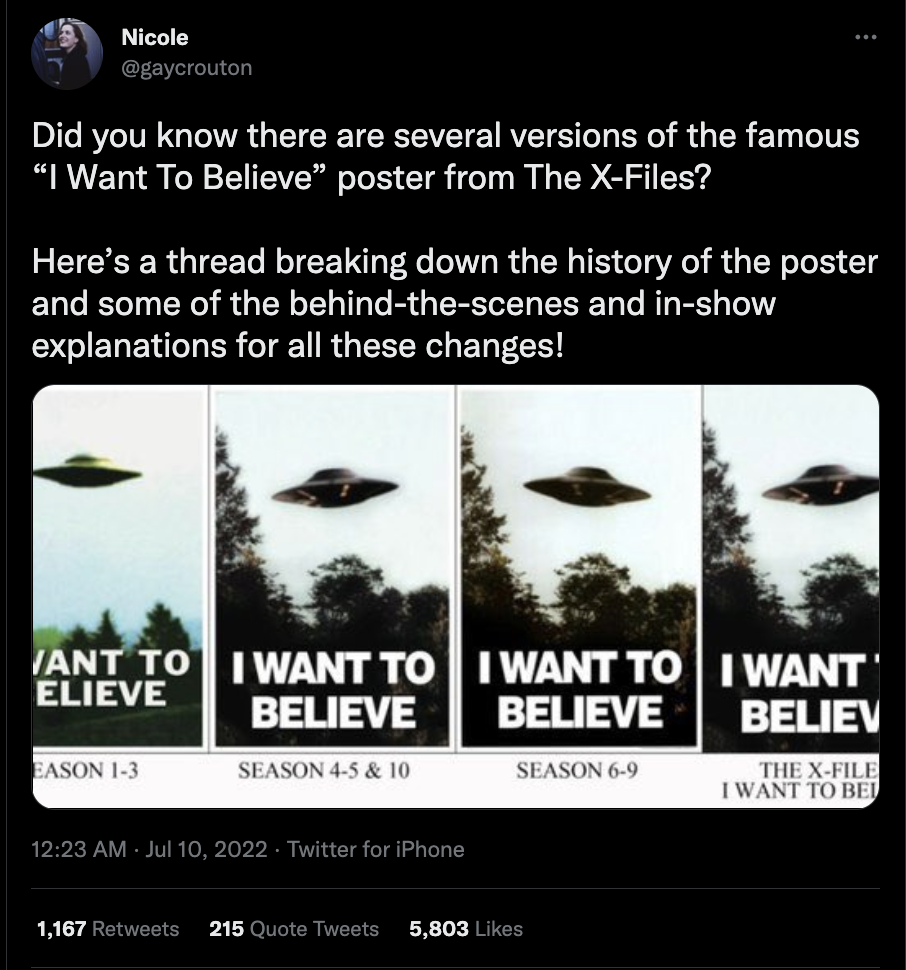
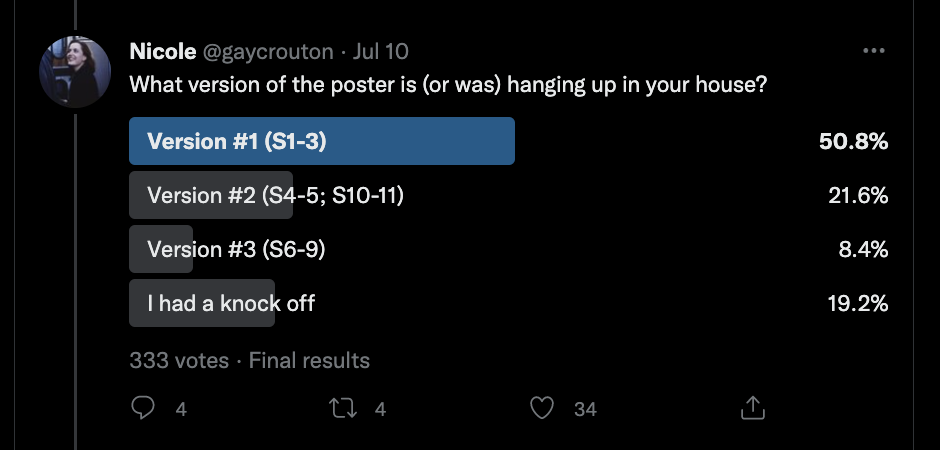
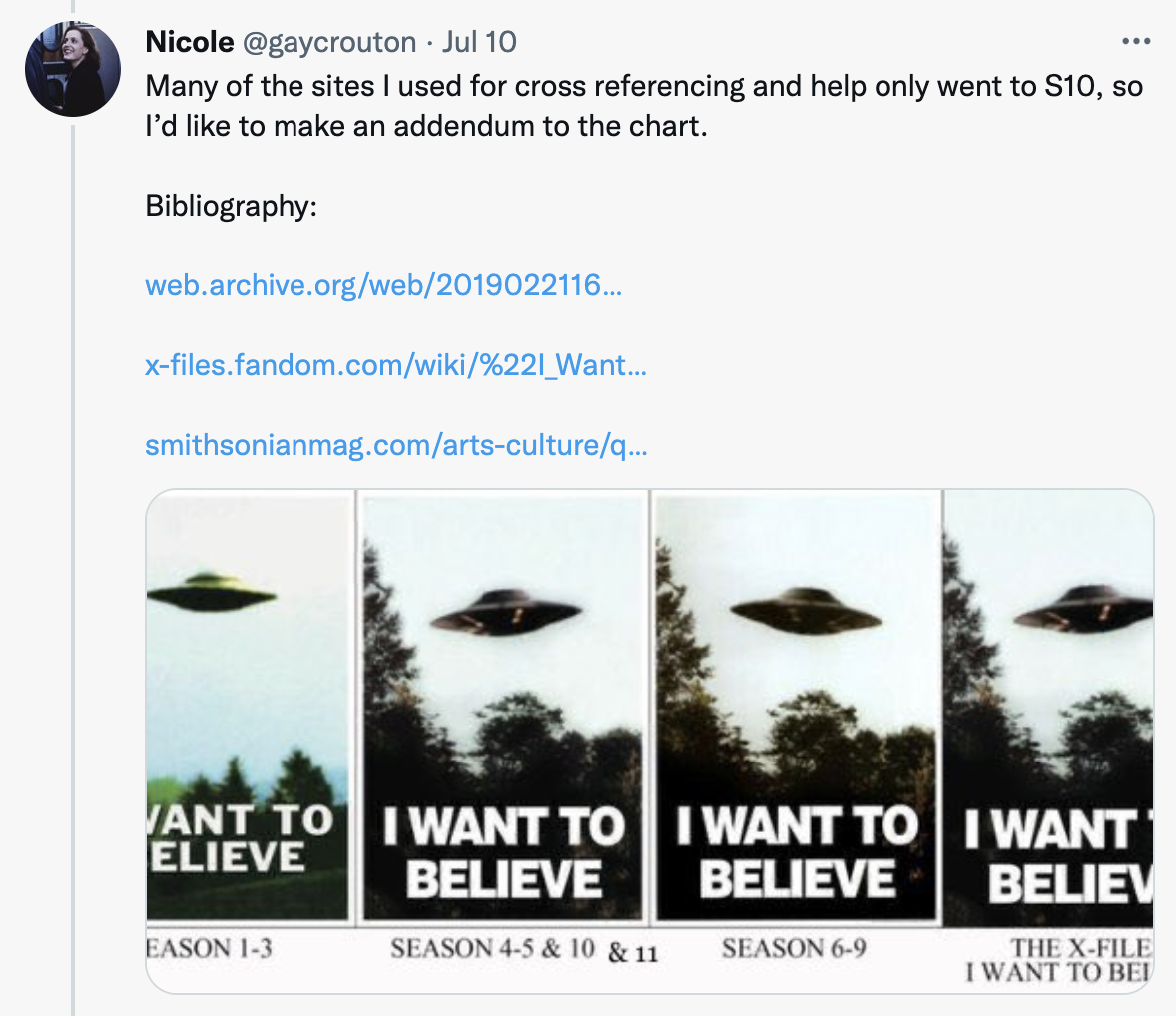
To get started, the group found some models of Twitter threads that concisely (but still thoroughly!) unpack a topic.
<blockquote class="twitter-tweet"><p lang="en" dir="ltr">Did you know there are several versions of the famous “I Want To Believe” poster from The X-Files?<br><br>Here’s a thread breaking down the history of the poster and some of the behind-the-scenes and in-show explanations for all these changes! <a href="https://t.co/0m6rs6ZTZO">pic.twitter.com/0m6rs6ZTZO</a></p>— Nicole (@gaycrouton) <a href="https://twitter.com/gaycrouton/status/1545987032882757632?ref_src=twsrc%5Etfw">July 10, 2022</a></blockquote> <script async src="https://platform.twitter.com/widgets.js" charset="utf-8"></script>
<blockquote class="twitter-tweet"><p lang="en" dir="ltr">It's time to tell you a story about the origin of the name "Fiona". A good old Scottish name, you might think. And it is, in a way, a name very representative of Scottish culture and literature. But not in the way you might think...</p>— Josie Giles (@HJosephineGiles) <a href="https://twitter.com/HJosephineGiles/status/1555216419721297922?ref_src=twsrc%5Etfw">August 4, 2022</a></blockquote> <script async src="https://platform.twitter.com/widgets.js" charset="utf-8"></script>
#### media affordances
Twitter threads can be continuously updated and are free and easy to use (though students should also consider issues of fair use when creating content that is entirely public). Composing a Twitter thread also encourages students to think about audience engagement (e.g., likes and replies, polls, other Twitter metrics) and how they'd like their imagined audience to interact with their writing and use of media. Through this assignment, students would learn how to incorporate different kinds of media (e.g., interactive polls, still images, hyperlinks, gifs) as they present their evidence. Students could also consider how social media is used to generate interest: What should the pace of the thread be? How should it unfold (i.e., posted all at once, or unfolding throughout the day)? The character limits of Twitter encourage students to be concise, while the more casual tone could help students to think about questions of authority and public discourse.
#### Scaffolding Activities
These activities would help students develop materials they need for their Twitter threads. Each activity also presents a unique learning experience for students, as they consider the types of design, presentation, writing, and other skills required to craft a well-constructed thread that will engage an audience.
* Compiling tropes
* Students identify a recurring trope of some kind and start to develop a narrative/argument about that trope by sharing their tropes during class.
* What does this object/image/trope mean?
* Consider what links your tropes together
* Students find 2-3 sources about the object/trope that help them contextualize it
* What's your hook?
* Write drafts for the starting and ending tweets for your thread.
* Consider how you would make your thread sound compelling enough for readers to open it and read more.
* What is the big takeaway you will want to convey to readers?
* What is the story?
* Part 1: Brainstorm the story you will tell in between your first and last tweet.
Part 2: Prepare a 3 minute presentation for the class about your plans. While you present, your classmates will "live tweet" their thoughts onto color-coded cards.
Part 3: After the presentation, presenters will have 3 minutes to read and respond aloud to their classmates ideas.
### Scrollytelling
*scrollytelling*: an analysis of a trope of a modern literary genre using images and passage analysis
[An example from the NYTimes](https://www.nytimes.com/interactive/2022/03/06/books/auden-musee-des-beaux-arts.html), which publishes in this form frequently:
<b>learning goals for the scrollytelling assignment</b>
To start developing this assignment, MDFs defined the learning goals they'd want students to meet, having completed an assignment in a new medium, in this case scrolling, web-based storytelling. Students should be able to:
* identify a representative trope of a literary genre
* compare tropes in two texts from course
* contextualize trope in broader cultural context
* understand intermedial characterists of genre formation in modern literary genres
* develop presentation skills and articulating observations into analysis
<b>scaffolding</b>
To support students' completion of this assignment, the MDFs envisioned a range of scaffolding activities that are low-stakes and give students a chance to explore what this medium can do. These scaffolding activities help students build analytical, close-reading, and presentation skills, including:
* pattern recognition
* collect images of book covers + film posters to identify a recurring trope
* identify puzzle/object of analysis
* identify time period of trope, notable evolution, and appropriation/adaptation
* activity: tablescape (at the Learning Lab studio)
* part 1: print images, and using overhead camera, arrange in images in 3 different arrays.
* part 2: isolate trope (by literally cutting it out) in order to reflect on how trope interacts with background/broader themes of work.
* *product*: perform a 1-minute green screen explaining trope, and identifying question that material poses
* putting research in context + analysis
* part 1: textual analysis: close compare & contrast, select 2 works
* activity: identify two passages and annotate to articulate comparison; use cut outs and color-coding
* render passage analysis into scrollytelling form, using only basics in this first assignment (one zoom in/zoom out)
* part 2: visual analysis:
* revisit tablescape
* activity: identify visual elements in covers & posters that show elements of feedback between different media
* use tablescape to demonstrate broader implications & put the analysis in historical & cultural context
* final project
* put elements together
 Sign in with Wallet
Connect another wallet
Sign in with Wallet
Connect another wallet