---
tags: essentialsLab, jk
---
# essentialsLab = graphicsLab: layout as blueprint
## to do asynchronously before the end of the graphicsLab weeks:
**Read**: [Transmedia Storytelling 101](http://henryjenkins.org/blog/2007/03/transmedia_storytelling_101.html), also you are welcome to take a look at any of the books we've curated around designing layouts and developing taste that are awaiting you in the reading room!
**Watch**: [John McWade's Magazine Design: The Inside Pages on LinkedIn Learning](https://www.linkedin.com/learning/magazine-design-start-to-finish-the-inside-pages/design-effective-magazine-inside-pages?autoAdvance=true&autoSkip=false&autoplay=true&resume=false&u=2194065). You can [login here!](https://linkedinlearning.harvard.edu/)
**Make**: a 4-5 page magazine spread as a project proposal
## during section:
ok Tuesday folks, you mysterious media movers!! Here's my extra ask of you: please help forge the path ahead for the others--at the bottom of this doc there are sections for more resources, please add any you have found useful! For today, please try to stick to the timing outlined below and let me know how it felt to you!
| The Clock Time | What To Do | A Space For Your Notes |
| -------- | -------- | -------- |
| 3:00-3:05 | 5 minutes overview: [of what's ahead!](https://hackmd.io/PNaGDXbtSYe78gPhw5A8aw) | Text |
| 3:05-3:10 | 5 minutes, overview: about [transmedia](http://henryjenkins.org/blog/2007/03/transmedia_storytelling_101.html) and [intermediality](). consider the intersection between these readings and the idea of a capstone project for your imaginary gened.| Text |
| 3:10-3:20 | 10 minutes, discuss: what is the voice, style, point of view that your magazine spread proposal should have to aupport the content you are conveying? | Text |
| 3:20-3:25 | 5 mintues, look: at [this pinterest](https://www.pinterest.com/learninglabpins/project-lookbooks/). find a layout to recreate.| Text|
| 3:25-3:55 | 30 minutes, create: a color-block layout spread in adobe indesign. | Text |
| 3:55-4:00 | 5 mintutes, share: Print out your layout spread wireframe (or as far as you've gotten!) and magnet to the whiteboard by the reading room! As you work on completing your final proposal magazine spread, feel free to replace your intitial printed layout | Text |
### a quick step by step for creating a basic layout wireframe in Id:
1. open adobe InDesign.
2. create new-->print-->preset details:
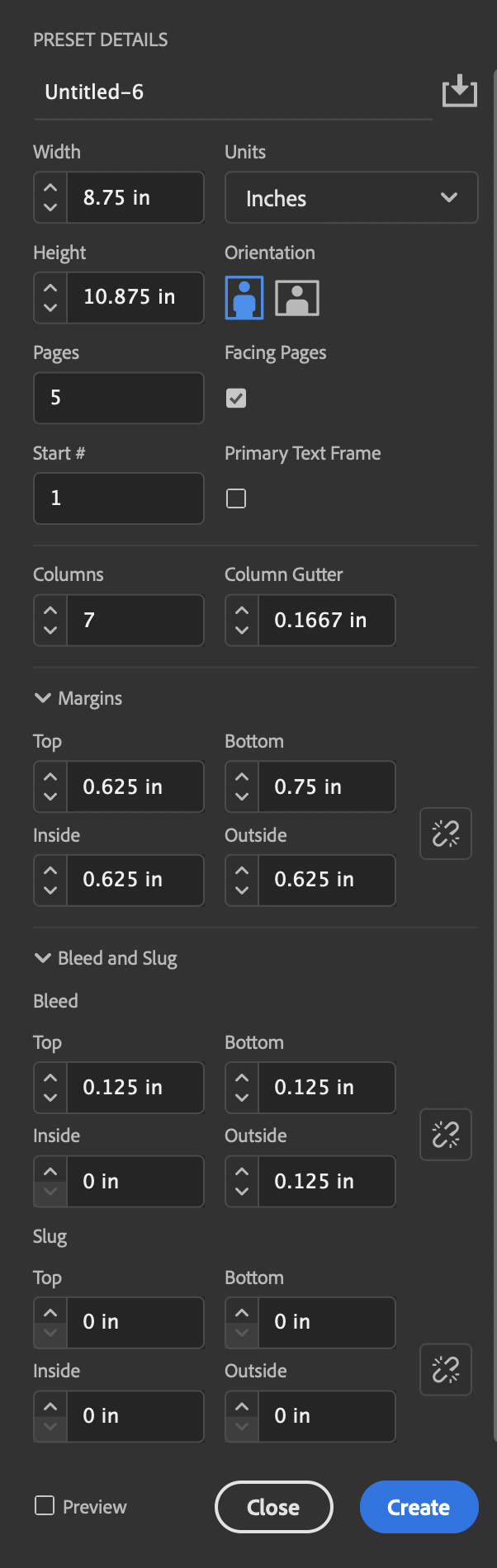
3. create any guides you'd like to use. (Layout-->Create Guides). I chose to put a guide at Y=2 inches to use as my [hangline](https://www.linkedin.com/learning/magazine-design-start-to-finish-the-inside-pages/live-layout-concept-in-context?autoAdvance=true&autoSkip=true&autoplay=true&resume=false&u=2194065)
4. add some placeholder rectangles (or other shapes?) for images you will add later. If you already have an image in mind you want to use, go ahead and add it if you have time.
5. add some placeholder text
### reasoning for the preset details...
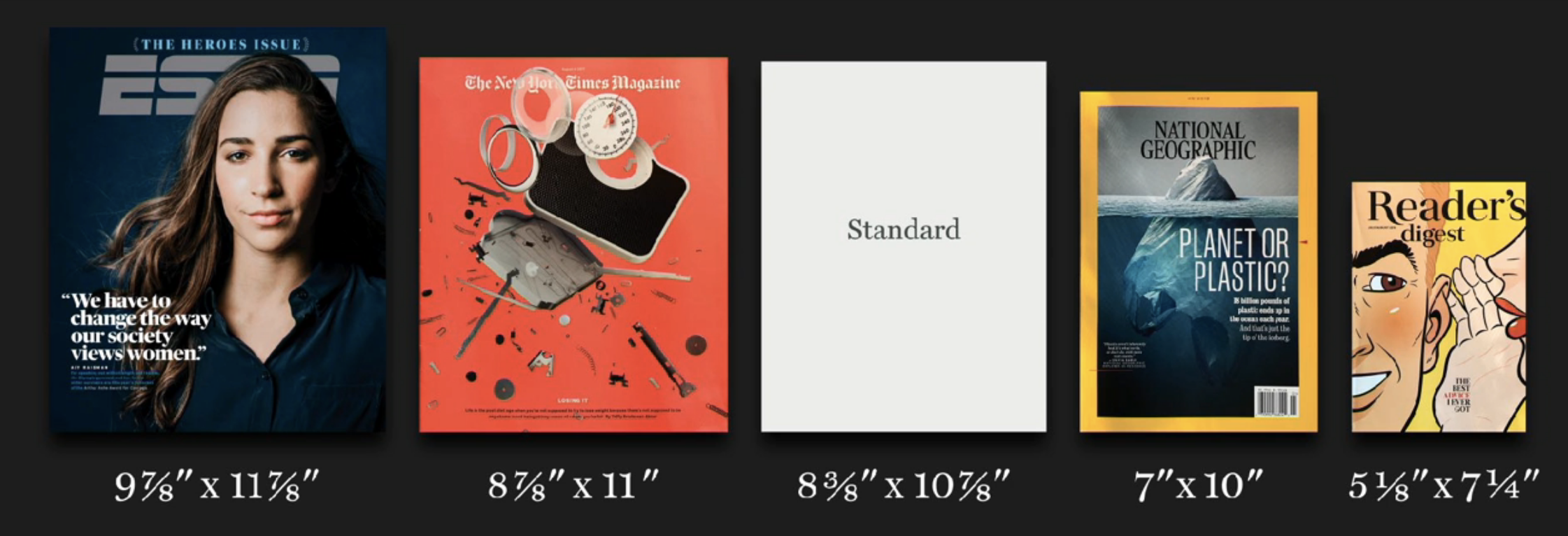
(know what the deal is, but then break these rules if you have a good reason to!!)
[on page size:](https://www.linkedin.com/learning/magazine-design-start-to-finish-the-cover/size-and-shape?autoAdvance=true&autoSkip=false&autoplay=true&resume=false&u=2194065)
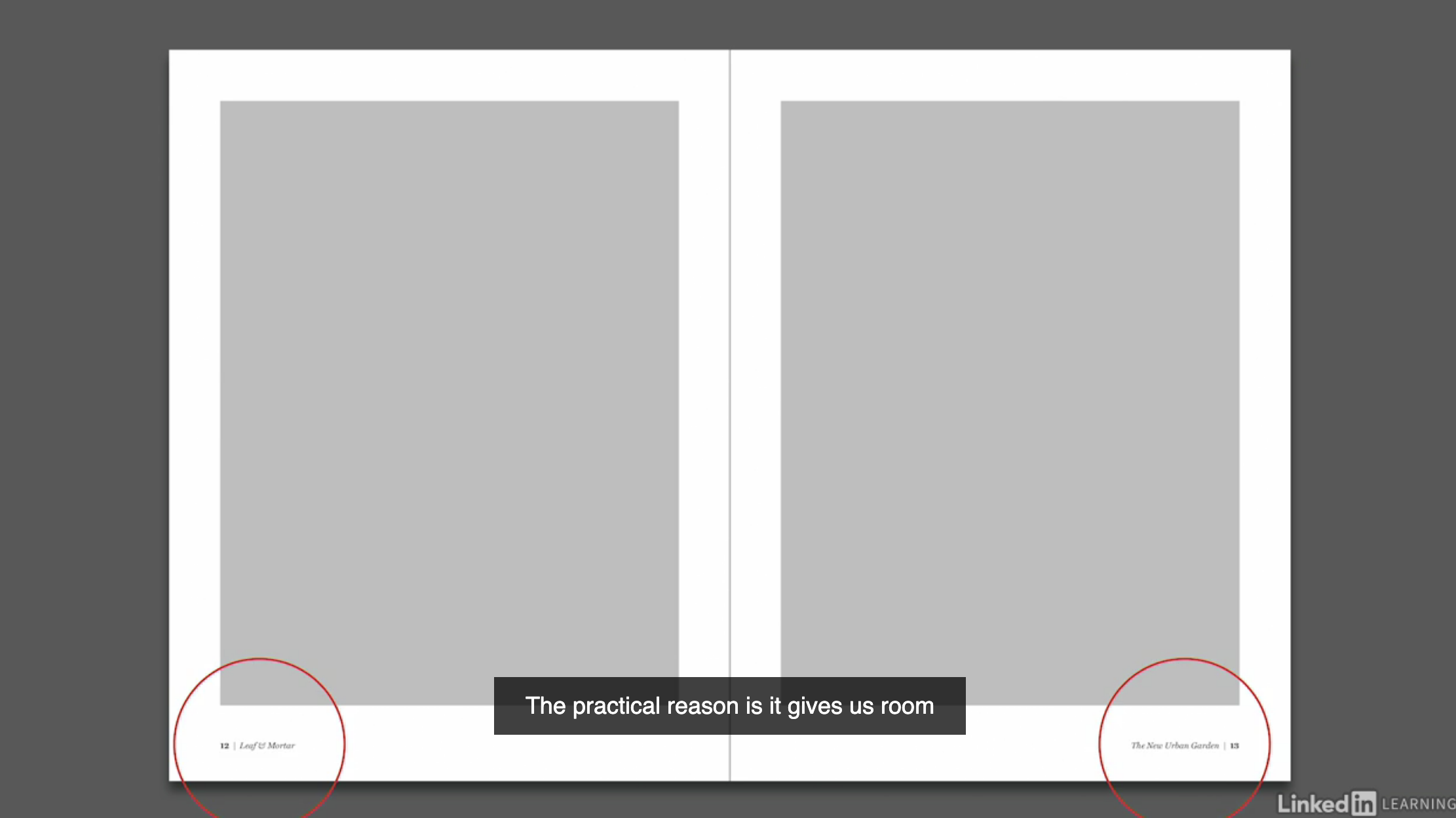
[on margins](https://www.linkedin.com/learning/magazine-design-start-to-finish-the-inside-pages/margins?autoAdvance=true&autoSkip=false&autoplay=true&resume=false&u=2194065)(I went for a slightly more dense aesthetic since I'm doing a project proposal rather than a home and garden magazine!):
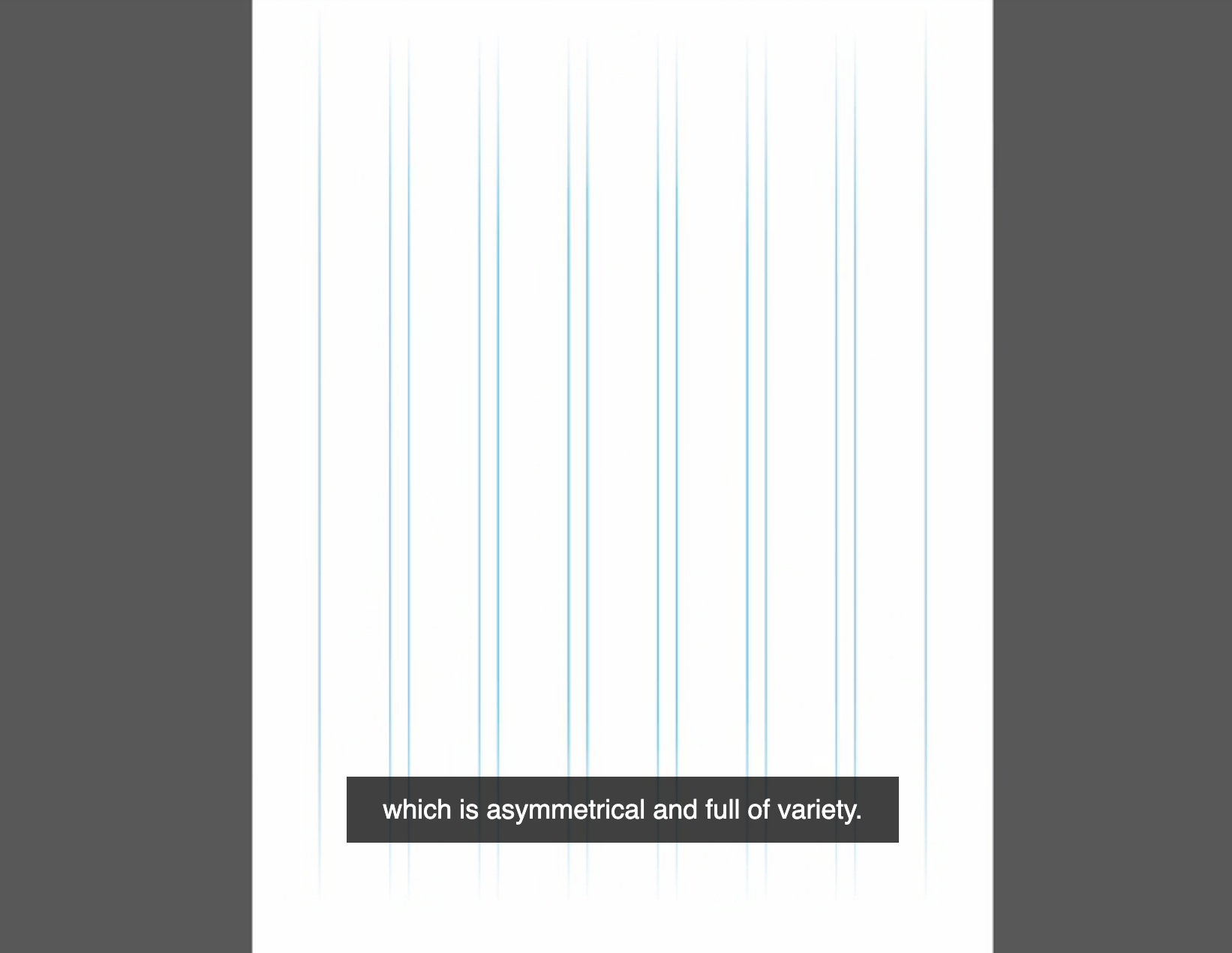
[on columns](https://www.linkedin.com/learning/magazine-design-start-to-finish-the-inside-pages/margins?autoAdvance=true&autoSkip=false&autoplay=true&resume=false&u=2194065)
### important taste basics:
[organizing your layout](https://www.linkedin.com/learning/magazine-design-start-to-finish-the-inside-pages/a-few-basics?autoAdvance=true&autoSkip=true&autoplay=true&resume=false&u=2194065)
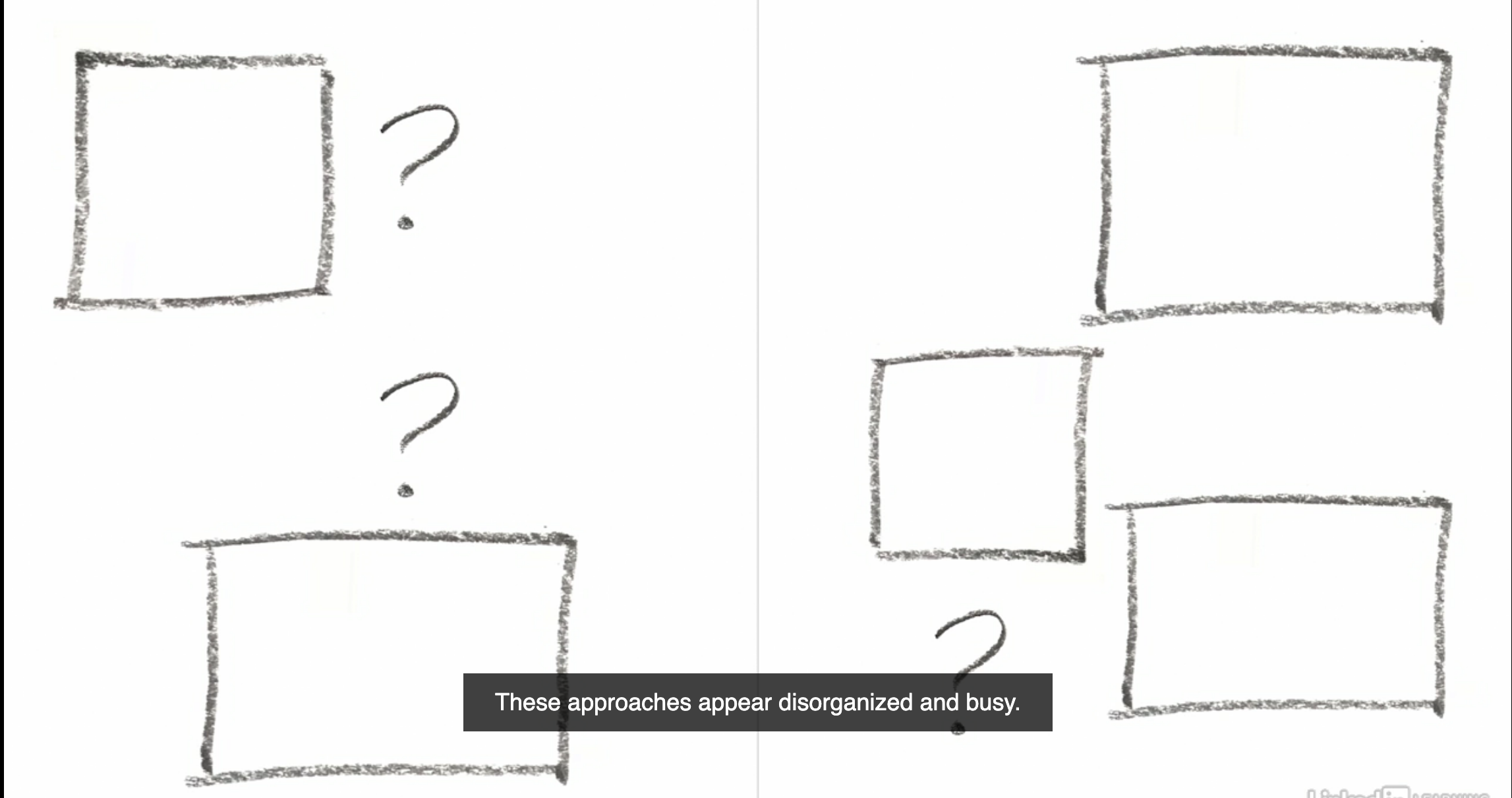
really, just keep watching from here--it's loaded with really great info and tips for developing an eye (and sound reasoning behind design choices)
## InDesign Moves to Know:
These are your hard skill learning objectives for essentialsLab=graphicsLab, specifically for the tool Adobe InDesign.
1. how to set up a document
2. how to create a grid (or columns and guides)
3. how to place text
4. how to place images
5. how to print
### shortcut keys:
* A = Direct Select
* T = Type
* F = Frame
* M = Rectangle Tool
* Shift Ctrl Drag Corner Handle to resize proportionally
## more in depth resources:
### LinkedIn Learning Courses
In general, the Sean Adams courses are very approachable and not particularly technical. Beginners may enjoy them, but people wanting more specifics on technical maneuvers may be disappointed. Nigel French and John McWade offer more specifics, but for people totally new to things they may seem too in-the-weeds.
---
on [Magazine Design (Part 2: Inside Pages)](https://www.linkedin.com/learning/magazine-design-start-to-finish-the-inside-pages/design-effective-magazine-inside-pages?autoAdvance=true&autoSkip=false&autoplay=true&resume=true&u=2194065):
<div style="position:relative;height:0;padding-bottom:56.25%"><iframe width="640" height="360" src="https://www.linkedin.com/learning/embed/magazine-design-start-to-finish-the-inside-pages/margins?autoplay=false&claim=AQEWXm4sTAjzxQAAAX8r4tR8N0npzzyS_JMw8LXU1es0J8AP-NBG61oi8dpZq4VTpMWZy-C2bj4mepjC_CvtY7AcyMxfve7dhUQ5rEin9thRuEufhJI1b2QLUx2XE5owJaJVZDwEaS5I5uKtIeqHsroJ0wnQxUzI3ustetrAoX2Mw-QhPjTKZwsdfCzNXchDHcVQxu_ZleDyYYwuCG6J0964u-8vBQ98jbkyryNN8wTjlHtBmF32Jm9qsz0wBfZhPZmzF_xRYXtcINJkOM5Ts9lAfXYvZ7jKEKrSkkoIT0l2LvPYtFtPjziEk6hEwWjV_8nGbb9fqixrOQl3mNMmjaDgMV6iWxR6ldACW18mMXj3OC5jj1nLrrrO-fAONzIv6CfSGnfOeQjhxKd4_mSKJNJLrWlu4WzNsx091E6Dp6KnN_JCUSnhB0Mlm58-LfvK62PBnkSSInVqQ-InMrUCJbJljlrVj_srgahW76hsKf0PDVIKu985t85neQBOCf0u7PZzHnQl6FekLzqkPqCnTm2eqxoZocWDisgkmglXZ2NUQjMz7FCldECRTsRIQpMXl2wR4mlU3HmKF1frz1j-x1DIpwkX-PgnzIXsXXnW9ETbm6ba2i5gl4rEtbU-GE-kIVKBzl7NXDjmObEXIKqAEhzYNXhQYzbL7wkGOTyEzNjGYDwNMP-R0jNTO_uFdtoUAbOssJlgvw2gUvXYfq5n3f0hreFazcrXYSdd2esJ3tDrDpPl&lipi=urn%3Ali%3Apage%3Ad_learning_content%3B7RyVfy%2BZTpqMta36s5AwyQ%3D%3D&licu" mozallowfullscreen="true" webkitallowfullscreen="true" allowfullscreen="true" frameborder="0" style="position:absolute;width:100%;height:100%;left:0"></iframe></div><p><strong><a href="https://www.linkedin.com/learning/magazine-design-start-to-finish-the-inside-pages/margins?trk=embed_lil">Margins</a></strong> from <strong><a href="https://www.linkedin.com/learning/magazine-design-start-to-finish-the-inside-pages?trk=embed_lil">Magazine Design Start to Finish: The Inside Pages</a></strong> by <strong><a href="https://www.linkedin.com/learning/instructors/john-mcwade?trk=embed_lil">John McWade</a></strong></p>
---
on [Graphic Design Basics](https://www.linkedin.com/learning/graphic-design-foundations-layout-and-composition/defining-the-anatomy-of-a-grid?autoAdvance=true&autoSkip=false&autoplay=true&resume=true&u=2194065) is all useful, but the section on layout and grids is probably most relevant.
<div style="position:relative;height:0;padding-bottom:56.25%"><iframe width="640" height="360" src="https://www.linkedin.com/learning/embed/graphic-design-foundations-layout-and-composition/defining-the-anatomy-of-a-grid?autoplay=false&claim=AQEvQesymurSWQAAAX8r5Ryq2Yh1GeksbnVTOLkKzPV2f2TnPBcGeQaWYphs_rzb_dgcqweGo1LDOI74iYrk1sIDTVPLfQr9EV0KEvv5EnNDjouKfRQGheomGJFC9UkdR-ICBeYADRN2uZZFlUCp18FX6nJc5P5hWYU7HLN6QNFGO6CX2cYvk1HuuJ0xmV3lt63Wf6V_t69N_p4br22p43I0HaRwyaK2EtxZU58U_2h-t19gWQtJmqs8xhoUKhfYBc9sw4ckb1zSRX-Z2_MiIFNEDVdQv8qWcJcc6ApSqXAnvVGi5aITyS9Hc8iP_rB_Bv4DiznDdwRg3agd5Uy0afS6V74LqI8FN-dpu7rwcMgOXcviwUmGUlLehrxaMWtv95LhfVWG8L70NDjeWq_8f8bO_PiHST7C_TkhHX6KnsDKYze8aD9brHOSw17nT-zuEl3hQwRui0uRIG4vHffUq6THQ8pLzzmsjleZXWbs1AER6Xcib46aL7tYaSSLJ6WdpYgL8gqdRucMxvrbx1R8H6_1FSxbzU4YJhNAZNXa3atWDD_r5q_RNBjL80QRJU29A3WGlEqGtJmWK_7zi_m07ud6V_HGzyb6Kf96GErnJ2QjWZijTcrM6k4xSsU7-71_aPm2lZB0ILQGrBwMDYFAuVzFELACDxwh9TjbPOi2rDwiF0X5OWHOtjSsJPfvjwov4uGfhIy6G2ZFnRmg6NS6MtvN58mNVAw-UQJEFYILqoIAwhSpfHo&lipi=urn%3Ali%3Apage%3Ad_learning_content%3BGlnJVn0%2BRQe0tETVUamzsQ%3D%3D&licu" mozallowfullscreen="true" webkitallowfullscreen="true" allowfullscreen="true" frameborder="0" style="position:absolute;width:100%;height:100%;left:0"></iframe></div><p><strong><a href="https://www.linkedin.com/learning/graphic-design-foundations-layout-and-composition/defining-the-anatomy-of-a-grid?trk=embed_lil">Defining the anatomy of a grid</a></strong> from <strong><a href="https://www.linkedin.com/learning/graphic-design-foundations-layout-and-composition?trk=embed_lil">Graphic Design Foundations: Layout and Composition</a></strong> by <strong><a href="https://www.linkedin.com/learning/instructors/sean-adams?trk=embed_lil">Sean Adams</a></strong></p>
---
[InDesign: Elements of a Layout](https://www.linkedin.com/learning/indesign-elements-of-a-layout/welcome?autoAdvance=true&autoSkip=false&autoplay=true&resume=true&u=2194065) has less on layout specifically, but is great at unpacking each element--particularly text elements--and explaining its significance. Here's a sample:
<div style="position:relative;height:0;padding-bottom:56.25%"><iframe width="640" height="360" src="https://www.linkedin.com/learning/embed/indesign-elements-of-a-layout/headlines?autoplay=false&claim=AQE0k47JHbbA9AAAAX8r55lfqhBJvsp_NbA8jkfXH4r744gJJbNFof47TDMvwD9wryp_baKKggx3TMf4tO_uxHsdDr8N0XjlCth-Pq1OttyKXP1SuG9yY2CbbLOGsDH2Tprz4dk2a3lROIGinoz1bQjwdpf0R7U_qaY13yEK6tBFO9BmXcRXCsN0TZHhzdkwJd1vWYH40aeJx1Y32lCKp1FL1k361O9phixU6DxckIjztX3A0ZkXPKoevwZAS2am_C8boCzXSp3ja4Ot2qZQApa_UsTcb4v8b79TcscGVkKmhSzQS8j5EG6RfzUMzLlGtb5bBRKeUFspQWad0-AWOaWZ1MDmjINa8Q_vMrqnVGkNmg3HbaTohephjT2FSY647MaBTYqZsRXZ8PAVLTPPirQTp7-dM8-nFgveXb3OZUYtG7h_xHGBnS7L4rVEqinhXZRKOEZR4E_tNPs9C7beXvacOL4tryyJl8LBIkuL8JboWYdHLpPKLuRiBQT2OVpvnbnilSHel2gW8Nf3RwodUGDSyUiFYAgOIuge6bNZHmZl_QB8VVDNnSWuZL716w_LYVaAZeSCi4VpAg68uMH9yCDHPPMJUi68CWIPs6jy98M4afswvHyMQEBqELgpMD_YGcjRJwIo5_sDIHRUluq5CPOrEZ_2WSZlcYGU6hsdS88zFps6lnt2nKGXUtLm2uSgW4bqvV-IOaiwXJ4WXD0uPaJmp-Y9vAshq7qbPtW8dra_3A&lipi=urn%3Ali%3Apage%3Ad_learning_content%3BaNxmnOlyT8SADH%2FLMVFh%2Bg%3D%3D&licu" mozallowfullscreen="true" webkitallowfullscreen="true" allowfullscreen="true" frameborder="0" style="position:absolute;width:100%;height:100%;left:0"></iframe></div><p><strong><a href="https://www.linkedin.com/learning/indesign-elements-of-a-layout/headlines?trk=embed_lil">Headlines</a></strong> from <strong><a href="https://www.linkedin.com/learning/indesign-elements-of-a-layout?trk=embed_lil">InDesign: Elements of a Layout</a></strong> by <strong><a href="https://www.linkedin.com/learning/instructors/nigel-french?trk=embed_lil">Nigel French</a></strong></p>
---
[Creating a Magazine Layout in InDesign](https://www.linkedin.com/learning/indesign-cc-designing-a-magazine-layout/welcome?autoAdvance=true&autoSkip=false&autoplay=true&resume=true&u=2194065) is pretty directly relevant to this project:
<div style="position:relative;height:0;padding-bottom:56.25%"><iframe width="640" height="360" src="https://www.linkedin.com/learning/embed/indesign-cc-designing-a-magazine-layout/margins-and-grids?autoplay=false&claim=AQGUIYKLqdFhgwAAAX8r4TTtJw_BJ8ffBcGEFt427jNfN2eiGKVAqd6nitblylgmrmomab6a13okiWLsvItmj6SWbTvfvKo26cQU6lnjp5CkMNlYzy2gO1w8tZlNlZ4iCdsDulAKrdrkjV-9MtDDe2mtwH_vDL_DN-pqNiNVcsuwCrxAobmPZrs_dP2A2_l8hZz4gLU8R-5s3SIbGGgVTNksIshI0ooQ8b1gGfyjwhrwpE6JK9mgYxJX1P-WIPHUyB_iONI6LwalmmqmpKflGTBJqJ4lPUn5ti3J0bhk0xYuXS55MSBbf1U1yIYKtjv7-b7azcUHS3h9vIkkrmOKWVz4PBxOqnGX8gKI4oH-IAjQRvgOsfiwH83-Ufp-uPM98XGcXs8vCxr_5ry3Hdcq6gv75e_DnaCFEI2jWXjztqQd5bSL4jcgnkllrFr_TFg92aTtriktrf1m12TTETC22Gj2ZXrzw9u--yGRPdVO3abnB0AGlRBWEDbBv6C5n-2-LX7rvFF-nrLto8J34MLCXr9Vtgo6v7K5gFXJpc_QDIi1VggC6L-nLQJHwuj8c3YlwZ3guedn6UMgN0k2lIUgAupERgQAahbdjY1s1NCukSobDhpczOEzz3mh7gjUiJa0jmmsTMkvOAkSeEWxEB1-BbmiNvRMzWcUJDCm3IUe-uXmIZ5U9un629ShJ9GCuXogULxb3JWLuXnM9awSrpvQ-nYR4BOew35eimlan2q08TFrqQ&lipi=urn%3Ali%3Apage%3Ad_learning_content%3BH9UvYPSuRGSxc2phC%2BQrqQ%3D%3D&licu" mozallowfullscreen="true" webkitallowfullscreen="true" allowfullscreen="true" frameborder="0" style="position:absolute;width:100%;height:100%;left:0"></iframe></div><p><strong><a href="https://www.linkedin.com/learning/indesign-cc-designing-a-magazine-layout/margins-and-grids?trk=embed_lil">Margins and grids</a></strong> from <strong><a href="https://www.linkedin.com/learning/indesign-cc-designing-a-magazine-layout?trk=embed_lil">InDesign CC: Designing a Magazine Layout</a></strong> by <strong><a href="https://www.linkedin.com/learning/instructors/nigel-french?trk=embed_lil">Nigel French</a></strong></p>
---
Full [Course on Layouts and Grids](https://www.linkedin.com/learning/layout-and-composition-grids/welcome?autoAdvance=true&autoSkip=false&autoplay=true&resume=false&u=2194065) is also good for beginners.
sample:
<div style="position:relative;height:0;padding-bottom:56.25%"><iframe width="640" height="360" src="https://www.linkedin.com/learning/embed/layout-and-composition-grids/design-process?autoplay=false&claim=AQEpZG2thqBOeAAAAX8r6KHbQAlIwjzTiW4Fk5hmQ79mz4N0NddSS7dRUO_N01HynQQvf3uNfMUtaIkknFybWUzVDzew_gCUeRJ-xLvtuJiPnHJcVjySo0xsVyA0WHNDmhM2r6Rm6KQTD_7zeDB7l3pbtmk8LYdQcMs6YI0T2-vtV5sJO_2z5D-jftULBAVK9-dh7eOc0_0GQfDBa4jNLROZNI6F0amyqe535A2y6meczoXAA8wtCj-BB2WMhqB-kDHEDcylVLXHk84wf2JvtPjPB_3PCoWtG8v6vo5Zu-rw4J-r0YiMWyDr0H8JaYooyVbIEQnxjO_Dzmqb_0FFElsxqS4Ju3Ik9e1NGNFjBKKyzkAqtTVysZIlfuKgpcRgc89OmyxQlc9NKCLzcMOT_V2OqSu0eV0O7kNSoarDbLrlwhBuDwZ5ijSBtC6p8YuLSd8ifyWlwiD3sqKM7marwumVywJvkWGmL8ON14QuoZ-jQj2PaqI520U2Wbtsd8b8aXO1IiPce-KqBnmBtuuiV0N1f4of6lwLx6ZekMtAL1xPQS7INLrPh-rOZEOw6Ghu1dajy4eLGzt3gH9siXnSZSiZjui-nCKT_KNVj2-c2gKg6X-8Ahma55IFv8PFqE915dvYYgIt-gsNM5YvDWwmDM2AjxUiBNkEys4qPuFd5Za7DdAICiuSSg8YkpD1qhskjkJ_O0bKdf-2ztgSkYYo2cTcVC_hLJtWM9n_z1zpPSub8A&lipi=urn%3Ali%3Apage%3Ad_learning_content%3BV7JWHhQVS4C3N9cScCttDQ%3D%3D&licu" mozallowfullscreen="true" webkitallowfullscreen="true" allowfullscreen="true" frameborder="0" style="position:absolute;width:100%;height:100%;left:0"></iframe></div><p><strong><a href="https://www.linkedin.com/learning/layout-and-composition-grids/design-process?trk=embed_lil">Design process</a></strong> from <strong><a href="https://www.linkedin.com/learning/layout-and-composition-grids?trk=embed_lil">Layout and Composition: Grids</a></strong> by <strong><a href="https://www.linkedin.com/learning/instructors/sean-adams?trk=embed_lil">Sean Adams</a></strong></p>
http://thinkingwithtype.com/grid/
 Sign in with Wallet
Connect another wallet
Sign in with Wallet
Connect another wallet