# Test Before You Build: How to UX Research an API
___
Blog list stub:
Public APIs that cater to thousands of developers need to be dead simple to understand. So simple, that lookups in documentation are for the most complex tasks only. But how can you make sure your APIs are well-understood before you build them? A look under the hood of how we run developer UX research with mocked API endpoints.
____
When thousands of developers use a public API, it needs to be so simple to understand that it's near impossible to make mistakes.
In a recent SmartBear survey among 1,898 developers, 38% said "ease of use" is the most important reason when choosing an API.
Nothing makes integrating an API more complex and annoying than having to guess your way to a solution, trial and error without working example requests and responses, unhelpful error handling and a lack of documentation answering the questions you have.
Even worse, in the worst case incorrect assumptions can lead to —in Impala's case— downstream negative effects in the real world: a traveller being quoted an incorrect hotel rate or the breakfast they thought was included being charged.
Needless to say, we're hard at work to avoid this.
## The "Developers Build Great APIs" fallacy
Building open APIs is a different beast.
With a UI-based product you can release and optimise later. If you release an API into the world, developers will build businesses on it and, rightfully, expect it to not break their production applications. You can't experiment with an audience that depends on the stability of their building blocks.
Few modern product development teams would forego usability testing and research for their UI designs. Yet, with API designs, a common fallacy goes:
> We're a team of software engineers. We're consumers of APIs in our lives, so surely we're great at designing easy-to-use APIs for our customers' developers, too.
The amount of hard-to-understand and inconstitently designed APIs out there speaks volumes about how this isn't true.
Just like we're all capable at knowing if a UI is intuitive, we're not all great intuiting how others might use ours, and foreseeing where they might struggle.
Public APIs require the same, if not more, research and validation before they're built and released.
While there's plenty of content out there about prototyping and usability-testing UIs, there's very little about how to do the same with APIs with minmal effort.
So here's a peak behind the curtain of what we found to work well here at Impala.
## How to design & test an API before building it
Here's the **tl;dr** of what we found to work well:
1. Talk to customers and figure out what functionality they need to get their job done.
2. **Document what the API should look like.** We use the structured [OpenAPI format](https://www.openapis.org/) to describe our APIs.
3. Share these docs with your team, get input, improve the API design.
4. Schedule **up to six 50-minute UX research sessions (all remote, live & moderated)** with developers, all on one day.
5. **Create a mock API** for those sessions in [Mockoon](https://mockoon.com/). Use OpenAPI as the basis, then make it more life-like by using Liquid templating and rules in Mockoon.
6. **Run sessions on [Lookback](https://lookback.io/)** or Zoom. Make sure a few people from the team join each of the sessions as observers and take notes.
9. If the first two participants struggle with something, change the mocked API immediately and test an iterated version with the others.
12. Write up conclusions and action items at the end of the day. Share them company-wide.
### Finding developers and scheduling user research
#### Fewer, in-depth and moderated sessions
For most API design, within five sessions the important patterns and misunderstandings will emerge, anything more yields diminishing returns.
It's great to be able to dig in and follow up, so moderated sessions trump unmoderated research. We try to schedule for an hour just in case, but keep to under 45 minutes if possible.
Five sessions for a given set of tasks and questions typically enough for the important patterns and misunderstandings to emerge, anything above yields diminishing returns.
#### Recruit on your site, on public Slack channels or through freelancing platforms
Depending on what you're testing, it can be helpful to find developers who have used your API before or are interested in using it.
Tools like [Ethnio](https://ethn.io/) allow you to intercept visitors on your site and offer them an incentive to participate and schedule research.
Since many developers are hired to integrate your API without much domain knowledge (in our case travel terminology) it can also be helpful to explicitly recruit people elsewhere, with little to no context about your product.
We found hiring developers on freelancing platforms like [Upwork](https://upwork.com/) to be a pragmatic, low-effort way to schedule these session.
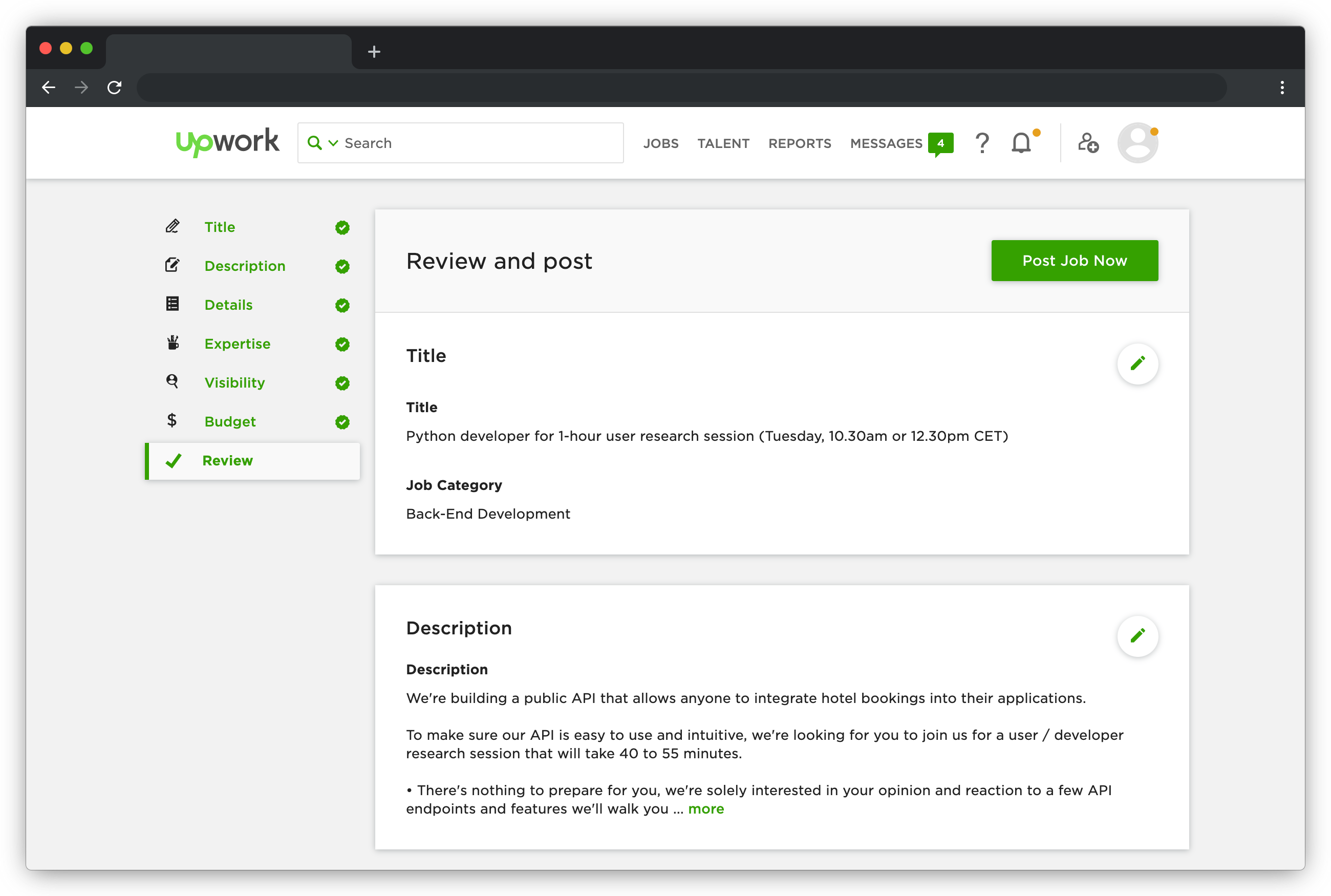
Make sure to specify that no prep is needed, set a fixed-price incentive and put the date and time of the sessions in the title.
Upwork additionally allows you to add screener questions, which we use to double-check a few details:
* When was the last time you used an open RESTful API, and who provided it?
* Are you available at the time indicated in the title (Central European Timezone, CET)?
* Are you comfortable with us recording this video conferencing and screen-share session to support our product development? (We'll use it to record notes after the session and might share portions with our team internally.)
#### Find developers with different language preferences
To ensure your API design is understandable and works for every developer you cater to, make sure to recruit a diverse set of people.
Look at who your APIs' target audience is, and recruit a good mix of:
* Folks who prefer programming languages that are strongly or weakly typed.
* Participants who consider themselves backend, frontend or full stack developers.
* Inexperienced starters to seasoned professionals.
* Backgrounds well-versed with RESTful JSON APIs and those who might frequently use SDKs, GraphQl, SOAP or other flavors of APIs.
### Fake it until you make it — literally
#### Design and describe with Stoplight Studio
Every new feature starts in Stoplight Studio, a web-based editor for OpenAPI (previously Swagger) documentation. We start by describing new endpoints and fields, complete with examples.
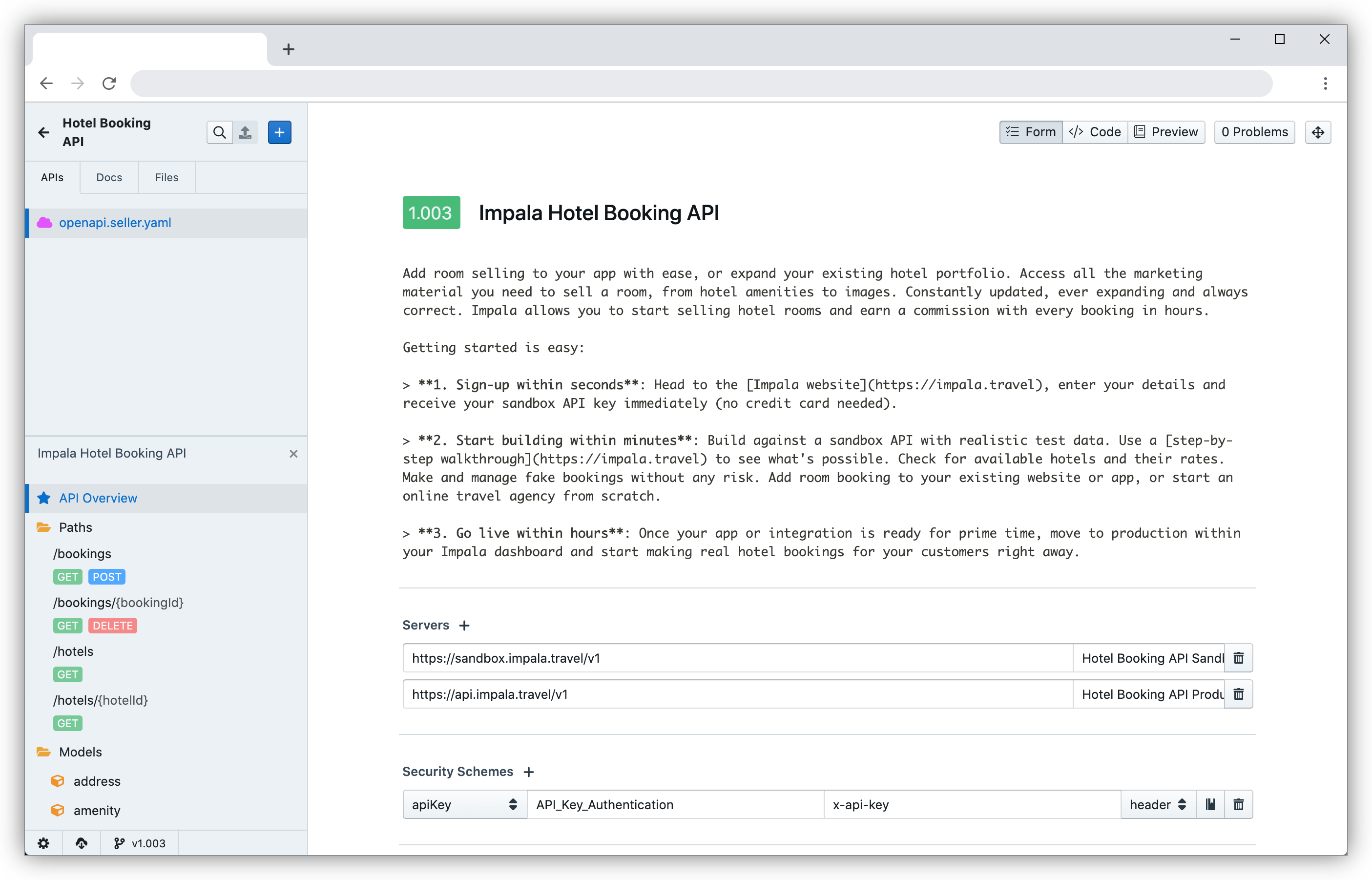
We host and version-control our OpenAPI documents in git, which means making changes and committing them into a separate branch for review by others on the team is easy.
OpenAPI is also useful for a variety of other reasons
Stoplight itself also provides a very simple way to create interactive mock API endpoints based on what you created. We found them to be too limited for many of the things we like to test though.
#### Create interactive mock APIs with Mockoon
Luckily [Mockoon](https://mockoon.com/) is the answer to just about every mocking need you might have. It's a desktop application that allows you to import OpenAPI (Swagger) documents and create mocked APIs hosted locally.
It makes it incredibly easy to then adapt them to be life-like even with no or every basic coding skills.
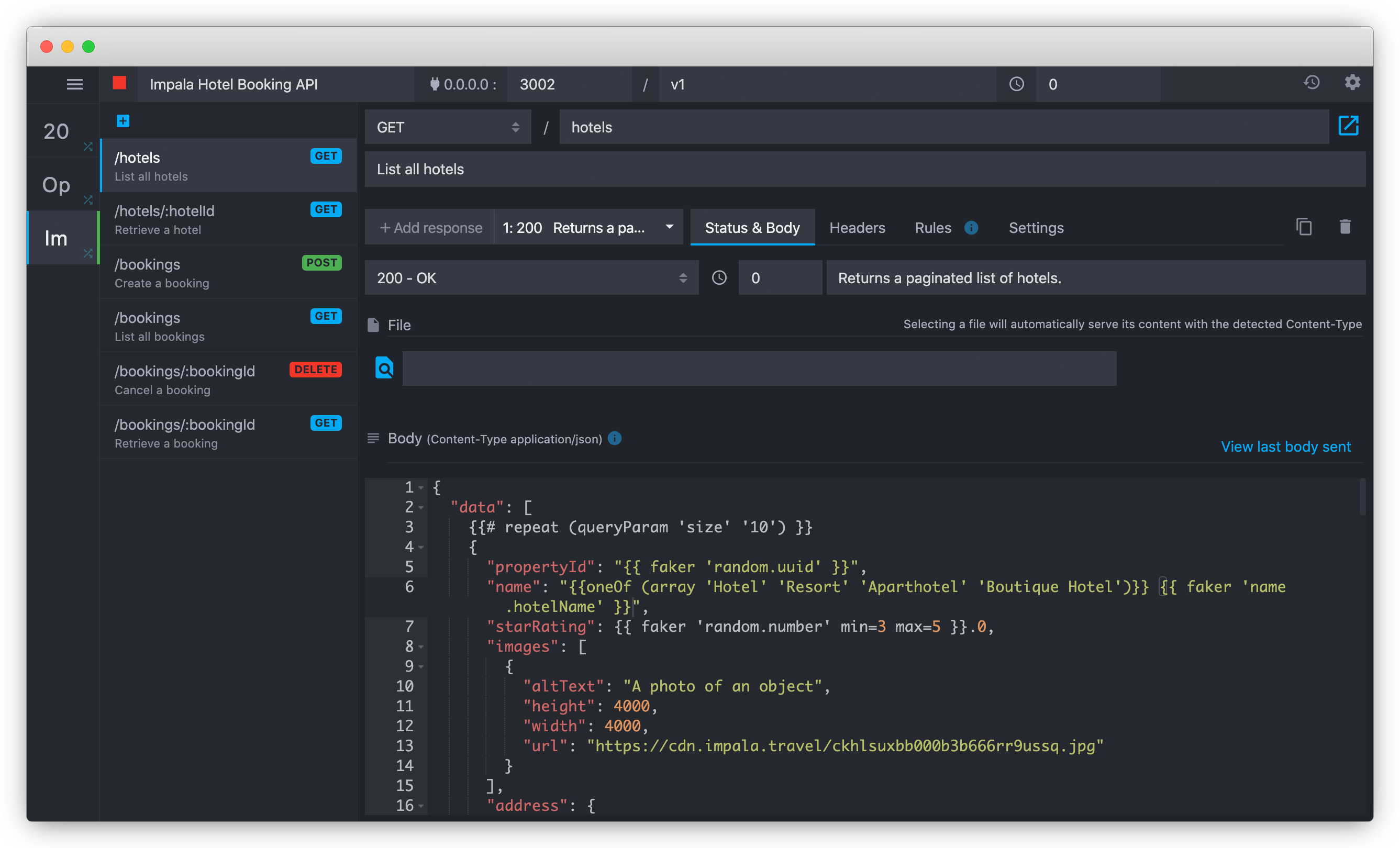
The most useful features in Mockoon are:
* Shopify's **Liquid templating language** makes it really simple to repeat items in a list or include parts of the response conditionally. For us, this might mean returning 50 fake hotels in a list or only returning hotel rates if the participant specified dates as input in the request.
* **Faker.js** allows you to generate fake names, random numbers, lorem ipsum text or names. In our example that means these 50 hotels have different ids, names and descriptions, making the response look more realistic.
* **Rule-based responses** allow you to mock error cases based on simple simple rules. As an example, you could mock returning an error if a mandatory query parameter is missing, but return the full result if it's there.
* Runs locally and changes you make are instantaneous. This means you as a UX research faciliator can modify API responses during the session while your participant is using the mocked API.
#### Let participants access your mocked API remotely with ngrok
While it's helpful to be able to run your mocked API locally and edit it in real time, your participants will need to use them online from public internet.
[ngrok](https://ngrok.com/) bridges that gap and tunnels what's only available to you from Mockoon to a public web address for your partipant to use.
### Run your research with Lookback
[Lookback](https://lookback.io/) is like Zoom, but made for user research.
It allows you to create a link for your round of interviews, and share them with your participants.
You can configure instructions to show to participants before they join, while the session is ongoing or after the session has ended.
It also allows you to automatically open a url in the browser of your participant when the session starts.
This could be Postman for Web (so your participant doesn't need a REST client to participate) or the the Stoplight-generated documentation pages for your feature.
When your participants join, Lookback guides them through sharing their camera, microphone and screen, and you'll see a message in Lookback that they're ready for the session.
After you started the session, an unlimited amount of people on your team can silently pop in and out of the "virtual observation room" without distracting the participant.
Lookback also automatically records the session, and your observers (or the faciliator) can take timestamped notes that make it easy to find back soundbites of interesting insights later on.
### Write up conclusions, rinse and repeat
At the end of research day, go through the timestamped notes of these sessions and write down conclusions. Integrate the learnings in your API documentation and off you go, your ready to build an API that's easy to understand and validated.
What's your experience with testing if your API-based products work for developers? Are you doing anything differently we could learn from? [Let's chat!](https://www.linkedin.com/in/tobyurff/).
Want to come join us build great APIs? Check out our open roles!
 Sign in with Wallet
Connect another wallet
Sign in with Wallet
Connect another wallet