###### tags: `前端設計工程師養成班`
# ED101 Web/APP前端設計工程師養成班
# github 檔案連結
https://github.com/sexfat/ed101
# sass 講義
https://sexfat.gitbooks.io/greenie-s-manual/content/
# sass結構案例參考
https://github.com/sexfat/sass_structure
# 基礎組件。越底層,就說明可複用的程度越高、越通用
# Gulp template
https://github.com/sexfat/ed101gulp
# 第一組
# gulp 文件
node 版本
https://nodejs.org/en/download/releases/
```jsx=
var gulp = require('gulp');
gulp.task('hello', function(){
//do
console.log('hello world 你好');
});
gulp.task('move',function(){
//do
return gulp.src('index.html') //來源
.pipe(gulp.dest('dest/')) //目的地
})
});
```
## 壓縮css
https://www.npmjs.com/package/gulp-clean-css
- 安裝
```
npm install gulp-clean-css --save-dev
```
```jsx=
var cleanCSS = require('gulp-clean-css');
gulp.task('minicss',function(){
//do
return gulp.src('css/*.css') //來源
.pipe(cleanCSS({compatibility: 'ie8'}))
.pipe(gulp.dest('dest/css')) //目的地
})
```
## 合併css
https://www.npmjs.com/package/gulp-concat
```jsx=
//合併 css
var concat = require('gulp-concat');
gulp.task('concat',function(){
//do
return gulp.src('css/*.css') //來源
.pipe(concat('all.css'))
.pipe(cleanCSS({compatibility: 'ie8'}))//壓縮
.pipe(gulp.dest('dest/css')) //目的地
})
```
## sass 轉譯
```jsx=
var sass = require('gulp-sass');
gulp.task('sass', function () {
return gulp.src('./sass/*.scss')//來源
.pipe(sass().on('error', sass.logError)) //sass轉譯
.pipe(gulp.dest('./css')); //目的地
});
```
## 瀏覽器同步
`npm install browser-sync --save-dev`
```jsx=
var browserSync = require('browser-sync').create();
var reload = browserSync.reload;
gulp.task('sync', function() {
browserSync.init({
server: {
baseDir: "./dest",
index : "index.html"
}
});
gulp.watch('./*.html' ,['move']).on('change',reload);
});
```
## html 樣板
https://www.npmjs.com/package/gulp-file-include
```jsx=
// html 樣板
var fileinclude = require('gulp-file-include');
gulp.task('fileinclude', function () {
gulp.src(['*.html'])
.pipe(fileinclude({
prefix: '@@',
basepath: '@file'
}))
.pipe(gulp.dest('./dest'));
});
```
- html
index.html
```htmlmixed=
<!-- 選單 -->
@@include('./app/nav.html')
<h1>首頁
</h1>
<!-- footer -->
@@include('./app/footer.html')
```
- nav.html
```htmlmixed=
<nav>
<ul>
<li>001</li>
<li>002</li>
<li>003</li>
</ul>
</nav>
```
- footer.html
```htmlmixed
<footer>
<div class="logo">
logo
</div>
</footer>
```
# Gsap動畫套件
### 安裝
- https://greensock.com/docs/v2
```htmlmixed=
<script src="node_modules/gsap/src/minified/TweenMax.min.js"></script>
```
- https://cdnjs.cloudflare.com/ajax/libs/gsap/2.1.3/TweenMax.min.js
```jsx=
TweenMax.to('.box_basic', 3, {
// x: '200px',
// y: '200px',
repeat: -1,
// ease: Power0.easeNone,
// ease: Back.easeOut,
ease: SteppedEase.config(12),
// repeatDelay:1,
// yoyo:true
// rotation: 360,
// rotationX: 360,
// rotationY: 360,
transformOrigin:'10px top 400',
transformPerspective: 3600,//攝影機鏡頭位置
// scaleX : 3,
// scaleY : 3,
// opacity : 0,
width: 700,
height: 400,
boxShadow: '4px 4px 20px red'
});
```
# tweenmax 方法
```jsx=
// to from fromTo
TweenMax.to('.box_to', 2, {
x: 300
});
TweenMax.from('.box_from', 2, {
x: 300
});
TweenMax.fromTo('.box_fromTo', 1, {
x: 100//a
}, {
x: 500//b
})
TweenMax.staggerTo('.box_staggerTo' , 1 , {
x: 200
}, 1)
```
# 時間軸動畫 TimelineMax
```jsx=
var tlmax = new TimelineMax({
repeat: -1,
yoyo: true
});
tlmax.to('.box_a', 2, {
x: 300
}).to('.box_b', .2, {
y: 300
}).to('.box_c', 2, {
y: 300,
x: 400
});
```
# 補間動畫
- https://greensock.com/docs/v2/Easing
## 參數集介紹 option
```jsx=
//位移跟大小
scaleX:1.5,
x: 140,
y: 0,
boxShadow: "0px 0px 20px red",//陰影
scale:2, //放大
delay: 2,//延遲幾秒
repeat: 3,//重複幾次
repeatDelay: 2,//重複延遲時間
yoyo: true,//動畫順序1-2-2-1
alpha:0,//透明度
autoAlpha: 0 //透明度
ease: Power3.easeInOut//動畫效果
//旋轉要件
rotationY: 360, //旋轉
rotationX: 360 , //旋轉
transformOrigin : 'right top' //定位點
//透明度
autoAlpha: 0 //自動消失
//修改classname
//增加一組class
className: "+=box10"
//覆蓋掉本來的class
className: "box10"
```
# Scrollmagic
### CDN
https://cdnjs.com/libraries/ScrollMagic?fbclid=IwAR0ujnya--bI_Ty5akLEp5Jaz5ZcofogYqpTjBQdw-8uGnglwuZ_8zW3_LE
https://cdnjs.cloudflare.com/ajax/libs/ScrollMagic/2.0.7/ScrollMagic.min.js
https://cdnjs.cloudflare.com/ajax/libs/ScrollMagic/2.0.7/plugins/animation.gsap.min.js
https://cdnjs.cloudflare.com/ajax/libs/ScrollMagic/2.0.7/plugins/debug.addIndicators.min.js
```htmlmixed=
<script src="https://cdnjs.cloudflare.com/ajax/libs/gsap/2.1.3/TweenMax.min.js"></script>
<script src="https://cdnjs.cloudflare.com/ajax/libs/ScrollMagic/2.0.7/ScrollMagic.min.js"></script>
<script src="https://cdnjs.cloudflare.com/ajax/libs/ScrollMagic/2.0.7/plugins/animation.gsap.min.js"></script>
<script src="https://cdnjs.cloudflare.com/ajax/libs/ScrollMagic/2.0.7/plugins/debug.addIndicators.min.js"></script>
```
- js
```jsx=
//加入控制器
var controller = new ScrollMagic.Controller();
//動畫
var tweenscroll = TweenMax.to('.box_scroll' , 1, {
x: 400
});
//觸發事件
new ScrollMagic.Scene({
triggerElement: '#keypoint1',
offset: 100, //觸發點場景位置
triggerHook: .2//瀏覽器觸發位址
}).setTween(tweenscroll).addIndicators().addTo(controller);
```
- html
```htmlmixed=
<div id="keypoint1"><!-- 觸發點 --></div>
<section class="bg3">
<div class="box box_scroll">scrollmagic</div>
</section>
```
- css
```css
section {
width: 100vw;
height: 100vh;
}
.box {
width: 160px;
height: 80px;
top: 60px;
position: relative;
left: 45%;
background-color: rgb(70, 248, 0);
}
.bg3 {
background-color: rgb(39, 39, 39);
}
```
### timelinmax
- js
```jsx=
var tweenline = new TimelineMax();
tweenline.to('.box_scroll01' ,1 ,{
x: 300
}).to('.box_scroll01' , 1,{
y:400
}).to('.box_scroll01' , 1 , {
x: 500
})
//scoll 觸發事件
new ScrollMagic.Scene({
triggerElement: '#keypoint2',
offset: 0,
// triggerHook: .3,
// duration: 400,
reverse: true,
}).setClassToggle('.bg4','on').setTween(tweenline).addIndicators({
name: 'keypoint02'
}).addTo(controller);
```
- html
```htmlmixed=
<div id="keypoint2"></div>
<section class="bg4">
<div class="box box_scroll01"></div>
</section>
```
- css
```css
.bg4 {
transition: all 1s ease-in-out;
background-color: #1f1f1f;
}
.bg4.on {
background-color: #ff0707;
}
```
### 固定場景
- html
```htmlmixed=
<div id="keypoint3"></div>
<section class="bg5">
<div class="wrapper">
<div class="text text1">精彩不少,付出不多。</div>
<div class="text text2">iPhone SE 擁有我們最強大的晶片和最受歡迎的尺寸</div>
<div class="text text3">更有讓你心動不已的價格。一切</div>
<div class="text text4">玻璃與鋁金屬設計堅固耐用</div>
</div>
</section>
```
- 實作
https://scrollmagic.io/examples/advanced/section_wipes_manual.html
```htmlmixed=
<div id="keypoint5"></div>
<section class="bg7">
<div class="boxpallax1 box">1</div>
<div class="boxpallax2 box">2</div>
<div class="boxpallax3 box">3</div>
</section>
```
- css
```css=
.bg7 {
background-color: #cca4ff;
background-image: url(https://placem.at/people);
background-size: cover;
}
.bg7 .box {
margin-bottom: 10px;
width: 300px;
}
.bg7 .boxpallax1 {
position: relative;
top: 300px;
left: 600px;
}
.bg7 .boxpallax2 {
position: relative;
top: 300px;
left: 700px;
}
.bg7 .boxpallax3 {
position: relative;
top: 200px;
left: 800px;
}
```
- js
```jsx=
//滾動式差
var parallaxs = new TimelineMax();
var parallax_01 = TweenMax.to('.boxpallax1' ,1 , {
y: '-10%'
})
var parallax_02 = TweenMax.to('.boxpallax2' ,1 , {
y: '50%'
})
var parallax_03 = TweenMax.to('.boxpallax3' ,1 , {
y: '-120%'
})
parallaxs.add([parallax_01 , parallax_02 , parallax_03]);
//scoll 觸發事件
new ScrollMagic.Scene({
triggerElement: '#keypoint5',
duration: '100%'
}).setTween(parallaxs).addIndicators({
name: 'keypoint05'
}).addTo(controller);
```
- css
```css
.bg5 {
background-color: #414141;
}
.bg5 .wrapper {
width: 1200px;
margin: 0 auto;
padding-top: 100px;
}
.bg5 .text {
color: #fff;
font-size: 20px;
margin-bottom: 20px;
}
```
- js
```jsx=
// 固定住場景
var tlstick = new TimelineMax();
tlstick.fromTo('.text1', 1, {
x: -100,
opacity: 0
}, {
x: 0,
opacity: 1
}).fromTo('.text2', 1 , {
x: -100,
opacity: 0
},{
x: 0,
opacity: 1
}).fromTo('.text3', 1 , {
x: -100,
opacity: 0
},{
x: 0,
opacity: 1
}).fromTo('.text4', 1 , {
y: -100,
opacity: 0
},{
y: 0,
opacity: 1
})
//觸發事件
new ScrollMagic.Scene({
triggerElement: '#keypoint3',
offset: 0,
triggerHook: 0,
duration: '400%',
}).setPin('.bg5').setTween(tlstick).addIndicators({
name: 'keypoint03'
}).addTo(controller);
```
前言
# 何謂 UI
UI(User Interface)使用者介面,主要專業是設計頁面上的功能、顧及使用的便利性與整個設計的美學,網站的美觀性和他息息相關
# 何謂 UX
UX(User Experience)使用者體驗,則是根據使用者的習慣,安排整個網站頁面的內容規劃,像是哪些區塊的內容要先在網站上出現,行動呼籲按鈕(Call to Action, CTA)的位置應該擺在哪裡。
# 最終
終端使用者與公司網站的互動行為的總和,而此行為的目的是要達成一個目標(取得資訊、下訂單、連絡公司等等)就對了
# 產品故事
1. **選定主題**
(假設)資訊分享平台
(* 當選定主題後,開始分析研究)
2. **產品介紹**
- 我們的產品主要是做什麼服務的,能夠你們有效的完成哪些事
- 我們整理許多主題讓分享更輕鬆,因此您可以專注於真正重要的事情,讓客戶過上更好的生活。我們正在與您一起努力,體驗的未來。
3. **產品目標**
- 關於這個產品提供哪些服務,主要是解決哪類的問題
4. **使用主族群**
- 應用產業 :科技業
- 目標用戶 :工程師
5. **案例研究**
- 電商研究
6. **需求列表**
- list log更動列表
- 注意事項
7. **開始專案**
- sitemap

- wireframe

- ui flow

- prototype
- mockup
8. 開發階段
- 學姊的作品
http://140.115.236.71/demo-personal/DD103/web/%e7%b0%a1%e5%a0%b1PDF/T1900826%ef%bc%bf%e8%b3%b4%e6%80%a1%e5%ae%89%ef%bc%bf%e8%8a%b1%e7%b3%b8.pdf
## UI UX 差異

## 日系網站
https://www.webdesignclip.com/
## 歐美網站
https://www.awwwards.com/
## Design system
https://designsystemsrepo.com/design-systems/
## ui 動態
https://uimovement.com/
## FwA
https://thefwa.com/
## dribbble
https://dribbble.com/
## Google Font
https://fonts.google.com/
# 產品組成
- 產品的組成大約可以拆分成 頁面 > 元件 > 元素 > 圖(影片)、文字、icon、表單、互動 等。
- 各元素都可能需要制定 色彩、透明度、尺寸、間距、檔案格式、品質、風格 等。互動包含 手勢操作、過場動畫、特效、音效、震動 等。
## 網頁介面組成

# 動畫原理
http://preview.themeforest.net/item/xen-creative-agency-html5-template/full_screen_preview/23571969?_ga=2.98233943.99256698.1577228677-552096446.1562772068
https://matthew.wagerfield.com/parallax/
http://springsummer.gucci.com/
https://threejs.org/
https://www.town.shimane-misato.lg.jp/misatoto/
https://store.google.com/us/product/pixel_4?hl=en-US
https://www.cssdesignawards.com/
# 動畫的 12 道 UX 原理

## 第一道原理:Easing(緩和效果)
暫時事件發生時,物體行為符合使用者的預期動作

>所有暫時動作(不論即時或非即時)的介面物體都要有 Easing(緩和效果)。Easing 可以無縫地創造、加強使用者經驗的「自然感覺」,當物體如使用者所預期的移動,就會營造出連續感。很巧的是,迪士尼稱之為「Slow In 和 Slow Out。」
## 以下兩種動畫哪種比較好
### linear 固定速度

### elastic motion

左邊的動畫是 Linear(固定速度)的,看起來很「差」,而上方第一個有 Easing 的範例就看起來很「好」。以上三個範例都有相同數量的影格 (frame),花費的時間完全一樣,唯一的差別在 Easing。

## 第二道原理:Offset & Delay(位移和延遲)
在新的元素和場景出現時,定義物體之間的關聯和階層

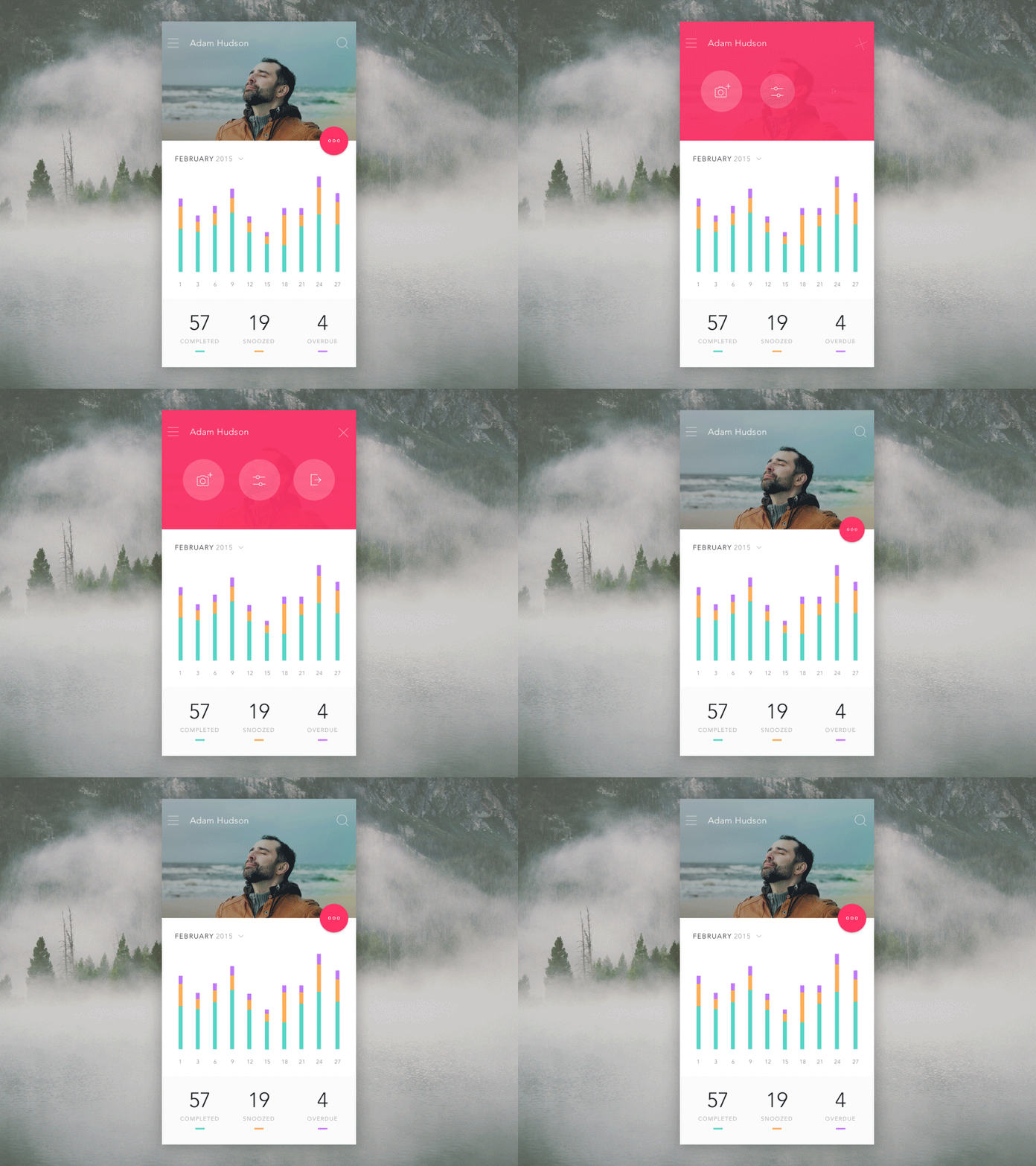
- 案例1 Profect Expert
https://preview.themeforest.net/item/contra-html-template-for-architecture-construction-and-interior-design/full_screen_preview/23189643?_ga=2.87955614.723204759.1577228366-552096446.1562772068
- 案例二
http://preview.themeforest.net/item/xen-creative-agency-html5-template/full_screen_preview/23571969?_ga=2.98233943.99256698.1577228677-552096446.1562772068
## 第三道原理:Parenting(從屬關係)
與多個物體互動時,創造空間和時間上的階層關係
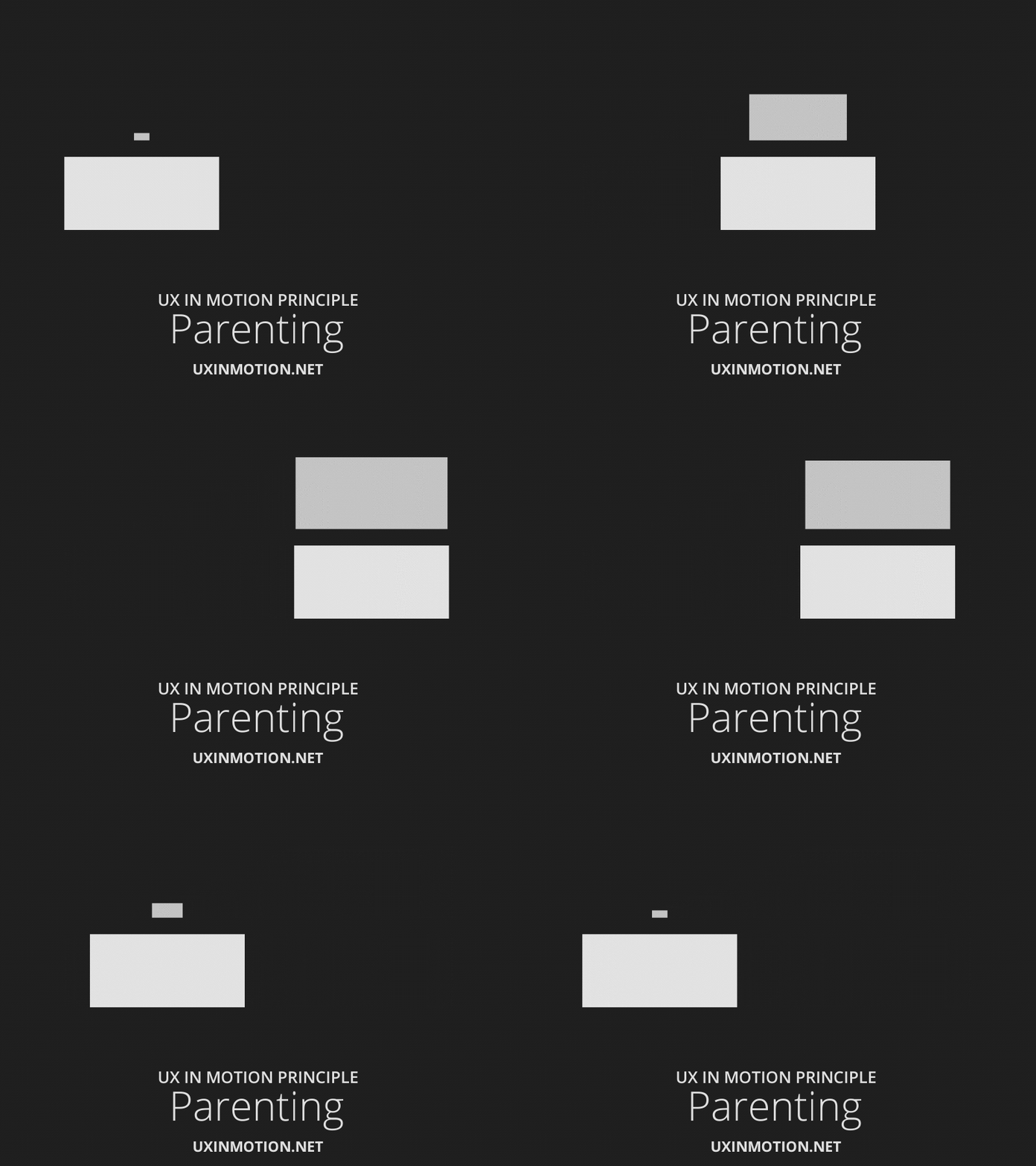
>Parenting 是物體與其他物體屬性的連結,以會增加易用性的方式產生物體關聯和結構。
>
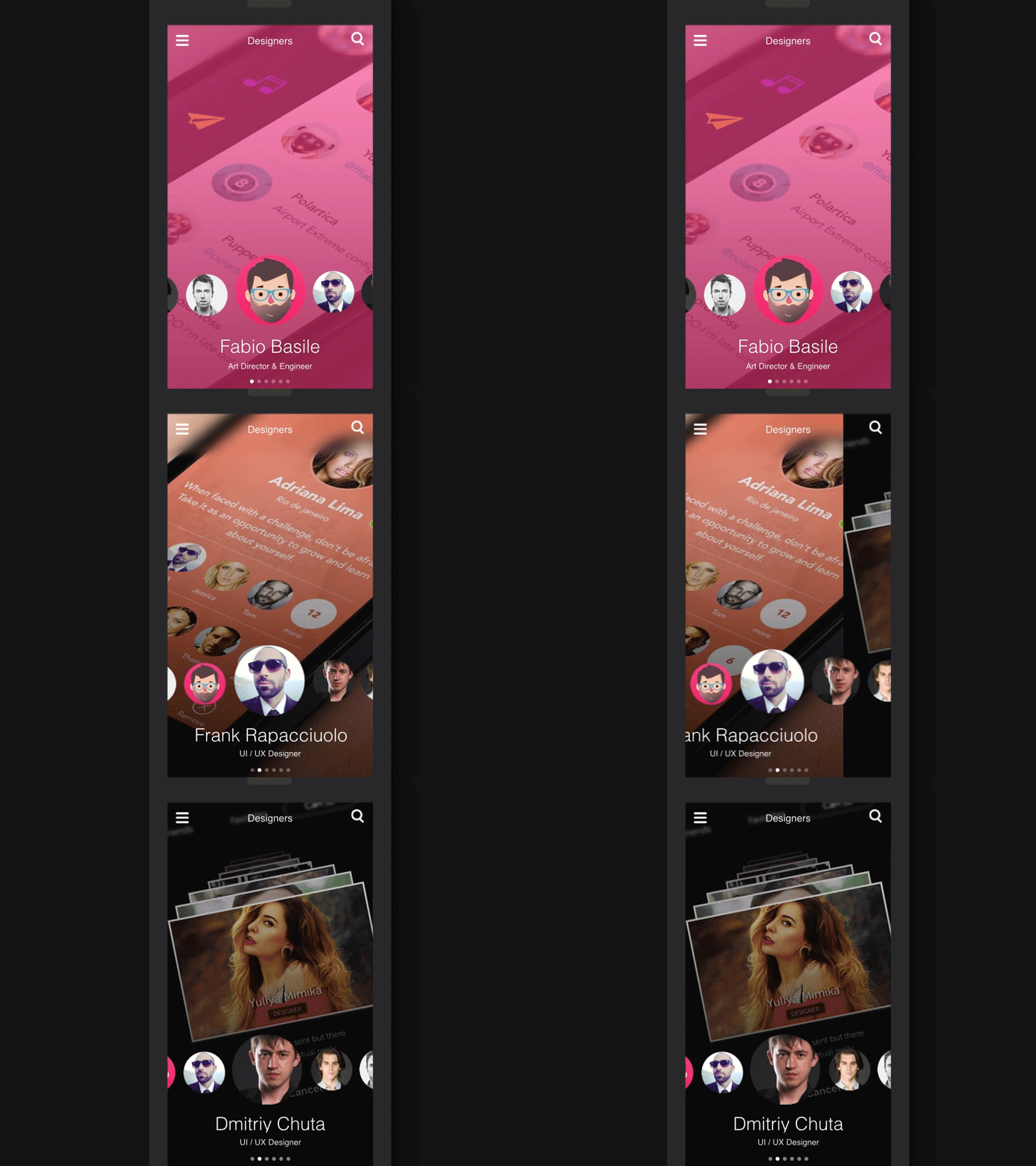

## 第四道原理:Transformation(變形)
當物體的用途改變時,產生敘事流程的連續狀態

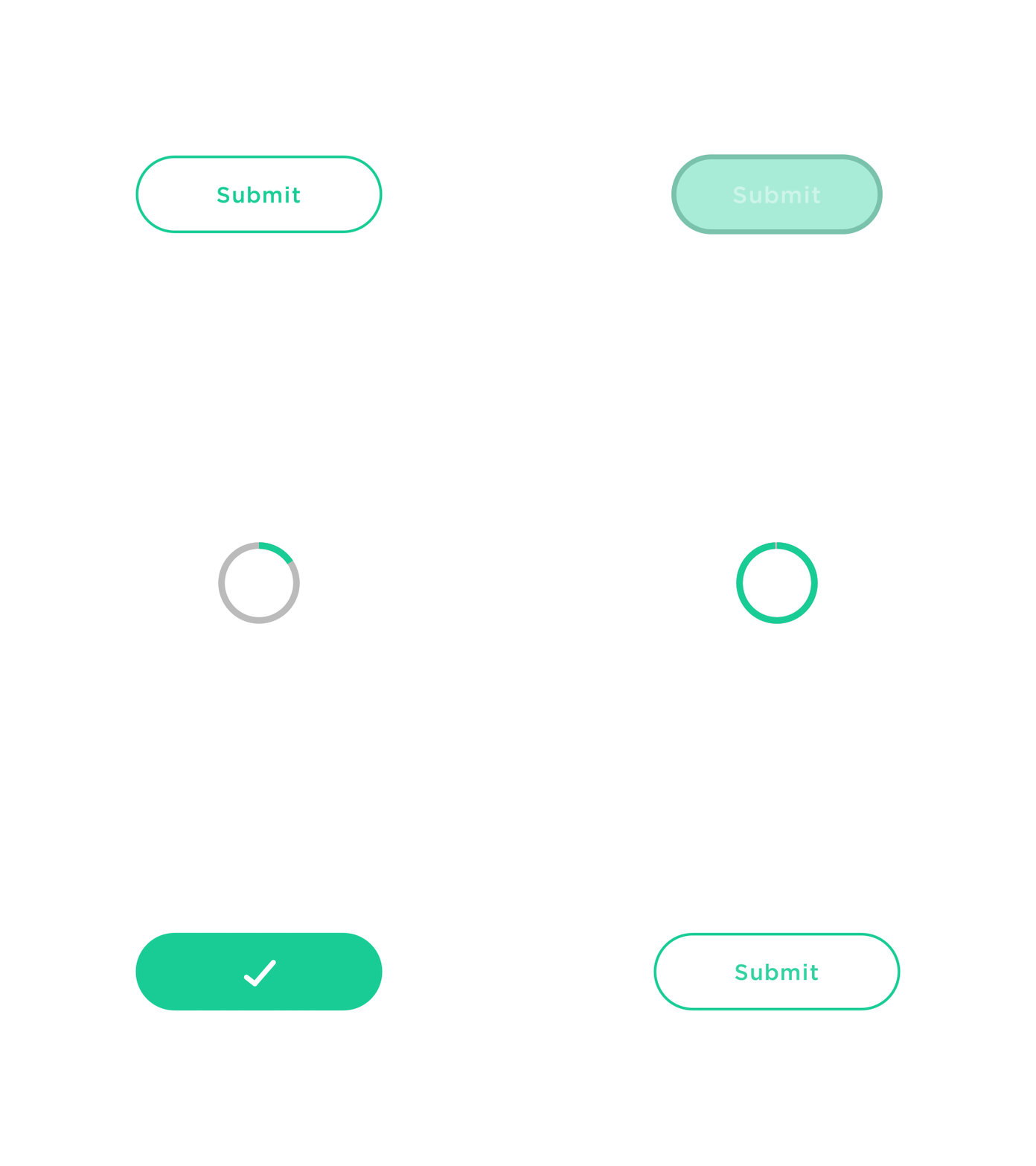
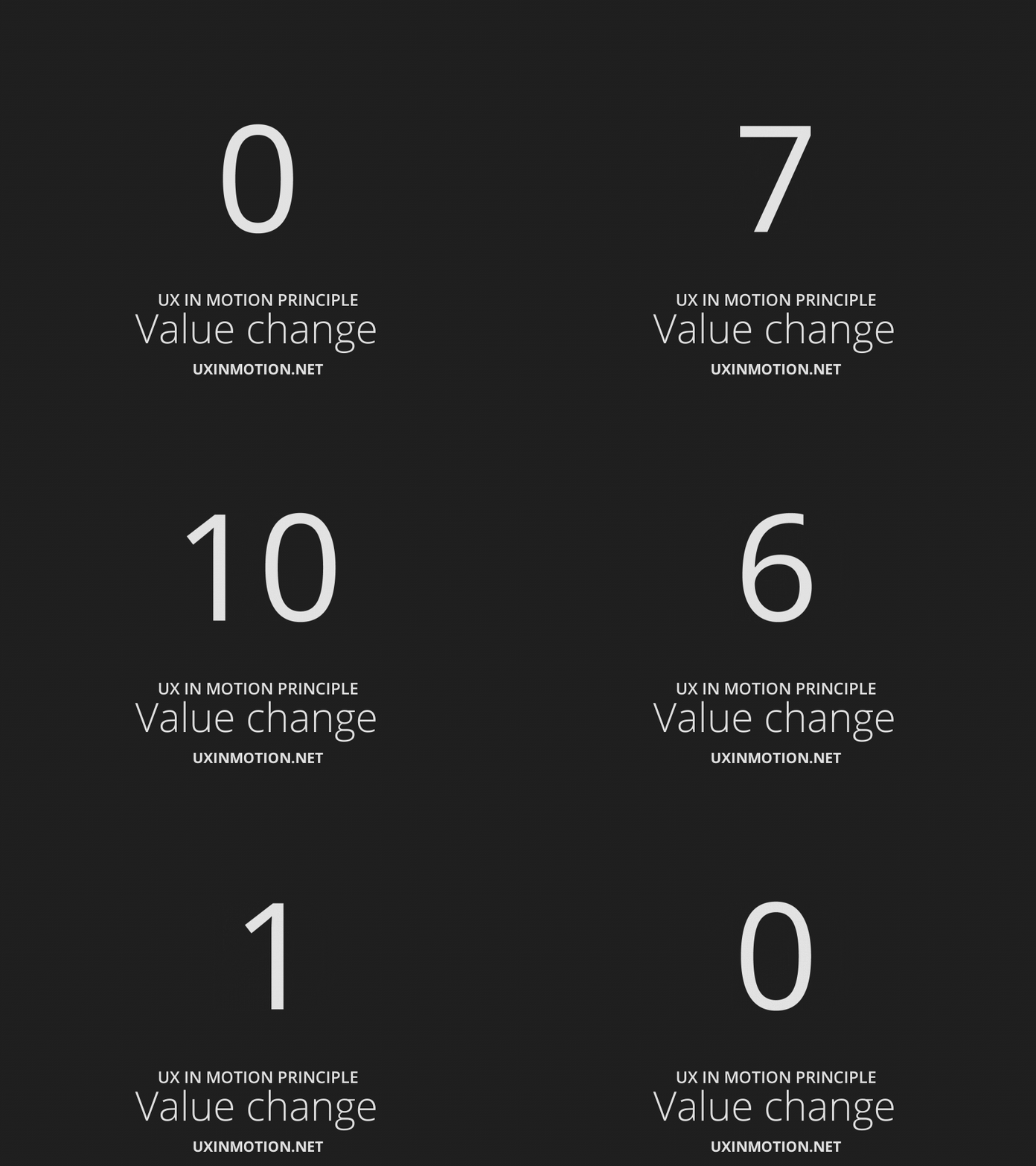
## 第五道原理:Value Change(數值變化)
當數值所屬的項目變化時,創造動態且連續的敘事關係
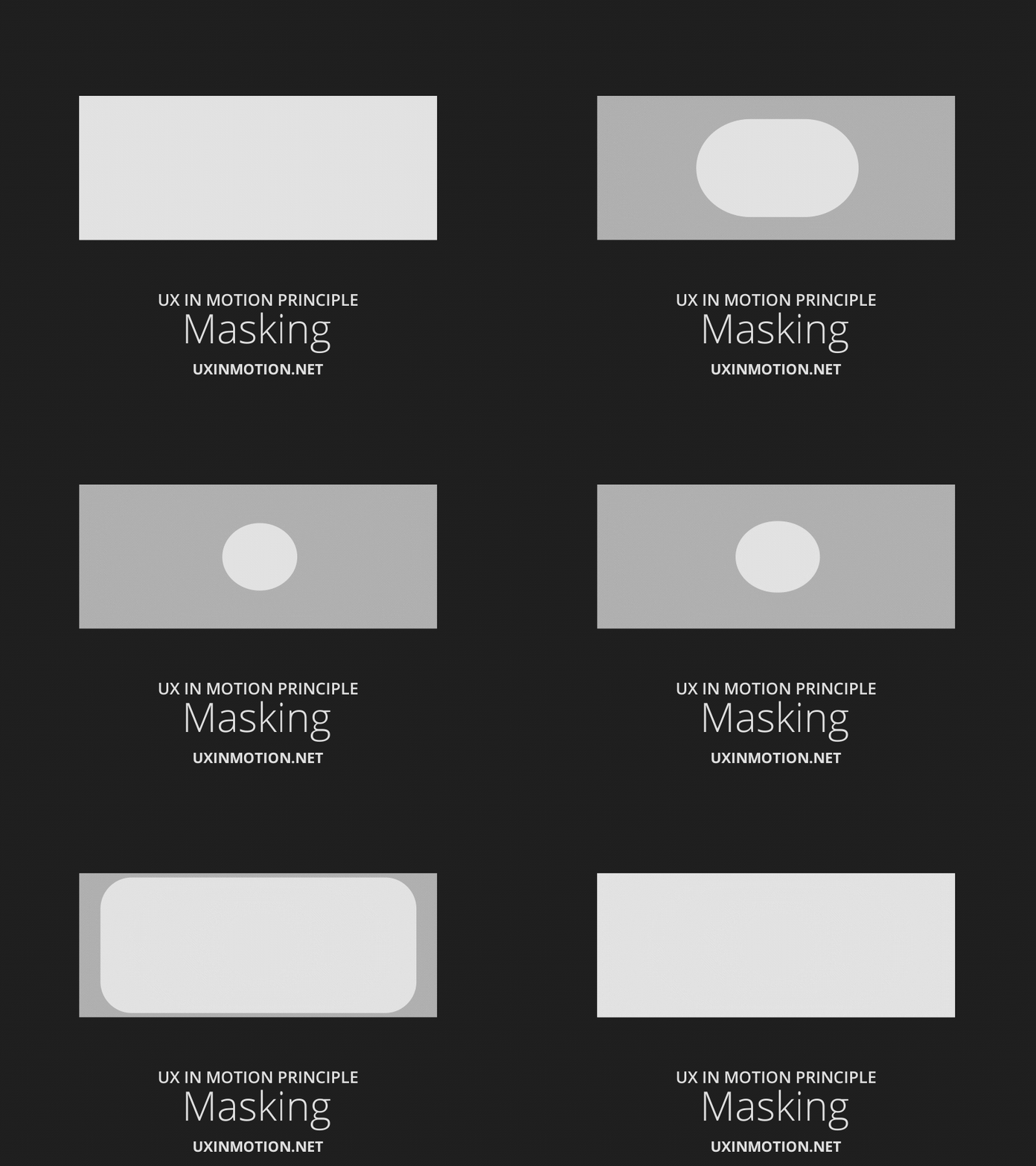
## 第六道原理:遮罩 (Masking)
讓某一個或一組介面物體的部分隱藏/顯示,藉以創造連續感。
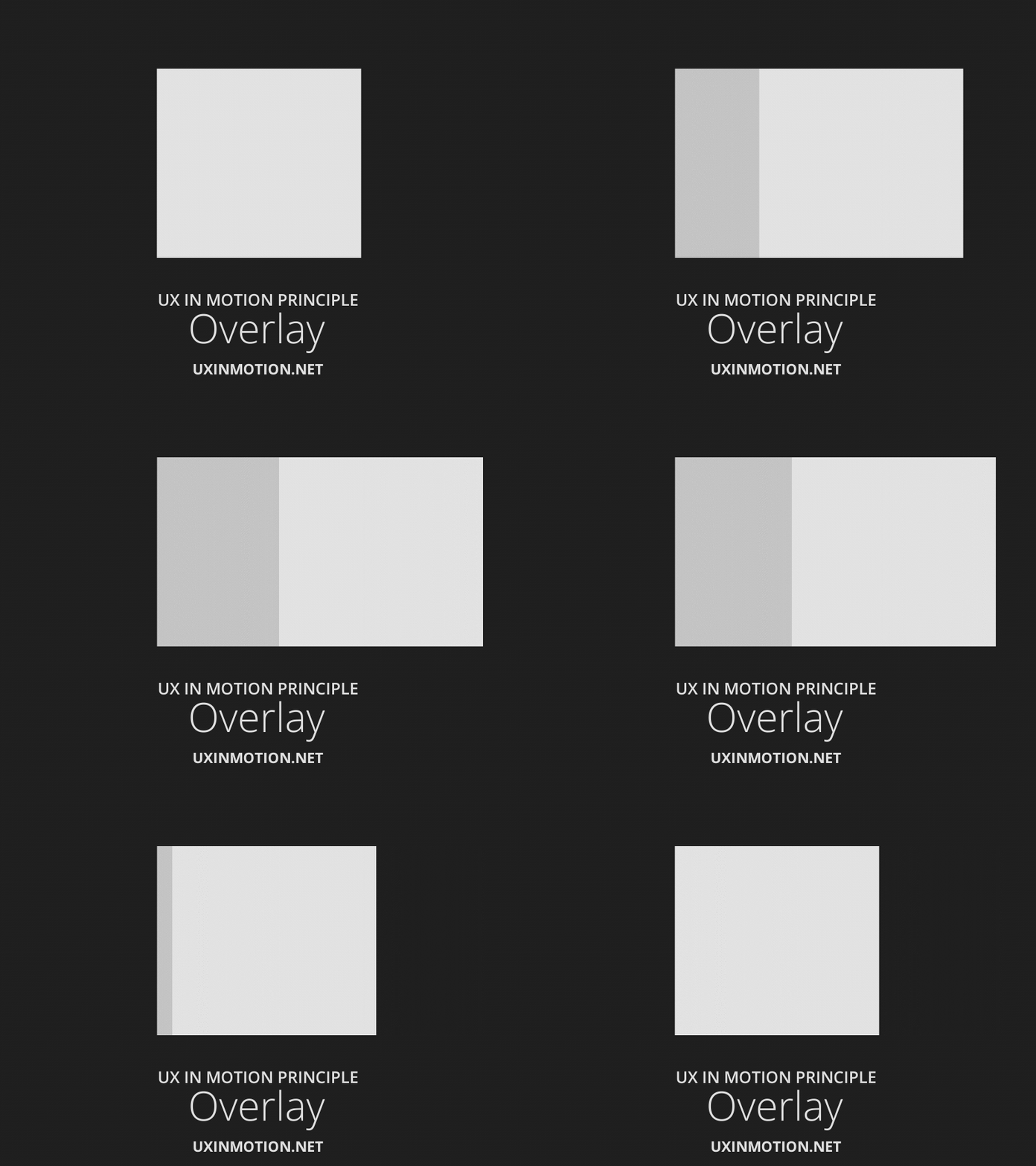
## 第七道原理:Overlay(重疊)
因為位置而形成的多層 (layered) 物體,在視覺平面空間創造敘事效果。
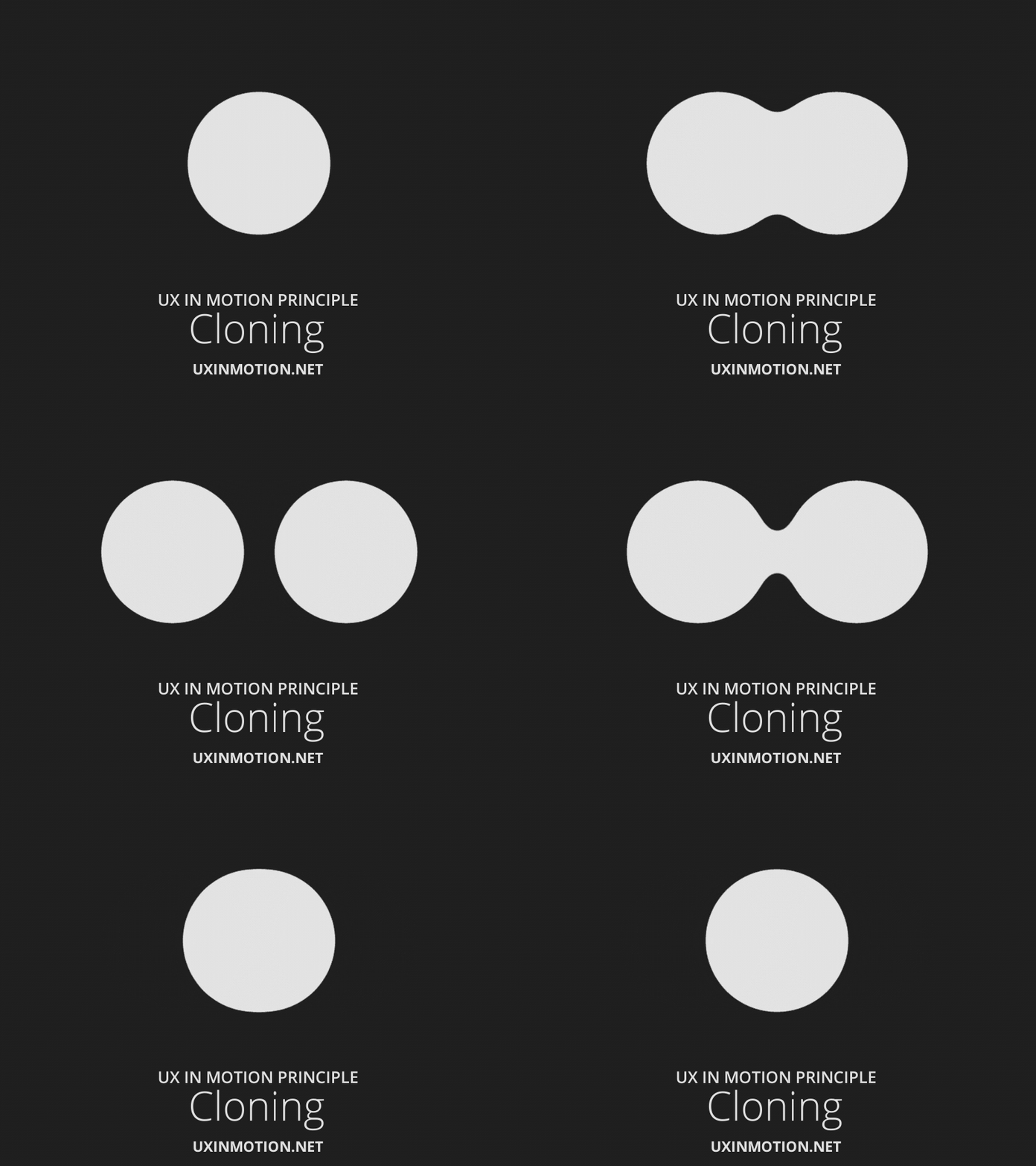
## 第八道原理:Cloning(複製)
在新物體分離或回到原處時,創造連續性、關聯性與敘事效果。
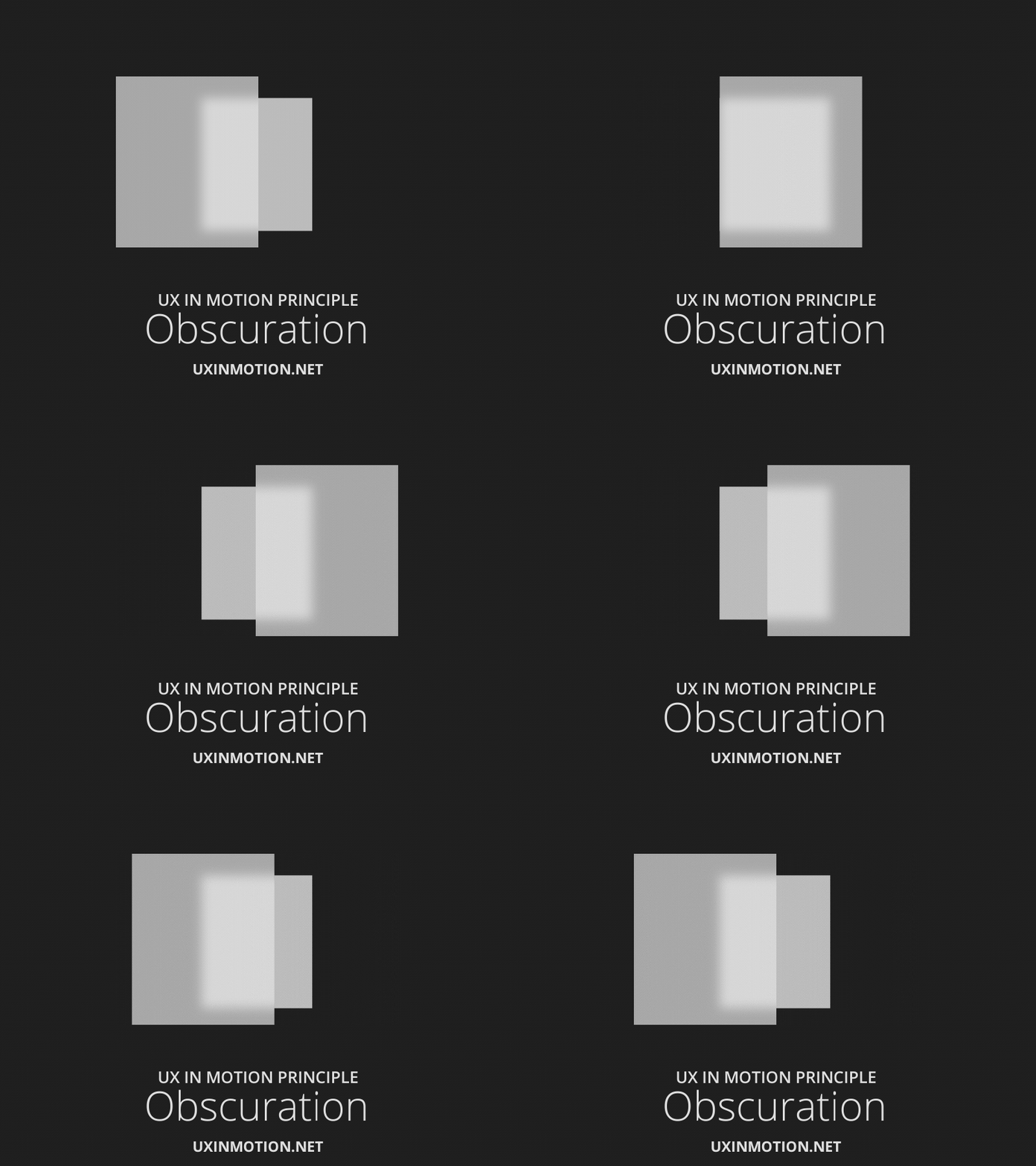
## 第九道原理:Obscuration(朦朧化)
讓使用者可以自行在空間裡,依靠非主要視覺階層的物體或場景找到方向。
## 第十道原理:Parallax(視差)
當使用者捲動畫面時,在視覺平面上創造空間階層
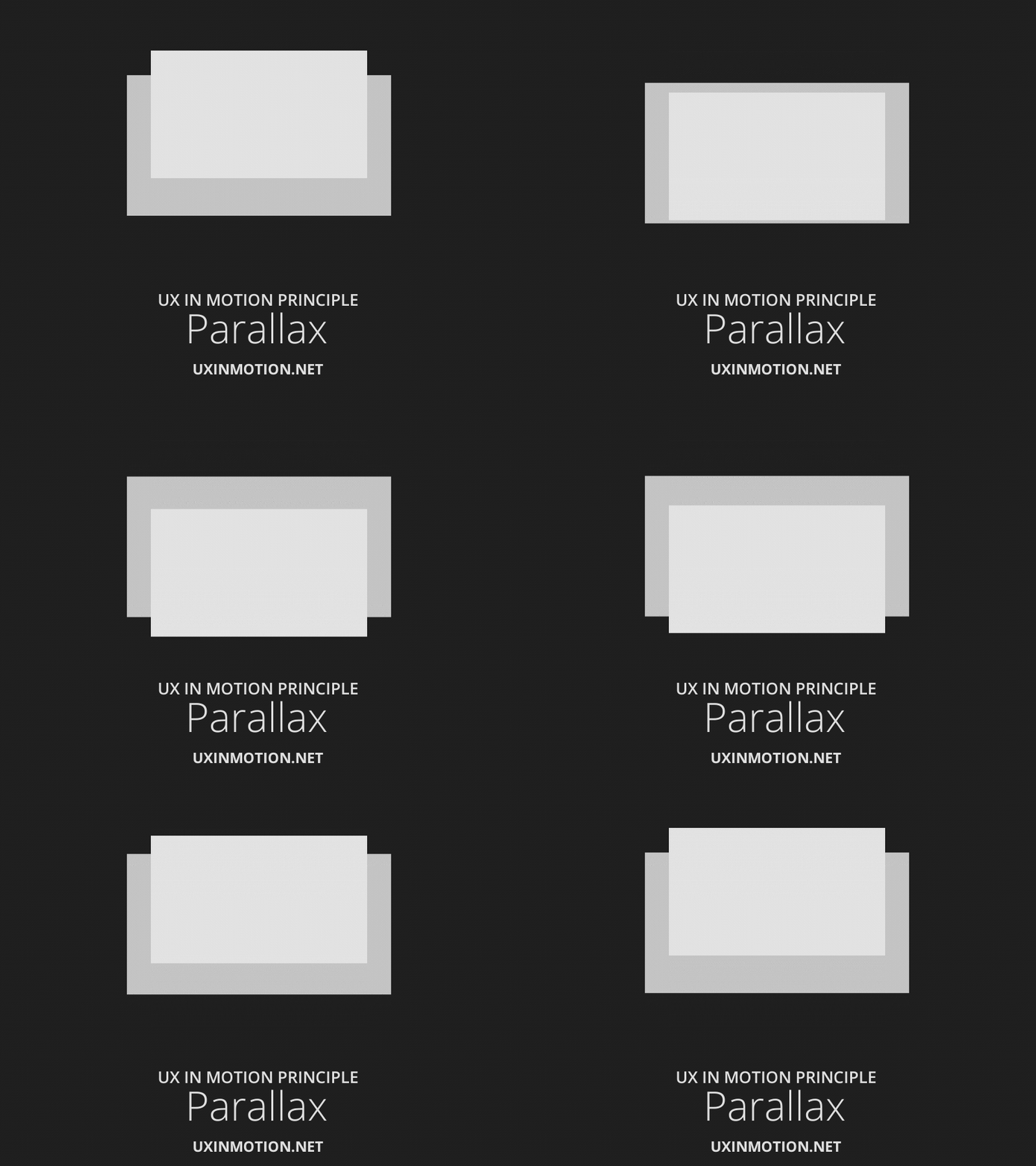
Parallax(視差)在動畫的 UX 時,是指介面上的物體以不同速度移動。
## 第十一道原理:Dimensionality(空間維度)
新物體進入和離開時,提供空間上的敘事架構


## 第十二道原理:Dolly & Zoom(移動鏡頭和縮放)
移動介面物體和空間時,保持連續感和空間敘事

# 完形心理學
群化原則
群化原則中的六大法則(相似性、對稱性、連續性、封閉性、共同命運及接近性)
1. #### 相似性 (Similarity) — 我們的大腦會把相似的事物看成一體
如果數個元素具有類似的尺寸、體積、顏色,使用者會自動為它們建立起關聯。這是因為我們 的眼睛和大腦較容易將相似的事物組織在一起。如下圖所示,當一連串方塊和一連串的圓形並排時,我們會看成(a)一列方塊和兩列圓形 (b)一排圓形和兩排三角形。
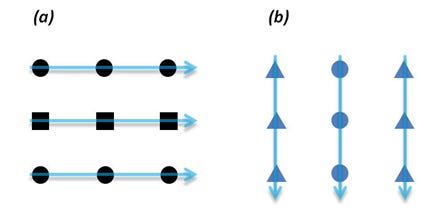
範例 選單列 同一個層級
可以用來規劃同一層級的元素
或是反向操作,在同一層級元素裡,有突然一個不一樣,就會顯得突兀

- https://flatsome3.uxthemes.com/demos/shop-demos/parallax-shop/
- https://demo2.madrasthemes.com/electro-wide/home-v4
電商很常用這種手法來規劃產品
- http://preview.themeforest.net/item/kaleo-creative-ajax-portfolio-template-grid/full_screen_preview/20884285?_ga=2.13145207.135374206.1562775624-552096446.1562772068
標題一至性
2. #### 接近性 (Proximity) — 我們的大腦會把把靠近的事物看成一體
讓我們先來觀察(a),它是由6條直線均等分布,也因此我們的大腦很容易將六條直線視為一組。但很神奇地,若我們將(1)(2)靠近,(3)(4)靠近,(5)(6)靠近,是不是覺得直線們從一組變為三組呢?
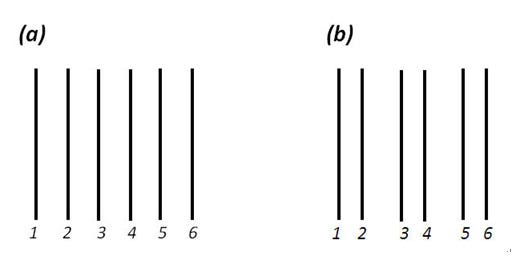
範例 可以用來規劃 組元件

- https://www.portotheme.com/wordpress/porto/shop10/
3. #### 連續性 (Continuity)-我們的大腦會把事物看成連續的形體
常用在手機版上的設計
- https://preview.themeforest.net/item/electro-electronics-store-woocommerce-theme/full_screen_preview/15720624?_ga=2.76815382.2011309943.1562772068-552096446.1562772068
- 瀑流網站
http://wp-royal.com/hyper-x/ares/

4. #### 封閉性 (Closure) — 我們的大腦在觀察事物的時候,會將許多個獨立的元素視認為一個完整封閉的圖形。
我們在觀察事物的時候,傾向將許多個獨立的元素,視為一個封閉的圖案。我們的大腦會自動填補元素和元素間的空白部分,形成一段不存在的線段。如上圖所示,我們可以將一連串的圓點看成一個較大的圓環,也可以將一個不連串的線段看成一個完整的圓,這種視覺特性稱為封閉性。


- 網站運用
隔線系統 增加穩定性
# Sass
https://sass-lang.com/guide
https://github.com/sexfat/ed101
## vscode sass plugin
https://marketplace.visualstudio.com/items?itemName=ritwickdey.live-sass
```jsonld=
"liveSassCompile.settings.formats":[
// This is Default.
{
"format": "expanded",
"extensionName": ".css",
"savePath": null
},
// You can add more
{
"format": "compressed",
"extensionName": ".min.css",
"savePath": "/dist/css"
},
// More Complex
{
"format": "compressed",
"extensionName": ".min.css",
"savePath": "~/../css/"
}
]
```
```jsonld=
"liveSassCompile.settings.formats": [
{
"format": "expanded",
"extensionName": ".css",
"savePath": "/css/"
}
],
```
## 顏色函式
darken( 顏色 , 數值)
```css=
background-color: darken($btn-color , 10);
background-color: lighten($btn-color , 10);
```
```css=
@mixin btncom($class , $bgc , $border-color:none) {
#{$class} {
max-width: 120px;
padding: 8px 13px;
background-color: $bgc;
text-align: center;
border-radius: 5px;
color: #fff;
cursor: pointer;
border: 1px solid $border-color;
&:hover {
background-color: lighten($bgc, 10);
}
@content
}
}
```
```
@include btncom('.btn-com' , rgba(255, 34, 0, 0) ,rgb(207, 169, 43)){
color: rgb(207, 169, 43);
}
```
# @extend
```css=
%border-outline {
border:1px solid #000;
}
@extend %border-outline;
//
.border-outline {
border:1px solid #000;
}
@extend .border-outline;
```
# 運算
```css=
$a : 100;
$b: 200;
.box-plus {
width: $b + $a + px;
height: $b - $a + px;
margin: 10 * (20 + 20px);
font-size: (20px / 2);
}
.width {
font-size: ceil(13.1px); //無條件進位
font-size: floor(13.5px);// 捨去
font-size: round(13.2px);// 四捨五入
}
```
# title module
```css=
@mixin htitle ($fontsizes) {
h1 {
font-size: round($fontsizes * 5);
}
h2 {
font-size: round($fontsizes * 4.6);
}
h3 {
font-size: round($fontsizes * 3.5);
}
h4 {
font-size: round($fontsizes * 2.6);
}
h5 {
font-size: round($fontsizes * 1.2);
}
}
@include htitle(14px);
```
```css=
@mixin border( $dir , $bordercolor){
border-#{$dir} : 1px solid $bordercolor
}
@mixin htitle ($fontsizes) {
%borderbottom {
border-top: 1px solid #000;
}
h1 {
font-size: round($fontsizes * 5);
@extend %borderbottom;
// @include border (top , #000);
}
h2 {
font-size: round($fontsizes * 4.6);
@extend %borderbottom;
// @include border (top , #000);
}
h3 {
font-size: round($fontsizes * 3.5);
@include border (top , #000);
}
h4 {
font-size: round($fontsizes * 2.6);
@include border (top , #000);
}
h5 {
font-size: round($fontsizes * 1.2);
@include border (top , #000);
}
}
@include htitle($fontsize);
```
# 迴圈
```css=
@for $i from 1 through 20 {
.col-#{$i} {
width: $i * 1px;
}
}
```
# grid
```css=
@mixin grid($num) {
@for $i from 1 through $num {
.col-md-#{$i} {
width: ($i / $num) *100%
}
}
}
@include grid(16);
```
# push module
```css=
@mixin push($dir, $num) {
@for $i from 1 through $num {
.margin#{$dir}#{$i} {
// margin-left: $i * 1px;
position: relative;
#{$dir}: $i * 1px;
}
}
}
@include push('left',300);
@include push('top',300);
```
```css=
$list : a1 a2 a3 a4 a5 b1 b2 b3;
@each $imgUrl in $list {
.img-#{$imgUrl} {
background-image: url('img/#{$imgUrl}.jpg');
}
}
```
# 判斷jpg or png
```css=
@mixin imgUrl($list , $style:jpg) {
@each $imgUrl in $list {
@if $style == 'jpg' {
.img-#{$imgUrl} {
background-image: url('img/#{$imgUrl}.jpg');
}
}@else {
.img-#{$imgUrl} {
background-image: url('img/#{$imgUrl}.#{$style}');
}
}
}
}
```
```css=
@include imgUrl(a1 a2 a3 ,png );
@include imgUrl(a12 a22 a32);
```
```css=
$list : (
h1 : 40px,
h2 : 30px,
h3 : 20px,
h4: 15px,
span : 30px,
'.box' : 30px
);
@each $key,$val in $list {
#{$key} {
font-size: $val;
}
}
```
# rwd 組件
```css=
$large : 1200px;
$medium : 996px;
$small : 720px;
@mixin rwd($breakpoint){
@if $breakpoint == large {
@media all and ( min-width: $large) {
@content;
}
}
@else if $breakpoint == medium {
@media all and (min-width:$medium) {
@content;
}
}
@else if $breakpoint == small {
@media all and (max-width:$small) {
@content;
}
}
}
@include rwd(large) {//內容}
@include rwd(medium) {//內容}
@include rwd(small) {//內容}
```
 Sign in with Wallet
Connect another wallet
Sign in with Wallet
Connect another wallet