# remote debugging java apps
https://hackmd.io/@hmoniaga/remote-debugging-java-apps
---
## pre-requisites
### visualvm
#### brew
```
brew install --cask visualvm
```
#### sdkman (https://sdkman.io/)
```
sdk install java 8.0.312-zulu # require hotspot based
sdk install visualvm
```
##### run via sdkman
```
visualvm --jdkhome $HOME/.sdkman/candidates/java/8.0.312-zulu
```
---
## enabling remote jmx
deployment.yaml:
```
containers:
- env:
- name: _JAVA_OPTIONS
value: -Dcom.sun.management.jmxremote -Dcom.sun.management.jmxremote.authenticate=false
-Dcom.sun.management.jmxremote.ssl=false -Dcom.sun.management.jmxremote.local.only=false
-Dcom.sun.management.jmxremote.port=9099 -Dcom.sun.management.jmxremote.rmi.port=9099
-Djava.rmi.server.hostname=127.0.0.1
```
note: applicable for java8, for java9+ use `JDK_JAVA_OPTIONS`
---
## port forward to local
```
kubectl port-forward <your-app-pod> 9099
```
---
## visual vm
### adding connection

---
### sampling memory/CPU

---
### monitoring memory leaks
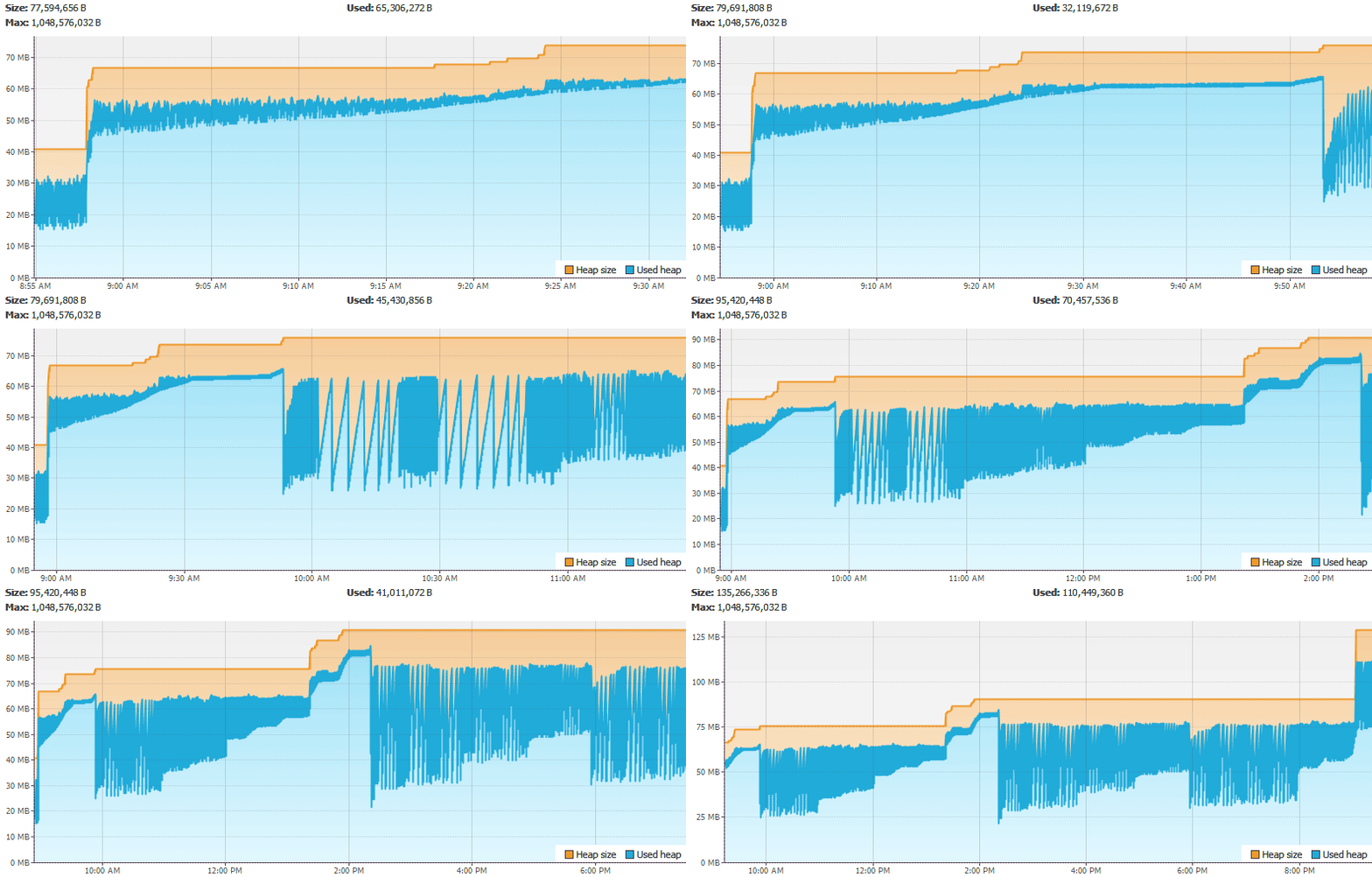
Note: To increase the graphing period from the default one hour, select Tools > Options and update the charts cache.
---
### Thank you! :sheep:
{"metaMigratedAt":"2023-06-16T13:09:00.247Z","metaMigratedFrom":"YAML","title":"remote debugging java apps","breaks":true,"description":"View the slide with \"Slide Mode\".","contributors":"[{\"id\":\"59159191-cc4b-4810-ac2d-1e3f4e92f52a\",\"add\":2393,\"del\":896}]"}