# Python Looping Statements
In Python, the iterative statements are also known as looping statements or repetitive statements. The iterative statements are used to execute a part of the program repeatedly as long as a given condition is True.
Python provides the following iterative statements.
1. While loops
2. For loops
## While Loops
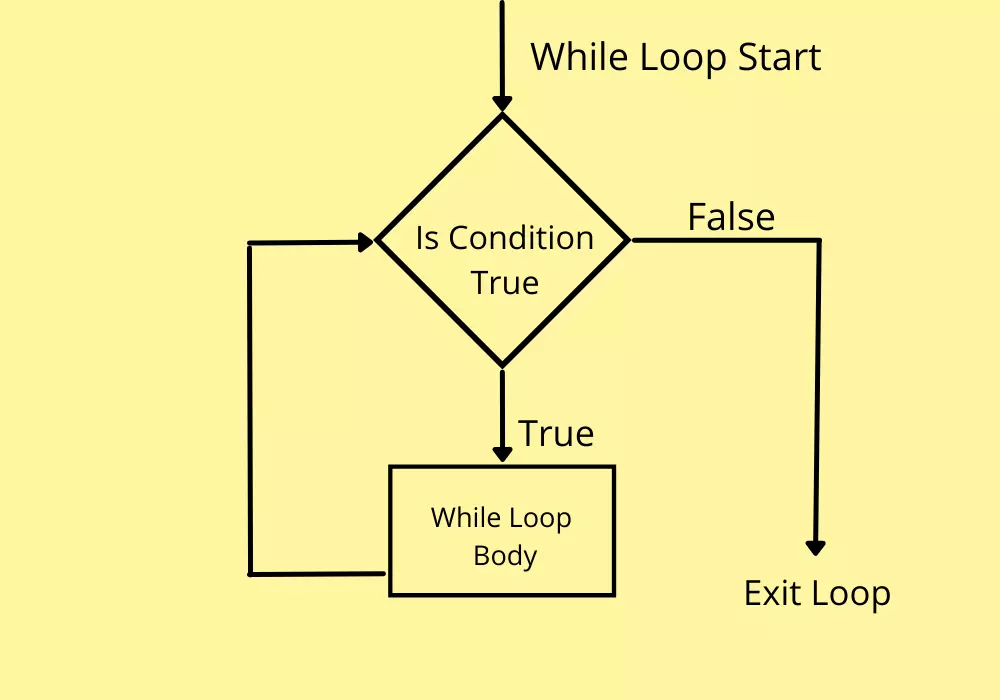
In Python, the while statement is used to execute a set of statements repeatedly.
the while statement is also known as entry control loop statement because in the case of the while statement,
first, the given condition is verified then the execution of statements is determined based on the condition result.
The general syntax of while statement in Python is as follows.
### Syntax
```
while condition:
Statement_1
Statement_2
Statement_3
...
```
### Flow chart Example
<br>
### Code example
``` Exit the loop if i less than 10
i = 1
while i < 10:
print(i)
i = i + 1
print('Value less than 10')
```
### What is the statements in While Loop
1. **break** statement
> With the break statement we can stop the loop even if the while condition is true:
``` Exit the loop when i is 3:
i = 1
while i < 6:
print(i)
if i == 3:
break
i += 1
```
2. **else** statement
> With the else statement we can run a block of code once when the condition no longer is true:
``` Print a message once the condition is false:
i = 1
while i < 6:
print(i)
i += 1
else:
print("i is no longer less than 6")
```
3. **continue** statement
> With the continue statement we can stop the current iteration, and continue with the next:
```Continue to the next iteration if i is 3:
i = 0
while i < 6:
i = i + 1
if i == 3:
continue
print(i)
```
## For Loops
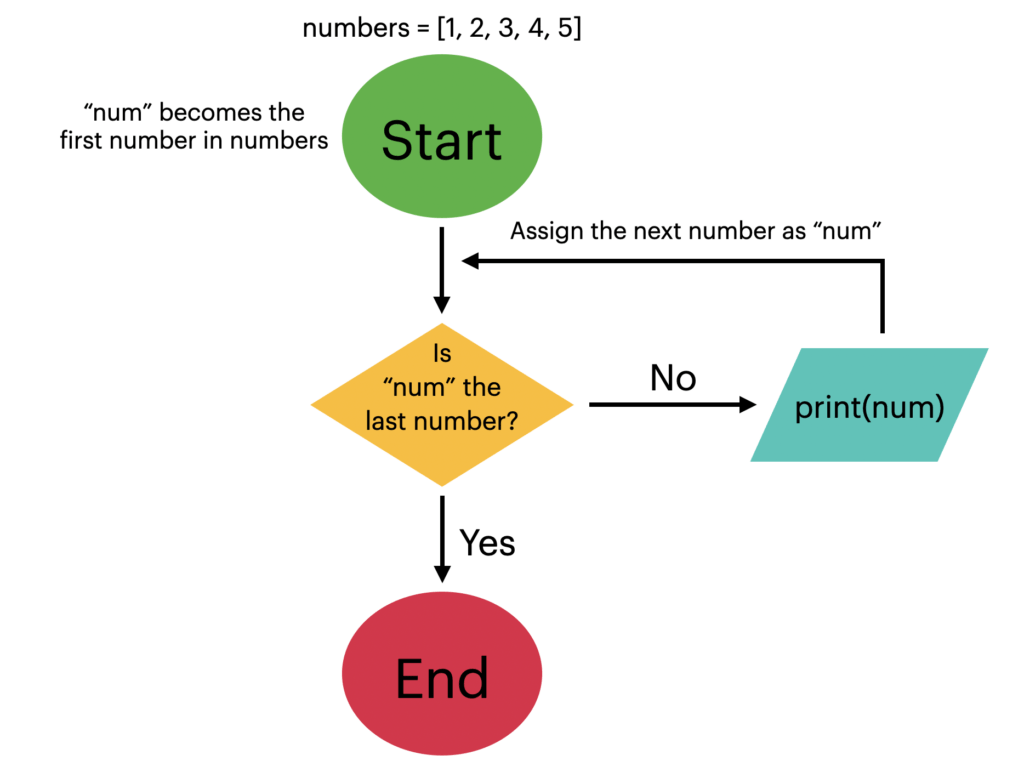
In Python, the for statement is used to iterate through a sequence like a list, a tuple, a set, a dictionary, or a string.
The for statement is used to repeat the execution of a set of statements for every element of a sequence.
The general syntax of for statement in Python is as follows.
### Syntax
```
for <variable> in <sequence>:
Statement_1
Statement_2
Statement_3
...
```
### Flow chart Example
<br>
### Example
```
#Print each fruit in a fruit list:
fruits = ["apple", "banana", "cherry"]
for x in fruits:
print(x)
```
### What statments and functions we are using with for !
1. **break** Statement
> With the break statement we can stop the loop before it has looped through all the items:
```Exit the loop when x is "banana":
fruits = ["apple", "banana", "cherry"]
for x in fruits:
print(x)
if x == "banana":
break
```
```Exit the loop when x is "banana", but this time the break comes before the print:
fruits = ["apple", "banana", "cherry"]
for x in fruits:
if x == "banana":
break
print(x)
```
2. **continue** Statement
> With the continue statement we can stop the current iteration of the loop, and continue with the next:
``` #Do not print banana:
fruits = ["apple", "banana", "cherry"]
for x in fruits:
if x == "banana":
continue
print(x)
```
3. **range** Function
>To loop through a set of code a specified number of times, we can use the range() function,
The range() function returns a sequence of numbers, starting from 0 by default, and increments by 1 (by default), and ends at a specified number.
```
for x in range(6):
print(x)
```
```
for x in range(2, 6):
print(x)
```
```
for x in range(2, 30, 3):
print(x)
```
4. Else in For Loop
> The else keyword in a for loop specifies a block of code to be executed when the loop is finished:
``` Print all numbers from 0 to 5, and print a message when the loop has ended:
for x in range(6):
print(x)
else:
print("Finally finished!")
```
``` Using break with else in for loop || The else block will NOT be executed if the loop is stopped by a break statement.
for x in range(6):
if x == 3: break
print(x)
else:
print("Finally finished!")
```
 Sign in via Google
 Sign in via Facebook
 Sign in via X(Twitter)
 Sign in via GitHub
 Sign in via Dropbox
 Sign in with Wallet
Connect another wallet
Sign in with Wallet
Connect another wallet